
A PipeBio client package

Project description
PipeBio Python SDK


A Python 3.9+ SDK for the PipeBio platform.
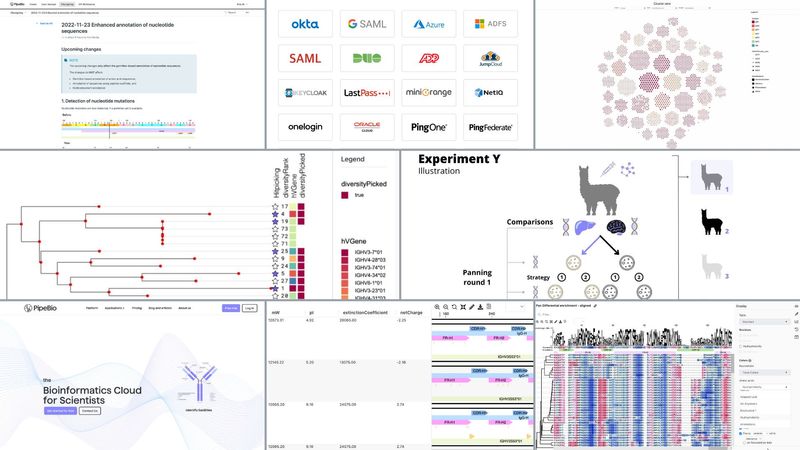
The integrated bioinformatics platform for large molecule and peptide discovery
PipeBio is an integrated cloud-based platform for biologics discovery that allows wet lab scientists to easily analyze antibody and peptide sequences with functional assay data and bioinformaticians to deploy their own code and run workflows.
Use PipeBio to configure standard analysis workflows and create SOPs with the range bioinformatics tools on PipeBio for
- Antibody sequence analysis and discovery
- Antibody engineering
- Short peptide discovery
- NGS, Sanger, PacBio and single cell sequence analysis
Installation
pip install pipebio
Examples
Example usage of the sdk can be found at api-examples.
Environment Variables
In order to use the sdk, you should get an api key from the me page.
This can then be used by either:
- setting as a system wide environment variable
EXPORT PIPE_API_KEY=*****. - setting in the command line when you run your scripts
PIPE_API_KEY=***** python your_script.py. - using an .env file - this sdk will automatically load the contents of an .env file (must be called
.envand in the same directory as your script) and set any environment variables set in it.
Example .env file
PIPE_API_KEY=*****
Extending the sdk
If the endpoint you need is not currently supported by the sdk, then session is available in the pipebio_client, which can be used in the usual requests style e.g.:
from pipebio.pipebio_client import PipebioClient

# PipebioClient initialises by reading the PIPE_API_KEY environment variable for authorization.
# Please ensure this is set (see Environment Variables section for how).
client = PipebioClient(url='https://app.pipebio.com')

# Session already has the base url set, so you need to use the relevant part of the route as your url.
# So when the below api request is made, it is translated to https://app.pipebio.com/api/v2/me'
response = client.session.get(url='me')
print(response.json())
Support
Please contact support@pipebio.com for help.
Release history Release notifications | RSS feed


Download files
Download the file for your platform. If you're not sure which to choose, learn more about installing packages.
Source Distribution
Built Distribution
Filter files by name, interpreter, ABI, and platform.
If you're not sure about the file name format, learn more about wheel file names.
Copy a direct link to the current filters
File details
Details for the file pipebio-5.0.13.tar.gz.
File metadata
- Download URL: pipebio-5.0.13.tar.gz
- Upload date:
- Size: 1.9 MB
- Tags: Source
- Uploaded using Trusted Publishing? No
- Uploaded via: twine/6.2.0 CPython/3.11.15
File hashes
| Algorithm | Hash digest | |
|---|---|---|
| SHA256 |
ef3e55a9602b1cc9bd76a9207bd4761d0a768086a818d5d1c68127a888b844fa
|
|
| MD5 |
71e1e975de71a32c83bdc4cb3d178fba
|
|
| BLAKE2b-256 |
4db93decc0802b97fc9b06a597aa549ed54815cbcd383b8aef1d88dd26c15ae6
|
File details
Details for the file pipebio-5.0.13-py3-none-any.whl.
File metadata
- Download URL: pipebio-5.0.13-py3-none-any.whl
- Upload date:
- Size: 52.9 kB
- Tags: Python 3
- Uploaded using Trusted Publishing? No
- Uploaded via: twine/6.2.0 CPython/3.11.15
File hashes
| Algorithm | Hash digest | |
|---|---|---|
| SHA256 |
4f875ee6e3c88a260044625716a6bcee7b70fc5b4168c81d1df1d3d1a0bcd7fd
|
|
| MD5 |
14a86ef9556c7f1694cf1b760ea784ca
|
|
| BLAKE2b-256 |
e024ab8b739048549bb2573b302fc907e79773602b144a6350dce418a0c97a9d
|






