
Visualization tool for sklearn pipelines

Project description
A Python package that provides a convenient way to visualize Scikit-learn machine learning pipelines. It utilizes libraries such as NetworkX, Matplotlib, and Plotly to generate clear, interactive, and insightful visual representations of your ML pipelines
Installation
You can install Visualize Pipeline using pip:
pip install visualize-pipeline
Dependencies
Visualize Pipeline depends on the following Python libraries:
--NetworkX --Matplotlib --Plotly --Scikit-Learn
You can install these dependencies using pip:
pip install networkx matplotlib plotly scikit-learn
Usage
Basic Example
Here's a basic example of how to use Visualize Pipeline:
from visualize_pipeline import visualize_pipeline
from sklearn.pipeline import Pipeline
from sklearn.preprocessing import StandardScaler
from sklearn.linear_model import LogisticRegression

# Create a simple pipeline
pipe = Pipeline([
    ('scale', StandardScaler()),
    ('clf', LogisticRegression())
])

# Visualize the pipeline
graph = visualize_pipeline(pipe)

# Save the graph to an HTML file
convert_graph_to_plot(graph, 'pipeline.html')
This will create an interactive HTML file pipeline.html with the visualization of your pipeline.
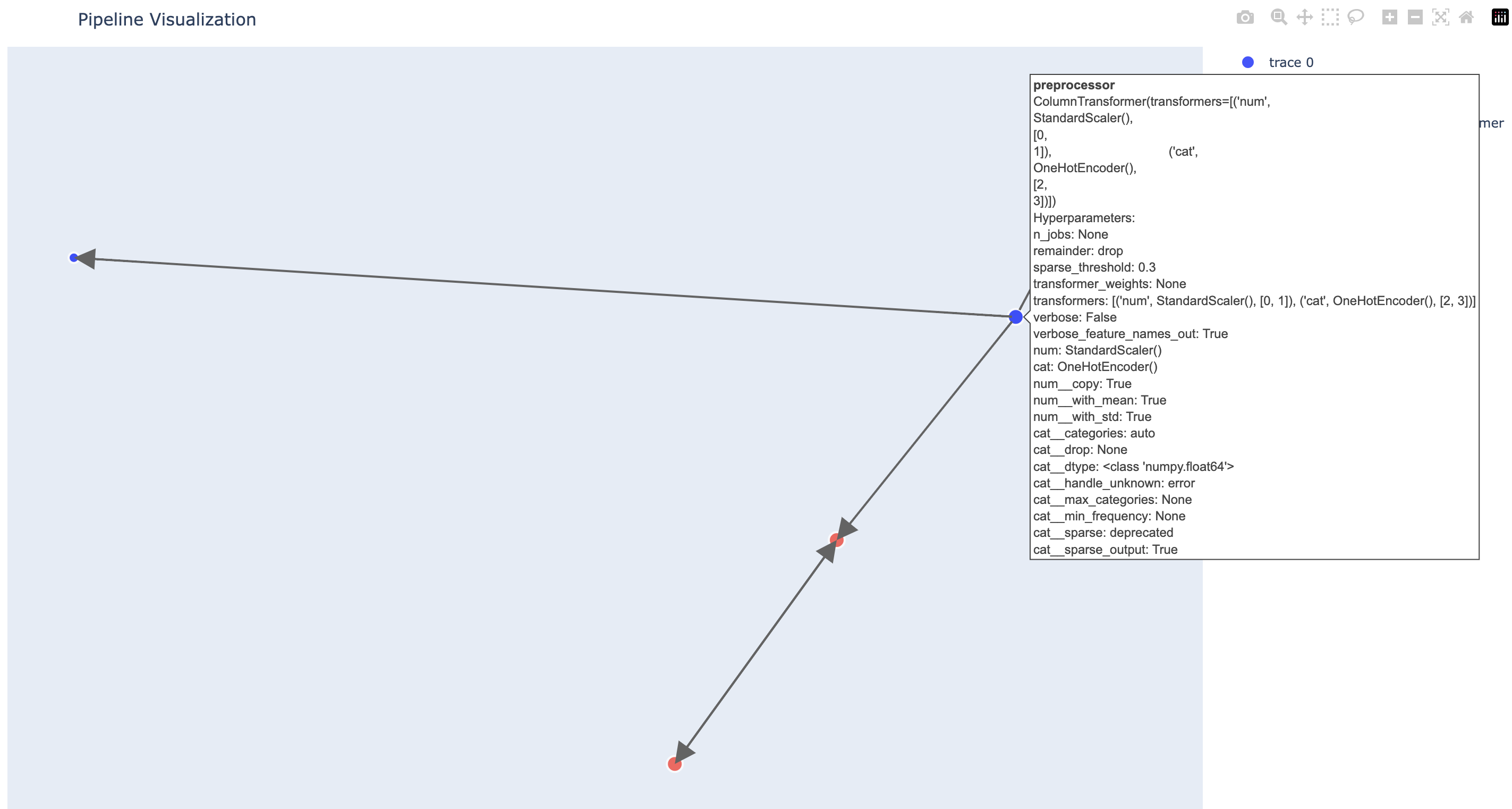
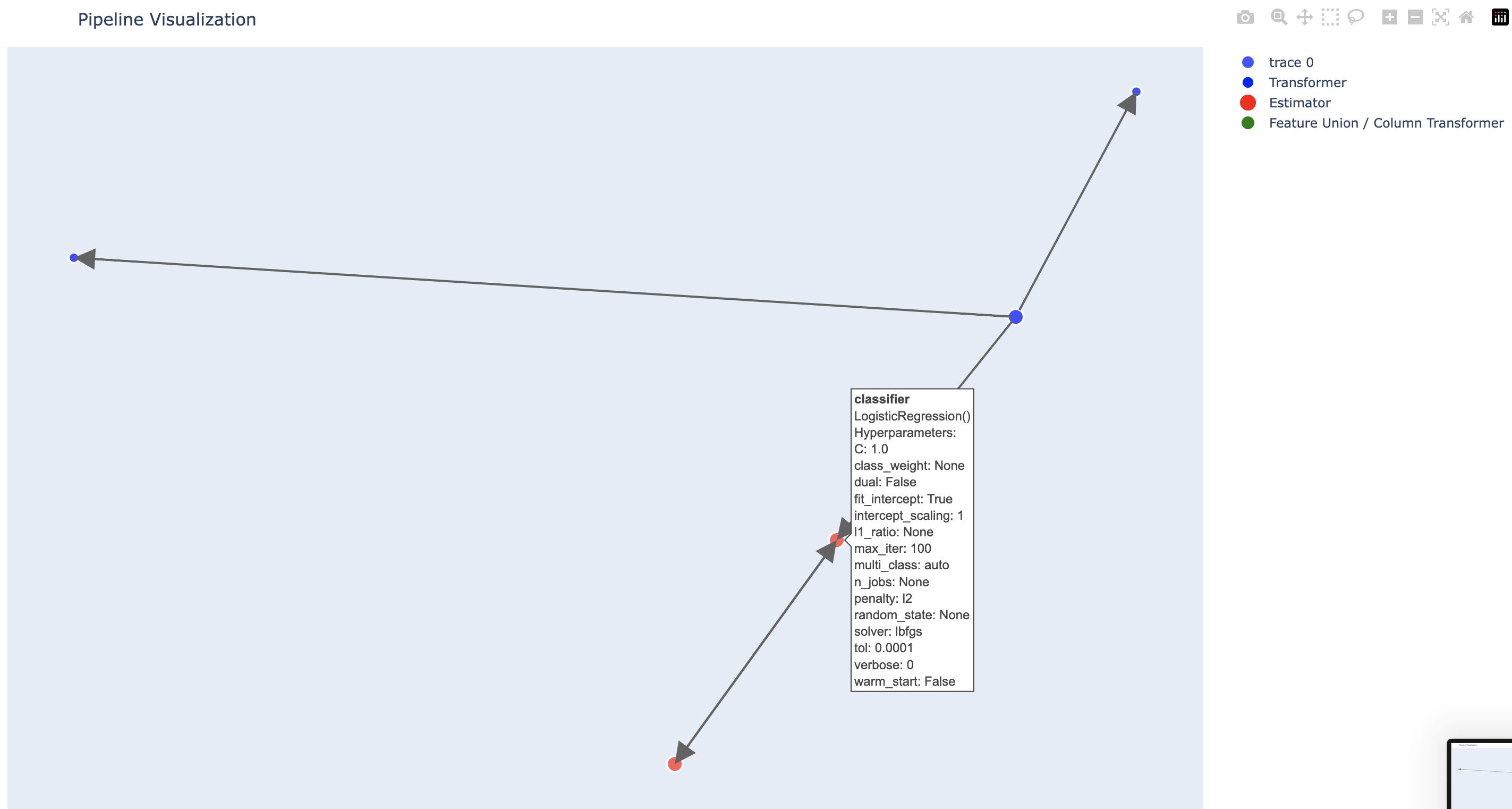
Example in Google Colab with a complex pipeline
pipe = Pipeline(steps=[
    ('scaler', StandardScaler()),
    ('classifier', LogisticRegression())])

preprocessor = ColumnTransformer(
    transformers=[
        ('num', StandardScaler(), [0, 1]),
        ('cat', OneHotEncoder(), [2, 3])])

complex_pipeline = Pipeline(steps=[
    ('preprocessor', preprocessor),
    ('classifier', pipe)])

graph = visualize_pipeline(complex_pipeline)
# fig = convert_graph_to_plot(graph)

# Convert the graph to a plotly figure
fig = convert_graph_to_plot(graph, filename='pipeline.html')
from IPython.display import HTML

# Display the HTML file
display(HTML('pipeline.html'))
Visual Example
Scope
Visualize Pipeline currently supports Scikit-Learn's Pipeline, FeatureUnion, and ColumnTransformer classes. It can visualize pipelines with nested pipelines and feature unions/column transformers.
The package is meant for visualizing the structure of your pipelines and does not show the actual data flow or transformations in the pipeline.
Contributing
Contributions are welcome! Please open an issue or submit a pull request on the GitHub repository.
Release history Release notifications | RSS feed


Download files
Download the file for your platform. If you're not sure which to choose, learn more about installing packages.
Source Distribution
Built Distribution
Filter files by name, interpreter, ABI, and platform.
If you're not sure about the file name format, learn more about wheel file names.
Copy a direct link to the current filters
File details
Details for the file pipeline_viz-0.1.2.tar.gz.
File metadata
- Download URL: pipeline_viz-0.1.2.tar.gz
- Upload date:
- Size: 6.0 kB
- Tags: Source
- Uploaded using Trusted Publishing? No
- Uploaded via: twine/4.0.2 CPython/3.10.0
File hashes
| Algorithm | Hash digest | |
|---|---|---|
| SHA256 |
39821635aa238b7fb0cb72420cec7eae52dc514d56e20a20543ee012ba0eab56
|
|
| MD5 |
f0987b78d4a81a2614481b85c4825936
|
|
| BLAKE2b-256 |
af0eb8872a92d4fa868728d7fdcf514e7ebddcadd79765dec590672868d15cea
|
File details
Details for the file pipeline_viz-0.1.2-py3-none-any.whl.
File metadata
- Download URL: pipeline_viz-0.1.2-py3-none-any.whl
- Upload date:
- Size: 7.5 kB
- Tags: Python 3
- Uploaded using Trusted Publishing? No
- Uploaded via: twine/4.0.2 CPython/3.10.0
File hashes
| Algorithm | Hash digest | |
|---|---|---|
| SHA256 |
8eee41969a8b37b150c8118e3daf2aca626bf327b17bbb2ea123654999f9d044
|
|
| MD5 |
06c1f87309155443c40c00236b5bfe6f
|
|
| BLAKE2b-256 |
65922069aee8a2eff5af53bf1ce0a364b441b739f5029bfa8eeae1bc9d90f5f6
|






