
Pivotal

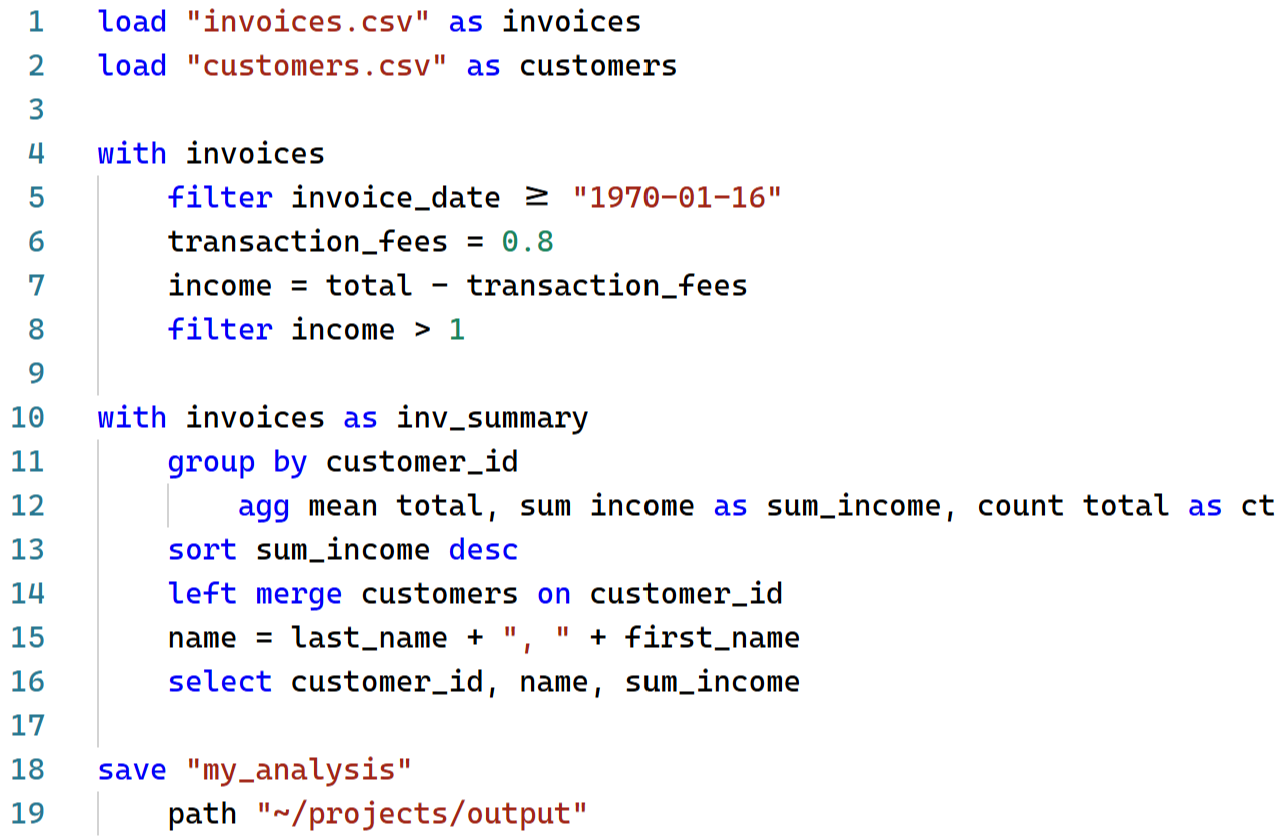
Pivotal is a data analysis language for Python. It offers a concise syntax for common data operations that compiles to Pandas, Polars or DuckDB code. With comprehensive JupyterLab and VS Code support (syntax highlighting, autocomplete, interactive viewer and GUI controls) Pivotal provides a friendly entry point to the Python data ecosystem.
Website: www.pivotal-lang.org
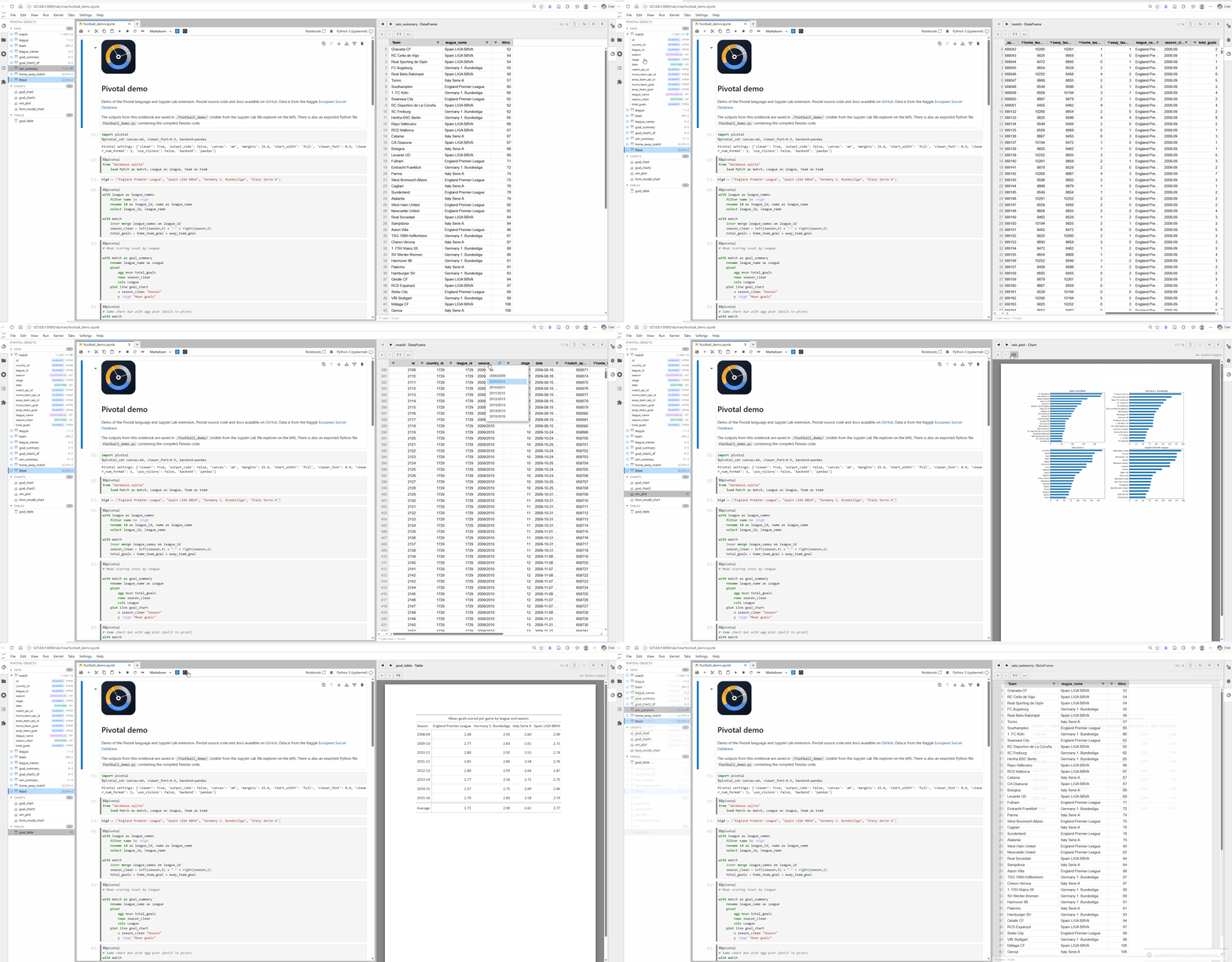
A live-demo of Pivotal in Jupyter Lab is available via Binder:
What's New In 0.7.0
- Target-first weighted aggregation blocks, with comma-separated columns or named target lists sharing one weight column
- Named Pivotal lists for built-in aggregations such as
agg mean measures - Native Pivotal scalar and dictionary path references in
loadstatements - Compatibility fixes for weighted aggregation, dataframe columns named
weight, and multi-case assignment headers with trailing whitespace
See the full changelog at: https://github.com/nealbob/pivotal-py/blob/master/CHANGELOG.md
Features
Readable, writable syntax — write data transformations in a concise declarative syntax that feels familiar to SQL and Pandas users
Multiple backends — compile to Pandas, Polars, or in-process DuckDB SQL
JupyterLab and VS Code integration — syntax highlighting, autocomplete, %%pivotal cell magic, interactive object viewer and explorer, and GUI controls
AI support — ask an LLM or coding agent to generate, run, verify, and compare Pivotal code via the Pivotal MCP server
Comprehensive data pipelines — build full workflows with data-quality checks, pipeline functions, column loops, and loadable config / metadata values
Plotting and tables — create charts and publication-ready tables with simple syntax, backed by matplotlib and Great Tables
Data packages — export DataFrames, charts, and tables to a single Frictionless data package
Python integration — call Python functions, load Python variables, and mix Pivotal and Python code as needed
Installation
pip install pivotal-lang
This installs the full feature set — Pandas, Polars, DuckDB, Great Tables.
For a minimal Pandas-only install:
pip install --no-deps pivotal-lang
pip install lark pandas matplotlib
JupyterLab extension
pip install pivotal-lab
VS Code extension
Install from the VS Code Marketplace, or build locally from editors/vscode.
Documentation
Full documentation including the complete syntax reference, backend guide, and API reference:
Contributing
Contributions are welcome! Please open an issue or pull request on GitHub.
To install the developer test dependencies:
pip install .[test]
The JupyterLab Playwright smoke test is optional. To install its dependency:
pip install .[jupyter-test]
python -m playwright install chromium
License
MIT
Authors
Neal Hughes
Version History
-
v0.1.0 — Initial release
-
v0.2.0 — Breaking grammar changes and major new features
- Breaking:
df <name>renamed towith <name>; copy syntax changed fromdf <name> from <source>towith <source> as <name> - Breaking:
loadsyntax flipped fromload <name> "path"toload "path" as <name> - New
fromstatement for database connections (SQLite, DuckDB, SQLAlchemy URIs) - Full VS Code extension: data viewer, Python↔VS Code bridge, snippets with tab-stops, hover documentation
- Improved error messages: friendly syntax errors, semantic validator (unknown table/column detection), runtime error filter with expandable tracebacks
- AG Grid viewer: polished UI, column auto-fit, cell text selection, column pin menu
- VS Code viewer opens in a horizontal split; quick-open command (
Ctrl+Shift+O) to search all loaded data, charts and tables - Full install by default — dropped
pivotal[all]extras syntax
- Breaking:
-
v0.3.0 — New language features and fixes
elseclause in conditional assignments:col = expr where condition else defaultelsedefault branch in multi-case (where/where/else) assignments- Scalar
min()andmax()in column expressions, supported across all backends - Fixed syntax highlighting gaps in VS Code and JupyterLab extensions
- Fixed Pygments lexer missing keywords (
else,end, and others)
-
v0.5.0 - Major syntax, MCP, docs, and editor release
- Added
bulk load, columnforloops, regex transforms, regex selection, data-quality commands, native values, and pipeline functions - Added structured AI verification / comparison APIs and both local and hosted MCP server modes
- Added complete syntax and command-reference docs, plus versioned online docs
- Improved JupyterLab and VS Code highlighting, autocomplete, viewer rendering, and packaging
- See
CHANGELOG.mdon GitHub for the full release notes
- Added
-
v0.6.0 - Native expressions, persistence syntax, and notebook fixes
- Added backend-independent expression and condition IR with compatibility fallbacks
- Added explicit package, file, and managed-table save syntax
- Added explicit line continuation
- Fixed JupyterLab autocomplete navigation and faceted plot titles
- See
CHANGELOG.mdon GitHub for the full release notes
-
v0.7.0 - Aggregate lists, target-first weighted means, and native load paths
- Added comma-separated and named-list aggregation targets
- Added target-first weighted aggregation blocks with one shared weight column
- Fixed native Pivotal scalar and dictionary path references in
load - Preserved legacy weighted syntax and columns named
weight - See
CHANGELOG.mdon GitHub for the full release notes
Contact & Support
For questions, issues, or feature requests please open an issue on GitHub or contact hughes.neal@gmail.com.
1 maintainer

Metadata
1 maintainer
Release files for pivotal-lang 0.7.0
For a detailed explanation of source distributions (sdists) and built distributions (wheels), please see the package formats documentation.
Source distribution (sdist)
| File | Size | Uploaded | Provenance | |
|---|---|---|---|---|
| pivotal_lang-0.7.0.tar.gz | 216.2 kB | Without provenance | Details |
Built distribution (wheel)
| File | Interpreter | ABI | Platform | Reset |
|---|---|---|---|---|
| pivotal_lang-0.7.0-py3-none-any.whl | Python 3 | none | any | Details |
Total release size: 370.5 kB
Release files / pivotal_lang-0.7.0.tar.gz
| Download URL | pivotal_lang-0.7.0.tar.gz |
|---|---|
| Size | 216.2 kB |
| Tags | Source |
|
SHA-256 checksum How to use checksums |
72407a585d6d30b5b9ae5a129a186d6c82457030622e43975bd106332f63b1b7
|
|
BLAKE2b-256 checksum How to use checksums |
4181d556b834d84fc3c848d0b301c1d775bf793574b343128243d6760b6e9086
|
| Upload date | |
|
Uploaded using Trusted Publishing? What is trusted publishing? |
No |
| Uploaded via |
twine/6.2.0 CPython/3.13.7
|
Release files / pivotal_lang-0.7.0-py3-none-any.whl
| Download URL | pivotal_lang-0.7.0-py3-none-any.whl |
|---|---|
| Size | 154.3 kB |
| Tags | Python 3 |
|
SHA-256 checksum How to use checksums |
afb76c2b74117c7c1d24c916c6972300785c9871d6849058a8fe7bb4bf9bf5d2
|
|
BLAKE2b-256 checksum How to use checksums |
c448540f5fc7382ddeac67fdfb49bca041cfd94f83edfae3c0733b2771de5300
|
| Upload date | |
|
Uploaded using Trusted Publishing? What is trusted publishing? |
No |
| Uploaded via |
twine/6.2.0 CPython/3.13.7
|
Security for pivotal-lang 0.7.0
Provenance
Provenance describes where a file came from. On PyPI, provenance is shared via attestations, which provide a verifiable record of the build or publishing details. View details, limitations and caveats.
No provenance found
None of the files in this release were uploaded with provenance metadata.
A note on package security
PyPI is a repository for distributing packages, not a service for auditing them. While third-party security researchers and our staff do their best to detect and remove malicious packages, PyPI cannot guarantee the quality, security or suitability of any given package.
To learn more about protecting yourself from malicious actors, visit our package security documentation.














