
Welcome to PixelateMe 👋
Your Python package for anonymising faces in images and videos



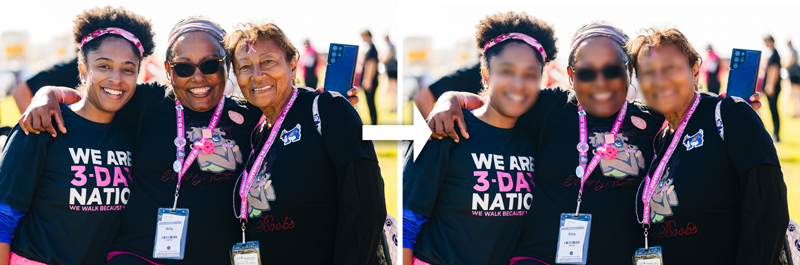
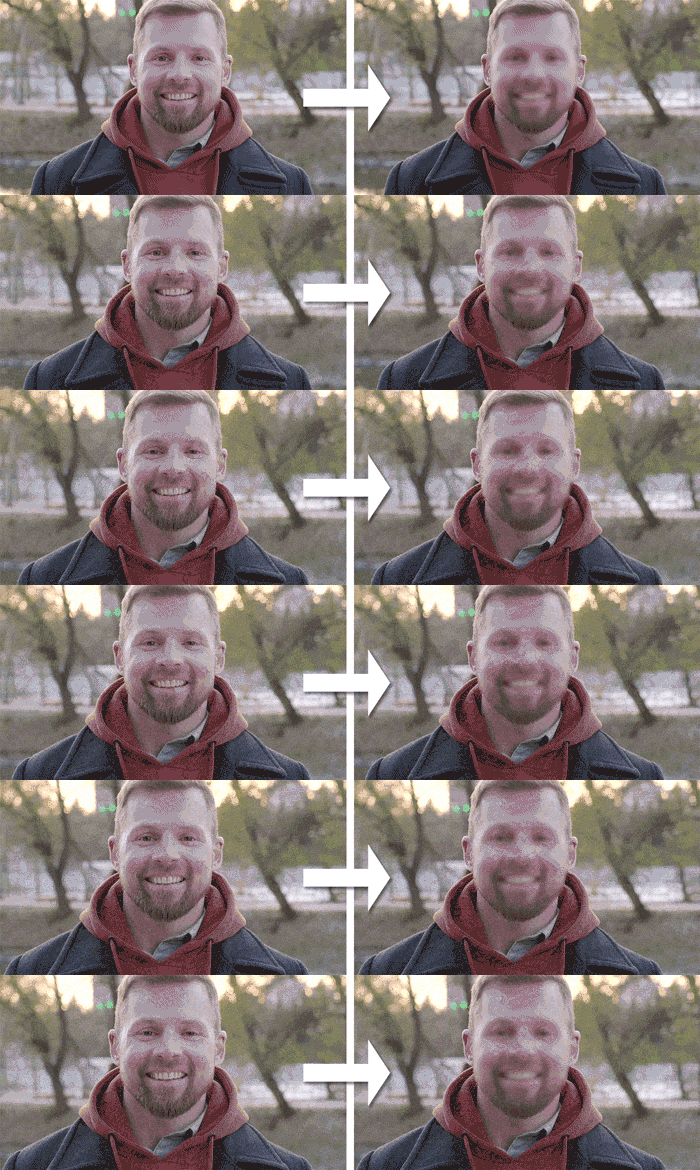
This CLI tool lets you pixelate, blur or remove faces from videos and images. GPU acceleration supported
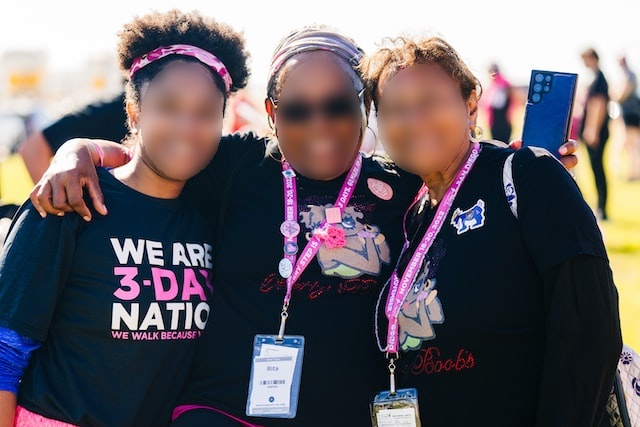
Original image from unsplash.com by Susan G. Komen 3-Day
Original video from pexels.com by fauxels
⚡️ Quickstart
📥 Install
pip install pixelateme
With GPU support (additionally installs onnxruntime-gpu:
pip install pixelateme[gpu]
▶️ Run
After installation, pip registers a shortcut binary which can be called like this:
pixelateme --mode blur FOLDER_OR_FILES
This will create a new pixelated folder to hold all the pixelated files.
To launch the gui directly open the pixelategui executable from the packages folder of your python installation or:
pixelatemegui
📝 Custom code
To use this package in your own code, you can import the main module. This module exports a run method that accepts all CLI arguments as parameters.
from pixelateme.main import run

run(path=["FILE_PATHS"])
🎯 Features
- Different anonymisation modes: pixelate, blur and color
- GPU acceleration
- Preview of currently processed files
- Face Recognition to blur only certain faces or all faces except certain ones
- ONNXRT and OpenCV run-time backend
- Process multiple files in parallel
- GUI
💻 CLI Arguments
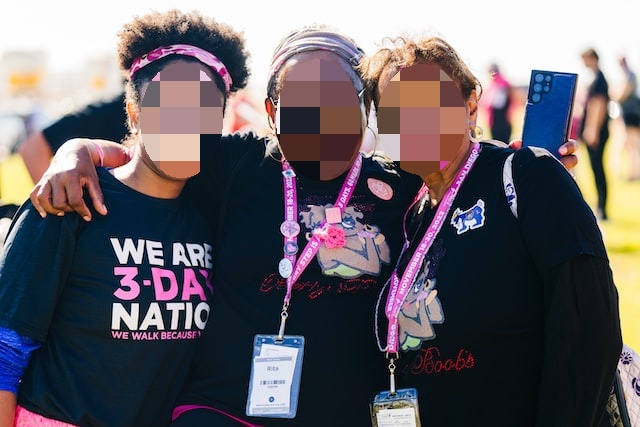
--suffix: Filename suffix of processed files. Default:--output(-o): Output directory for processed files. Default: ./pixelated--mode(-m): Mode of anonymization. Default: pixelate--threshold(-t): Threshold for detected faces (higher means more confidence). Default: 0.5--backend: Desired backend (e.g. opencv or onnxrt). Auto prefers onnxrt and falls back to opencv. Default: auto--only-blur-this-faces: Folder containing images of faces (one face per image) that should be considered for anonymisation. All other faces will not be anonymised. Default: None--blur-except-this-faces: Folder containing images of faces (one face per image), which should be ignored for anonymization. Default: None--ellipse: Uses ellipses as form for anonymization. Default is rectangle--blur-strength: Defines how "blurry" a face will be. Only working with--mode"blur". Default: 3--pixelate-size: Amount of pixelation effect. The higher the value, the harder it is to recognise the face. Default: 3--deepface-similarity: The maximum similarity between two faces. A higher value means that more faces are considered equal. Only working in combination with--blur-except-this-facesor--only-blur-this-faces. Default: 0.4--preview: Enable preview of the currently processed image. No preview is default--face-recognition-size: Image size to use for face detection. Format: WxH (e.g. 720x480). Default: None--maximum-face-recognition-size: Maximum number of pixels of the longest side for face detection. Images larger than this will be downscaled for face recognition. This doesn't affect output resolution. Default: 640--multiprocessing: Enable multiprocessing to process files in videos. Useful when anonymizing multiple large videos. Disabled by default--parallel-processes: Number of parallel processes. Only works with--multiprocessingenabled. Default: 4--soft-mask: Enables a soft transition between blurred and original image. Disabled by default--soft-mask-strength: Defines the feather strength of the mask edge. Default: 7
🔧 Settings Overview
Modes
| Mode | Strength 3 (default) | Strength 6 | |
|---|---|---|---|
| Pixelate | 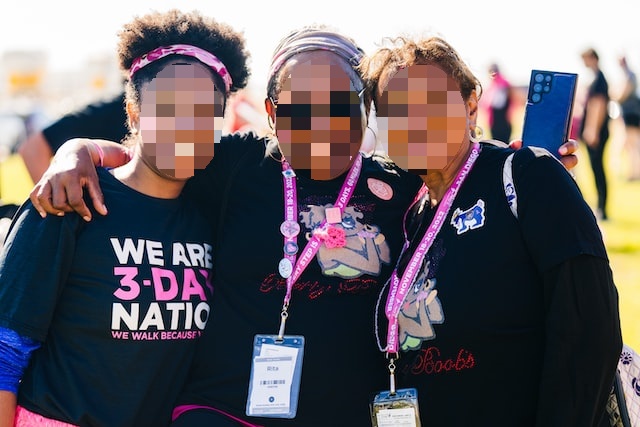 |
 |
|
| Blur | 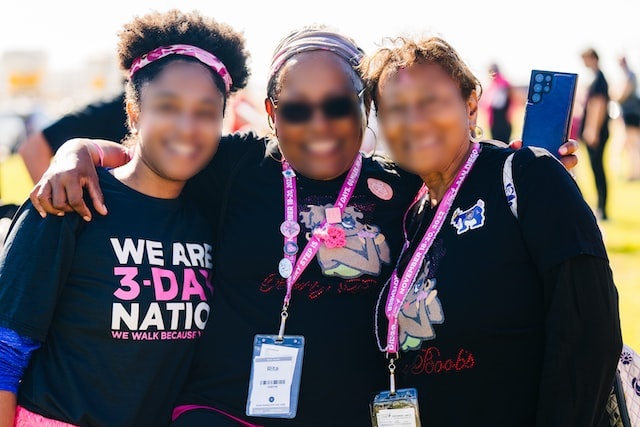 |
 |
|
| Color | 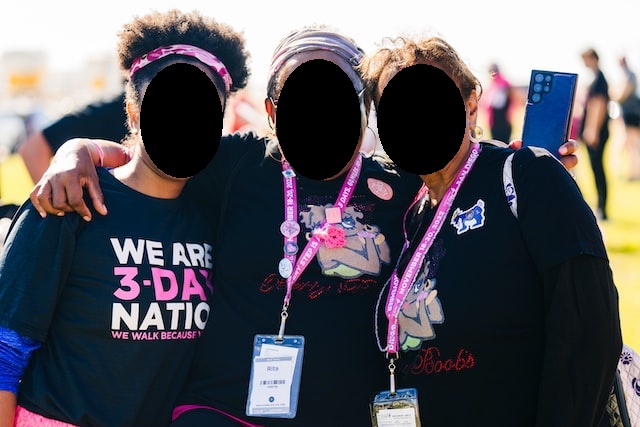 |
Soft Mask
| Soft Mask Strength | |
|---|---|
| Disabled | |
| Strength 7 (Default) | 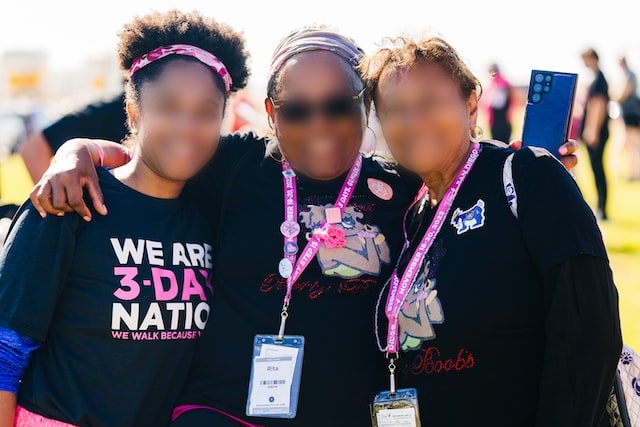 |
| Strength 14 | 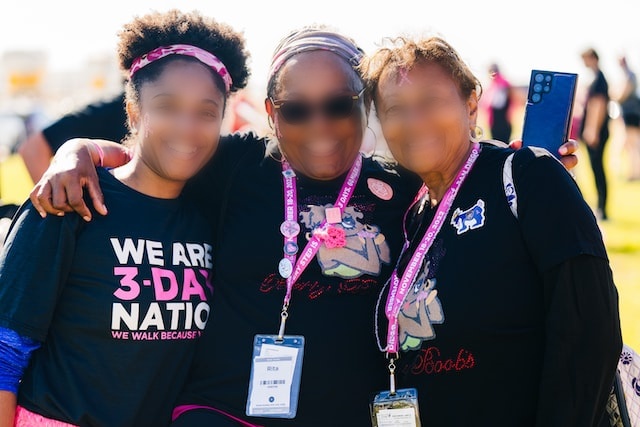 |
👏 Acknowledgements
- deface: Deface was one of my inspirations for this package and the implementation of CenterFace.
- CenterFace: Used for face detection
- DeepFace: Used for face recognition
- ONNX: Face detection backend
- OpenCV: Face detection backend, used for I/O and face anonymisation (blur, pixelation and color)
👥 Author
👤 Marius Butz
- Website: http://marius-butz.de
⭐️ Show your support
1 maintainer

Release files for PixelateMe 1.1.0
For a detailed explanation of source distributions (sdists) and built distributions (wheels), please see the package formats documentation.
Source distribution (sdist)
| File | Size | Uploaded | |
|---|---|---|---|
| PixelateMe-1.1.0.tar.gz | 7.0 MB | Details |
Built distribution (wheel)
| File | Interpreter | ABI | Platform | Reset |
|---|---|---|---|---|
| PixelateMe-1.1.0-py3-none-any.whl | Python 3 | none | any | Details |
Total release size: 14.0 MB
Release files / PixelateMe-1.1.0.tar.gz
| Download URL | PixelateMe-1.1.0.tar.gz |
|---|---|
| Size | 7.0 MB |
| Tags | Source |
|
SHA-256 checksum How to use checksums |
959a2349f0b8f5f1b38fd5188a1e574cc3643514b4532bf57cbdc41436ba8780
|
|
BLAKE2b-256 checksum How to use checksums |
f286bf0ec196fb5e64ced9c41f72d7e65f71ba7cc65885b4fa4d8ac58e1f1255
|
| Upload date | |
|
Uploaded using Trusted Publishing? What is trusted publishing? |
No |
| Uploaded via |
twine/4.0.1 CPython/3.11.2
|
Release files / PixelateMe-1.1.0-py3-none-any.whl
| Download URL | PixelateMe-1.1.0-py3-none-any.whl |
|---|---|
| Size | 7.0 MB |
| Tags | Python 3 |
|
SHA-256 checksum How to use checksums |
3035c9650abe221c2b4969254e992cfc4c04a9c291c3a8b0cf45aa6083db1265
|
|
BLAKE2b-256 checksum How to use checksums |
e88a824726d43e4b1e819afc5c0d21f519092fa0c621039411eeaf8f9ec6ba49
|
| Upload date | |
|
Uploaded using Trusted Publishing? What is trusted publishing? |
No |
| Uploaded via |
twine/4.0.1 CPython/3.11.2
|














