
pixelize







Description
Turn images into pixel arts.
Documentation
Documentation is available on https://dashstrom.github.io/pixelize
Installation
You can install pixelize using pip
from PyPI
pip install pipx
pipx ensurepath
pipx install pixelize
You can also install gpu support for rembg dependency using:
pipx inject pixelize rembg[gpu]Usage
pixelize --version
pixelize --help
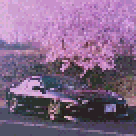
Example: Cropping
pixelize \
  -i ./docs/examples/car.jpg \
  --height 128 \
  --crop 0x80+136x216 \
  --color-reduction 4 \
  --output-dir ./docs/examples/pixelized
Example: Border
pixelize \
  -i ./docs/examples/cat.bmp \
  --height 32 \
  --border \
  --output-dir ./docs/examples/pixelized

Example: Rembg
pixelize \
  -i swing.jpg \
  --height 128 \
  --rembg \
  --border \
  --color-reduction 5

Example: Module
from pixelize import pixelize
from pathlib import Path
from PIL import Image

image_path = "image.png"

# Using str
im = pixelize(image_path)

# Using pathlib.Path
im = pixelize(Path(image_path))

# Using stream
with open("image.png", "rb") as file:
  im = pixelize(file)

# Using Pillow
im = pixelize(Image.open("image.png"))
Development
Contributing
Contributions are very welcome. Tests can be run with poe check, please
ensure the coverage at least stays the same before you submit a pull request.
Setup
You need to install Poetry and Git for work with this project.
git clone https://github.com/Dashstrom/pixelize
cd pixelize
poetry install --all-extras
poetry run poe setup
poetry shell
Poe
Poe is available for help you to run tasks.
test           Run test suite.
lint           Run linters : ruff linter, ruff formatter and mypy.
format         Run linters in fix mode.
check          Run all checks : lint, test and docs.
cov            Run coverage for generate report and html.
open-cov       Open html coverage report in webbrowser.
docs           Build documentation.
open-docs      Open documentation in webbrowser.
setup          Setup pre-commit.
pre-commit     Run pre-commit.
clean          Clean cache files
Skip commit verification
If the linting is not successful, you can’t commit. For forcing the commit you can use the next command :
git commit --no-verify -m 'MESSAGE'Commit with commitizen
To respect commit conventions, this repository uses Commitizen.
cz commitHow to add dependency
poetry add 'PACKAGE'Ignore illegitimate warnings
To ignore illegitimate warnings you can add :
# noqa: ERROR_CODE on the same line for ruff.
# type: ignore[ERROR_CODE] on the same line for mypy.
# pragma: no cover on the same line to ignore line for coverage.
# doctest: +SKIP on the same line for doctest.
Uninstall
pip uninstall pixelizeLicense
This work is licensed under MIT.
1 maintainer

Metadata
1 maintainer
Release files for pixelize 0.0.2
For a detailed explanation of source distributions (sdists) and built distributions (wheels), please see the package formats documentation.
Source distribution (sdist)
| File | Size | Uploaded | |
|---|---|---|---|
| pixelize-0.0.2.tar.gz | 11.7 kB | Details |
Built distribution (wheel)
| File | Interpreter | ABI | Platform | Reset |
|---|---|---|---|---|
| pixelize-0.0.2-py3-none-any.whl | Python 3 | none | any | Details |
Total release size: 21.1 kB
Release files / pixelize-0.0.2.tar.gz
| Download URL | pixelize-0.0.2.tar.gz |
|---|---|
| Size | 11.7 kB |
| Tags | Source |
|
SHA-256 checksum How to use checksums |
520e33bb8d972b8d511a83b96a56774c7475f39ac34f56345eaf1aaa791aa3e9
|
|
BLAKE2b-256 checksum How to use checksums |
b33a78aa9c9c05ac986babf52fd5cf72a6331f04fba957c5174a6f991d91a131
|
| Upload date | |
|
Uploaded using Trusted Publishing? What is trusted publishing? |
Yes |
| Uploaded via |
twine/5.0.0 CPython/3.12.3
|
Release files / pixelize-0.0.2-py3-none-any.whl
| Download URL | pixelize-0.0.2-py3-none-any.whl |
|---|---|
| Size | 9.4 kB |
| Tags | Python 3 |
|
SHA-256 checksum How to use checksums |
0d20538ef3b21788d1f5b5bcb9b14101e3233c0830871bd83084e127091d4ae4
|
|
BLAKE2b-256 checksum How to use checksums |
47a46f562bd2e2e6daf9948058534a599fed06e15db0364e8921949a895cd6fe
|
| Upload date | |
|
Uploaded using Trusted Publishing? What is trusted publishing? |
Yes |
| Uploaded via |
twine/5.0.0 CPython/3.12.3
|














