
pixelsort cli



A simple python command line tool for sort pixels in an image. Based on the works of Kim Asendorf.
The script blocks pixels into dark and light areas using a contrast mask. Then it sorts the pixels in a given direction via their luminance.
- You can increase/decrease the contrast by setting the threshold.
- You can also invert the mask to sort the light pixels instead of the dark ones.
Usage
Install
pip install git+https://github.com/Blotz/pixelsort-cli
or
pip install pixelsort-cli
or
git clone https://github.com/Blotz/pixelsort-cli
cd pixelsort-cli
pip install .
Examples
pixelsort --help
usage: pixelsort [-h] [--angle ANGLE] [--image_path IMAGE_PATH] [--threshold THRESHOLD | --template_path TEMPLATE_PATH]
                 [--sort_brightest SORT_BRIGHTEST] [--reverse_sorting REVERSE_SORTING] [--output OUTPUT] [--verbose | --quiet]
                 [stdin]

Command line tool for sorting pixels in images

positional arguments:
  stdin

options:
  -h, --help            show this help message and exit
  --angle ANGLE         angle that the image is sorted. 0° is up. [0, 360]
  --image_path IMAGE_PATH
                        path to image
  --threshold THRESHOLD
                        threshold for contrast. [-1.0, 1.0] Default: 1.0
  --template_path TEMPLATE_PATH
                        path to template image
  --sort_brightest SORT_BRIGHTEST
                        Sort the brightest area of the image. Default: True
  --reverse_sorting REVERSE_SORTING
                        Sorts the pixels from lightest to darkest instead of darkest to lightest. Default: False
  --output OUTPUT       path to output file
  --verbose             print debug messages
  --quiet               print less messages
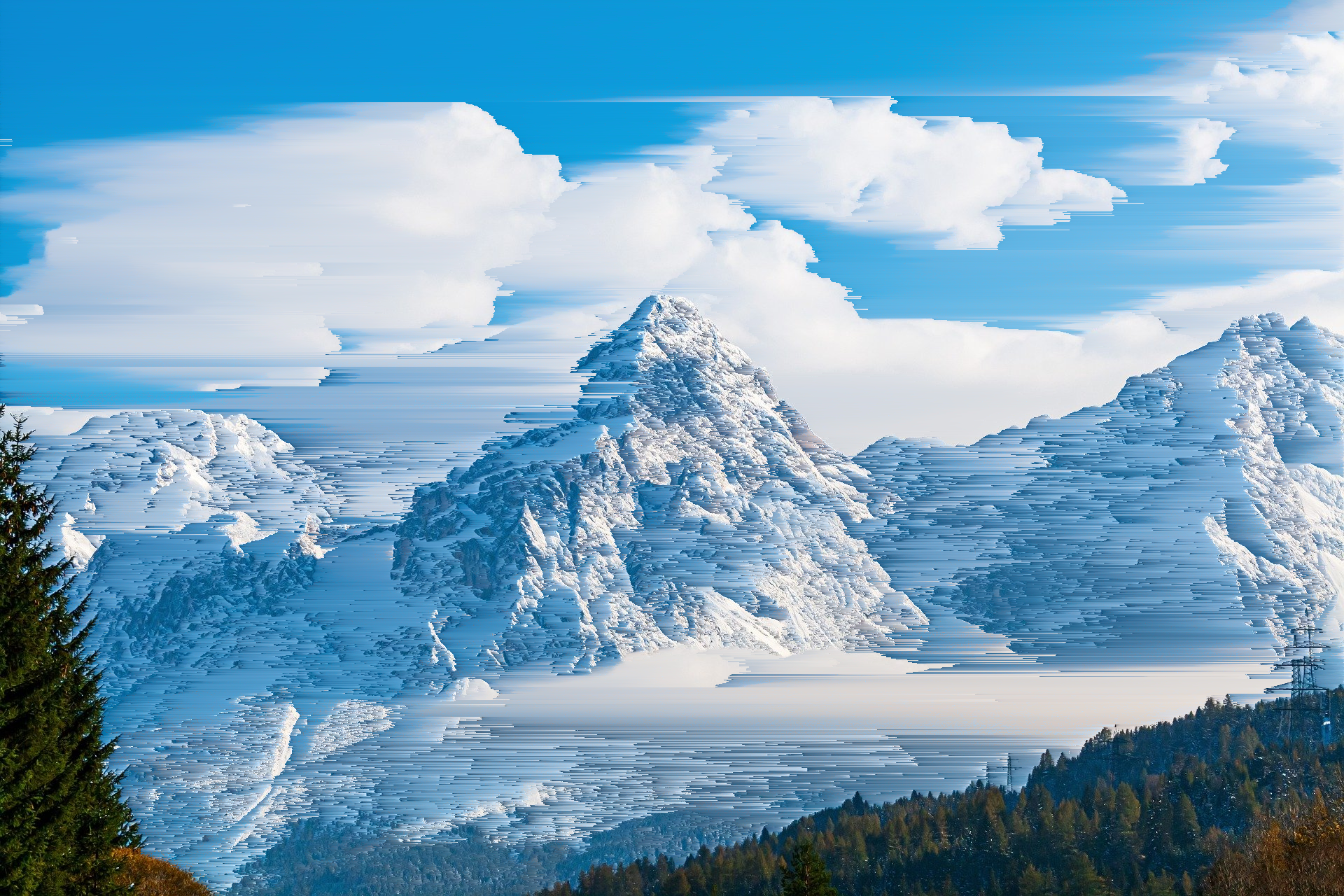
pixelsort --image_path data/mountains.jpg --threshold 1.2 | display
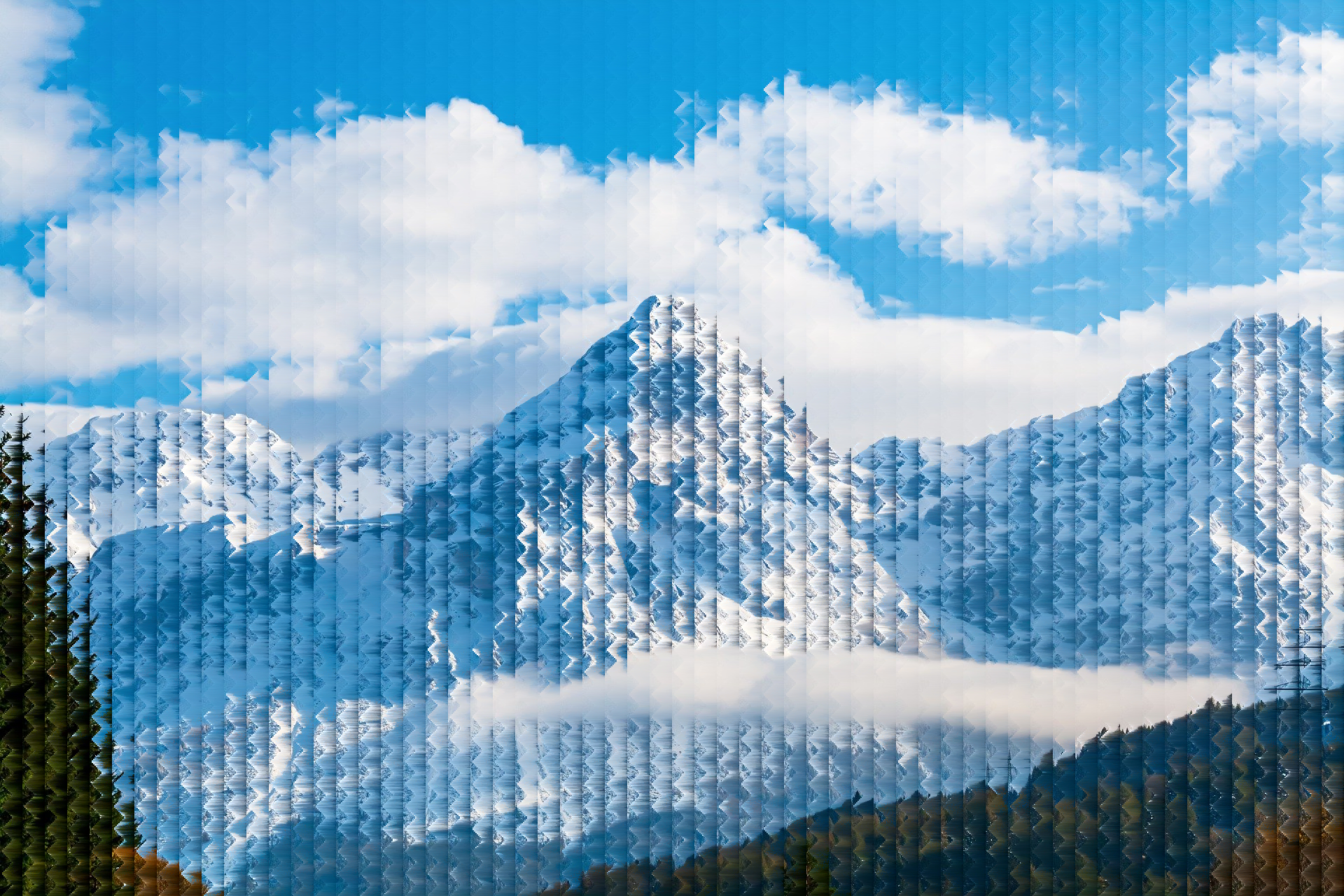
cat data/mountains.jpg | pixelsort --template_path data/pyramid_mask.png | display
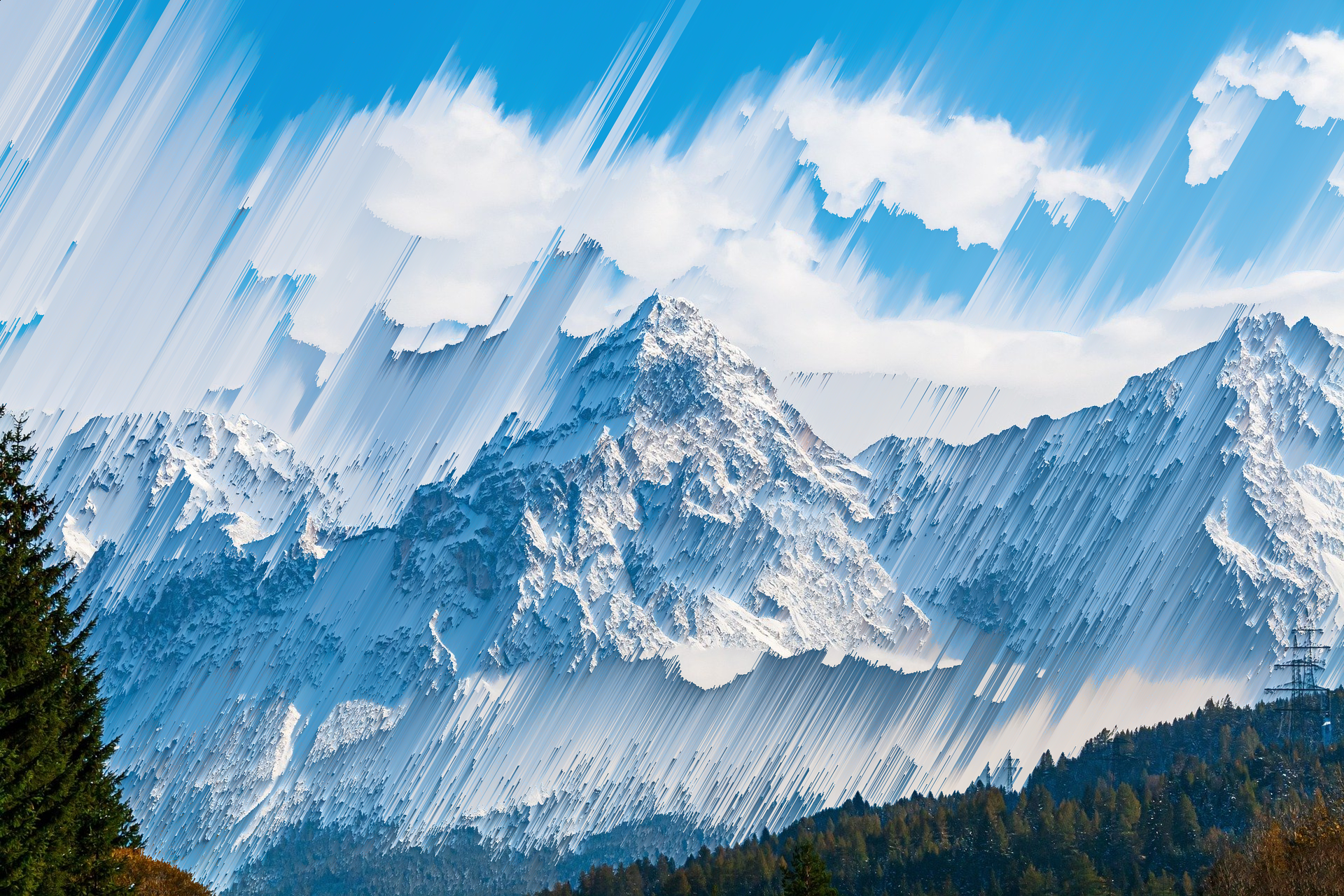
pixelsort --image_path data/mountains.jpg --angle 30 --threshold 1.2 --output example.png
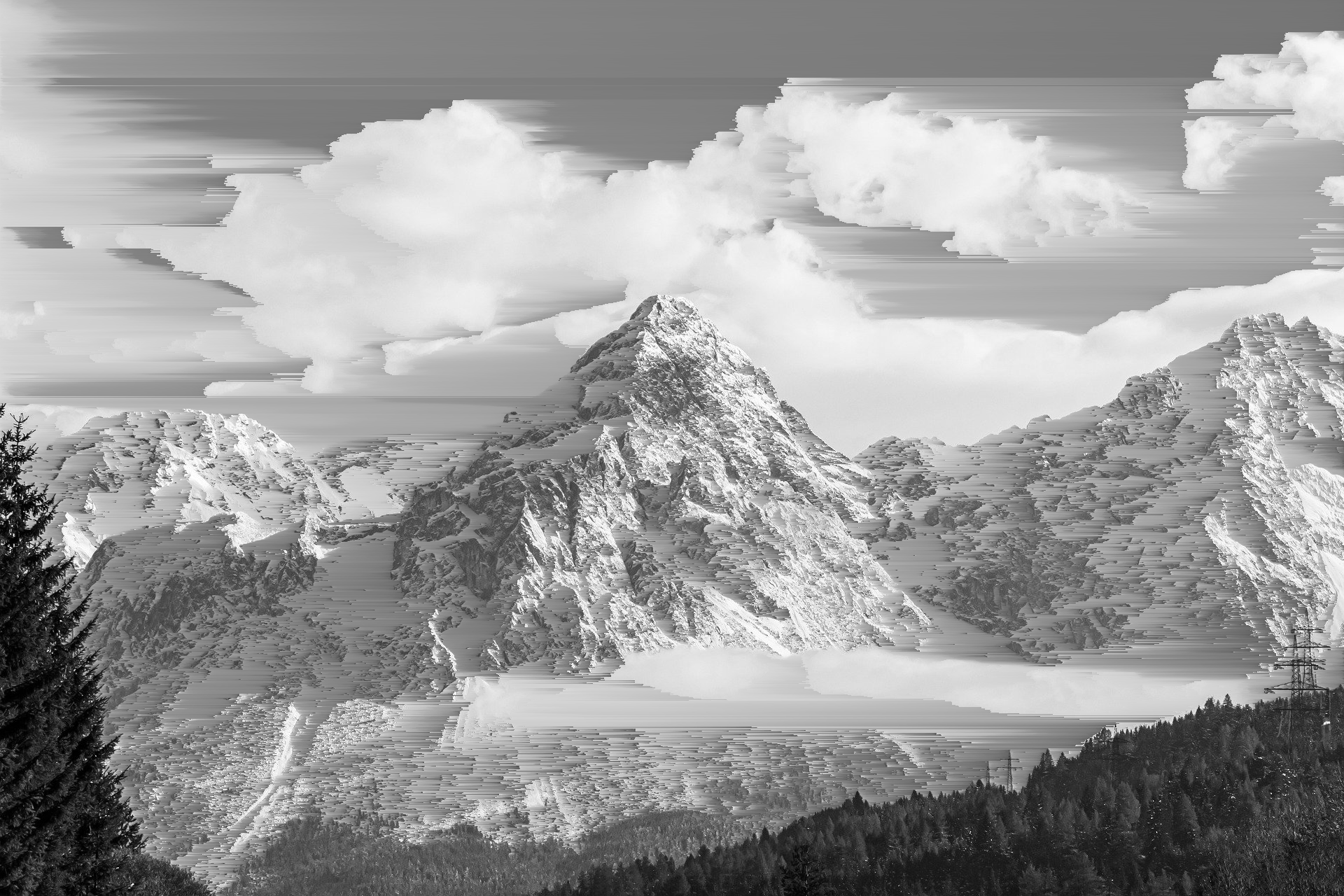
Use it with other tools like imagemagick
magick data/mountains.jpg -colorspace gray PNG:- | pixelsort | display
License
MIT Ferdinand Theil
1 maintainer

Download files
Download the file for your platform. If you're not sure which to choose, learn more about installing packages.
Source Distribution
pixelsort_cli-1.1.0.tar.gz
(9.2 kB
view details)
Built Distribution
Filter files by name, interpreter, ABI, and platform.
If you're not sure about the file name format, learn more about wheel file names.
Copy a direct link to the current filters
File details
Details for the file pixelsort_cli-1.1.0.tar.gz.
File metadata
- Download URL: pixelsort_cli-1.1.0.tar.gz
- Upload date:
- Size: 9.2 kB
- Tags: Source
- Uploaded using Trusted Publishing? No
- Uploaded via: twine/6.1.0 CPython/3.9.22
File hashes
| Algorithm | Hash digest | |
|---|---|---|
| SHA256 |
95eda58c92d10a223c34dffa40bdfdd490559c5d1a85ee47b795133e2724ab6d
|
|
| MD5 |
2a69616405a25271405ce10cb2e09129
|
|
| BLAKE2b-256 |
b15dfa029d9e79cd1710c840f06693c044f33cce33c202fd41806333432eca6b
|
File details
Details for the file pixelsort_cli-1.1.0-py3-none-any.whl.
File metadata
- Download URL: pixelsort_cli-1.1.0-py3-none-any.whl
- Upload date:
- Size: 8.7 kB
- Tags: Python 3
- Uploaded using Trusted Publishing? No
- Uploaded via: twine/6.1.0 CPython/3.9.22
File hashes
| Algorithm | Hash digest | |
|---|---|---|
| SHA256 |
a84197dd08ad37ee39aee9ed80d0e62c81f01451c02e500f3d6cf6ca78e177e0
|
|
| MD5 |
c6e23330fe8c73d934e1b8e4d63cc006
|
|
| BLAKE2b-256 |
c6e49933426bf1e68d244be3b516232a30bc5100ab91cc006b98036c2afa527a
|







