
Pixpop

A TUI paint application built with the Textual framework.
Pixpop was originally built to export pixel art as ANSI escape sequences, but evolved into a simple multi-layer, multi-canvas pixel drawing app.
I mainly use it now to create fun images to spice up my terminal MOTD via jestsay.
Features
- Multiple canvases
- Fixed-size canvases with scrollbars (independent of terminal size)
- Multiple layers
- Full mouse and keyboard support (drawing is mouse-only)
- Configuration file for application defaults
- Save and export as .ans, .png, and .pix session files
- Open and load .ans, .png, and .pix session files
- Undo-redo stack
- Help screen and tooltips
Usage
pixpop
- Draw with the mouse (see Caveats for single-pixel drawing)
- Press
?for the help screen and full keybindings Ctrl+Sto save,Ctrl+Eto export,Ctrl+Oto load (.ans,.png,.pix)- Try to
catyour .ans file in the terminal
See the documentation for details.
Screenshots
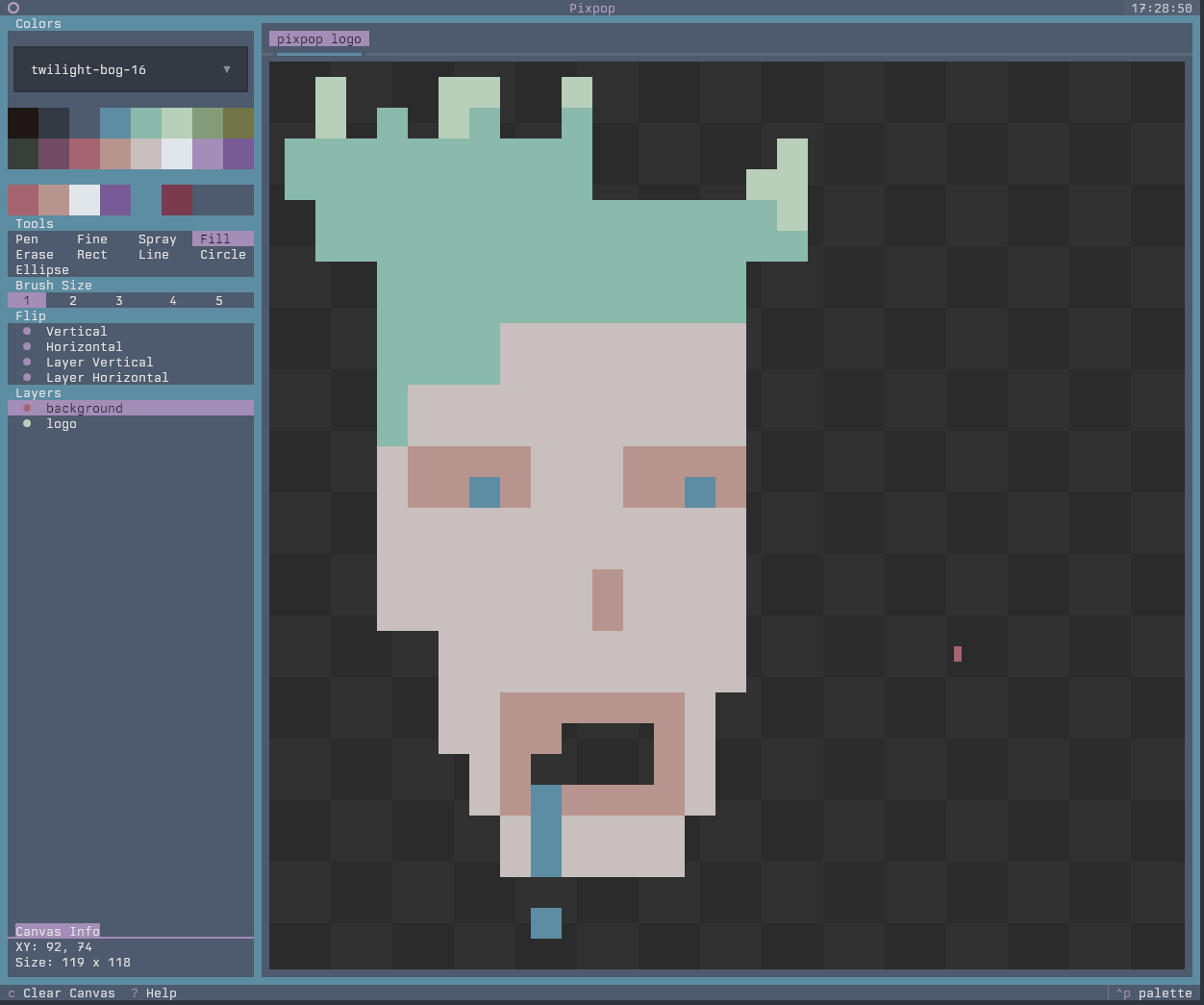 |
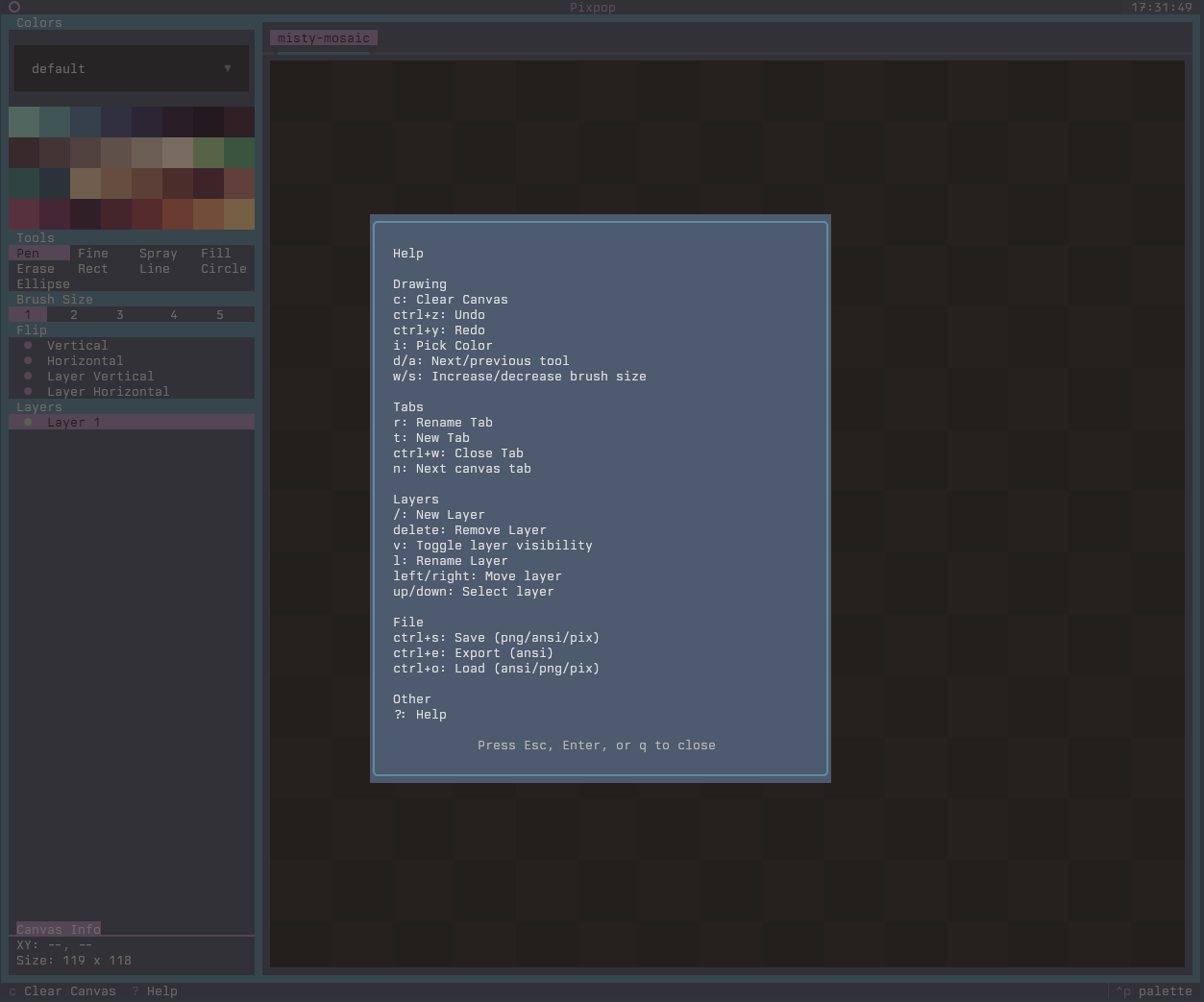 |
Installation
Terminal requirements
Pixpop needs two environment variables for full color support:
TERMmust be a 256-color variant (e.g.xterm-256color)COLORTERM=truecolorto enable 24-bit true color
Most modern terminals (kitty, alacritty, foot, ghostty, wezterm, GNOME Terminal, Konsole) set these correctly out of the box. If colors look off, check with:
echo $TERM       # should end in -256color
echo $COLORTERM  # should be truecolor
With uv (recommended):
uv tool install pixpop
With pipx:
pipx install pixpop
From source:
git clone https://github.com/umbsublime/pixpop.git
cd pixpop
uv sync
uv run pixpop
Pixpop session format (.pix)
Pixpop supports saving and loading full sessions as .pix files. These are
gzipped JSON files that capture:
- Tabs (canvas names and order)
- Canvas size per tab
- Layers, visibility, and pixel data
- Undo/redo stacks per tab
- Shared tool state and palette selection
The .pix format is intended for restoring a working session rather than
exporting artwork. For artwork exports, use PNG or ASCII.
Caveats
This application is designed to draw in the terminal, which comes with limitations.
We are able to draw pixels (half-characters), but there is no way to know if the mouse is positioned
on the top or bottom pixel. To work around this, set the pen to brush size 1 (a single pixel) and hold
Alt to offset the cursor down by one pixel — painting the bottom half of the cell under the pointer.
The Alt offset also applies to the cell, eraser, shape, and light/dark tools.
Powered by
- textual: TUI framework powering the app shell and widgets.
- textual-canvas: Pixel canvas widget used for drawing operations.
- textual-fspicker: File picker dialogs for save/load flows.
- textual-slider: Slider widget used for the light/dark step control.
1 maintainer

Metadata
1 maintainer
Release files for pixpop 0.2.0
For a detailed explanation of source distributions (sdists) and built distributions (wheels), please see the package formats documentation.
Source distribution (sdist)
| File | Size | Uploaded | |
|---|---|---|---|
| pixpop-0.2.0.tar.gz | 317.9 kB | Details |
Built distribution (wheel)
| File | Interpreter | ABI | Platform | Reset |
|---|---|---|---|---|
| pixpop-0.2.0-py3-none-any.whl | Python 3 | none | any | Details |
Total release size: 415.8 kB
Release files / pixpop-0.2.0.tar.gz
| Download URL | pixpop-0.2.0.tar.gz |
|---|---|
| Size | 317.9 kB |
| Tags | Source |
|
SHA-256 checksum How to use checksums |
5f2cf2ecc7fbc1f3028f5be83dfcfce08dc038c566cf7b82a5308b1feb2bf17a
|
|
BLAKE2b-256 checksum How to use checksums |
918c94d04cc913797190b4cd5fbbf02ac36d99322f8b5395fadb526752849b1d
|
| Upload date | |
|
Uploaded using Trusted Publishing? What is trusted publishing? |
Yes |
| Uploaded via |
twine/7.0.0 CPython/3.13.14
|
Provenance
Provenance describes where a file came from. On PyPI, provenance is shared via attestations, which provide a verifiable record of the build or publishing details. View details, limitations and caveats.


PyPI Publish Attestation
PyPI verified that this artifact, at this checksum, originated from the publisher listed below.
Signed by GitHub Actions, verified by PyPI on Oct 4, 2026.
Transparency logRelease files / pixpop-0.2.0-py3-none-any.whl
| Download URL | pixpop-0.2.0-py3-none-any.whl |
|---|---|
| Size | 97.9 kB |
| Tags | Python 3 |
|
SHA-256 checksum How to use checksums |
fd104eb94a355ba6efa029f13ef7e4a5cd31aa687f4b81c38412ea3bc63b36f5
|
|
BLAKE2b-256 checksum How to use checksums |
347bfc95a35f170945156d964d3da6832aa47e3ff67ef603d363b097eceef59d
|
| Upload date | |
|
Uploaded using Trusted Publishing? What is trusted publishing? |
Yes |
| Uploaded via |
twine/7.0.0 CPython/3.13.14
|
Provenance
Provenance describes where a file came from. On PyPI, provenance is shared via attestations, which provide a verifiable record of the build or publishing details. View details, limitations and caveats.
PyPI Publish Attestation
PyPI verified that this artifact, at this checksum, originated from the publisher listed below.
Signed by GitHub Actions, verified by PyPI on Oct 4, 2026.
Transparency log













