
Pixpop

A TUI paint application built with Python 3.14 and the Textual framework.
Features
- Multiple canvases
- Multiple layers
- Full mouse and keyboard support (drawing is mouse-only)
- Configuration file for application defaults
- Save and export as .ans, .png, and .pix session files
- Open and load .ans, .png, and .pix session files
- Undo-redo stack
- Help screen and tooltips
Caveats
This application is designed to draw in the terminal, which comes with limitations.
We are able to draw pixels (half-characters), but there is no way to know if the mouse is positioned
on the top or bottom pixel. To work around this we have the fine tool.
It allows choosing the top pixel with left-click, the bottom pixel with right-click, and both pixels with middle-click.
Screenshots
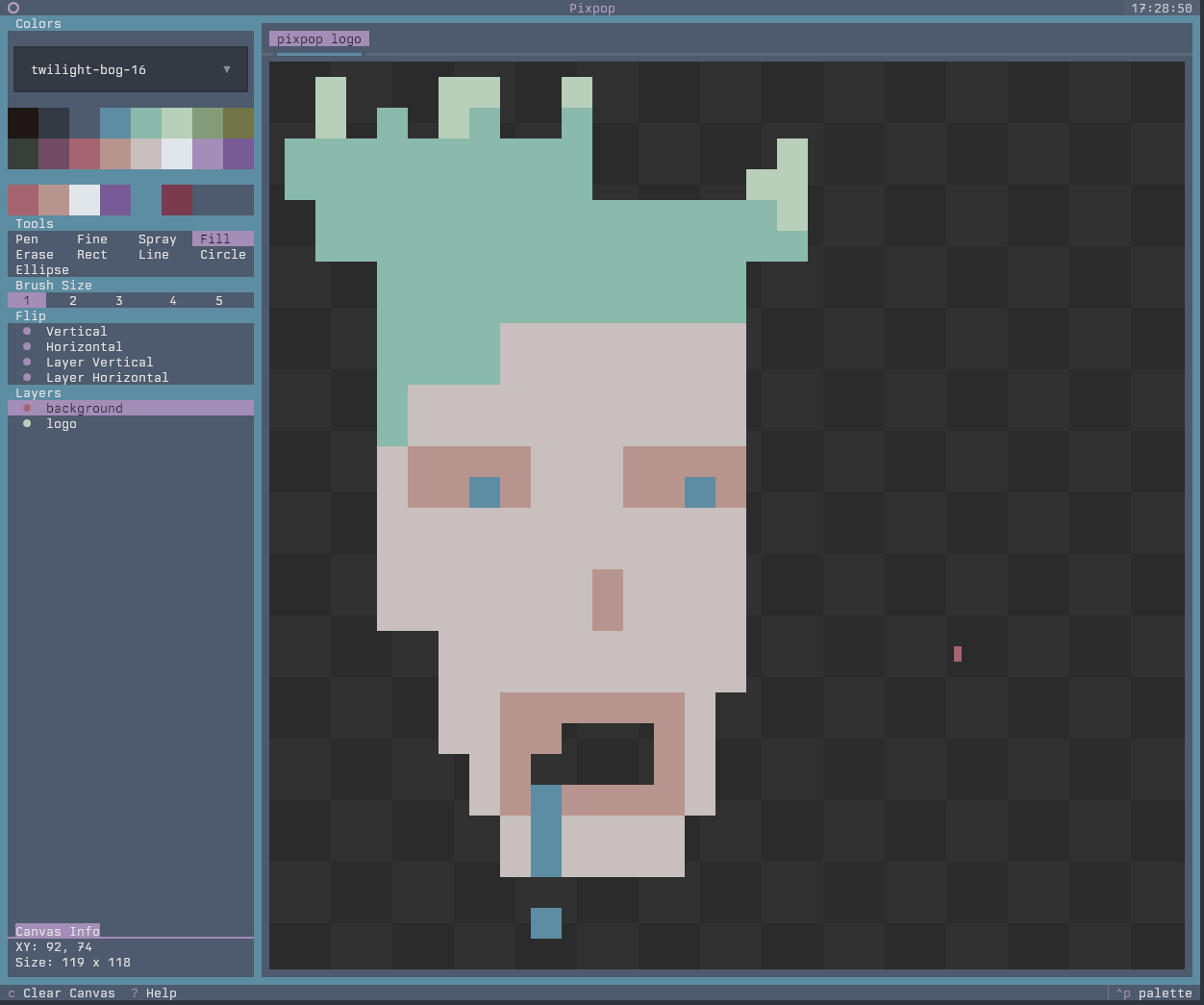 |
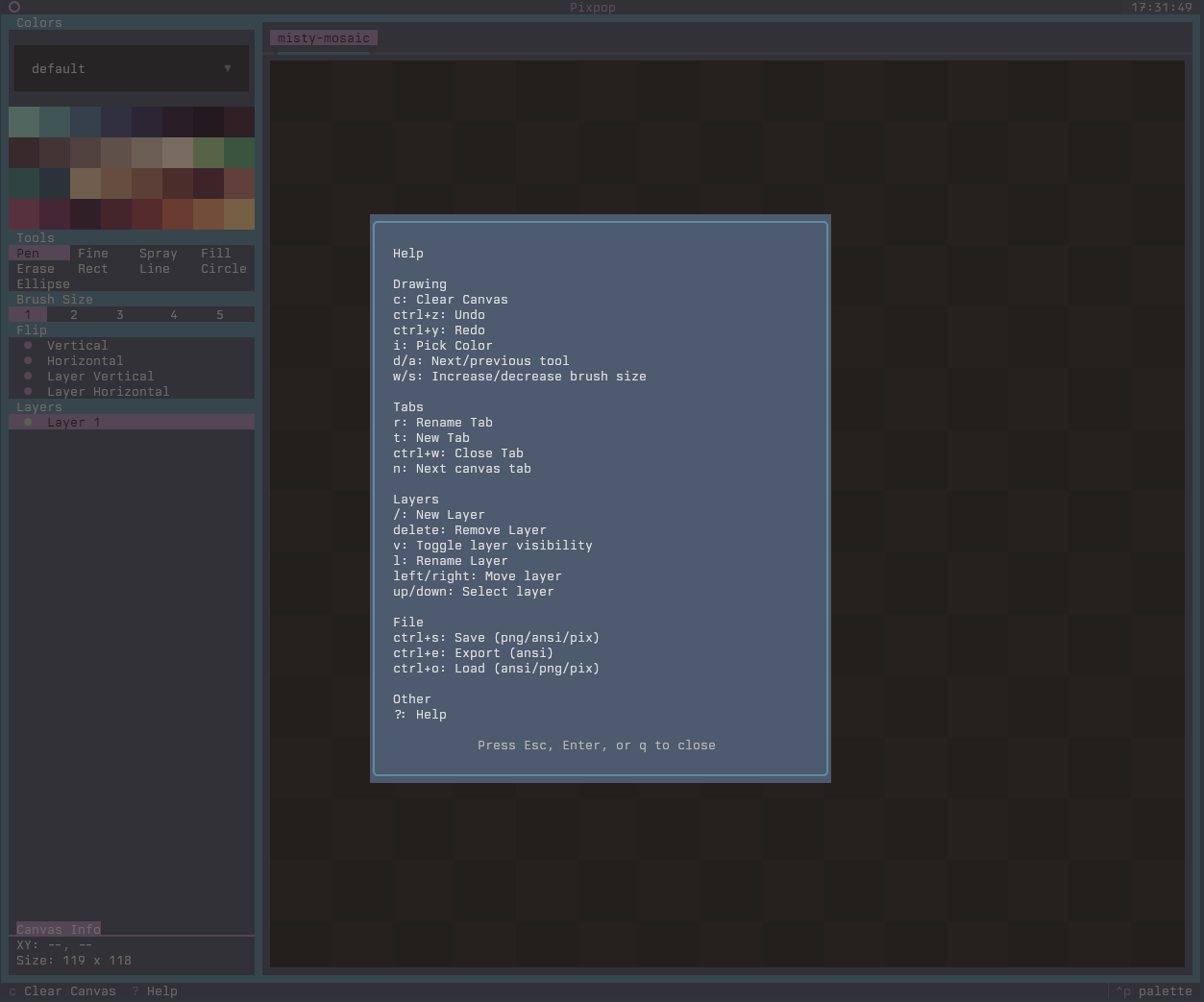 |
Pixpop session format (.pix)
Pixpop supports saving and loading full sessions as .pix files. These are
gzipped JSON files that capture:
- Tabs (canvas names and order)
- Canvas size per tab
- Layers, visibility, and pixel data
- Undo/redo stacks per tab
- Shared tool state and palette selection
The .pix format is intended for restoring a working session rather than
exporting artwork. For artwork exports, use PNG or ASCII.
Setup
git clone https://github.com/umbsublime/pixpop.git
cd pixpop
uv sync
uv run pixpop
Project structure
pixpop/
├── src/pixpop/         # Application package
│   ├── styles/         # Textual CSS
│   ├── screens/        # Modal dialogs
│   ├── state/          # App state, messages, undo/redo
│   ├── tools/          # Drawing tools and registry
│   ├── widgets/        # UI pickers (tool/color/brush/spray/layer)
│   ├── session/        # .pix session save/load
│   └── importers/      # PNG / PIX / ANSI loaders
├── src/assets/         # Palettes and word lists (bundled)
├── tests/              # Snapshot + regression tests
├── screenshots/         # Project logo and screenshots
└── pyproject.toml
Development
Code quality (Ruff)
# Lint
uv run ruff check src/

# Auto-fix
uv run ruff check --fix src/

# Format
uv run ruff format src/
Testing
Snapshot tests cover the UI. Run them with:
uv run pytest
Update baselines for intentional UI changes:
uv run pytest --snapshot-update
Always verify changes by running the app:
uv run pixpop
Powered by
- textual: TUI framework powering the app shell and widgets.
- textual-canvas: Pixel canvas widget used for drawing operations.
- textual-fspicker: File picker dialogs for save/load flows.
1 maintainer

Metadata
1 maintainer
Release files for pixpop 0.1.0
For a detailed explanation of source distributions (sdists) and built distributions (wheels), please see the package formats documentation.
Source distribution (sdist)
| File | Size | Uploaded | |
|---|---|---|---|
| pixpop-0.1.0.tar.gz | 285.5 kB | Details |
Built distribution (wheel)
| File | Interpreter | ABI | Platform | Reset |
|---|---|---|---|---|
| pixpop-0.1.0-py3-none-any.whl | Python 3 | none | any | Details |
Total release size: 370.1 kB
Release files / pixpop-0.1.0.tar.gz
| Download URL | pixpop-0.1.0.tar.gz |
|---|---|
| Size | 285.5 kB |
| Tags | Source |
|
SHA-256 checksum How to use checksums |
f81cc4948faf68ac716e438c715728efa5e25ddaf0d0d3e04181d61ad6d2fe4f
|
|
BLAKE2b-256 checksum How to use checksums |
ac34a5f6d6f8f4a46fc57969cf9829e4397cb67deca0e8bab30ac052d8e28267
|
| Upload date | |
|
Uploaded using Trusted Publishing? What is trusted publishing? |
Yes |
| Uploaded via |
twine/7.0.0 CPython/3.13.14
|
Provenance
Provenance describes where a file came from. On PyPI, provenance is shared via attestations, which provide a verifiable record of the build or publishing details. View details, limitations and caveats.


PyPI Publish Attestation
PyPI verified that this artifact, at this checksum, originated from the publisher listed below.
Signed by GitHub Actions, verified by PyPI on Sep 28, 2026.
Transparency logRelease files / pixpop-0.1.0-py3-none-any.whl
| Download URL | pixpop-0.1.0-py3-none-any.whl |
|---|---|
| Size | 84.7 kB |
| Tags | Python 3 |
|
SHA-256 checksum How to use checksums |
f99f8a0375253c4f8ac8590bb220945d15d9d5cfc7ee1204bddf2a2ac47fb259
|
|
BLAKE2b-256 checksum How to use checksums |
1cf3d55a31f52cca53aedfd60e84496d6767d3c20474db946cd04e358a342b65
|
| Upload date | |
|
Uploaded using Trusted Publishing? What is trusted publishing? |
Yes |
| Uploaded via |
twine/7.0.0 CPython/3.13.14
|
Provenance
Provenance describes where a file came from. On PyPI, provenance is shared via attestations, which provide a verifiable record of the build or publishing details. View details, limitations and caveats.
PyPI Publish Attestation
PyPI verified that this artifact, at this checksum, originated from the publisher listed below.
Signed by GitHub Actions, verified by PyPI on Sep 28, 2026.
Transparency log













