
A single command that runs everything you need for local development.

Project description
plain.dev
A single command that runs everything you need for local development.
Overview
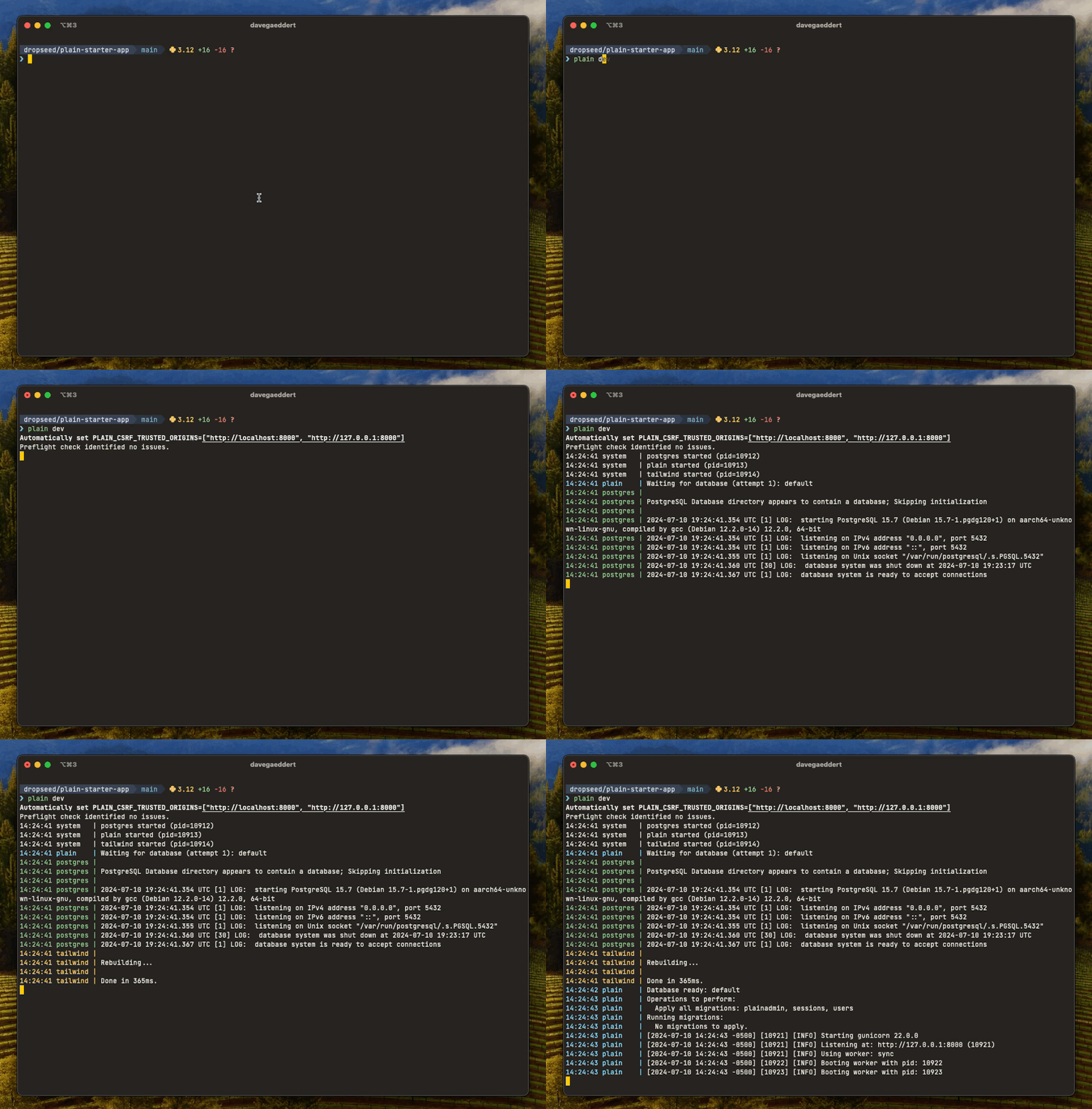
The plain.dev package provides development tools for Plain applications. The main command, plain dev, starts everything you need for local development with a single command:
plain dev
This will:
- Run preflight checks
- Execute pending migrations
- Start your development server with auto-reload
- Build and watch CSS with Tailwind (if installed)
- Start required services (like databases)
- Run any custom processes you've defined
Commands
plain dev
The plain dev command does several things:
- Sets
PLAIN_CSRF_TRUSTED_ORIGINSto localhost by default - Runs
plain preflight checkto check for any issues - Executes any pending model migrations
- Starts
gunicornwith--reload - Serves HTTPS on port 8443 by default (uses the next free port if 8443 is taken and no port is specified)
- Runs
plain tailwind build --watch, ifplain.tailwindis installed - Any custom process defined in
pyproject.tomlattool.plain.dev.run - Necessary services (ex. Postgres) defined in
pyproject.tomlattool.plain.dev.services
Services
Use services to define databases or other processes that your app needs to be functional. The services will be started automatically in plain dev, but also in plain pre-commit (so preflight and tests have a database).
Ultimately, how you run your development database is up to you. But a recommended starting point is to use Docker:
# pyproject.toml
[tool.plain.dev.services]
postgres = {cmd = "docker run --name app-postgres --rm -p 54321:5432 -v $(pwd)/.plain/dev/pgdata:/var/lib/postgresql/data -e POSTGRES_PASSWORD=postgres postgres:15 postgres"}
Custom processes
Unlike services, custom processes are only run during plain dev. This is a good place to run something like ngrok or a Plain job worker, which you might need to use your local site, but don't need running for executing tests, for example.
# pyproject.toml
[tool.plain.dev.run]
    ngrok = {command = "ngrok http $PORT"}
plain dev services
Starts your services by themselves.
Logs are stored in .plain/dev/logs/services/.
plain dev logs
Show output from recent plain dev runs.
Logs are stored in .plain/dev/logs/run/.
plain dev logs        # print last log
plain dev logs -f     # follow the latest log
plain dev logs --pid 1234
plain dev logs --path
plain pre-commit
A built-in pre-commit hook that can be installed with plain pre-commit --install.
Runs:
- Custom commands defined in
pyproject.tomlattool.plain.pre-commit.run plain code check, ifplain.codeis installeduv lock --locked, if using uvplain preflight checkplain migrate --checkplain makemigrations --dry-run --checkplain buildplain test
VS Code debugging

Since plain dev runs multiple processes at once, the regular pdb debuggers don't quite work.
Instead, we include microsoft/debugpy and provide debugging utilities to make it easier to use VS Code's debugger.
First, import and run the debug.attach() function:
class HomeView(TemplateView):
    template_name = "home.html"

    def get_template_context(self):
        context = super().get_template_context()

        # Make sure the debugger is attached (will need to be if runserver reloads)
        from plain.dev import debug; debug.attach()

        # Add a breakpoint (or use the gutter in VS Code to add one)
        breakpoint()

        return context
When you load the page, you'll see "Waiting for debugger to attach...".
You can then run the VS Code debugger and attach to an existing Python process, at localhost:5678.
Installation
Install the plain.dev package from PyPI:
uv add plain.dev --dev
Note: The plain.dev package does not need to be added to INSTALLED_PACKAGES.
Release history Release notifications | RSS feed


Download files
Download the file for your platform. If you're not sure which to choose, learn more about installing packages.
Source Distribution
Built Distribution
Filter files by name, interpreter, ABI, and platform.
If you're not sure about the file name format, learn more about wheel file names.
Copy a direct link to the current filters
File details
Details for the file plain_dev-0.41.0.tar.gz.
File metadata
- Download URL: plain_dev-0.41.0.tar.gz
- Upload date:
- Size: 25.8 kB
- Tags: Source
- Uploaded using Trusted Publishing? Yes
- Uploaded via: uv/0.9.2
File hashes
| Algorithm | Hash digest | |
|---|---|---|
| SHA256 |
3d0f6cd9315a9280df43985ae5be4cb2bfe387680b0dcca63f371d8829a4a61f
|
|
| MD5 |
8ef39f6dcebf1d69d7f25ce83eac8162
|
|
| BLAKE2b-256 |
69e63b4675e8a5ae5820b1672b8f1e6f970aedb62e4b00d6026f9ed37323ef95
|
File details
Details for the file plain_dev-0.41.0-py3-none-any.whl.
File metadata
- Download URL: plain_dev-0.41.0-py3-none-any.whl
- Upload date:
- Size: 34.8 kB
- Tags: Python 3
- Uploaded using Trusted Publishing? Yes
- Uploaded via: uv/0.9.2
File hashes
| Algorithm | Hash digest | |
|---|---|---|
| SHA256 |
77d3e07efec6f7877ce474731d9aeba47dd6effcf2ec06bdea998b02624403b7
|
|
| MD5 |
cc9ce26bb866009340af79431f72746b
|
|
| BLAKE2b-256 |
dcb3716756f03afaec03240617de00953b0331aef37d21fb41885329d19d5f2f
|






