
Create planar magnetic structures programmatically and export to CAD tools.

Project description
python-planar-magnetics
Programmaticaly create HF planar inductors and transformers.
Background
The workflow for developing planar magnetics can be very inefficient and frustrating. Power electronics engineers either struggle to draw planar windings directly in CAD or struggle with the inefficient design -> mechanical cad -> electrical cad -> dcr -> redesign flow. python-planar-magnetics seeks to provide an much more efficient developer experience by generating optimized geometric structures for planar magnetics programmatically and then exporting these structures either to S-expressions (KiCAD) or DXF files (All other PCB CAD tools). The library allows you to define planar structures that follow DRC guidlines programmatically and estimate DCR and preview shapes without ever opening a CAD tool.
Basic Structure
The library allows both generation of planar magnetic 2-D elements (core cutouts, spirals, single turns) as well as complete components (inductors, transformers). This offers two distinct types of user experiences. If the user wants to create a complex design with several custom or unanticipated features such as a unique core geometry or a different layer interconnection strategy, then they can use this library to generate the base structures, import into their favorite CAD tool, and then manually modify or augment in any way they see fit. If they simple want a complete planar inductor or transformer designed by this library, they can use the inductor and transformer modules to programatically create a complete part which can then be exported as a KiCAD footprint file or a collection of DXF files for each layer that can then be imported and stitched back together in CAD.
Example: Creating a spiral
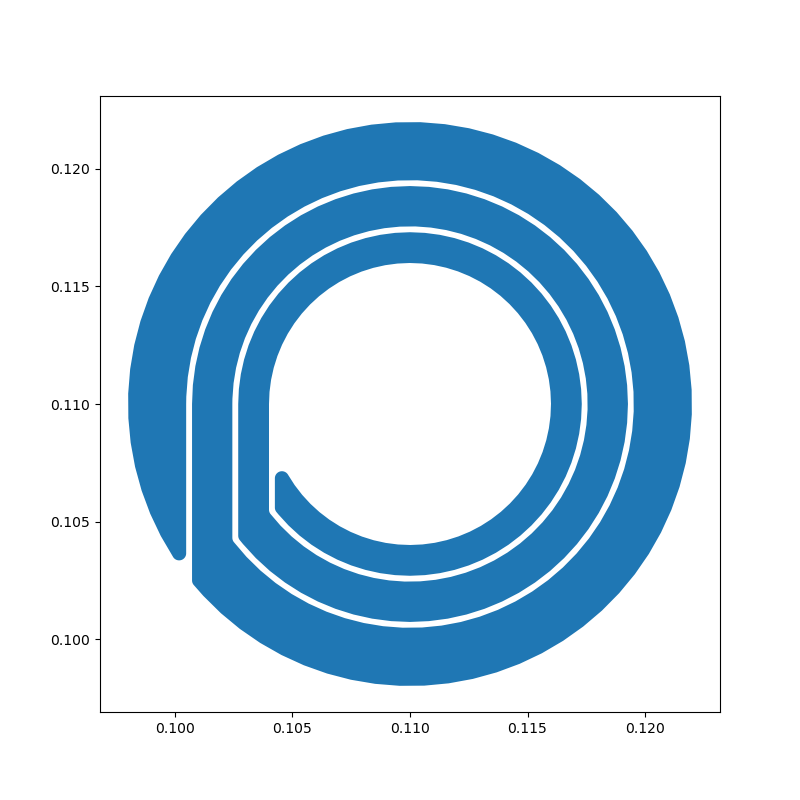
from planar_magnetics.creepage import calculate_creepage
from planar_magnetics.utils import weight_to_thickness
from planar_magnetics.windings import Spiral
from planar_magnetics.geometry import Point

# create a spiral inductor
spiral = Spiral(
    at=Point(110e-3, 110e-3),
    inner_radius=6e-3,
    outer_radius=12e-3,
    num_turns=3,
    gap=calculate_creepage(500, 1),
    layer="F.Cu",
    radius=0.3e-3,
)

# estimate the dc resistance of this spiral assuming 2 oz copper
dcr = spiral.estimate_dcr(thickness=weight_to_thickness(2))
print(f"Estimated DCR of this spiral is {dcr*1e3} mOhms")

# dispay a preview of the spiral from Python using matplotlib
spiral.plot()

# export this to a DXF file
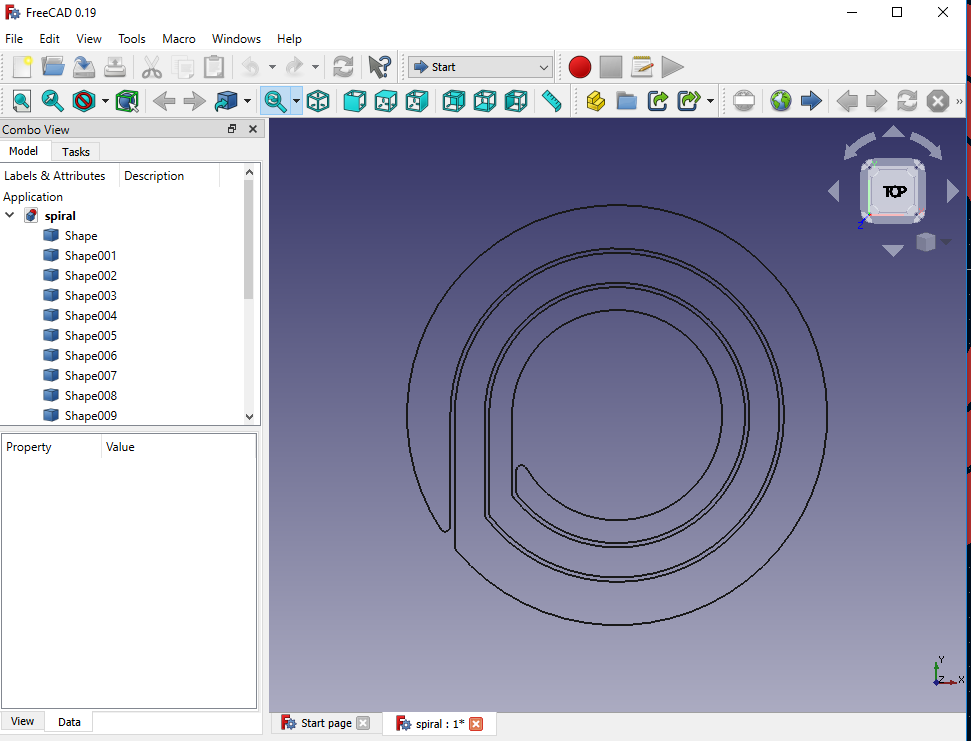
spiral.export_to_dxf("spiral.dxf")

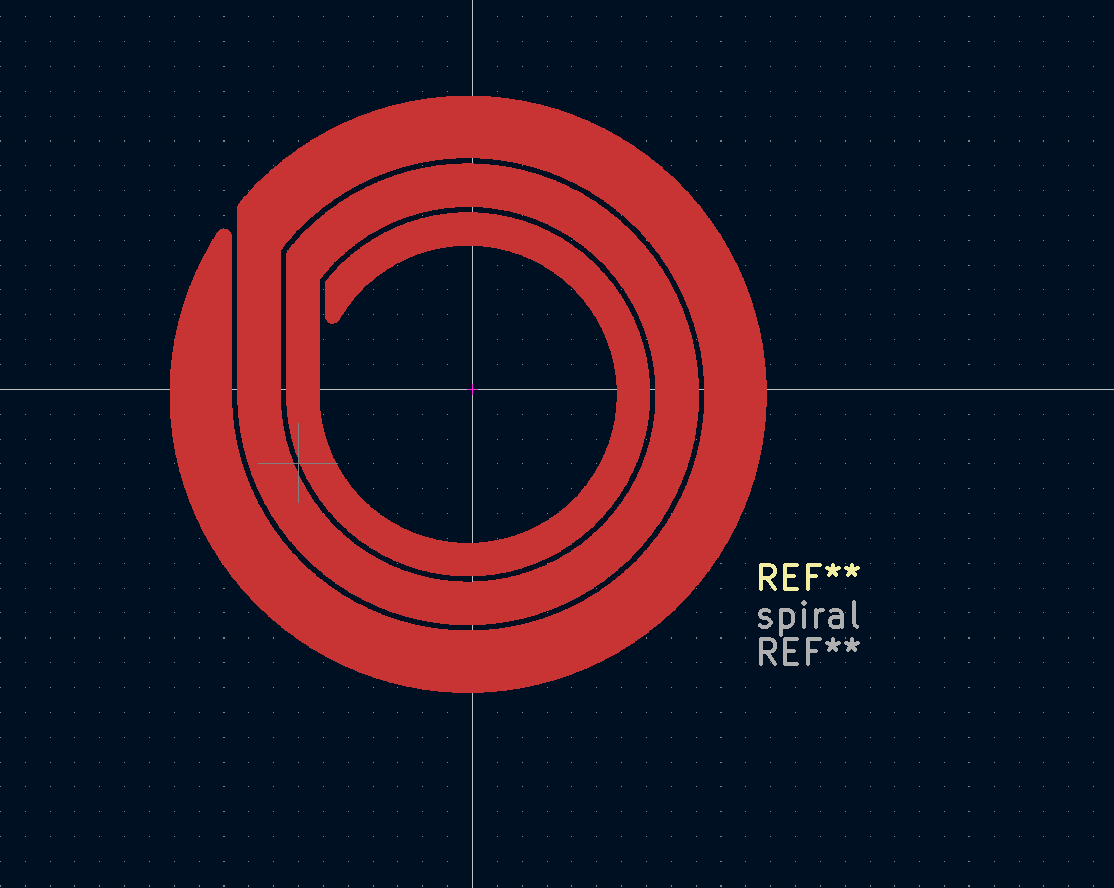
# get the KiCad S expression, which can be then be copy-pasted into a KiCAD footprint file and edited from the footprint editer
print(spiral)
| Preview (Matplotlib) | KiCAD | DXF |
|---|---|---|
 |
 |
 |
Example: Creating a complete inductor
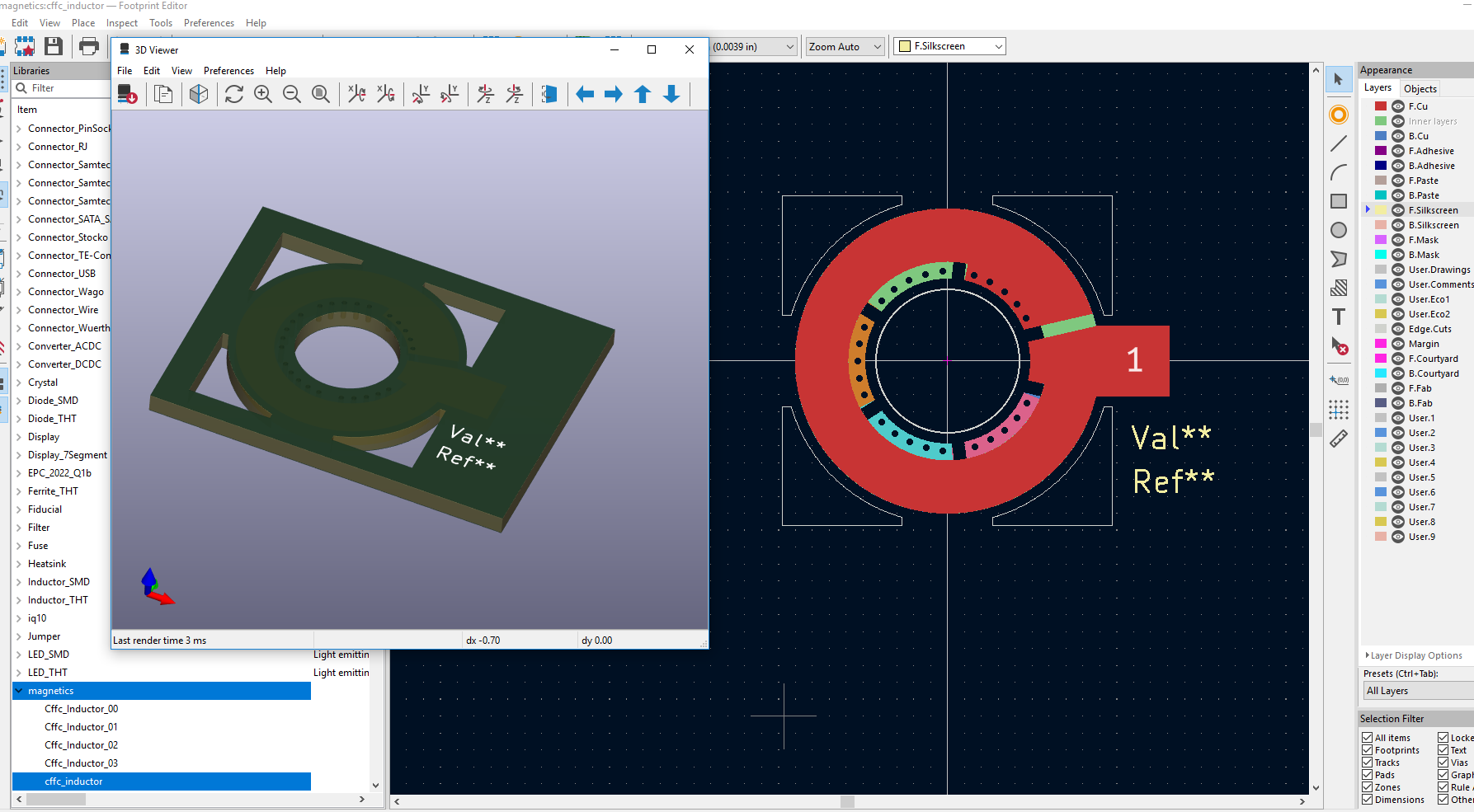
Currently, the library only supports creation of a Compensating Fringing Field Concept inductor as a complete part. Support for this part was added first as it has a relatively simple via structure and as it is an inductor, only requires functional isolation which simplifies meeting spacing requirements. Support for more complex parts such as higher turn count inductors and transformers are planned for the future.
from planar_magnetics.inductors import Cffc
from planar_magnetics.utils import weight_to_thickness

# create an inductor using the CFFC technique
inductor = Cffc(inner_radius=4.9e-3, outer_radius=9e-3, number_turns=5, voltage=500)

# estimate the dc resistance of this inductor
# using the CFFC structure, a 5 turn inductor requires 6 layers
# assume we are using 1.5 oz on top/botton and 2oz on interior layers
thicknesses = [
    weight_to_thickness(1.5),
    weight_to_thickness(2),
    weight_to_thickness(2),
    weight_to_thickness(2),
    weight_to_thickness(2),
    weight_to_thickness(1.5),
]
dcr = inductor.estimate_dcr(thicknesses)
print(f"Estimated DCR of this inductor is {dcr*1e3} mOhms")

# create a complete KiCAD footprint
inductor.to_kicad_footprint("cffc_inductor")


Download files
Download the file for your platform. If you're not sure which to choose, learn more about installing packages.
Source Distribution
Built Distribution
Filter files by name, interpreter, ABI, and platform.
If you're not sure about the file name format, learn more about wheel file names.
Copy a direct link to the current filters
File details
Details for the file planar-magnetics-0.1.2.tar.gz.
File metadata
- Download URL: planar-magnetics-0.1.2.tar.gz
- Upload date:
- Size: 20.5 kB
- Tags: Source
- Uploaded using Trusted Publishing? No
- Uploaded via: twine/4.0.0 CPython/3.9.12
File hashes
| Algorithm | Hash digest | |
|---|---|---|
| SHA256 |
819c3671d96483e11f2e60f5075a7d7a04f086283b398f09f68e74527b66ac0f
|
|
| MD5 |
a6d268121f7fd79e74f4b0ff59466d9b
|
|
| BLAKE2b-256 |
85899d5cc3d58c329a9fe0fff1c056805f94e5838c1eb200115cf7bec01c6255
|
File details
Details for the file planar_magnetics-0.1.2-py3-none-any.whl.
File metadata
- Download URL: planar_magnetics-0.1.2-py3-none-any.whl
- Upload date:
- Size: 23.1 kB
- Tags: Python 3
- Uploaded using Trusted Publishing? No
- Uploaded via: twine/4.0.0 CPython/3.9.12
File hashes
| Algorithm | Hash digest | |
|---|---|---|
| SHA256 |
08188cd26b7575f06b7a8b7c2d74587490aaf8178172316378d8cc760d456db7
|
|
| MD5 |
34032900b654ed897d7f41f0bce74cd6
|
|
| BLAKE2b-256 |
020a400689920e27b7344e0f3f474caa61d1d8772de42b9f1a3f524b419c076f
|






