
planetMagFields
Interactive visualization and analysis of planetary magnetic fields of the Solar System. Try out the interactive 3D web app.








Software to easily access and analyze information about magnetic fields of planets in our solar system and visualize them in both 2D and 3D.
Code contribution and reporting issues
Prerequisites
planetMagFields requires NumPy, Matplotlib and SciPy. Other than that, the following external libraries are used for a few different functions:
- 2D plotting for map projections other than Hammer : Cartopy library
- Potential extrapolation: It is preferable to have the SHTns library which can be installed from PyPI, otherwise it falls back to SciPy.
- Writing vts files for 3D visualisation: PyEVTK library
Installation
planetMagFields can be installed in a few different ways:
Using pip
planetMagFields is available on PyPI and can be installed with
$ python3 -m pip install planetMagFields
Using setup.py
You can also use setup.py to install planetMagFields:
$ git clone https://github.com/AnkitBarik/planetMagFields
$ cd planetMagFields
$ python3 setup.py install --user
Or using pip:
$ git clone https://github.com/AnkitBarik/planetMagFields
$ cd planetMagFields
$ python3 -m pip install . --user
Using PYTHONPATH
Download the package from the GitHub repository and add it
to PYTHONPATH:
$ git clone https://github.com/AnkitBarik/planetMagFields
$ export PYTHONPATH=$PYTHONPATH:/path/to/planetMagFields
Features and examples
The Planet class
This gives access to all the relevant properties of a planet and has methods to plot
the field and write a vts file for 3D visualization. Usage:
from planetmagfields import Planet
p = Planet(name='earth',datDir='planetmagfields/data/')
This displays the some information about the planet
Planet: Earth
l_max = 13
Dipole tilt (degrees) = -9.410531
and gives access to variables associated with the planet such as:
p.lmax: maximum spherical harmonic degree till which data is availablep.glm,p.hlm: the Gauss coefficientsp.Br: computed radial magnetic field at surfacep.dipTheta: dipole tilt with respect to the rotation axisp.dipPhi: dipole longitude ( in case zero longitude is known, applicable to Earth )p.idx: indices to get values of Gauss coefficientsp.model: the magnetic field model used. Available models can be obtained using theget_modelsfunction. Selects the latest available model when unspecified.
Example using IPython:
In [1]: from planetmagfields import Planet

In [2]: p = Planet(name='jupiter',model='jrm09')
Planet: Jupiter
Model: jrm09
l_max = 10
Dipole tilt (degrees) = 10.307870

In [3]: p.glm[p.idx[2,0]]      # g20
Out[3]: 11670.4

In [4]: p.hlm[p.idx[4,2]]      # h42
Out[4]: 27811.2
2D and 3D visualizations
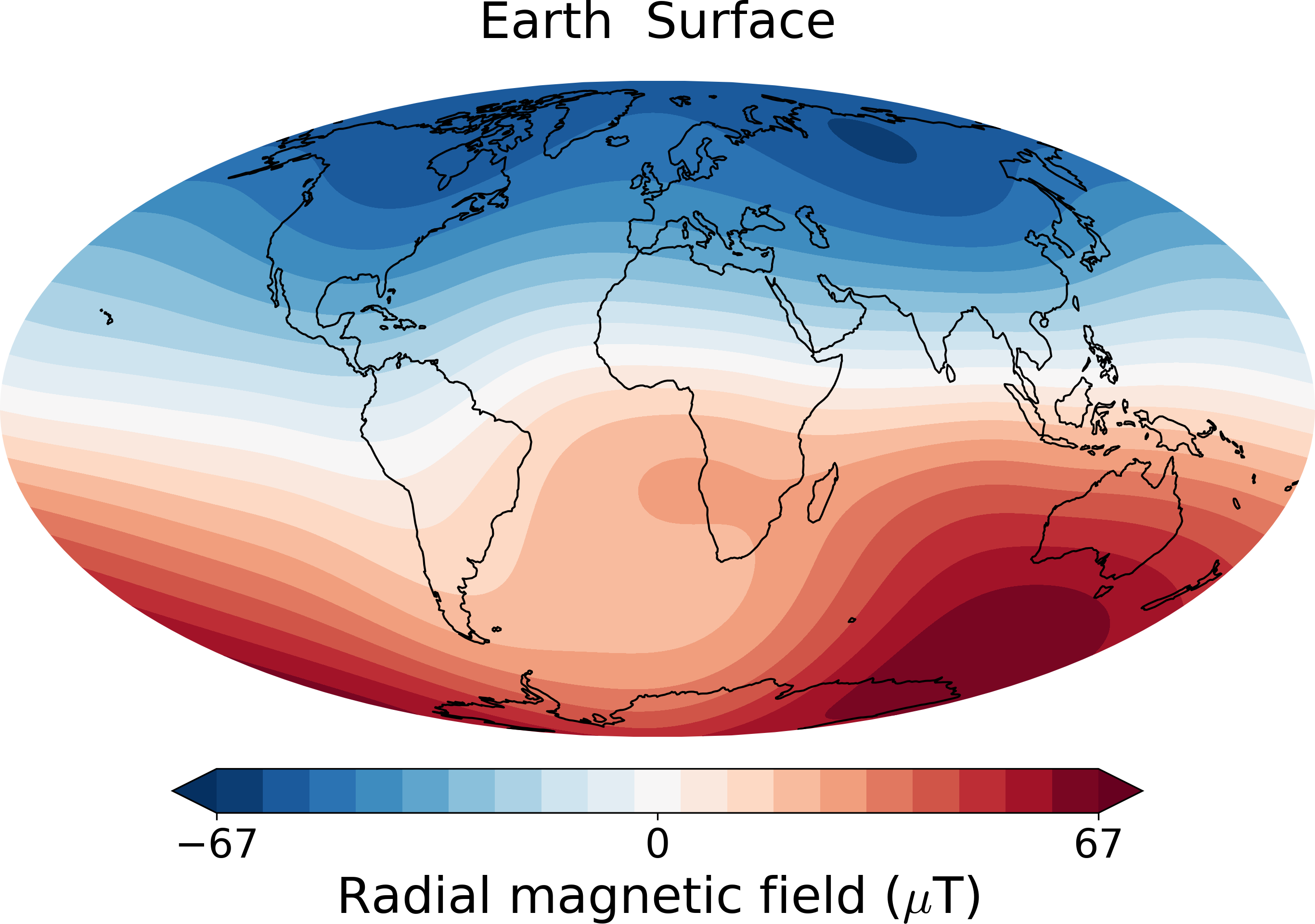
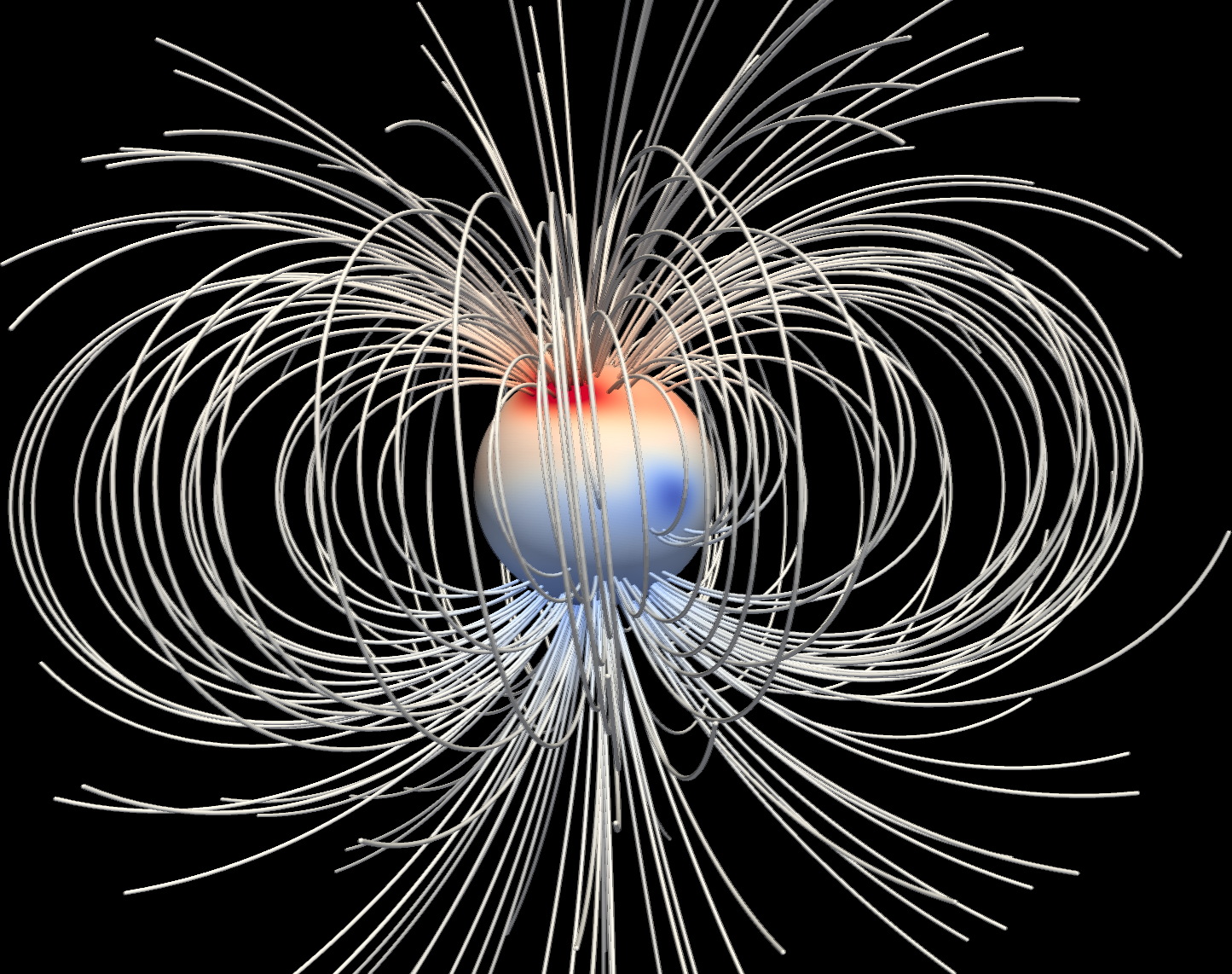
planetMagFields can be used to produce both 2D and 3D visualizations of a planetary field.
While doing so, it also provides the option of potential extrapolation using the SHTns
library. Two examples are shown below: Earth's surface field and a 3D visualization of Jupiter's field using
Paraview. This is done by writing a .vts file using the PyEVTK
library.
Jupyter notebook
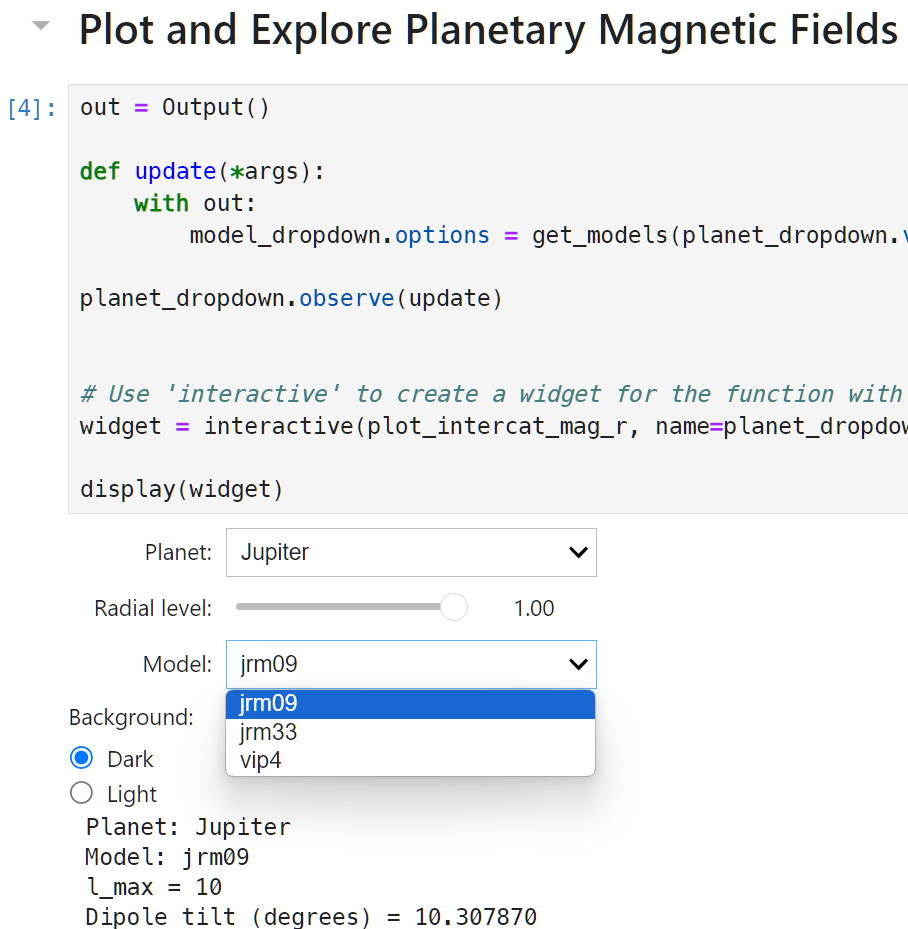
For quick and easy visualization we include a Jupyter notebook with a binder link (see badge at the top). This makes use of Jupyter widgets to provide dropdown lists of planets and available magnetic field models for each as well as a slider for radial level, as shown below
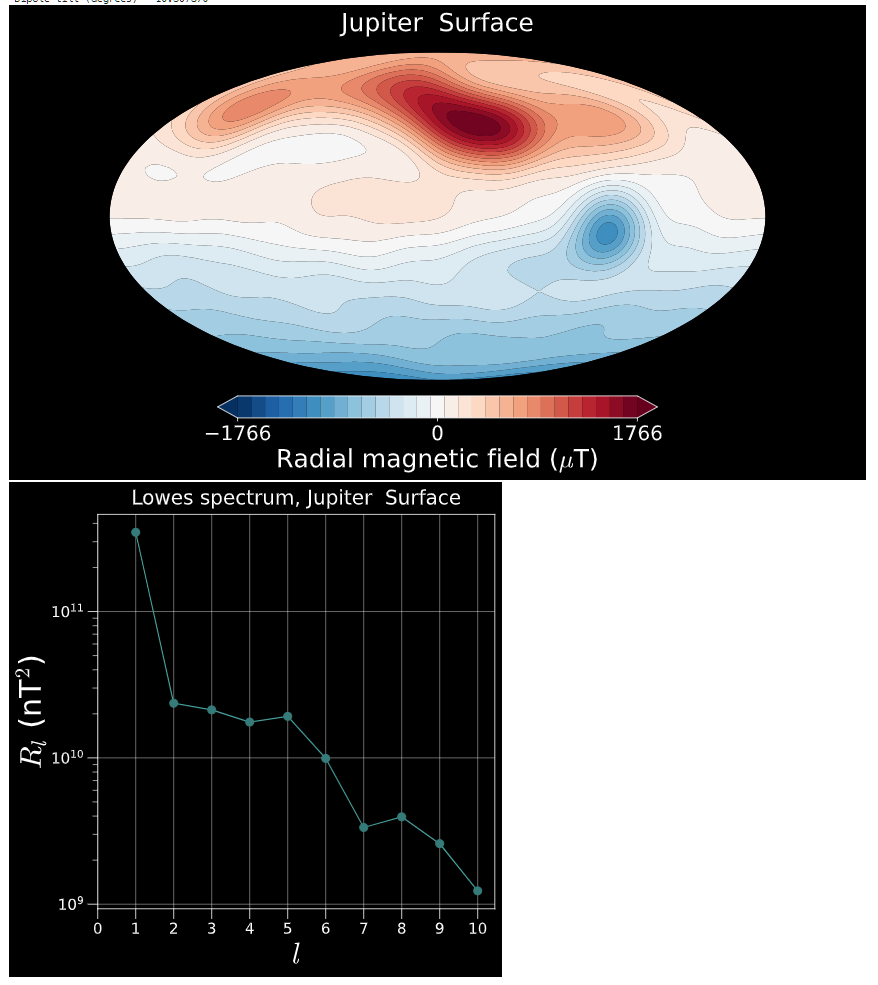
This plots the radial magnetic field at the chosen radial level and the corresponding magnetic field spectrum,
Documentation
Full list of features with examples as well as the magnetic field models used are described in detail in the documentation, available here: https://ankitbarik.github.io/planetMagFields/
Code contribution and reporting issues
planetMagFields is an open source project and anyone is welcome to contribute to it. If you wish to contribute to this project, please follow the guidelines below:
- Please make sure the tests pass before opening a pull request.
- Please follow Python PEP-8 guidelines when it comes to code style.
- If you wish to add new data file, please name it following the convention
<planet>_<model>.dat, whereplanetandmodeldenote the names of the planet and the magnetic field model being used. See thedatadirectory for examples. - If you implement a new feature or data source, please update the documentation accordingly.
Please report any bugs or other issues through GitHub Issues.
Citing planetMagFields
If you're using planetMagFields for your work, please cite the JOSS paper:
Barik et al., (2024). planetMagFields: A Python package for analyzing and plotting planetary magnetic field data. Journal of Open Source Software, 9(97), 6677, https://doi.org/10.21105/joss.06677
@article{Barik2024,
  doi = {10.21105/joss.06677},
  url = {https://doi.org/10.21105/joss.06677},
  year = {2024},
  publisher = {The Open Journal},
  volume = {9},
  number = {97},
  pages = {6677},
  author = {Barik, Ankit and Angappan, Regupathi},
  title = {planetMagFields: A Python package for analyzing and plotting planetary magnetic field data},
  journal = {Journal of Open Source Software}
}
Acknowledgements
I would like to thank Regupathi Angappan for motivating me to create this package, testing it and for writing the Jupyter notebook. I thank Jon Aurnou for testing it out and pointing out runtime errors. I would like to thank Thomas Gastine for comparing the plots with real data and pointing out a normalization error which has been fixed. Thanks a lot to Arthus for adding the setup.py.
2 maintainers


Metadata
2 maintainers
Release files for planetMagFields 1.7.1
For a detailed explanation of source distributions (sdists) and built distributions (wheels), please see the package formats documentation.
Source distribution (sdist)
| File | Size | Uploaded | |
|---|---|---|---|
| planetmagfields-1.7.1.tar.gz | 66.8 kB | Details |
Built distribution (wheel)
| File | Interpreter | ABI | Platform | Reset |
|---|---|---|---|---|
| planetmagfields-1.7.1-py3-none-any.whl | Python 3 | none | any | Details |
Total release size: 133.1 kB
Release files / planetmagfields-1.7.1.tar.gz
| Download URL | planetmagfields-1.7.1.tar.gz |
|---|---|
| Size | 66.8 kB |
| Tags | Source |
|
SHA-256 checksum How to use checksums |
b933ee45f0e618b867d70b4d7344ec379509f54bba6e039426cd3ed971aefeee
|
|
BLAKE2b-256 checksum How to use checksums |
0060ad1522d8eb0b0ed4c79f30c7fc7672557d565d00d90611fc392d3c8c824e
|
| Upload date | |
|
Uploaded using Trusted Publishing? What is trusted publishing? |
Yes |
| Uploaded via |
twine/7.0.0 CPython/3.13.14
|
Provenance
Provenance describes where a file came from. On PyPI, provenance is shared via attestations, which provide a verifiable record of the build or publishing details. View details, limitations and caveats.


PyPI Publish Attestation
PyPI verified that this artifact, at this checksum, originated from the publisher listed below.
Signed by GitHub Actions, verified by PyPI on Sep 26, 2026.
Transparency logRelease files / planetmagfields-1.7.1-py3-none-any.whl
| Download URL | planetmagfields-1.7.1-py3-none-any.whl |
|---|---|
| Size | 66.3 kB |
| Tags | Python 3 |
|
SHA-256 checksum How to use checksums |
dbc2c2b343fb5226d127ff28d65d38872c265d620caa5f3ff532e7f564f53221
|
|
BLAKE2b-256 checksum How to use checksums |
40010d112d747decd33a1b84dd351a3cfb2bb9cc622c7eda99101ee984bba31d
|
| Upload date | |
|
Uploaded using Trusted Publishing? What is trusted publishing? |
Yes |
| Uploaded via |
twine/7.0.0 CPython/3.13.14
|
Provenance
Provenance describes where a file came from. On PyPI, provenance is shared via attestations, which provide a verifiable record of the build or publishing details. View details, limitations and caveats.
PyPI Publish Attestation
PyPI verified that this artifact, at this checksum, originated from the publisher listed below.
Signed by GitHub Actions, verified by PyPI on Sep 26, 2026.
Transparency log













