

plumes
Simple Twitter CLI for day-to-day social media hygiene
·
Report Bug
·
Request Feature











Contents
Overview
Plumes is an open-source Python CLI app for day-to-day social media hygiene.
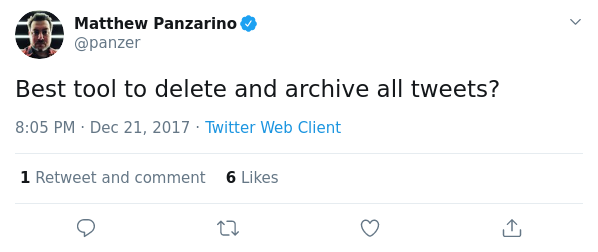
It was designed to provide a simple, clear, and concise interface to quickly explore and clean a personal Twitter account.
Inspiration
Installation
# python >=3.6.1 is required
pip install plumes
Usage
Getting Started And Creating Your Authentication Config
# create your config file
plumes init

# validate your config file
plumes check_config

# print your config file (watch out for sensitive tokens!)
plumes view_config
Export Friends
Extract friends ordered in which they were added:
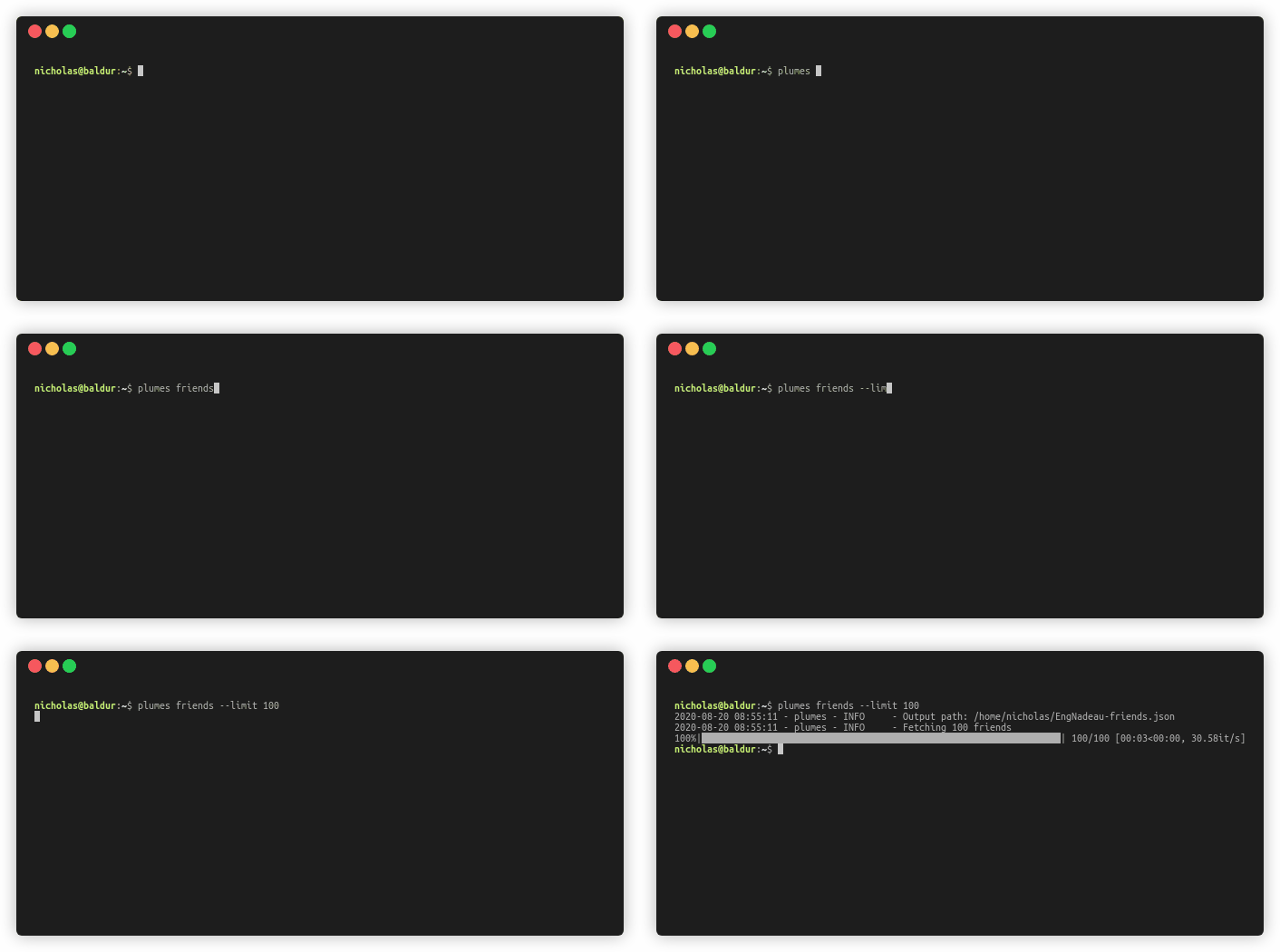
plumes friends <flags>

# e.g., get the friends of Steve Martin (see data in examples dir)
plumes friends SteveMartinToGo --limit 100
Arguments:
screen_nameOptional[str], optional - Target user's screen name (i.e., Twitter handle). If none is given, authenticated user is used. Defaults to None.limitOptional[int], optional - Max number of users to fetch. Defaults to None.outputOptional[str], optional - Output path for JSON file. Defaults to None.
Export Followers
Extract followers ordered in which they were added:
plumes followers <flags>

# e.g., get the followers of Al Yankovic (see data in examples dir)
plumes followers alyankovic --limit 100
Arguments:
screen_nameOptional[str], optional - Target user's screen name (i.e., Twitter handle). If none is given, authenticated user is used. Defaults to None.limitOptional[int], optional - Max number of users to fetch. Defaults to None.outputOptional[str], optional - Output path for JSON file. Defaults to None.
Export Tweets
Extract (and archive) tweets ordered in by most recent:
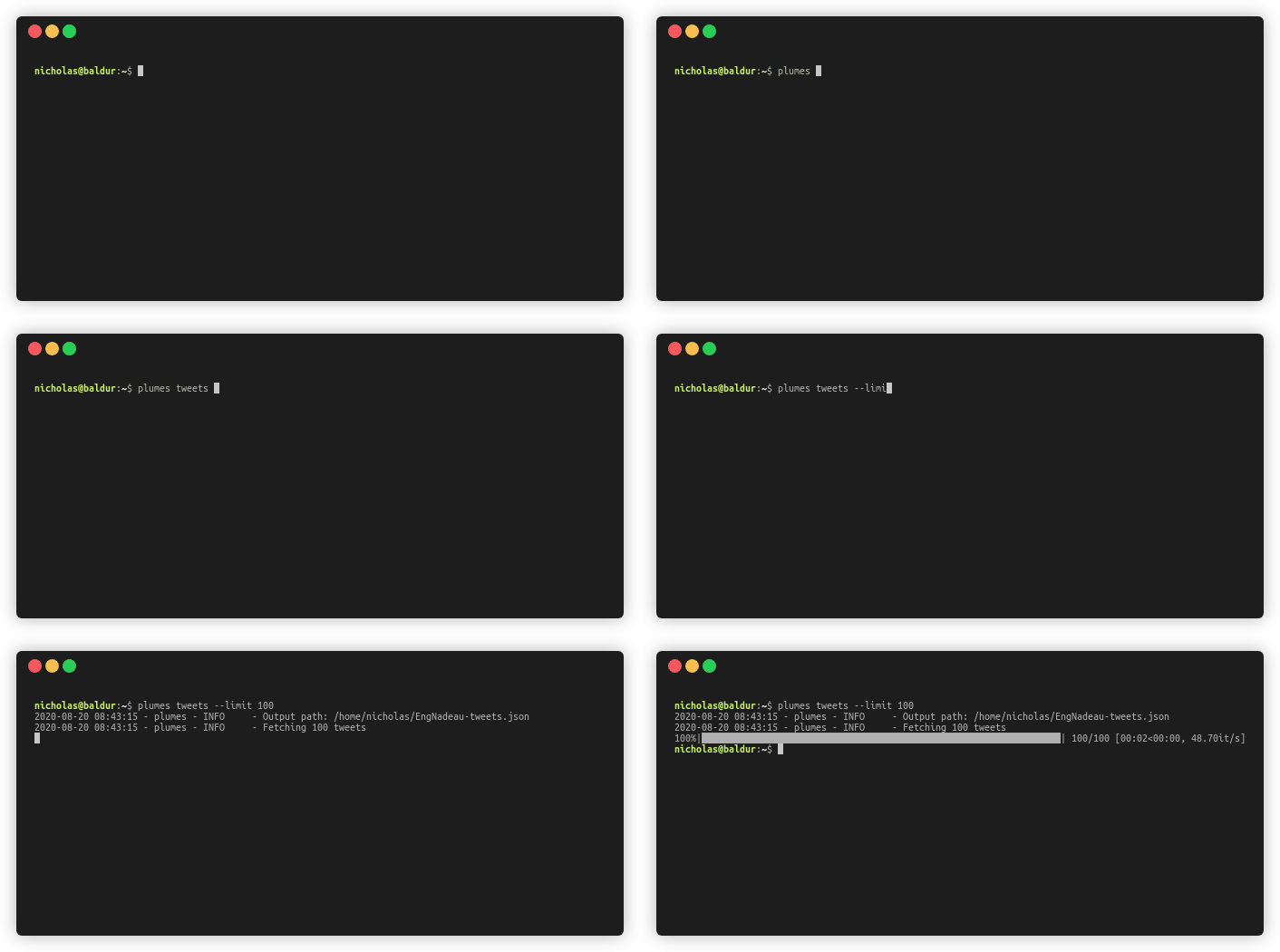
plumes tweets <flags>

# e.g., get the tweets of Conan O'Brien (see data in examples dir)
plumes tweets ConanOBrien --limit 100
Arguments:
screen_nameOptional[str], optional - Target user's screen name (i.e., Twitter handle). If none is given, authenticated user is used. Defaults to None.limitOptional[int], optional - Max number of users to fetch. Defaults to None.outputOptional[str], optional - Output path for JSON file. Defaults to None.
Audit Users
Audit and review users given criteria. Use this to mass follow/unfollow many users.
plumes audit_users PATH <flags>

# e.g., follow 100 of Al Yankovic's followers
plumes followers alyankovic --limit 100
plumes audit_users alyankovic-followers.json --befriend

# e.g., prune (i.e., unfollow) current friends who have less than 100 followers AND haven't tweeted in the last 30 days
plumes friends --output "friends.json"
plumes audit_users "friends.json" --prune --min_followers 100 --days 30
Arguments:
pathstr - Path to JSON file of users (e.g., output of friends())min_followersOptional[int], optional - Min number of followers. Defaults to None.max_followersOptional[int], optional - Max number of followers. Defaults to None.min_friendsOptional[int], optional - Min number of friends. Defaults to None.max_friendsOptional[int], optional - Max number of friends. Defaults to None.daysOptional[int], optional - Days since last tweet. Defaults to None.min_tweetsOptional[int], optional - Min number of tweets. Defaults to None.max_tweetsOptional[int], optional - Max number of tweets. Defaults to None.min_favouritesOptional[int], optional - Min number of favourites. Defaults to None.max_favouritesOptional[int], optional - Max number of favourites. Defaults to None.min_ratioOptional[float], optional - Min Twitter follower-friend (TFF) ratio. Defaults to None.max_ratioOptional[float], optional - Max Twitter follower-friend (TFF) ratio. Defaults to None.prunebool, optional - Unfollow identified users. Defaults to False.befriendbool, optional - Follow identified users. Defaults to False.bool_orbool, optional - Switch to boolean OR for conditions. Defaults to False.
Prune Your Tweets
Audit and review tweets given criteria. Use this to mass favourite or delete tweets.
plumes audit_tweets PATH <flags>

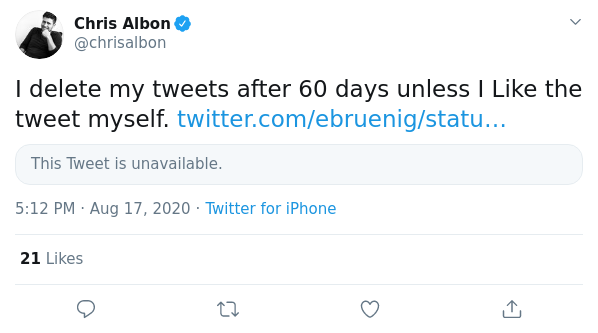
# e.g., delete your tweets that are older than 60 days AND that you didn't self-favourite
plumes tweets --output "tweets.json"
plumes audit_tweets "tweets.json" --prune --days 60 --self_favorited False

# e.g., export 100 of Conan O'Brien's tweets and favourite those that have a maximum of 10 likes and a minimum of 50 retweets
plumes tweets ConanOBrien --limit 100
plumes audit_tweets ConanOBrien-tweets.json --favorite --max_likes 10 --min_retweets 50
Arguments:
daysOptional[int], optional - Days since tweeted. Defaults to None.min_likesOptional[int], optional - Min number of favourites. Defaults to None.max_likesOptional[int], optional - Max number of favourites. Defaults to None.min_retweetsOptional[int], optional - Min number of retweets. Defaults to None.max_retweetsOptional[int], optional - Max number of retweets. Defaults to None.min_ratioOptional[float], optional - Min Twitter like-retweet ratio. Defaults to None.max_ratioOptional[float], optional - Max Twitter like-retweet ratio. Defaults to None.self_favoritedOptional[bool], optional - Check if tweet is self-liked. Defaults to None.prunebool, optional - Prune and destroy identified tweets. Defaults to False.favoritebool, optional - Like identified tweets. Defaults to False.bool_orbool, optional - Switch to boolean OR for conditions. Defaults to False.
Setting Up Authentication
Get Your Twitter API Tokens
-
Navigate to the Twitter Dev Portal
-
Click
Create an app -
Fill out the forms
-
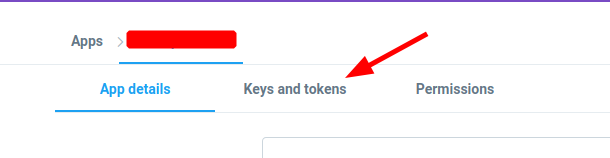
Navigate to
Keys and tokens -
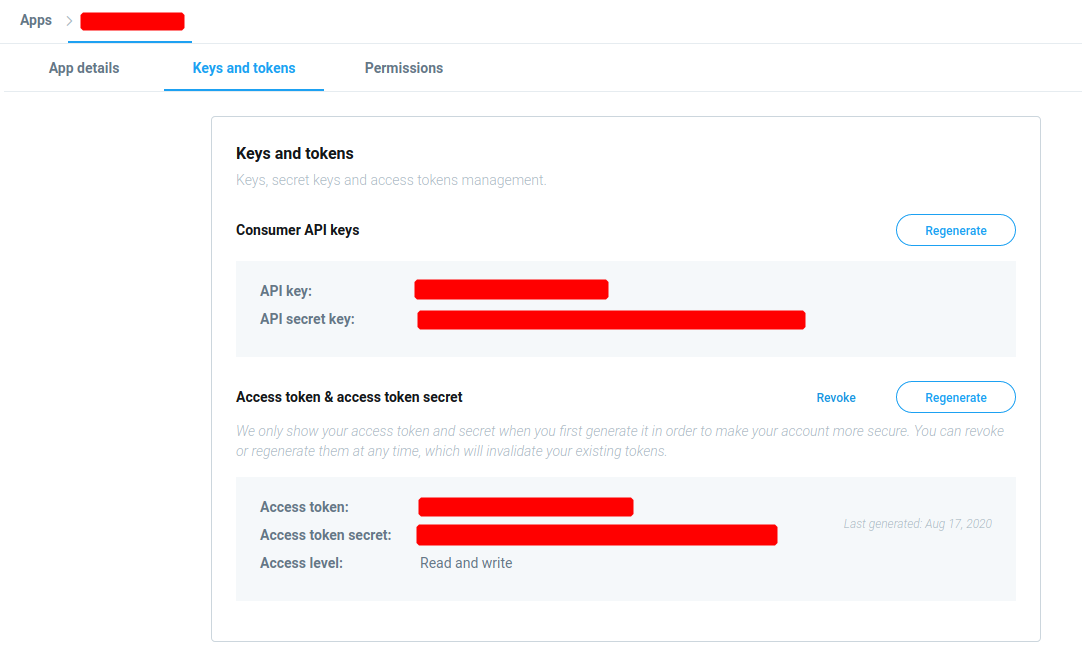
Copy the values for
API key,API secret key,Access token, andAccess token secret

Configuring plumes
The API tokens can either be set as environment variables (using the PLUMES_ prefix; e.g., export PLUMES_CONSUMER_KEY=xxxxx) or configuration variables in ~/.plumes.toml:
- CONSUMER_KEY =
<API key> - CONSUMER_SECRET =
<API secret key> - ACCESS_TOKEN =
<Access token> - ACCESS_TOKEN_SECRET =
<Access token secret>
Contributing
Please see CONTRIBUTING.md and the Code of Conduct for how to contribute to the project
Testing
- Please review the
Makefilefor an overview of all available tests - The most important tests and
makecommands are highlighted below:
# auto-format code
make format

# perform all static tests
make check
1 maintainer

Release files for plumes 2.3.2
For a detailed explanation of source distributions (sdists) and built distributions (wheels), please see the package formats documentation.
Source distribution (sdist)
| File | Size | Uploaded | |
|---|---|---|---|
| plumes-2.3.2.tar.gz | 12.8 kB | Details |
Built distribution (wheel)
| File | Interpreter | ABI | Platform | Reset |
|---|---|---|---|---|
| plumes-2.3.2-py3-none-any.whl | Python 3 | none | any | Details |
Total release size: 23.3 kB
Release files / plumes-2.3.2.tar.gz
| Download URL | plumes-2.3.2.tar.gz |
|---|---|
| Size | 12.8 kB |
| Tags | Source |
|
SHA-256 checksum How to use checksums |
ab36deb77bbc2029030264b2099ea71d400223df2e4372e227061fa7c09a8e31
|
|
BLAKE2b-256 checksum How to use checksums |
ff18942040ff0a83a39bc384c1c50904cf1436bb6c120aee7b13d2c75e2fda3c
|
| Upload date | |
|
Uploaded using Trusted Publishing? What is trusted publishing? |
No |
| Uploaded via |
poetry/1.0.10 CPython/3.8.5 Linux/5.4.0-1025-azure
|
Release files / plumes-2.3.2-py3-none-any.whl
| Download URL | plumes-2.3.2-py3-none-any.whl |
|---|---|
| Size | 10.5 kB |
| Tags | Python 3 |
|
SHA-256 checksum How to use checksums |
1bd148fd59deb7ab131f67c59c1edb8f47ba715fb30a6d28e0db7a8ceee72e85
|
|
BLAKE2b-256 checksum How to use checksums |
9ff2819db7eaa0e26a4e35971af6ec95598405b506bef544575dd8e1fba081c3
|
| Upload date | |
|
Uploaded using Trusted Publishing? What is trusted publishing? |
No |
| Uploaded via |
poetry/1.0.10 CPython/3.8.5 Linux/5.4.0-1025-azure
|














