


|
|
|
|
👋🏼 Introduction
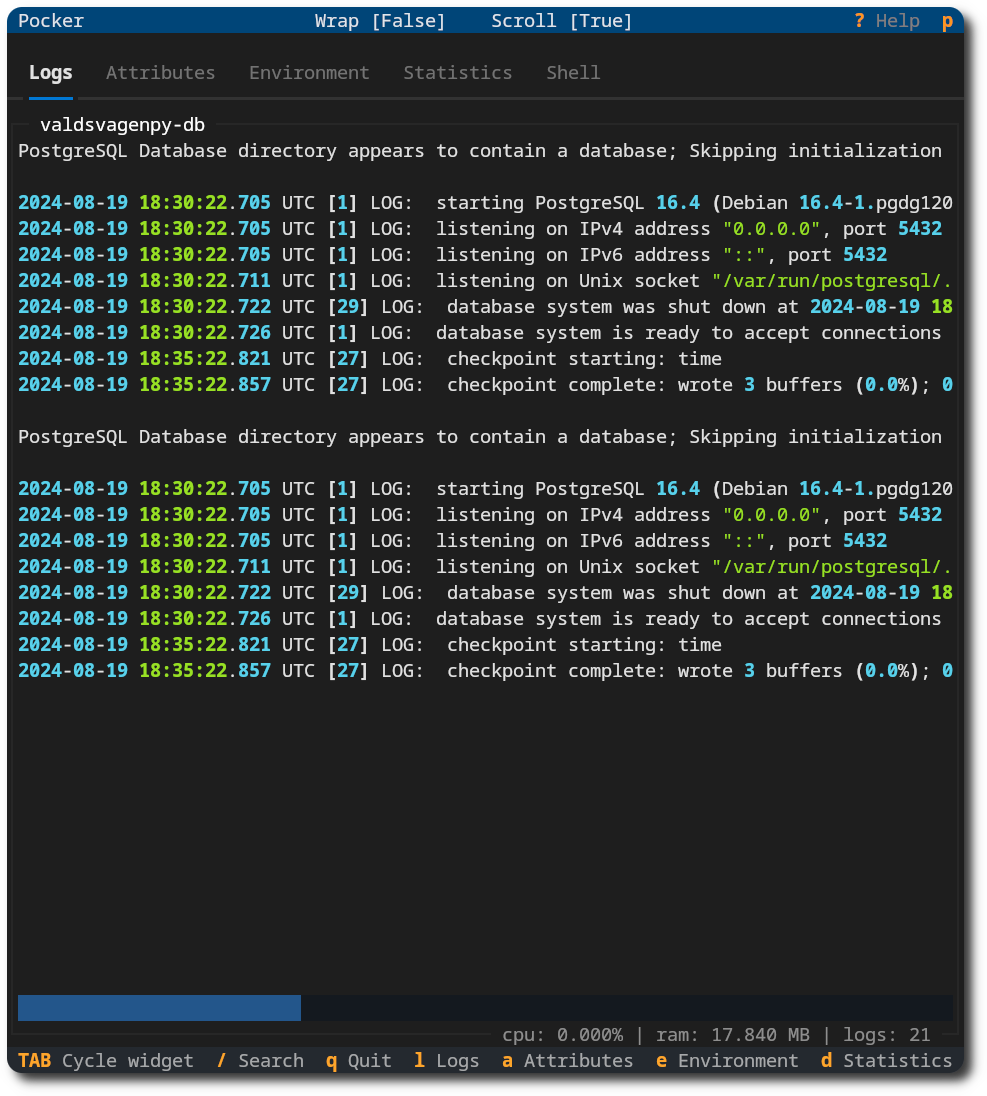
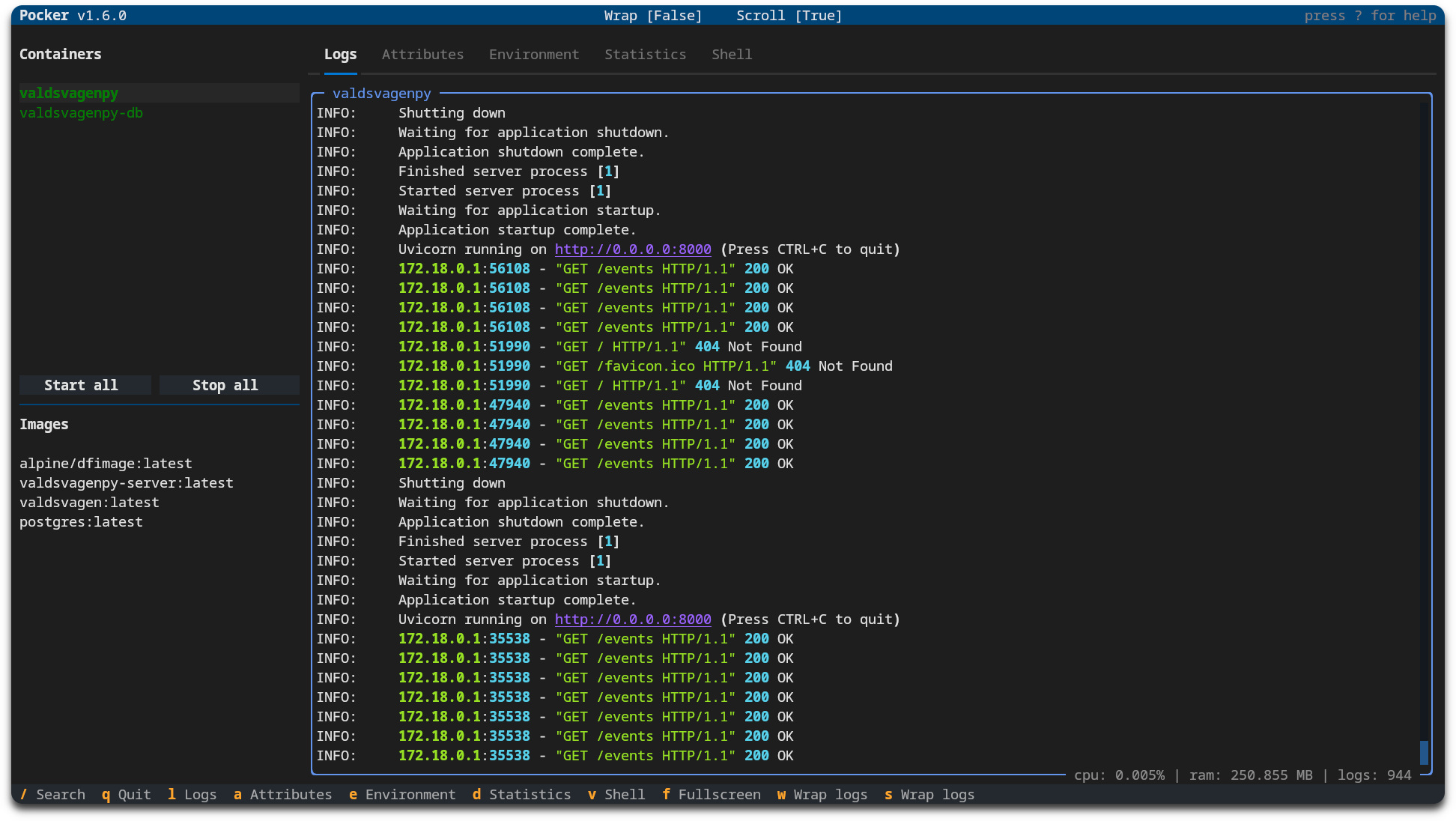
Pocker is a TUI tool to help with docker related tasks. For example,
- View containers/images.
- Manage status of containers.
- See logs, attributes, environment variables and container statistics.
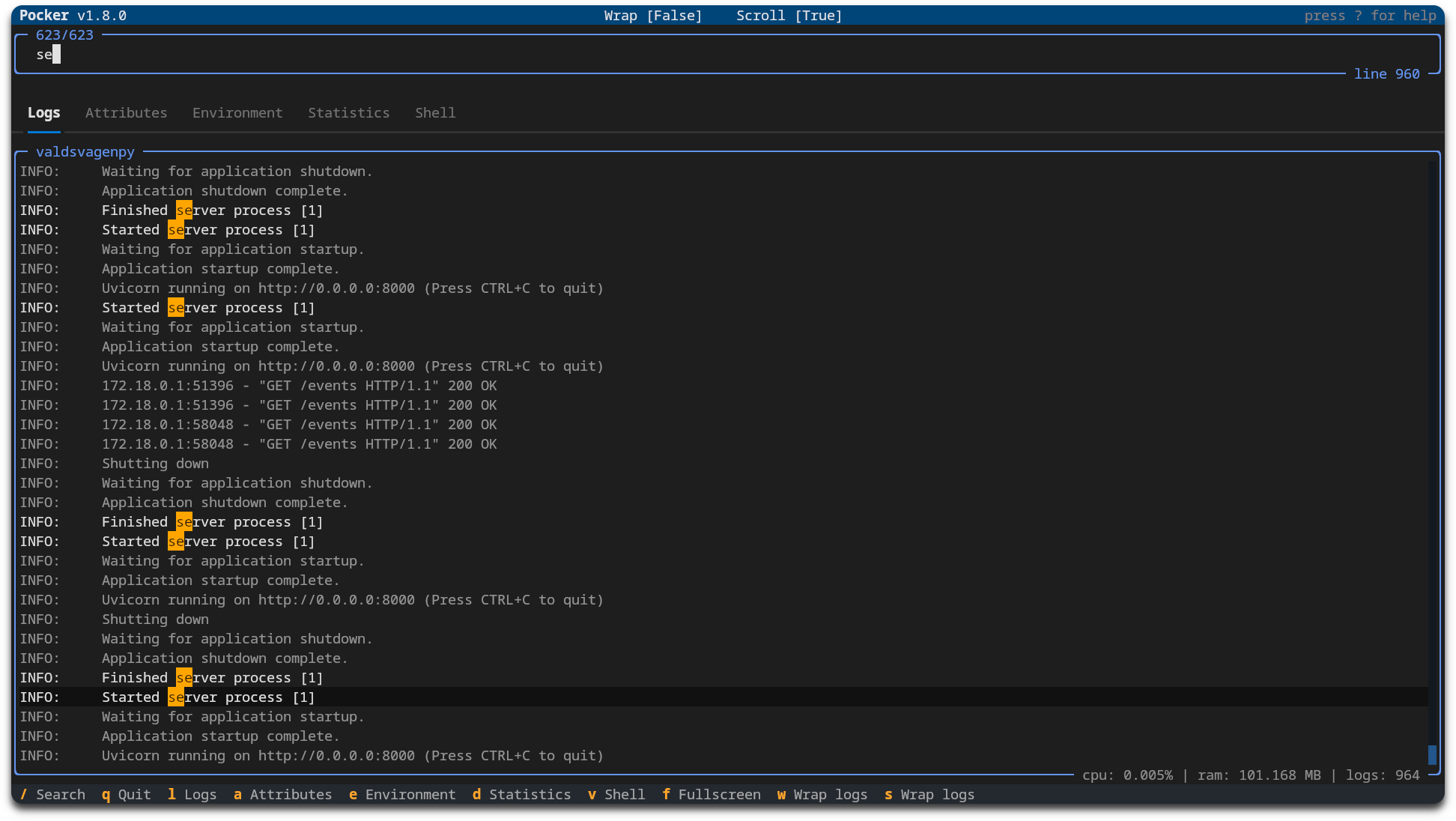
- Filter logs based on keywords.
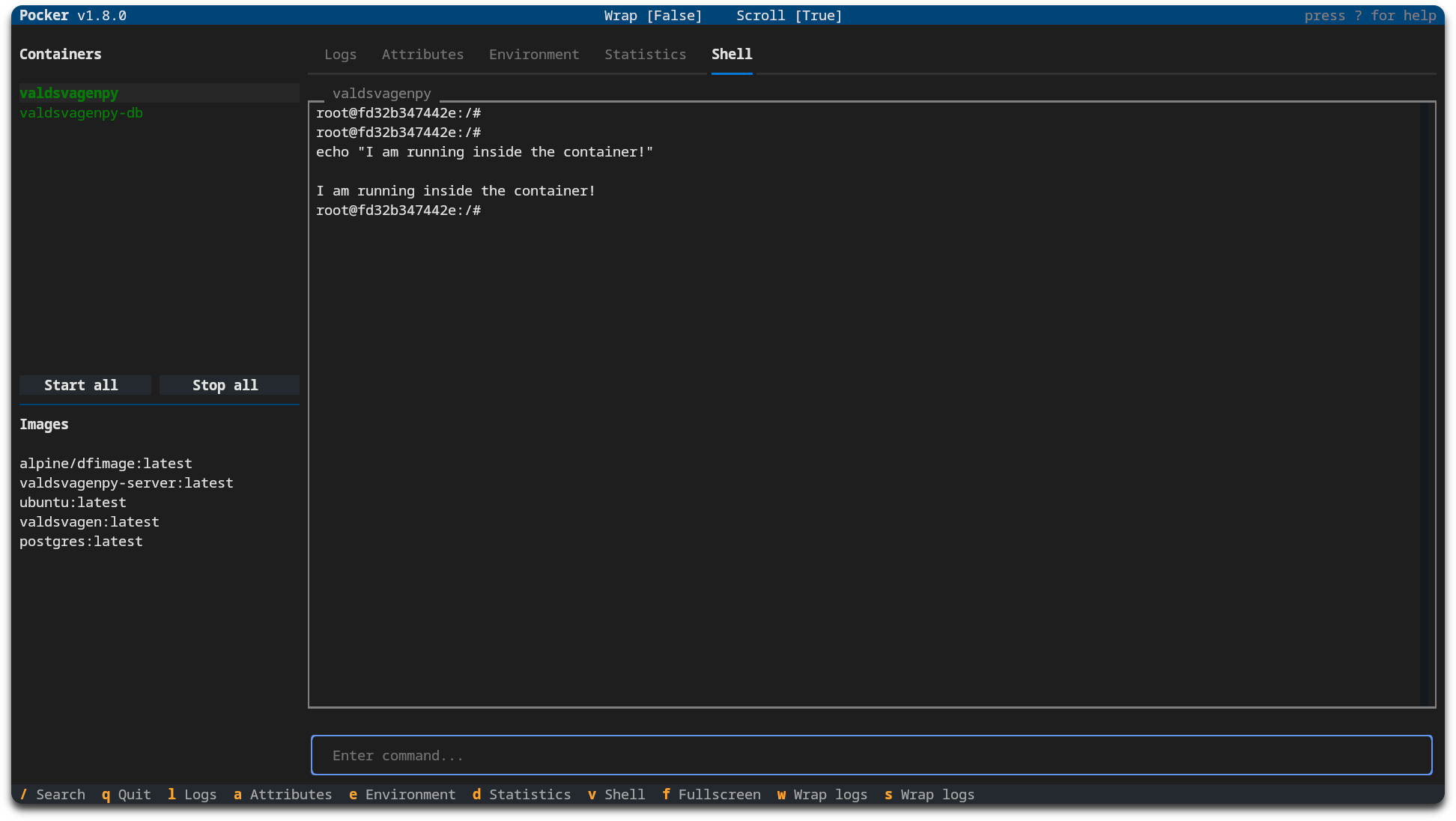
- Start shell inside a container.
- Customize configuration, i.e keybinds and behaviour.
The tool is heavily based on docker-py and textual.
A big thanks goes over to the creator and contributors of textual as it makes for a very sleek and easy interface.

Why?
I spend a lot of time working with Docker, and typing numerous commands can be time-consuming, energy-draining, and inefficient.
This is something that can, of course, be improved with the right tool.
The initial drive was to type less, but has since evolved into more.
Being able to search for a keyword and quickly get live feedback is very nice.
Need a new env variable? Just head over to the shell tab and run one command.
Prerequisite
[!NOTE] Pipx must be installed.
Python version 3.10.9 or newer.
📦 Installation
Pocker is hosted at PyPi (see here).
pipx install pocker-tui           # Latest version
pipx install pocker-tui==version  # Specific version
Install from GitHub repository
PyPi will mostly contain newest version, but it is also possible to run install from this repository.
pipx install git+https://github.com/pommee/Pocker
🚦 Usage
pocker          # Start pocker
pocker update   # Fetch and install latest version
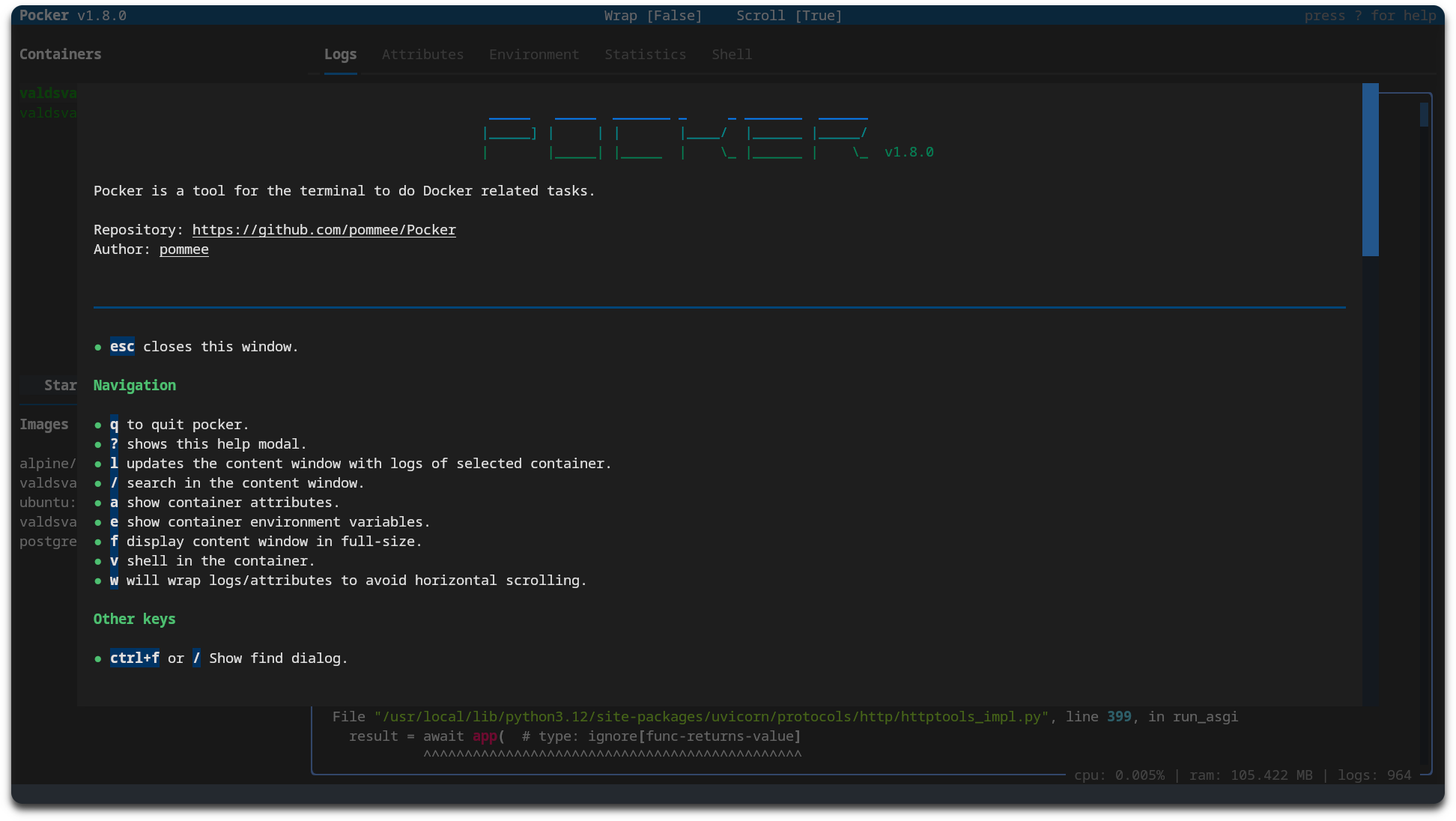
Keybinds can be seen in the footer when started or by pressing ? to display help modal.
🔧 Configuration
Upon the first startup, a configuration file will be generated and stored at $HOME/.config/pocker/config.yaml.
| Key | Default | Info |
|---|---|---|
| log_tail | 2000 | At startup, Pocker will fetch log_tail amount of container logs.Not recommended to exceed ~3000 as startup will slow down. |
| max_log_lines | 2000 | The displayed container logs are shown sequentially, with the oldest log being removed as a new one appears. |
| show_all_containers | false | Show running and exited containers. |
| start_fullscreen | false | Display container logs in fullscreen mode at startup. |
| start_scroll | true | Automatically scrolls when new logs are fetched. |
| start_wrap | false | When enabled, logs will wrap to fit the content window. |
Keymap [default]
| Key | Action | Description |
|---|---|---|
q |
Quit | Exits the application. |
l |
Logs | Opens the logs view to display log entries. |
/ |
Search | Search logs. |
TAB |
Cycle widgets | Used to cycle widgets. Newly focused widget will have it's borders alter colors. |
a |
Attributes | Displays the attributes panel, showing various item attributes. |
e |
Environment | Opens the environment settings view. |
d |
Statistics | Shows statistical information related to the container. |
v |
Shell | Creates a shell for the current container. |
f |
Fullscreen | Toggles fullscreen mode for the logs view. |
n |
Fullscreen (Containers & Images) | Toggles fullscreen mode for containers and images view. |
w |
Wrap Logs | Toggles log wrapping in the logs view. |
s |
Toggle Scroll | Toggles scrolling mode for the current view. |
This table helps you understand the functionalities assigned to each key, making navigation and operation more efficient.
Errors
Errors will be displayed whenever encountered.
This can occur if an update is released with new keybinds required as an example.
The solution is to either add the new keybind manually or delete the config and restart pocker.
Default keymap can always be found here.
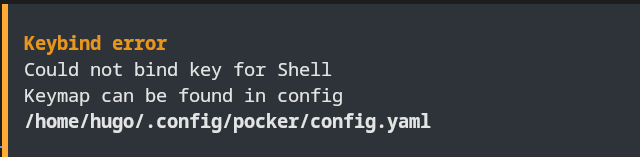
Example of faulty keybind for
Shell; in this case the key does not exist in the config.
1 maintainer

Release files for pocker-tui 1.18.4
For a detailed explanation of source distributions (sdists) and built distributions (wheels), please see the package formats documentation.
Source distribution (sdist)
| File | Size | Uploaded | |
|---|---|---|---|
| pocker_tui-1.18.4.tar.gz | 25.8 kB | Details |
Built distribution (wheel)
| File | Interpreter | ABI | Platform | Reset |
|---|---|---|---|---|
| pocker_tui-1.18.4-py3-none-any.whl | Python 3 | none | any | Details |
Total release size: 57.2 kB
Release files / pocker_tui-1.18.4.tar.gz
| Download URL | pocker_tui-1.18.4.tar.gz |
|---|---|
| Size | 25.8 kB |
| Tags | Source |
|
SHA-256 checksum How to use checksums |
d83b6bf81964ba721871cb9bb796dfa369f30de0d36e5f25ef5c5bfdfb26f8c4
|
|
BLAKE2b-256 checksum How to use checksums |
6ea09d8ae8db4fdf50dfceed0f1a1bad8d1e1d13e391e1b81960ee78c6732bbe
|
| Upload date | |
|
Uploaded using Trusted Publishing? What is trusted publishing? |
Yes |
| Uploaded via |
twine/6.1.0 CPython/3.12.9
|
Provenance
Provenance describes where a file came from. On PyPI, provenance is shared via attestations, which provide a verifiable record of the build or publishing details. View details, limitations and caveats.


PyPI Publish Attestation
PyPI verified that this artifact, at this checksum, originated from the publisher listed below.
Signed by GitHub Actions, verified by PyPI on Mar 16, 2025.
Transparency logRelease files / pocker_tui-1.18.4-py3-none-any.whl
| Download URL | pocker_tui-1.18.4-py3-none-any.whl |
|---|---|
| Size | 31.4 kB |
| Tags | Python 3 |
|
SHA-256 checksum How to use checksums |
b3535fba299b5fb0354be6491cc2b5999db4b30c0137e811a8969935b7568e74
|
|
BLAKE2b-256 checksum How to use checksums |
c96ceb6f1ca8ddb3d1e15e20109f242d5de7caa4b88a413befb3091c572c03f0
|
| Upload date | |
|
Uploaded using Trusted Publishing? What is trusted publishing? |
Yes |
| Uploaded via |
twine/6.1.0 CPython/3.12.9
|
Provenance
Provenance describes where a file came from. On PyPI, provenance is shared via attestations, which provide a verifiable record of the build or publishing details. View details, limitations and caveats.
PyPI Publish Attestation
PyPI verified that this artifact, at this checksum, originated from the publisher listed below.
Signed by GitHub Actions, verified by PyPI on Mar 16, 2025.
Transparency log













