


Pocket2Linkwarden
Convert your Pocket bookmarks export to a Linkwarden-compatible HTML file.
Usage
Go to Pocket and click "Export HTML File". Pocket will actually send you a .csv file, which is not compatible with Linkwarden's built-in importing feature.
Once you use the download link they send to your email, unzip the pocket folder. It should look something like:
pocket
├── annotations
│   └── part_000000.json
└── part_000000.csv
If you have uv installed, you can then simply run:
uvx pocket2linkwarden <filename.csv>
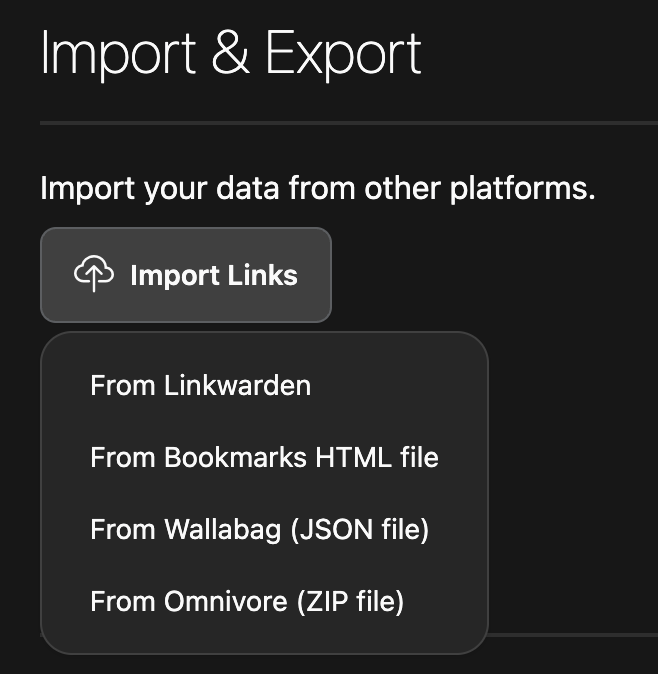
Where filename in this case is part_000000.csv. You can optionally specify an output file with -o. Once your bookmarks.html has been generated, navigate to Linkwarden settings and select the "From Bookmarks HTML File" option.
1 maintainer

Metadata
1 maintainer
Release files for pocket2linkwarden 0.1.1
For a detailed explanation of source distributions (sdists) and built distributions (wheels), please see the package formats documentation.
Source distribution (sdist)
| File | Size | Uploaded | |
|---|---|---|---|
| pocket2linkwarden-0.1.1.tar.gz | 4.4 kB | Details |
Built distribution (wheel)
| File | Interpreter | ABI | Platform | Reset |
|---|---|---|---|---|
| pocket2linkwarden-0.1.1-py3-none-any.whl | Python 3 | none | any | Details |
Total release size: 9.1 kB
Release files / pocket2linkwarden-0.1.1.tar.gz
| Download URL | pocket2linkwarden-0.1.1.tar.gz |
|---|---|
| Size | 4.4 kB |
| Tags | Source |
|
SHA-256 checksum How to use checksums |
5dbec66ab1295d50d6e24dbf6e71566d09397122adc3a8711fa84d64507a30ec
|
|
BLAKE2b-256 checksum How to use checksums |
05e984dff5b2ccf7592e259faf08f9e190d817f21615f8f331a207ed29c742a0
|
| Upload date | |
|
Uploaded using Trusted Publishing? What is trusted publishing? |
No |
| Uploaded via |
uv/0.7.10
|
Release files / pocket2linkwarden-0.1.1-py3-none-any.whl
| Download URL | pocket2linkwarden-0.1.1-py3-none-any.whl |
|---|---|
| Size | 4.7 kB |
| Tags | Python 3 |
|
SHA-256 checksum How to use checksums |
e35472cbeec01d01a794af7fb447cb9704f03f13c15d738c72e68e166c4d894a
|
|
BLAKE2b-256 checksum How to use checksums |
048a8333ea171ae9e3dfb92f3527dbdb61004dfd2ec23a536b642d485d254fe9
|
| Upload date | |
|
Uploaded using Trusted Publishing? What is trusted publishing? |
No |
| Uploaded via |
uv/0.7.10
|














