
PocketCoder


CLI coding assistant supporting Ollama, OpenAI, Claude.
Features session persistence, multi-step task planning, project-aware context (RepoMap), and interactive file editing with human-in-the-loop approval.
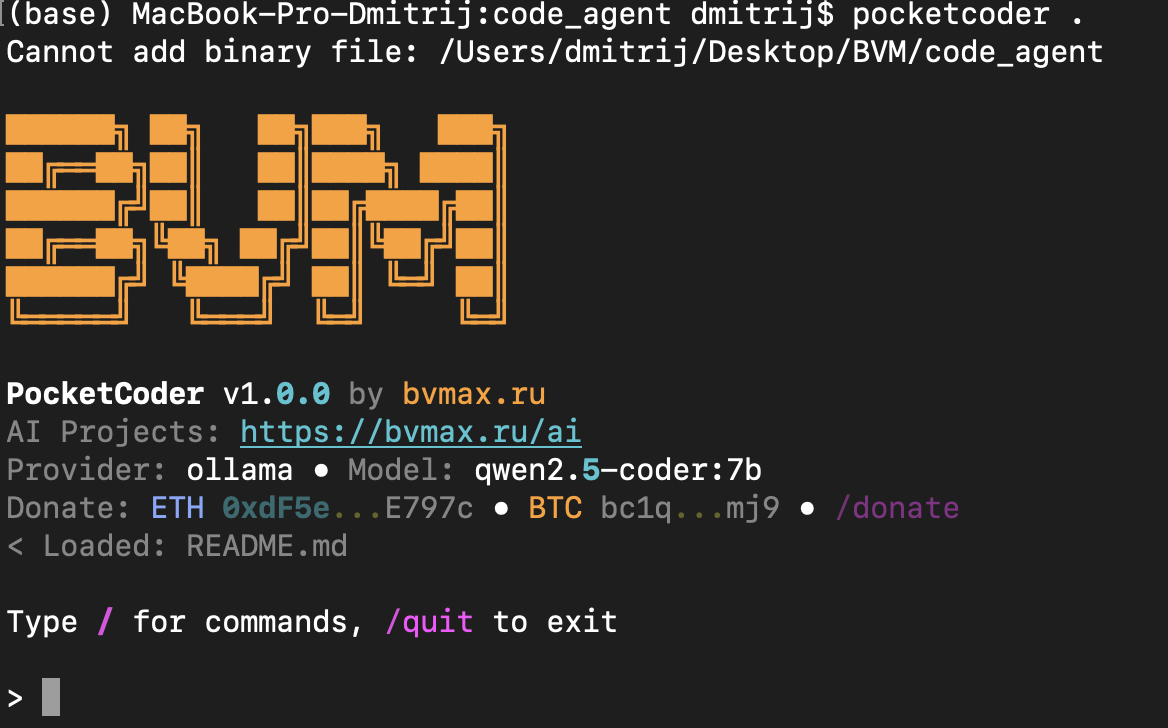
Quick Start
pip install pocketcoder
pocketcoder
With Ollama (free, local)
# Install Ollama: https://ollama.com
ollama pull qwen2.5-coder:7b
pocketcoder
With OpenAI
export OPENAI_API_KEY="sk-..."
pocketcoder --provider openai --model gpt-4o
Key Features
- Multi-provider — Ollama, OpenAI, Anthropic, vLLM, LM Studio
- Session memory — agent remembers context across requests
- Task planning — TODO tracking with automatic breakdown
- RepoMap — project structure awareness for better context
- Human-in-the-loop — approve/reject every file change
- Offline capable — works fully local with Ollama
Demo: Building a Calculator
Ask PocketCoder to create a GUI calculator — it plans, asks clarifying questions, writes code, and runs it:
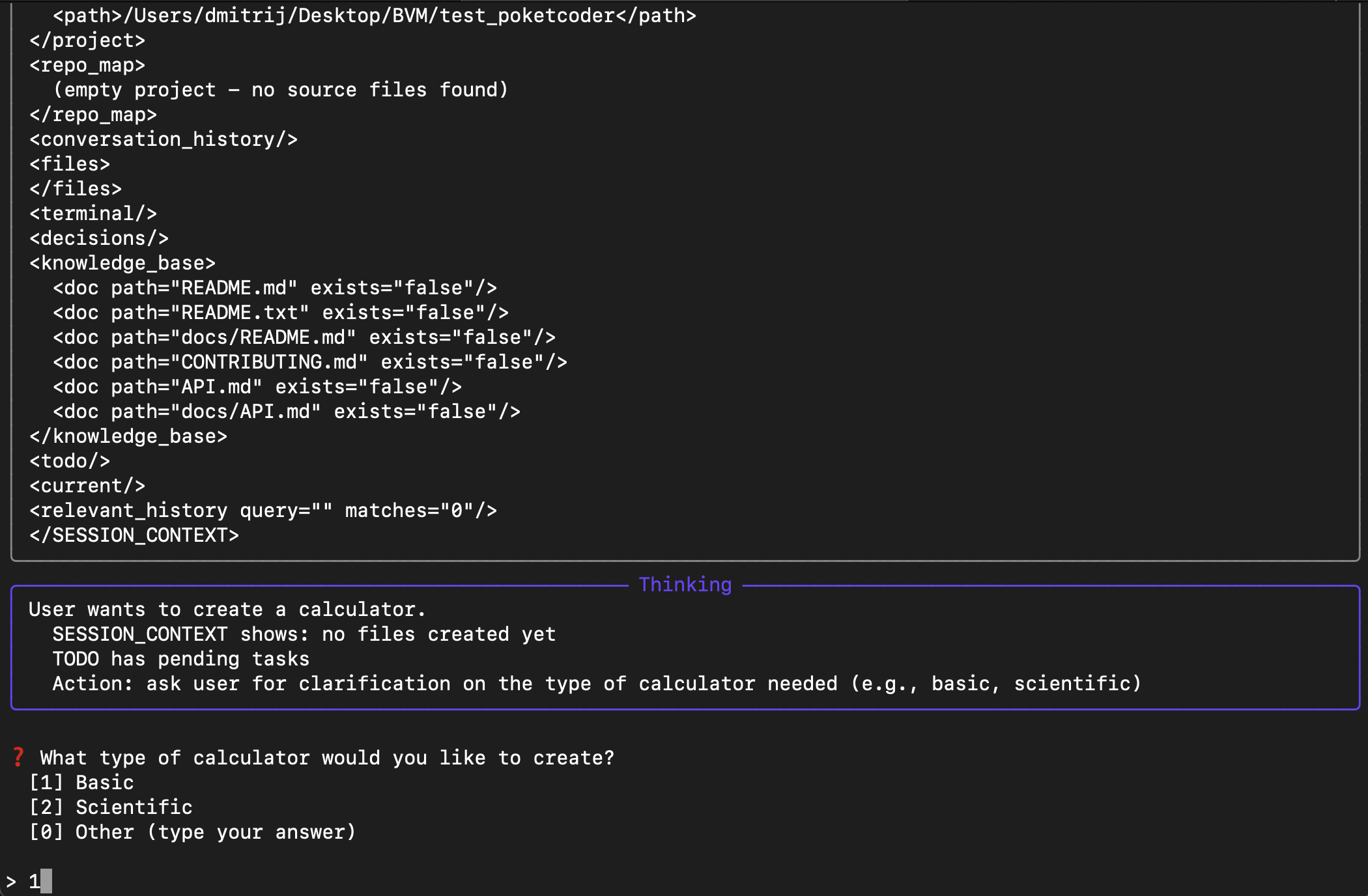
Agent reasons about the task and asks what type of calculator you need
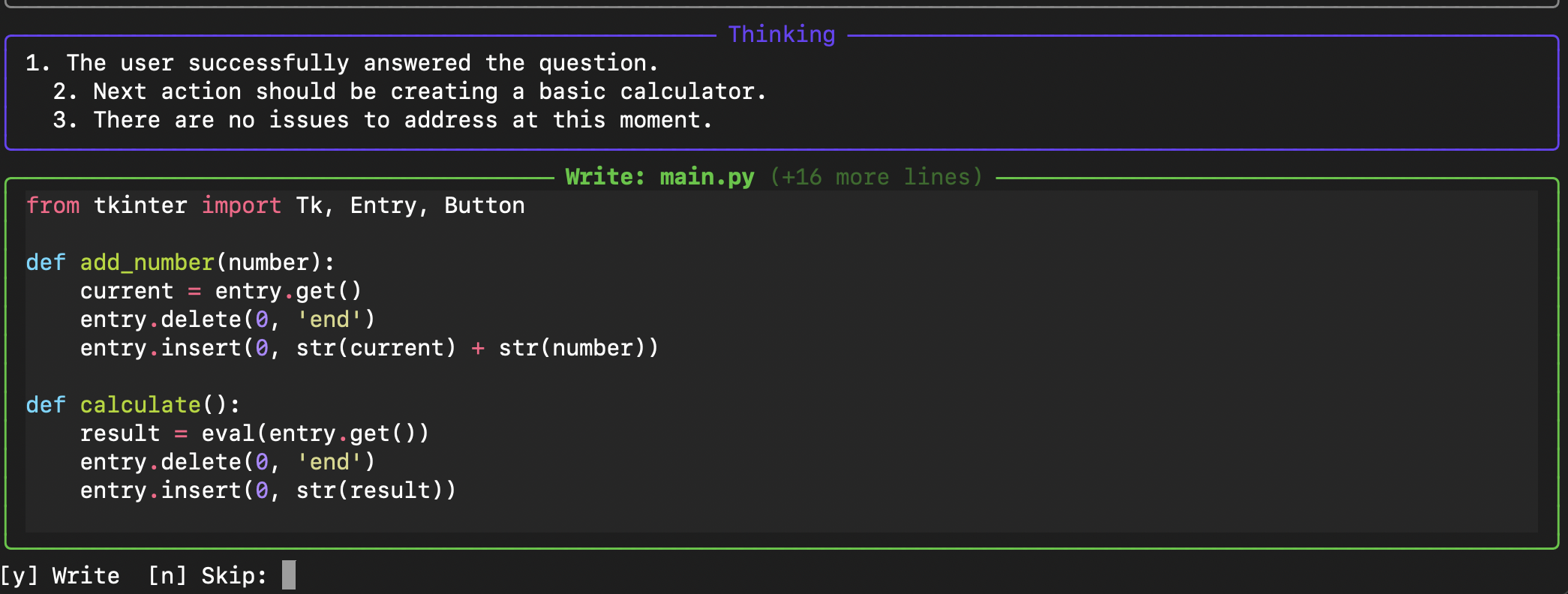
Shows code preview before writing — you approve with [y] or skip with [n]
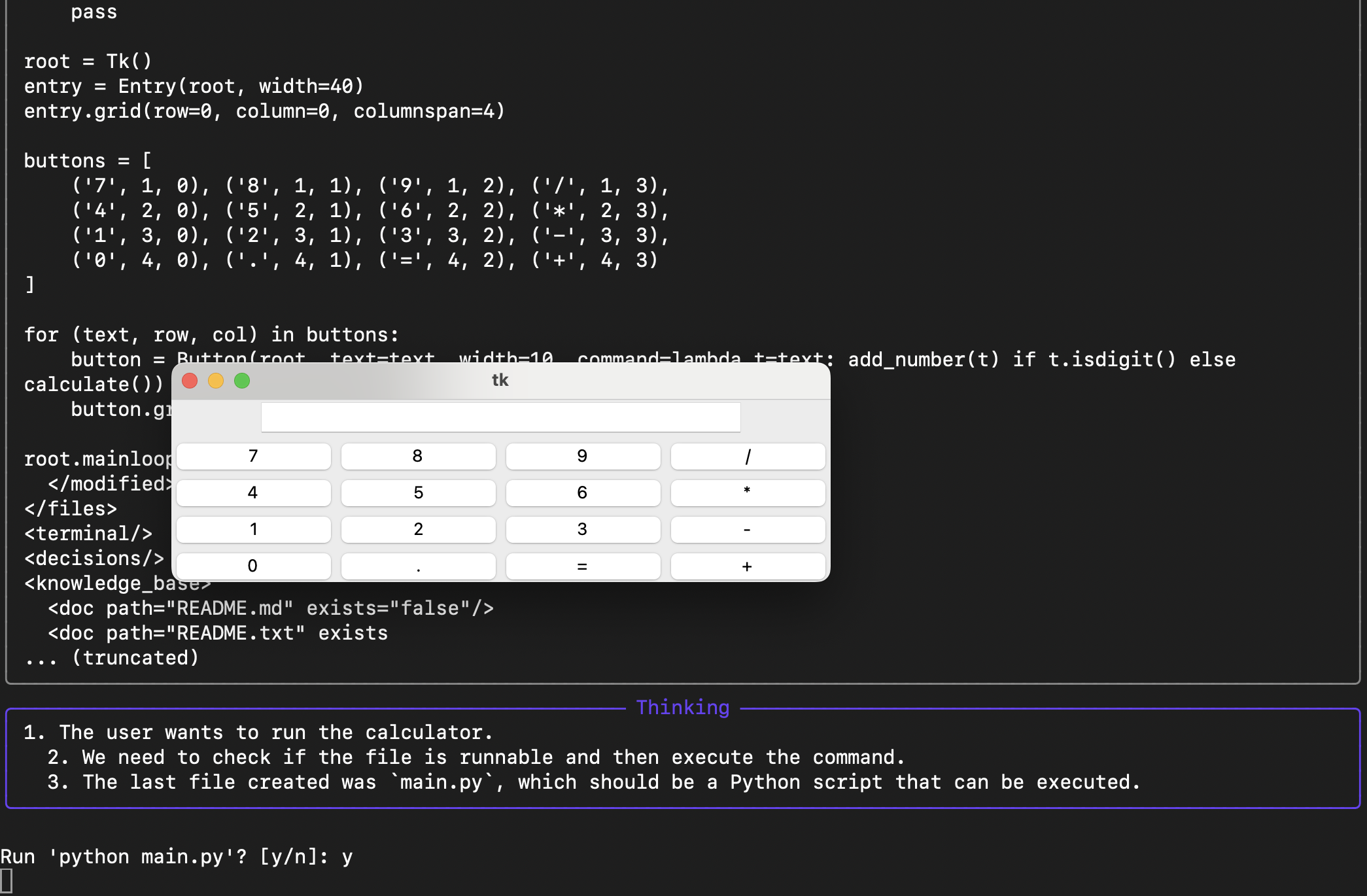
Result: working tkinter calculator created and executed
Features
Session Memory
Agent remembers what you're working on across requests. No need to re-explain context.
Project Awareness
RepoMap shows your codebase structure to the LLM. Agent knows your file layout.
Multi-step Tasks
TODO tracking with automatic planning. Agent breaks complex tasks into steps.
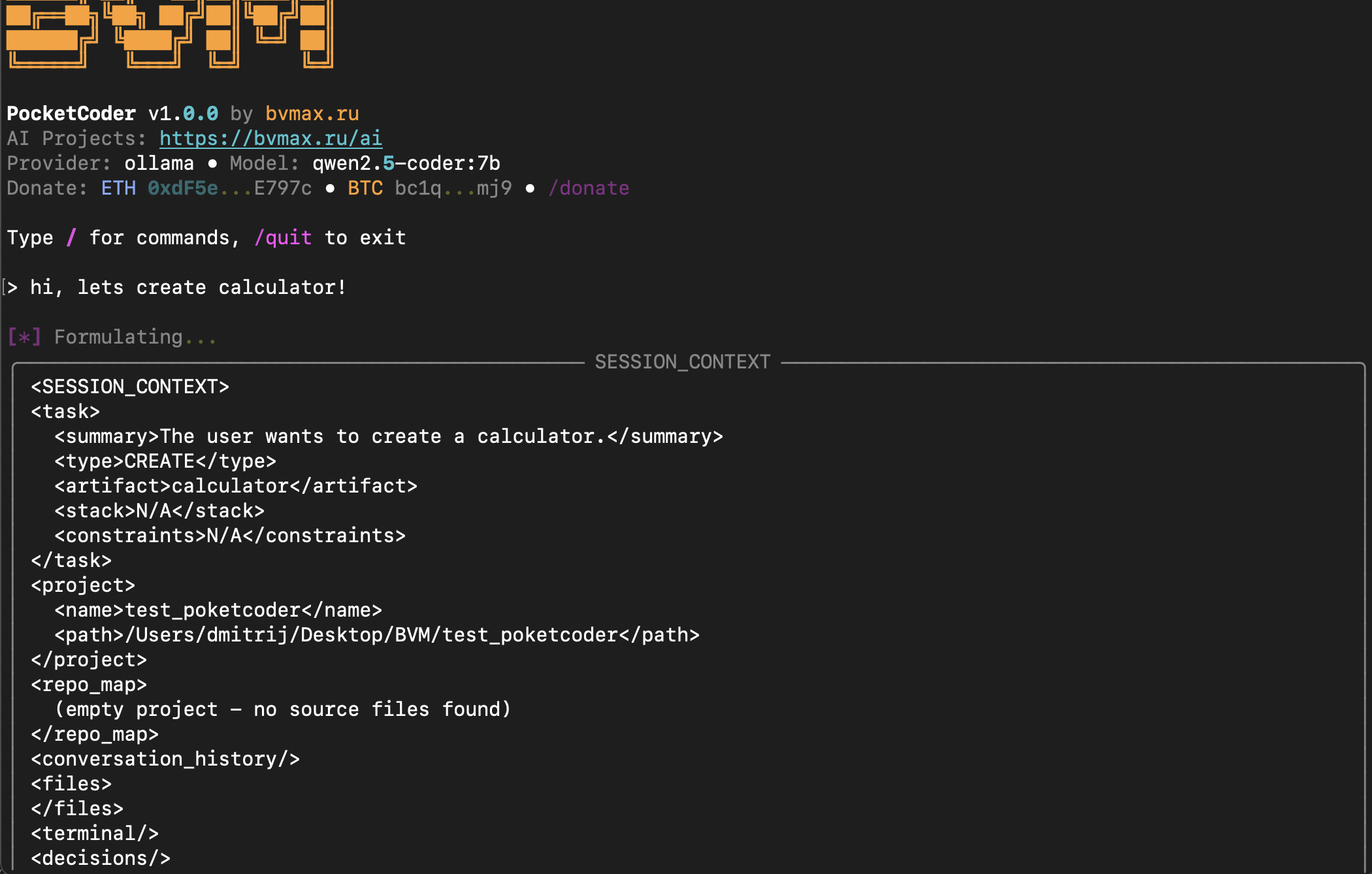
SESSION_CONTEXT: what the LLM sees about your project
Human-in-the-loop
Every file write requires your approval. Ask questions, reject changes, cancel tasks.
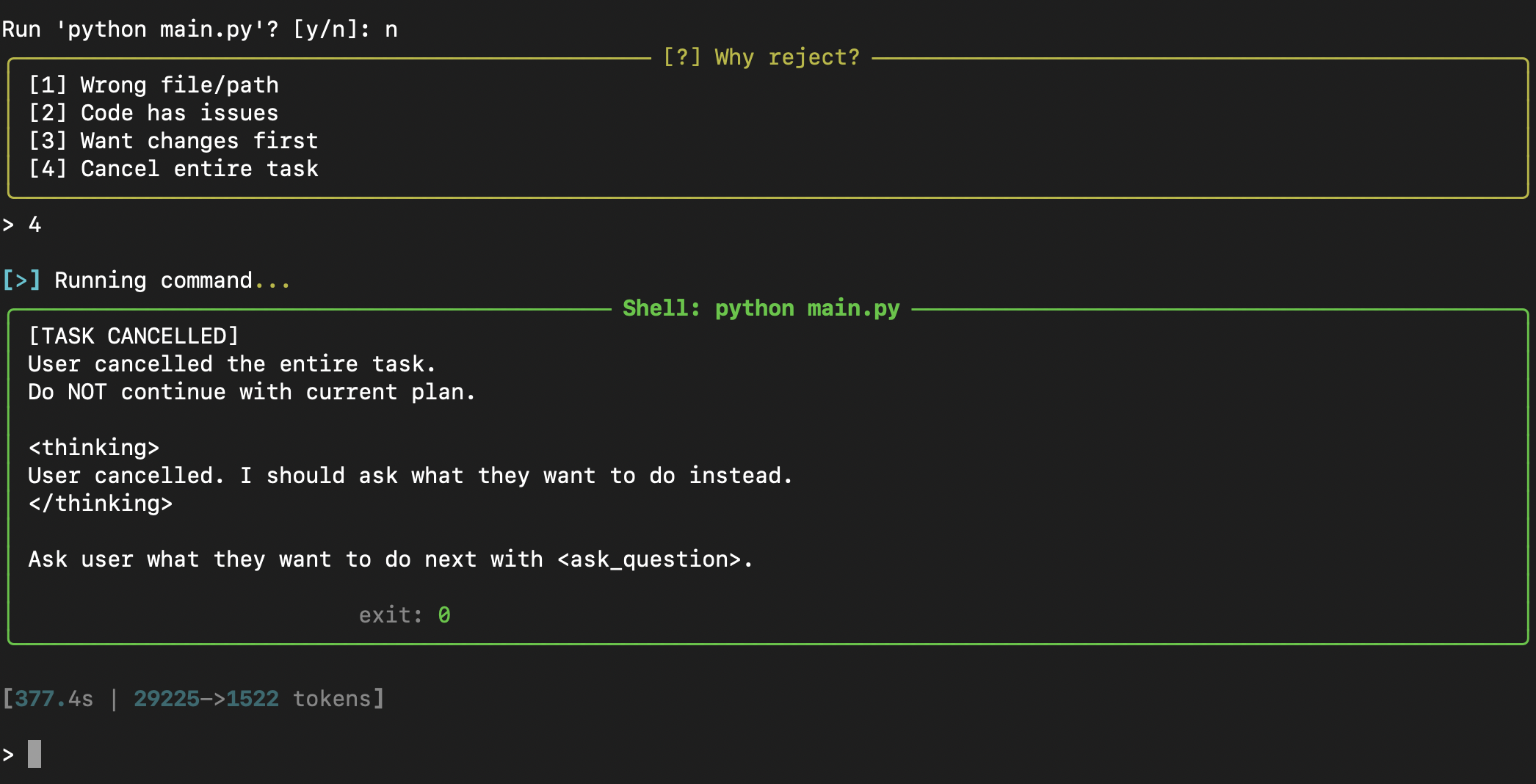
Full control: reject changes, explain why, cancel entire task
Architecture
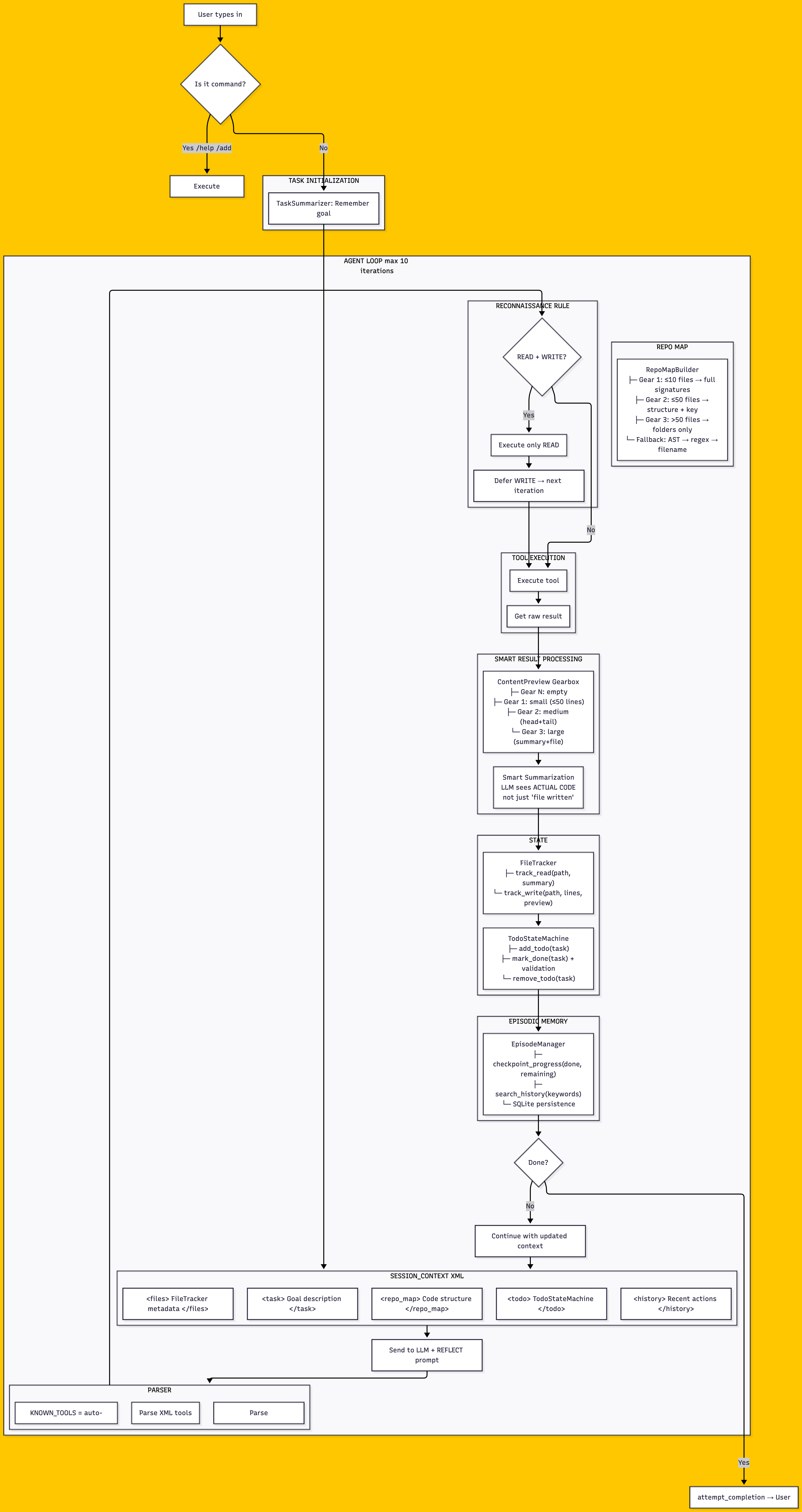
How the Agent Loop works
- Task Initialization — TaskSummarizer captures your goal
- Reconnaissance Rule — READ before WRITE, never blind edits
- RepoMap — Automatic codebase structure (gears by project size)
- Tool Execution — Execute tools, get raw results
- ContentPreview — Smart summarization (LLM sees actual code)
- State Tracking — FileTracker + TodoStateMachine
- Episodic Memory — Checkpoint progress, search history
- SESSION_CONTEXT — XML with files, task, repo_map, todo, history
- REFLECT prompt — Self-check before next iteration
- Parser — Auto-sync KNOWN_TOOLS with available tools
Commands
Type / to see all commands:
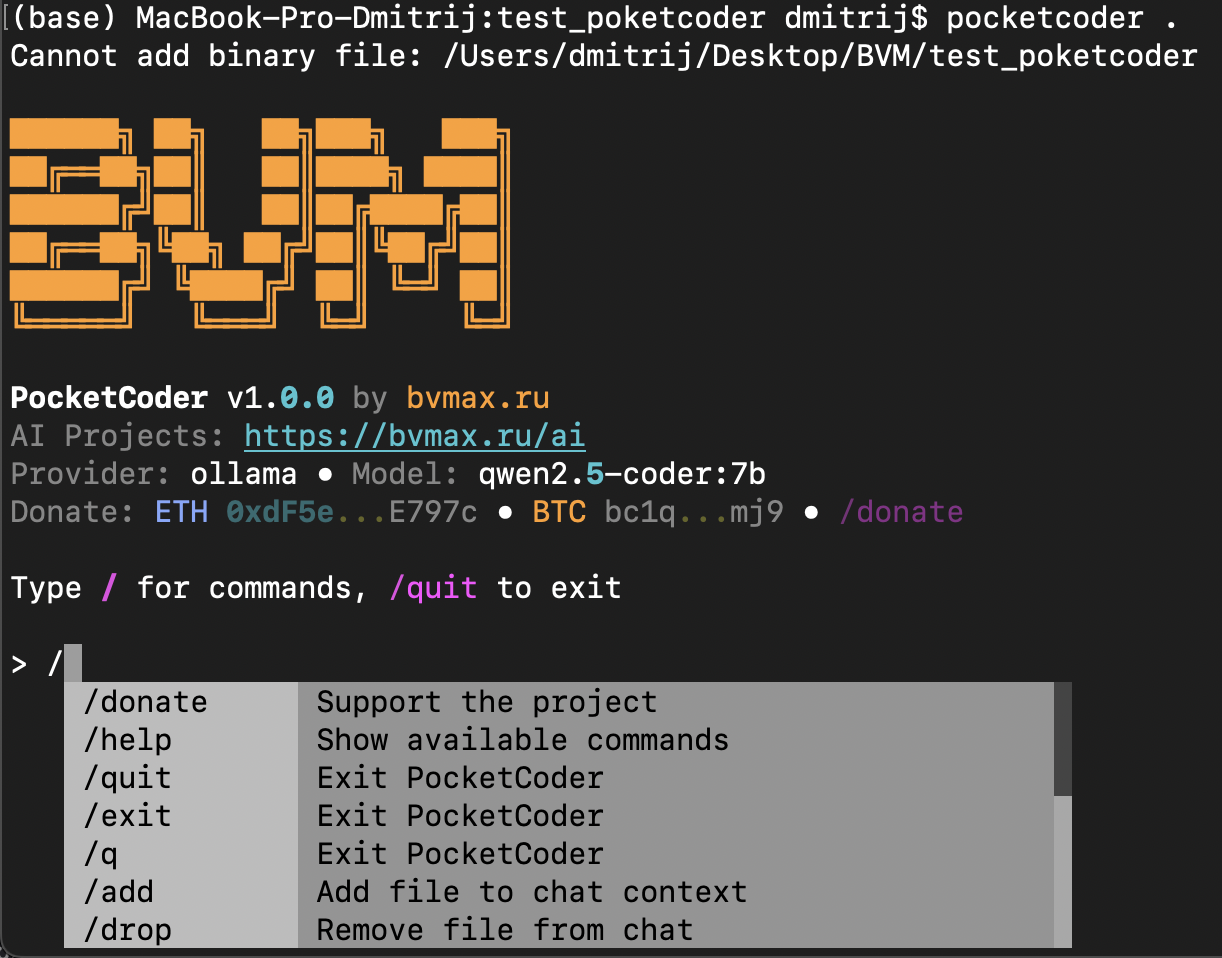
| Command | Description |
|---|---|
/help |
Show available commands |
/model |
Switch LLM model |
/add <file> |
Add file to context |
/drop <file> |
Remove file from context |
/files |
List files in context |
/undo |
Undo last file change |
/clear |
Clear conversation history |
/quit |
Exit |
Supported Providers
| Provider | Type | Setup |
|---|---|---|
| Ollama | Local | ollama serve then ollama pull model |
| OpenAI | Cloud | Set OPENAI_API_KEY |
| Anthropic | Cloud | Set ANTHROPIC_API_KEY |
| vLLM | Local/Cloud | Any OpenAI-compatible endpoint |
| LM Studio | Local | Run server, point to localhost |
Recommended Models
For local use with 16GB+ RAM:
| Model | Size | Speed | Quality |
|---|---|---|---|
qwen2.5-coder:7b |
4.7GB | Fast | Good |
qwen2.5-coder:14b |
9GB | Medium | Better |
deepseek-coder:6.7b |
4GB | Fast | Good |
codellama:13b |
7GB | Medium | Good |
Configuration
Config stored in ~/.pocketcoder/config.yaml:
provider:
  type: ollama
  base_url: http://localhost:11434
  default_model: qwen2.5-coder:7b

thinking:
  mode: smart           # smart | always | never
  show_reasoning: true  # show agent's thinking process
Project Structure
PocketCoder stores session data in .pocketcoder/ directory:
.pocketcoder/
  project_context.json  # Current session state
  episodes.jsonl        # Conversation history
  memory.json           # Long-term facts
Development
git clone https://github.com/Chashchin-Dmitry/pocketcoder.git
cd pocketcoder
pip install -e ".[dev]"
pytest
Support the Project
If PocketCoder saves you money on AI subscriptions, consider supporting development:
| Network | Address |
|---|---|
| ETH / USDT (ERC-20) | 0xA7BdDcf2D576308E14346B0C029a120d45a5AcD7 |
| BTC | bc1q3ylca90wneas5e8mtx2wzav22cgqcajst5szaf |
| USDT (TRC-20) | TB31Y8jhe8JRn5YRL1NnVzL8pka1PwqJvU |
| SOL | J4YBJXyWGnACM2nF35x11WiRxjHLM8nopg8fGZzrjkT |
License
MIT License
1 maintainer

Release files for pocketcoder 1.0.4
For a detailed explanation of source distributions (sdists) and built distributions (wheels), please see the package formats documentation.
Source distribution (sdist)
| File | Size | Uploaded | |
|---|---|---|---|
| pocketcoder-1.0.4.tar.gz | 5.9 MB | Details |
Built distribution (wheel)
| File | Interpreter | ABI | Platform | Reset |
|---|---|---|---|---|
| pocketcoder-1.0.4-py3-none-any.whl | Python 3 | none | any | Details |
Total release size: 6.1 MB
Release files / pocketcoder-1.0.4.tar.gz
| Download URL | pocketcoder-1.0.4.tar.gz |
|---|---|
| Size | 5.9 MB |
| Tags | Source |
|
SHA-256 checksum How to use checksums |
fabdd5a5e49d7cb12a85186f10741773cddc9cbde235aaf98c4118cb750874b9
|
|
BLAKE2b-256 checksum How to use checksums |
a37757131646ac8a8458de7d6626f001ce69875a18bf045c61f5bf228d1c3bec
|
| Upload date | |
|
Uploaded using Trusted Publishing? What is trusted publishing? |
No |
| Uploaded via |
twine/6.1.0 CPython/3.8.2
|
Release files / pocketcoder-1.0.4-py3-none-any.whl
| Download URL | pocketcoder-1.0.4-py3-none-any.whl |
|---|---|
| Size | 181.0 kB |
| Tags | Python 3 |
|
SHA-256 checksum How to use checksums |
da94bed87d7d84c55bdeea06b519567044379d566c3a4dcf835b3a2bcdd549da
|
|
BLAKE2b-256 checksum How to use checksums |
792cb68a510df067e83110fa2ced75fb38ea2009c2314df98abf29c4d2717120
|
| Upload date | |
|
Uploaded using Trusted Publishing? What is trusted publishing? |
No |
| Uploaded via |
twine/6.1.0 CPython/3.8.2
|














