
poikilos
Matplotlib themes, plus five helpers for publication figures. Poikilos is Greek for many-colored.
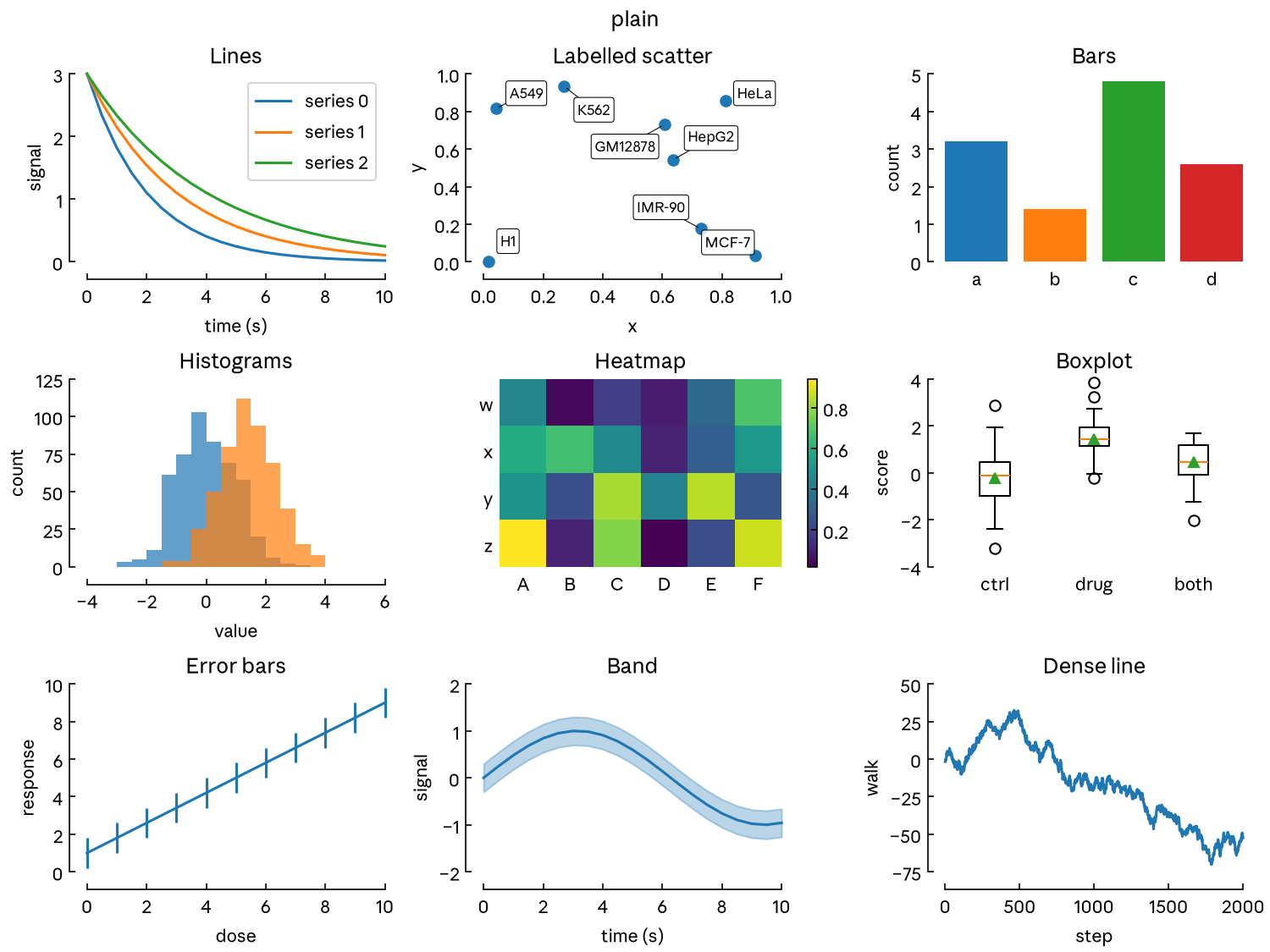
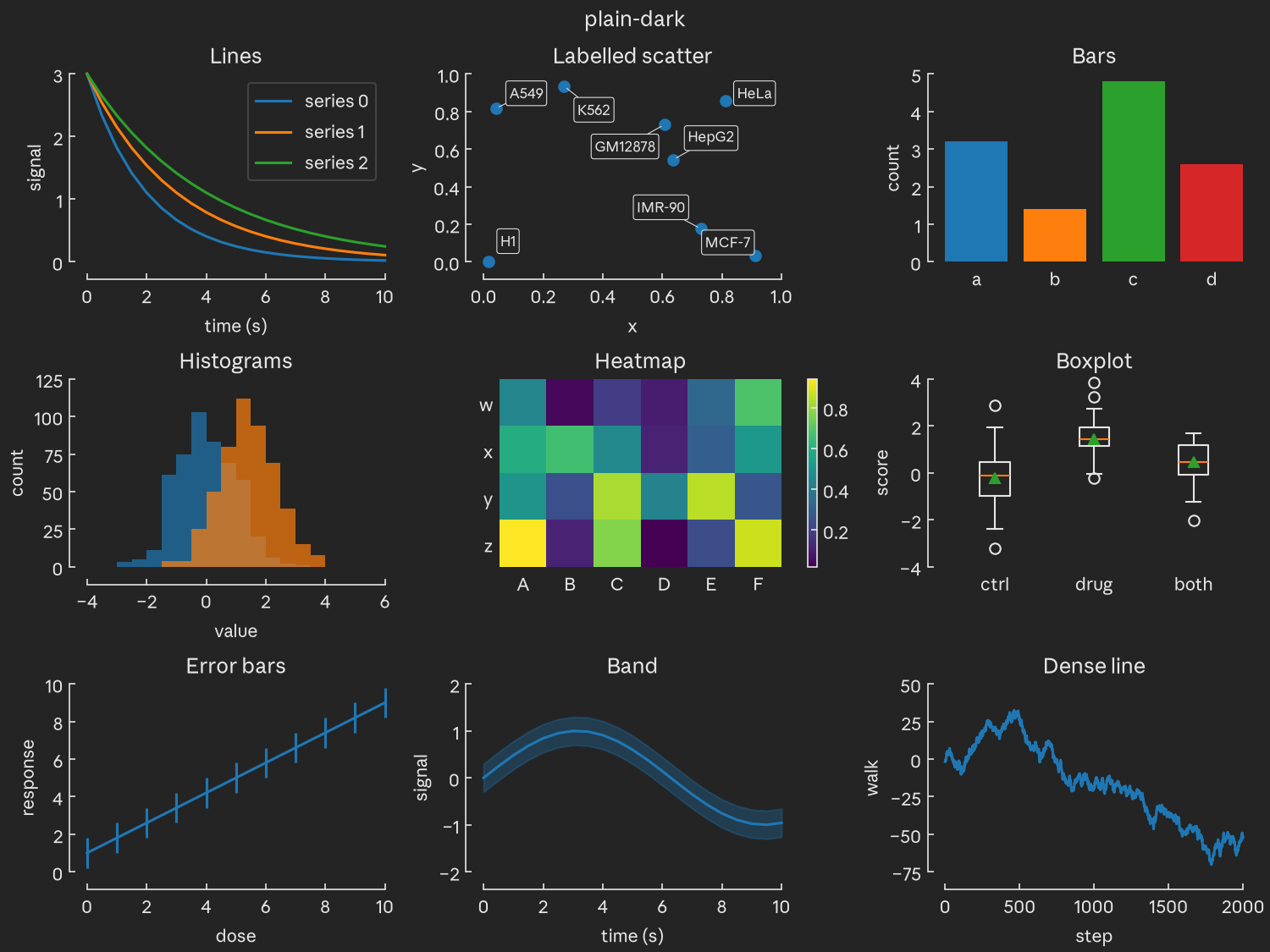
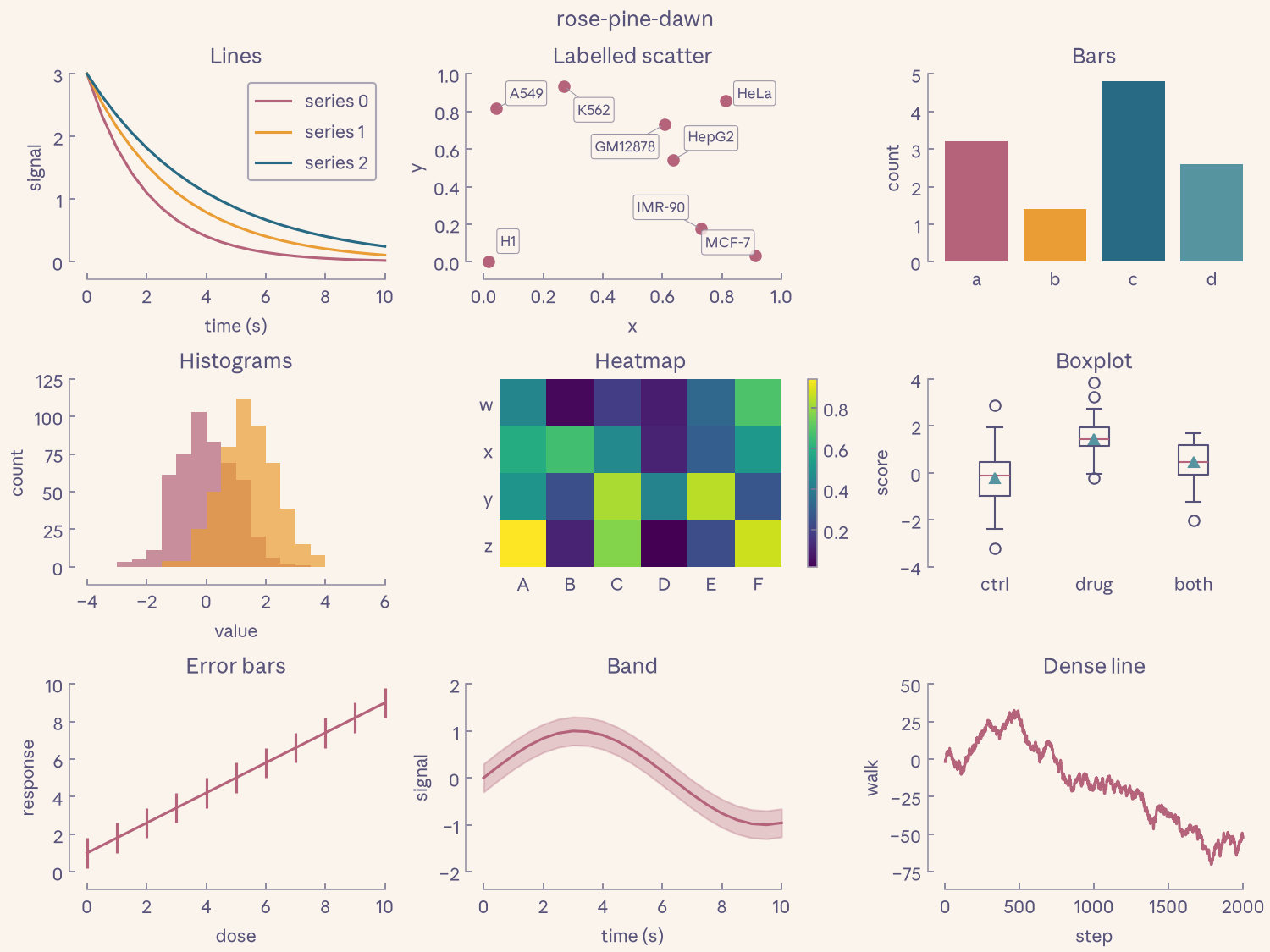
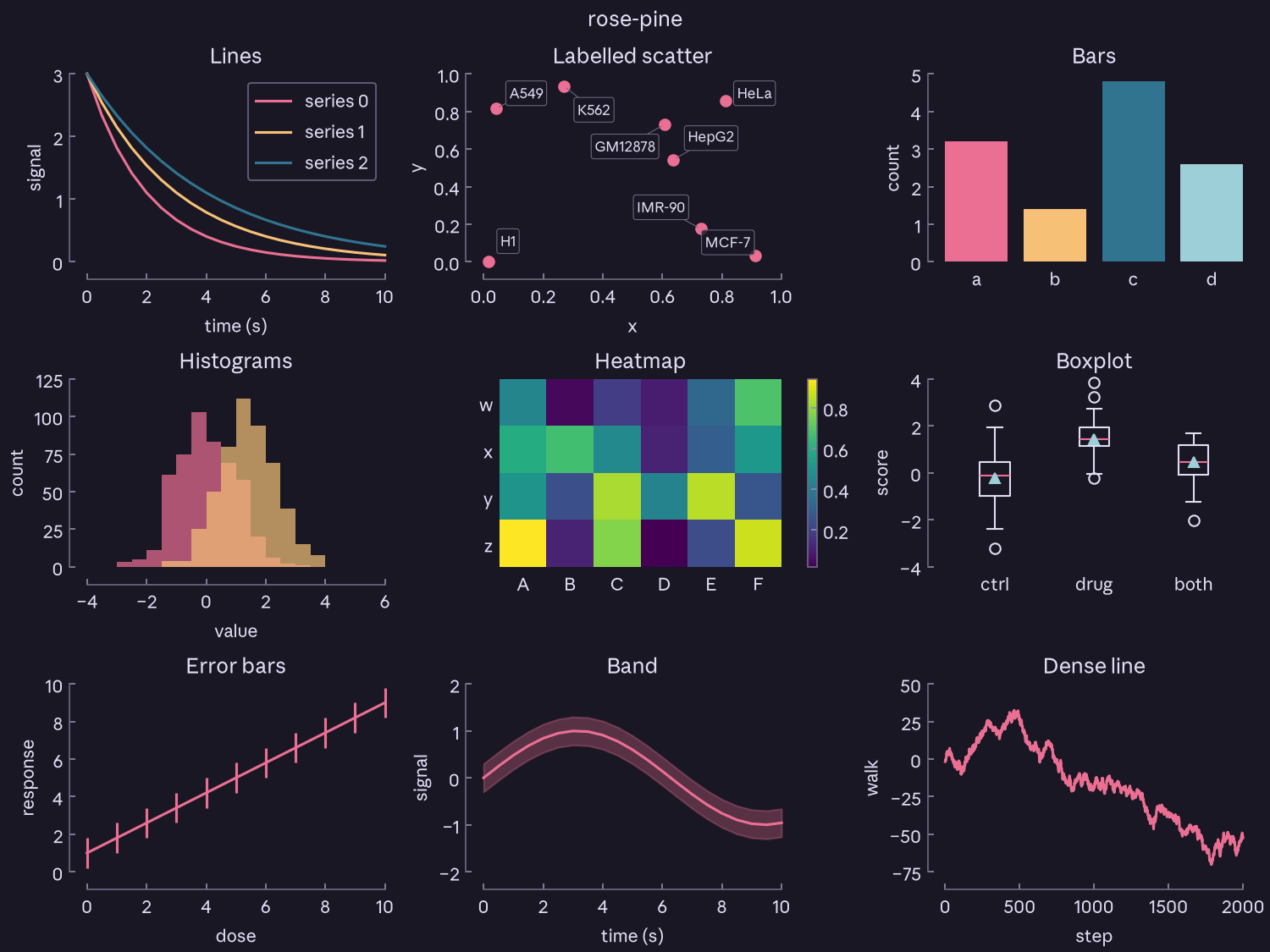
A theme is a look (fonts, spines, ticks, sizes) plus a palette (colors). Any look takes any palette.
| Theme | Look | Palette |
|---|---|---|
plain, plain-dark |
plain | matplotlib's tab10 on white or #242424 |
rose-pine, rose-pine-moon, rose-pine-dawn |
plain | Rosé Pine |
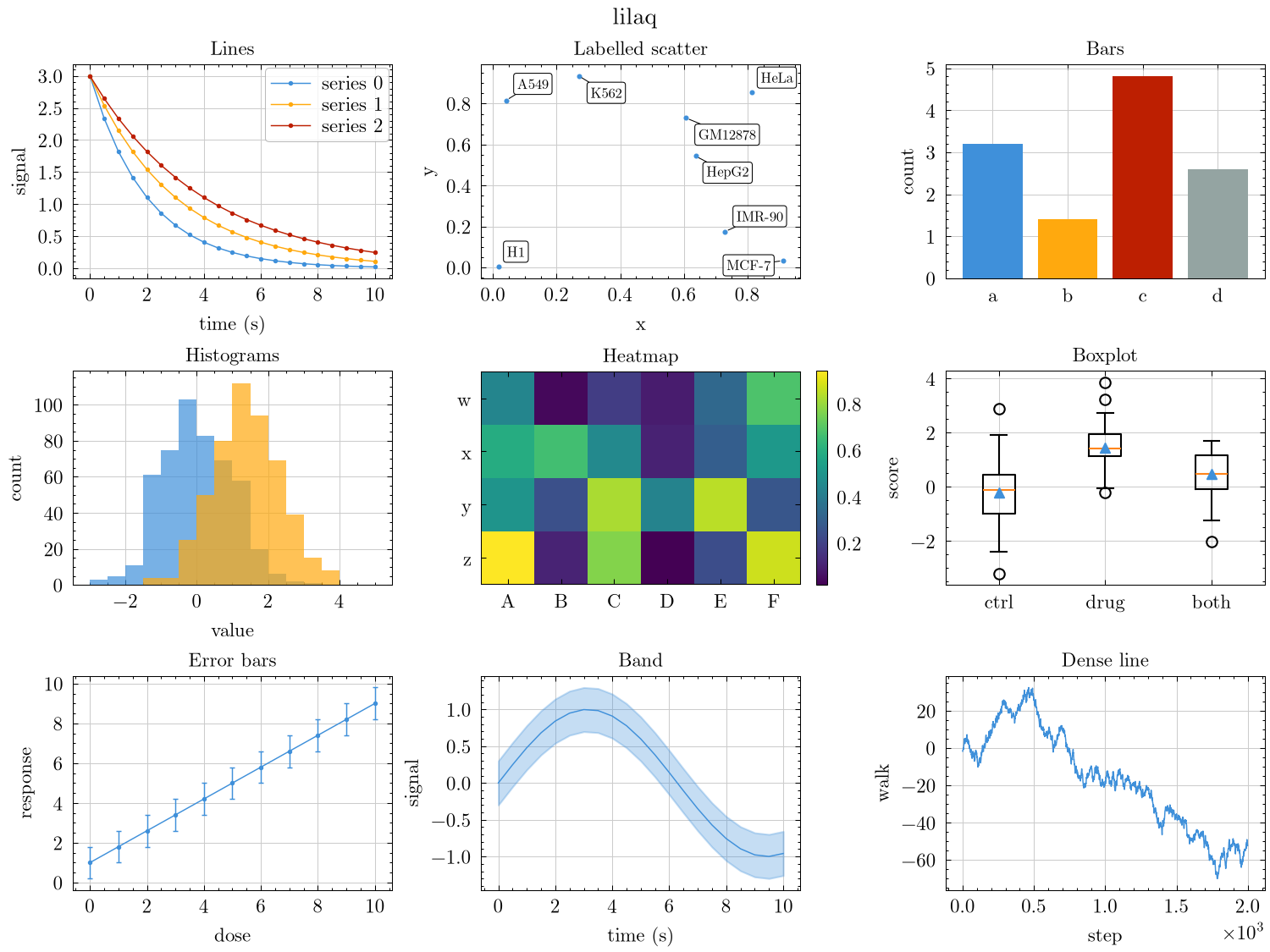
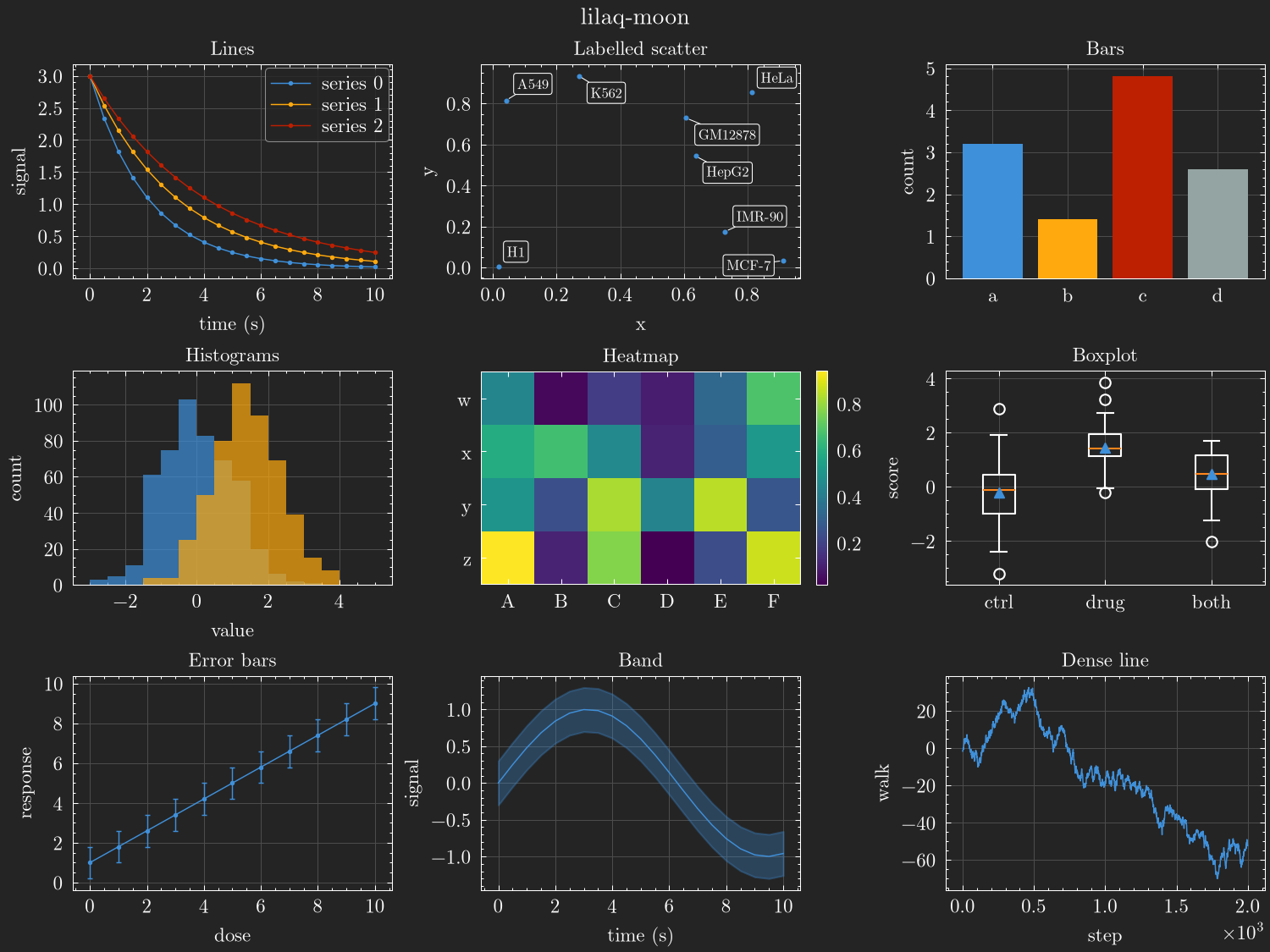
lilaq, lilaq-moon |
lilaq | lilaq 0.6.0, default and moon |
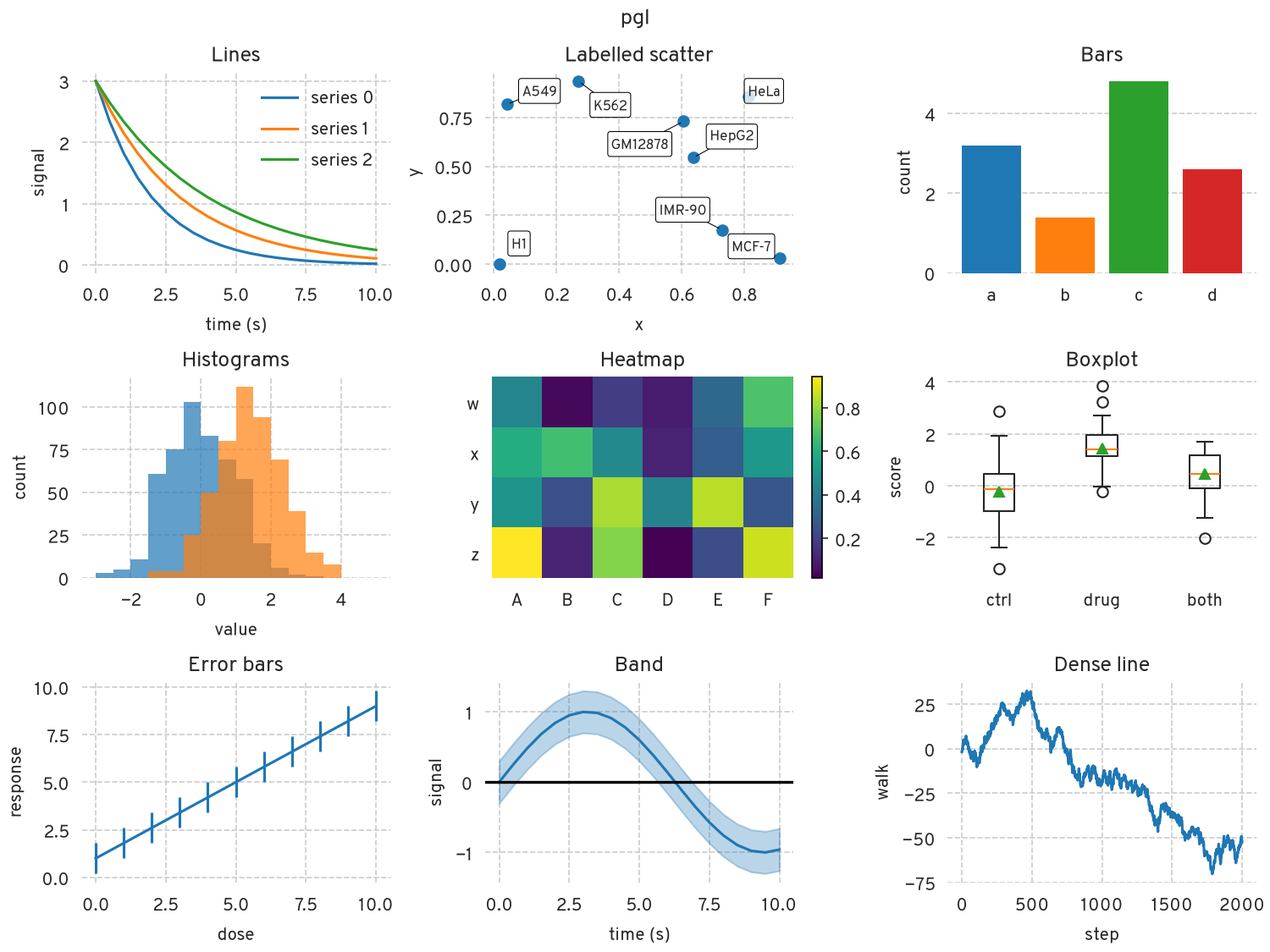
pgl |
pgl | seaborn's whitegrid greys, tab10 |
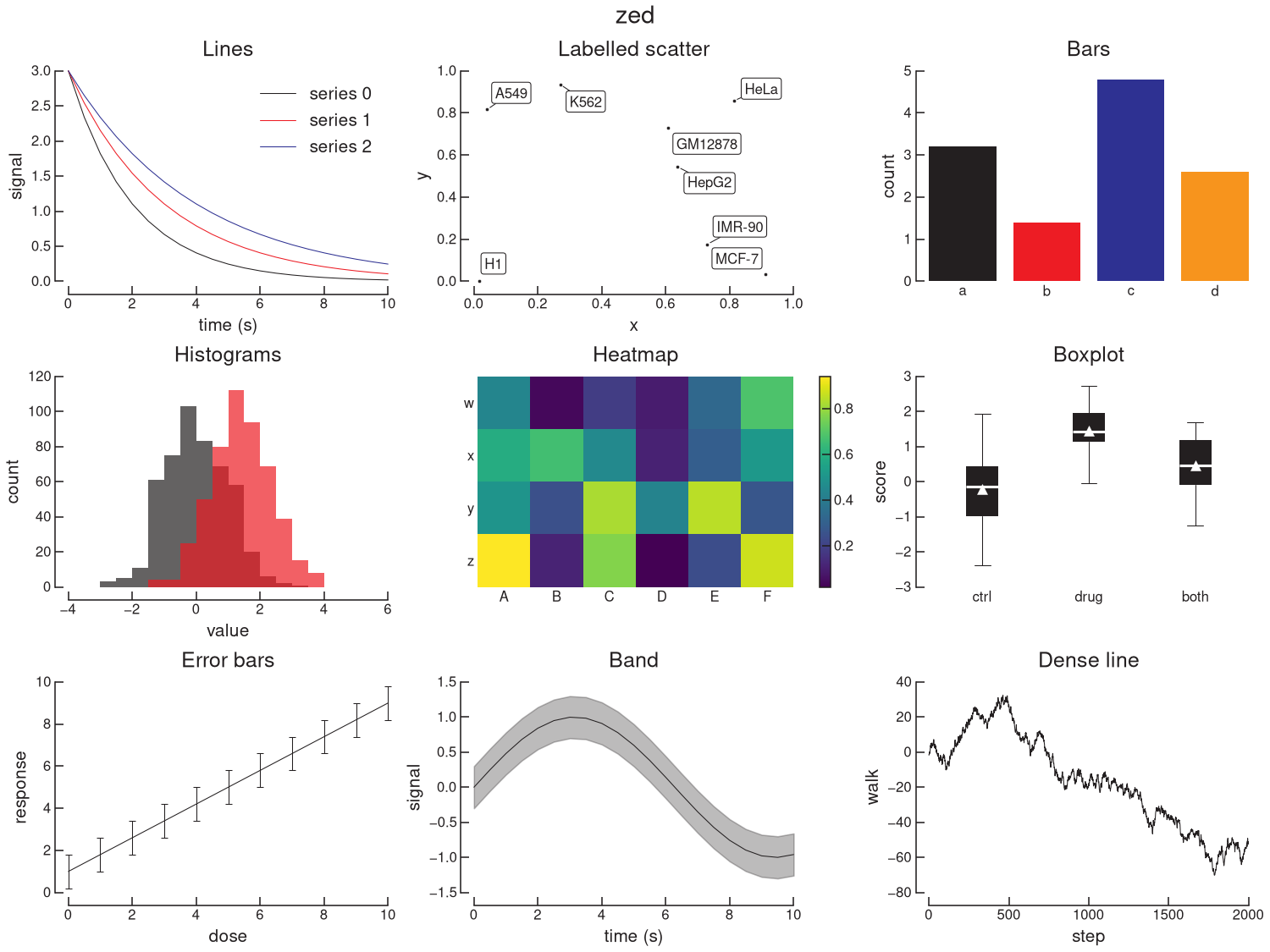
zed |
zed | Illustrator's CMYK swatches, warm black #231F20 |
| Light | Dark |
|---|---|
 |
 |
 |
 |
 |
 |
 |
|
 |
rose-pine-moon
has its own gallery image.
Install
uv add "poikilos @ git+https://github.com/ramirc0/poikilos"
uv add "poikilos[labels] @ git+https://github.com/ramirc0/poikilos"  # adds adjustText for label_points
Needs Python 3.11 and matplotlib 3.11 or later.
Usage
import matplotlib.pyplot as plt

import poikilos as pk

pk.use("rose-pine")

fig, ax = plt.subplots()
ax.plot([0, 1, 2], [0, 1, 0])
pk.despine(ax)
pk.save_figure(fig, "results/plot")  # writes plot.svg and plot.png
use() resets every style rcParam to matplotlib's default, then applies the
theme. It leaves the backend alone, so it works before or after importing
pyplot. Importing poikilos changes nothing.
For one figure in another theme, use context(). It restores the previous
rcParams on exit. Save inside the block, because matplotlib reads
savefig.dpi at save time.
with pk.context("lilaq"):
    fig, ax = plt.subplots()
    ax.plot(x, y)
    pk.save_figure(fig, "results/lilaq")
Mixing and overrides
palette= puts another palette on a theme's look. rc= sets any rcParams on
top. use(), context() and rc_params() all take both.
pk.use("lilaq", palette="rose-pine-dawn")  # lilaq look, Rosé Pine Dawn colors
pk.use("plain", rc={"axes.grid": True})
use() validates everything before it touches matplotlib. A misspelled key in
rc raises KeyError and a bad value raises ValueError. Either way the
current rcParams stay as they were. The next use() resets any rcParam you set
by hand, so set them after use() or pass them in rc.
seaborn's set_theme() also resets rcParams. Call it before pk.use().
pk.rc_params(theme, palette=None) returns a theme's rcParams as a dict
without applying them.
Palettes as data
Palettes are TOML files in src/poikilos/palettes/. pk.PALETTES holds them
with every color resolved to hex:
dawn = pk.PALETTES["rose-pine-dawn"]
dawn.background  # '#faf4ed'
dawn.cycle  # ('#b4637a', '#ea9d34', ...)
dawn.colors["love"]  # '#b4637a', by the palette's own name
pk.THEMES maps each theme name to its (look, palette) pair.
A palette sets root colors only: background, foreground, frame, ticks, grid,
legend edge, boxplot median and mean, and the cycle. It may also set
scatter_edge, the edge of scatter markers. A palette without it keeps
matplotlib's default, the face color. Legend face, title,
savefig and hatch colors inherit from those. An rc= override of a root
color therefore carries through to them.
Helpers
despine(ax, categorical_x=False, categorical_y=False, offset=10)fits each continuous axis to its data and widens it to the enclosing ticks. It then offsets the left and bottom spines byoffsetpoints and trims them to the end ticks. The top and right spines and their ticks go. Passcategorical_x=Truefor bar charts,categorical_y=Truefor horizontal bars, and both for heatmaps. A categorical axis has no spine or offset, so its labels sit by the data. Call it after everything on the figure is drawn. It picks ticks for the axes size after layout.fit_legend(fig)grows the figure by the room legends outside the axes take. Constrained layout otherwise keepsfigsizeand shrinks the axes, so a square plot turns into a rectangle. The figure ends up larger thanfigsize. Call it after adding every legend, beforedespine.label_points(ax, points, labels, offsets=None, leader=True, **text_kwargs)labels the collectionax.scatterreturns. Each label sits in a box outlined like its leader line, or stays bare withbbox=None. It moves labels off each other and off the markers, but a label can still touch a marker. That happens most near the edge of the axes, since labels stay inside them. Call it last, afterdespineand every title and legend. Needs thelabelsextra.offsets=[(dx, dy), ...], in points, fixes each label's place instead and needs no extra.leader=Falsedrops the leader lines.save_figure(fig, path, formats=("svg", "png"), **savefig_kwargs)writespath.svgandpath.png, or one file per entry informats. It drops a suffix that names a format, such as.svgor.pdf, and keeps any other dots, sox.curvegivesx.curve.svgandx.curve.png.zero_line(ax, axis="y", **line_kwargs)draws a bold line at zero, for values that change sign. It uses the frame color at twice the grid width.axis="x"draws x = 0 and"both"draws both. The limits widen to include zero.
Recipes per look
Looks only set rcParams. Anything that needs code per axes is a recipe.
plain. Call despine on every axes. Without it you get matplotlib's
default frame minus the top and right spines. despine styles the left and
bottom spines only, so style a twin axes by hand:
ax2 = ax.twinx()
ax2.plot(x, y2, clip_on=False)  # despine never sees the twin
ax2.set_ylim(0, 100)  # limits on ticks, so the spine ends on one
ax2.spines[["left", "bottom"]].set_visible(False)
ax2.spines["right"].set_visible(True)  # the look hides right spines
ax2.spines["right"].set_position(("outward", 10))
pk.despine(ax)  # last, once the twin is drawn
lilaq. lilaq's tick steps and dotted lines take a few lines of code:
from matplotlib.ticker import MaxNLocator, NullLocator

ax.plot(x, y, marker="o")  # lilaq draws a dot at every data point
for axis in (ax.xaxis, ax.yaxis):
    axis.set_major_locator(MaxNLocator(7, steps=[1, 2, 5, 10]))
ax.xaxis.set_minor_locator(NullLocator())  # instead, on a categorical axis
lilaq rounds the step to 1, 2 or 5 and scales the tick count with the axis
length. That gives about five ticks on its default 6 × 4 cm plot, where
nbins=7 switches steps at nearly the same data ranges. On axes of another
size, lilaq picks a different count. The dots stay out of the look
on purpose. A marker in axes.prop_cycle makes plot(color="k") use up a
cycle slot and beads dense lines. seaborn would also apply it unevenly.
scatterplot and pointplot drop it. lineplot keeps it but leaves it out of
the legend, and without hue takes the marker from the wrong cycle slot.
pgl. The Programmable Genomics Laboratory's papers use seaborn's
whitegrid without spines, with a dashed grid in place of tick marks. This look
follows them. Never call despine on it, because that brings the spines back.
ax.xaxis.grid(False)  # categorical x; seaborn's categorical plots already do this
pk.zero_line(ax)  # values change sign; axis="x" for x = 0
Heatmaps need ax.grid(False). To sign positive tick labels on a scale that
runs from − to +:
from matplotlib.ticker import ScalarFormatter


class SignedFormatter(ScalarFormatter):
    def __call__(self, x, pos=None):
        text = super().__call__(x, pos)
        return f"+{text}" if x > 0 and text.strip("0.") else text


ax.xaxis.set_major_formatter(SignedFormatter())
It keeps matplotlib's formatting, so +1.50 sits next to −0.50.
zed. The zed look reproduces figures drawn in Adobe Illustrator at 1:1:
Helvetica Neue, 0.75 pt spines with 5 pt inward ticks, 8 pt tick labels and
10 pt axis labels. Call despine with a 7.5 pt offset on every axes. Pass
scatter colors with c=, because color= also replaces the white marker edge.
matplotlib ties the scatter edge width to the line width, so pass
linewidths=0.25 for the look's 0.25 pt edge.
import numpy as np

zed = pk.PALETTES["zed"].colors
ax.scatter(x, y, c=zed["silver"], linewidths=0.25)
ax.set_yticks(np.linspace(0, 1, 6), ["0", "", "", "", "", "1"])  # label the ends only
pk.despine(ax, offset=7.5)
Box plots come filled, with a white median and no outliers. Set widths=0.67
and color each box. Take black from zed["black"], because matplotlib's
"black" is #000000. The skill's references/zed.md has the other recipes:
direct labels, base-2 log ticks, reference lines, grey bands and panel letters.
PDF text as TrueType. rc={"pdf.fonttype": 42} embeds fonts as TrueType.
Use it only with a TrueType font. Anthropic Sans Text and New Computer Modern
are CFF (.otf) fonts. So is Overpass from Debian's fonts-overpass package.
macOS's Helvetica Neue (HelveticaNeue.ttc) is TrueType and works.
With them, matplotlib writes CFF outlines into a TrueType font stream. Common
viewers still render that PDF, but it breaks the PDF spec and strict checkers
flag it.
Fonts
No fonts ship with poikilos. Each look names a fallback chain that ends in a DejaVu family bundled with matplotlib, so a missing font falls back silently.
- plain: Anthropic Sans Text, Google Sans Flex, Arimo, Arial, DejaVu Sans.
- lilaq: New Computer Modern, Palatino Linotype, P052, DejaVu Serif. Math uses matplotlib's bundled Computer Modern.
- pgl: Overpass, Arial, Arimo, DejaVu Sans.
- zed: Helvetica Neue, Helvetica, Nimbus Sans, Arial, DejaVu Sans. Titles use
the Medium weight. matplotlib 3.11 reads each face of macOS's
HelveticaNeue.ttc. The fallbacks have Helvetica's shapes but no Medium.
matplotlib knows New Computer Modern as NewComputerModern. From
CTAN, install only the 10 pt cuts
Typst uses: NewCM10-Regular.otf, NewCM10-Italic.otf, NewCM10-Bold.otf,
NewCM10-BoldItalic.otf and NewCMMath-Regular.otf. The 8 pt and Book cuts
register under the same family and weight, and matplotlib may pick any of them.
After installing a font, delete matplotlib's font cache so it rescans:
rm "$(python -c 'import matplotlib; print(matplotlib.get_cachedir())')"/fontlist-*.json
Check that a family resolves without falling back:
from matplotlib.font_manager import FontProperties, findfont

findfont(FontProperties(family="NewComputerModern"), fallback_to_default=False)
The themes set svg.fonttype: none, so an SVG names its font instead of
embedding it. A viewer without the font shows a substitute. PNGs look the same
everywhere.
Limits
- matplotlib hard-codes the colors of
tablecells,quiver,barbsandspy. Palettes do not reach them. - rcParams cannot fix the size of the data area. The lilaq look's figure size gives about lilaq's 6 × 4 cm for a plot with a title and both axis labels. The zed look's figure size gives the same plot a 150 pt square.
- Mathtext draws scripts at 70 % of the text size. Illustrator's default, which zed copies elsewhere, is 58.3 %.
- matplotlib's
scatterdraws from its own color cycle, separate fromplot. - Some cycle colors have under 3:1 contrast with their background, such as two
petroff10 colors on
lilaq-moon.scripts/gallery.pyprints the ratios. Text has at least 4.5:1 in every palette, and a test checks it.
Development
uv sync
uv run pytest                          # includes image tests against tests/baseline/3.11
uv run ruff check && uv run ruff format --check
uv run python scripts/gallery.py       # regenerate assets/gallery
uv run python scripts/lilaq_parity.py  # compare with lilaq 0.6.0 in build/parity
CHANGELOG.md has the version history and the versioning rules.
License
MIT (see LICENSE).
1 maintainer

Metadata
1 maintainer
Release files for poikilos 1.1.0
For a detailed explanation of source distributions (sdists) and built distributions (wheels), please see the package formats documentation.
Source distribution (sdist)
| File | Size | Uploaded | |
|---|---|---|---|
| poikilos-1.1.0.tar.gz | 585.7 kB | Details |
Built distribution (wheel)
| File | Interpreter | ABI | Platform | Reset |
|---|---|---|---|---|
| poikilos-1.1.0-py3-none-any.whl | Python 3 | none | any | Details |
Total release size: 608.7 kB
Release files / poikilos-1.1.0.tar.gz
| Download URL | poikilos-1.1.0.tar.gz |
|---|---|
| Size | 585.7 kB |
| Tags | Source |
|
SHA-256 checksum How to use checksums |
3414fffd7b43a213ea4a6c4be2d2b81ece722161f18958194c83adaa3b446e56
|
|
BLAKE2b-256 checksum How to use checksums |
cae5d2968e01955a11cf8e531e14a586a248159f1d49ed160c08cdf19a5b01a1
|
| Upload date | |
|
Uploaded using Trusted Publishing? What is trusted publishing? |
Yes |
| Uploaded via |
uv/0.13.1 {"installer":{"name":"uv","version":"0.13.1","subcommand":["publish"]},"python":null,"implementation":{"name":null,"version":null},"distro":{"name":"Ubuntu","version":"24.04","id":"noble","libc":null},"system":{"name":null,"release":null},"cpu":null,"openssl_version":null,"setuptools_version":null,"rustc_version":null,"ci":true}
|
Release files / poikilos-1.1.0-py3-none-any.whl
| Download URL | poikilos-1.1.0-py3-none-any.whl |
|---|---|
| Size | 23.0 kB |
| Tags | Python 3 |
|
SHA-256 checksum How to use checksums |
2c5ac4e70f32be05e3535b48a355974d0d927aeb0aec4fd60635f9d64cb3f7cd
|
|
BLAKE2b-256 checksum How to use checksums |
2c08d532b39f007ffd3bb870ded7cefa2166ce133873d325847c4dff36c16a7b
|
| Upload date | |
|
Uploaded using Trusted Publishing? What is trusted publishing? |
Yes |
| Uploaded via |
uv/0.13.1 {"installer":{"name":"uv","version":"0.13.1","subcommand":["publish"]},"python":null,"implementation":{"name":null,"version":null},"distro":{"name":"Ubuntu","version":"24.04","id":"noble","libc":null},"system":{"name":null,"release":null},"cpu":null,"openssl_version":null,"setuptools_version":null,"rustc_version":null,"ci":true}
|















