


Overview
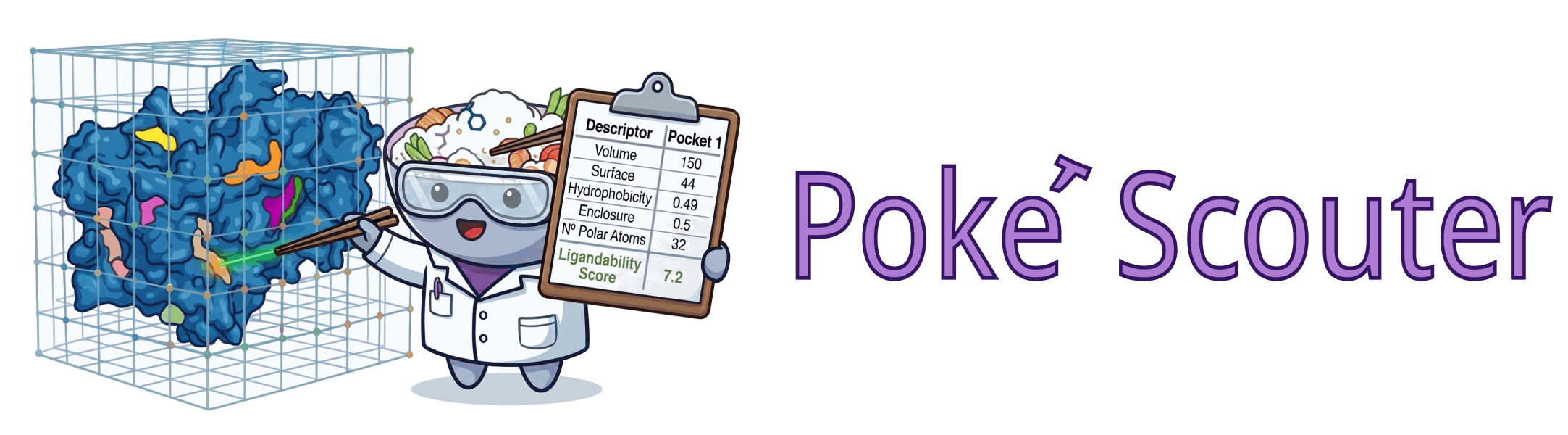
Poké is a high-performance pocket scouting engine. It uses an energy-based approach to identify low-energy regions on protein surfaces. These regions are characterized by a set of physical descriptors, which are used by a neural network to assign a ligandability score to the pocket.
It is designed to be used on long molecular dynamics trajectories, but it works equally well on single frames.
Installation
Poké is available on PyPI under the name poke-scouter. Install it using pip:
python -m pip install poke-scouter
The package provides the poke command and the poke Python module.
Alternatively, the package can be installed directly from GitHub:
git clone https://github.com/SibyllaBiotech/poke
pip install ./poke
Getting started
Poké can be used on a single structure with the following command:
poke -dvp protein.pdb
The result will appear in a folder named after the input file (in this example protein) in the current working directory.
The flags -dvp specify the desired output files:
-dfor the descriptors CSV-vfor the volumes (a PDB file with the grid points of each pocket)-pfor a PyMOL script to visualize the pockets
Use -h to see all available options, or see the CLI Reference for the complete list.
Poké can be used on multiple files:
poke -dvp protein1.pdb protein2.pdb
In this case it will create two output folders called protein1 and protein2.
To run the scouter on all frames of a trajectory, a reference structure must be provided to define the atom types (its positions will not be used):
poke -dvp reference.pdb trajectory.xtc
Multiple trajectories can be concatenated:
poke -dvp reference.pdb trajectory1.xtc trajectory2.xtc
If the input is a long list of different files they can be listed in a text file (.txt, one path per line) and passed to Poké:
poke -dvp list.txt
Structure Preparation
The --prepare flag enables automatic structure preparation before pocket scouting. This includes selecting the best alternate locations, adding missing hydrogen atoms according to the CHARMM force field, and assigning terminal caps to chains. When preparation is enabled, the extraction flag (-e) is automatically turned on so that the protonated structure is written to the output.
poke -dvp --prepare protein.pdb
Alt-location selection
When atoms have alternate locations (alt-locs), the preparator selects the best conformer for each residue based on highest occupancy. In case of a tie, the conformer with the lowest temperature factor is preferred.
Hydrogen addition
Missing hydrogen atoms are added based on the CHARMM force field definitions. By default all existing hydrogens are removed and re-added. Use --keep-hydrogens to retain existing hydrogens and only add the missing ones:
poke -dvp --prepare --keep-hydrogens protein.pdb
Capping
Terminal caps are automatically added to chain ends. The preparator detects chain separations based on several criteria: changes in species type (protein, nucleic acid), segment ID (chain) changes, large jumps in residue IDs, and explicit termini indices.
The default caps are NH3+/COO- for proteins and 5TER/3TER for nucleic acids. These can be customized:
| Flag | Description |
|---|---|
--caps-types TYPE N_TERM C_TERM ... |
Cap types for each species (e.g., protein NH3+ COO-) |
--caps-exclude NAME ... |
Residue names to skip when capping (default: ACE NME) |
--ignore-segid |
Do not use segment IDs to detect chain separations |
--max-other-len LEN |
Max "other" residues before a chain is considered interrupted (default: 5) |
--resid-threshold LEN |
Residue ID jump to consider a chain interrupted (default: 50, used only if segid is absent) |
--ter-indices IX ... |
Explicit 0-based residue indices to treat as terminal |
Protonation states
Residues with titratable side chains can be assigned specific protonation states. The default is auto, which uses the presence of specific hydrogen atoms or geometric criteria (covalent/hydrogen bond detection) to determine the correct state.
| Flag | Options | Auto-detection method |
|---|---|---|
--his TYPE |
auto, bond, HSP, HSE, HSD |
Presence of HD1/HE2 or hydrogen bonding |
--cys TYPE |
auto, bond, CYS, CYS2 |
Presence of HG1 or covalent bonding (disulfide) |
--lys TYPE |
auto, LYS, LSN |
— |
--arg TYPE |
auto, ARG, ARGN |
— |
--glu TYPE |
auto, GLU, GLUP |
— |
--asp TYPE |
auto, ASP, ASPP |
— |
For fine-grained control, --custom-restype IX TYPE can be used to override the residue type at specific 0-based indices:
poke -dvp --prepare --custom-restype 42 HSE 105 CYS2 protein.pdb
Preparation selection
By default, only proteins, nucleic acids, and common cofactors and structural ions are prepared. Use --selection-prepare with an MDAnalysis selection string to control which atoms undergo preparation:
poke -dvp --prepare --selection-prepare "protein" protein.pdb
Output Descriptors
Use the -d flag to save pocket descriptors in a CSV file (descriptors.csv). The file contains one row per pocket with the following columns, in order:
| Column | Description |
|---|---|
OutputFrame |
Index of the frame in the output trajectory. Equal to the input frame index when no extraction or sorting is performed. |
OriginalFrame |
Index of the frame in the input trajectory. When multiple trajectories are concatenated this is the index in the concatenated trajectory (the reference frame is not counted). |
PocketResid |
Residue ID assigned to the pocket in the volume PDB file (starting at 800). |
Score |
Druggability score assigned by the neural network model. |
Core Volume |
Low-energy space available to the ligand, in ų. Proportional to the number of grid points and the grid spacing. |
Surface |
Surface area of the pocket, in Ų. A point is considered superficial when it has fewer than 5 adjacent points. The surface-to-volume ratio provides insight into pocket shape. |
Accessible Volume |
Low-energy space surrounding the pocket core, in ų. Counted on the low-resolution grid within the distance set by --accessible-cutoff. |
Length1 |
First principal length of the pocket: the square root of the largest eigenvalue of the covariance matrix of the pocket surface points, in units of the grid spacing (0.5 Å). |
Length2 |
Second principal length, in the same units. |
Length3 |
Third principal length (smallest), in the same units. |
Hydrophobicity |
Fraction of pocket atoms with an absolute partial charge less than 0.3e. |
Enclosure |
Enclosure indicator between 0 and 1, computed from the vectors joining each surface point to its nearest atoms. In a buried pocket the atoms surround the points and the vectors cancel out, giving a value close to 1; in an open pocket they point one way and the value is close to 0. |
#PolarAtoms |
Number of pocket atoms with an absolute partial charge between 0.3e and 0.7e. |
#ChargedAtoms |
Number of pocket atoms with an absolute partial charge greater than 0.7e. |
Residues |
Space-separated list of residue IDs that form the pocket. |
Atoms |
(Optional) Space-separated list of atom indices belonging to the pocket. Only included when the --write-atoms flag is used. |
Other Outputs
Extracted trajectory
Normally Poké does not produce a new trajectory. Use the -e flag to extract frames that contain at least one pocket into a new trajectory file (frames.xtc + structure.pdb).
Frames can be sorted by any pocket property using the -s flag (descending order). Combined with -n, only the top n frames are kept:
poke -dvp -e -s score -n 10 protein.pdb
The OutputFrame column in the descriptors CSV reflects the new frame ordering after sorting.
Volume points
The -v flag writes a multi-model PDB file (volumes.pdb) containing the grid points of each pocket. Each pocket is assigned a unique residue ID (starting at 800) with residue name PCK. The B-factor column stores the electrostatic potential value at each point.
Density maps
The -dx flag produces an OpenDX density map (density.dx) showing pocket occupancy across trajectory frames. The grid uses a 1.0 Å spacing with a 5.0 Å margin around the structure bounding box. If the mrcfile package is installed, an MRC format map (density.mrc) is also generated.
PyMOL script
The -p flag generates a PyMOL script (pymol.pml) that loads the structure, trajectory, and volume files and sets up a ready-to-use visualization.
Pickle
The -k flag saves the raw Pocket objects in a pickle file (pockets.pickle), one list per frame. This is useful for custom analysis in Python.
Histograms
The -g flag generates histogram plots (histograms/*.png) showing the distribution of each descriptor across all pockets found. The appearance can be customized with environment variables:
| Variable | Description |
|---|---|
POKE_FONT |
Font family for plots |
POKE_FIGSIZE |
Figure size as comma-separated values (e.g., 8,4) |
POKE_COLOR |
Override bar color |
POKE_QUANTILES |
Set to no, false, or 0 to hide quantile lines |
Launch script
The -ls flag saves the full Poké command to a bash script (launch.sh) for reproducibility.
Compression
The -z flag compresses the volume PDB and pickle outputs using gzip (.pdb.gz, .pickle.gz). Most downstream programs can read gzip-compressed files directly.
Input Atoms Filtering
It is possible to use only a subset of the atoms to compute energy maps. The atoms can be selected using the -ss flag with an MDAnalysis selection string. For example, to select only protein atoms when the PDB file contains water molecules:
poke -dvp -ss "protein" protein.pdb
The -so flag controls which atoms are written in the output trajectory. Atoms not in the -so selection are still used to compute energy maps unless removed with -ss.
Pocket Filtering
Pockets can be filtered by any property or by the residues involved. The -f flag takes a Python expression; a pocket is kept only if the expression evaluates to True.
To select pockets with volume greater than 100 ų:
poke -dvp -f "volume > 100" protein.pdb
To combine conditions:
poke -dvp -f "score > 6 and enclosure > 0.5" protein.pdb
Available properties
All pocket descriptors are available in filter and sort expressions: score, volume, surface, accessible, hydrophobicity, enclosure, lengths (array of 3), n_polar_atoms, n_charged_atoms, n_apolar_atoms. Note that volume and accessible are the properties written in the Core Volume and Accessible Volume columns.
Filter functions
| Function | Description |
|---|---|
residues(*resids, min_common=, max_extra=) |
Check if the pocket contains at least min_common residues from the given list and at most max_extra additional residues. |
jaccard(*resids) |
Jaccard similarity between the pocket's residues and the given residue IDs. |
tversky(*resids, a=, b=) |
Tversky similarity index with tunable weights. |
rmsd(selection="all") |
RMSD of the pocket atoms against the reference. Use selection="CA" for Cα-only RMSD. |
resids |
Set of residue IDs belonging to the pocket. |
Example — keep only pockets that overlap with residues 42, 58, and 102:
poke -dvp -f "residues(42, 58, 102, min_common=2)" protein.pdb
Sorting
The -s flag sorts pockets using the same expression syntax (descending order). After sorting, -n limits the output to the first n pockets:
poke -dvp -s score -n 5 protein.pdb
Python Package
The scouter can be used through Python for maximum flexibility:
from poke import Poke
from MDAnalysis import Universe

u = Universe('1gkc.pdb')

scouter = Poke.from_mdanalysis(u.atoms)
pockets = scouter.get_pockets(u.atoms.positions)

for p in pockets:
    print(p)
Plugins
Chimera plugin
The plugin allows interactive pocket scouting directly inside UCSF Chimera. To install, copy the plugin directory to the Chimera share folder:
cp -r plugins/chimera/Poke /path-to-chimera/share/
How to cite
If you use Poké in your research, please cite:
Colasurdo, E., Boldrini, A., Terruzzi, L., Langini, C., Risueño Fernández, C., Varricchio, C., Primavera, E., Cassese, E., Patsilinakos, A. & Spagnolli, G. Poké: Fast and Reliable Neural-Network-Based Identification of Protein Ligandable Sites. ACS Omega (2026). https://doi.org/10.1021/acsomega.6c04816


Release files for poke-scouter 0.1.1
For a detailed explanation of source distributions (sdists) and built distributions (wheels), please see the package formats documentation.
Source distribution (sdist)
| File | Size | Uploaded | Provenance | |
|---|---|---|---|---|
| poke_scouter-0.1.1.tar.gz | 296.4 kB | Without provenance | Details |
Built distribution (wheel)
| File | Interpreter | ABI | Platform | Reset |
|---|---|---|---|---|
| poke_scouter-0.1.1-py3-none-any.whl | Python 3 | none | any | Details |
Total release size: 602.7 kB
Release files / poke_scouter-0.1.1.tar.gz
| Download URL | poke_scouter-0.1.1.tar.gz |
|---|---|
| Size | 296.4 kB |
| Tags | Source |
|
SHA-256 checksum How to use checksums |
67b344a529f8314874f775ef4d8b8ec1fa77ee738cfa03e4f29d4b8196e1442e
|
|
BLAKE2b-256 checksum How to use checksums |
cf3e651a7a1dedd42ce4a94ef6e43d78430eee2c08c23a15d84e8211d6bc3770
|
| Upload date | |
|
Uploaded using Trusted Publishing? What is trusted publishing? |
No |
| Uploaded via |
twine/7.0.0 CPython/3.13.0
|
Release files / poke_scouter-0.1.1-py3-none-any.whl
| Download URL | poke_scouter-0.1.1-py3-none-any.whl |
|---|---|
| Size | 306.3 kB |
| Tags | Python 3 |
|
SHA-256 checksum How to use checksums |
66fa8b927ff8d28ca9432f10bc51c402602bee1092549937f242a68e13e7f487
|
|
BLAKE2b-256 checksum How to use checksums |
d0ec2657dbd32631444603313a4d49242b64bbe85750be99d2e6402087bbfe49
|
| Upload date | |
|
Uploaded using Trusted Publishing? What is trusted publishing? |
No |
| Uploaded via |
twine/7.0.0 CPython/3.13.0
|
Security for poke-scouter 0.1.1
Provenance
Provenance describes where a file came from. On PyPI, provenance is shared via attestations, which provide a verifiable record of the build or publishing details. View details, limitations and caveats.
No provenance found
None of the files in this release were uploaded with provenance metadata.
A note on package security
PyPI is a repository for distributing packages, not a service for auditing them. While third-party security researchers and our staff do their best to detect and remove malicious packages, PyPI cannot guarantee the quality, security or suitability of any given package.













