
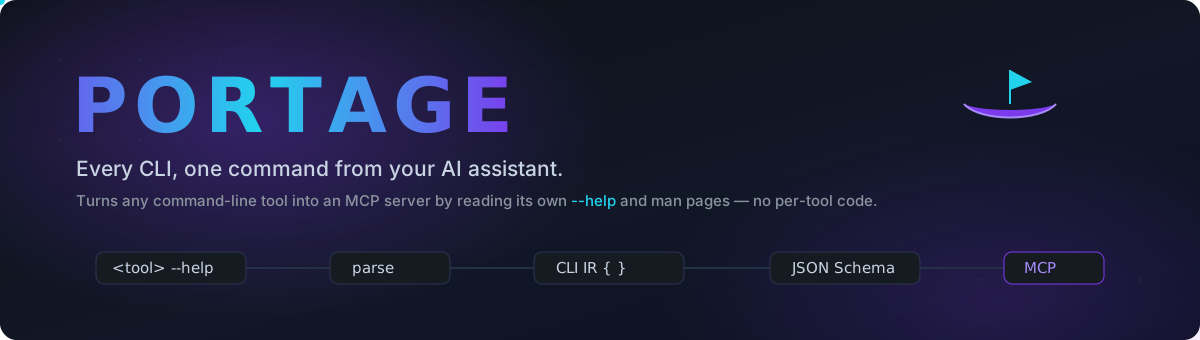
Turn any command-line tool into an MCP server — by reading its own --help. No per-tool code.






Quick start · How it works · Security · CLI · Config · Remote · Roadmap
What is this?
There are thousands of command-line tools — ffmpeg, jq, ripgrep, git,
curl, your own scripts — and almost none of them have a
Model Context Protocol server, so an AI
assistant can't use them. Writing one by hand for every CLI is repetitive busywork.
Portage does it automatically. Point it at a CLI, and it:
<tool> --help  ──▶  parse (sections · usage · options · commands · type inference)
               ──▶  normalized CLI IR  ──▶  JSON Schema / MCP tool definitions
               ──▶  stdio (or HTTP) MCP server  ──▶  your AI assistant
                                              └──▶  safe, allow-listed execution
One generic pipeline handles every CLI. There is no if tool == "git" anywhere —
a test enforces it.
Status — local MVP complete. Discovery,
--helpand man-page parsing, schema generation, the stdio/HTTP MCP server, the execution engine, and the full safety layer are implemented and tested (360 unit tests, 16 integration against realjq/ripgrep/curl/git/ffmpeg, ~91 % coverage,ruff+mypy --strictclean). The remote front door is scaffolded and verified locally; edge deploy is a manual one-liner.
⚡ Quick start
git clone https://github.com/jayaprakash2207/Portage-_MCP.git
cd Portage-_MCP
python -m venv .venv && . .venv/bin/activate        # Windows: .venv\Scripts\activate
pip install -e ".[dev]"

portage doctor                     # environment check
portage inspect jq                 # discovery + parsed IR + generated tools, as JSON
Connect it to Claude
Claude Code
claude mcp add portage -- portage serve jq ripgrep curl git
Claude Desktop — add to claude_desktop_config.json:
{
  "mcpServers": {
    "portage": { "command": "portage", "args": ["serve", "jq", "ripgrep", "curl", "git"] }
  }
}
Restart the client. The generated tools appear in the tool list. With the default
config a tool call returns a structured preview (validation + authorization +
the exact argv) and runs nothing — enabling real execution is a deliberate,
per-CLI opt-in (see Configuration).
🧭 How it works
flowchart TD
    A["CLI on your machine"] -->|"help capture"| B["discovery"]
    A -.->|"man tool"| B
    B --> C["parser<br/>sections · usage · options<br/>commands · type inference"]
    C --> D["normalized CLI IR (CliProgram)"]
    D --> E["schema generator"]
    E --> F["MCP tool defs<br/>JSON Schema + arg_specs"]
    F --> G["stdio / HTTP MCP server"]
    G <--> H["AI assistant"]
    H -->|"tools/call"| I["safety pipeline"]
    I --> J["schema validation"]
    J --> K["per-value policy"]
    K --> L["allow-list — default deny"]
    L --> M["safe argv build — no shell"]
    M --> N["sandbox + rlimits + timeout"]
    N --> O["subprocess"]
    O --> P["structured result + audit event"]
Each stage is its own module and depends only on the shared data model — parsing, schema generation, protocol handling and execution never import one another.
| Layer | Module | What it does |
|---|---|---|
| Discovery | discovery.py |
Resolve a CLI on PATH, capture --help → -h safely (timeouts, help-on-stderr, non-zero exit, truncation). |
| Parse | parser/ |
Layered --help + man-page parser → CliProgram IR. Reports ParseConfidence; keeps anything it can't classify as an UnknownConstruct instead of guessing. |
| Merge | merge.py |
Deterministically fold the man-page IR into the --help IR — richer descriptions win, --help stays authoritative for structure. |
| Schema | schema.py |
IR → draft-2020-12 JSON Schema (additionalProperties: false), deterministic names (git remote add → git_remote_add), collision-safe, plus arg_specs reconstruction metadata. |
| Serve | service.py · server.py |
Transport-agnostic registry + an mcp 2.x adapter. stdio and streamable HTTP. |
| Execute | executor.py |
Structured argv builder + shell=False, stdin-closed, timeout-bounded runner. POSIX setrlimit. |
| Safety | validation · value_policy · authorization · sandbox · audit · pipeline |
The one path from a tool call to a process. |
✨ Features
|
Parsing that doesn't lie
|
Execution you can trust
|
|
Two documentation sources
|
Local first, remote ready
|
🔒 Security model
Portage lets an AI assistant run real commands, so the execution path is the
product. Every tools/call goes through, in order:
| # | Gate | Guarantee |
|---|---|---|
| 1 | Schema validation | Arguments checked against the generated draft-2020-12 schema. Unknown fields, wrong types, bad enums, missing required → structured rejection. |
| 2 | Per-value policy | Optional value_rules: max length, required / forbidden regex, "path must resolve under". Broken patterns fail closed. |
| 3 | Allow-list — default deny | Nothing runs unless a CliConfig sets execution_enabled: true and an allowed_commands prefix matches and every emitted flag is in allowed_options. An empty rule never matches. |
| 4 | Safe argv construction |
Values become individual argv elements from arg_specs. No shell. No --flag=value joining. No string interpolation. Verified inert against ; | && $() backticks newlines quotes redirection path-traversal. |
| 5 | Sandbox (opt-in) | Wrap in bubblewrap / firejail / docker: read-only root, private /tmp, no network by default. mode: require refuses to run if no launcher is present. |
| 6 | Resource limits + timeout | POSIX setrlimit (CPU / memory / file size / nproc); every run bounded and killed on overrun; output capped. |
| 7 | Audit | A structured AuditEvent per call — timestamp, tool, executable, command path, validation & authorization results, mode, exit code, duration. Argument names only. |
The executable is chosen by Portage from the tool definition and passed to the engine as an absolute path — an MCP caller cannot select or redirect it.
What is not yet covered
- Container / restricted-user isolation on the deployed engine (the sandbox wrappers exist; a permitted command still runs as the engine's user).
- Cross-argument policy ("
--outputand the positional must share a dir"). - rlimits are POSIX-only; on Windows only the timeout + output cap apply.
--version-style flags that bypass a required positional can't be modelled in JSON Schema, so such a call is rejected as missing-required.
Full list in TEST_REPORT.md.
🖥 CLI
| Command | Does |
|---|---|
portage doctor [tool] |
Environment check — interpreter, mcp SDK, man, optional CLI lookup. |
portage discover <tool> |
Capture the CLI's help text; print the structured DiscoveryResult. |
portage parse <tool> |
Discover + parse → the normalized CliProgram IR as JSON. |
portage generate <tool> |
Discover + parse → the generated MCP tool definitions + schemas. |
portage inspect <tool> |
One-shot debug view: discovery + man status + IR + tools + an optional dry-run. Nothing executes. |
portage call <tool> <cli> --json '{…}' |
Run one tool through the safety pipeline (dry-run unless --execute and policy permits). |
portage serve <cli>… [--config F] [--http] |
Run the MCP server (stdio, or streamable HTTP at /mcp). |
$ portage inspect jq --no-man
{
  "discovery": { "status": "ok", "help": { "command_display": "jq --help", ... } },
  "ir": { "name": "jq", "confidence": "high", "global_options": [ ... ], "positionals": [{ "name": "filter", "required": true }] },
  "tools": [ { "name": "jq", "input_schema": { "type": "object", "additionalProperties": false, ... } } ]
}
⚙ Configuration
portage serve --config portage.json. Everything not listed stays denied.
{
  "server_name": "portage",
  "clis": [
    {
      "name": "git",
      "use_man_page": true,
      "discover_subcommands": true,
      "subcommand_depth": 2,
      "policy": {
        "execution_enabled": true,
        "allowed_commands": [["git", "status"], ["git", "log"], ["git", "show"]],
        "allowed_options": ["--oneline", "--stat", "--short", "-n"],
        "timeout_seconds": 20,
        "value_rules": [{ "json_name": "max_count", "pattern": "\\d{1,4}" }],
        "resource_limits": { "cpu_seconds": 15, "memory_mb": 512, "max_processes": 64 },
        "sandbox": { "mode": "auto", "backend": "bubblewrap", "allow_network": false }
      }
    },
    { "name": "jq", "policy": { "execution_enabled": false } }
  ]
}
A ready-to-adapt version is in deploy/portage.example.json.
🌐 Remote deployment
Cloudflare Workers can't run native binaries, so the design is two parts:
MCP client ──HTTP──▶ Portage-Protocol (Cloudflare Worker: auth + reverse proxy)
                          │
                          ▼  HTTPS
                     Portage-Engine (this package: portage serve --http)
                          │
                          ▼
                     the real CLI
- Engine: anywhere that runs Python 3.10+ and the CLIs —
portage serve --config … --http --host 0.0.0.0 --port 8080. - Worker:
deploy/cloudflare-worker/— type-checks withtsc, and the whole chain is verified locally (test-local.ps1/test-local.sh): health route,401without the bearer token, a real MCPinitializeproxied through. Edge deploy:npx wrangler secret put PORTAGE_ENGINE_TOKEN && npx wrangler deploy.
Details in deploy/README.md.
🧪 Development
ruff check .                     # lint
mypy                             # type-check (strict)
pytest -q                        # 360 unit tests — no network, no CLIs needed
pytest -q --run-integration -m integration   # + real jq/rg/curl/git/ffmpeg (+ bubblewrap)
pytest -q --cov=portage          # coverage




🗺 Roadmap
- CLI discovery +
--helpcapture - Layered
--helpparser → normalized IR - JSON Schema / MCP tool generation
- stdio MCP server + tool discovery
- Execution engine — structured
argv, no shell - Safety layer — validation · value policy · default-deny allow-list · audit · dry-run
- Man-page parsing + deterministic merge
- End-to-end against 5 real CLIs, no per-tool code
- POSIX resource limits + bubblewrap/firejail/docker sandbox (fail-closed)
- Recursive subcommand discovery (
git remote add→git_remote_add) - Streamable HTTP transport + Cloudflare Worker front door (verified locally)
- Usage-line alternation decomposition (
[-p | --paginate | -P]→ options) - PyPI packaging (
python -m build+twine checkpass; trusted-publishing release workflow) -
wrangler deployto the edge (needs a hosted Engine URL) - Container / restricted-user isolation actually exercised on a Linux host
-
tbl-formatted man tables; a livedocker-backend sandbox test - Cut the first GitHub Release → auto-publish to PyPI · submit to MCP registries
Why "Portage"?
A portage is carrying a boat overland between two waterways — bridging things that don't otherwise connect. Portage carries CLI functionality across into the MCP waterway so AI assistants can use it.
License
MIT — see LICENSE. Contributions welcome; see CONTRIBUTING.md.
1 maintainer

Download files
Download the file for your platform. If you're not sure which to choose, learn more about installing packages.
Source Distribution
Built Distribution
Filter files by name, interpreter, ABI, and platform.
If you're not sure about the file name format, learn more about wheel file names.
Copy a direct link to the current filters
File details
Details for the file portage_mcp-0.1.0.tar.gz.
File metadata
- Download URL: portage_mcp-0.1.0.tar.gz
- Upload date:
- Size: 125.6 kB
- Tags: Source
- Uploaded using Trusted Publishing? Yes
- Uploaded via:
twine/7.0.0 CPython/3.13.14
File hashes
| Algorithm | Hash digest | |
|---|---|---|
| SHA256 |
7dbd8bf6d6e402ffdaf5c0145b097e042bae4523589cad8fe955d64e1f1404e7
|
|
| MD5 |
4abdb17369976e94def0472fcc3c3c6f
|
|
| BLAKE2b-256 |
3145a8209fa04d872084e85b8e3b8f61673b07087a34387d01bcae57210fdfd7
|
Provenance
The following attestation bundles were made for portage_mcp-0.1.0.tar.gz:
Publisher:
publish.yml on jayaprakash2207/Portage-_MCP
-
Statement:
-
Statement type:
https://in-toto.io/Statement/v1 -
Predicate type:
https://docs.pypi.org/attestations/publish/v1 -
Subject name:
portage_mcp-0.1.0.tar.gz -
Subject digest:
7dbd8bf6d6e402ffdaf5c0145b097e042bae4523589cad8fe955d64e1f1404e7 - Sigstore transparency entry: 2767788346
- Sigstore integration time:
-
Permalink:
jayaprakash2207/Portage-_MCP@7627b5d1efaa6bdb01d113bfdefd3a9e638752a2 -
Branch / Tag:
refs/tags/v0.1.0 - Owner: https://github.com/jayaprakash2207
-
Access:
public
-
Token Issuer:
https://token.actions.githubusercontent.com -
Runner Environment:
github-hosted -
Publication workflow:
publish.yml@7627b5d1efaa6bdb01d113bfdefd3a9e638752a2 -
Trigger Event:
release
-
Statement type:
File details
Details for the file portage_mcp-0.1.0-py3-none-any.whl.
File metadata
- Download URL: portage_mcp-0.1.0-py3-none-any.whl
- Upload date:
- Size: 68.7 kB
- Tags: Python 3
- Uploaded using Trusted Publishing? Yes
- Uploaded via:
twine/7.0.0 CPython/3.13.14
File hashes
| Algorithm | Hash digest | |
|---|---|---|
| SHA256 |
8686a12b9298b81a143efc0086dec04fdae3e481210dddf98ca754d5f1ecfd63
|
|
| MD5 |
8fd4664b1023bbe21030477ff6f83d89
|
|
| BLAKE2b-256 |
a008192c3b0274200f712b6247020cc066c5f4a044bdb5e8844d4722a0fce85f
|
Provenance
The following attestation bundles were made for portage_mcp-0.1.0-py3-none-any.whl:
Publisher:
publish.yml on jayaprakash2207/Portage-_MCP
-
Statement:
-
Statement type:
https://in-toto.io/Statement/v1 -
Predicate type:
https://docs.pypi.org/attestations/publish/v1 -
Subject name:
portage_mcp-0.1.0-py3-none-any.whl -
Subject digest:
8686a12b9298b81a143efc0086dec04fdae3e481210dddf98ca754d5f1ecfd63 - Sigstore transparency entry: 2767788351
- Sigstore integration time:
-
Permalink:
jayaprakash2207/Portage-_MCP@7627b5d1efaa6bdb01d113bfdefd3a9e638752a2 -
Branch / Tag:
refs/tags/v0.1.0 - Owner: https://github.com/jayaprakash2207
-
Access:
public
-
Token Issuer:
https://token.actions.githubusercontent.com -
Runner Environment:
github-hosted -
Publication workflow:
publish.yml@7627b5d1efaa6bdb01d113bfdefd3a9e638752a2 -
Trigger Event:
release
-
Statement type:













