
POSIX Compatibility Layer
An experimental exploration tool designed to attempt establishing a preliminary interactive connection between the operating system and local Large Language Models (LLMs) via a POSIX compatibility layer.
Project Background
With the rapid development of local Large Language Model (LLM) technology, we have begun to consider how to enable AI to understand and operate computer systems more naturally. However, the command instruction differences between various operating systems (Windows, Linux, macOS) create barriers for AI to have a unified understanding.
This project is not intended to replace existing mature Shells or provide a production-grade cross-platform solution, but rather serves as a Proof of Concept (PoC). We are attempting to build a lightweight Python intermediate layer that uses standard POSIX commands as a "common language" for interaction between AI and the operating system. Through this intermediate layer, we hope to explore the possibility of enabling local models (such as Ollama) to assist users with simple file operations and system queries using a standardized instruction set.
Experimental Scenarios
As an exploratory prototype, the applicable scenarios for this project are primarily focused on research and personal experimentation:
- AI-Assisted Interaction Exploration: Testing whether local LLMs can more accurately understand user intent through the POSIX instruction set and translate it into actual system operations (e.g., converting "clean up my desktop" into a series of
mvcommands). - Instruction Set Standardization Research: Verifying whether using a unified POSIX interface on heterogeneous systems helps reduce the complexity for AI to learn system operations.
- Simple Cross-Environment Script Testing: Providing a simple environment for individual developers to verify the behavioral differences of basic file operation scripts across different systems, though it is not recommended for complex production environments.
- Teaching & Demonstration: Serving as a teaching case to demonstrate how to encapsulate system calls using Python and how to design a basic "Human-AI-System" interaction interface.
Compatibility Notes (Experimental)
This project is built on the Python Standard Library and theoretically possesses some cross-platform capabilities, but it is still in the early development stage:
- Hardware Support: Basic runtime tests have been conducted on standard x86/x64 PCs and some ARM devices (such as Mac M-series). Due to its low resource footprint, it can also launch on some devices with limited performance for simple functional verification.
- Operating Systems: Currently primarily debugged in Windows 10/11 environments, with attempts to run on macOS and Linux. We have masked some system differences through Python libraries, but unknown compatibility issues may still be encountered.
- Local Model Support: Integrated preliminary support for calling the Ollama local interface, allowing users to select local models within the GUI for simple conversation and command generation tests.
Dependencies
To keep the tool lightweight, we have minimized external dependencies:
- Base Environment: Python 3.7+.
- Core Functions: Primarily relies on Python native libraries (
os,sys, etc.). - GUI: Uses Python's built-in Tkinter, with a relatively plain interface mainly for functional demonstration.
- System Info (Optional): It is recommended to install
psutilto obtain more accurate system status information. If not installed, the program will attempt to fall back to simple system commands, and data precision may be limited. - AI Features: Requires a locally running Ollama service to support model interaction features.
Installation & Trial
This project is for learning and research purposes only. It is recommended to try it out in the following ways:
Method 1: PyPI Installation If you want a quick experience, you can try downloading from PyPI:
pip install posix-compat

# Run CLI mode
posix-cli

# Run GUI mode
posix-gui
Method 2: Source Code Execution (Recommended) For convenience in debugging and modifying code, it is recommended to download the source code directly:
git clone https://github.com/cycleuser/POSIX-Compatibility-Layer
cd POSIX-Compatibility-Layer
# Run the startup script directly
python start_gui.py
This method does not require installation into system libraries, making it convenient for you to adjust the code for experiments at any time.
Screenshots
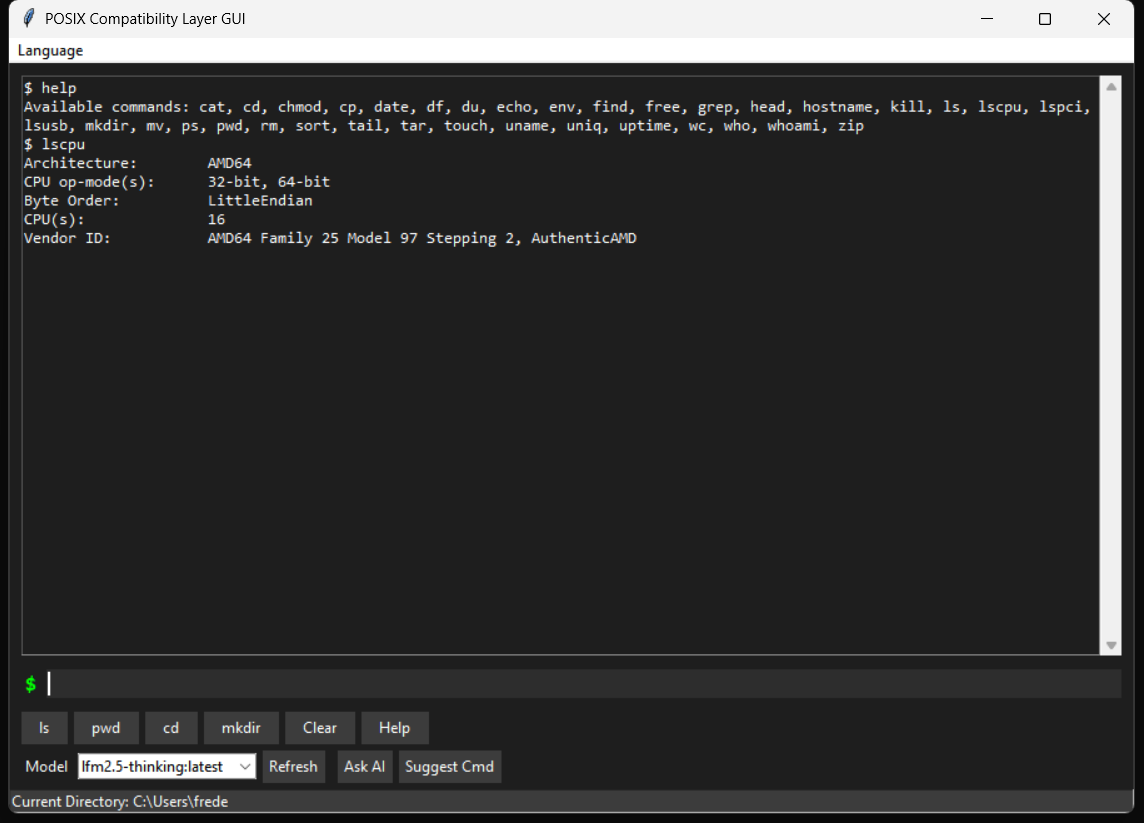
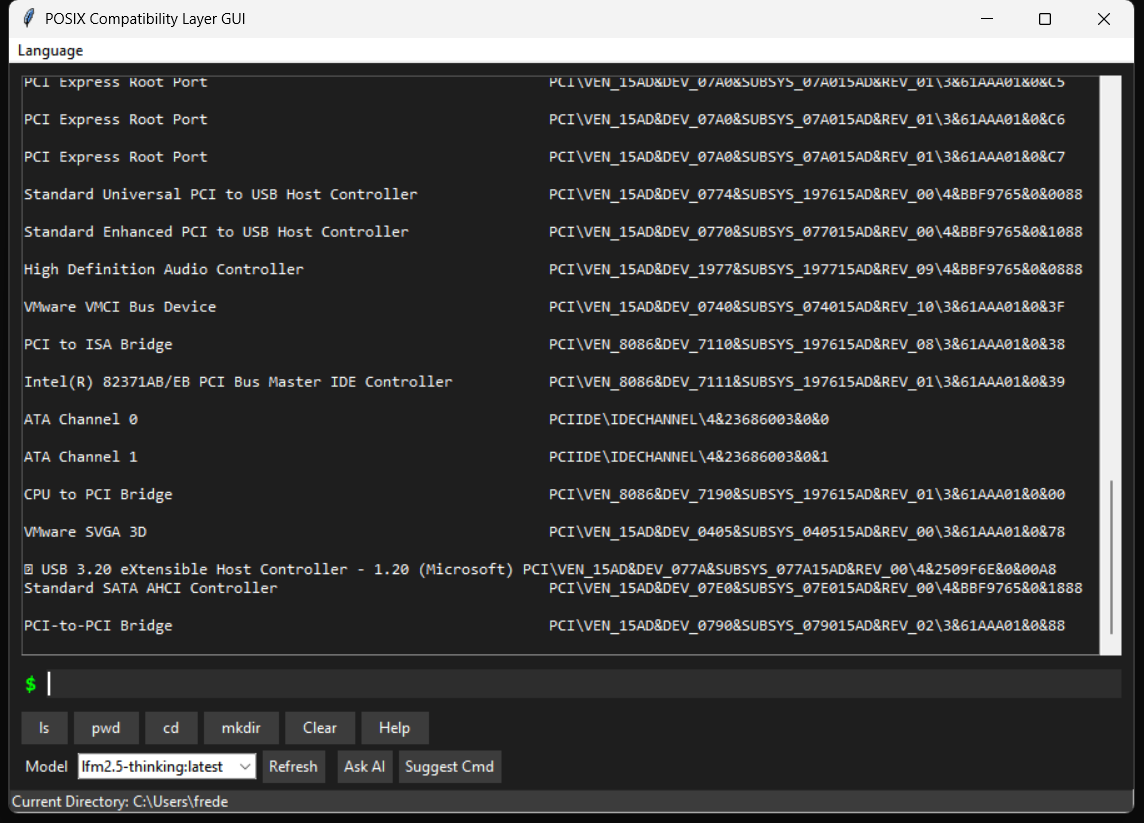
The following screenshots show the current rudimentary form of the tool, with basic interface and functionality.
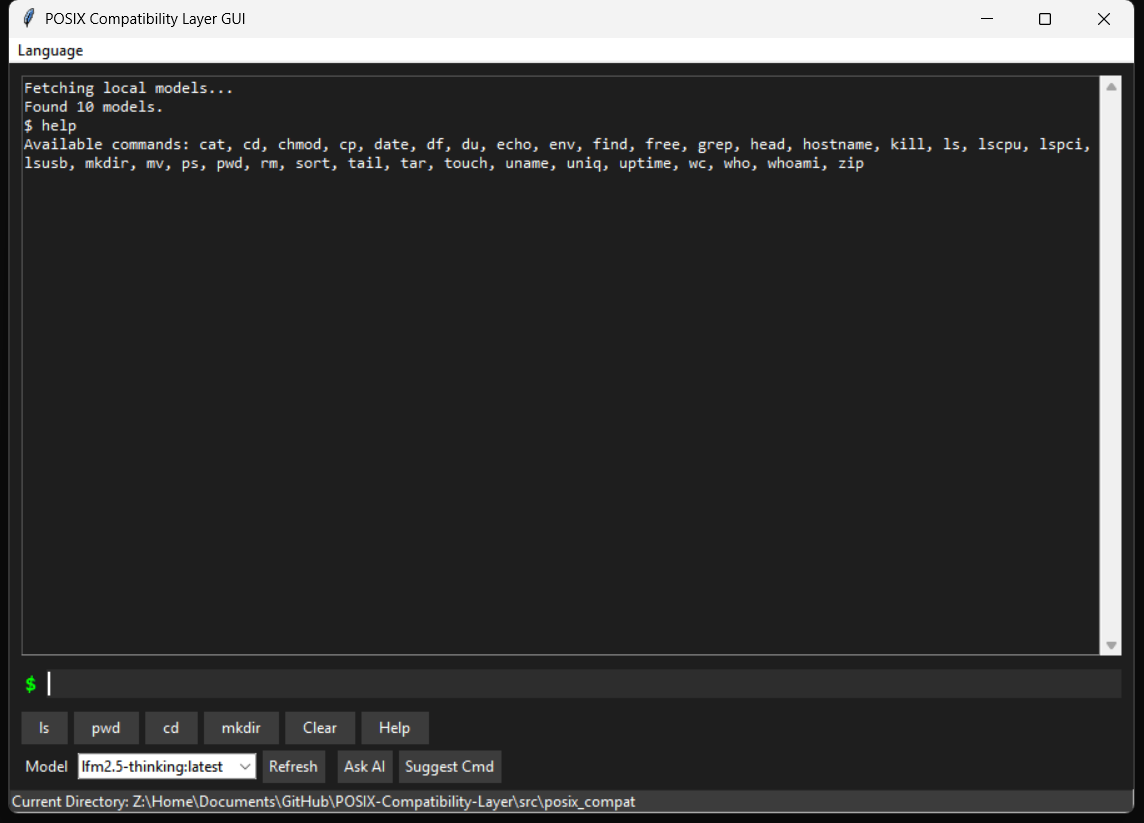
Help Command
Lists the few basic commands currently supported.
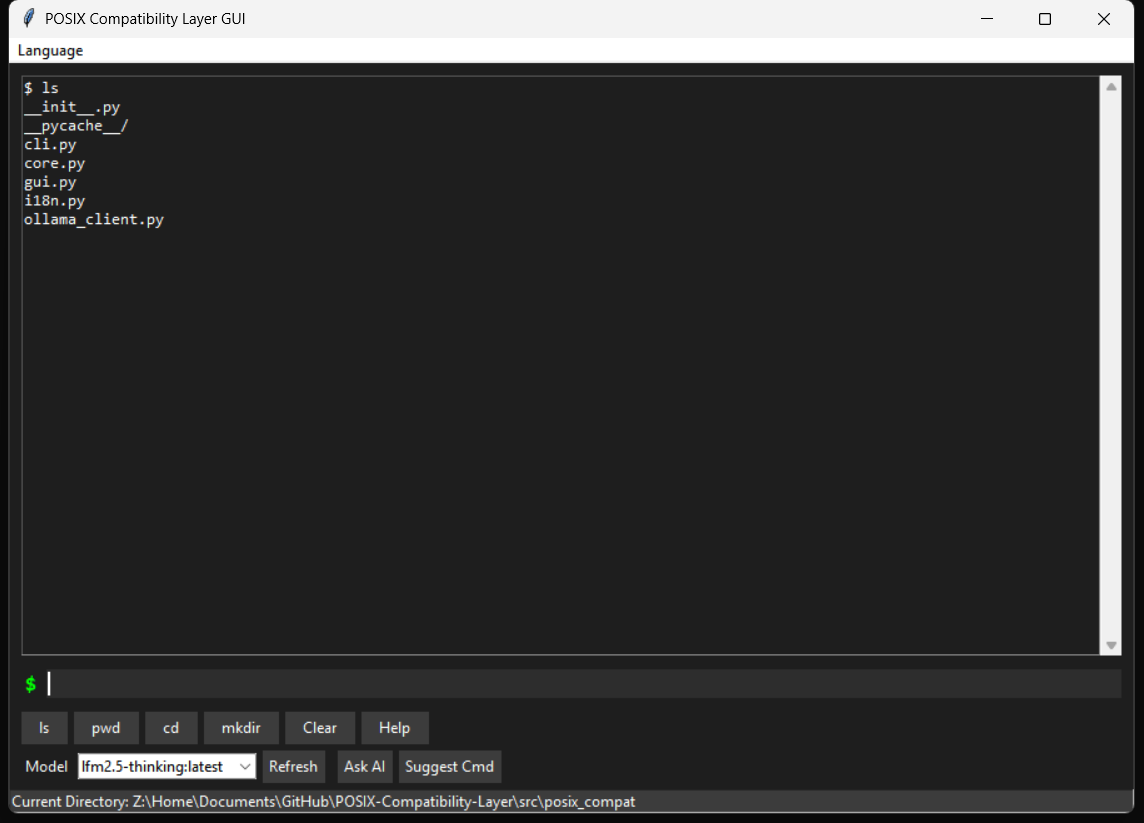
Directory List (ls)
Attempts to simulate the output format of the ls command.
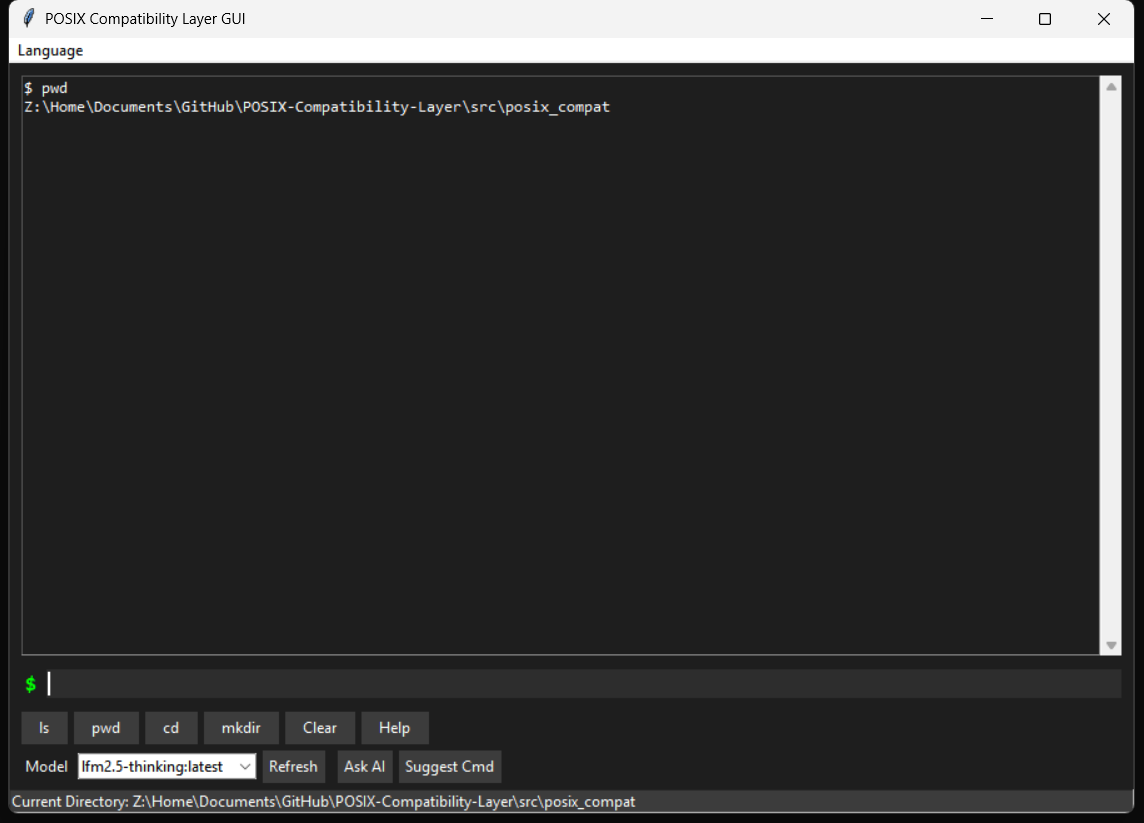
Path Display (pwd)
Displays the current working directory.
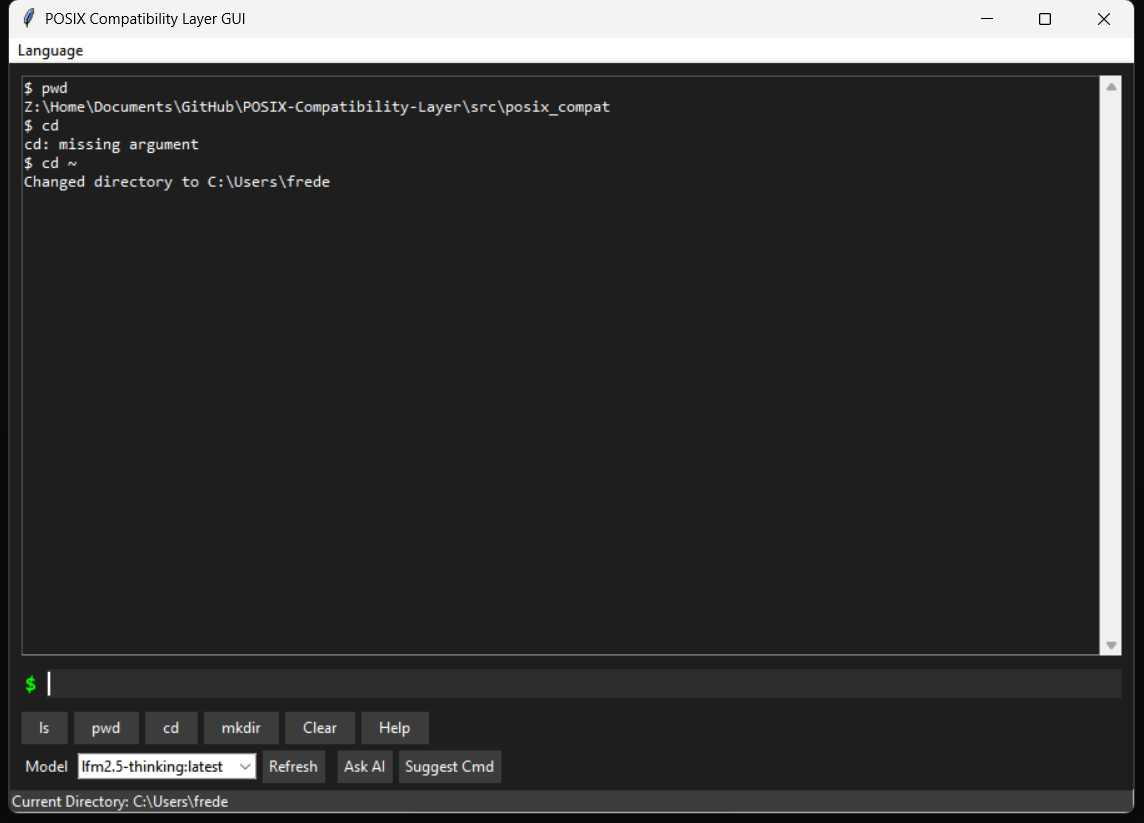
Directory Switch (cd)
Basic directory navigation functionality.
System Overview (lscpu)
Retrieves basic CPU information.
Hardware List (lspci)
Attempts to simulate lspci output via commands on Windows.
License
This project is open-sourced under the GPLv3 license.
As an experimental project, we hope to foster exchange through open source. If you are interested in the direction of "OS and AI Interaction", you are welcome to study the code, offer suggestions, or make modifications. Please note that this software is provided without any form of warranty; please pay attention to data security when using it. For detailed license terms, please refer to the LICENSE file.
1 maintainer

Metadata
1 maintainer
Release files for posix-compat 0.1.3
For a detailed explanation of source distributions (sdists) and built distributions (wheels), please see the package formats documentation.
Source distribution (sdist)
| File | Size | Uploaded | Provenance | |
|---|---|---|---|---|
| posix_compat-0.1.3.tar.gz | 37.2 kB | Without provenance | Details |
Built distribution (wheel)
| File | Interpreter | ABI | Platform | Reset |
|---|---|---|---|---|
| posix_compat-0.1.3-py3-none-any.whl | Python 3 | none | any | Details |
Total release size: 73.0 kB
Release files / posix_compat-0.1.3.tar.gz
| Download URL | posix_compat-0.1.3.tar.gz |
|---|---|
| Size | 37.2 kB |
| Tags | Source |
|
SHA-256 checksum How to use checksums |
691b0f4ff96c91415b2aa8732f952be2131ee5a94c3a3ff4b58e8ced07ac750c
|
|
BLAKE2b-256 checksum How to use checksums |
bf577540333ba5a80e360d44ea0866e2b9ad02f5721d3f29ed9ee756ba13059b
|
| Upload date | |
|
Uploaded using Trusted Publishing? What is trusted publishing? |
No |
| Uploaded via |
twine/6.2.0 CPython/3.12.12
|
Release files / posix_compat-0.1.3-py3-none-any.whl
| Download URL | posix_compat-0.1.3-py3-none-any.whl |
|---|---|
| Size | 35.8 kB |
| Tags | Python 3 |
|
SHA-256 checksum How to use checksums |
2a1107a81e518f335cb7609e4d7a7e77a48c63cc417ae9649db8ebc918ed37fa
|
|
BLAKE2b-256 checksum How to use checksums |
c626727eb68504dafc60a1b79dc84212a59a1dcbe52e75eb915f9e09361f6662
|
| Upload date | |
|
Uploaded using Trusted Publishing? What is trusted publishing? |
No |
| Uploaded via |
twine/6.2.0 CPython/3.12.12
|
Security for posix-compat 0.1.3
Provenance
Provenance describes where a file came from. On PyPI, provenance is shared via attestations, which provide a verifiable record of the build or publishing details. View details, limitations and caveats.
No provenance found
None of the files in this release were uploaded with provenance metadata.
A note on package security
PyPI is a repository for distributing packages, not a service for auditing them. While third-party security researchers and our staff do their best to detect and remove malicious packages, PyPI cannot guarantee the quality, security or suitability of any given package.
To learn more about protecting yourself from malicious actors, visit our package security documentation.














