
this is a command line tool to get tracking information about your parcels from tracking.post.ir

Project description


Post Tracker
A command-line tool to get information about parcel's tracking from https://tracking.post.ir
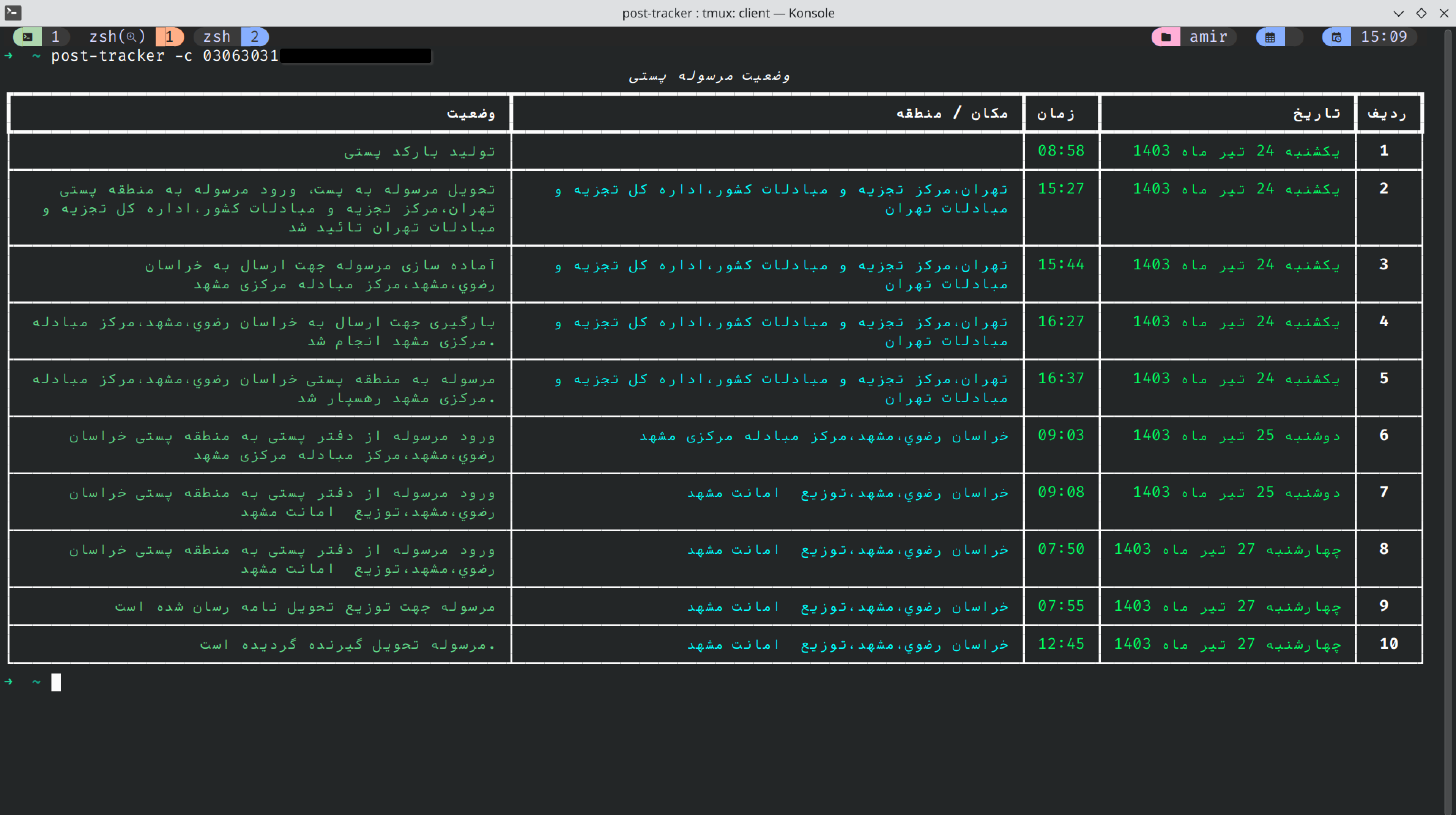
Install the program :
install the post-tracker using pip :
pip install post-tracker
Using as a library
To use the post_tracker as a library in your projects, do as following :
import asyncio
from post_tracker import PostTracker
from post_tracker.errors import TrackingNotFoundError

async def main():
    code = "12345" # tracking code
    async with PostTracker() as tracker_app:
        try:
            # get tracking data
            result = await tracker_app.get_tracking_post(tracking_code=code)
            print(result)
        except TrackingNotFoundError as e:
            # tracking data not found
            return print(e)


asyncio.run(main())
Using as a CLI tool
After install, just write post-tracker command to access to program :
# get help
post-tracker -h
# or, pass your tracking code
post-tracker -c 123456789101111213
Telegram Bot:
there is also a telegram robot developed based on this library to get parcel's tracking information in telegram:
Contributing
Contributions are what makes the open-source community such an amazing place to learn, inspire, and create. Any contributions you make are greatly appreciated.
Here is the Contributing Guidelines. Don't forget to give the project a star! Thanks again!
License
Distributed under the MIT License. See LICENSE for more information.
TODO:
- create models to better parsing the data.
- create dmenu (or fzf menu) to save tracking codes in local cache and select in future program's runs.
- add installer script as a CLI tool in linux machines.
- create python telegram bot.
- make output result prettiy.
- make and test compatibily with windows os
- publish on pypi.org
- write README.md in persian
- re-write cli using click library
- write tests
- add CI/CD
Release history Release notifications | RSS feed


Download files
Download the file for your platform. If you're not sure which to choose, learn more about installing packages.
Source Distribution
Built Distribution
Filter files by name, interpreter, ABI, and platform.
If you're not sure about the file name format, learn more about wheel file names.
Copy a direct link to the current filters
File details
Details for the file post_tracker-0.3.2.tar.gz.
File metadata
- Download URL: post_tracker-0.3.2.tar.gz
- Upload date:
- Size: 327.6 kB
- Tags: Source
- Uploaded using Trusted Publishing? No
- Uploaded via: uv/0.6.12
File hashes
| Algorithm | Hash digest | |
|---|---|---|
| SHA256 |
40f4852a9aca10b9e717cf2e920128e90057d5d874650fec3f12adafdf6bbe6b
|
|
| MD5 |
f52379818accc795a986fd49e52650e9
|
|
| BLAKE2b-256 |
aed81b329876fa11037e583482322b5ebbe922f340efa8bbaefed335e10786b5
|
File details
Details for the file post_tracker-0.3.2-py3-none-any.whl.
File metadata
- Download URL: post_tracker-0.3.2-py3-none-any.whl
- Upload date:
- Size: 10.9 kB
- Tags: Python 3
- Uploaded using Trusted Publishing? No
- Uploaded via: uv/0.6.12
File hashes
| Algorithm | Hash digest | |
|---|---|---|
| SHA256 |
fda624dbf50acc9c0fb4fa38d062618ac45dd2676200196bc6ebfd6eb743b0c5
|
|
| MD5 |
a3694c48dcfd3492ea6714cb16a9e147
|
|
| BLAKE2b-256 |
a8831784ad39c2e579acf2cd77aa20c5a181b41bffd91c4a5e820c80c73e392d
|






