
Posting
A powerful HTTP client that lives in your terminal.
Posting is an HTTP client, not unlike Postman and Insomnia. As a TUI application, it can be used over SSH and enables efficient keyboard-centric workflows. Your requests are stored locally in simple YAML files, so they're easy to read and version control.
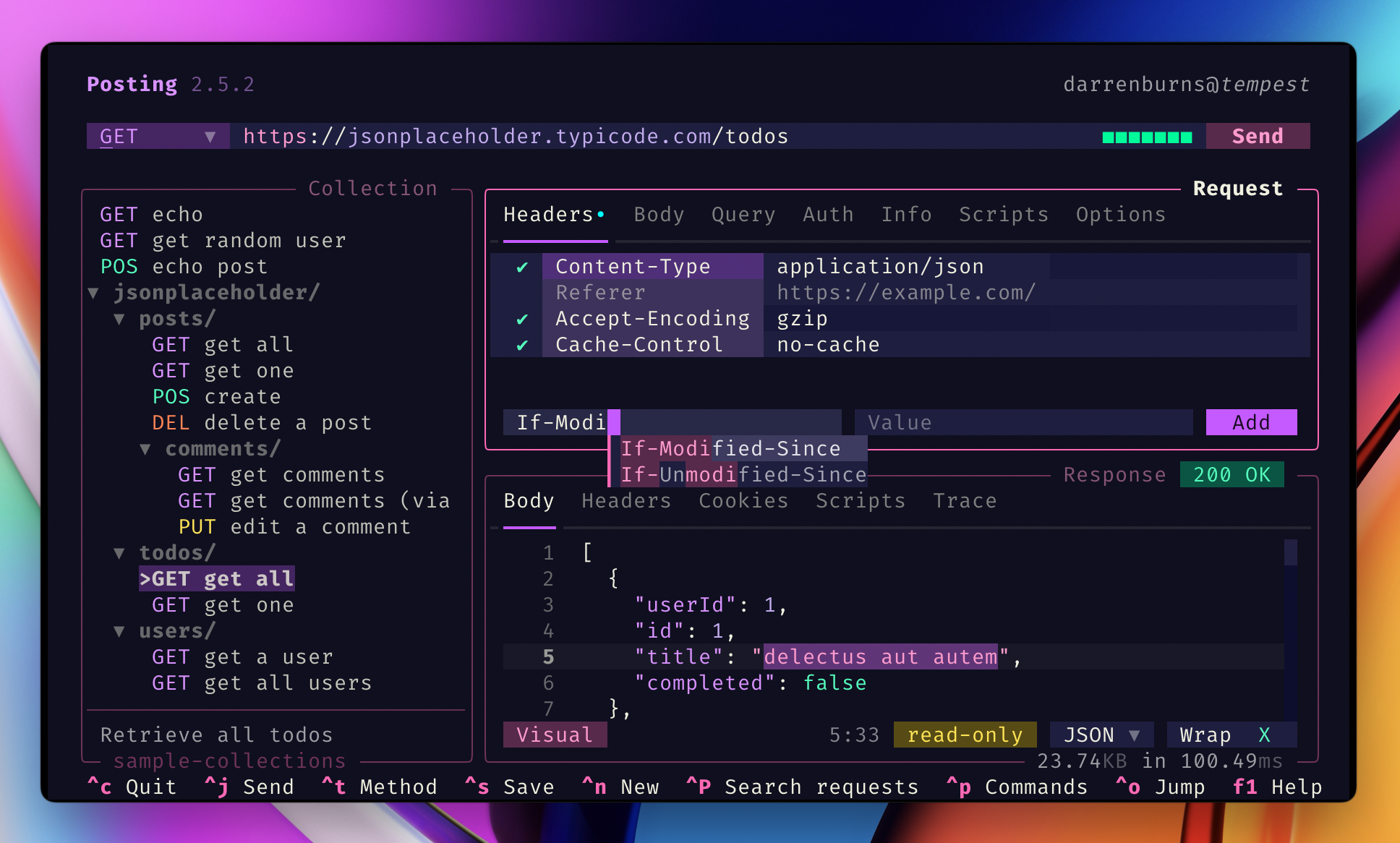
Some notable features include:
- "jump mode" navigation
- environments/variables
- autocompletion
- syntax highlighting using tree-sitter
- Vim keys
- customizable keybindings
- user-defined themes
- run Python code before and after requests
- extensive configuration
- open in $EDITOR/$PAGER
- import curl commands by pasting them into the URL bar
- export requests as cURL commands
- import from Postman and OpenAPI specs
- a command palette for quickly accessing functionality
Visit the website for more information, the roadmap, and the user guide.
Installation
Posting can be installed via uv on MacOS, Linux, and Windows.
# quickly install uv on MacOS/Linux
curl -LsSf https://astral.sh/uv/install.sh | sh

# install Posting (will also quickly install Python 3.13 if needed)
uv tool install --python 3.13 posting
Now you can run Posting via the command line:
posting
Homebrew and NixOS are not officially supported at the moment.
Prefer pipx?
If you'd prefer to use pipx, that works too: pipx install posting.
Contributing
Contributions are welcome! See CONTRIBUTING.md for guidelines, information on setting up your development environment, and running tests.
Learn More
Learn more about Posting at https://posting.sh.
Posting was built with Textual.
1 maintainer

Release files for posting 2.11.0
For a detailed explanation of source distributions (sdists) and built distributions (wheels), please see the package formats documentation.
Source distribution (sdist)
| File | Size | Uploaded | |
|---|---|---|---|
| posting-2.11.0.tar.gz | 7.4 MB | Details |
Built distribution (wheel)
| File | Interpreter | ABI | Platform | Reset |
|---|---|---|---|---|
| posting-2.11.0-py3-none-any.whl | Python 3 | none | any | Details |
Total release size: 7.5 MB
Release files / posting-2.11.0.tar.gz
| Download URL | posting-2.11.0.tar.gz |
|---|---|
| Size | 7.4 MB |
| Tags | Source |
|
SHA-256 checksum How to use checksums |
3aca99e916f7d05640ba5a9e0393cdc019586d5ef49e0dba64770c6fbde670bc
|
|
BLAKE2b-256 checksum How to use checksums |
e278f3caa8ca36fd6d8a722c0d0233da6acd6a3543f7b67b8caa2948eae1b321
|
| Upload date | |
|
Uploaded using Trusted Publishing? What is trusted publishing? |
No |
| Uploaded via |
uv/0.11.1 {"installer":{"name":"uv","version":"0.11.1","subcommand":["publish"]},"python":null,"implementation":{"name":null,"version":null},"distro":{"name":"macOS","version":null,"id":null,"libc":null},"system":{"name":null,"release":null},"cpu":null,"openssl_version":null,"setuptools_version":null,"rustc_version":null,"ci":null}
|
Release files / posting-2.11.0-py3-none-any.whl
| Download URL | posting-2.11.0-py3-none-any.whl |
|---|---|
| Size | 158.5 kB |
| Tags | Python 3 |
|
SHA-256 checksum How to use checksums |
8c2b48c278331fde029795ac1a7eb9b713407ca3ae3459f805d256aaa2d8d060
|
|
BLAKE2b-256 checksum How to use checksums |
e452b1d2c325e97b6e8262f1782942de1e1654805fb4d81aba63fe28e6fcc0e2
|
| Upload date | |
|
Uploaded using Trusted Publishing? What is trusted publishing? |
No |
| Uploaded via |
uv/0.11.1 {"installer":{"name":"uv","version":"0.11.1","subcommand":["publish"]},"python":null,"implementation":{"name":null,"version":null},"distro":{"name":"macOS","version":null,"id":null,"libc":null},"system":{"name":null,"release":null},"cpu":null,"openssl_version":null,"setuptools_version":null,"rustc_version":null,"ci":null}
|














