
PowerSsh - OpenSSH sshd and this login's SSH client, on a text menu





PowerSsh is the Python program behind the sshd-cli command. On a terminal, starting it with no arguments opens a text menu. The menu runs OpenSSH sshd on this machine and the OpenSSH client for this login (~/.ssh/config, ssh, and folder copy).
The typed verb hello prints one welcome line and does not draw the menu. The menu itself does not print that line until you type hello.
This tree is 1.0.0. Pip installs the distribution power-ssh. The import package is PowerSsh. The last /bin/sh release is 1.35.1 and lives in legacy/ for reference.
Features
- Text menu on a terminal. The first row is the current folder and a local clock (
HH:MM:SS) when the row has room - Numbered rows line up in display columns. Wide characters count as two. A rounded input box sits along the bottom
- client-side (1): dns, ssh, download, upload. On POSIX Linux also backup-config and sync-config. On Termux, Git Bash, and Windows cmd, those two stay off the list and sync-from-remote (18) is shown
- server-side (2): status. start, stop, and restart when this login may run the daemon (Termux, Git Bash, Windows cmd, or POSIX root)
- system-log (3): view-log (31), clear-log (32), log-folder (33)
- language (4): thirteen languages, numbers 41–53, saved for the next run
- sudoers (5): a draft that allows only
backup-config, numbers 51–55. Hidden on Termux, Git Bash, and Windows cmd - self-management (8): version (82), about (83), and pip rows 84–87
- Exit (9)
- Typed verbs for the same work, plus
hello,fix-config,port,config,host-keys,auth-keys,wake-lock,wake-unlock,install(Termux OpenSSH packages), andrc-test fix-configcomments OpenSSH client keywords this OS does not support, and every run does that quietly for~/.ssh/config- Download and upload of a folder as tar.gz. An MSYS or Git Bash reader uses a finished file. Other readers keep the pipe
Advantages
- Menu or command.
sshd-clion a terminal opens the menu and does not call pip. With no terminal and no verb, it prints help and returns 0.sshd-cli helloprintsWelcome to PowerSsh 1.0.0.and does not draw the menu.sshd-cli statusreports sshd without opening the menu. - The HelloTui screen stays. Path line, clock
HH:MM:SS, display columns, the input box, Esc, and the language, log, and pip boards keep their numbers (3, 4, 8, 9 and the children under them). - The login class is visible. When sudoers, backup, or start/stop/restart cannot be offered, the menu prints an info line and omits those numbers. The typed command still refuses, and it does not wrap
sudo. - Lifecycle is pip.
version-check,self-update,self-install, andself-uninstallusepython -m pipand the distribution namepower-ssh.self-uninstallon the command line needs--force. They do not use root.
Quick Installation
Python dependency: ChronicleLogger>=1.3.1 (required). Pip installs it with PowerSsh.
PyPI (registry)
python -m pip install power-ssh
This installs the console command sshd-cli and the import package PowerSsh. The name in pyproject.toml is power-ssh. This tree is 1.0.0.
Local install (checkout)
git clone https://github.com/cloudgen/PowerSsh.git
cd PowerSsh
python3 -m venv venv
source venv/bin/activate
python -m pip install -e .
From this checkout, before that install, ./sshd-cli runs the package in src/.
Main menu
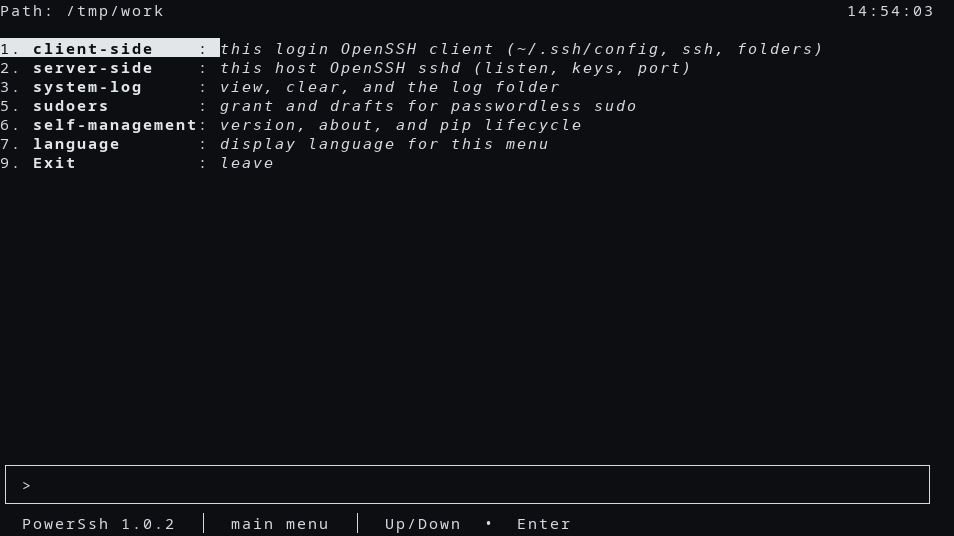
After install, on a terminal, sshd-cli with no arguments prints this menu. The clock is local time, HH:MM:SS. 9 leaves. 0 on a later board goes back. A number that is not on the list prints an error and lets you choose again.
$ sshd-cli
Path: /tmp/work                                                              13:57:48
1. **client-side**    : *this login OpenSSH client (~/.ssh/config, ssh, folders)*
2. **server-side**    : *this host OpenSSH sshd (listen, keys, port)*
3. **system-log**     : *view, clear, and the log folder*
4. **language**       : *display language for this menu*
5. **sudoers**        : *grant and drafts for passwordless sudo*
8. **self-management**: *version, about, and pip lifecycle*
9. **Exit**           : *leave*

╭───────────────────────────────────────────────────────────────────────────────────╮
│ >                                                                                 │
╰───────────────────────────────────────────────────────────────────────────────────╯
  **PowerSsh**(*1.0.0*)  │  main menu  │  Up/Down  •  Enter
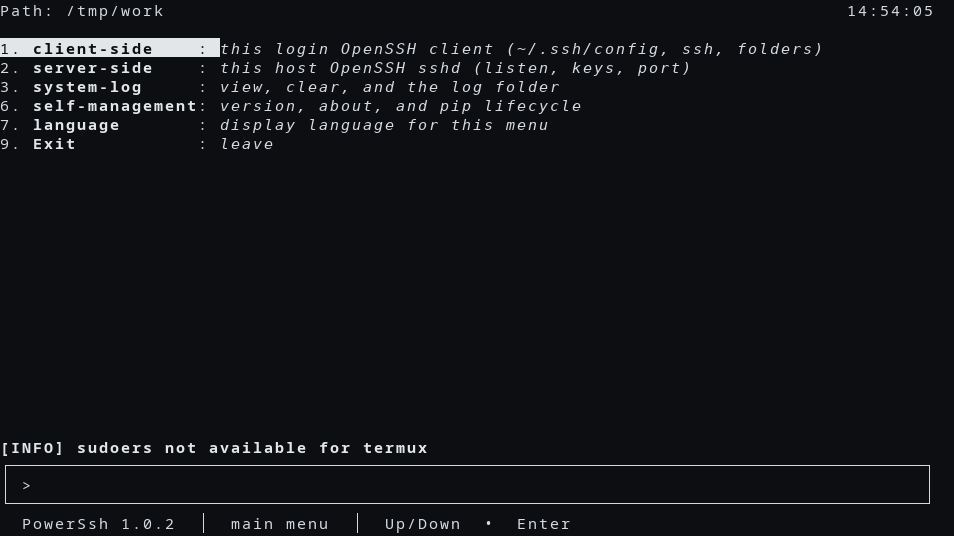
Termux omits sudoers and prints an info line:
$ sshd-cli
Path: /tmp/work                                                              13:57:49
1. **client-side**    : *this login OpenSSH client (~/.ssh/config, ssh, folders)*
2. **server-side**    : *this host OpenSSH sshd (listen, keys, port)*
3. **system-log**     : *view, clear, and the log folder*
4. **language**       : *display language for this menu*
8. **self-management**: *version, about, and pip lifecycle*
9. **Exit**           : *leave*
[INFO] sudoers not available for termux

╭───────────────────────────────────────────────────────────────────────────────────╮
│ >                                                                                 │
╰───────────────────────────────────────────────────────────────────────────────────╯
  **PowerSsh**(*1.0.0*)  │  main menu  │  Up/Down  •  Enter
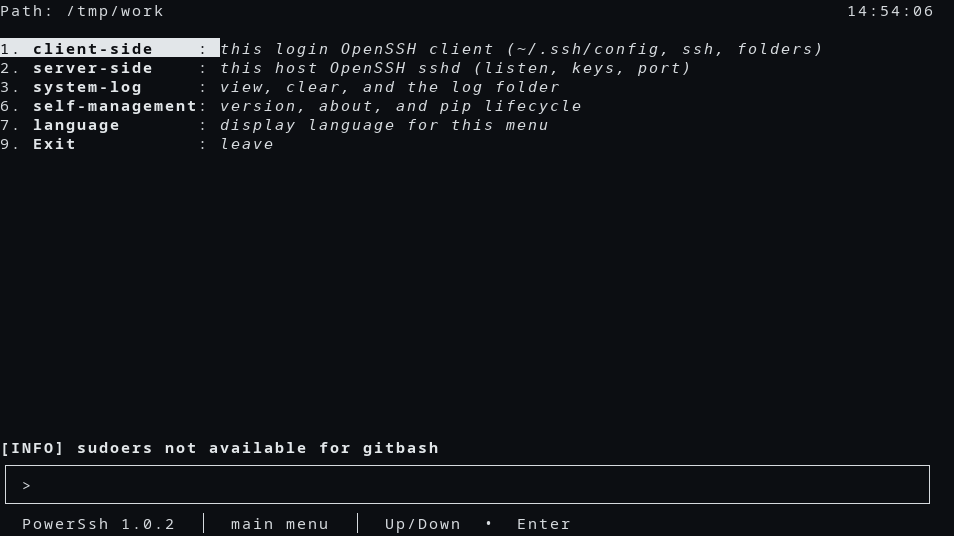
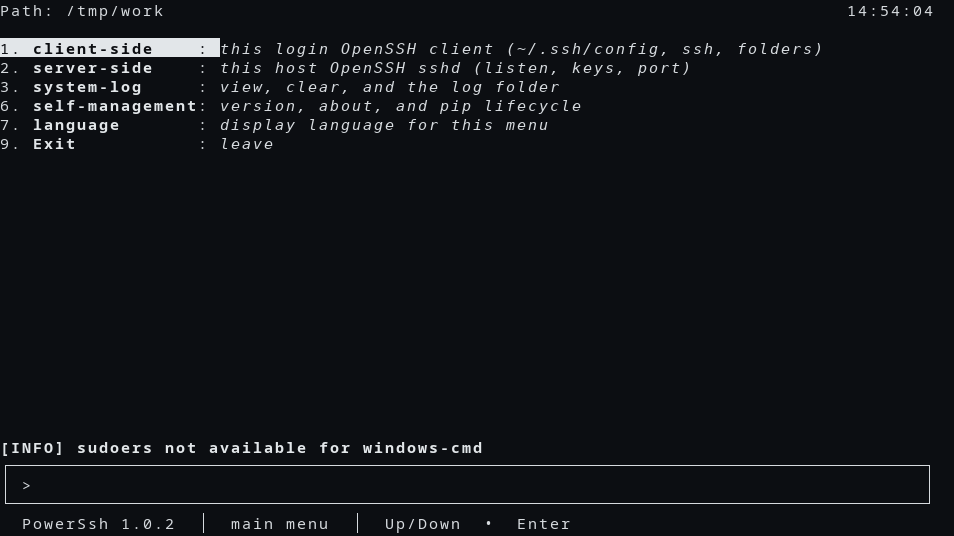
Git Bash prints sudoers not available for gitbash. Windows cmd prints sudoers not available for windows-cmd. The rows are the same as the Termux menu.
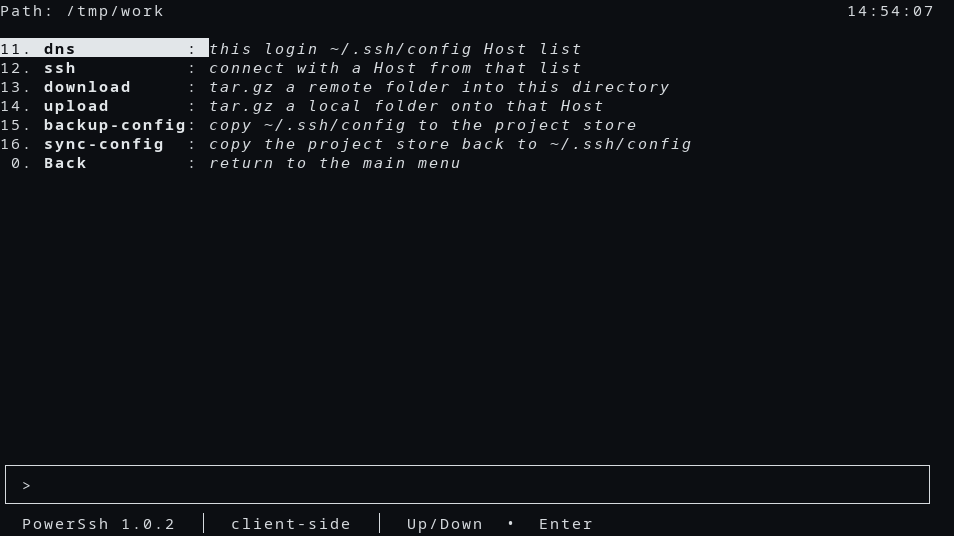
client-side on POSIX Linux:
Path: /tmp/work                                                              13:57:52
11. **dns**          : *this login ~/.ssh/config Host list*
12. **ssh**          : *connect with a Host from that list*
13. **download**     : *tar.gz a remote folder into this directory*
14. **upload**       : *tar.gz a local folder onto that Host*
15. **backup-config**: *copy ~/.ssh/config to the project store*
16. **sync-config**  : *copy the project store back to ~/.ssh/config*
 0. **Back**         : *return to the main menu*

╭───────────────────────────────────────────────────────────────────────────────────╮
│ >                                                                                 │
╰───────────────────────────────────────────────────────────────────────────────────╯
  **PowerSsh**(*1.0.0*)  │  client-side  │  Up/Down  •  Enter
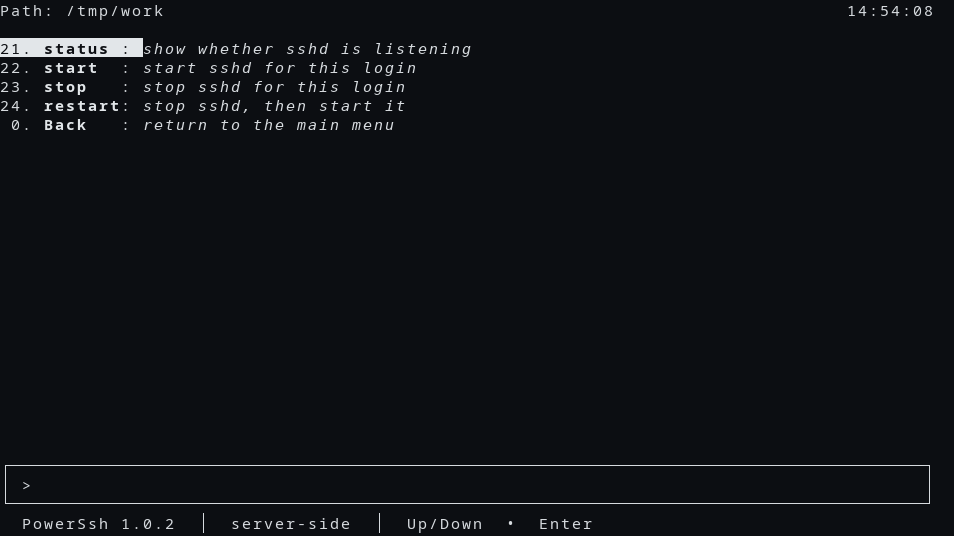
server-side when start, stop, and restart are on the list:
Path: /tmp/work                                                              13:57:54
21. **status** : *show whether sshd is listening*
22. **start**  : *start sshd for this login*
23. **stop**   : *stop sshd for this login*
24. **restart**: *stop sshd, then start it*
 0. **Back**   : *return to the main menu*

╭───────────────────────────────────────────────────────────────────────────────────╮
│ >                                                                                 │
╰───────────────────────────────────────────────────────────────────────────────────╯
  **PowerSsh**(*1.0.0*)  │  server-side  │  Up/Down  •  Enter
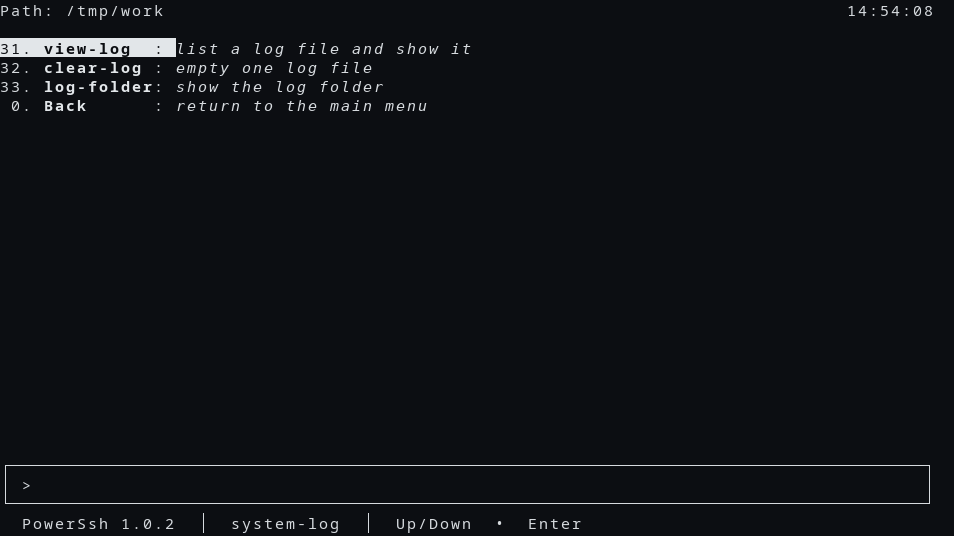
system-log:
Path: /tmp/work                                                              13:57:59
31. **view-log**  : *list a log file and show it*
32. **clear-log** : *empty one log file*
33. **log-folder**: *show the log folder*
 0. **Back**      : *return to the main menu*

╭───────────────────────────────────────────────────────────────────────────────────╮
│ >                                                                                 │
╰───────────────────────────────────────────────────────────────────────────────────╯
  **PowerSsh**(*1.0.0*)  │  system-log  │  Up/Down  •  Enter
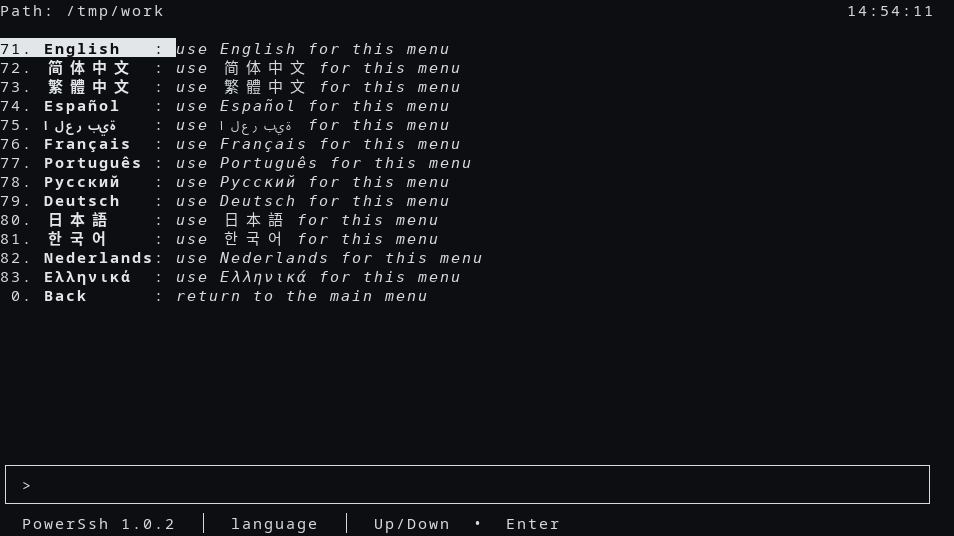
language:
Path: /tmp/work                                                              13:57:56
41. **English**   : *use English for this menu*
42. **简体中文**  : *use 简体中文 for this menu*
43. **繁體中文**  : *use 繁體中文 for this menu*
44. **Español**   : *use Español for this menu*
45. **العربية**   : *use العربية for this menu*
46. **Français**  : *use Français for this menu*
47. **Português** : *use Português for this menu*
48. **Русский**   : *use Русский for this menu*
49. **Deutsch**   : *use Deutsch for this menu*
50. **日本語**    : *use 日本語 for this menu*
51. **한국어**    : *use 한국어 for this menu*
52. **Nederlands**: *use Nederlands for this menu*
53. **Ελληνικά**  : *use Ελληνικά for this menu*
 0. **Back**      : *return to the main menu*

╭───────────────────────────────────────────────────────────────────────────────────╮
│ >                                                                                 │
╰───────────────────────────────────────────────────────────────────────────────────╯
  **PowerSsh**(*1.0.0*)  │  language  │  Up/Down  •  Enter
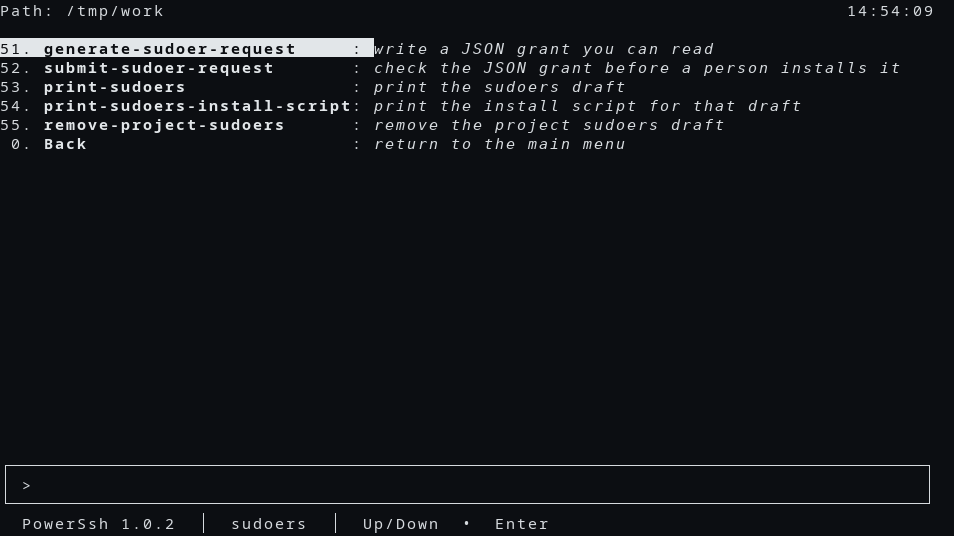
sudoers:
Path: /tmp/work                                                              13:57:55
51. **generate-sudoer-request**     : *write a JSON grant you can read*
52. **submit-sudoer-request**       : *check the JSON grant before a person installs it*
53. **print-sudoers**               : *print the sudoers draft*
54. **print-sudoers-install-script**: *print the install script for that draft*
55. **remove-project-sudoers**      : *remove the project sudoers draft*
 0. **Back**                        : *return to the main menu*

╭───────────────────────────────────────────────────────────────────────────────────╮
│ >                                                                                 │
╰───────────────────────────────────────────────────────────────────────────────────╯
  **PowerSsh**(*1.0.0*)  │  sudoers  │  Up/Down  •  Enter
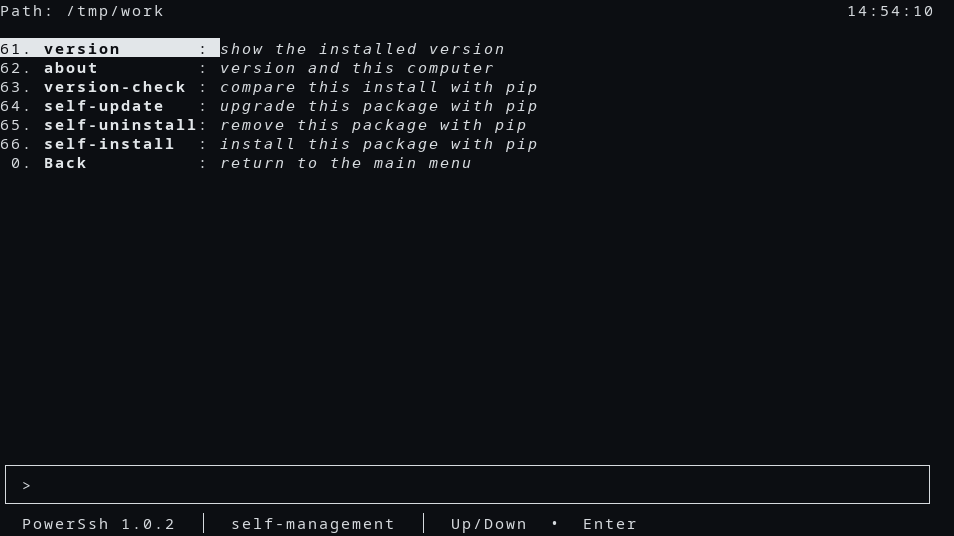
self-management:
Path: /tmp/work                                                              13:57:58
82. **version**       : *show the installed version*
83. **about**         : *version and this computer*
84. **version-check** : *compare this install with pip*
85. **self-update**   : *upgrade this package with pip*
86. **self-uninstall**: *remove this package with pip*
87. **self-install**  : *install this package with pip*
 0. **Back**          : *return to the main menu*

╭───────────────────────────────────────────────────────────────────────────────────╮
│ >                                                                                 │
╰───────────────────────────────────────────────────────────────────────────────────╯
  **PowerSsh**(*1.0.0*)  │  self-management  │  Up/Down  •  Enter
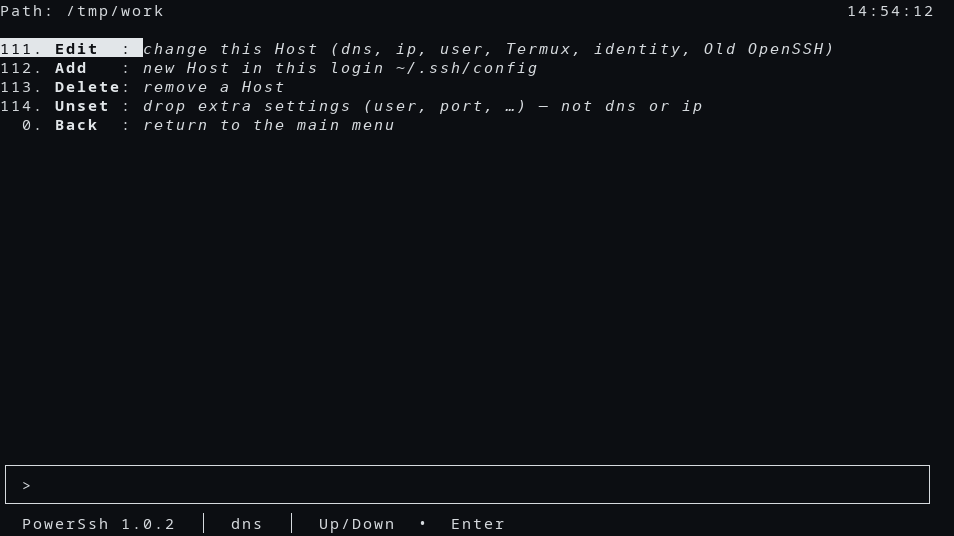
dns:
Path: /tmp/work                                                              13:58:01
111. **Edit**  : *change this Host (dns, ip, user, Termux, identity, Old OpenSSH)*
112. **Add**   : *new Host in this login ~/.ssh/config*
113. **Delete**: *remove a Host*
114. **Unset** : *drop extra settings (user, port, …) — not dns or ip*
  0. **Back**  : *return to the main menu*

╭───────────────────────────────────────────────────────────────────────────────────╮
│ >                                                                                 │
╰───────────────────────────────────────────────────────────────────────────────────╯
  **PowerSsh**(*1.0.0*)  │  dns  │  Up/Down  •  Enter
Usage
On a terminal:
sshd-cli
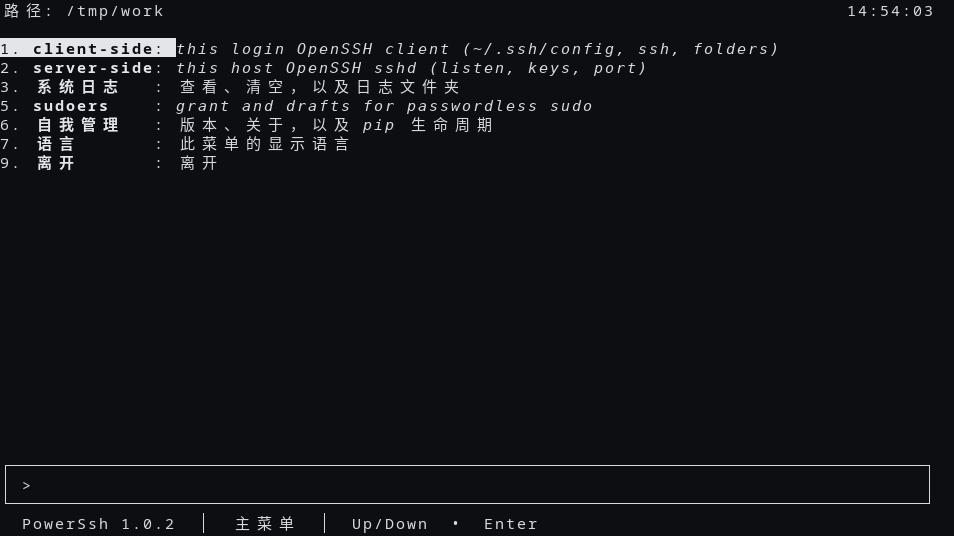
The English menu is the main-menu capture above. The clock on that screen is local time in HH:MM:SS.
Path: /tmp/work                                                              13:57:48
1. **client-side**    : *this login OpenSSH client (~/.ssh/config, ssh, folders)*
2. **server-side**    : *this host OpenSSH sshd (listen, keys, port)*
3. **system-log**     : *view, clear, and the log folder*
4. **language**       : *display language for this menu*
5. **sudoers**        : *grant and drafts for passwordless sudo*
8. **self-management**: *version, about, and pip lifecycle*
9. **Exit**           : *leave*

╭───────────────────────────────────────────────────────────────────────────────────╮
│ >                                                                                 │
╰───────────────────────────────────────────────────────────────────────────────────╯
  **PowerSsh**(*1.0.0*)  │  main menu  │  Up/Down  •  Enter
Help, without opening the menu:
sshd-cli help
sshd-cli hello
sshd-cli status
sshd-cli --json status
--json prints one JSON object and no human line. --json or --quiet with no verb prints help and returns 0.
Screenshots
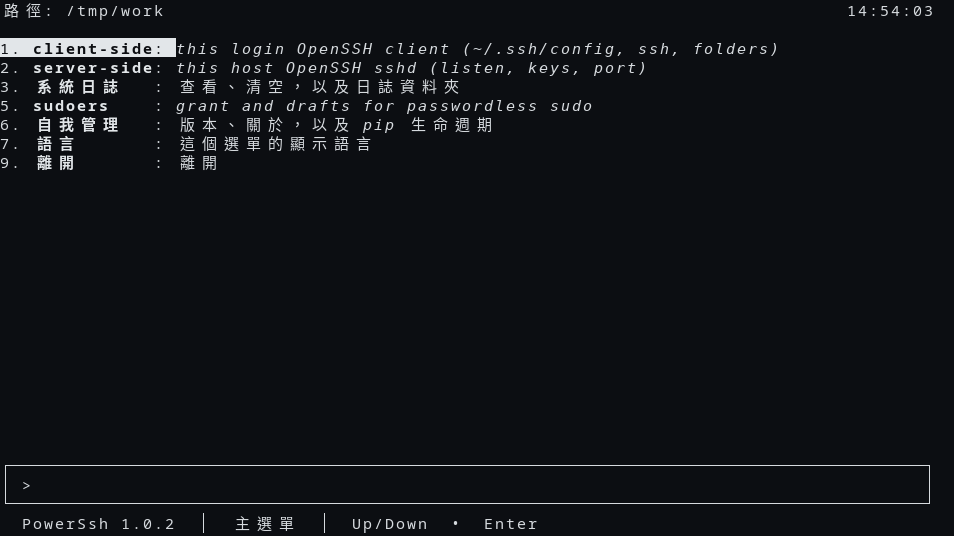
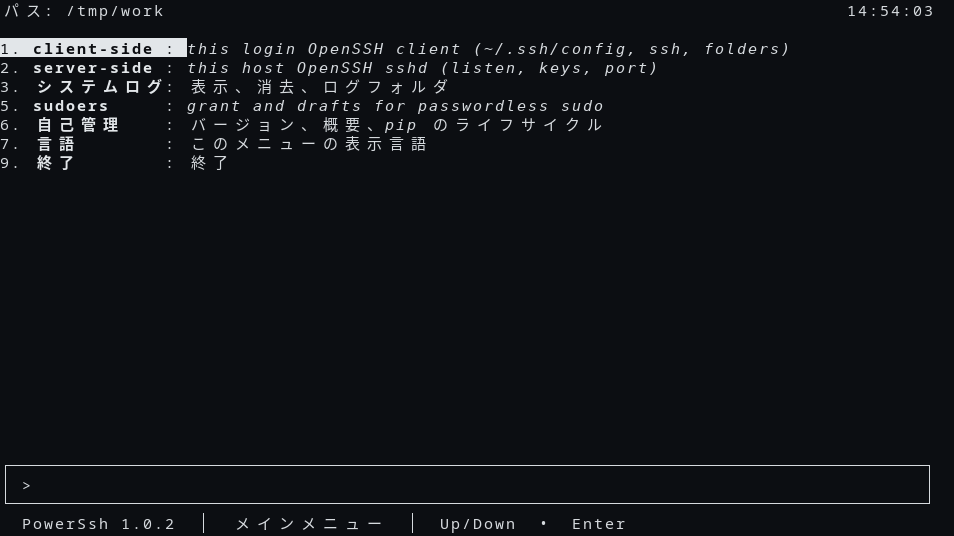
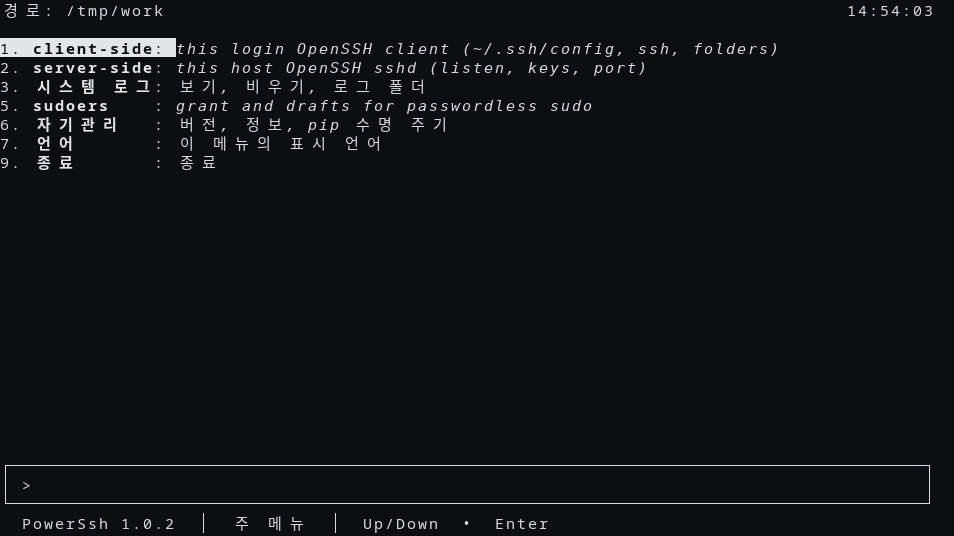
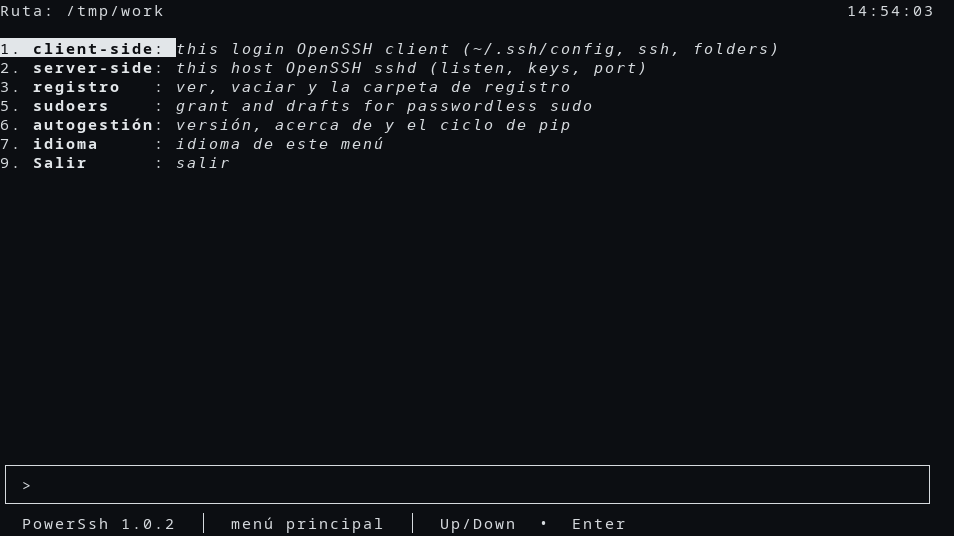
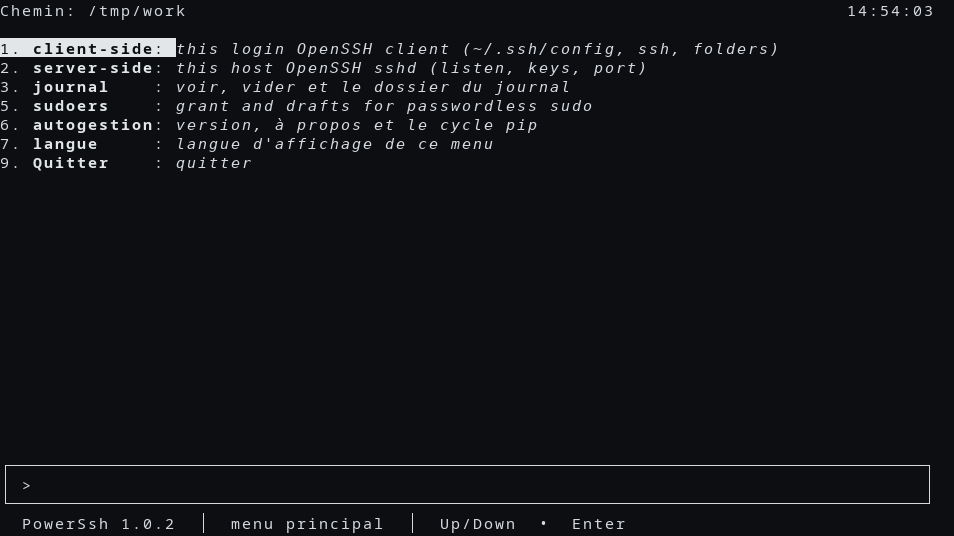
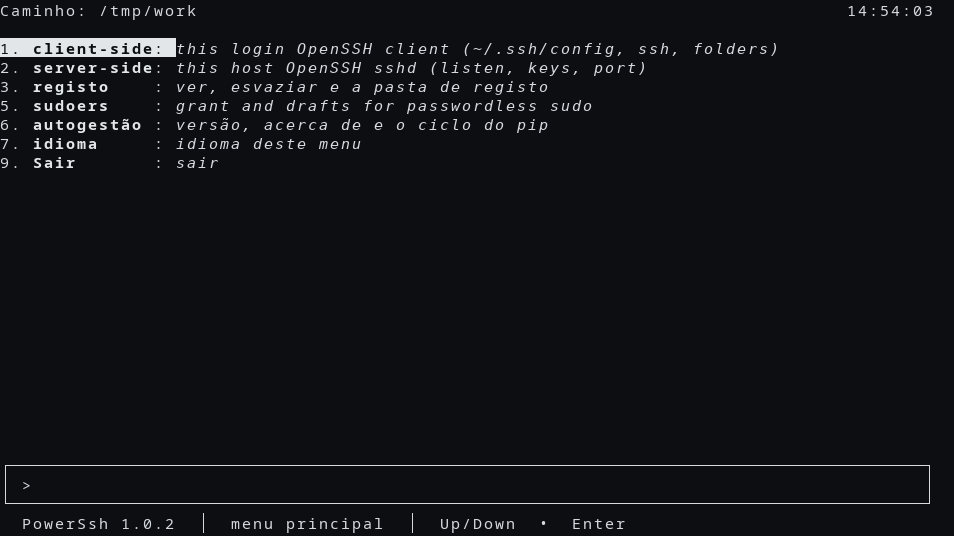
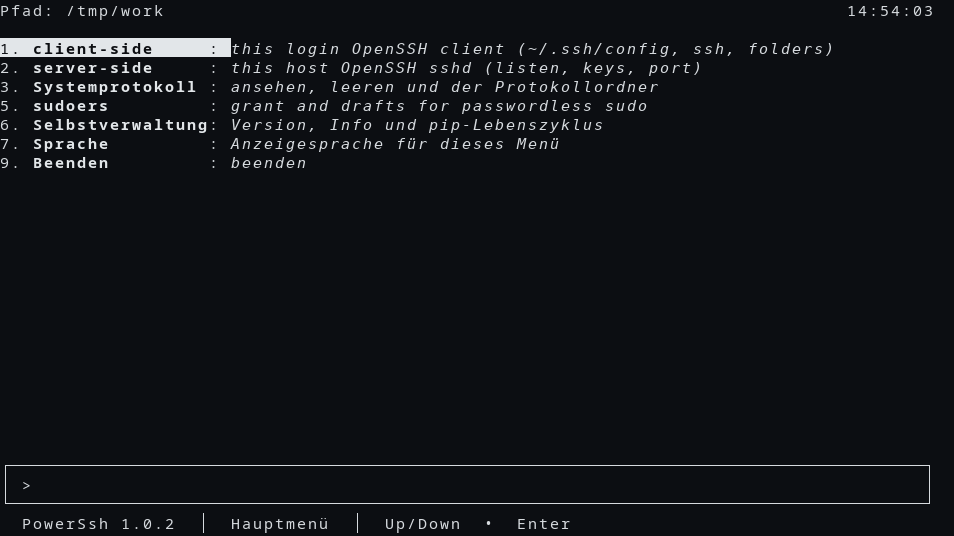
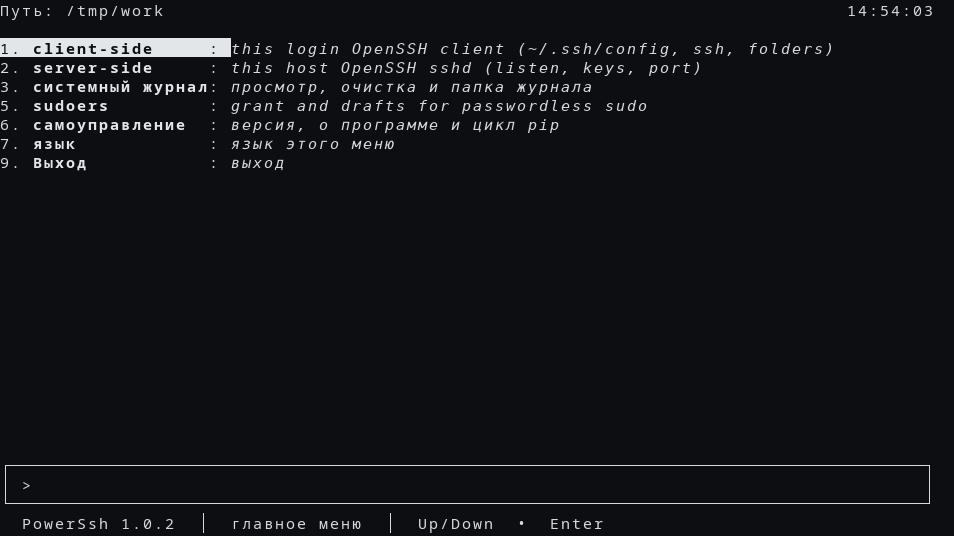
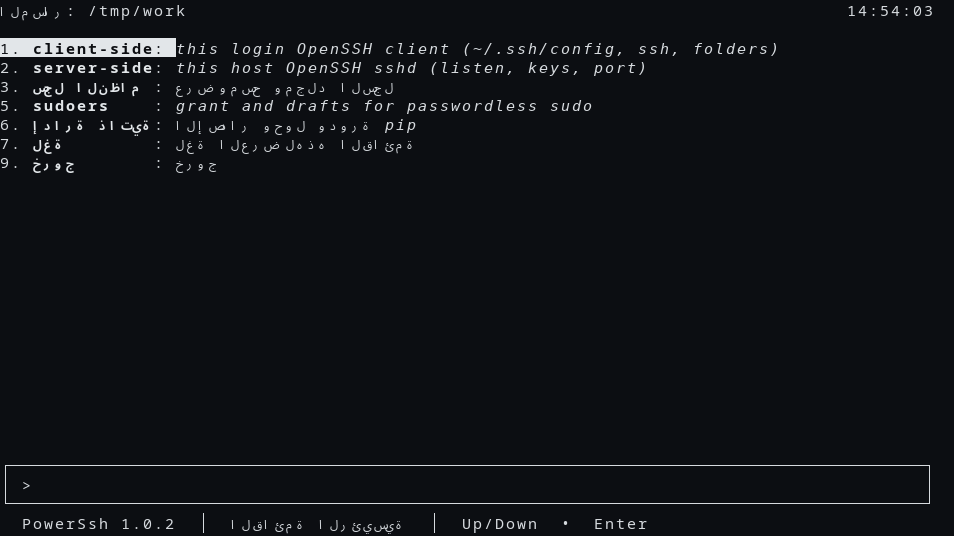
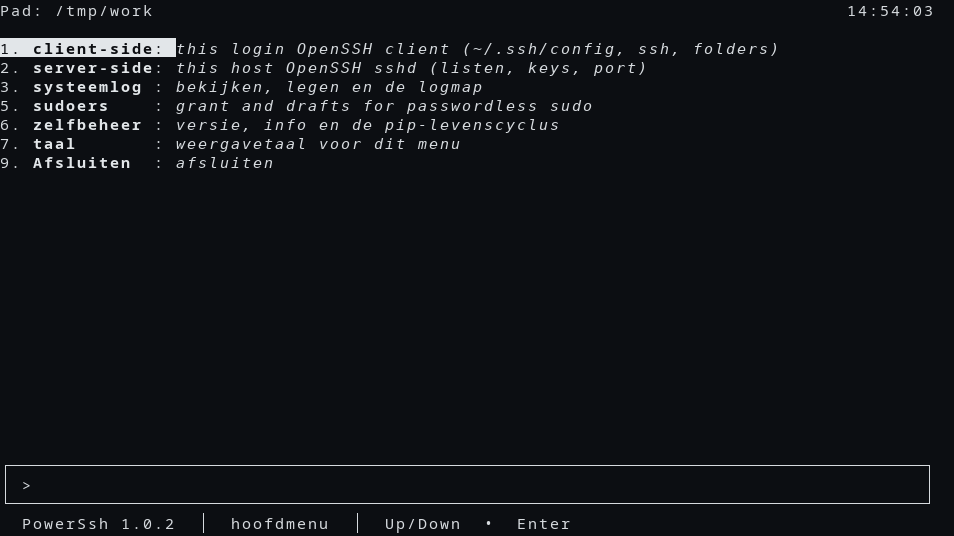
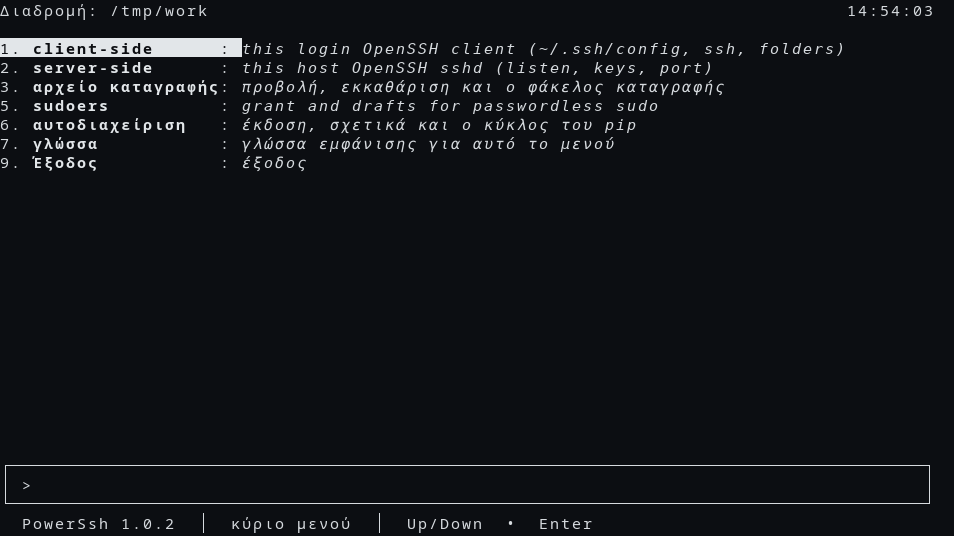
These pictures are the PowerSsh 1.0.0 text menu. The status line reads PowerSsh 1.0.0. The current directory in the pictures is /tmp/work.
Examples
Welcome line, no menu:
sshd-cli hello
Welcome to PowerSsh 1.0.0.
Add a Host in this login's ~/.ssh/config, then connect. The name and address here are examples, not a machine on your network:
sshd-cli dns add dns lab-a ip 203.0.113.10 user alice
sshd-cli ssh lab-a
Comment keywords this OS does not support:
sshd-cli fix-config --input-file ./client-config --output-file ./client-config
Remove this package:
sshd-cli self-uninstall --force
Platform Compatibility
| Login | Menu notes |
|---|---|
| POSIX Linux, root | sudoers, backup-config, sync-config, and start/stop/restart. A systemd unit is started with systemctl |
| POSIX Linux, not root | sudoers and backup stay. start/stop/restart stay off the server board. The typed commands refuse and do not wrap sudo |
| Termux | No sudoers and no backup-config. sync-from-remote is on the client board. sshd-cli install may run pkg install -y openssh termux-auth. start also takes a wake lock |
| Git Bash | Same row hiding as Termux. A gzip reader on this kind of host uses a finished archive and scp |
| Windows cmd | Same row hiding as Termux. Windows_NT alone keeps the streamed pipe |
| Cygwin | Not treated as Git Bash and not treated as Windows cmd |
macOS, Debian (including Ubuntu), Fedora and Red Hat, Alpine, BusyBox, and other Linux keep the streamed pipe for download and upload. Alpine comments active GSSAPI* client keywords. Termux comments active host-key and public-key algorithm keywords.
Related Projects
- OpenSSH — the client and the sshd this program runs
- ChronicleLogger — the required log package
- CIAO — the defensive style this project follows
- PowerSsh — this repository. The command is
sshd-cli - power-ssh — the package index page
Contributing
./tests/run.sh
The runner discovers Python tests under tests/. The old shell tests under tests/legacy-shell/ are not that runner. Use a temporary home and minted Host names in new tests.
License
MIT. See LICENSE.md.
Last Update
2026-10-23 — PowerSsh 1.0.0. The distribution name is power-ssh. The public repository is https://github.com/cloudgen/PowerSsh. The console command stays sshd-cli. The text menu keeps the HelloTui screen and carries the sshd-cli boards. The /bin/sh program remains available as legacy/sshd-cli.sh at 1.35.1.
1 maintainer

Metadata
1 maintainer
Release files for power-ssh 1.0.0
For a detailed explanation of source distributions (sdists) and built distributions (wheels), please see the package formats documentation.
Source distribution (sdist)
| File | Size | Uploaded | Provenance | |
|---|---|---|---|---|
| power_ssh-1.0.0.tar.gz | 82.3 kB | Without provenance | Details |
Built distribution (wheel)
| File | Interpreter | ABI | Platform | Reset |
|---|---|---|---|---|
| power_ssh-1.0.0-py3-none-any.whl | Python 3 | none | any | Details |
Total release size: 151.9 kB
Release files / power_ssh-1.0.0.tar.gz
| Download URL | power_ssh-1.0.0.tar.gz |
|---|---|
| Size | 82.3 kB |
| Tags | Source |
|
SHA-256 checksum How to use checksums |
f113fd7b187073ee01f51c4a9615401bf3e4ae3b8c9ae0df56acd6f1fb59b96a
|
|
BLAKE2b-256 checksum How to use checksums |
2f69fe4e9eef17c0ac9f4733ef6d6345a92ff2db06173742d61061c0a858f5b1
|
| Upload date | |
|
Uploaded using Trusted Publishing? What is trusted publishing? |
No |
| Uploaded via |
twine/7.0.0 CPython/3.12.3
|
Release files / power_ssh-1.0.0-py3-none-any.whl
| Download URL | power_ssh-1.0.0-py3-none-any.whl |
|---|---|
| Size | 69.6 kB |
| Tags | Python 3 |
|
SHA-256 checksum How to use checksums |
8f5c35f2928c5186f290bbdb15de7d75ff1c0501f9b289ecee269b491ba4d4c4
|
|
BLAKE2b-256 checksum How to use checksums |
efca6991fd061165e851bb981e5b0da09880bf78547403b1d367a70ecbf37c3d
|
| Upload date | |
|
Uploaded using Trusted Publishing? What is trusted publishing? |
No |
| Uploaded via |
twine/7.0.0 CPython/3.12.3
|
Security for power-ssh 1.0.0
Provenance
Provenance describes where a file came from. On PyPI, provenance is shared via attestations, which provide a verifiable record of the build or publishing details. View details, limitations and caveats.
No provenance found
None of the files in this release were uploaded with provenance metadata.
A note on package security
PyPI is a repository for distributing packages, not a service for auditing them. While third-party security researchers and our staff do their best to detect and remove malicious packages, PyPI cannot guarantee the quality, security or suitability of any given package.
To learn more about protecting yourself from malicious actors, visit our package security documentation.














