
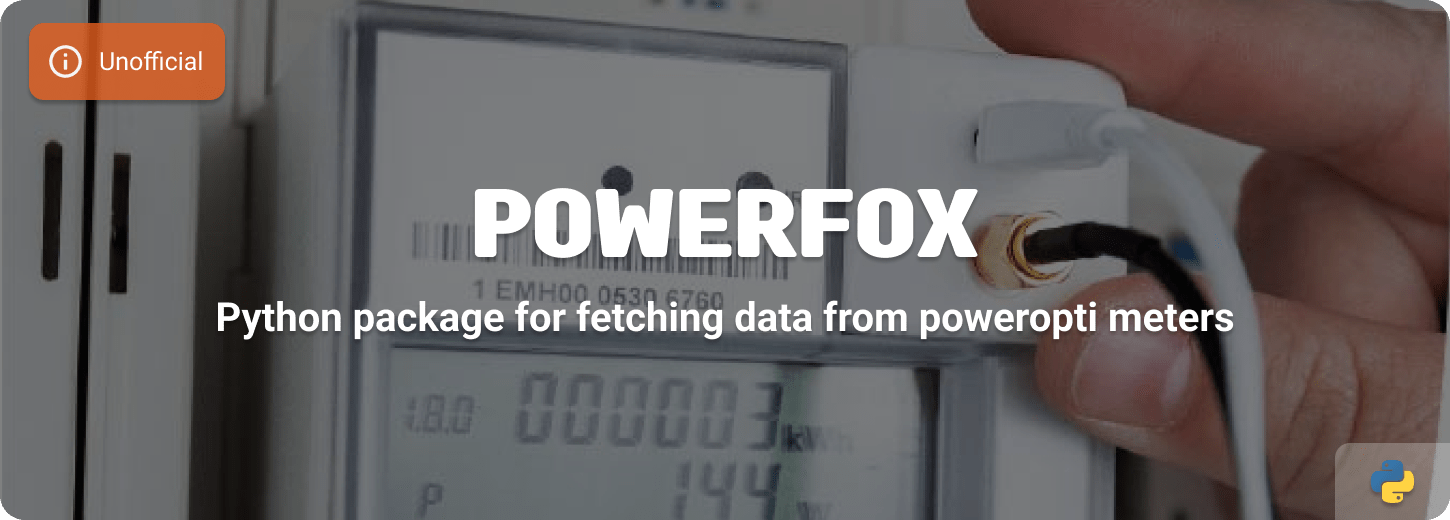













Asynchronous Python client for Powerfox devices (poweropti's).
About
A python package with which you can read the data from a poweropti device, via your Powerfox account (cloud polling) or directly from the local network (local polling). Powerfox has various poweropti devices on the market that you can use with a power, heat and water meter.
Installation
pip install powerfox
Poweropti devices
Not all Poweropti devices are supported currently. Check the list below to see if your device is working with this package. Or help us by testing a device and let us know if it works.
| Device | Type | Cloud | Local |
|---|---|---|---|
| PA 201901 / PA 201902 | Power meter | Yes | Yes |
| PB 202001 | Power meter | Yes | Yes |
| WA 201902 | Water meter | Yes | No |
| Powerfox FLOW | Gas meter | Yes (report) | No |
| HA 201902 | Heat meter | Yes | No |
Datasets
Cloud API
Powerfox.all_devices()lists all devices linked to your account.Powerfox.device(...)gives the realtime snapshot for a Poweropti device.Powerfox.report(...)exposes hourly/daily blocks such as FLOW gas consumption.
Local API
PowerfoxLocal.value()retrieves real-time measurement data directly from the device.
Device inventory (all_devices)
Use Powerfox.all_devices() to fetch the list of Poweropti devices linked to your
account. This endpoint is independent from the realtime /current data.
| Field | Type | Description |
|---|---|---|
device_id |
str |
Unique identifier of the device. |
name |
str |
Friendly name configured in the app. |
date_added |
datetime |
When the device was linked to your account. |
main_device |
bool |
Whether this is the main device in the portal. |
bidirectional |
bool |
True for prosumer/power meters with feed-in. |
type |
DeviceType |
Division value (device.type.human_readable). |
Realtime device data (device)
This route powers all non-FLOW devices. The Powerfox FLOW gas meter does not expose a
/current payload, so use the report dataset described below.
Realtime dataset details (click to expand)
Power meter snapshot
| Field | Type | Unit | Description |
|---|---|---|---|
outdated |
bool |
- | Data freshness indicator from Powerfox. |
timestamp |
datetime |
- | Timestamp of the snapshot. |
power |
int |
W | Instant power draw. |
energy_usage |
float |
kWh | Grid import since last reset (None if zero). |
energy_return |
float |
kWh | Grid export since last reset (None if zero). |
energy_usage_high_tariff |
float |
kWh | High tariff import (optional). |
energy_usage_low_tariff |
float |
kWh | Low tariff import (optional). |
Water meter snapshot
| Field | Type | Unit | Description |
|---|---|---|---|
outdated |
bool |
- | Data freshness indicator. |
timestamp |
datetime |
- | Timestamp of the snapshot. |
cold_water |
float |
m³ | Total cold water usage. |
warm_water |
float |
m³ | Total warm water usage. |
Heat meter snapshot
| Field | Type | Unit | Description |
|---|---|---|---|
outdated |
bool |
- | Data freshness indicator. |
timestamp |
datetime |
- | Timestamp of the snapshot. |
total_energy |
int |
kWh | Total consumed energy. |
delta_energy |
int |
kWh | Consumption delta since previous reading. |
total_volume |
float |
m³ | Total volume (heating circuit). |
delta_volume |
float |
m³ | Volume delta since previous reading. |
Report data (report)
Powerfox.report(device_id, *, year=None, month=None, day=None) exposes the
my/{device_id}/report endpoint and returns a DeviceReport composed of optional
sections. When no filters are provided the last 24 hours are returned. month requires
year, and day requires both year and month.
Report dataset details (click to expand)
FLOW gas meter (GasReport)
| Field | Unit | Description |
|---|---|---|
sum / total_delta |
m³ / impulses | Total gas consumption for the window. |
consumption |
m³ | Consumption for the period (identical to sum). |
consumption_kwh |
kWh | Consumption converted to kWh (requires tariff). |
current_consumption |
m³ | Current FLOW reading from the report payload. |
avg_delta, min, max |
m³ | Aggregated hourly min/max/average consumption. |
avg_consumption_kwh etc. |
kWh | Same aggregates in kWh. |
sum_currency, max_currency |
€ | Currency values when a tariff is configured. |
report_values |
- | List of ReportValue entries (hourly blocks). |
Power/Heat/Water history (EnergyReport)
| Field | Unit | Description |
|---|---|---|
start_time |
datetime |
Start of the returned time series. |
sum |
kWh / m³ | Total consumption for the requested window. |
max |
kWh / m³ | Maximum hourly/daily value in the window. |
sum_currency |
€ | Optional total cost (requires tariff). |
report_values |
- | List of ReportValue entries (hourly/daily deltas). |
ReportValue entries
Each element in report_values represents an hourly (or daily) block.
| Field | Unit | Description |
|---|---|---|
timestamp |
datetime |
Start time of the block (UTC). |
delta / consumption |
kWh / m³ | Consumption for that block. |
delta_ht / delta_nt |
kWh | Tariff specific deltas for power meters. |
delta_currency |
€ | Cost for the block (requires tariff). |
total_delta |
impulses/m³ | Aggregate impulse count when provided (FLOW). |
current_consumption |
kWh / m³ | Current instantaneous reading if the API includes it. |
values_type |
int | Distinguishes consumption (1) vs feed-in (2). |
Use Powerfox.report(device_id, *, year=None, month=None, day=None) to retrieve the
hourly or daily datasets from the my/{device_id}/report endpoint. This method powers
the Powerfox FLOW gas meter support and can also be used for historic consumption or
feed-in data for other devices. The response is parsed into a DeviceReport
dataclass, which may contain:
gas: aGasReportsection with FLOW totals and hourly consumption.consumption: consumption data for power meters.feed_in: feed-in data for bidirectional meters.
The month parameter requires year, and day requires both year and month. When
no parameters are given the API returns the last 24 hours.
Local interface data (value)
The local interface is available on poweropti devices (PA201901, PA201902, PB202001) with firmware v2.02.07+ and the powerfox PRO Service enabled. It provides real-time measurement data over HTTP in the local network.
| Field | Type | Unit | Description |
|---|---|---|---|
timestamp |
datetime |
- | Timestamp of the measurement (UTC). |
power |
int |
W | Instantaneous power (positive=import, negative=export). |
energy_usage |
int |
Wh | Total grid import meter reading. |
energy_usage_high_tariff |
int |
Wh | Grid import tariff register 1. |
energy_usage_low_tariff |
int |
Wh | Grid import tariff register 2. |
energy_return |
int |
Wh | Total grid export meter reading. |
Examples
Cloud API
import asyncio

from powerfox import Powerfox


async def main() -> None:
    """Show example on using this package."""
    async with Powerfox(
        username="EMAIL_ADDRESS",
        password="PASSWORD",
    ) as client:
        devices = await client.all_devices()
        print(devices)


if __name__ == "__main__":
    asyncio.run(main())
Local API
import asyncio

from powerfox import PowerfoxLocal


async def main() -> None:
    """Show example on getting data from a local poweropti."""
    async with PowerfoxLocal(
        host="IP_ADDRESS",
        api_key="DEVICE_ID",
    ) as client:
        value = await client.value()
        print(value)


if __name__ == "__main__":
    asyncio.run(main())
More examples can be found in the examples folder.
Class Parameters
Powerfox (cloud)
| Parameter | value Type | Description |
|---|---|---|
username |
str |
The email address of your Powerfox account. |
password |
str |
The password of your Powerfox account. |
PowerfoxLocal (local)
| Parameter | value Type | Description |
|---|---|---|
host |
str |
IP address or hostname of the poweropti device. |
api_key |
str |
The API key (default: the 12-character device ID). |
Contributing
This is an active open-source project. We are always open to people who want to use the code or contribute to it.
We've set up a separate document for our contribution guidelines.
Thank you for being involved! 😍
Setting up development environment
The simplest way to begin is by utilizing the Dev Container feature of Visual Studio Code or by opening a CodeSpace directly on GitHub. By clicking the button below you immediately start a Dev Container in Visual Studio Code.
This Python project relies on Poetry as its dependency manager, providing comprehensive management and control over project dependencies.
You need at least:
- Python 3.12+
- Poetry
Installation
Install all packages, including all development requirements:
poetry install
Poetry creates by default an virtual environment where it installs all necessary pip packages.
Prek
This repository uses the prek framework, all changes are linted and tested with each commit. To setup the prek check, run:
poetry run prek install
And to run all checks and tests manually, use the following command:
poetry run prek run --all-files
Testing
It uses pytest as the test framework. To run the tests:
poetry run pytest
To update the syrupy snapshot tests:
poetry run pytest --snapshot-update
License
MIT License
Copyright (c) 2025-2026 Klaas Schoute
Permission is hereby granted, free of charge, to any person obtaining a copy of this software and associated documentation files (the "Software"), to deal in the Software without restriction, including without limitation the rights to use, copy, modify, merge, publish, distribute, sublicense, and/or sell copies of the Software, and to permit persons to whom the Software is furnished to do so, subject to the following conditions:
The above copyright notice and this permission notice shall be included in all copies or substantial portions of the Software.
THE SOFTWARE IS PROVIDED "AS IS", WITHOUT WARRANTY OF ANY KIND, EXPRESS OR IMPLIED, INCLUDING BUT NOT LIMITED TO THE WARRANTIES OF MERCHANTABILITY, FITNESS FOR A PARTICULAR PURPOSE AND NONINFRINGEMENT. IN NO EVENT SHALL THE AUTHORS OR COPYRIGHT HOLDERS BE LIABLE FOR ANY CLAIM, DAMAGES OR OTHER LIABILITY, WHETHER IN AN ACTION OF CONTRACT, TORT OR OTHERWISE, ARISING FROM, OUT OF OR IN CONNECTION WITH THE SOFTWARE OR THE USE OR OTHER DEALINGS IN THE SOFTWARE.
1 maintainer

Metadata
1 maintainer
Release files for powerfox 2.1.3
For a detailed explanation of source distributions (sdists) and built distributions (wheels), please see the package formats documentation.
Source distribution (sdist)
| File | Size | Uploaded | |
|---|---|---|---|
| powerfox-2.1.3.tar.gz | 17.5 kB | Details |
Built distribution (wheel)
| File | Interpreter | ABI | Platform | Reset |
|---|---|---|---|---|
| powerfox-2.1.3-py3-none-any.whl | Python 3 | none | any | Details |
Total release size: 32.3 kB
Release files / powerfox-2.1.3.tar.gz
| Download URL | powerfox-2.1.3.tar.gz |
|---|---|
| Size | 17.5 kB |
| Tags | Source |
|
SHA-256 checksum How to use checksums |
979fd7056352d1098236c966165c318f1ff244ca5424fa9b5e06657e4f69c502
|
|
BLAKE2b-256 checksum How to use checksums |
4740c5076d31bae4cda8a75f2a573c3199f255ba239b266245ad97771e2d1a5f
|
| Upload date | |
|
Uploaded using Trusted Publishing? What is trusted publishing? |
Yes |
| Uploaded via |
twine/7.0.0 CPython/3.13.14
|
Provenance
Provenance describes where a file came from. On PyPI, provenance is shared via attestations, which provide a verifiable record of the build or publishing details. View details, limitations and caveats.


PyPI Publish Attestation
PyPI verified that this artifact, at this checksum, originated from the publisher listed below.
Signed by GitHub Actions, verified by PyPI on Aug 24, 2026.
Transparency logRelease files / powerfox-2.1.3-py3-none-any.whl
| Download URL | powerfox-2.1.3-py3-none-any.whl |
|---|---|
| Size | 14.9 kB |
| Tags | Python 3 |
|
SHA-256 checksum How to use checksums |
0eba43aa6e0f0e3a6570b7b09e9f55cf16ebf34c1a418108b971d025d1455d87
|
|
BLAKE2b-256 checksum How to use checksums |
0ecb5a4ff97381cb5d342485d139a71ae9797e0ff7890fef6ab0126fa40e2f69
|
| Upload date | |
|
Uploaded using Trusted Publishing? What is trusted publishing? |
Yes |
| Uploaded via |
twine/7.0.0 CPython/3.13.14
|
Provenance
Provenance describes where a file came from. On PyPI, provenance is shared via attestations, which provide a verifiable record of the build or publishing details. View details, limitations and caveats.
PyPI Publish Attestation
PyPI verified that this artifact, at this checksum, originated from the publisher listed below.
Signed by GitHub Actions, verified by PyPI on Aug 24, 2026.
Transparency log













