
Simple things that python should have out of the box.

Project description
power_terminal
Things Python should have out of the box.
This package was created when I realised that github copilot was writing most of the code for a terminal controller I was writing by itself. I realised that developers were writing this things by hand.
Usage
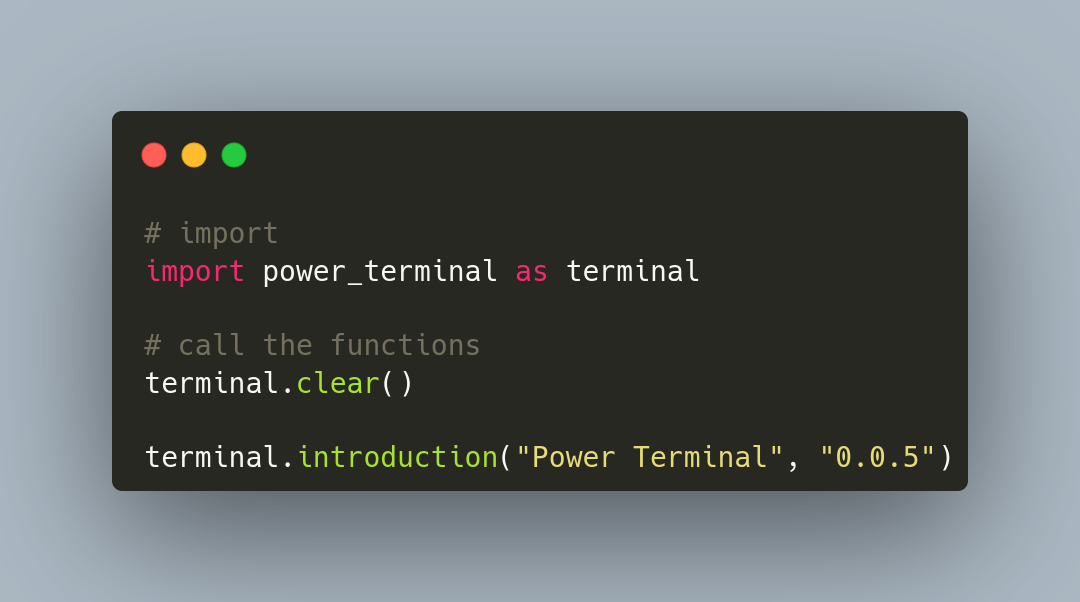
Reference
terminal.introduction(name, version, author)
A short introduction for whatever program you're making.
name: The name of the program.
version: The version of the program.
author: The author of the program, though, when left empty, will use the name of the creator of the package.
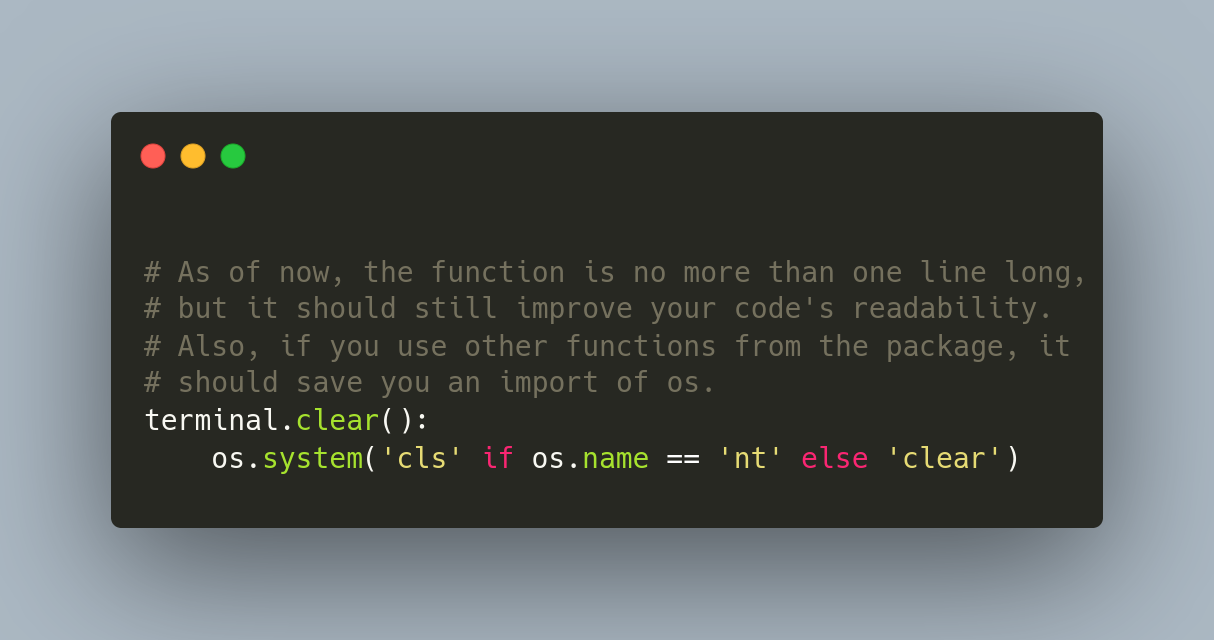
terminal.clear()
Clears the terminal, it's the equivalent of 'cls' on Windows' PowerShell or 'clear' in Bash.
terminal.statement(string)
Prints a string in green letters.
terminal.debug(string)
Prints a string in bright yellow, preceded by the "DEBUG: " prefix.
terminal.error(string)
Prints a string in bright red, preceded by the "ERROR: " prefix.
terminal.restart()
Restart's the program. It may be quite useful to avoid the use of while loops in CLI programs.
terminal.progress(done, total, length, string, fill, empty)
Prints a progress bar to the terminal.
done: The number (int) of actions that have been done up to this point.
total: The total number of actions to be done during the execution of the progress bar.
length: The width (in characters, assuming your terminal uses a monospace font) of the progress bar. It's not obligatory.
string: A string to be displayed right below the bar. It's not obligatory.
fill: The character the will fill up the progress bar. By default, it's the "█" character.
empty: The character that will represent the "empty space" yet to be filled in the progress bar. By default, it's an empty string with a space. (" ")
terminal.countdown(string, millisecons)
Counts down in milliseconds.
terminal.confirm(string, error_string)
Asks the user to confirm or deny an action (Y/n).
Credits
Created by Matheus Goulart.


Download files
Download the file for your platform. If you're not sure which to choose, learn more about installing packages.
Source Distribution
Built Distribution
Filter files by name, interpreter, ABI, and platform.
If you're not sure about the file name format, learn more about wheel file names.
Copy a direct link to the current filters
File details
Details for the file powerterminal-0.0.7.tar.gz.
File metadata
- Download URL: powerterminal-0.0.7.tar.gz
- Upload date:
- Size: 3.7 kB
- Tags: Source
- Uploaded using Trusted Publishing? No
- Uploaded via: twine/3.8.0 pkginfo/1.8.2 readme-renderer/32.0 requests/2.25.1 requests-toolbelt/0.9.1 urllib3/1.26.5 tqdm/4.62.3 importlib-metadata/4.0.1 keyring/23.0.1 rfc3986/2.0.0 colorama/0.4.4 CPython/3.9.7
File hashes
| Algorithm | Hash digest | |
|---|---|---|
| SHA256 |
601216cbba94f2bbe5b439b7077c04daf9100d843d804c0a45048d6708b7e19d
|
|
| MD5 |
1cbb97bec867ea777711545915e2e8a2
|
|
| BLAKE2b-256 |
f0f036572cb5080eafabc72194e6b203b805c7d98dea9dcee89dba3038012a8a
|
File details
Details for the file powerterminal-0.0.7-py3-none-any.whl.
File metadata
- Download URL: powerterminal-0.0.7-py3-none-any.whl
- Upload date:
- Size: 4.1 kB
- Tags: Python 3
- Uploaded using Trusted Publishing? No
- Uploaded via: twine/3.8.0 pkginfo/1.8.2 readme-renderer/32.0 requests/2.25.1 requests-toolbelt/0.9.1 urllib3/1.26.5 tqdm/4.62.3 importlib-metadata/4.0.1 keyring/23.0.1 rfc3986/2.0.0 colorama/0.4.4 CPython/3.9.7
File hashes
| Algorithm | Hash digest | |
|---|---|---|
| SHA256 |
148806402b790237d74051227f937944e3fa450e4949b23c7756c38d5f2da918
|
|
| MD5 |
ebf62ce99fdfe926f197ba097200f62c
|
|
| BLAKE2b-256 |
33a826490a894083ca346606c57b13b18e1427864a875d3a91cb79322edea7be
|






