pptx-typst
pptx-typst is a bidirectional presentation conversion tool. It converts PowerPoint (.pptx) decks into editable Typst projects and exports a documented, statically resolvable Typst slide subset to editable PowerPoint.
It also provides a file-based presentation IR for AI-agent workflows. An agent can inspect and revise supported slides in readable Typst source, then export the result to PPTX without driving a live PowerPoint session or issuing a sequence of UI/MCP actions for each edit. This is useful for structured deck revisions, repeatable transformations, and generating slides from data. Supported text and shapes stay editable; conversion reports identify objects that are approximated, image-backed, or unsupported.
Version 0.1.0 is the first public product release. It is a working tool for presentations within its documented supported subset; it does not claim to reproduce every PowerPoint or Typst feature. It preserves common text, images, shapes, tables, transparency, and reusable master/layout structure. Review each conversion report and inspect important slides before delivery.
Use Typst as an AI-editable presentation IR
pptx-typst is more than a format bridge. For supported presentations, it gives an AI agent a structured, text-based project to read, edit, diff, and validate instead of requiring the agent to manipulate OOXML package parts directly or drive a live PowerPoint UI through repeated MCP calls. The conversion commands operate on files, so PowerPoint does not need to be open for import, source edits, or export. This avoids repeated UI/MCP calls for routine object changes; it does not remove the need to render and review the finished slides.
For an existing deck, convert it once, make edits to the generated project, compile a preview, and export the changed source:
pptx-to-typst source.pptx --output working-deck
# An agent or script edits working-deck/main.typ and supported assets.
typst compile working-deck/main.typ working-deck/preview.pdf
typst-to-pptx working-deck/main.typ --output revised-deck.pptx
The Typst project keeps slide objects, reusable masters/layouts, and asset references visible as source. This makes repeated edits and batch transformations easier to review in version control. Inspect conversion_report.json before editing and after export: the IR represents the documented subset, not every OOXML feature. For a new deck, start with pptx-typst init; see the agent workflow guide for recommended patterns and boundaries.
Install
Python 3.10 through 3.13 is supported.
python -m pip install pptx-typst==0.1.0
The PyPI project name is available, but the 0.1.0 distribution has not been uploaded yet. Until publication, install from a trusted source checkout with python -m pip install ..
The Python package performs conversion. Install the Typst CLI separately to compile generated Typst projects to PDF. EMF/WMF conversion uses the packaged Windows PowerShell/GDI+ helper on Windows, or Inkscape when available on Linux and macOS. Without a compatible renderer, the original media is retained and the conversion report warns that the object may not render. Some SVG masking and SVG-to-PowerPoint rasterization paths need Cairo native libraries; affected operations report a fallback or unsupported object when Cairo is unavailable.
PowerPoint to Typst
pptx-to-typst presentation.pptx --output presentation-typst
typst compile presentation-typst/main.typ presentation.pdf
The generated project contains main.typ, template.typ, asset_manifest.json, conversion_report.json, and shared media under assets/media/. The forward converter retains original assets and emits supported text, shapes, images, tables, masters, and layouts as editable Typst objects. EMF/WMF may also have a derived rendering asset. Use pptx-to-typst --help for layout, masking, and text options.
Typst to PowerPoint
typst-to-pptx presentation-typst/main.typ --output presentation-roundtrip.pptx
The reverse converter handles the documented static Typst subset; it does not evaluate arbitrary Typst programs, dynamic expressions, or user-defined macros. It writes a conversion_report.json next to the output. Review warnings for unsupported constructs and editability changes.
Start a Typst presentation
pptx-typst init my-deck
typst compile my-deck/main.typ my-deck/preview.pdf
typst-to-pptx my-deck/main.typ --output my-deck.pptx
The starter project includes a supported main.typ, helper module, original SVG artwork, and three editable slides using one shared master and three layouts. Its copy and metrics are illustrative. To generate only the helper module, run pptx-typst module --output pptx-typst.typ.
The helper module provides PptxMaster, PptxLayout, and PptxSlide for reusable hierarchy, plus static PptxPlace, PptxGroup, PptxClip, PptxBox, PptxText, PptxImage, PptxRect, PptxEllipse, PptxLine, and PptxTable constructs. Title, centered-title, and body placeholders are supported in the defined subset. See the placeholder support report and master/layout report.
Font preflight and validation
Check requested fonts before final export:
pptx-typst-fonts my-deck/main.typ --report my-deck/font_report.json
Typst font paths do not install or embed fonts for PowerPoint. The preflight checks Typst and the local Office-facing font inventory separately; unavailable checks are reported as unknown. Optional --pptx, --typst-pdf, and --powerpoint-pdf inputs compare requested font names, exported DrawingML, and rendered PDF font names.
Compare source geometry with a generated project:
pptx-typst-validate presentation.pptx presentation-typst --out presentation-typst/geometry-audit.json
Reports identify unsupported and approximated objects with slide numbers, source shape IDs when available, fallback behavior, and expected fidelity or editability loss. A successful command does not mean every source object was reproduced.
Supported feature subset
| PowerPoint feature | PowerPoint to Typst | Typst to PowerPoint |
|---|---|---|
| Text and title/body placeholders | Editable text with supported paragraph and inheritance properties | Editable text and native supported placeholders |
| Images and common vector media | Original assets retained; EMF/WMF may use a render derivative | PNG/JPEG and SVG when the required Cairo path is available |
| Shapes, lines, fills, transparency | Common geometry and styling; complex masks and some shapes may be approximated | Common rectangles, ellipses, lines, and supported static shapes |
| Tables | Editable text, dimensions, alignment, fills, and common borders; merged cells unsupported | Basic rectangular tables |
| Masters and layouts | Reusable hierarchy preserved | Native parts for statically resolvable declarations |
| SmartArt and charts | A stored SmartArt drawing cache may be emitted as a static SVG; charts unsupported | Unsupported |
| Animation and transitions | Unsupported | Unsupported |
Font substitution can change text metrics, wrapping, and alignment. SmartArt cache artwork and OLE previews are not independently editable. Native chart data, animations, complex group transforms, some masks, and arbitrary Typst programs are outside the supported subset. Conversion reports should be reviewed and important slides visually inspected.
Examples and validation
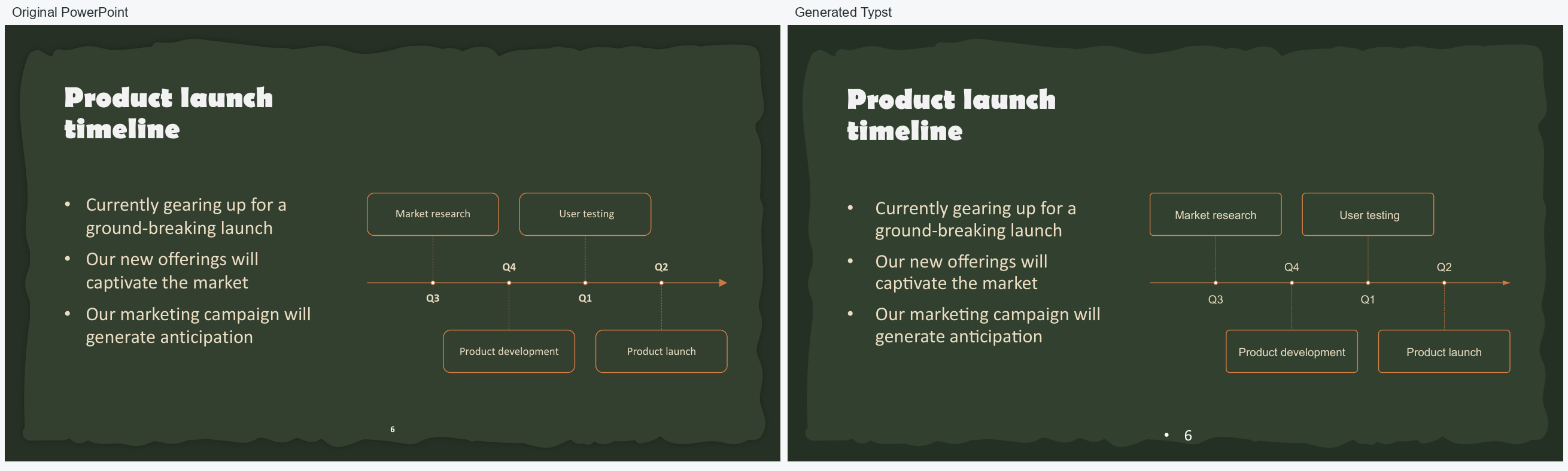
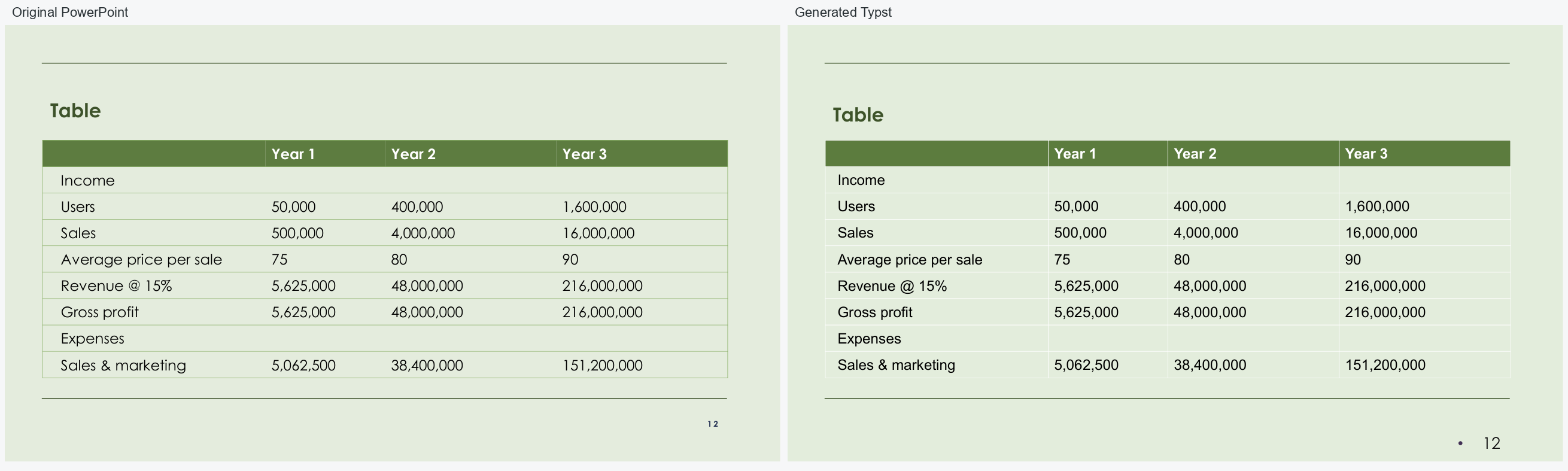
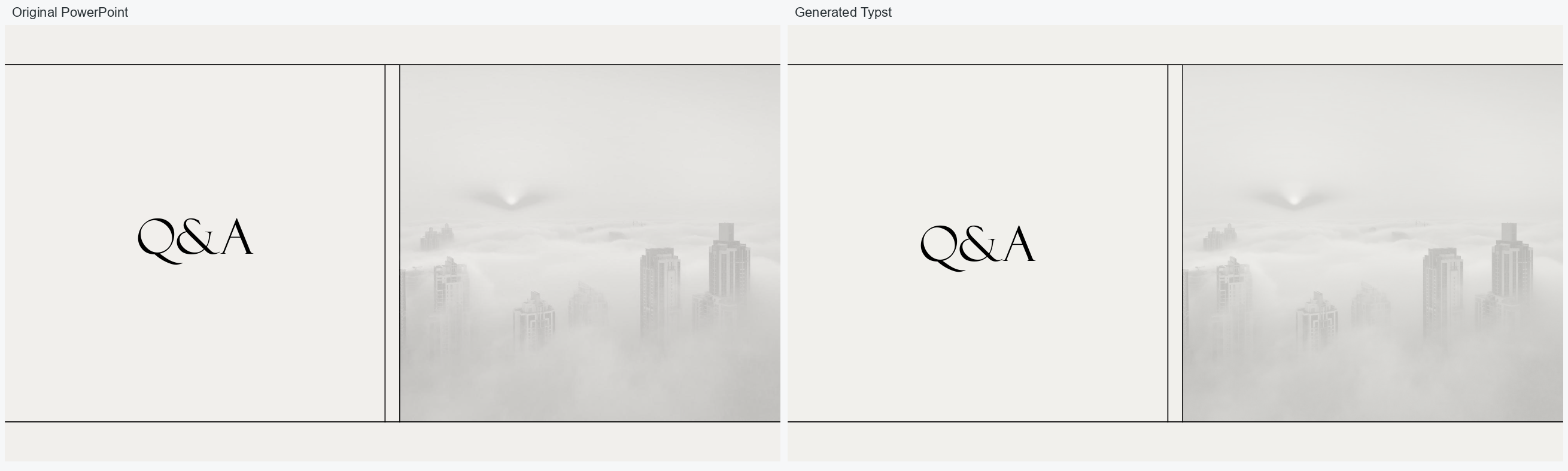
These comparisons use the same slide from each input PowerPoint and generated Typst project. They show representative results from the local Windows/PowerPoint benchmark, not pixel-equivalent output.
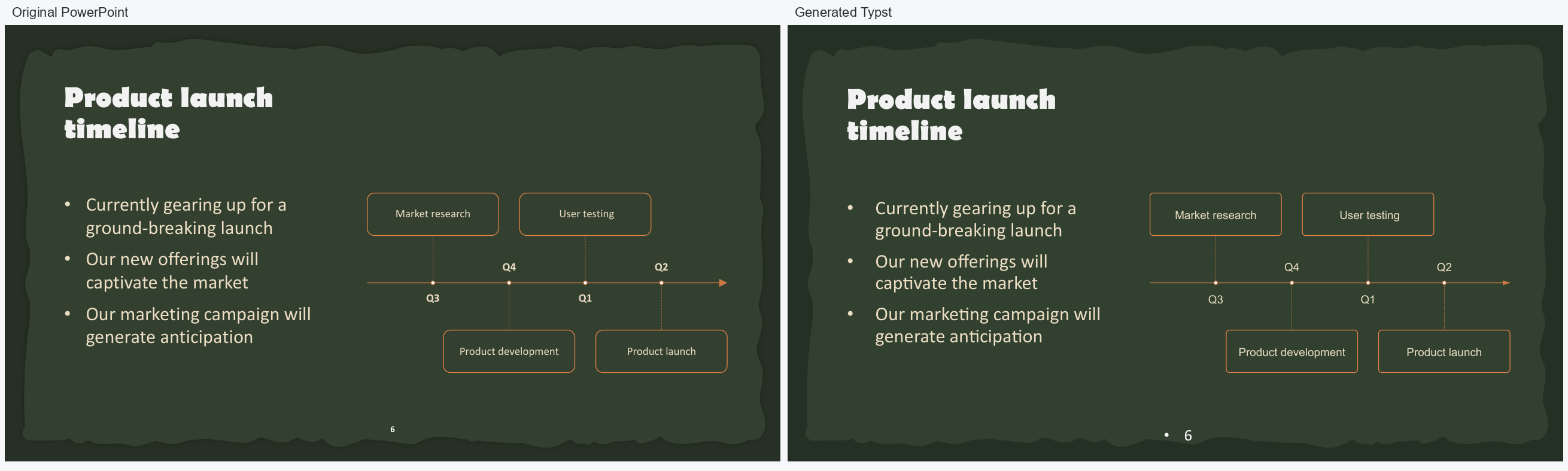
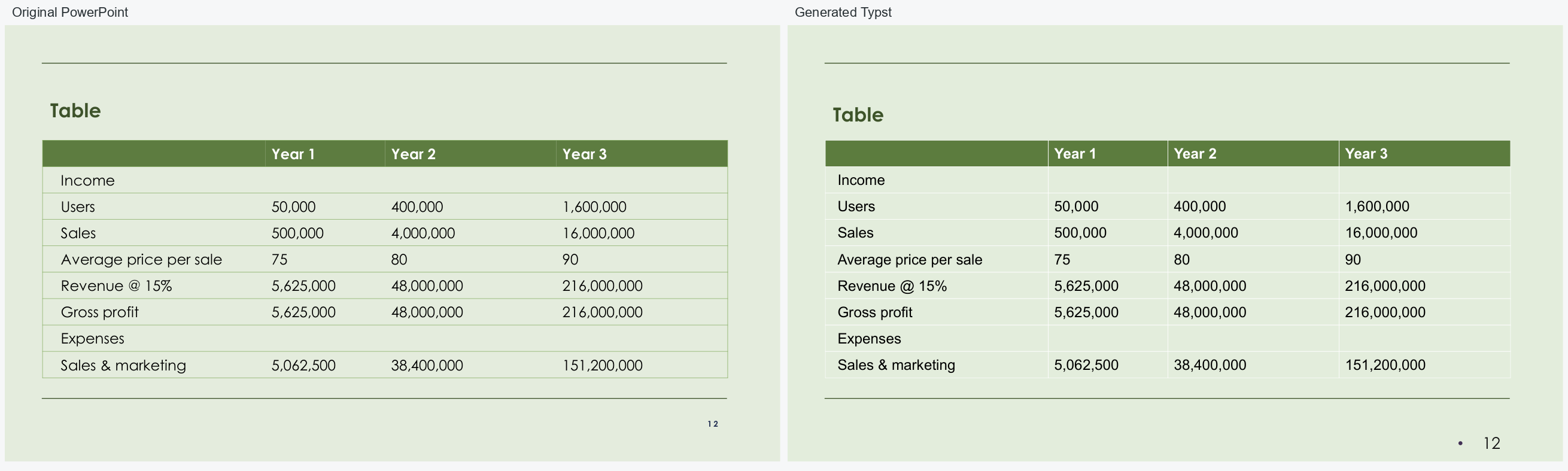
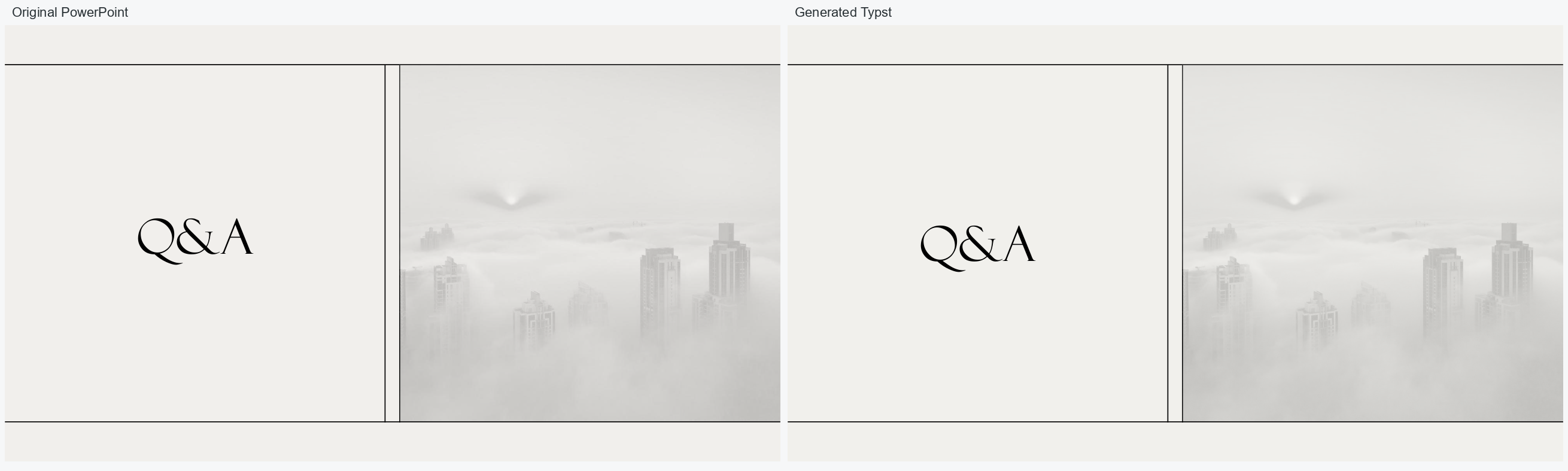


The original FIELD / FORWARD semantic-layout example is also available. The frozen 100-deck benchmark and its methodology are documented in the stabilization report; the separate 29-deck measurement report provides benchmark methodology and results. The source PowerPoint files are not included.
Python API
The supported reverse conversion function is available as pptx_typst.typst_to_pptx:
from pptx_typst import typst_to_pptx

report = typst_to_pptx("presentation-typst/main.typ", "presentation.pptx")
Development
python -m pip install -e ".[test]"
python -m pytest -q
python -m pip install --upgrade build twine
python -m build
python -m twine check --strict dist/*
Open an issue for questions or bug reports.
License
The software is licensed under the Apache License 2.0.
1 maintainer

Metadata
1 maintainer
Release files for pptx-typst 0.1.0
For a detailed explanation of source distributions (sdists) and built distributions (wheels), please see the package formats documentation.
Source distribution (sdist)
| File | Size | Uploaded | Provenance | |
|---|---|---|---|---|
| pptx_typst-0.1.0.tar.gz | 4.0 MB | With provenance | Details |
Built distribution (wheel)
| File | Interpreter | ABI | Platform | Reset |
|---|---|---|---|---|
| pptx_typst-0.1.0-py3-none-any.whl | Python 3 | none | any | Details |
Total release size: 4.1 MB
Release files / pptx_typst-0.1.0.tar.gz
| Download URL | pptx_typst-0.1.0.tar.gz |
|---|---|
| Size | 4.0 MB |
| Tags | Source |
|
SHA-256 checksum How to use checksums |
bf511833789664665864eebc48350ddef9444a2d5527ef42fa0b5367bd6451a5
|
|
BLAKE2b-256 checksum How to use checksums |
1c5451cdb69c27803111763dddb0d9aa70f850e74c3e089bc8cbef014752da9b
|
| Upload date | |
|
Uploaded using Trusted Publishing? What is trusted publishing? |
Yes |
| Uploaded via |
twine/7.0.0 CPython/3.13.16
|
Provenance
Provenance describes where a file came from. On PyPI, provenance is shared via attestations, which provide a verifiable record of the build or publishing details. View details, limitations and caveats.


PyPI Publish Attestation
PyPI verified that this artifact, at this checksum, originated from the publisher listed below.
Signed by GitHub Actions, verified by PyPI on Oct 23, 2026.
Transparency logRelease files / pptx_typst-0.1.0-py3-none-any.whl
| Download URL | pptx_typst-0.1.0-py3-none-any.whl |
|---|---|
| Size | 101.6 kB |
| Tags | Python 3 |
|
SHA-256 checksum How to use checksums |
13c139757e1492ff4626cedfdde2cfbfd7f75ed20da5b955b26cc7c615741ec4
|
|
BLAKE2b-256 checksum How to use checksums |
497176106bd5763fdbb186677d8e909cf933cb1f151bc8b2b73b83777200f465
|
| Upload date | |
|
Uploaded using Trusted Publishing? What is trusted publishing? |
Yes |
| Uploaded via |
twine/7.0.0 CPython/3.13.16
|
Provenance
Provenance describes where a file came from. On PyPI, provenance is shared via attestations, which provide a verifiable record of the build or publishing details. View details, limitations and caveats.
PyPI Publish Attestation
PyPI verified that this artifact, at this checksum, originated from the publisher listed below.
Signed by GitHub Actions, verified by PyPI on Oct 23, 2026.
Transparency logSecurity for pptx-typst 0.1.0
Provenance
Provenance describes where a file came from. On PyPI, provenance is shared via attestations, which provide a verifiable record of the build or publishing details. View details, limitations and caveats.
Full provenance
All 2 files in this release have been uploaded with provenance metadata.
Attestation for pptx_typst-0.1.0.tar.gz
PyPI Publish Attestation
PyPI verified that this artifact, at this checksum, originated from the publisher listed below.
Signed by GitHub Actions, verified by PyPI on Oct 23, 2026.
Transparency logA note on package security
PyPI is a repository for distributing packages, not a service for auditing them. While third-party security researchers and our staff do their best to detect and remove malicious packages, PyPI cannot guarantee the quality, security or suitability of any given package.
To learn more about protecting yourself from malicious actors, visit our package security documentation.