
pptxboss
A PowerPoint engine written from scratch in Rust: read .pptx and legacy .ppt decks, extract text, notes, tables, charts and images, render Markdown, verify against ECMA-376, create decks. One core, a CLI, and pythonic bindings.





Docs · PyPI · crates.io · Benchmarks
Reading a PowerPoint file should not require PowerPoint, a Java runtime, or a pure-Python XML tree. pptxboss is a clean-room reader built from the ECMA-376 specification (Office Open XML): safe Rust, no C dependencies, no bindings to another engine, one core behind the CLI and the Python extension. It is a lenient reader: real decks are damaged, so it tolerates broken archives, content types and relationships, recovers the slide list when the presentation part does not list it, and skips what it cannot read instead of refusing, reporting every skip.
Highlights
- Clean-room engine: implemented from ECMA-376 Parts 1 to 4 in safe Rust, with no compression or XML dependency.
- Reads only what it needs: extracting text from a 42 MB deck never reads its 40 MB of media.
- Fast on one core, faster on all: slides are read in parallel across
cores.
--threads 1keeps everything on the calling thread and is still the fastest engine measured (benchmarks). - Strict and Transitional alike: the Open XML SDK's Strict-namespace
test decks, which most readers refuse, read and verify like any other,
and
mc:AlternateContentis resolved per Part 3. - The whole deck, not just the slides: speaker notes, comments with their authors, threaded comments included, sections, core and application properties, embedded objects with their bytes, pictures with their image parts, hyperlinks, and alternative text on request. Chart titles, series, categories and values and the text of SmartArt diagrams are extracted with the slide text.
- Markdown output:
pptxboss markdownrenders a deck as a heading per slide, bullets with their levels, GFM tables, images, chart tables and diagram outlines, with notes and comments as block quotes on request. - A verifier:
pptxboss checkruns 72 structural rules from ECMA-376 Parts 1 and 2 over the container, part names, content types, relationships, required parts, id ranges and XML well-formedness. Every finding has a stable code, a severity and the clause it enforces. Decks saved by PowerPoint pass with no findings. - Fastest measured: 9,868 files/s extracting text over a 631-file public corpus, and 7,942 files/s on one thread: 3.1x and 2.5x the next fastest Rust engine, 16x to 20x the most-used Python library, with chart and SmartArt text included that no other engine measured produces, and paragraph-for-paragraph agreement on every file the comparison includes (benchmarks).
- Reads legacy
.ppttoo: the PowerPoint 97-2003 binary format is read from the MS-CFB, MS-PPT and MS-ODRAW specifications into the same slide model, so every reading command and API works on it unchanged.
Install
pip install pptxboss          # Python package with the extension module
cargo install pptxboss-cli    # the pptxboss binary
Coding agents get a bundled skill: pptxboss skill install writes it into the agent's skill directory, and npx skills add 4thel00z/pptxboss installs it from skills.sh.
Usage
pptxboss info deck.pptx             # slide count, size, one line per slide
pptxboss text deck.pptx             # slide text, slides separated by blank lines
pptxboss text --notes --headings deck.pptx
pptxboss text --comments --alt-text deck.pptx   # comments after each slide; alt text of pictures
pptxboss markdown --notes deck.pptx # the deck as Markdown, notes as block quotes
pptxboss text --json deck.pptx      # [{"number": 1, "text": "..."}, ...]
pptxboss text --slides 2-4,7 deck.pptx  # only those slides, in that order; also on info and markdown
pptxboss text --threads 1 deck.pptx # cap the worker threads (default: every core)
pptxboss check deck.pptx            # verify against ECMA-376; exit 1 on errors
pptxboss check --json --quiet deck.pptx
pptxboss rules                      # every rule with its code, severity and clause
pptxboss create text out.pptx --title "Hello" --bullet "one" --bullet "two" --notes "say hi"
pptxboss create md out.pptx deck.md # '#' title slide, '##' content slides, list items, Notes:
pptxboss create blank out.pptx --slides 3
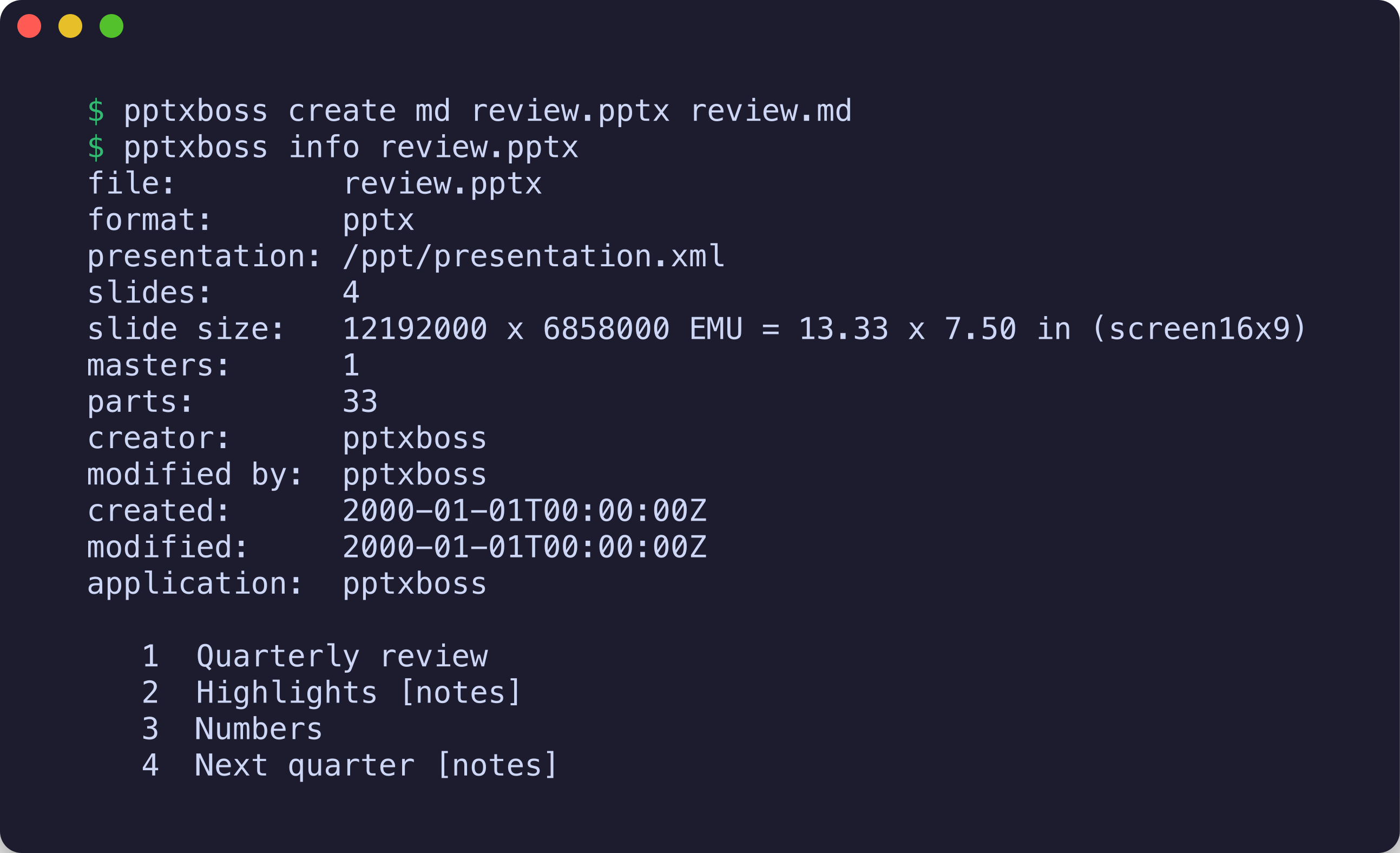
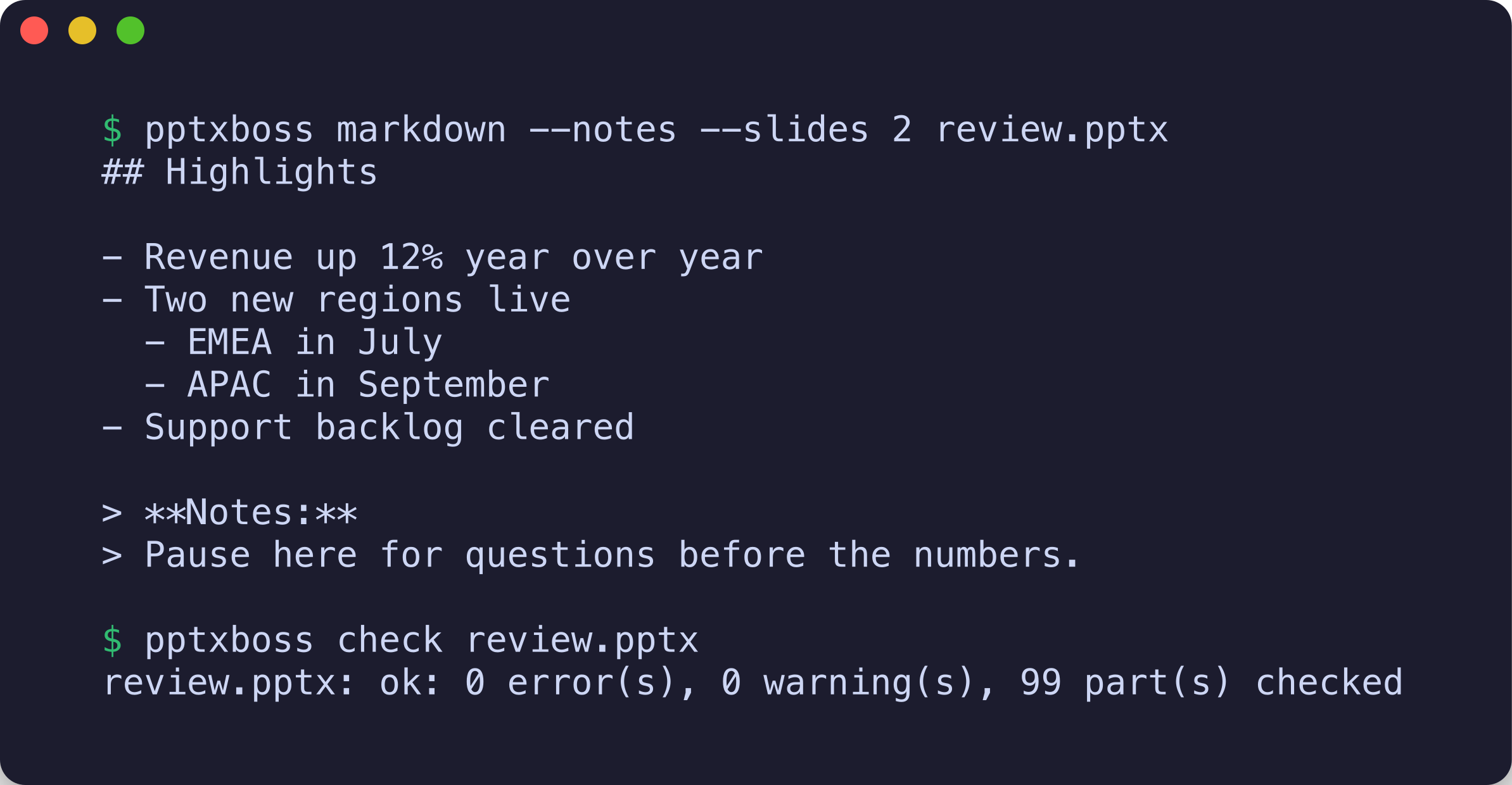
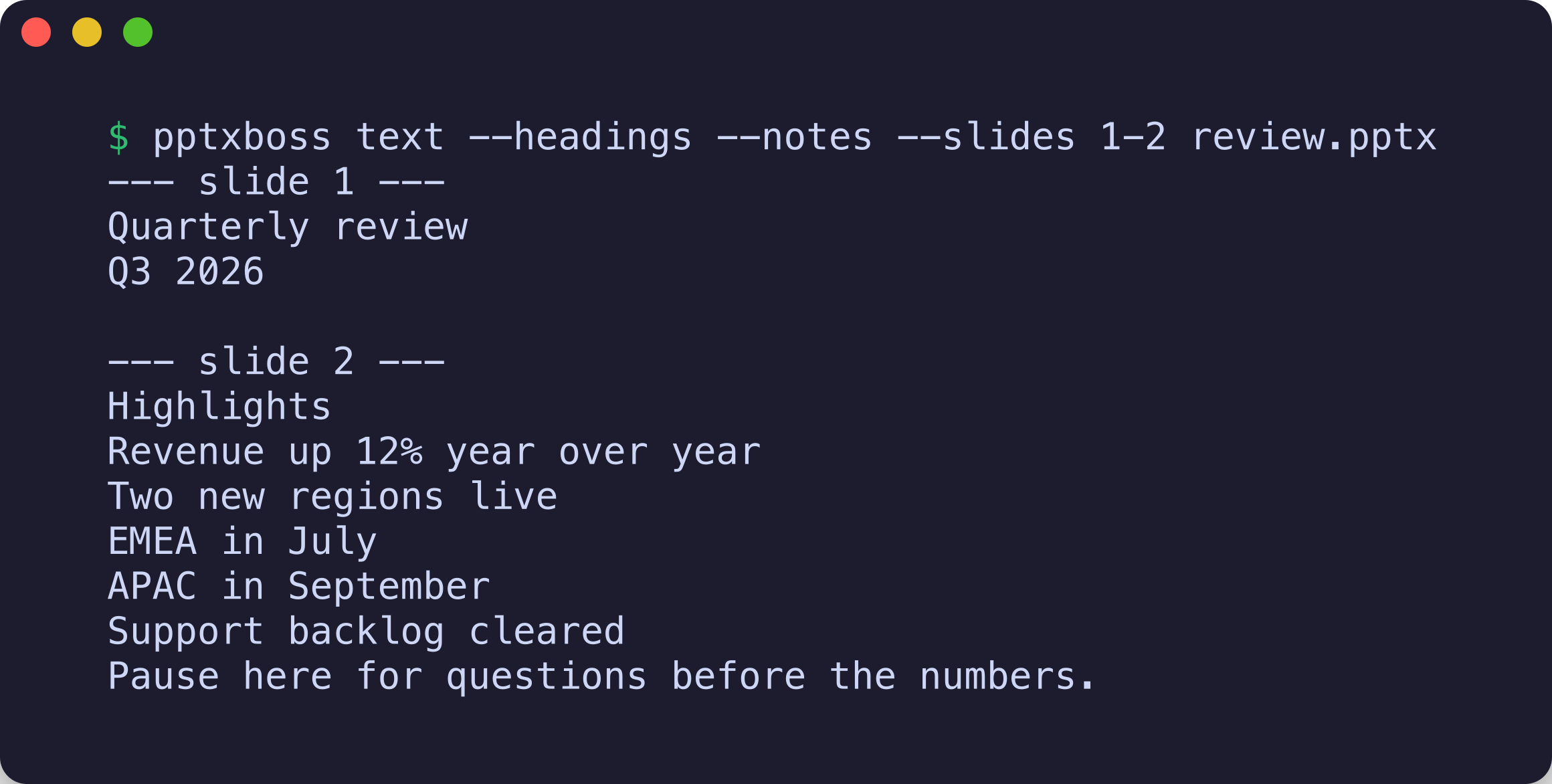
Text semantics: shapes in z-order (which ECMA-376 makes the reading order), paragraphs one per line, line breaks preserved, fields included, table rows one per line with tab-separated cells, groups descended, chart titles and data as rows, diagram nodes one per line, hidden shapes and date/footer/slide-number placeholders left out unless asked for. Text is never inherited from a layout or master, so empty placeholders stay empty.
import pptxboss

doc = pptxboss.Document("deck.pptx")   # threads=1 to stay on one core
print(doc.slide_count, doc.slide_size)
for slide in doc:                      # slides parse lazily
    print(slide.number, slide.title)
    print(slide.text())                # z-order, one paragraph per line
    print(slide.notes())               # speaker notes or None
    for table in slide.tables():       # rows of cell texts
        print(table)
    for image in slide.images():       # pictures with their image parts
        data = slide.image_bytes(image)
    for comment in slide.comments():   # author, date, text; replies flagged
        print(comment.author, comment.text)
    for obj in slide.embedded_objects():  # p:oleObj with prog_id and part
        data = slide.object_bytes(obj)
    for chart in slide.charts():       # title, kinds, series with categories and values
        print(chart.title, [s.name for s in chart.series])
    for diagram in slide.diagrams():   # SmartArt as (level, text) items
        print(diagram.items)
print(doc.markdown(notes=True))        # the deck as Markdown
props = doc.core_properties()          # title, creator, created, modified, ...
for section in doc.sections():         # name and zero-based slide indexes
    print(section.name, section.slides)
text, warnings = doc.text_reporting()  # whole deck, plus what was skipped
text, report = doc.extract(indexes=[0, 2])  # chosen slides, structured report
package = doc.package()                # raw parts, content types, relationships

for finding in pptxboss.check("deck.pptx"):   # the verifier, most severe first
    print(finding.severity, finding.code, finding.clause, finding.message)
report = pptxboss.check_report("deck.pptx")   # findings plus parts_checked, truncated
use pptxboss_core::Document;

fn main() -> Result<(), Box<dyn std::error::Error>> {
    let doc = Document::open("deck.pptx")?;
    for slide in doc.slides() {
        let slide = slide?;
        println!("{}: {}", slide.number(), slide.title().unwrap_or_default());
        println!("{}", slide.text());
        if let Some(notes) = slide.notes_text()? {
            println!("notes: {notes}");
        }
    }
    let (text, report) = doc.text_reporting(&Default::default());
    for warning in report.warnings() {
        eprintln!("warning: {warning}");
    }
    println!("{text}");
    Ok(())
}
Create decks
use pptxboss_write::{Block, Presentation, Slide, Theme};

let deck = Presentation::new()
    .theme(Theme::slate())
    .slide(Slide::title_slide("Quarterly review", Some("Q3 2026")))
    .slide(Slide::titled("Highlights").bullet("Revenue up").sub_bullet("in every region", 1).notes("Pause here"))
    .slide(Slide::titled("Numbers").columns(vec![
        Block::bullets(["EMEA grew fastest", "APAC flat"]),
        Block::table(vec![vec!["Region".into(), "Growth".into()], vec!["EMEA".into(), "12%".into()]], true),
    ]));
deck.write_to("review.pptx")?;
Content without coordinates is placed by the layout engine: it measures
text with embedded font metrics, stacks blocks or sets them in columns,
shrinks body text to the theme's minimum when a slide is full, and
continues what is left on the next slide. Theme::embed_font stores a
TrueType or OpenType file in the deck, compressed the way PowerPoint
stores its own embedded fonts, so it renders in that font on machines
that lack it. Output is deterministic (fixed timestamps, fixed
part order), reads back through pptxboss-core, and passes
pptxboss check with no findings.
The same from Python, and from Markdown through the CLI:
from pptxboss import write

deck = write.Presentation(theme=write.Theme.preset("nord"))
deck.add(write.Slide("Text beside a picture")
    .columns(["Seven twelfths for the text", "Five for the picture"], write.Picture(open("chart.png", "rb").read()))
    .table(rows))
deck.save("review.pptx")
pptxboss create md out.pptx slides.md --theme mocha # a long list continues on the next slide
Slides from cargo run -p pptxboss-write --example placed -- placed.pptx chart.png,
rendered with LibreOffice:
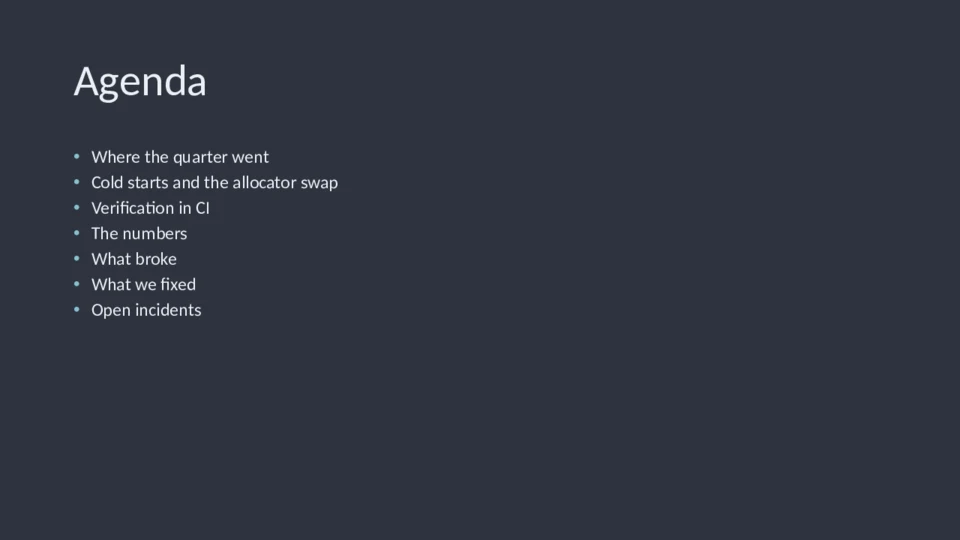
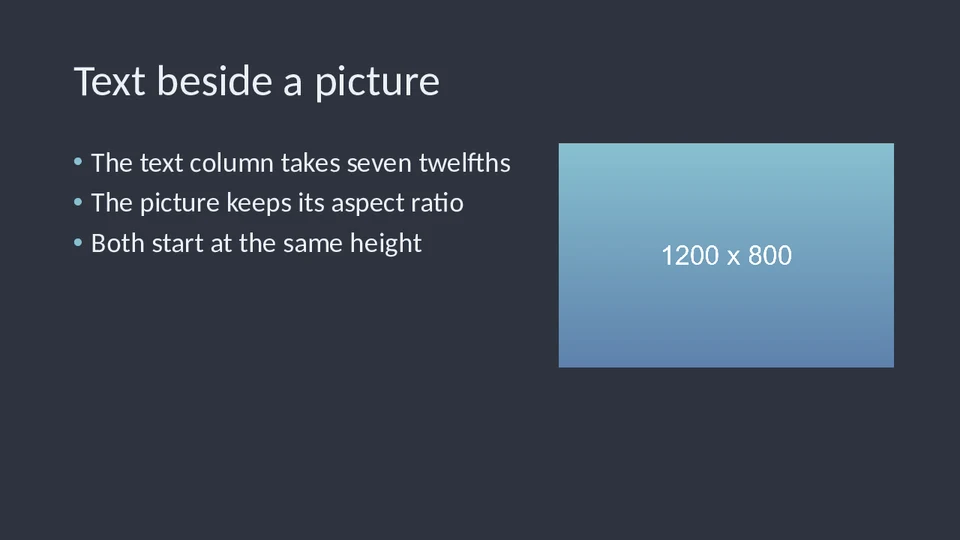
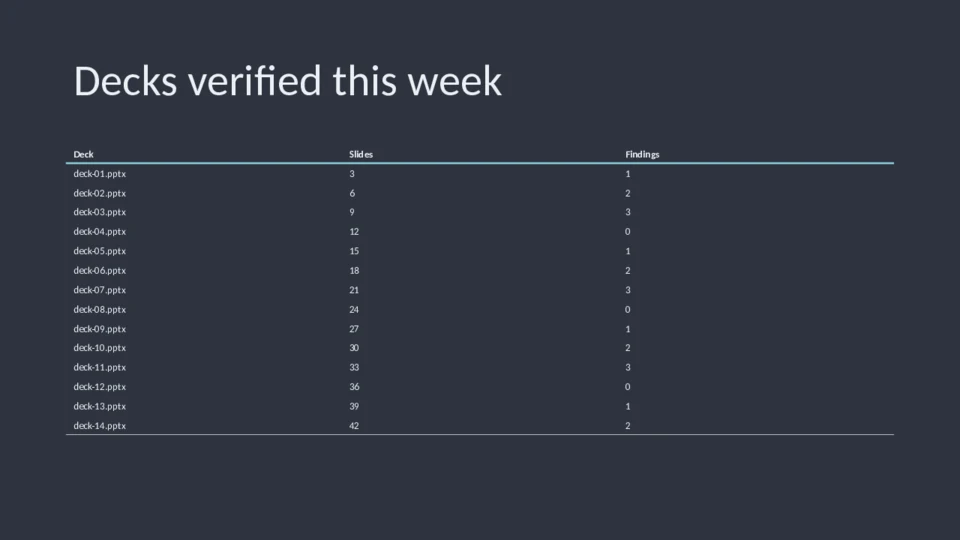
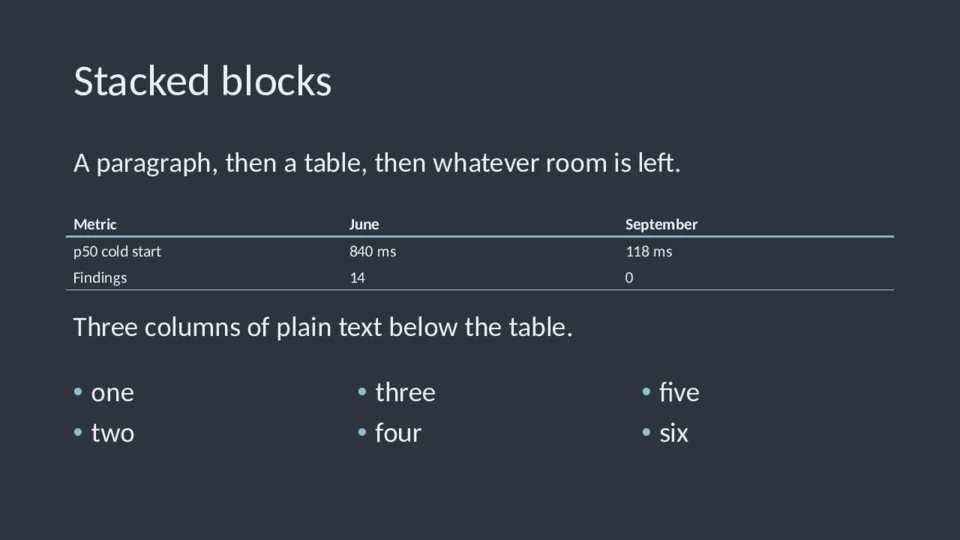
Fourteen agenda items split seven and seven at full size instead of shrinking; the table continues on a second slide with its header row; the picture column takes five twelfths of the width.
Benchmarks
pptxboss is the fastest library measured, on one thread as well as on all cores: 2.5x to 3x the next fastest Rust engine and 16x to 20x python-pptx, with paragraph-for-paragraph agreement on every file the comparison includes.
Text extraction from Python over the 737 .pptx files of the LibreOffice,
Apache POI, python-pptx, pandoc and Open XML SDK test suites, best of 3 per
file after a warm-up pass, aggregated over the 631 files every engine
handled, Apple M3 Pro. A file counts only when pptxboss reports nothing
skipped and its per-slide paragraphs match python-pptx after whitespace
normalization: 636 files pass, and not one is excluded for a disagreement.
The 101 exclusions are 86 Strict-namespace decks python-pptx cannot open,
11 fuzzer-minimized archives, one encrypted deck, and two fuzzer cases
pptxboss reports as unreadable.
| Library | files/s | slides/s |
|---|---|---|
| pptxboss, all cores | 9,868 | 21,424 |
pptxboss, one thread (threads=1) |
7,942 | 17,243 |
| office-oxide | 3,163 | 6,867 |
| kreuzberg | 1,866 | 4,051 |
| undoc | 1,831 | 3,975 |
| python-pptx | 488 | 1,060 |
| markitdown | 71 | 154 |
Method and fine print
Every engine is called from Python through its own adapter. pptxboss
spreads a deck's slides across cores unless threads=1 keeps it on the
calling thread; the one-thread row is the like-for-like comparison, since
the other Rust engines run one thread per file (office-oxide's wheel was
measured at 0.9 to 1.1 CPU seconds per wall second). The pptxboss rows
include chart and SmartArt text, which none of the other engines produce;
on this corpus that costs pptxboss 13% of its one-thread time, and
text(charts=False, diagrams=False) leaves it out. The test-suite corpus
is small files, so the rows are dominated by per-file cost.
On two real-world PowerPoint decks (7 and 43 slides, 3 MB and 42 MB) the same harness, best of 40:
| Deck | office-oxide | pptxboss, one thread | pptxboss, all cores |
|---|---|---|---|
| 43 slides, wall | 4.89 ms | 1.38 ms | 0.44 ms |
| 43 slides, CPU | 5.19 ms | 1.41 ms | 2.60 ms |
| 7 slides, wall | 1.05 ms | 0.28 ms | 0.16 ms |
| 7 slides, CPU | 1.10 ms | 0.28 ms | 0.52 ms |
Legacy .ppt decks: over the 153 readable files of the LibreOffice and
Apache POI .ppt test suites (41 MB), the same harness reads text with
pptxboss in 15 ms against 61 ms for office-oxide, best of 3 per file, both
on one thread, which is the default for a legacy deck. The words agree on
87 of the 89 decks that contain text; the other two have a broken user-edit
chain that pptxboss recovers only partially. office-oxide includes master
placeholder text, pptxboss never does.
The paragraph comparison is against python-pptx only, because the other
engines do not expose per-slide paragraphs. Absolute numbers depend on
the machine and on the cores macOS schedules the process on. Reproduce with
benchmarks/bench.py after
benchmarks/corpora/fetch_public.sh. Engine versions are recorded in
benchmarks/results.json.
What's inside
| Crate | What it does |
|---|---|
pptxboss-core |
Reads .pptx and legacy .ppt decks: slides, notes, tables, charts, diagrams, comments, pictures, properties, text and Markdown extraction |
pptxboss-check |
The verifier: 72 clause-numbered rules over package and presentation structure |
pptxboss-write |
Creates decks: titles, bullets, formatted runs with colors and links, text boxes, tables, pictures, notes; themes with presets and solid, gradient or picture backgrounds; Markdown to slides; deterministic output that passes the verifier with no findings |
pptxboss-cli |
The pptxboss binary |
pptxboss-py |
The pptxboss._pptxboss extension module behind the Python package |
pptxboss-testkit |
In-memory ZIP and deck builders for tests; not published |
Limitations
- Password-protected files (encrypted packages and encrypted
.ppt) are detected and refused with an error that says so, not decrypted. - Legacy
.pptdecks give their text, titles, notes, hidden flags, slide size and pictures, and are read whole into memory; their tables, charts, comments and properties are not read, the verifier covers ECMA-376 packages only, socheckrefuses them, and PowerPoint 95 files are refused. - No rendering of slides to images.
Documentation
The pptxboss book covers installation, one guide chapter per task (text, notes and structure, images, verifying, creating decks, Markdown to slides) and CLI, Python, Rust and verifier-rule reference chapters. It is built with mdBook from docs/ by the book workflow and published on GitHub Pages. Per-crate Rust API documentation is on docs.rs.
Development
cargo test --workspace
cargo clippy --workspace --all-targets -- -D warnings
maturin develop && pytest
make ci
License
Licensed under either of Apache License, Version 2.0 or MIT license at your option. Unless you explicitly state otherwise, any contribution intentionally submitted for inclusion in this project shall be dual licensed as above, without any additional terms or conditions.
1 maintainer

Metadata
1 maintainer
Release files for pptxboss 2.2.0
For a detailed explanation of source distributions (sdists) and built distributions (wheels), please see the package formats documentation.
Source distribution (sdist)
| File | Size | Uploaded | |
|---|---|---|---|
| pptxboss-2.2.0.tar.gz | 298.4 kB | Details |
Built distributions (wheels)
| File | Interpreter | ABI | Platform | Reset |
|---|---|---|---|---|
| pptxboss-2.2.0-cp312-abi3-manylinux_2_17_x86_64.manylinux2014_x86_64.whl | CPython 3.12 | abi3 | Linux glibc 2.17+ x86-64 | Details |
| pptxboss-2.2.0-cp312-abi3-macosx_11_0_arm64.whl | CPython 3.12 | abi3 | macOS 11.0+ ARM64 | Details |
Total release size: 2.4 MB
Release files / pptxboss-2.2.0.tar.gz
| Download URL | pptxboss-2.2.0.tar.gz |
|---|---|
| Size | 298.4 kB |
| Tags | Source |
|
SHA-256 checksum How to use checksums |
2d46b9ebc94be559450efb79df93a8ac618e8d424df5f5b74b9b51e684f60070
|
|
BLAKE2b-256 checksum How to use checksums |
da537b78eeec3d961acaaf1d4c31314cdc4b6b67a0535d9a67774eae8fd26e5f
|
| Upload date | |
|
Uploaded using Trusted Publishing? What is trusted publishing? |
Yes |
| Uploaded via |
twine/7.0.0 CPython/3.13.14
|
Provenance
Provenance describes where a file came from. On PyPI, provenance is shared via attestations, which provide a verifiable record of the build or publishing details. View details, limitations and caveats.


PyPI Publish Attestation
PyPI verified that this artifact, at this checksum, originated from the publisher listed below.
Signed by GitHub Actions, verified by PyPI on Sep 24, 2026.
Transparency logRelease files / pptxboss-2.2.0-cp312-abi3-manylinux_2_17_x86_64.manylinux2014_x86_64.whl
| Download URL | pptxboss-2.2.0-cp312-abi3-manylinux_2_17_x86_64.manylinux2014_x86_64.whl |
|---|---|
| Size | 1.1 MB |
| Tags | CPython 3.12 Linux glibc 2.17+ x86-64 abi3 |
|
SHA-256 checksum How to use checksums |
bbd38c836a48392fbf270ae667e8162855e3c32633ecdc632fa673f0c9845016
|
|
BLAKE2b-256 checksum How to use checksums |
ae9870bc35bf5c6682a148170500a593a79cddec8165b7c962b15e5aaf01bae8
|
| Upload date | |
|
Uploaded using Trusted Publishing? What is trusted publishing? |
Yes |
| Uploaded via |
twine/7.0.0 CPython/3.13.14
|
Provenance
Provenance describes where a file came from. On PyPI, provenance is shared via attestations, which provide a verifiable record of the build or publishing details. View details, limitations and caveats.
PyPI Publish Attestation
PyPI verified that this artifact, at this checksum, originated from the publisher listed below.
Signed by GitHub Actions, verified by PyPI on Sep 24, 2026.
Transparency logRelease files / pptxboss-2.2.0-cp312-abi3-macosx_11_0_arm64.whl
| Download URL | pptxboss-2.2.0-cp312-abi3-macosx_11_0_arm64.whl |
|---|---|
| Size | 994.9 kB |
| Tags | CPython 3.12 abi3 macOS 11.0+ ARM64 |
|
SHA-256 checksum How to use checksums |
ed743b4e606b75dde40625f1c216568e277be82ded6411a212c7f6daa5966fbb
|
|
BLAKE2b-256 checksum How to use checksums |
a0d55b048f34b39ed8ee53505cfcbbe9a47c74b924d81d9cf22a7b284126da7d
|
| Upload date | |
|
Uploaded using Trusted Publishing? What is trusted publishing? |
Yes |
| Uploaded via |
twine/7.0.0 CPython/3.13.14
|
Provenance
Provenance describes where a file came from. On PyPI, provenance is shared via attestations, which provide a verifiable record of the build or publishing details. View details, limitations and caveats.
PyPI Publish Attestation
PyPI verified that this artifact, at this checksum, originated from the publisher listed below.
Signed by GitHub Actions, verified by PyPI on Sep 24, 2026.
Transparency log













