
desc

Project description
Getting Started with PQ API v2
Introduction
desc
Building
You must have Python 3 >=3.7, <= 3.9 installed on your system to install and run this SDK. This SDK package depends on other Python packages like nose, jsonpickle etc. These dependencies are defined in the requirements.txt file that comes with the SDK. To resolve these dependencies, you can use the PIP Dependency manager. Install it by following steps at https://pip.pypa.io/en/stable/installing/.
Python and PIP executables should be defined in your PATH. Open command prompt and type pip --version. This should display the version of the PIP Dependency Manager installed if your installation was successful and the paths are properly defined.
- Using command line, navigate to the directory containing the generated files (including
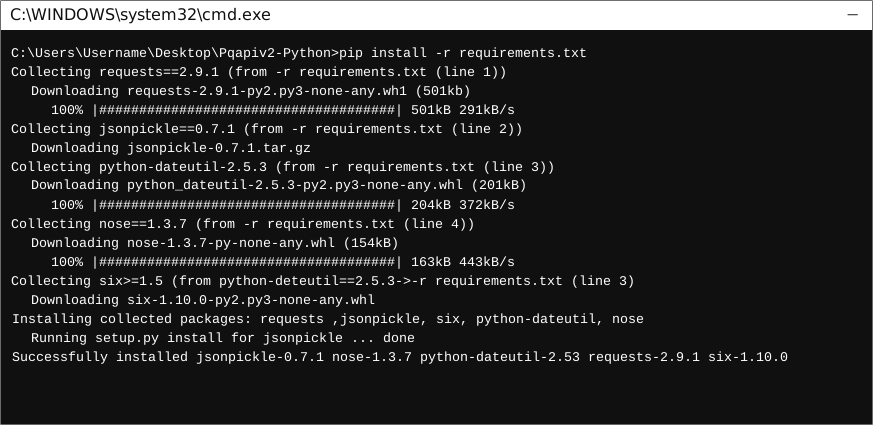
requirements.txt) for the SDK. - Run the command
pip install -r requirements.txt. This should install all the required dependencies.
Installation
The following section explains how to use the pqapiv2 library in a new project.
1. Open Project in an IDE
Open up a Python IDE like PyCharm. The basic workflow presented here is also applicable if you prefer using a different editor or IDE.
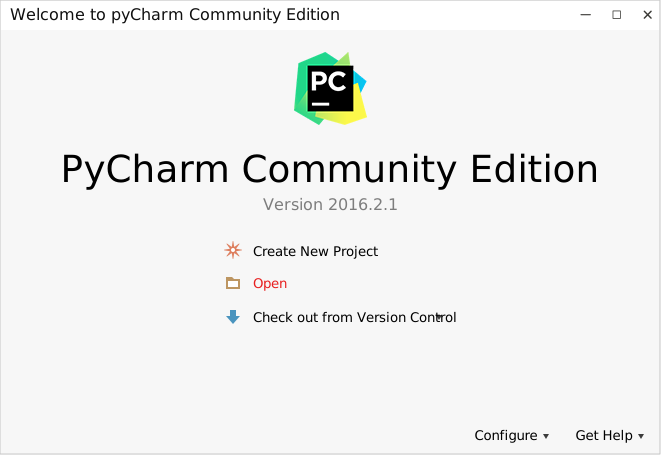
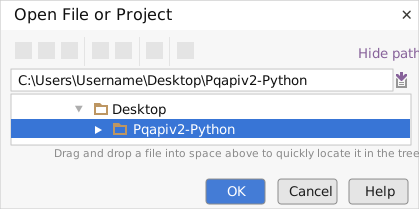
Click on Open in PyCharm to browse to your generated SDK directory and then click OK.
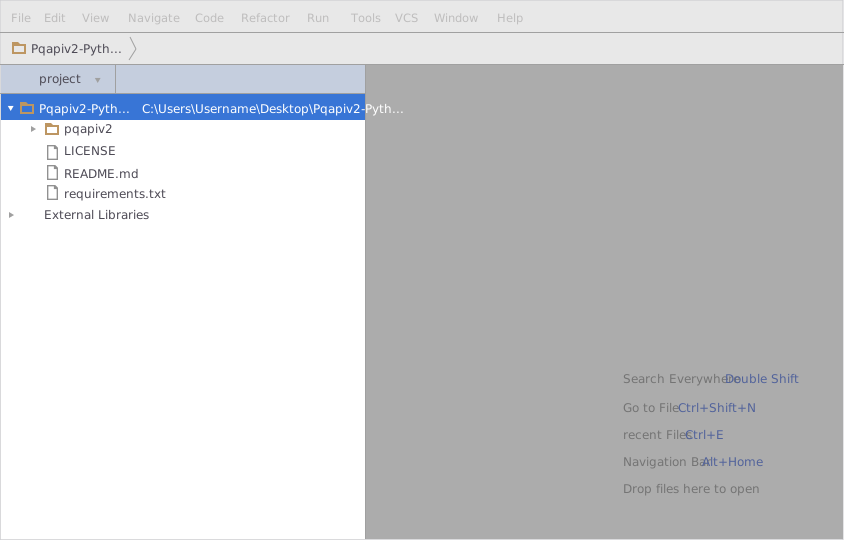
The project files will be displayed in the side bar as follows:
2. Add a new Test Project
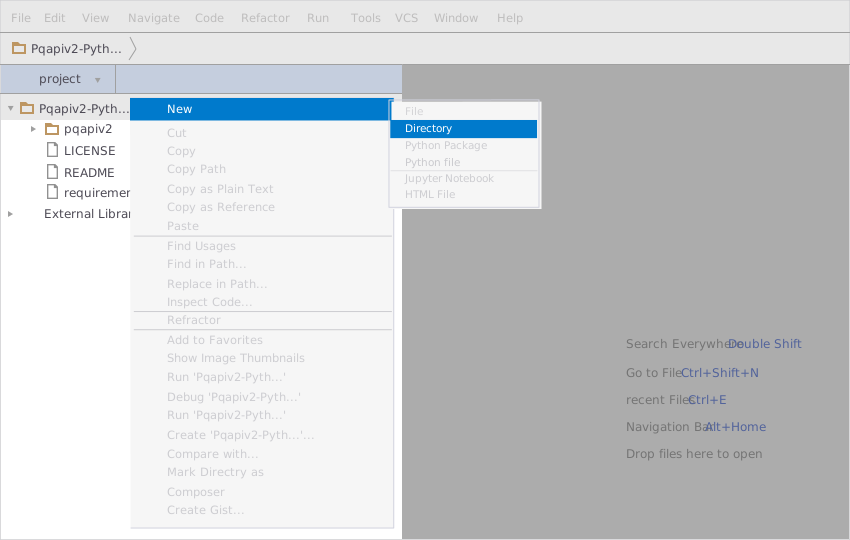
Create a new directory by right clicking on the solution name as shown below:
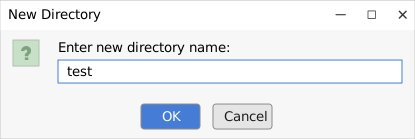
Name the directory as "test".
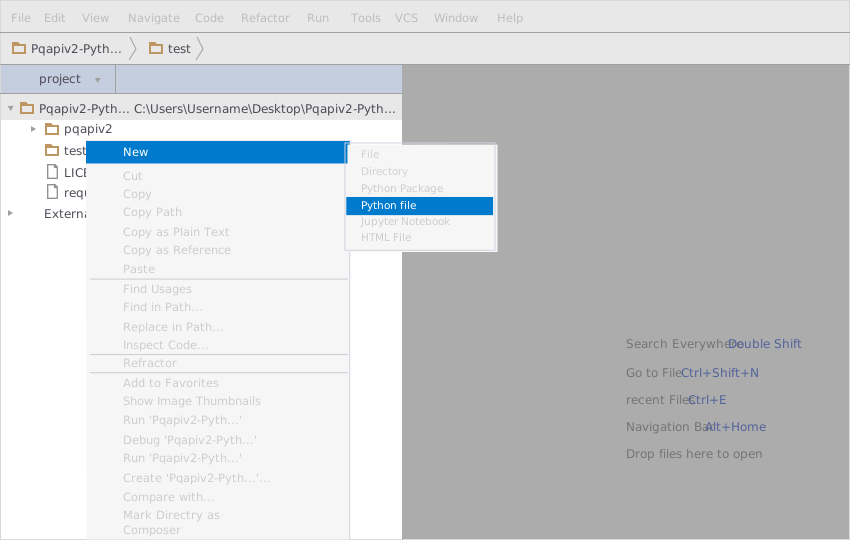
Add a python file to this project.
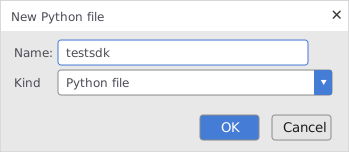
Name it "testSDK".
In your python file you will be required to import the generated python library using the following code lines
from pqapiv2.pqapiv_2_client import Pqapiv2Client
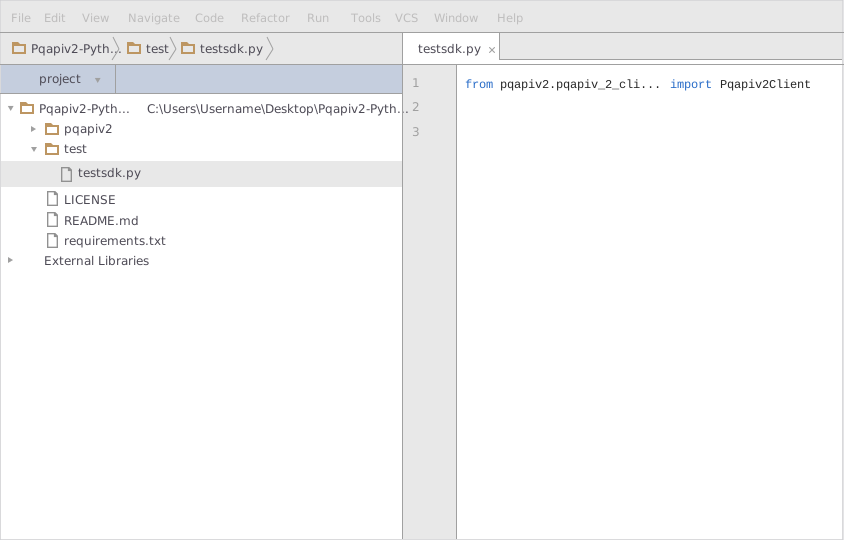
After this you can write code to instantiate an API client object, get a controller object and make API calls. Sample code is given in the subsequent sections.
3. Run the Test Project
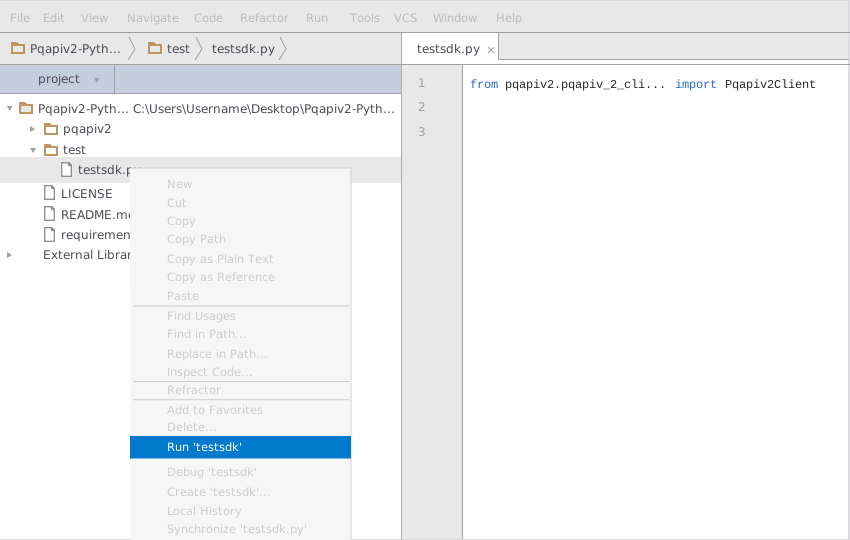
To run the file within your test project, right click on your Python file inside your Test project and click on Run
Test the SDK
You can test the generated SDK and the server with test cases. unittest is used as the testing framework and nose is used as the test runner. You can run the tests as follows:
Navigate to the root directory of the SDK and run the following commands
pip install -r test-requirements.txt
nosetests
Initialize the API Client
Note: Documentation for the client can be found here.
The following parameters are configurable for the API Client:
| Parameter | Type | Description |
|---|---|---|
environment |
Environment | The API environment. Default: Environment.PRODUCTION |
http_client_instance |
HttpClient |
The Http Client passed from the sdk user for making requests |
override_http_client_configuration |
bool |
The value which determines to override properties of the passed Http Client from the sdk user |
http_call_back |
HttpCallBack |
The callback value that is invoked before and after an HTTP call is made to an endpoint |
timeout |
float |
The value to use for connection timeout. Default: 60 |
max_retries |
int |
The number of times to retry an endpoint call if it fails. Default: 0 |
backoff_factor |
float |
A backoff factor to apply between attempts after the second try. Default: 2 |
retry_statuses |
Array of int |
The http statuses on which retry is to be done. Default: [408, 413, 429, 500, 502, 503, 504, 521, 522, 524, 408, 413, 429, 500, 502, 503, 504, 521, 522, 524] |
retry_methods |
Array of string |
The http methods on which retry is to be done. Default: ['GET', 'PUT', 'GET', 'PUT'] |
The API client can be initialized as follows:
from pqapiv2.pqapiv_2_client import Pqapiv2Client
from pqapiv2.configuration import Environment

client = Pqapiv2Client(
    environment=Environment.PRODUCTION,)
List of APIs
- Payments
- Transfers
- Spend Back
- Prepaid Cards
- Paper Checks
- Bank Accounts
- Balances
- Receipts
- Users
- Documents
- Webhooks
- Program
Classes Documentation
Release history Release notifications | RSS feed

Download files
Download the file for your platform. If you're not sure which to choose, learn more about installing packages.
Source Distribution
Built Distribution
Filter files by name, interpreter, ABI, and platform.
If you're not sure about the file name format, learn more about wheel file names.
Copy a direct link to the current filters
File details
Details for the file pqapiv_2-2021.6.17.tar.gz.
File metadata
- Download URL: pqapiv_2-2021.6.17.tar.gz
- Upload date:
- Size: 77.4 kB
- Tags: Source
- Uploaded using Trusted Publishing? No
- Uploaded via: twine/4.0.1 CPython/3.9.13
File hashes
| Algorithm | Hash digest | |
|---|---|---|
| SHA256 |
6635a091e6f8710e8548d79f089b71c3ee23bb6a47f5eab9b281f21808e97364
|
|
| MD5 |
cfa1eb191484229d16fe7e6ad53a45ff
|
|
| BLAKE2b-256 |
f8b8a9aa9c22212723cda0b2d6e42070ae6bbdc24272abbc397772d5449c8f0c
|
File details
Details for the file pqapiv_2-2021.6.17-py3-none-any.whl.
File metadata
- Download URL: pqapiv_2-2021.6.17-py3-none-any.whl
- Upload date:
- Size: 221.6 kB
- Tags: Python 3
- Uploaded using Trusted Publishing? No
- Uploaded via: twine/4.0.1 CPython/3.9.13
File hashes
| Algorithm | Hash digest | |
|---|---|---|
| SHA256 |
3da44514adea9a6b7615f5ff0cb0ab3a072aaa0362579c9beabec4b8bb36c38c
|
|
| MD5 |
de1a996eacc4599fad9e5c38dbd56b4a
|
|
| BLAKE2b-256 |
d7d0e54b398b5e89602b5c8cf8eba78df10d35b93581e62f811c64d744399570
|






