
This release is a pre-release and may not be stable for production use.
pqx
Look inside any Parquet file, from your terminal.
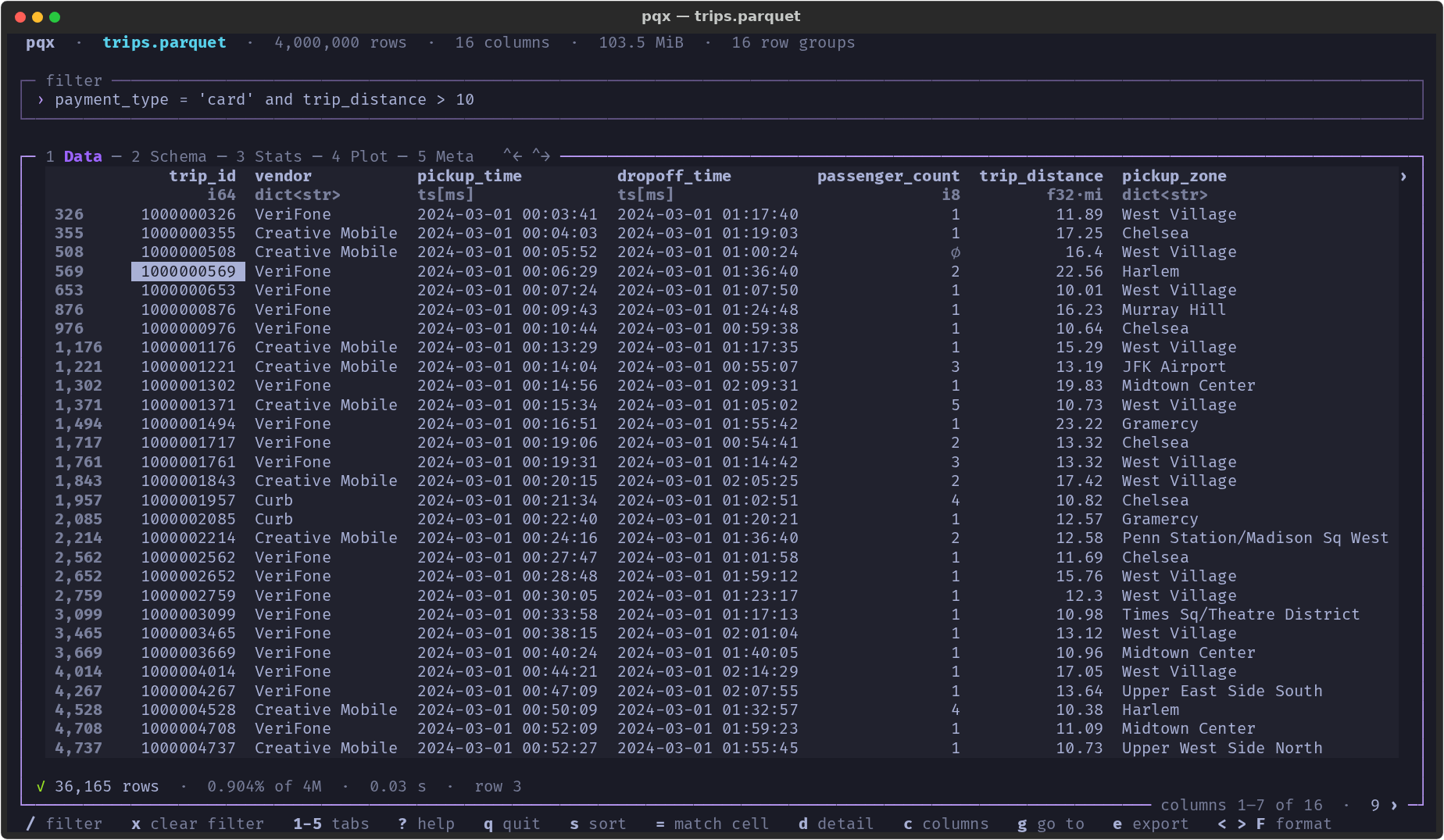
Browse rows, filter with SQL, profile columns, plot, and export.
Files of any size open in under a second.




Install · Tour · Big files · Keys · Astronomy
Install
pipx install pqx          # or: uv tool install pqx   ·   pip install pqx
pqx trips.parquet
The 0.2.0 pre-release has everything on this page: pipx install --pip-args=--pre pqx
or pip install --pre pqx. Python 3.10 or newer. pqx runs in any modern terminal, local or over SSH, and
uses your terminal's own colours.
A quick tour
pqx trips.parquet                                   # browse
pqx trips.parquet -w "payment_type = 'card'"        # open with a filter
pqx trips.parquet -w "select vendor, count(*) from t group by 1"
Browse
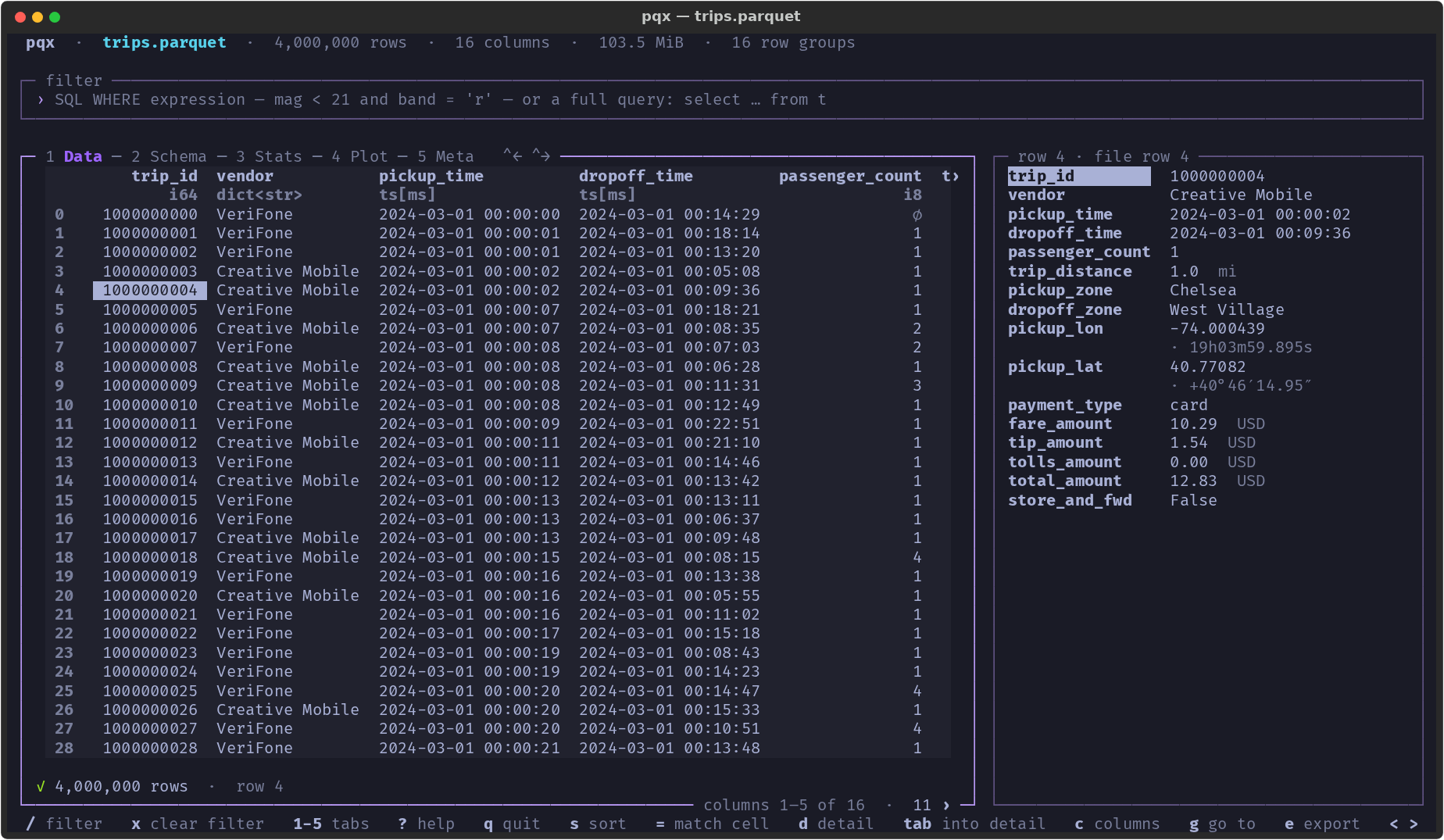
Scroll through every row and column with the keyboard or mouse. Headers show each column's type and unit. Press d to see the current row as a list, every column at full precision.
Filter and query with SQL
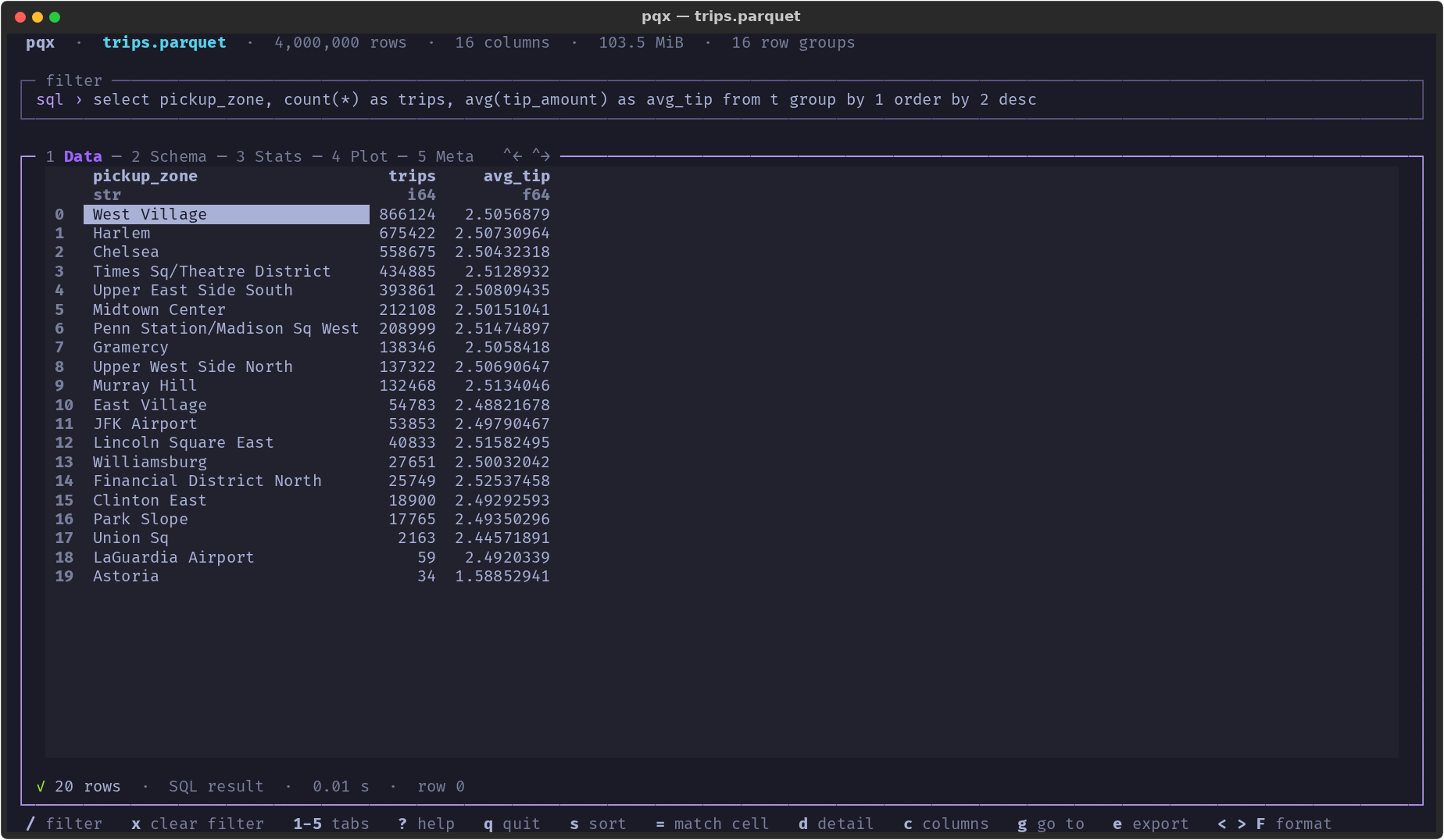
Press / and type a WHERE expression, or a whole query over the table t.
Column names complete as you type, and errors show inline without losing your
place. The filter applies everywhere: grid, stats, plots and export. Press
= on any cell to keep only rows with that value.
See the schema at a glance
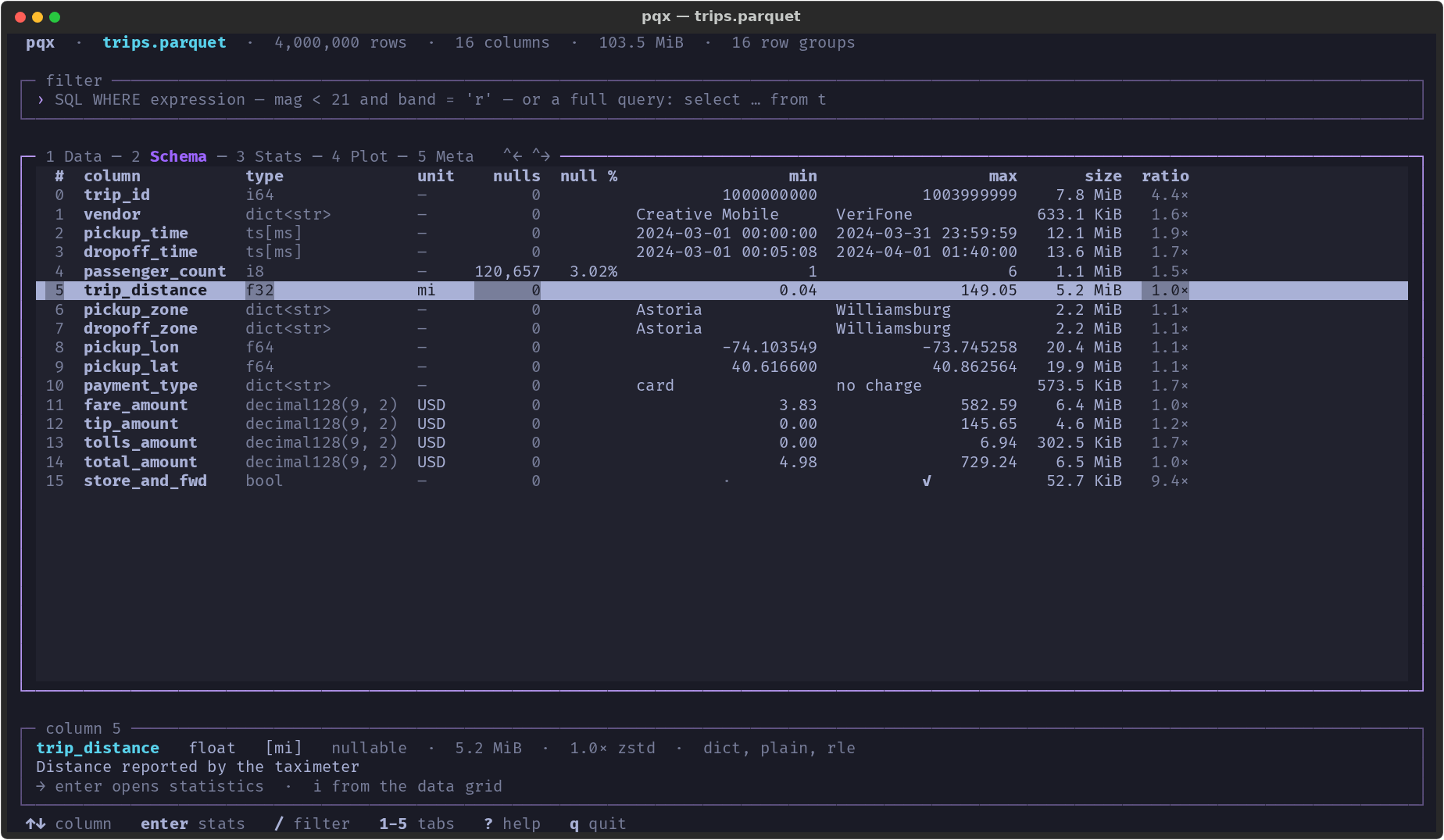
Every column with its type, unit, nulls, min/max, size on disk and compression, read from the file's footer without scanning the data.
Profile a column, plot two
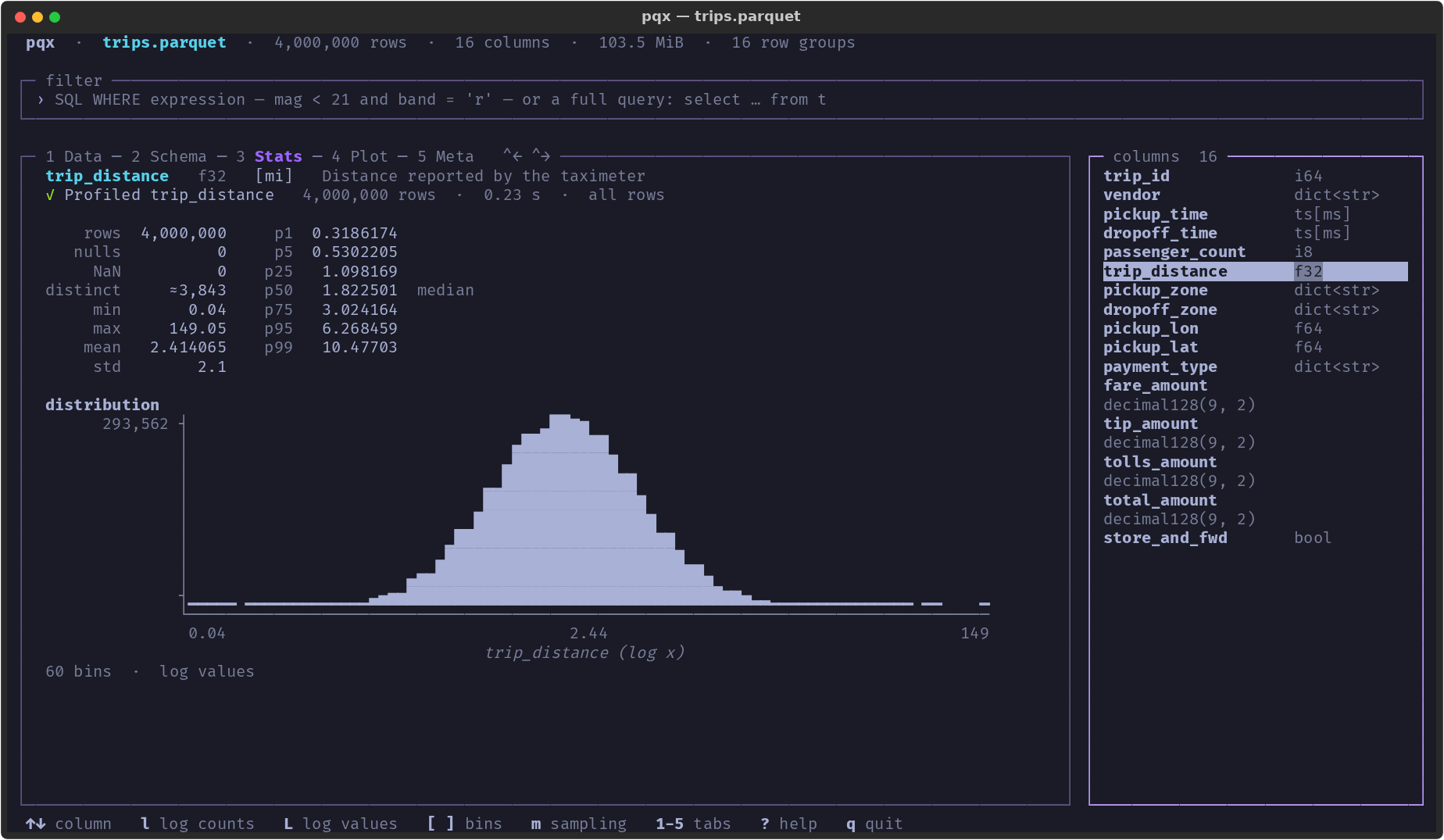
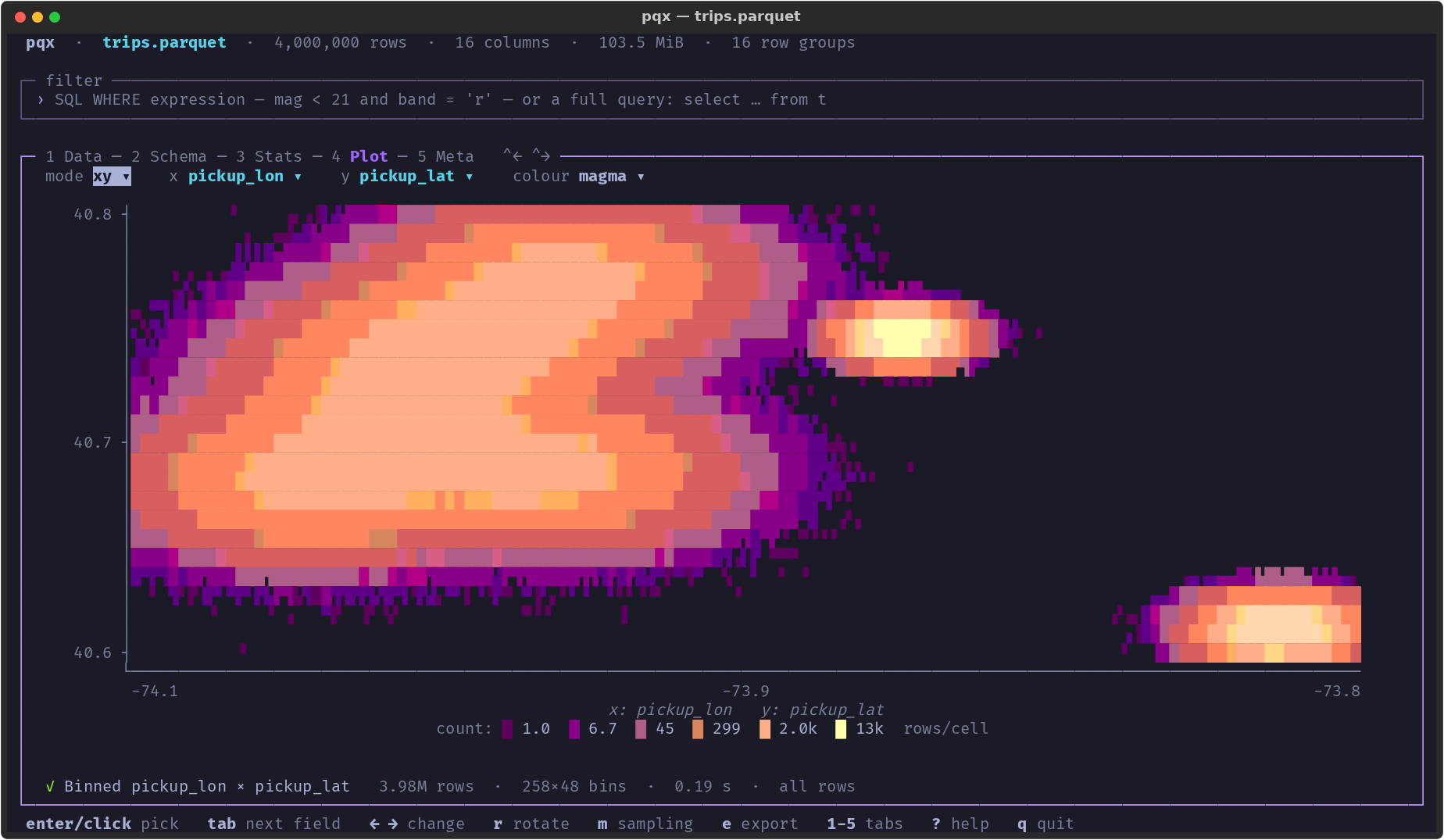
Stats gives counts, nulls, distinct values, quantiles and a histogram (or the most frequent values). Plot draws a density map of any two numeric columns, right in the terminal.
 |
 |
Export what you see
Press e to write the current view (filter, sort and visible columns) to Parquet, CSV or JSON.
Built for big files
pqx never loads a file in full. The grid reads only the rows and columns on screen, and counts, statistics and plots run inside DuckDB.
- Opens fast. An 8-million-row, 184-column file is ready in under half a second; a file with 2,000 row groups in about a second.
- Jumps anywhere. Going to row 3,000,000,000 reads one row group, not the rows before it. Paging takes milliseconds whatever the file size.
- Wide is fine. Hundreds of columns scroll as smoothly as ten; columns load as they come into view.
- Stays responsive. Long queries run in the background, and Esc cancels them. On very large files, stats and plots sample about 2 million rows (m to toggle).
Keys
Press ? in pqx for the full list.
/ · x |
filter · clear filter |
| arrows, PgUp/PgDn, Home/End | move around; Ctrl+Home/End for first/last row |
g |
go to a row: 1234, 1.5M, 50%, -1 |
s · = |
sort by this column · filter to this cell's value |
d |
row detail panel (= y i F < > work there too, on the selected field) |
c · - · p |
choose columns · hide this column · pin columns |
< > · F |
fewer / more digits · set a format (.2f, ,d, .1%) |
y · i · e |
copy cell · stats for this column · export |
1–5 |
Data, Schema, Stats, Plot, Metadata |
Esc · q |
cancel running queries · quit |
All keys
| key | action |
|---|---|
/ · x / Ctrl+X |
edit filter · clear filter (Ctrl+X also works while typing in the filter box) |
| arrows, PgUp/PgDn, Ctrl+Home/End | move; the row window slides seamlessly |
g |
go to row: 1234, 1.5M, 50%, -1 |
s |
sort by the cursor column (asc → desc → off); clicking a header does the same |
= |
narrow the filter to rows equal to the cursor cell (the cursor stays on that record) |
d / Enter |
row detail panel |
tab / click |
into the open detail panel |
↑ ↓ · enter esc tab |
detail panel: pick a column (the grid follows on the same row; the wheel only scrolls) · back to the grid on that column |
= y i F < > |
detail panel: the same as on the grid cell of the selected field; after = the panel keeps focus on the same field and record, so = on one field and then another narrows in two keystrokes |
c · - · p |
choose columns · hide column · pin columns |
| Home / End | first / last column; ‹ › beside the header mark hidden columns (click to page) |
f · y · i |
raw/smart formatting · copy cell · stats for column |
< > · F |
one digit fewer / more for the cursor column · set its format (.2f, .3e, ,d, or a digit count; empty resets) |
1–5 · Ctrl+← Ctrl+→ |
go to a tab · previous / next tab |
e |
export the current view (filter + sort + visible columns) to Parquet/CSV/JSON |
m |
toggle sampling for stats and plots |
l L [ ] |
Stats: log counts, log values, fewer/more bins |
click · enter |
Plot: open a settings field's drop-down (type to narrow the column list) |
tab · ← → |
Plot: move between settings fields · step the field's value |
r |
Plot: rotate the sky-map centre between RA 0° and 180° |
| Esc | cancel running queries / leave the filter bar |
? · q |
help · quit |
Data, Schema and Stats stay on the same column: move to a column in one of them and the others are on it when you switch tabs.
Column formats
Numbers get a sensible format from the column's type and unit. Change any
column in the grid: < and > drop or add a digit, and F takes a Python
format spec (.2f, .3e, ,d, .1%); an empty entry goes back to automatic.
pqx remembers your formats by column name, for every file, in
~/.config/pqx/formats.yaml:
columns:
  fare_amount: .2f   # a format spec
  trip_distance: 3   # 3 significant digits
--format COL=SPEC sets a format for one session without saving it.
Looks
pqx draws with your terminal's background and 16-colour palette, so it matches your colour scheme. Colour is kept for things that mean something: ✓ done, ! warning, ✗ error.
| option | env | |
|---|---|---|
--accent blue|cyan|magenta|green|yellow |
PQX_ACCENT |
focus colour (default blue) |
--dim faint|bright-black |
PQX_DIM |
secondary text: the faint attribute (default), or bright black for terminals that ignore faint |
--border NAME |
PQX_BORDER |
unfocused panel border, an ANSI colour name (default bright_black) |
--theme NAME |
a Textual theme instead of your terminal's colours: tokyo-night, dracula, catppuccin-mocha, nord, gruvbox, … |
The screenshots on this page use --theme tokyo-night.
For astronomers
pqx began as a tool for LSST catalogs (SSSource, SSObject, DiaSource, …) and knows their conventions:
- Sky maps. Mollweide maps of any lon/lat pair, with RA/Dec found automatically, coloured by log surface density.
- Formatting that reads like a paper. MJD to 7 decimals, angles and magnitudes to sensible precision, and in the detail panel MJD → UTC, RA/Dec → sexagesimal, errors in mas and flux → AB mag.
- Felis-style units and descriptions (
"[unit] description") from Parquet field metadata.
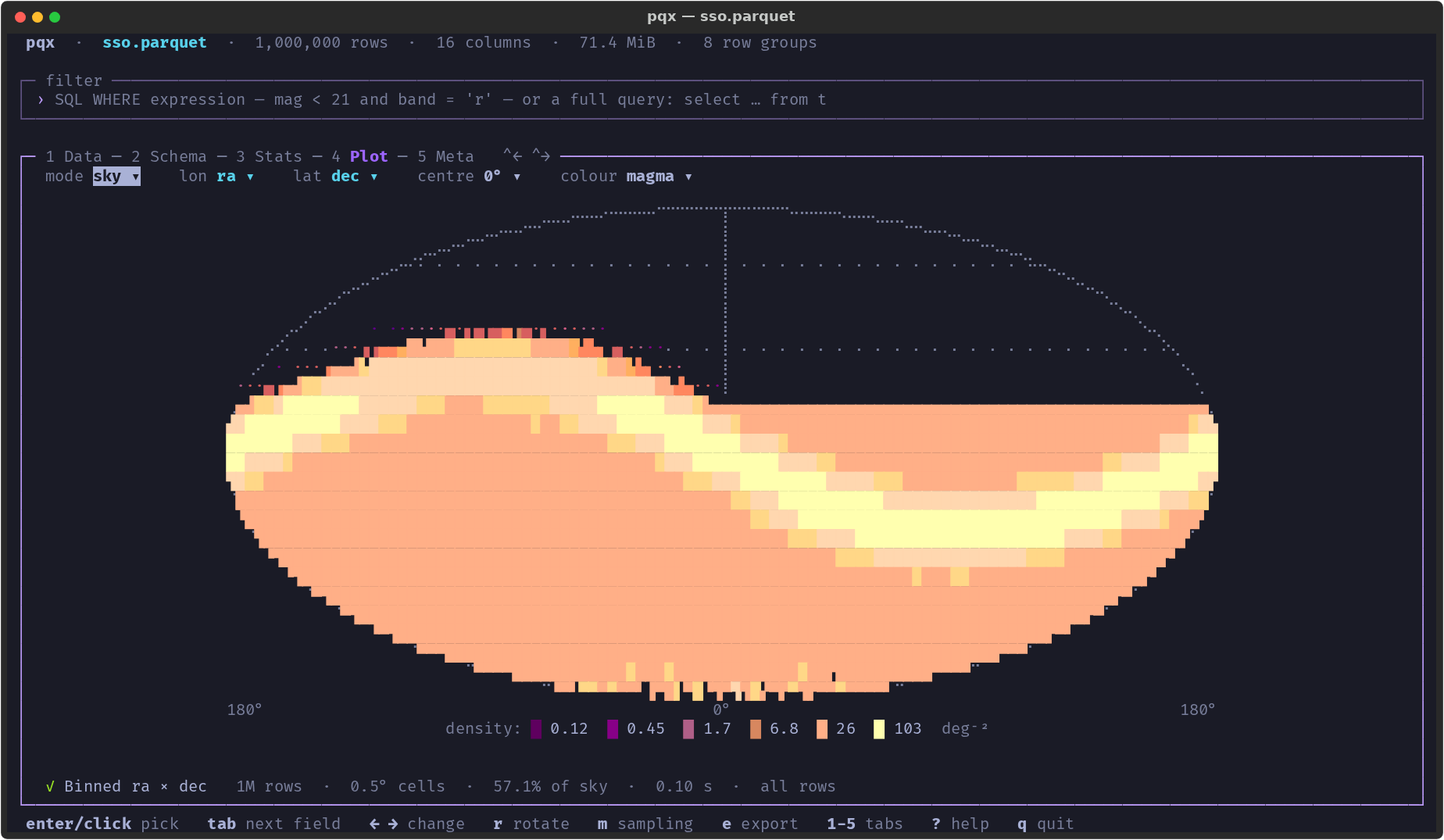
python -m pqx.demo demo.parquet --rows 1000000 writes a synthetic LSST-like
file to try it on.
How the sky map is drawn
The Mollweide renderer is a port of the one in
acid, adapted to work from an
equirectangular count grid that DuckDB bins in a single GROUP BY:
- each character cell is inverse-projected, so rendering cost doesn't depend on row count;
- area is carried by glyph shape: 2×2 quadrant sub-cells light up when at least half of a sub-cell is covered;
- density is carried by colour: log surface density in deg⁻² through magma, viridis, inferno, plasma, gray or your terminal's palette, with a colorbar;
- the limb and graticule are a braille outline, and RA increases to the left.
Development
python -m venv .venv && .venv/bin/pip install -e ".[dev]"
.venv/bin/pytest
pqx/data.py reads files (DuckDB and PyArrow), pqx/app.py, pqx/cells.py
and pqx/screens.py are the Textual UI, pqx/fmt.py formats values and
pqx/plots.py draws plots. Design notes are in docs/design.
python docs/screenshots/make_screenshots.py regenerates the screenshots on this page.
Releases come from git tags via setuptools-scm: publishing a GitHub Release
vX.Y.Z builds pqx and uploads it to PyPI.
License
BSD-3-Clause; see LICENSE.
1 maintainer

Metadata
1 maintainer
Release files for pqx 0.2.0rc3
For a detailed explanation of source distributions (sdists) and built distributions (wheels), please see the package formats documentation.
Source distribution (sdist)
| File | Size | Uploaded | Provenance | Actions |
|---|---|---|---|---|
| pqx-0.2.0rc3.tar.gz | 186.7 kB | Without provenance | Details for pqx-0.2.0rc3.tar.gz |
Built distribution (wheel)
| File | Interpreter | ABI | Platform | Actions Reset |
|---|---|---|---|---|
| pqx-0.2.0rc3-py3-none-any.whl | Python 3 | none | any | Details for pqx-0.2.0rc3-py3-none-any.whl |
Total release size: 298.7 kB
Release files / pqx-0.2.0rc3.tar.gz
| Download URL | pqx-0.2.0rc3.tar.gz |
|---|---|
| Size | 186.7 kB |
| Tags | Source |
|
SHA-256 checksum How to use checksums |
a6c44a7b86e5739c4e7b9c7c2ce06ee34b0e4fd67cb70e00e543cdf0130a3802
|
|
BLAKE2b-256 checksum How to use checksums |
b0bbb09007350a93d05b409ec1c9e44925adfdcbae4570197dad2745fafa7571
|
| Upload date | |
|
Uploaded using Trusted Publishing? What is trusted publishing? |
Yes |
| Uploaded via |
uv/0.12.23 {"installer":{"name":"uv","version":"0.12.23","subcommand":["publish"]},"python":null,"implementation":{"name":null,"version":null},"distro":{"name":"Ubuntu","version":"24.04","id":"noble","libc":null},"system":{"name":null,"release":null},"cpu":null,"openssl_version":null,"setuptools_version":null,"rustc_version":null,"ci":true}
|
Release files / pqx-0.2.0rc3-py3-none-any.whl
| Download URL | pqx-0.2.0rc3-py3-none-any.whl |
|---|---|
| Size | 112.0 kB |
| Tags | Python 3 |
|
SHA-256 checksum How to use checksums |
0817da086821f7b2f4276c2d2cb6d3178f7075a815738156c67a7edd9568050d
|
|
BLAKE2b-256 checksum How to use checksums |
5be306c7bf25174cf1e2a431bf9352a55c16640bee226ec9c9b759c51791fe4d
|
| Upload date | |
|
Uploaded using Trusted Publishing? What is trusted publishing? |
Yes |
| Uploaded via |
uv/0.12.23 {"installer":{"name":"uv","version":"0.12.23","subcommand":["publish"]},"python":null,"implementation":{"name":null,"version":null},"distro":{"name":"Ubuntu","version":"24.04","id":"noble","libc":null},"system":{"name":null,"release":null},"cpu":null,"openssl_version":null,"setuptools_version":null,"rustc_version":null,"ci":true}
|
Security for pqx 0.2.0rc3
Provenance
Provenance describes where a file came from. On PyPI, provenance is shared via attestations, which provide a verifiable record of the build or publishing details. View details, limitations and caveats.
No provenance found
None of the files in this release were uploaded with provenance metadata.
A note on package security
PyPI is a repository for distributing packages, not a service for auditing them. While third-party security researchers and our staff do their best to detect and remove malicious packages, PyPI cannot guarantee the quality, security or suitability of any given package.
To learn more about protecting yourself from malicious actors, visit our package security documentation.














