
Inject custom CSS and JavaScript into the presale pages of individual events.

Project description
# pretix-event-css-js
Inject custom CSS and JavaScript into the presale pages of individual events in pretix. Useful for branding tweaks, custom layouts, tracking snippets, or any per-event frontend customization that doesn't warrant a full theme.
Key capabilities:
- Per-event custom CSS and JavaScript
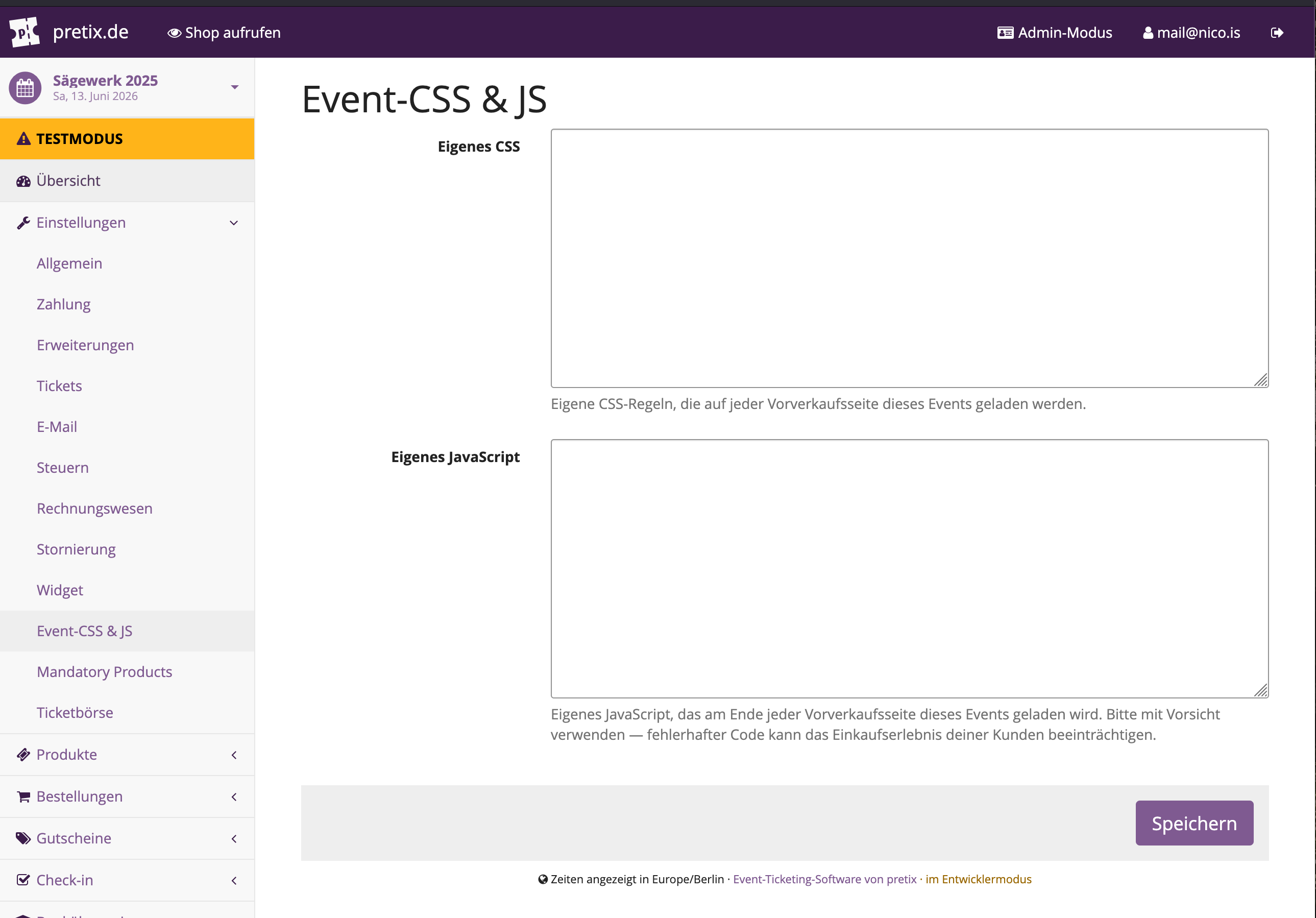
- Code editor in the event settings panel
- Content-hash based cache busting (1-year cache with automatic invalidation on change)
- Clean removal of settings when the plugin is uninstalled
Screenshot
Settings — custom CSS & JS editor
How it works
- You enter custom CSS and/or JavaScript in the event settings.
- The plugin injects a
<link>tag (CSS) into the page head and a<script>tag (JS) into the page footer of every presale page for that event. - The CSS and JS are served from dedicated endpoints with a content-hash query parameter for cache busting. Browsers cache them for up to 1 year — when you update the code, the hash changes and browsers fetch the new version automatically.
Installation
pip install pretix-event-css-js
Then restart the server. The plugin registers itself automatically via the pretix.plugin entry point — no manual INSTALLED_APPS edit needed.
Development installation
git clone https://github.com/nicoknoll/pretix-event-css-js.git
cd pretix-event-css-js
pip install -e .
Usage
- Enable the plugin for your event under Settings → Plugins.
- Go to Settings → Event-CSS & JS in the event control panel.
- Enter your custom CSS and/or JavaScript and save.
Your code will be loaded on every presale page of that event.
Heads up: Faulty JavaScript can break the checkout flow for your customers. Test thoroughly before going live.
Dependencies
| Package | Purpose |
|---|---|
pretix >= 2.7.0 |
Host platform |
Python 3.10+ required. No additional dependencies beyond pretix itself.
License
MIT — see LICENSE.
Release history Release notifications | RSS feed


Download files
Download the file for your platform. If you're not sure which to choose, learn more about installing packages.
Source Distribution
Built Distribution
Filter files by name, interpreter, ABI, and platform.
If you're not sure about the file name format, learn more about wheel file names.
Copy a direct link to the current filters
File details
Details for the file pretix_event_css_js-1.0.1.tar.gz.
File metadata
- Download URL: pretix_event_css_js-1.0.1.tar.gz
- Upload date:
- Size: 239.7 kB
- Tags: Source
- Uploaded using Trusted Publishing? No
- Uploaded via: twine/6.2.0 CPython/3.10.14
File hashes
| Algorithm | Hash digest | |
|---|---|---|
| SHA256 |
6286bb76164f46be75f6d53c53c3bf85c97f29ff6cc01b7f6bb3cd4fa31d2a13
|
|
| MD5 |
fae61a1dd02dfb5fc457a12789994cbc
|
|
| BLAKE2b-256 |
bfb7fef17672b015ad90b54f7d99bf1ac2dec65845fc84d1f1bd603c82db75b1
|
File details
Details for the file pretix_event_css_js-1.0.1-py3-none-any.whl.
File metadata
- Download URL: pretix_event_css_js-1.0.1-py3-none-any.whl
- Upload date:
- Size: 11.7 kB
- Tags: Python 3
- Uploaded using Trusted Publishing? No
- Uploaded via: twine/6.2.0 CPython/3.10.14
File hashes
| Algorithm | Hash digest | |
|---|---|---|
| SHA256 |
227136e9a58f0a4d47773b9d10812fd63a4955eec934d14307d3d1d28f225ef8
|
|
| MD5 |
65ce8cb610182234010d90e11a4acd12
|
|
| BLAKE2b-256 |
c5cd0027bc5588838189909d216a7f8b09f19f196afc23542793eea99f6785b5
|






