
Microagents framework

Project description
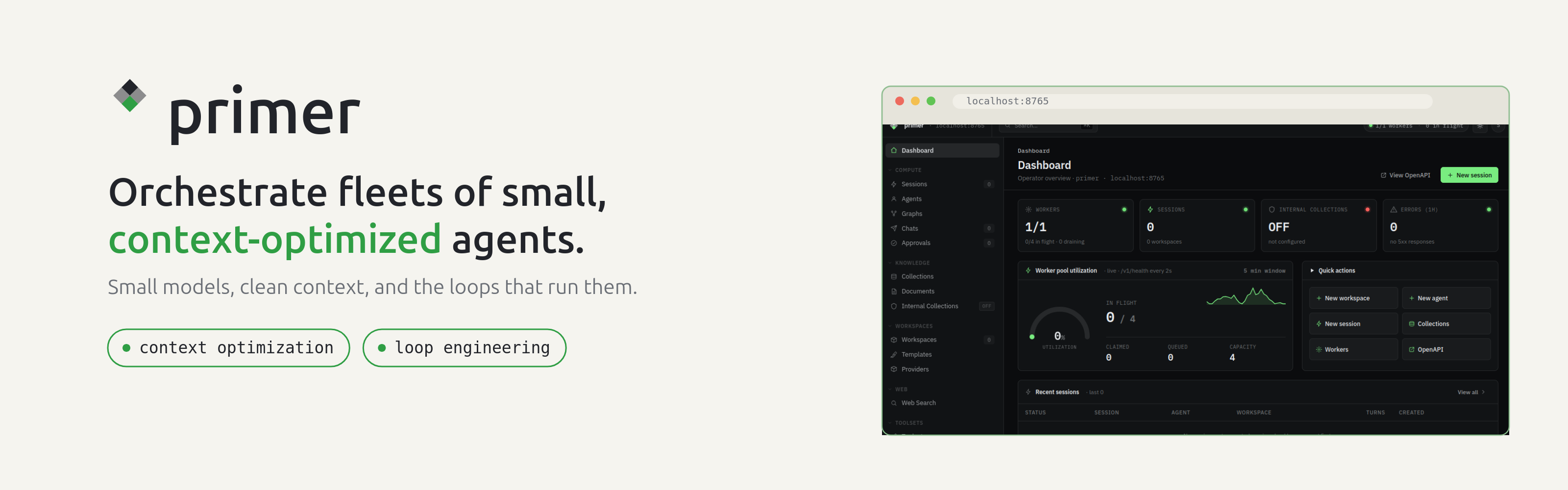
An unopinionated, batteries-included agent-orchestration platform built around one bet: a small model given a clean, purpose-built context can rival a much larger one.




Quickstart · Features · How it works · Docs · Contributing
Why Primer
A language model spreads a fixed budget of attention across every token in its context at once. Keep the context tight and the few tokens that matter get most of that attention; bloat it with stale history, unused tool definitions, and irrelevant background and the signal thins out. Primer's core bet is that you often do not need the biggest model if you give the model you have exactly what it needs and nothing more - and that this is a lever on any model, large or small.
So instead of one giant agent with everything crammed into its prompt, Primer lets you orchestrate fleets of small, focused agents, each with a clean working context, wired together with the primitives a real deployment needs: LLM providers, workspaces, graphs, knowledge collections, channels, triggers, and semantic search - integrated from the start, runnable on your own hardware.
What you can build
|
⏸️ Yielding, event-driven agents Agents park on a slow tool or a human decision and resume when the event fires - freeing compute while they wait. |
🔀 Directed graphs Wire agents into cyclic graphs (producer-judge loops, fan-out/fan-in, conditional branches) that run as structured workflows. |
📁 Workspaces & sessions Materialised sandboxes (local, container, or Kubernetes) give each agent a persistent filesystem and git-backed state. |
|
🔎 Semantic search Ingest documents into vector collections; agents retrieve only the relevant chunks, not the whole corpus. |
💬 Channels Bridge agents to Slack, Telegram, and Discord - ask questions, request approvals, and trigger work from a message. |
🔌 MCP server Expose the full platform tool surface over the Model Context Protocol so external agents and MCP clients can use it. |
|
✅ Human approvals Gate sensitive tool calls behind an approval that a person grants from a channel or the console before the agent proceeds. |
📦 Harnesses Package a tuned set of agents, graphs, and collections into a git-backed, versioned bundle and deploy it anywhere in one step. |
🧭 Dynamic discovery Two meta-tools let an agent search for and invoke any tool or agent at runtime - without carrying the whole catalog in its context. |
Built for loop engineering
Loop engineering is the shift from prompting an agent turn-by-turn to designing the system that prompts it - a loop that wakes on a schedule, works toward a stated goal, checks its own output against evidence, and escalates to a human only when it should. The leverage moves from writing a good prompt to designing a good loop.
A loop needs a specific set of primitives. Primer ships all of them, integrated and self-hostable:
| A loop needs... | Primer gives you |
|---|---|
| A heartbeat - work surfaced on a cadence, not by hand | Triggers that start a fresh session or graph run (or resume a parked one) on a cron schedule, a delay, or a webhook |
| Isolation - parallel agents that don't collide | Workspaces - a per-agent local, container, or Kubernetes sandbox with its own persistent, git-backed filesystem |
| Durable memory - the agent forgets, the repo doesn't | Git-backed workspace state plus knowledge collections agents retrieve from, so knowledge compounds across runs instead of resetting to zero |
| A maker and a checker - keep the writer away from the grader | Directed cyclic graphs with producer-judge loops, fan-out/fan-in, and runtime agent/graph invocation |
| Connectors - reach real tools and real people | A built-in MCP server (and MCP client), plus Slack / Telegram / Discord channels |
| A human gate - approve the risky, let the safe run | Approval gates and park-and-resume: an agent waits on a person for hours without holding compute, then continues when the reply lands |
Primer does not press "go" on the loop for you - it gives you the orchestration substrate to build one and to keep a human in it where that matters. And the same context discipline that makes a single agent accurate is what lets a loop run for a long time without drifting: each iteration gets a clean, purpose-built context instead of an ever-growing transcript.
Quickstart
Pick whichever install fits. All three start the same server zero-config on an embedded SQLite database - perfect for a first look.
pipx (isolated CLI install; needs Python 3.13+):
pipx install primer-ai
primer api                                       # API + in-process worker
Docker (no Python toolchain required):
docker run --rm -p 8000:8000 ghcr.io/primerhq/primer:latest
From source (for contributors):
git clone https://github.com/primerhq/primer.git
cd primer
uv sync
uv run primer api
Then verify and open the console:
curl http://localhost:8000/v1/health # -> {"status":"ok"}
The operator console is at http://localhost:8000/console/.
Going to Postgres (multi-process, semantic search, production)
Zero-config SQLite is single-process and ships without a vector store. For multiple workers, semantic search, or production, point Primer at Postgres:
docker compose up -d postgres                    # or: podman compose up -d postgres
cp config.example.yaml config.yaml               # set db.config.password to match
uv run primer api --config config.yaml
config.example.yaml documents every field. Environment variables override file values: every AppConfig field maps to PRIMER_<FIELD> (nested fields use __, e.g. PRIMER_DB__CONFIG__PASSWORD). The Docker image reads the same variables - set PRIMER_DB_HOST (and friends) and it renders a Postgres + pgvector config automatically; otherwise it runs the embedded-SQLite path above. For a SQLite database that survives container restarts, mount a volume at /app/data.
How it works
Primer is a stack of layers, where each layer keeps the one below it from getting cluttered:
- Context discipline - tool selection, meta-tools, and internal collections keep each agent's prompt lean.
- State - workspaces give agents a shared, minimal surface to hand off results without carrying history in-context.
- Sequencing - directed cyclic graphs express multi-step reasoning as structure instead of one giant prompt.
- Time - event-driven park-and-resume frees compute while work waits on a slow tool or a human.
- Sharing - harnesses package a working configuration into a versioned, git-backed bundle.
- Edges - channels, web search, and approval gates handle where agents reach outside the platform.
At runtime, requests arrive from many edges (REST/console, MCP clients, chat channels, triggers), become sessions / chats / graph runs that a worker pool claims and drives; each turn calls LLM providers, tools, workspaces, and collections, and can park on a human or event and resume later - all backed by Postgres.
Documentation
- Operator docs - served at
/docswhen the server is running. - Agent-usage docs -
docs/agents/- how to drive a running Primer instance from an AI agent over MCP. - Developer docs -
docs/dev/- architecture patterns and subsystem references. Start atdocs/dev/README.md.
Contributing
Read AGENTS.md first - it is the authoritative contributor contract (project layout, the Definition of Done, how to run the suites, and the hard rules). CONTRIBUTING.md is the human-facing summary.
uv sync
docker compose up -d postgres
# narrowed unit sweep (excludes e2e/distributed/ui_e2e):
uv run pytest tests/ -q --ignore=tests/distributed --ignore=tests/ui_e2e \
  --ignore=tests/e2e --ignore=tests/integration --ignore=tests/llm
See CODE_OF_CONDUCT.md for community expectations.
Security
Please report vulnerabilities privately - see SECURITY.md.
License
Primer is licensed under the Apache License 2.0. See LICENSE for the full text.
Release history Release notifications | RSS feed

Download files
Download the file for your platform. If you're not sure which to choose, learn more about installing packages.
Source Distribution
Built Distribution
Filter files by name, interpreter, ABI, and platform.
If you're not sure about the file name format, learn more about wheel file names.
Copy a direct link to the current filters
File details
Details for the file primer_ai-0.1.0.tar.gz.
File metadata
- Download URL: primer_ai-0.1.0.tar.gz
- Upload date:
- Size: 6.5 MB
- Tags: Source
- Uploaded using Trusted Publishing? No
- Uploaded via: twine/6.2.0 CPython/3.13.14
File hashes
| Algorithm | Hash digest | |
|---|---|---|
| SHA256 |
b989d6af4598ba0cdbb1a43ec80d67e9cd4514cb639889000f34e0f6506c0fc1
|
|
| MD5 |
d9a61dd55b3c421a134223ade0b1c40b
|
|
| BLAKE2b-256 |
456d437bb1ab172921a8752275feaa7188a1002e817d87d22a62d129c37386f3
|
File details
Details for the file primer_ai-0.1.0-py3-none-any.whl.
File metadata
- Download URL: primer_ai-0.1.0-py3-none-any.whl
- Upload date:
- Size: 3.5 MB
- Tags: Python 3
- Uploaded using Trusted Publishing? No
- Uploaded via: twine/6.2.0 CPython/3.13.14
File hashes
| Algorithm | Hash digest | |
|---|---|---|
| SHA256 |
72922db978a53c8299d6ef973db0f6b267424b435ece53d92e45f62b799d6109
|
|
| MD5 |
79b1d2bd25898a6a4c27ec79081cf786
|
|
| BLAKE2b-256 |
84cb264e90b53699076be0dab58473bf64c6694b7c0d548a0410652c6ec358df
|






