
Enable AI to control your browser 🤖
Note: This is a fork of browser-use with privacy preserving changes for personal use by Dheeraj Pai.






🌐 Private-browser-use is the easiest way to connect your AI agents with the browser.
💡 See what others are building and share your projects in our Discord! Want Swag? Check out our Merch store.
🌤️ Skip the setup - try our hosted version for instant browser automation! Try the cloud ☁︎.
Quick start
With pip (Python>=3.11):
pip install private-browser-use
install playwright:
playwright install
Spin up your agent:
from langchain_openai import ChatOpenAI
from browser_use import Agent
import asyncio
from dotenv import load_dotenv
load_dotenv()

async def main():
    agent = Agent(
        task="Compare the price of gpt-4o and DeepSeek-V3",
        llm=ChatOpenAI(model="gpt-4o"),
    )
    await agent.run()

asyncio.run(main())
Add your API keys for the provider you want to use to your .env file.
OPENAI_API_KEY=
For other settings, models, and more, check out the documentation 📕.
Test with UI
You can test browser-use with a UI repository
Or simply run the gradio example:
uv pip install gradio
python examples/ui/gradio_demo.py
Demos
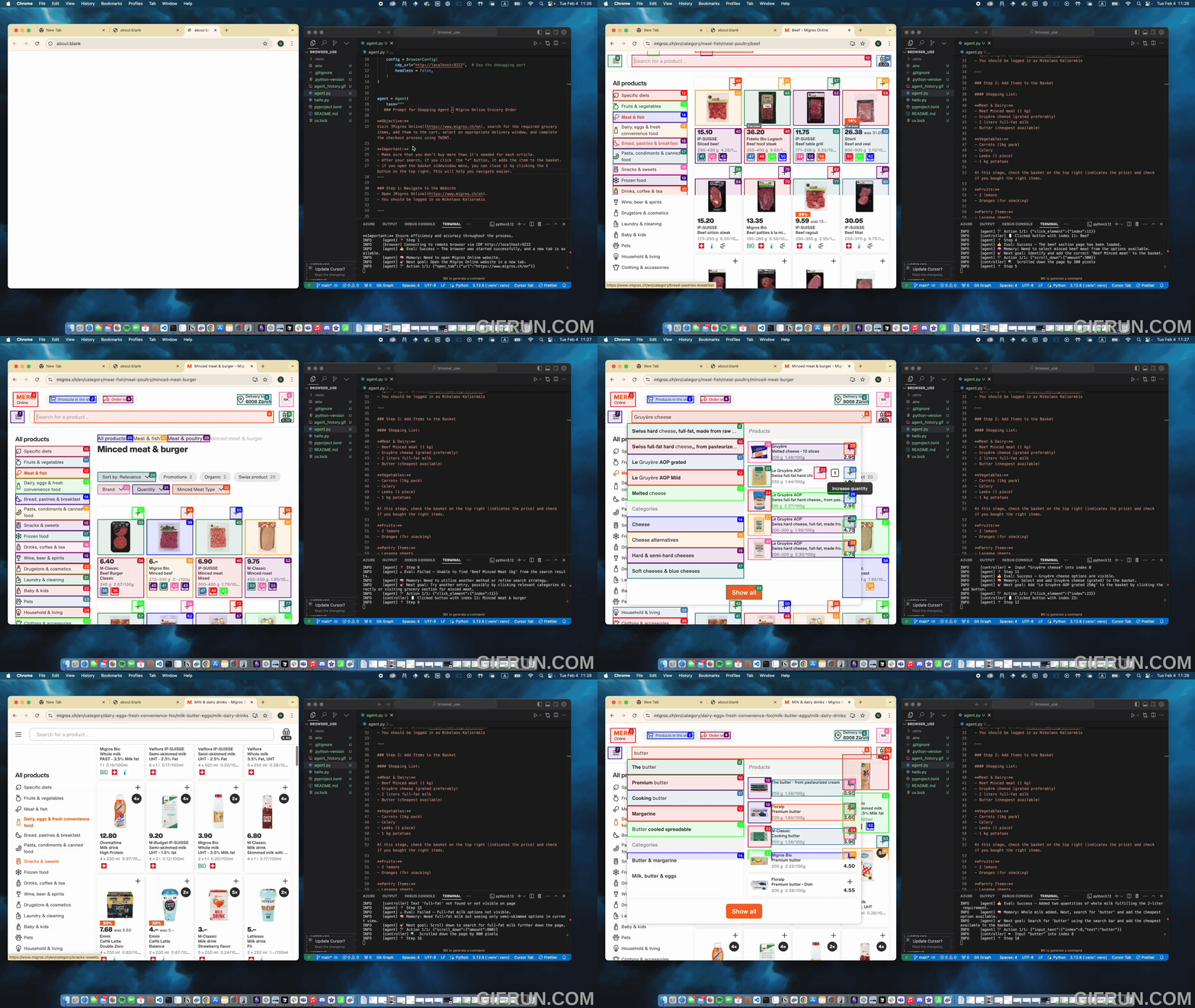
Task: Add grocery items to cart, and checkout.
Prompt: Add my latest LinkedIn follower to my leads in Salesforce.

Prompt: Read my CV & find ML jobs, save them to a file, and then start applying for them in new tabs, if you need help, ask me.'
https://github.com/user-attachments/assets/171fb4d6-0355-46f2-863e-edb04a828d04
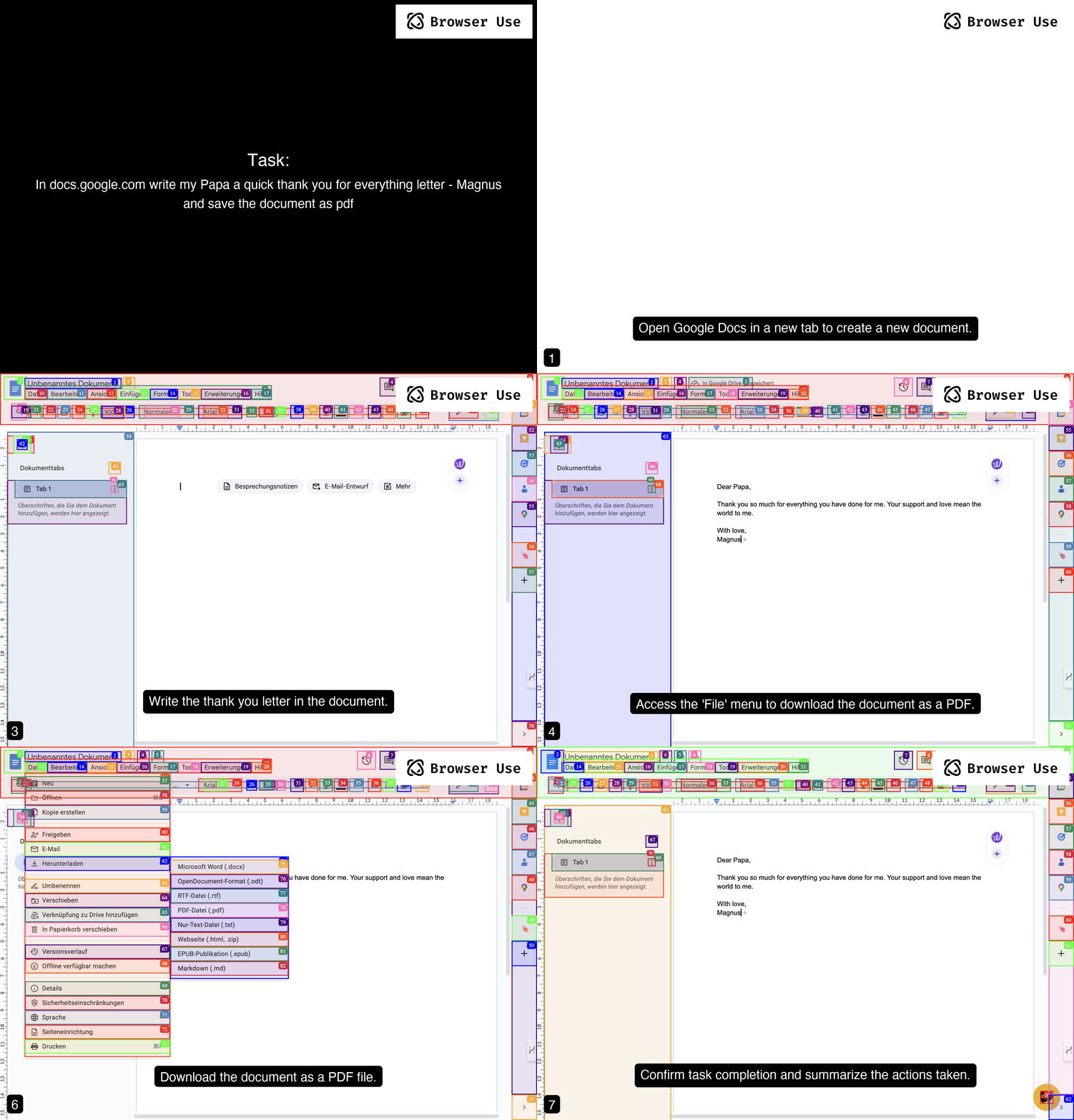
Prompt: Write a letter in Google Docs to my Papa, thanking him for everything, and save the document as a PDF.
Prompt: Look up models with a license of cc-by-sa-4.0 and sort by most likes on Hugging face, save top 5 to file.
https://github.com/user-attachments/assets/de73ee39-432c-4b97-b4e8-939fd7f323b3
More examples
For more examples see the examples folder or join the Discord and show off your project.
Vision
Tell your computer what to do, and it gets it done.
Roadmap
Agent
- Improve agent memory (summarize, compress, RAG, etc.)
- Enhance planning capabilities (load website specific context)
- Reduce token consumption (system prompt, DOM state)
DOM Extraction
- Improve extraction for datepickers, dropdowns, special elements
- Improve state representation for UI elements
Rerunning tasks
- LLM as fallback
- Make it easy to define workfows templates where LLM fills in the details
- Return playwright script from the agent
Datasets
- Create datasets for complex tasks
- Benchmark various models against each other
- Fine-tuning models for specific tasks
User Experience
- Human-in-the-loop execution
- Improve the generated GIF quality
- Create various demos for tutorial execution, job application, QA testing, social media, etc.
Contributing
We love contributions! Feel free to open issues for bugs or feature requests. To contribute to the docs, check out the /docs folder.
Local Setup
To learn more about the library, check out the local setup 📕.
Cooperations
We are forming a commission to define best practices for UI/UX design for browser agents. Together, we're exploring how software redesign improves the performance of AI agents and gives these companies a competitive advantage by designing their existing software to be at the forefront of the agent age.
Email Toby to apply for a seat on the committee.
Swag
Want to show off your Browser-use swag? Check out our Merch store. Good contributors will receive swag for free 👀.
Citation
If you use Browser Use in your research or project, please cite:
@software{private_browser_use2024,
  author = {Müller, Magnus and Žunič, Gregor and Pai, Dheeraj},
  title = {Private Browser Use: A privacy-preserving fork of Browser Use},
  year = {2024},
  publisher = {GitHub},
  url = {https://github.com/yourusername/private-browser-use}
}

1 maintainer

Metadata
1 maintainer
Release files for private-browser-use 1.1.41
For a detailed explanation of source distributions (sdists) and built distributions (wheels), please see the package formats documentation.
Source distribution (sdist)
| File | Size | Uploaded | |
|---|---|---|---|
| private_browser_use-1.1.41.tar.gz | 1.3 MB | Details |
Built distribution (wheel)
| File | Interpreter | ABI | Platform | Reset |
|---|---|---|---|---|
| private_browser_use-1.1.41-py3-none-any.whl | Python 3 | none | any | Details |
Total release size: 1.4 MB
Release files / private_browser_use-1.1.41.tar.gz
| Download URL | private_browser_use-1.1.41.tar.gz |
|---|---|
| Size | 1.3 MB |
| Tags | Source |
|
SHA-256 checksum How to use checksums |
d8c25ab2109b8ee0c3cbe7cd44318dd3b28258444f108e4644be754299e259fd
|
|
BLAKE2b-256 checksum How to use checksums |
8385ca13e86ecf2e181ed63500037750999983fc7955ecca5da377202df7b68b
|
| Upload date | |
|
Uploaded using Trusted Publishing? What is trusted publishing? |
No |
| Uploaded via |
twine/6.0.1 CPython/3.12.4
|
Release files / private_browser_use-1.1.41-py3-none-any.whl
| Download URL | private_browser_use-1.1.41-py3-none-any.whl |
|---|---|
| Size | 90.2 kB |
| Tags | Python 3 |
|
SHA-256 checksum How to use checksums |
f02c3df975086286d672ea2d5f7cedbfb7012ff8ab44411c7e90771c684dc359
|
|
BLAKE2b-256 checksum How to use checksums |
16b25c434ddd5846b5a1ee4c27addfb3701246fddc1d43b4dc2d5f136c6290a1
|
| Upload date | |
|
Uploaded using Trusted Publishing? What is trusted publishing? |
No |
| Uploaded via |
twine/6.0.1 CPython/3.12.4
|














