
Score yourself.

Project description

ProdApp
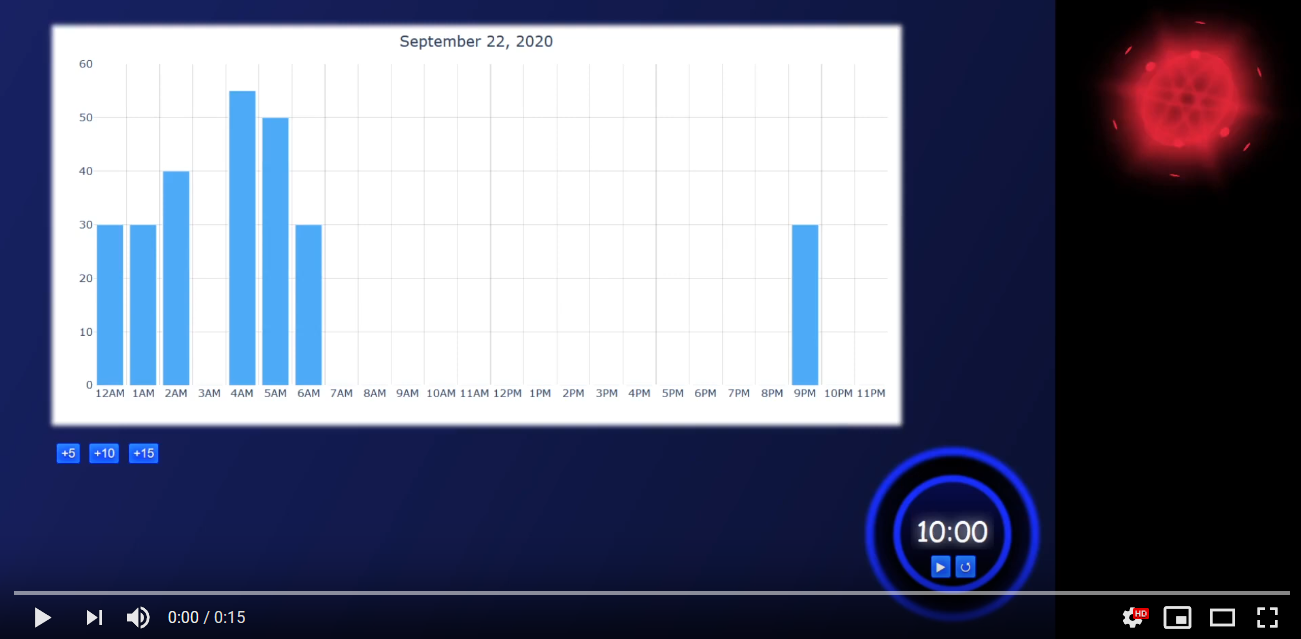
Demo - click above
Features
Self-scoring
- +5: poor productivity -- didn't get much done
- +10: fair productivity -- normal work
- +15: excellent productivity -- laser-focused shredding of workload
Countdown timer
- Bleeps at 0 -> give youreslf a score
- Change values with click + typing
- Pausable
- Defaults to 10 minute intervals, configurable
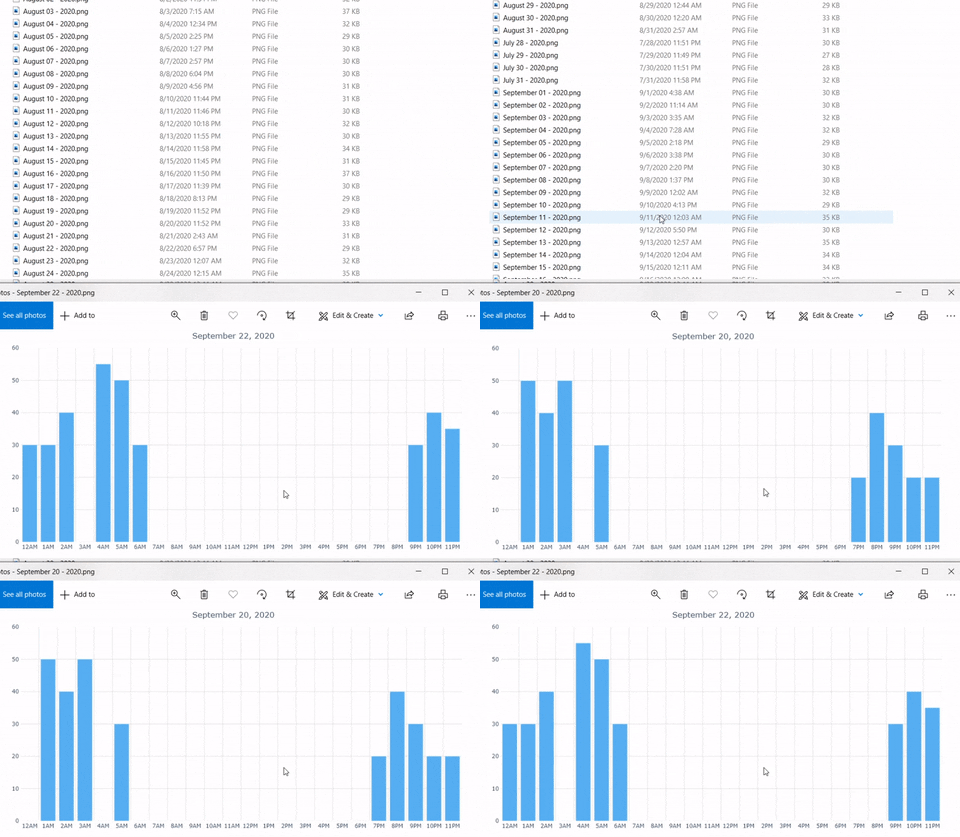
Saved progress: images
Swap between daily progress pics with a button press for easy comparison
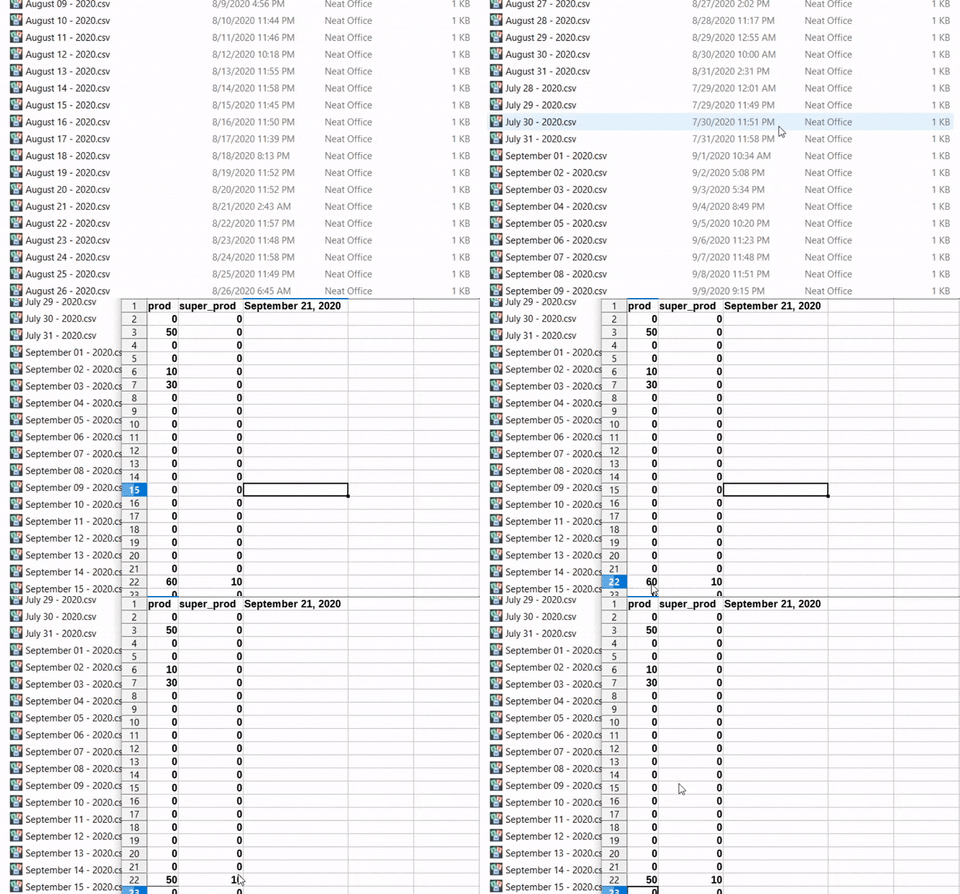
Saved progress: csv
Recover/edit data for reference or further processing
Installation
pip install prodapp
Usage
Command Line
cd path/to/prodapp
python app.py
Open http://127.0.0.1:8050/ in browser
Configs
Edit prodapp/configs.ini:
t_max: countdown startup/reset value, in seconds (default 600); this is how often you score yourselft_min: where bleeps happen (default 0)bleeps: number of times to replay the alarm sound (default 2)
Misc
- Edit data: open
data/<current_date>.csv, edit, save. Make sure the app is closed in the meantime. - Edit images: can't. Must make new save.
- Save data/image: add productivity (+5/10/15), saves automatically.
- Change timer reset value: either via configs (requires app restart), or: first click reset, then change time value (e.g. to 12:00); that'll be the new reset.
Double-click
Automate command-line steps; steps are to use with Anaconda, but can tailor to regular Python:
- Windows -> Search -> "Windows PowerShell" -> Right-click -> Open file location
- Copy "Windows PowerShell" shortcut, paste to Desktop (or another folder), rename to "prodapp" (or anything else)
- Right-click the pasted shortcut -> Properties -> Shortcut -> Target -> Paste step 4
- %windir%\System32\WindowsPowerShell\v1.0\powershell.exe -ExecutionPolicy ByPass -NoExit -Command "& 'D:\Anaconda\shell\condabin\conda-hook.ps1' ; %condaProdapp%
- Windows -> Search -> "Edit system environment variables" -> Environment Variables... -> System variables -> New...
- Variable name: condaProdapp
- Variable value: conda activate dash-env; cd 'D:\Anaconda\envs\dash-env\Lib\site-packages\prodapp'; python app.py
That's it. Double-click the shortcut, and prodapp will start. Open http://127.0.0.1:8050/ in browser manually. Can skip conda activate if installing prodapp in base environment ("no environment").
To-do
The app is "finished"; I don't intend to do much further, but I welcome contributors. A list that I might sometime work on, or invite others to:
-
prodapp.exe - To-do list under the red orb (example; this is original ProdApp written in electron.js)
- Edit values for other (non-current) hours straight from application, including subtracting values
- Make the orb functional; change color, size, rotation rate depending on total "productivity" for the day
Release history Release notifications | RSS feed


Download files
Download the file for your platform. If you're not sure which to choose, learn more about installing packages.
Source Distribution
Built Distribution
Filter files by name, interpreter, ABI, and platform.
If you're not sure about the file name format, learn more about wheel file names.
Copy a direct link to the current filters
File details
Details for the file prodapp-0.8.0.tar.gz.
File metadata
- Download URL: prodapp-0.8.0.tar.gz
- Upload date:
- Size: 24.2 kB
- Tags: Source
- Uploaded using Trusted Publishing? No
- Uploaded via: twine/2.0.0 pkginfo/1.5.0.1 requests/2.24.0 setuptools/49.2.0.post20200714 requests-toolbelt/0.9.1 tqdm/4.47.0 CPython/3.7.7
File hashes
| Algorithm | Hash digest | |
|---|---|---|
| SHA256 |
d1855cf55c54284493179c6a86dc0d6089af69e875dfa31605f2fbef9c2456e9
|
|
| MD5 |
4366cf174e20aac09b1f8edb62099d42
|
|
| BLAKE2b-256 |
dc1ee531f80b58116001ac4b3cc4990ab7d22a34171438d9ca5e908b1b13a4e4
|
File details
Details for the file prodapp-0.8.0-py3-none-any.whl.
File metadata
- Download URL: prodapp-0.8.0-py3-none-any.whl
- Upload date:
- Size: 21.8 kB
- Tags: Python 3
- Uploaded using Trusted Publishing? No
- Uploaded via: twine/2.0.0 pkginfo/1.5.0.1 requests/2.24.0 setuptools/49.2.0.post20200714 requests-toolbelt/0.9.1 tqdm/4.47.0 CPython/3.7.7
File hashes
| Algorithm | Hash digest | |
|---|---|---|
| SHA256 |
26f385702705dc44843ef5513c46c5d64aa55fea290c2c682711ea76b8749f58
|
|
| MD5 |
2574080e567dadc4f0e98deb556493de
|
|
| BLAKE2b-256 |
a5cbc22105960e235380efd29f82741c941b90e09e3266361044fa1c54b32502
|






