
Project Ghostframe for Python
English · Français · Residual Labs · Source code
project-ghostframe provides the ghostframe command and importable ghostframe module. It generates APNG files, inspects frame and archive metadata, and restores supported animations from a Ghostframe archive or atlas. It requires Python 3.10+ and Pillow. Ghostframe Replay is distributed as a standalone HTML app and a separate npm package.
Install from PyPI, preferably inside a virtual environment.
python -m pip install project-ghostframe
To install from a source checkout, use python -m pip install .. For the example below, provide two PNG frames of the same size, such as the example inputs.
python -m ghostframe encode animation.png frame-0.png frame-1.png --delay 350
python -m ghostframe inspect animation.png
python -m ghostframe recover animation.png recovered.png
The default dual mode writes an APNG with a Ghostframe archive. --mode apng writes standard APNG frames, and --mode atlas produces a static PNG and a JSON manifest for python -m ghostframe from-atlas. --sparse uses delta rectangles for APNG or dual mode. Run python -m ghostframe --help for all commands. You can shorten python -m ghostframe to ghostframe when the installed console command is on your PATH.
Français
project-ghostframe fournit la commande ghostframe et le module Python du même nom. Il génère des APNG, inspecte les métadonnées des trames et restaure les animations prises en charge depuis une archive Ghostframe ou un atlas. Python 3.10+ et Pillow sont nécessaires. Ghostframe Replay est distribué séparément en HTML et via npm.
Installer le paquet avec python -m pip install project-ghostframe, de préférence dans un environnement virtuel. Depuis un clone du dépôt, utiliser python -m pip install .. L’exemple ci-dessus utilise deux PNG de même taille, comme les trames fournies dans le dépôt. python -m ghostframe --help affiche toutes les commandes. Le raccourci ghostframe est disponible si la commande installée est dans le PATH.
Le mode par défaut dual écrit un APNG avec archive Ghostframe. --mode apng écrit un APNG standard. --mode atlas fournit une image PNG fixe et un manifeste JSON pour python -m ghostframe from-atlas. --sparse utilise des rectangles de différences en mode APNG ou dual.
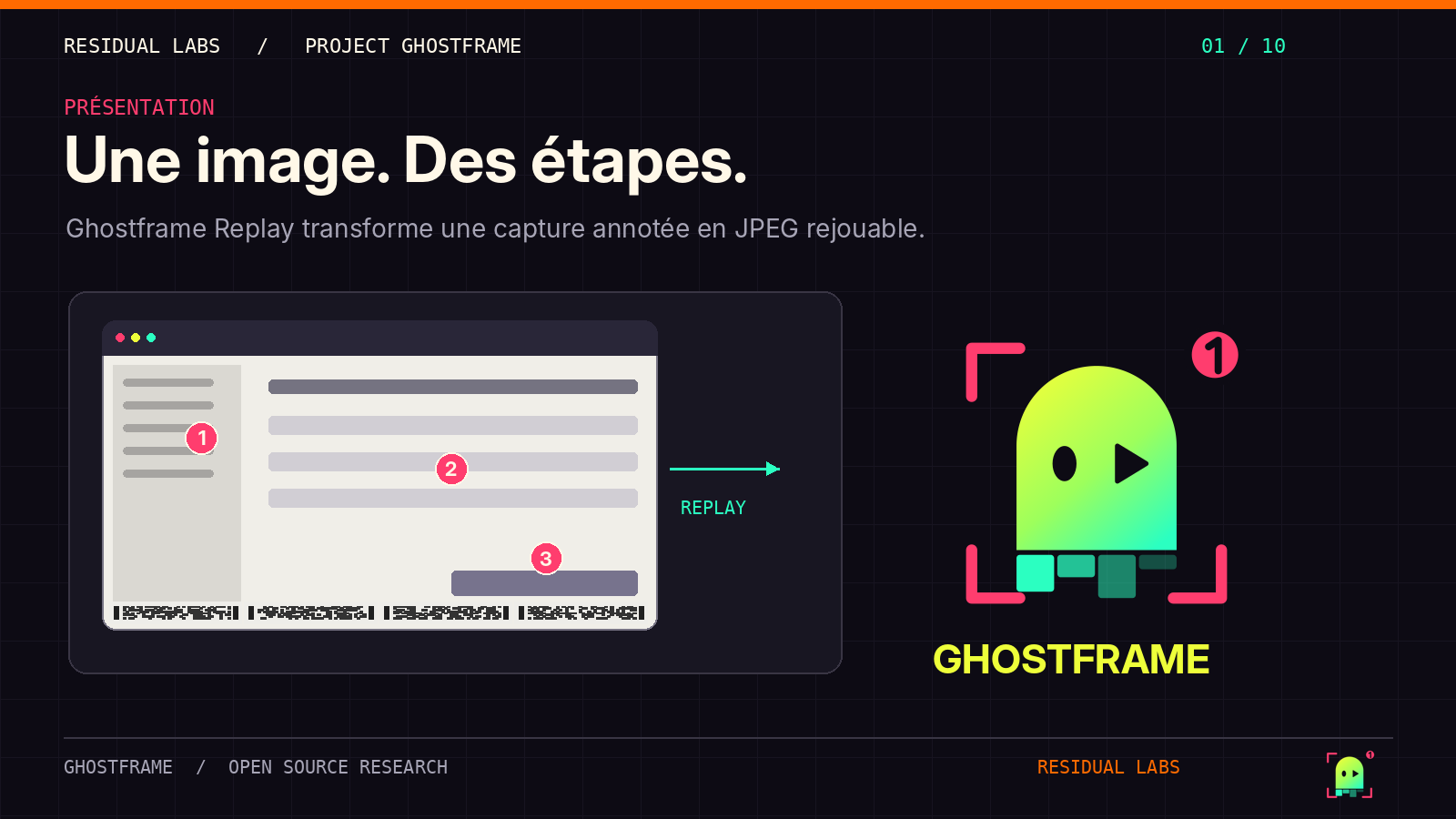
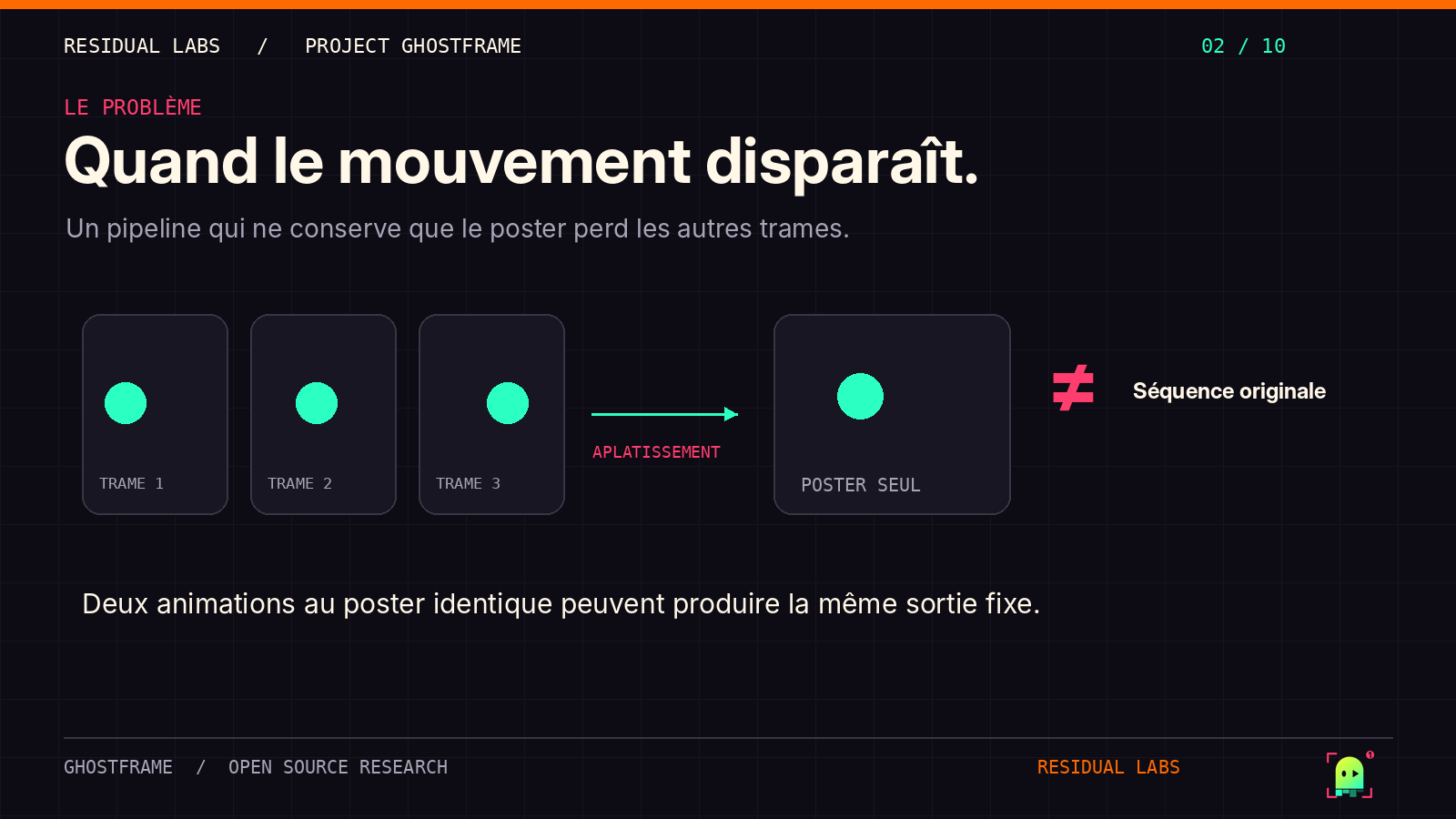
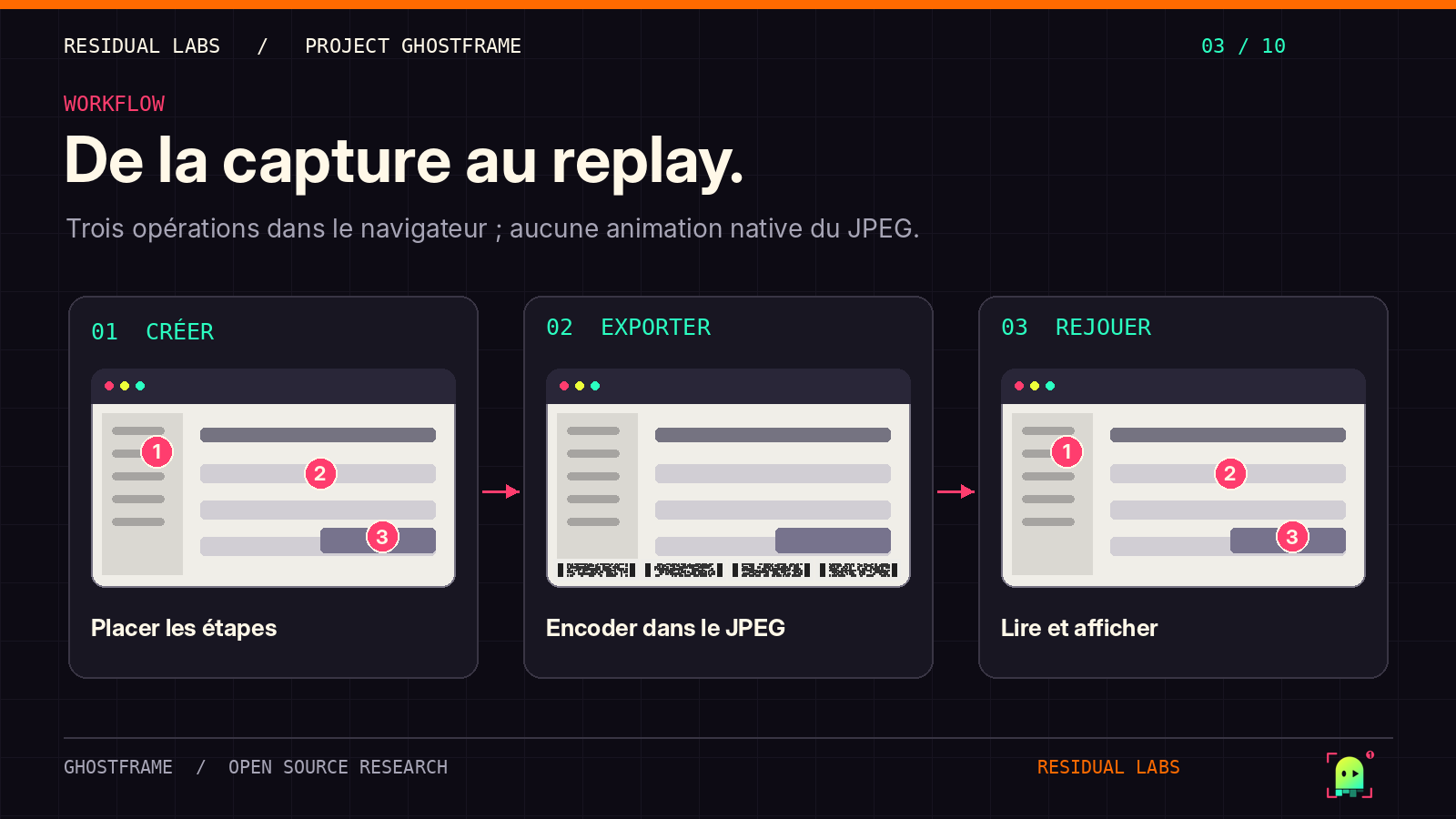
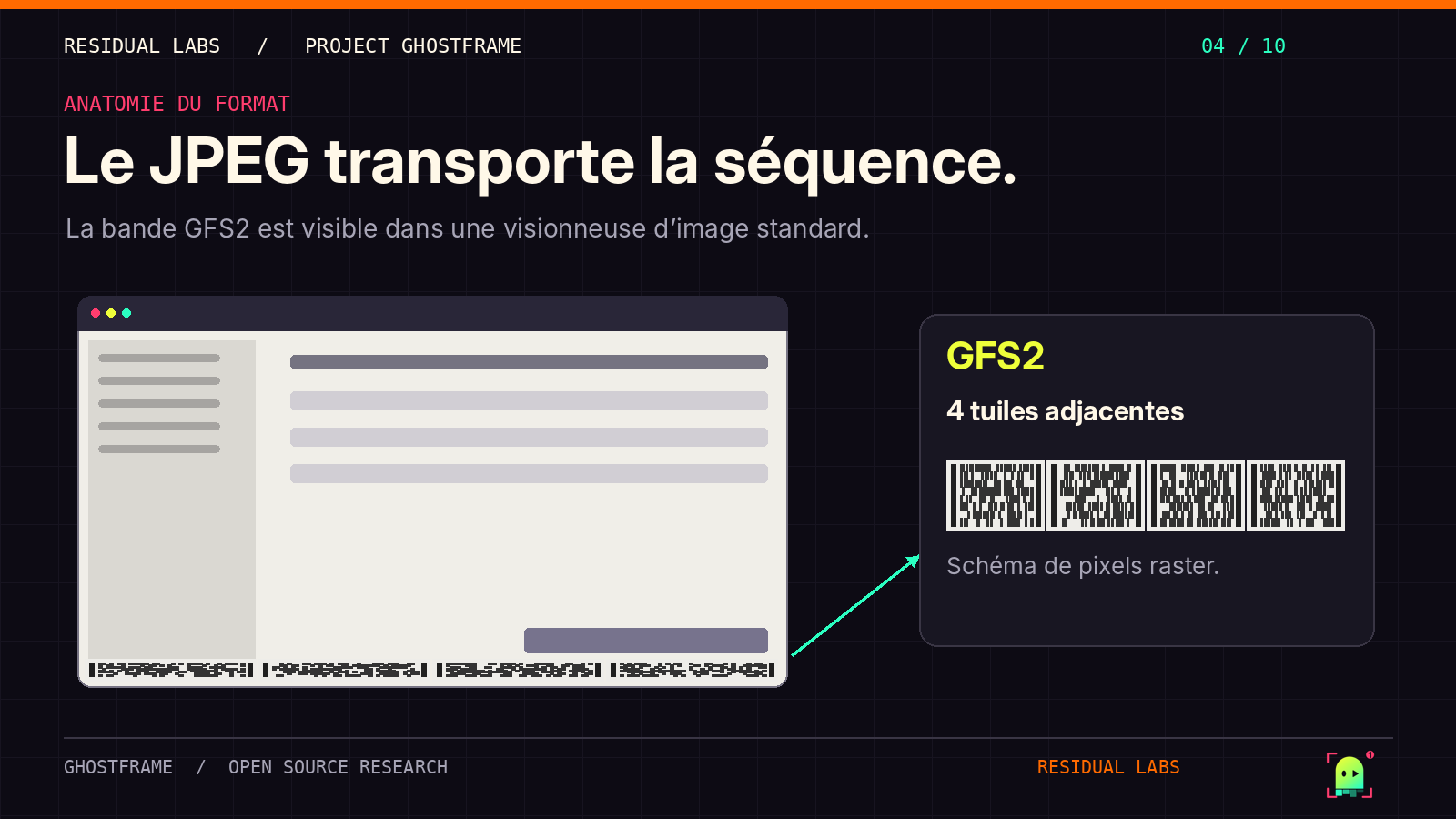
Ghostframe Replay en images
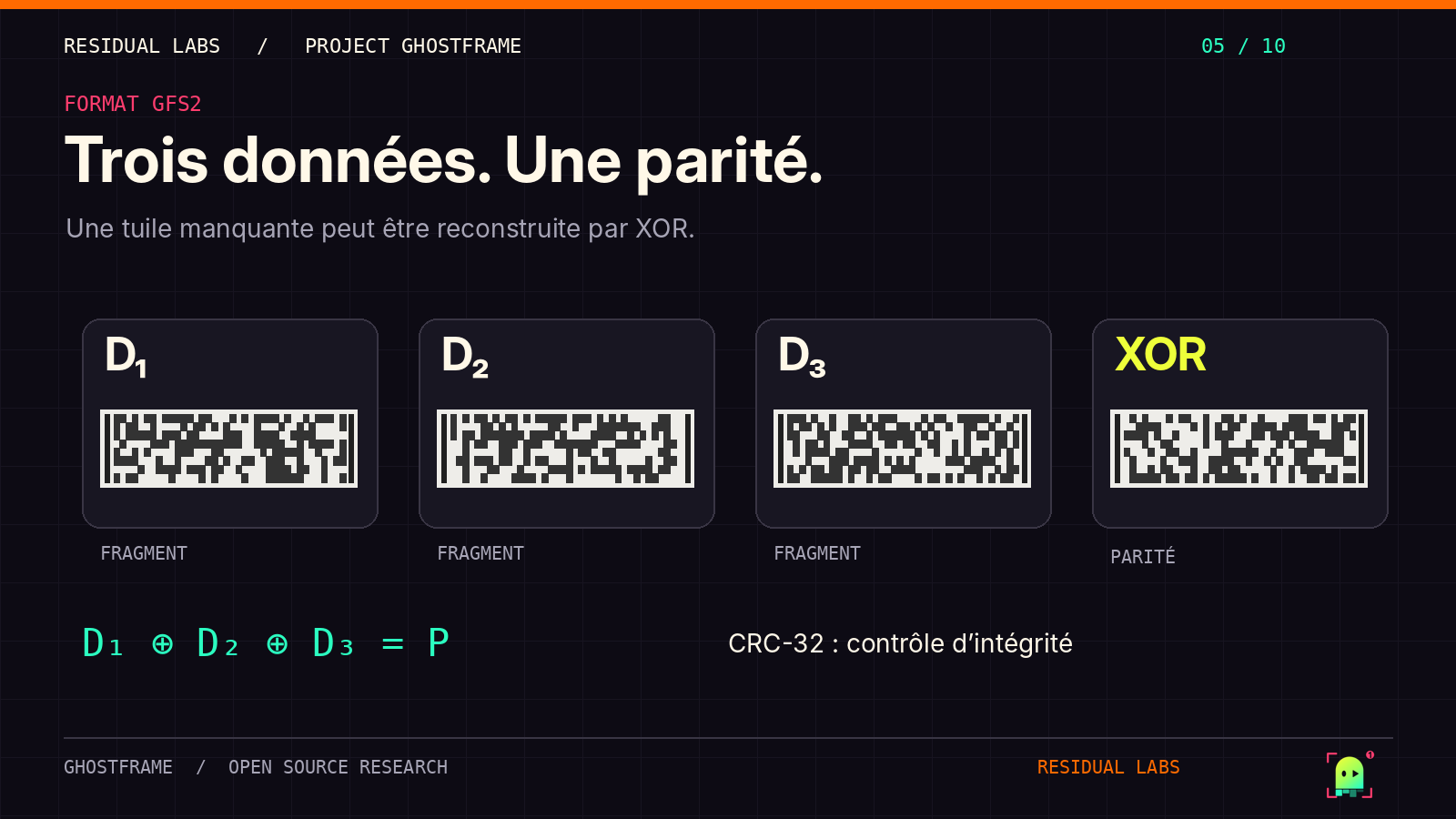
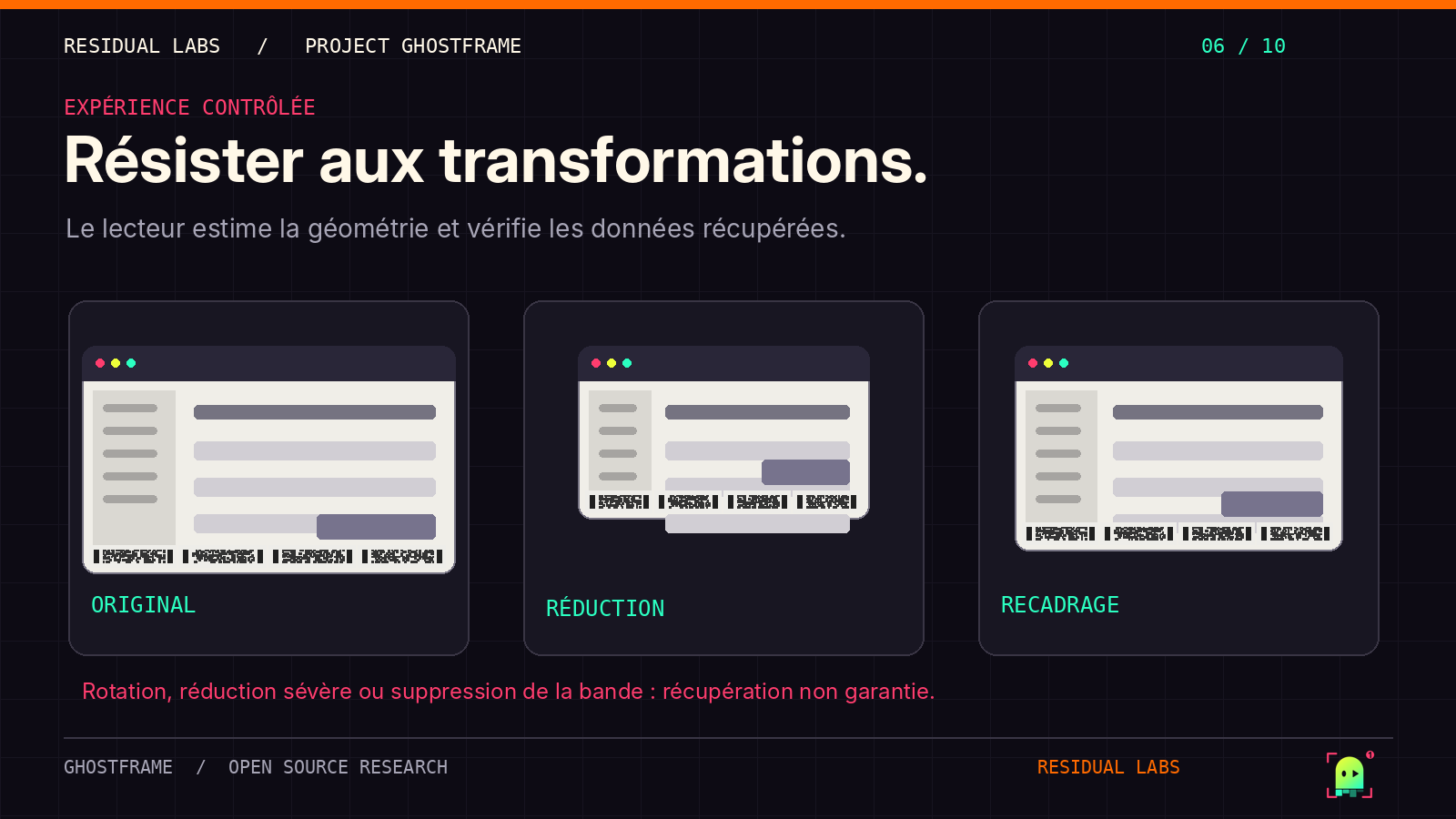
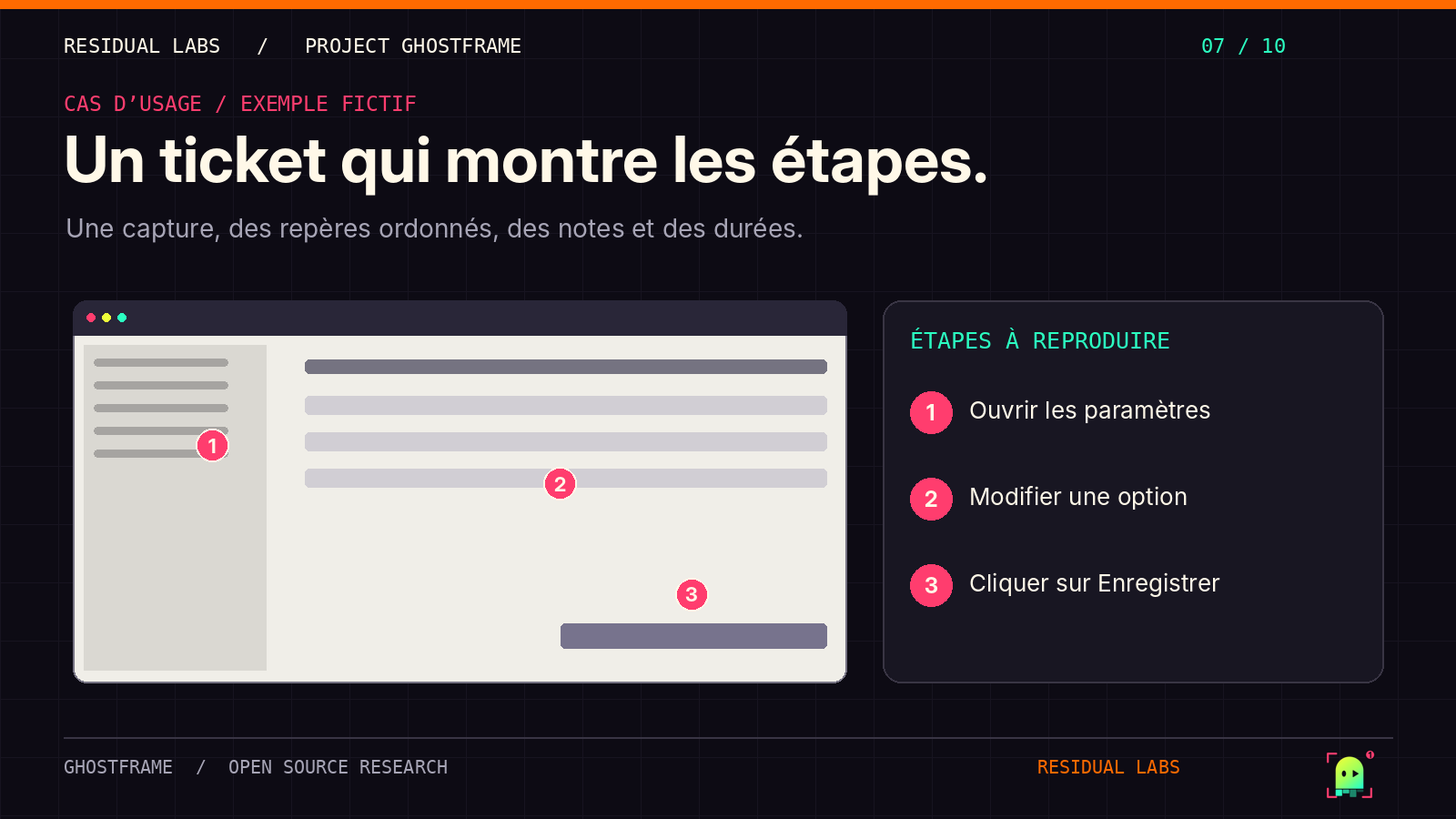
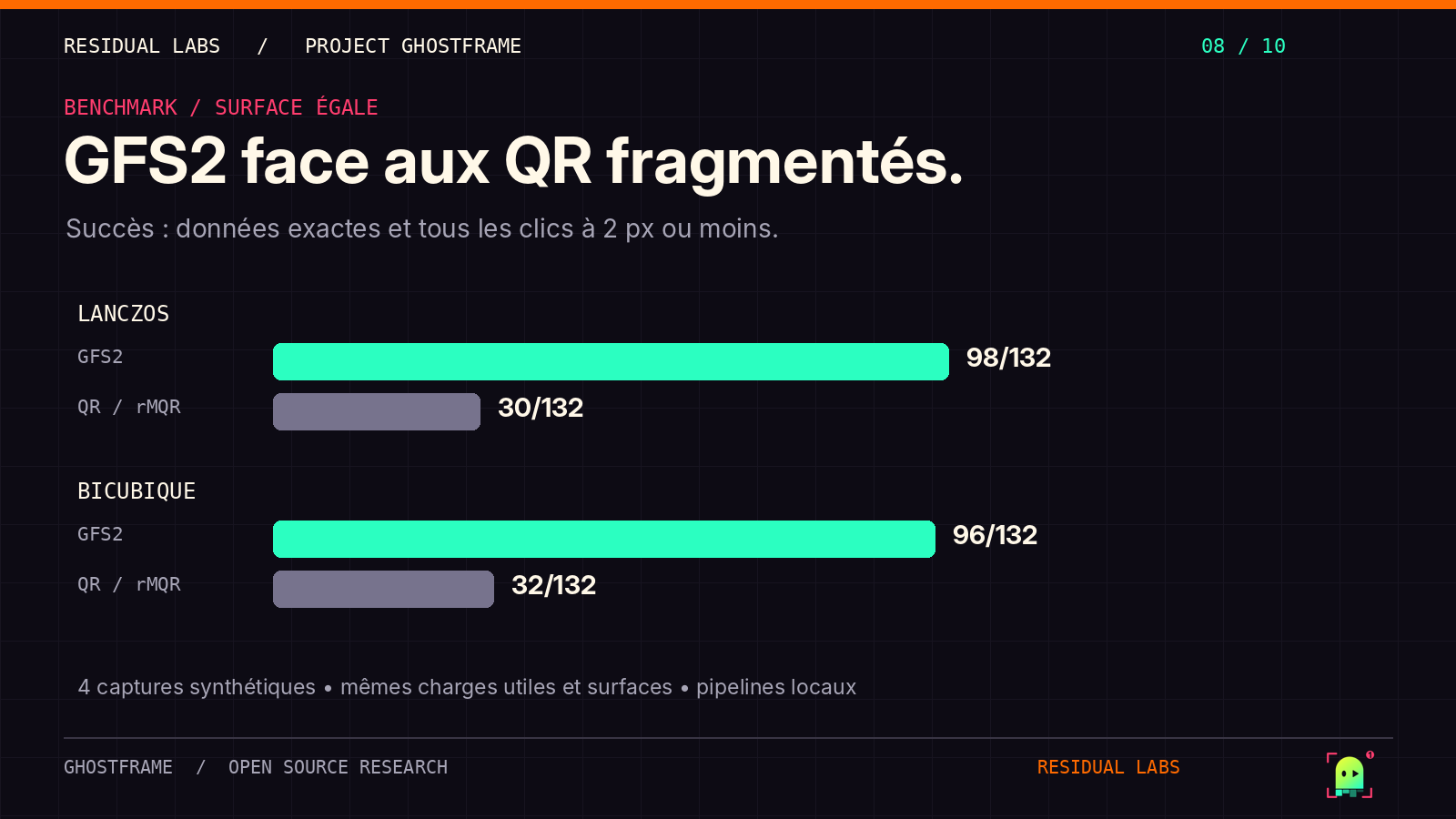
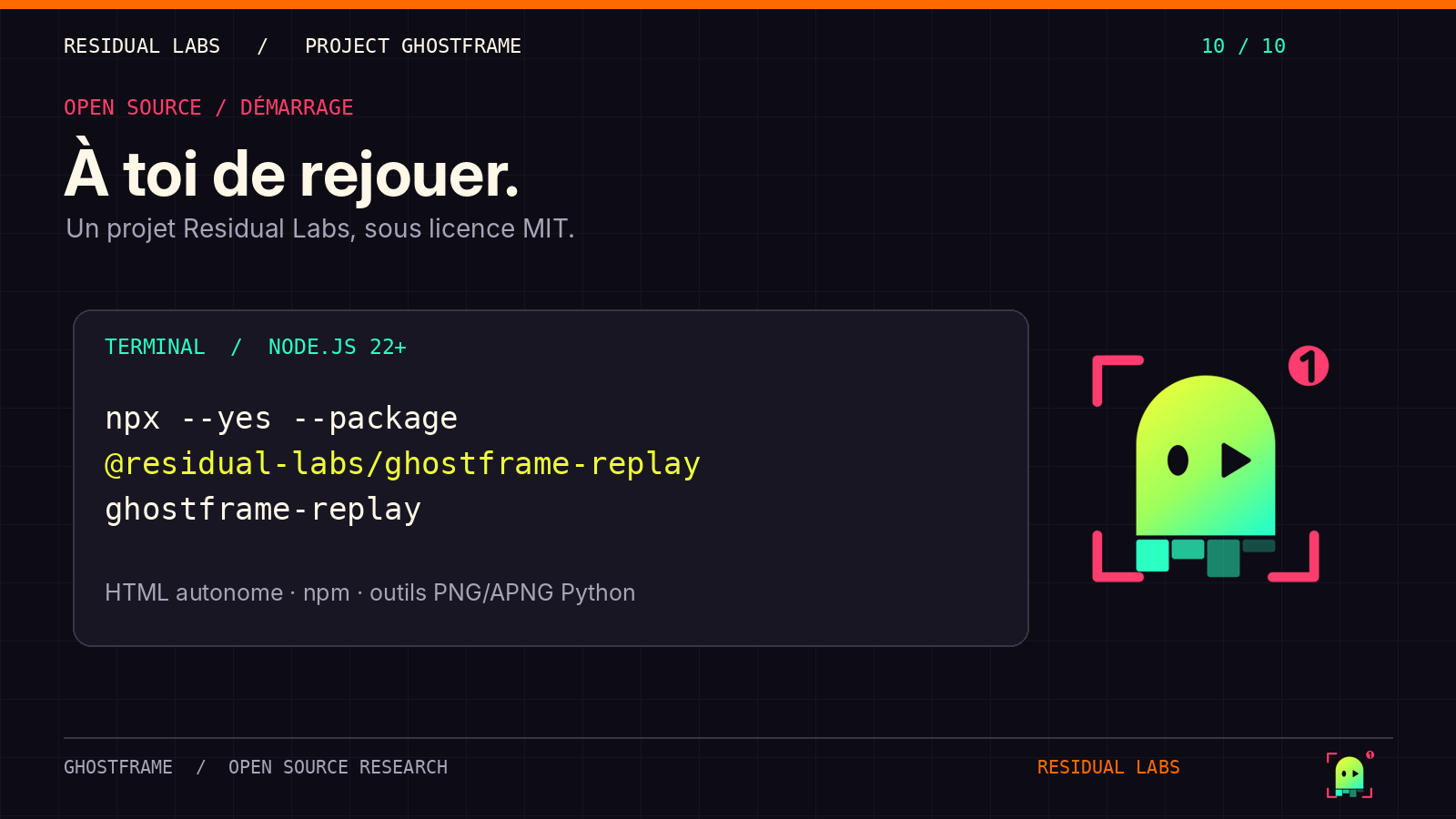
Ces visuels présentent le lecteur d’annotations JPEG du projet. Il est disponible en HTML autonome et sur npm. Le paquet Python fournit les commandes PNG/APNG décrites ci-dessus.
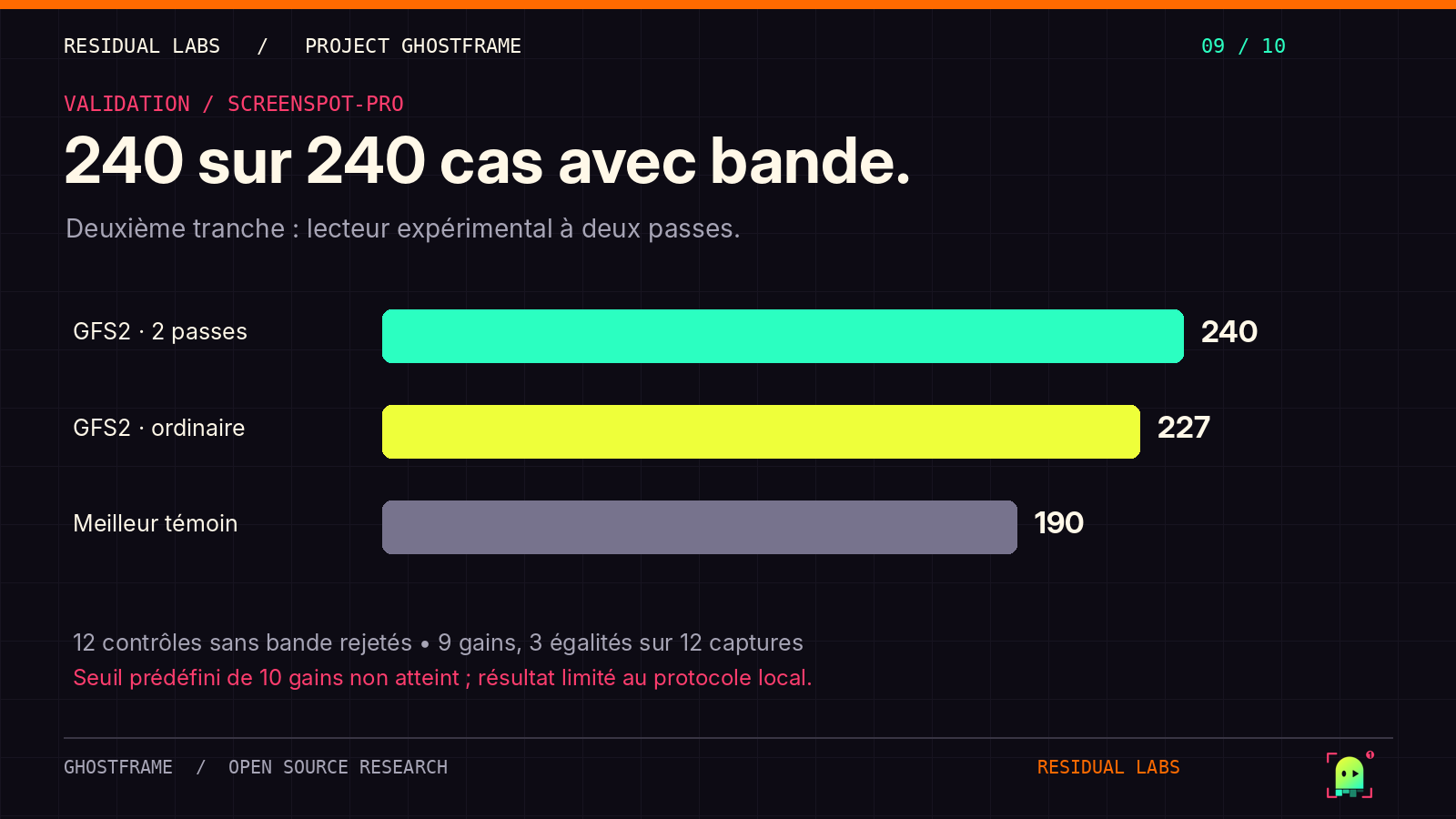
Le graphique ScreenSpot-Pro présente le lecteur expérimental à deux passes selon le protocole local de la prépublication. La version distribuée de Replay utilise le lecteur ordinaire. Galerie et logos
| Visuel | Visuel |
|---|---|
 |
 |
 |
 |
 |
 |
 |
 |
 |
 |
1 maintainer

Metadata
1 maintainer
Release files for project-ghostframe 0.1.2
For a detailed explanation of source distributions (sdists) and built distributions (wheels), please see the package formats documentation.
Source distribution (sdist)
| File | Size | Uploaded | Provenance | Actions |
|---|---|---|---|---|
| project_ghostframe-0.1.2.tar.gz | 11.1 kB | With provenance | Details for project_ghostframe-0.1.2.tar.gz |
Built distribution (wheel)
| File | Interpreter | ABI | Platform | Actions Reset |
|---|---|---|---|---|
| project_ghostframe-0.1.2-py3-none-any.whl | Python 3 | none | any | Details for project_ghostframe-0.1.2-py3-none-any.whl |
Total release size: 19.9 kB
Release files / project_ghostframe-0.1.2.tar.gz
| Download URL | project_ghostframe-0.1.2.tar.gz |
|---|---|
| Size | 11.1 kB |
| Tags | Source |
|
SHA-256 checksum How to use checksums |
bfff16962a047a555481f40efe8103f1520ecaa53f82c627d49c42d22c26c022
|
|
BLAKE2b-256 checksum How to use checksums |
d2059316cf9f2f56424b6927dca878b51ce93c3608e6f28961e62021a0e706c5
|
| Upload date | |
|
Uploaded using Trusted Publishing? What is trusted publishing? |
Yes |
| Uploaded via |
twine/7.0.0 CPython/3.13.16
|
Provenance
Provenance describes where a file came from. On PyPI, provenance is shared via attestations, which provide a verifiable record of the build or publishing details. View details, limitations and caveats.


PyPI Publish Attestation
PyPI verified that this artifact, at this checksum, originated from the publisher listed below.
Signed by GitHub Actions, verified by PyPI on Nov 24, 2026.
Transparency logRelease files / project_ghostframe-0.1.2-py3-none-any.whl
| Download URL | project_ghostframe-0.1.2-py3-none-any.whl |
|---|---|
| Size | 8.8 kB |
| Tags | Python 3 |
|
SHA-256 checksum How to use checksums |
60d256aa3446852f1febc2226a8ae23b7eda30f5172dbde42ad7d37f72e4dc8b
|
|
BLAKE2b-256 checksum How to use checksums |
c70b7015953c3817bf870799e650859af8bcf29a295872b4d36f558935be6049
|
| Upload date | |
|
Uploaded using Trusted Publishing? What is trusted publishing? |
Yes |
| Uploaded via |
twine/7.0.0 CPython/3.13.16
|
Provenance
Provenance describes where a file came from. On PyPI, provenance is shared via attestations, which provide a verifiable record of the build or publishing details. View details, limitations and caveats.
PyPI Publish Attestation
PyPI verified that this artifact, at this checksum, originated from the publisher listed below.
Signed by GitHub Actions, verified by PyPI on Nov 24, 2026.
Transparency logSecurity for project-ghostframe 0.1.2
Provenance
Provenance describes where a file came from. On PyPI, provenance is shared via attestations, which provide a verifiable record of the build or publishing details. View details, limitations and caveats.
Full provenance
Both files in this release have been uploaded with provenance metadata.
Attestation for project_ghostframe-0.1.2.tar.gz
PyPI Publish Attestation
PyPI verified that this artifact, at this checksum, originated from the publisher listed below.
Signed by GitHub Actions, verified by PyPI on Nov 24, 2026.
Transparency logA note on package security
PyPI is a repository for distributing packages, not a service for auditing them. While third-party security researchers and our staff do their best to detect and remove malicious packages, PyPI cannot guarantee the quality, security or suitability of any given package.
To learn more about protecting yourself from malicious actors, visit our package security documentation.














