
AI-guided project memory: capture issues, attempts, fixes, decisions, and context in readable Markdown and JSONL.

Project description

We don't make AI smarter. We make it experienced.
The local-first memory + judgment layer for AI coding agents. Save up to 50%+ of AI tokens. Stop repeating yesterday's bug.





Website • Guide • Demo • Changelog
The Problem
Every new AI session starts from zero. Claude, Cursor, Aider — they all forget yesterday's decisions, repeat failed debugging attempts, and burn millions of tokens reconstructing context from raw source files.
The model isn't the problem. The architecture is. Stateless models need a memory cortex.
The Solution
projectmem is the local-first memory + judgment layer that sits above your AI tools. It captures every failed attempt, decision, and gotcha — then injects that experience back into future AI sessions. Git tracks what changed. projectmem tracks why it changed, what was tried, and what failed.
Install
pip install projectmem
cd your-project
pjm init
That's it. pjm init installs three git hooks (pre-commit warnings, post-commit classification, post-merge tracking), auto-starts a real-time file watcher, inherits cross-project memory if available, and creates .projectmem/. Capture is active from minute one.
The canonical command is
projectmem. Apjmalias is installed for speed.
Why You'll Love It
- Pre-Commit Warnings —
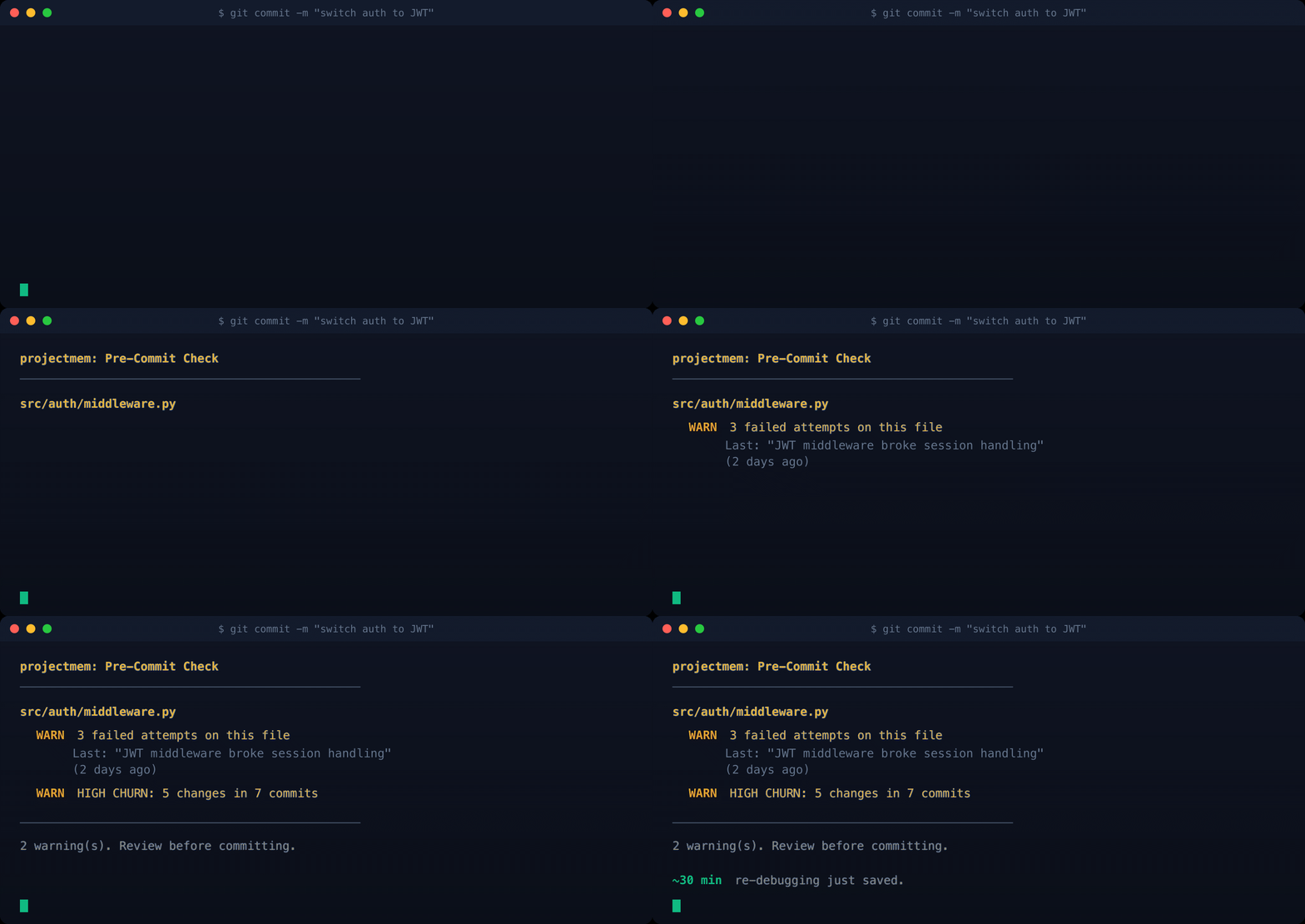
pjm precheckwarns you before you commit if you're about to repeat a failed approach, modify a high-churn file, or touch an unresolved issue. No other AI tool does this — it requires the memory layer underneath. - Smart Context Injection —
pjm wrap claude(or cursor/aider) injects a token-budgeted memory block into your AI before the session opens. Your AI starts experienced, not blank. - Provable ROI Score —
pjm scoreoutputs a letter grade (A+ → F) backed by concrete numbers — debugging hours saved, tokens prevented, dollars protected. CI-friendly JSON output and shields.io badge for your README. - Cross-Project Memory — Lessons learned in one repo follow you forever. Library gotchas, decisions, and patterns live in
~/.projectmem/global/and auto-inherit into every new project that matches your stack. - Real-time File Watcher — Background daemon detects rapid edits to the same file (debugging sessions) between commits. Battery-aware, gitignore-aware, auto-started by
pjm init. - Native MCP Server — Plugs into Claude Desktop, Cursor, Antigravity, Codex, and any MCP-compatible tool. 14 native tools force the AI to read context, check files for known failures, and log work automatically. Verified end-to-end against all four clients in v0.0.6.
- Interactive Dashboard —
pjm visualizeopens a four-tab D3.js dashboard: Story Map (failure heatmap), ROI Dashboard, Project Map (tree or graph view), Timeline. - 100% Local — No cloud, no telemetry, no accounts. Your code, your memory, your machine.
How It Compares
| Capability | projectmem | claude-mem | Graphify | mem0 | Cursor |
|---|---|---|---|---|---|
| Core focus | Memory + Judgment | Session capture | Static code map | Chat memory | IDE replacement |
| Captures development history | ✅ classified events | ~ raw log | ❌ | ~ chat-level | ❌ |
| Records architectural decisions | ✅ | ❌ | ❌ | ❌ | ❌ |
| Pre-commit failure warnings | ✅ unique | ❌ | ❌ | ❌ | ❌ |
| Cross-project memory | ✅ stack-aware | ~ filter only | ✅ | ~ cloud only | ❌ |
| Provable ROI score | ✅ A+ → F + $ | ❌ | ❌ | ❌ | ❌ |
| Auto-capture from git | ✅ post-commit hooks | ❌ | ~ re-index only | ❌ | ❌ |
| Real-time file watcher | ✅ opt-in daemon | ❌ | ❌ | ❌ | ❌ |
| Native MCP server | ✅ 14 tools | ✅ | ✅ | ~ | ❌ |
| 100% local / no cloud | ✅ | ✅ | ~ | ❌ cloud | ❌ |
| Tool-agnostic | ✅ | ✅ | ✅ | ~ | ❌ vendor-locked |
| Price | ✅ Free · MIT | Free | Free · MIT | Paid SaaS | $20/mo |
How AI Reads Your Memory (Token Efficiency)
The architecture is built around one rule: AI reads small, distilled files. Tools generate them from the big raw log.
| Access mode | Tokens / session | How it works |
|---|---|---|
| No projectmem (baseline) | 5,000 – 20,000+ | AI re-reads source files every session |
| Universal Mode (markdown) | ~2,500 | AI reads 3 small distilled files once |
| MCP Mode (recommended) | ~800 – 1,500 | AI calls get_summary(), then get_issue(id) only when relevant |
pjm wrap (pre-injection) |
500 – 2,000 | Pre-generated, you set the budget |
AI never reads events.jsonl directly. That file is for tools (pjm score, pjm context, pjm wrap). Tools distill the raw log into compact AI-readable summaries.
MCP Integration (Recommended)
Claude Desktop
Easiest — open the config from the UI:
- macOS: Claude menu →
Settings…→Developertab → Local MCP servers → Edit Config. - Windows / Linux: same path expected (
Settings → Developer → Edit Config) — open an issue if your platform differs and we'll update this.
If you prefer the raw file path: ~/Library/Application Support/Claude/claude_desktop_config.json on macOS, %APPDATA%\Claude\claude_desktop_config.json on Windows.
Paste this block:
"mcpServers": {
  "projectmem": {
    "command": "/opt/anaconda3/bin/python",
    "args": [
      "-m", "projectmem.mcp_server",
      "--root", "/absolute/path/to/your/project"
    ]
  }
}
Two things to know about this block:
- Use the absolute path to
python(e.g./opt/anaconda3/bin/python, or runwhich pythonto find yours). Claude Desktop subprocesses don't inherit your shellPATH, so bare"python"often fails. - We pass the project root via
--root, not thecwdJSON field. Claude Desktop's current build (with the Epitaxy / Cowork workspace system) silently ignores thecwdfield — the server ends up running withcwd=/and can't find.projectmem/. The--rootflag is honored by projectmem directly (read fromsys.argv) and works regardless of how Claude Desktop spawns the subprocess.
Then fully quit Claude Desktop (Cmd+Q on Mac) and reopen — MCP servers only initialize on cold start.
Cursor
Two ways to register the MCP server — pick whichever fits your workflow:
- Global (recommended): Cursor menu →
Settings…→ left sidebar Tools & MCPs → Installed MCP Servers → Add Custom MCP. Paste the JSON below. - Per-project: drop the JSON into
<project-root>/.cursor/mcp.json— only active when that project is open.
{
  "mcpServers": {
    "projectmem": {
      "command": "/opt/anaconda3/bin/python",
      "args": [
        "-m", "projectmem.mcp_server",
        "--root", "/absolute/path/to/your/project"
      ]
    }
  }
}
Two things to know about this block (same gotchas as Claude Desktop):
- Use the absolute path to
python(runwhich pythonto find yours). Cursor subprocesses don't reliably inherit your shellPATH. - Pass the project root via
--root, not thecwdJSON field. Cursor — like Claude Desktop — silently ignorescwd: the server ends up running withcwd=~and can't find.projectmem/. The--rootflag is honored by projectmem directly and works around the bug.
Then fully quit Cursor (Cmd+Q on Mac) and reopen. projectmem also auto-discovers .projectmem/ by walking up from CWD (like git does for .git/), and honors PROJECTMEM_ROOT and a --root <path> CLI argument.
Antigravity
Antigravity (Google's AI IDE) speaks standard MCP.
Easiest — open the config from the UI:
- Open the Agent window (the chat panel on the right).
- Click the ⋯ Additional Options button in the panel header.
- Choose MCP Servers → Manage MCP Servers → Add new (or Edit Config).
The raw file is at ~/.gemini/antigravity/mcp_config.json if you prefer editing it directly.
Paste this block:
{
  "mcpServers": {
    "projectmem": {
      "command": "python",
      "args": ["-m", "projectmem.mcp_server"],
      "cwd": "/absolute/path/to/your/project"
    }
  }
}
Then fully quit Antigravity (Cmd+Q on Mac) and reopen — MCP servers only initialize on cold start. All 14 projectmem tools register identically to Claude Desktop / Cursor.
Codex
Codex stores MCP config as TOML (not JSON) in ~/.codex/config.toml. There's a UI form at Settings → MCP Servers → Add MCP Server, but during v0.0.6 verification the form's Save button didn't reliably persist — the file-edit path is faster and more reliable.
Easiest — edit ~/.codex/config.toml directly:
Append this block (preserves any existing config):
[mcp_servers.projectmem]
command = "/opt/anaconda3/bin/python"
args = ["-m", "projectmem.mcp_server", "--root", "/absolute/path/to/your/project"]
cwd = "/absolute/path/to/your/project"
Three things to know about this block:
- Use the absolute path to
python(runwhich pythonto find yours). Codex subprocesses don't reliably inherit your shellPATH. - Pass the project root via
--rootin args (defense in depth). Thecwdfield appears to work in Codex, unlike Claude Desktop and Cursor — but--rootcosts nothing and saves us if any future Codex build regresses. - Set your reasoning effort to
mediumor higher. On low-reasoning Codex skipsget_instructionsfrom the session-start trio, which can cause the AI to miss the Setup Mode workflow rules. Medium+ honors the full trio automatically.
Validate the TOML:
python -c "import tomllib; tomllib.load(open('/Users/<you>/.codex/config.toml','rb')); print('OK')"
Should print OK. If not, the parser tells you the offending line.
Then fully quit Codex (Cmd+Q on Mac) and reopen. Same cold-start rule as every other MCP client. Codex MCP servers spawn lazily on the first tool call in a chat session — if you don't see the process in ps aux right after reopening, send any message to a Codex chat and check again.
Reasoning-effort note: Codex's mode selector is at the bottom of the chat input. Set it to medium (not low) for the full session-start trio behavior. Once set, it persists per-session.
First-run permission prompts
On first use in any MCP-capable client (Claude Desktop, Cursor, Antigravity, Codex), your AI will ask permission before each projectmem tool call. This is expected security behavior — MCP clients require explicit consent for every new tool. Approve each tool once and the prompt won't reappear for that session.
Other MCP Tools
Any MCP-compatible client works — point your tool at
python -m projectmem.mcp_server and either set cwd to your project
root or rely on the parent-walk auto-discovery.
MCP Tools Exposed
All 14 tools your AI can call:
Read-side (9 tools):
| Tool | When to use |
|---|---|
get_instructions() |
Start of every session — load workflow rules |
get_summary() |
Start and end — distilled project memory |
get_project_map() |
Start — understand repo structure |
precheck_file(path) |
Before editing any file — surface failure history |
get_issue(id) |
Read one specific issue's full history by ID |
search_events(query) |
Plain-text search across all logged events |
get_context(tokens, focus) |
Token-budgeted memory block with optional focus filter |
get_score() |
A+→F prevention score + ROI numbers |
get_global_gotchas(library) |
Cross-project library lessons inherited from past repos |
Write-side (5 tools):
| Tool | When to use |
|---|---|
log_issue(summary, location) |
Immediately when encountering a bug |
record_attempt(summary, outcome) |
Immediately after each fix attempt (outcome: failed/partial/worked) |
record_fix(summary) |
After confirming a fix resolves the issue |
add_decision(summary) |
When making architectural / design decisions |
add_note(summary) |
When discovering gotchas, setup details, or constraints |
CLI Reference
Core memory
| Command | Purpose |
|---|---|
pjm init |
Initialize memory + auto-install hooks + inherit global memory |
pjm log <text> |
Start a new issue / debugging session |
pjm attempt <text> [--failed|--worked] |
Record a fix attempt outcome |
pjm fix <text> |
Record the confirmed fix and close the issue |
pjm decision <text> |
Record an architectural decision |
pjm note <text> |
Record durable context or a gotcha |
pjm show |
Print the current summary |
pjm search <query> |
Plain-text search across all events |
Intelligence layer (v0.0.6)
| Command | Purpose |
|---|---|
pjm watch [--daemon|--stop|--status] |
Real-time file churn watcher |
pjm precheck |
Warn about repeating failed approaches before commit |
pjm wrap <agent> |
Inject token-budgeted memory into Claude/Cursor/Aider |
pjm context [--tokens N] |
Generate token-budgeted project context |
pjm score [--format text|json|badge] |
Letter-grade prevention score |
pjm global <action> |
Manage cross-project memory |
Visualization & utility
| Command | Purpose |
|---|---|
pjm visualize |
Open interactive D3.js dashboard |
pjm stats |
Token ROI summary in the terminal |
pjm backfill |
Auto-populate memory from git history |
pjm hooks install|uninstall |
Manage git hooks manually |
pjm regenerate |
Rebuild summary.md from events.jsonl |
Use
--at "file.py:42"with any logging command to attach precise location metadata.
Example: Pre-Commit Warnings in Action
$ git commit -m "switch auth to JWT"

projectmem: Pre-Commit Check
─────────────────────────────────────────────
  src/auth/middleware.py
    WARN  3 failed attempts on this file
           Last failure: Tried switching to JWT middleware
             (2 days ago)
    WARN  HIGH CHURN: 5 changes in last 30 days
─────────────────────────────────────────────
2 warning(s). Review before committing.

~30 min re-debugging just saved.
Privacy & Security
By default, projectmem commits the distilled files (summary.md, PROJECT_MAP.md, AI_INSTRUCTIONS.md, issues/) and gitignores the raw log + runtime files (events.jsonl, watch.pid, watch.log). This means your teammate's AI inherits your team's knowledge automatically — just git clone and the AI already knows what your team learned.
Want total privacy? Add a single line .projectmem/ to your .gitignore. Nothing leaves your machine.
Full security policy and threat model: SECURITY.md · Privacy & Security guide
Design Principles
- Local-first — No network calls, no cloud, no telemetry. Your data never leaves your machine.
- Project-scoped — Memory lives in the repo. When the code moves, the memory moves.
- AI-tool-agnostic — Works natively via MCP, or universally via Markdown instructions. Any AI tool, any workflow.
Built With
projectmem stands on the shoulders of these excellent open-source projects:
- Typer — the CLI framework that makes
pjmfeel ergonomic - Model Context Protocol — Anthropic's open spec that lets AI agents talk to local tools
- watchdog — cross-platform filesystem event monitoring (the heart of
pjm watch) - D3.js — the interactive visualizations in
pjm visualize
License
MIT — free for personal, commercial, and enterprise use forever.
Help Us Reach More Developers
We don't need money. We need you.
projectmem is built by one developer for the open-source community. Every star, every share, and every contribution helps the project survive and grow.
- Star the repo — takes one click, helps massively with discovery
- Share on X / LinkedIn — tell other devs they don't have to keep paying AI to relearn their codebase
- Open an issue — bug, feature request, or just feedback
- Contribute code — PRs welcome, see contributing guide
- Using
projectmemat work or in a commercial product? Reach out to support@projectmem.dev so we know who's shipping with us. It's free — we just love hearing about it.
Stars and shares matter more than money — but if you really want to: sponsor on GitHub →
Release history Release notifications | RSS feed


Download files
Download the file for your platform. If you're not sure which to choose, learn more about installing packages.
Source Distribution
Built Distribution
Filter files by name, interpreter, ABI, and platform.
If you're not sure about the file name format, learn more about wheel file names.
Copy a direct link to the current filters
File details
Details for the file projectmem-0.1.1.tar.gz.
File metadata
- Download URL: projectmem-0.1.1.tar.gz
- Upload date:
- Size: 194.8 kB
- Tags: Source
- Uploaded using Trusted Publishing? No
- Uploaded via: twine/6.2.0 CPython/3.12.2
File hashes
| Algorithm | Hash digest | |
|---|---|---|
| SHA256 |
05fe9e93a305fe2d37119f587b83b3113eb6dba63527eace99aa96116199ad37
|
|
| MD5 |
ae2eb80f41bf80094ae02c424fa19bb6
|
|
| BLAKE2b-256 |
a9db3dd13033daf32184a4561cf451d588c839a496d087e66b5c52d82aa32a03
|
File details
Details for the file projectmem-0.1.1-py3-none-any.whl.
File metadata
- Download URL: projectmem-0.1.1-py3-none-any.whl
- Upload date:
- Size: 97.4 kB
- Tags: Python 3
- Uploaded using Trusted Publishing? No
- Uploaded via: twine/6.2.0 CPython/3.12.2
File hashes
| Algorithm | Hash digest | |
|---|---|---|
| SHA256 |
6806a1fdcf36826b2111fb579ce687c368734873c39e969c988d4eef0a002934
|
|
| MD5 |
e128a527161e7788c01a2ec8b0edd4aa
|
|
| BLAKE2b-256 |
57829feed5c445577fe322e7abe1dff6d341506240262c781ca43f54b2e0903c
|






