
prompt2dataset
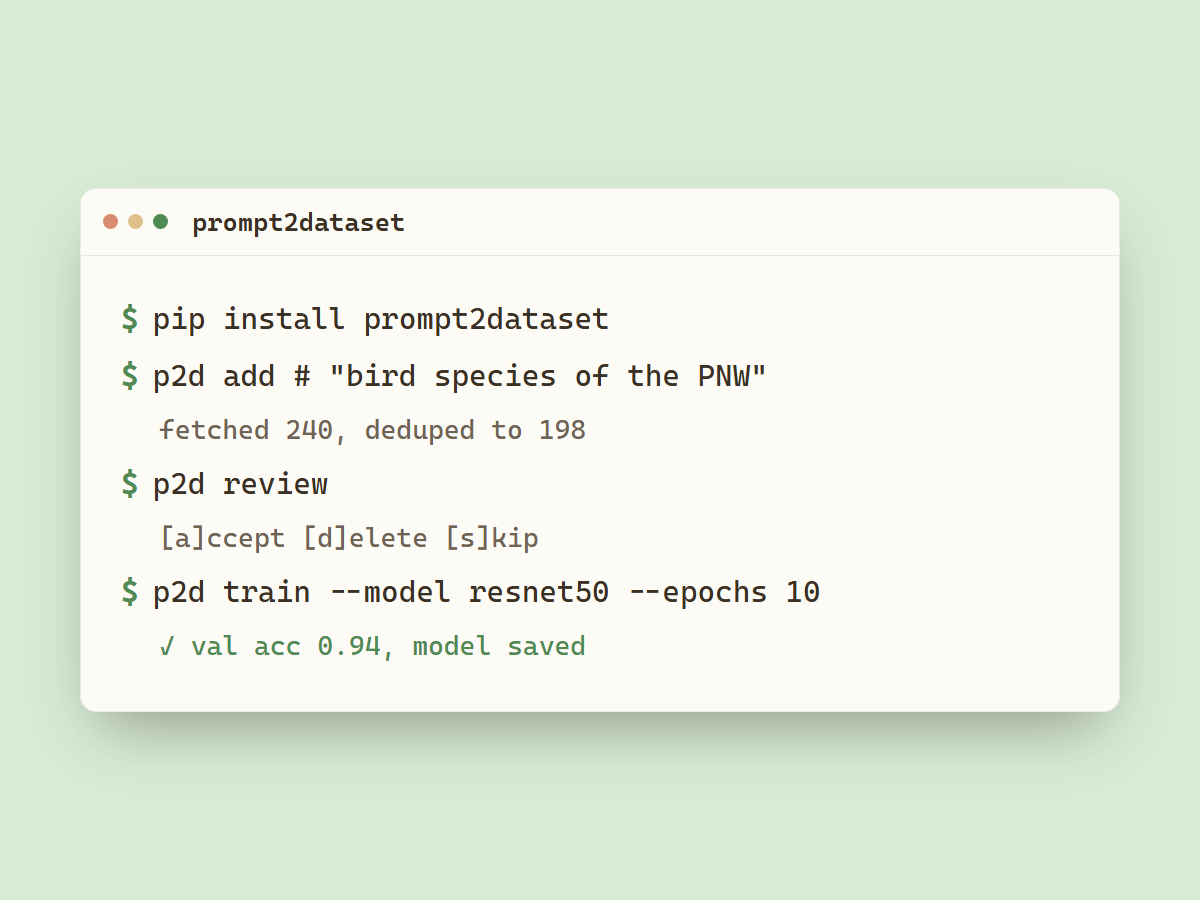
Build labeled image datasets from a plain-English prompt.
$ cd my-dataset
$ p2d add
What dataset do you want to build? > bird species native to the Pacific Northwest
prompt2dataset resolves your description into subjects via a local Qwen model, fetches images from one or more sources, deduplicates, downloads, and writes a manifest.
Installation
pip install prompt2dataset
p2d add, review, info, and dedup work with this base install. Training
and p2d outliers require PyTorch:
pip install "prompt2dataset[train]"
This pulls a CPU build of torch. For a CUDA build, install from the matching PyTorch index:
pip install "prompt2dataset[train]" --index-url https://download.pytorch.org/whl/cu126
Pick the index for your CUDA version (cu121, cu124, cu126, ...). See the
PyTorch install guide for current options.
Setup
prompt2dataset resolves subjects with a local Ollama model. Install Ollama and pull the model:
ollama pull qwen2.5:3b-instruct
Optional environment variables (set in a local .env file):
# .env
OLLAMA_HOST=http://localhost:11434   # where Ollama is running
P2D_MODEL=qwen2.5:3b-instruct        # which model to resolve subjects with
P2D_CONTACT=you@example.com          # included in source API request headers per Wikimedia's policy
Usage
All commands operate on the current directory.
p2d add
Prompts for a dataset description, resolves subjects, and downloads images. Run it again in the same directory to fetch additional subjects without re-downloading what's already there.
$ mkdir pacific-northwest-birds && cd pacific-northwest-birds
$ p2d add
p2d review
Step through downloaded images and mark them valid or delete them.
$ p2d review
$ p2d review --misclassified   # only images that a trained model got wrong
Keys: A accept, D delete, S skip, Q quit.
p2d dedup
Removes exact-duplicate images, found by hashing decoded pixels, so the same image saved under a different filename or format is caught.
$ p2d dedup
$ p2d dedup --delete   # remove flagged files instead of marking invalid
p2d outliers
Removes images that don't fit the rest of their subject. Each image is embedded
with a pretrained CNN, then DBSCAN flags those that don't cluster with the
others (scraping junk like charts or text-on-white). Needs the [train] extra.
$ p2d outliers
$ p2d outliers --delete    # remove flagged files instead of marking invalid
$ p2d outliers --eps 0.3   # looser clustering (flags fewer)
Both commands mark flagged images invalid in the manifest by default, so you can
inspect them with p2d review before they're gone. Pass --delete to remove the
files directly.
p2d info
Print dataset statistics and the subject list.
p2d train
Fine-tune a pretrained image classifier on the dataset. Uses torch-lr-finder to find a good learning rate automatically, then trains for N epochs and exports a TorchScript model.
$ p2d train
$ p2d train --model resnet50 --epochs 10
Options: --epochs, --val-split, --img-size, --model (mobilenet_v2, resnet18, resnet50).
Data sources
| Source | Best for |
|---|---|
| DuckDuckGo | Broad or niche subjects, recent events, pop culture |
| Bing | General web image search, high-volume results |
| Wikimedia Commons | Well-documented subjects with Wikipedia articles |
| iNaturalist | Animals, plants, fungi - research-grade, taxonomy-tagged |
| Openverse | General subjects, scenes, cultural content |
None require an API key. Sources are selected interactively when you run
p2d add.
Output layout
my-dataset/
  american-robin/
    american-robin_a3f1c8d2e9b4.jpg
    ...
  stellers-jay/
    ...
  .p2d/
    manifest.json       dataset metadata and item list
    labels.csv          filename, subject, source
    subjects.json       resolved subject list (cached)
    model.pt            TorchScript model (after p2d train)
    labels.json         class names in output order
    report.json         per-class precision/recall/F1
    misclassified.json  validation images the model got wrong
manifest.json is the authoritative record. Everything in .p2d/ is
generated and can be reconstructed.
Global flag
--debug enables verbose logging for all commands:
p2d --debug add
License
MIT
1 maintainer

Metadata
1 maintainer
Release files for prompt2dataset 0.2.0
For a detailed explanation of source distributions (sdists) and built distributions (wheels), please see the package formats documentation.
Source distribution (sdist)
| File | Size | Uploaded | Provenance | |
|---|---|---|---|---|
| prompt2dataset-0.2.0.tar.gz | 21.9 kB | Without provenance | Details |
Built distribution (wheel)
| File | Interpreter | ABI | Platform | Reset |
|---|---|---|---|---|
| prompt2dataset-0.2.0-py3-none-any.whl | Python 3 | none | any | Details |
Total release size: 47.2 kB
Release files / prompt2dataset-0.2.0.tar.gz
| Download URL | prompt2dataset-0.2.0.tar.gz |
|---|---|
| Size | 21.9 kB |
| Tags | Source |
|
SHA-256 checksum How to use checksums |
b0d89c51904d84adf4db93cfb41a9ef53df2bb0c9aae07f3c0e349bebfcdb76b
|
|
BLAKE2b-256 checksum How to use checksums |
3d3669386cf385c7067039c57a4be6d09bbb6f93b74a0023b5d819930beda883
|
| Upload date | |
|
Uploaded using Trusted Publishing? What is trusted publishing? |
No |
| Uploaded via |
twine/6.2.0 CPython/3.11.9
|
Release files / prompt2dataset-0.2.0-py3-none-any.whl
| Download URL | prompt2dataset-0.2.0-py3-none-any.whl |
|---|---|
| Size | 25.3 kB |
| Tags | Python 3 |
|
SHA-256 checksum How to use checksums |
98b5391c160f537c5885a99f371e726af50ae472c827e276d232f3e4241ce28a
|
|
BLAKE2b-256 checksum How to use checksums |
7fc950c3563791ac933f37ea144418aeac692d1b9f70fbb2a8de5a46b827dac8
|
| Upload date | |
|
Uploaded using Trusted Publishing? What is trusted publishing? |
No |
| Uploaded via |
twine/6.2.0 CPython/3.11.9
|
Security for prompt2dataset 0.2.0
Provenance
Provenance describes where a file came from. On PyPI, provenance is shared via attestations, which provide a verifiable record of the build or publishing details. View details, limitations and caveats.
No provenance found
None of the files in this release were uploaded with provenance metadata.
A note on package security
PyPI is a repository for distributing packages, not a service for auditing them. While third-party security researchers and our staff do their best to detect and remove malicious packages, PyPI cannot guarantee the quality, security or suitability of any given package.
To learn more about protecting yourself from malicious actors, visit our package security documentation.














