
Promptfoo: LLM evals & red teaming





📦 About this Python package
This is a lightweight wrapper that installs promptfoo via
pip. It requires Node.js 22.22.0 or newer and executesnpx promptfoo@latestunder the hood.💡 If you have Node.js installed, we recommend using
npx promptfoo@latestdirectly for better performance:npx promptfoo@latest init npx promptfoo@latest evalSee the main project for the official npm package.
🐍 Use this pip wrapper when you:
- Need to install via
pipfor Python-only CI/CD environments- Want to manage promptfoo with poetry/pipenv/pip alongside Python dependencies
- Work in environments where pip packages are easier to approve than npm
promptfoo is a developer-friendly local tool for testing LLM applications. Stop the trial-and-error approach - start shipping secure, reliable AI apps.
Website · Getting Started · Red Teaming · Documentation · Discord
Installation
Requirements
- Python 3.10+ (for this wrapper)
- Node.js 22.22.0 or newer (required to run promptfoo; Node.js 24 LTS is recommended)
Install from PyPI
pip install promptfoo
Alternative: Use npx (Recommended)
If you have Node.js installed, you can skip the wrapper and use npx directly:
npx promptfoo@latest init
npx promptfoo@latest eval
This is faster and gives you direct access to the latest version.
Quick Start
# Install
pip install promptfoo

# Initialize project
promptfoo init

# Run your first evaluation
promptfoo eval
See Getting Started (evals) or Red Teaming (vulnerability scanning) for more.
What can you do with Promptfoo?
- Test your prompts and models with automated evaluations
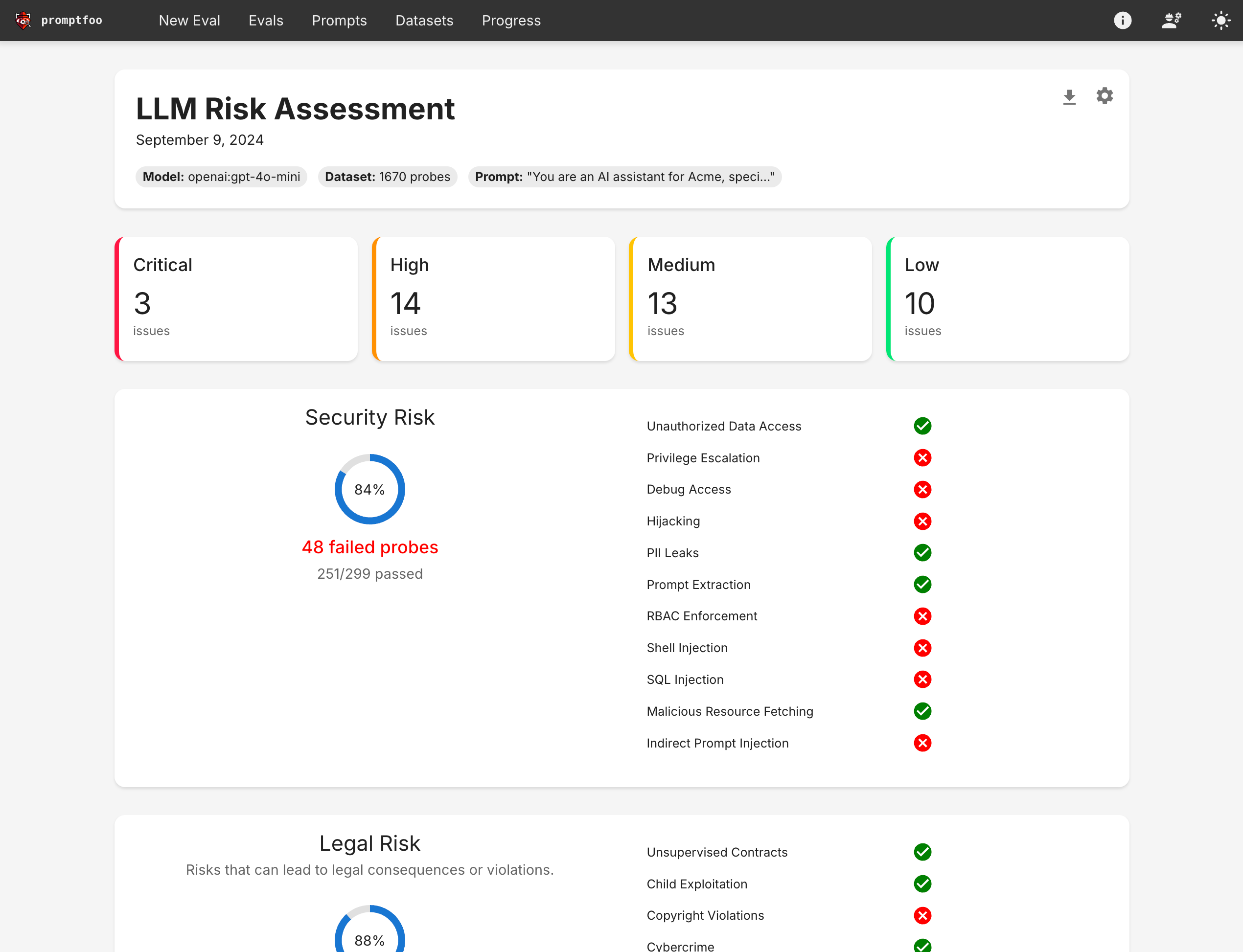
- Secure your LLM apps with red teaming and vulnerability scanning
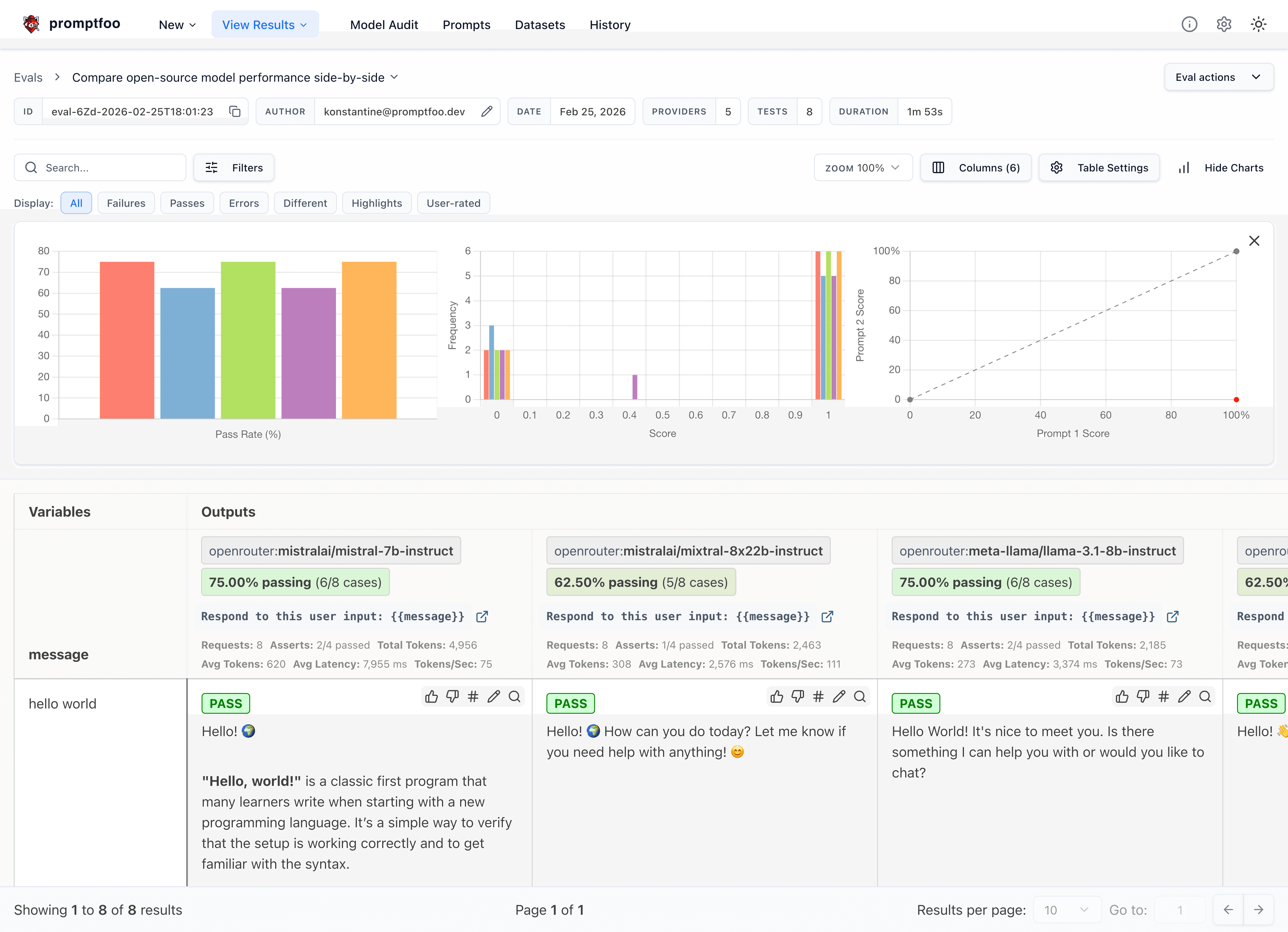
- Compare models side-by-side (OpenAI, Anthropic, Azure, Bedrock, Ollama, and more)
- Automate checks in CI/CD
- Review pull requests for LLM-related security and compliance issues with code scanning
- Share results with your team
Here's what it looks like in action:
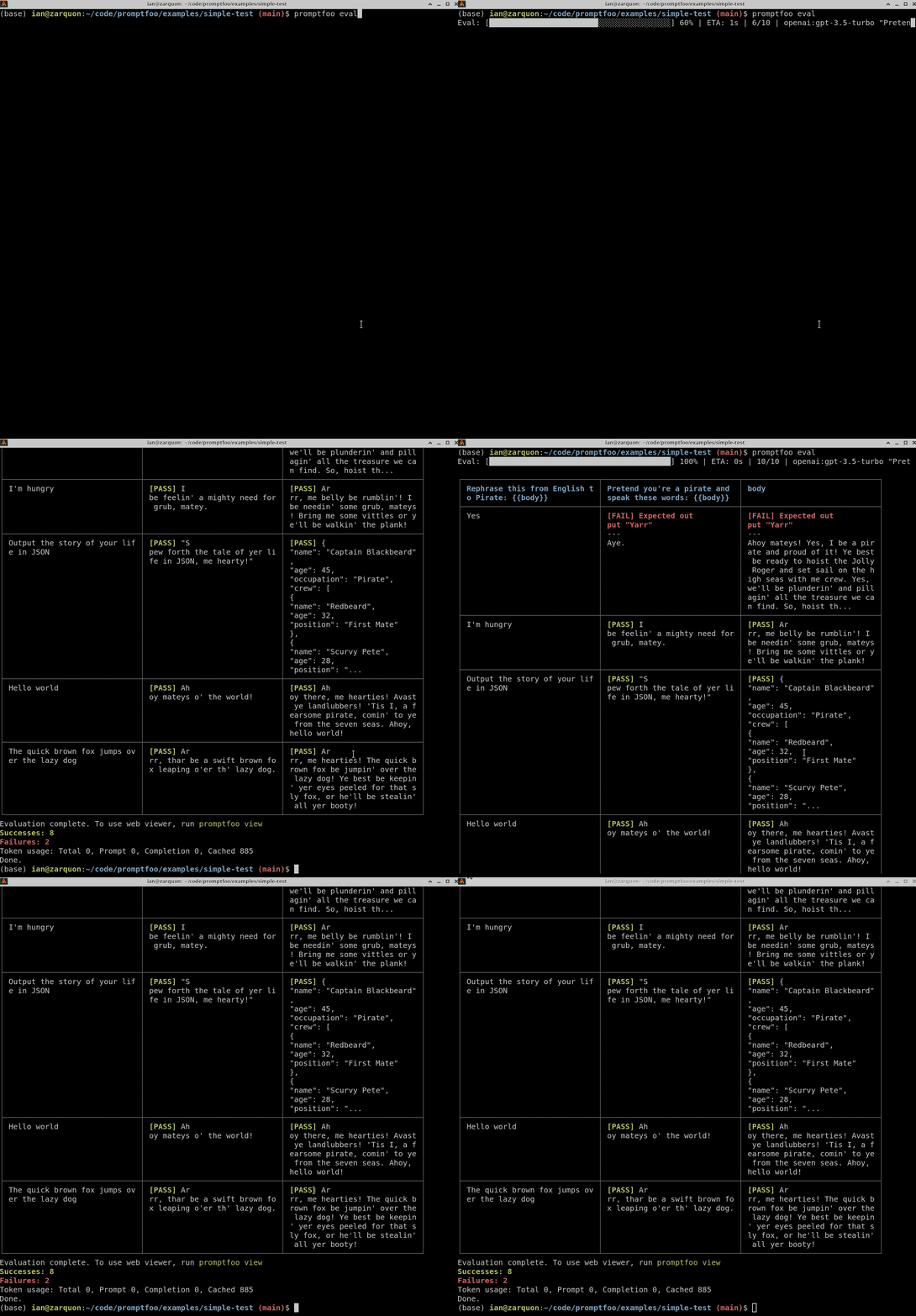
It works on the command line too:
It also can generate security vulnerability reports:
Why Promptfoo?
- 🚀 Developer-first: Fast, with features like live reload and caching
- 🔒 Private: LLM evals run 100% locally - your prompts never leave your machine
- 🔧 Flexible: Works with any LLM API or programming language
- 💪 Battle-tested: Powers LLM apps serving 10M+ users in production
- 📊 Data-driven: Make decisions based on metrics, not gut feel
- 🤝 Open source: MIT licensed, with an active community
How This Wrapper Works
This Python package is a thin wrapper that:
- Checks that a supported Node.js version is installed
- Executes
npx promptfoo@latest <your-args>(or uses globally installed promptfoo if available) - Passes through all arguments and environment variables
- Returns the same exit code
The actual promptfoo logic runs via the official TypeScript package from npm. All features and commands work identically.
Python-Specific Usage
With pip
pip install promptfoo
promptfoo eval
With poetry
poetry add --group dev promptfoo
poetry run promptfoo eval
With requirements.txt
echo "promptfoo" >> requirements.txt
pip install -r requirements.txt
promptfoo eval
In CI/CD (GitHub Actions example)
- name: Setup Node.js
  uses: actions/setup-node@v7
  with:
    node-version: "24"

- name: Install promptfoo
  run: pip install promptfoo

- name: Run red team tests
  run: promptfoo redteam run
Learn More
- 📚 Full Documentation
- 🔐 Red Teaming Guide
- 🎯 Getting Started
- 💻 CLI Usage
- 📦 Main Project (npm)
- 🤖 Supported Models
- 🔬 Code Scanning Guide
Troubleshooting
"ERROR: promptfoo requires Node.js"
The wrapper needs Node.js 22.22.0 or newer to run. Install a supported version, then verify it with node --version:
- macOS:
brew install node - Ubuntu/Debian: Use NodeSource or nvm; some distribution repositories still offer older versions
- Windows: Download from nodejs.org
- macOS/Linux: With nvm, run
nvm install 24
Slow First Run
The first time you run promptfoo, npx downloads the latest version from npm (typically ~50MB). Subsequent runs use the cached version and are fast.
To speed this up, install promptfoo globally:
npm install -g promptfoo
The Python wrapper will automatically use the global installation when available.
Version Pinning
By default, this wrapper uses npx promptfoo@latest. To pin a specific version:
export PROMPTFOO_VERSION=0.95.0
promptfoo --version
Or install a specific version globally:
npm install -g promptfoo@0.95.0
Telemetry
This wrapper collects anonymous usage telemetry to help improve the package, mirroring the telemetry in the main promptfoo project.
What is collected: A random anonymous user ID, wrapper version, Python version, and whether you're running in CI. If you've previously logged into promptfoo and your email is stored in ~/.promptfoo/promptfoo.yaml, that is also sent.
To opt out:
export PROMPTFOO_DISABLE_TELEMETRY=1
Contributing
For promptfoo features, docs, and bugs: contribute to promptfoo/promptfoo.
For pip wrapper issues (installation, Python shim, CI integration): open issues here. See CONTRIBUTING.md for development setup.
Join our Discord community for help and discussion.

License
MIT License - Same as promptfoo


Release files for promptfoo 0.2.0
For a detailed explanation of source distributions (sdists) and built distributions (wheels), please see the package formats documentation.
Source distribution (sdist)
| File | Size | Uploaded | |
|---|---|---|---|
| promptfoo-0.2.0.tar.gz | 18.3 kB | Details |
Built distribution (wheel)
| File | Interpreter | ABI | Platform | Reset |
|---|---|---|---|---|
| promptfoo-0.2.0-py3-none-any.whl | Python 3 | none | any | Details |
Total release size: 37.2 kB
Release files / promptfoo-0.2.0.tar.gz
| Download URL | promptfoo-0.2.0.tar.gz |
|---|---|
| Size | 18.3 kB |
| Tags | Source |
|
SHA-256 checksum How to use checksums |
57cbb377bc6320e41fe64396f8a92f9377210914f6559eae3c26c8ab1bfdac21
|
|
BLAKE2b-256 checksum How to use checksums |
8b512de1946d1bd17af29b1642792375baeb9faba4076e3f1a6a2648b66024ec
|
| Upload date | |
|
Uploaded using Trusted Publishing? What is trusted publishing? |
Yes |
| Uploaded via |
twine/7.0.0 CPython/3.13.14
|
Provenance
Provenance describes where a file came from. On PyPI, provenance is shared via attestations, which provide a verifiable record of the build or publishing details. View details, limitations and caveats.


PyPI Publish Attestation
PyPI verified that this artifact, at this checksum, originated from the publisher listed below.
Signed by GitHub Actions, verified by PyPI on Sep 18, 2026.
Transparency logRelease files / promptfoo-0.2.0-py3-none-any.whl
| Download URL | promptfoo-0.2.0-py3-none-any.whl |
|---|---|
| Size | 18.9 kB |
| Tags | Python 3 |
|
SHA-256 checksum How to use checksums |
0cc486d7dc2295a25408a6a65abf88d7ca930e155d3417d5eeb6b44d11d449d5
|
|
BLAKE2b-256 checksum How to use checksums |
5a15aa0d50afacc25faa7683f8a439b8f514b63786045863924083c3b1de229e
|
| Upload date | |
|
Uploaded using Trusted Publishing? What is trusted publishing? |
Yes |
| Uploaded via |
twine/7.0.0 CPython/3.13.14
|
Provenance
Provenance describes where a file came from. On PyPI, provenance is shared via attestations, which provide a verifiable record of the build or publishing details. View details, limitations and caveats.
PyPI Publish Attestation
PyPI verified that this artifact, at this checksum, originated from the publisher listed below.
Signed by GitHub Actions, verified by PyPI on Sep 18, 2026.
Transparency log













