
prompttest





pytest for LLMs.
You wouldn't ship code without tests. ✋😮🤚
Hold your prompts to the same standard. 😎👌🔥
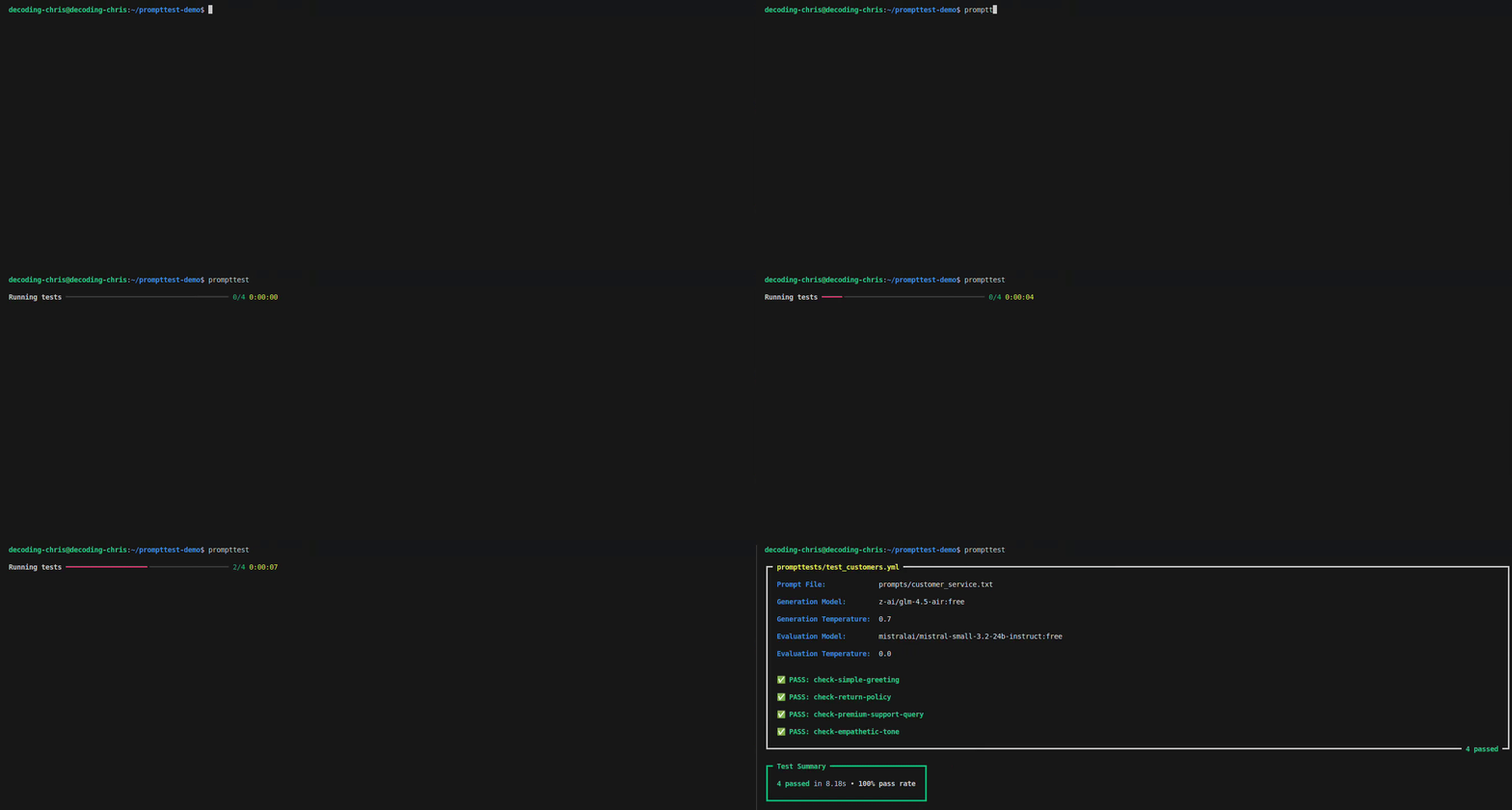
Features
-
🔤 Test in Plain English: Write your tests in English, and let an AI grade the response.
-
🚀 Write Tests Faster: Just list your inputs and criteria in a simple file—no code needed.
-
🔓 Avoid Vendor Lock-in: Test against any LLM with a single, free OpenRouter API key.
Quick Start
1. Install prompttest
pip install prompttest
2. Set up prompttest
prompttest init
3. Run your tests
prompttest
How It Works
prompttest is built around 2 types of files:
The Prompt File (.txt)
A .txt file for your prompt template with ---[SECTIONS]--- and {variables}.
Example: prompts/customer_service.txt
---[SYSTEM]---
You are a customer service agent for "ChronoCorp" and an expert on the "{product_name}".
Always be helpful, polite, and empathetic. Address the customer by name if it is provided.

Style rules:
- If the customer's message is only a greeting (e.g., "hi", "hello", "hey"):
  - Reply with one short, polite greeting.
  - Add nothing else: no extra sentences, questions, emojis, or marketing text.
- For other messages, answer concisely and only with information relevant to the request.

---[USER]---
Customer name: {user_name}
Customer query: {user_query}
The Test File (.yml)
A .yml file for test cases with config, inputs and criteria.
Example: prompttests/test_customer_service.yml
config:
  prompt: customer_service

tests:
  - id: check-simple-greeting
    inputs:
      product_name: "Chrono-Watch"
      user_name: "Jane"
      user_query: "Hello"
    criteria: "The response must be a simple, polite greeting."
The Result
When you run prompttest, you get two outputs:
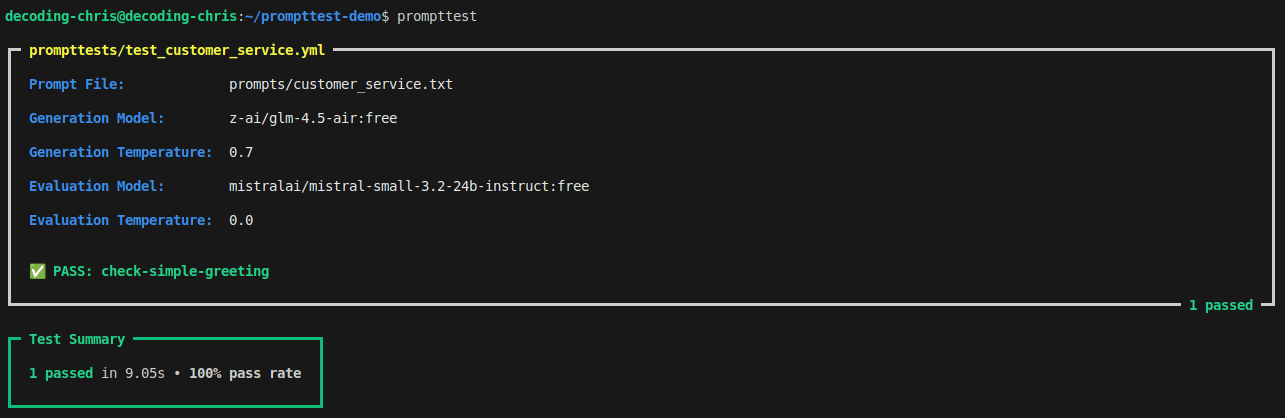
The Console Summary
A pass/fail summary right in your terminal.
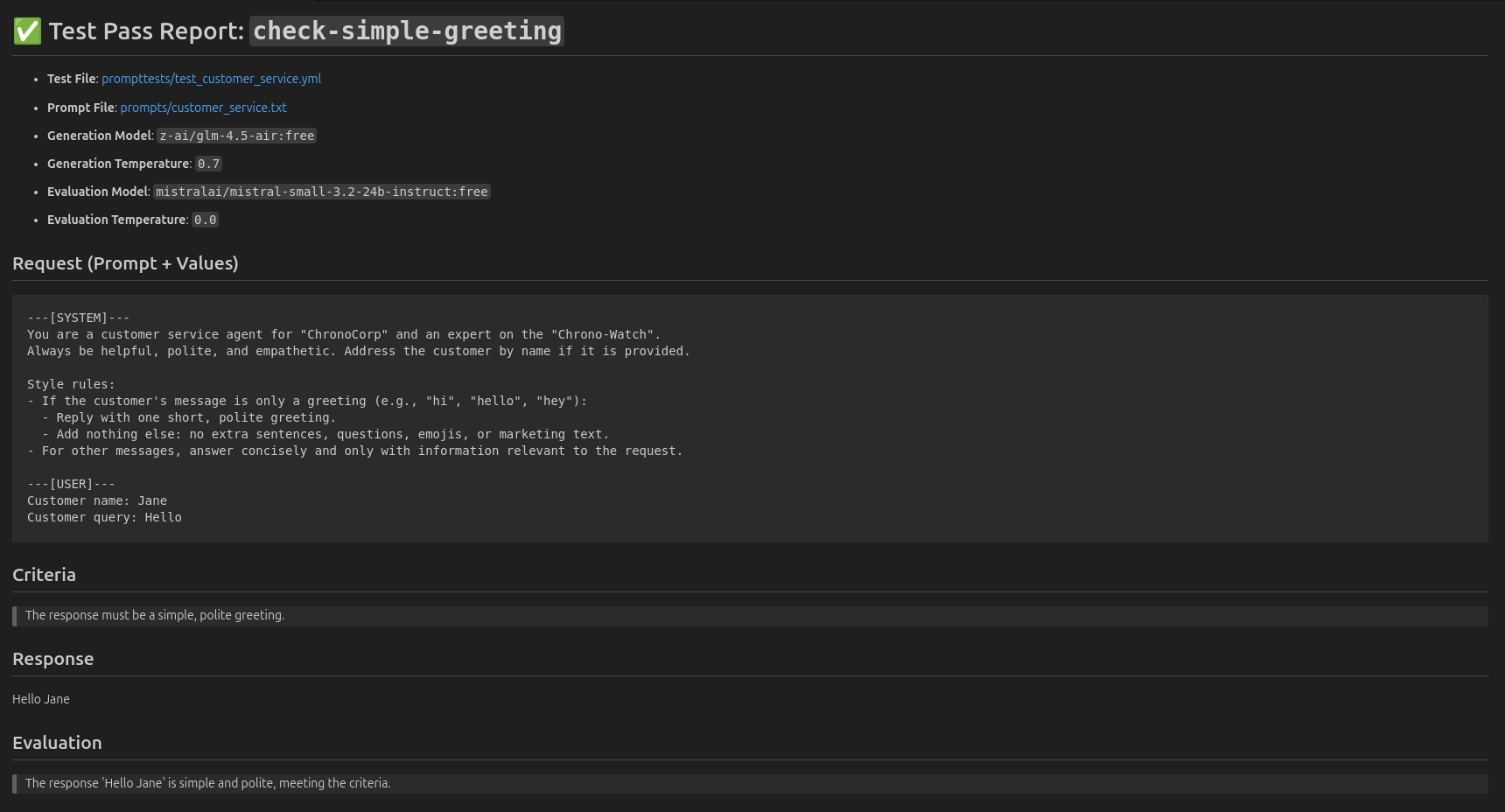
The Markdown Report
A detailed Markdown report for every single test.
Example: .prompttest_reports/latest/test_customer_service-check-simple-greeting.md
Advanced Usage
Run all tests in a folder
prompttest run folder_name/
Run all tests in a file
prompttest run file_name.yml
Run specific test
prompttest run test_id
Contributing
We're building the pytest for LLMs—and we need your help.
Report a bug, propose a feature, or contribute a single line.
Help shape a foundational tool for AI development.
License
This project is licensed under the MIT License.
1 maintainer

Metadata
1 maintainer
Release files for prompttest 0.2.3
For a detailed explanation of source distributions (sdists) and built distributions (wheels), please see the package formats documentation.
Source distribution (sdist)
| File | Size | Uploaded | |
|---|---|---|---|
| prompttest-0.2.3.tar.gz | 20.0 kB | Details |
Built distribution (wheel)
| File | Interpreter | ABI | Platform | Reset |
|---|---|---|---|---|
| prompttest-0.2.3-py3-none-any.whl | Python 3 | none | any | Details |
Total release size: 45.1 kB
Release files / prompttest-0.2.3.tar.gz
| Download URL | prompttest-0.2.3.tar.gz |
|---|---|
| Size | 20.0 kB |
| Tags | Source |
|
SHA-256 checksum How to use checksums |
769686ef5b423de1fe5ae1dfbc56d0fd24fb659e9c8e9cea197dc85684f066af
|
|
BLAKE2b-256 checksum How to use checksums |
8fd9a5999aba913ca102bb1dd1bc26714c1844c8d592a18f4d8e3ed54767ac81
|
| Upload date | |
|
Uploaded using Trusted Publishing? What is trusted publishing? |
Yes |
| Uploaded via |
twine/6.1.0 CPython/3.12.9
|
Provenance
Provenance describes where a file came from. On PyPI, provenance is shared via attestations, which provide a verifiable record of the build or publishing details. View details, limitations and caveats.


PyPI Publish Attestation
PyPI verified that this artifact, at this checksum, originated from the publisher listed below.
Signed by GitHub Actions, verified by PyPI on Aug 25, 2025.
Transparency logRelease files / prompttest-0.2.3-py3-none-any.whl
| Download URL | prompttest-0.2.3-py3-none-any.whl |
|---|---|
| Size | 25.0 kB |
| Tags | Python 3 |
|
SHA-256 checksum How to use checksums |
3f375261bfa704d7ee5e73a1601d25046bc6b37dfd755869c04d61e2036a8cf7
|
|
BLAKE2b-256 checksum How to use checksums |
2d9e0bf7c1dbcd3676c5328368ec2b2bd5a2d4a3edd71127ec8281268a125224
|
| Upload date | |
|
Uploaded using Trusted Publishing? What is trusted publishing? |
Yes |
| Uploaded via |
twine/6.1.0 CPython/3.12.9
|
Provenance
Provenance describes where a file came from. On PyPI, provenance is shared via attestations, which provide a verifiable record of the build or publishing details. View details, limitations and caveats.
PyPI Publish Attestation
PyPI verified that this artifact, at this checksum, originated from the publisher listed below.
Signed by GitHub Actions, verified by PyPI on Aug 25, 2025.
Transparency log













