
proteomics-mcp




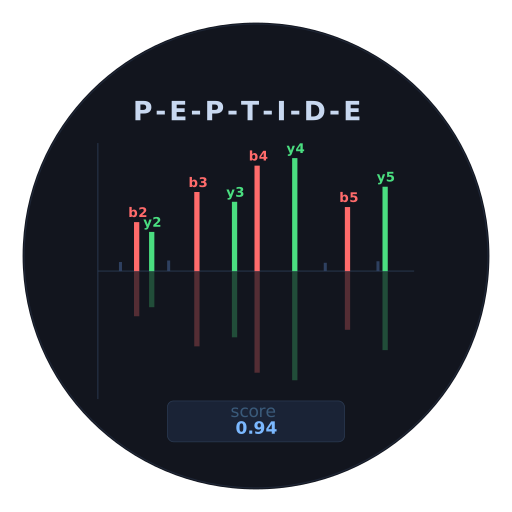
proteomics-mcp is a local-first MCP server and Python package for inspecting proteomics identification results and interrogating selected MS2 spectra.
It turns heterogeneous de novo and search-engine outputs into one usable workflow: inspect IDs and peptides, retrieve the relevant spectrum, predict fragments, score the candidate, annotate the observed signal, and render an interactive report. Interactive HTML reports load Plotly from a CDN when opened; see the privacy policy.
What It Supports
- Input adapters for InstaNovo, Casanovo, MaxQuant, FragPipe, Proteome Discoverer, and user-mapped tables.
- Modified peptidoforms normalized to inline UNIMOD notation, such as
C[UNIMOD:4]andM[UNIMOD:35]. - Local IPC/Feather spectra, mzML, MGF, Bruker
.d, and USI retrieval. - Local MS2PIP and remote Koina/Prosit fragment prediction.
- On-demand spectrum scoring, observed-spectrum annotation, three interactive HTML views, and publication-ready static SVG/PDF/PNG spectrum figures.
- PSM/peptide tables, structured dataset summaries, dashboards, SDRF context, and resumable batch prediction/scoring artifacts.
The package does not run local InstaNovo inference, perform FDR/q-value analysis, or carry out protein inference.
Quick Start
Install the published Python package after the first PyPI release:
pip install proteomics-mcp
proteomics-mcp --help
For an MCP client, launch proteomics-mcp serve over stdio. To run without installing it into the current environment, use uvx --from proteomics-mcp proteomics-mcp serve.
To develop from source:
git clone https://github.com/UadKLab/proteomics-mcp.git
cd proteomics-mcp
uv sync
uv run pytest -q
Inspect an identification table before committing to prediction or scoring:
uv run proteomics-mcp inspect-psm-table \
  --path results.csv \
  --adapter instanovo
Then render a browseable peptide table:
uv run proteomics-mcp render-peptide-table \
  --path results.csv \
  --adapter instanovo \
  --output-path peptide_table.html
Predict And Score
Use local MS2PIP by default. Repeated single-spectrum calls use a bounded in-process cache; reusable batch workflows use MS2PIP's native batch API. For a remote Prosit prediction through Koina:
uv run proteomics-mcp predict-fragments \
  --backend koina \
  --model Prosit_2020_intensity_HCD \
  --peptidoform 'PEPM[UNIMOD:35]TIDE' \
  --charge 2
Inspect a new Koina model before a large batch:
uv run proteomics-mcp describe-predictor-model \
  --model Prosit_2020_intensity_HCD
Use With An Agent
An MCP-capable client launches proteomics-mcp serve over stdio and exposes the tools to an LLM. The server runs locally and reads your spectra and result tables from your computer. Optional tools contact external services; see the privacy policy.
For Claude Desktop, install the .mcpb file attached to the latest GitHub release. The extension installs its Python dependencies through the managed uv runtime. Select an output directory in the extension settings; local input paths must be accessible to Claude Desktop.
{
  "mcpServers": {
    "proteomics-mcp": {
      "command": "uv",
      "args": ["run", "proteomics-mcp", "serve"],
      "cwd": "/absolute/path/to/proteomics-mcp"
    }
  }
}
Do not run proteomics-mcp serve in a terminal by itself. It expects JSON-RPC messages from an MCP client.
Example Requests
- "Inspect
/path/to/results.csvas an InstaNovo PSM table. Show the number of identifications, confidence distribution, and top five rows." Theinspect_psm_tabletool returns a structured dataset summary and a constrained preview. - "Score the first ten InstaNovo candidates in
/path/to/results.csvagainst/path/to/spectra.ipcwith local MS2PIP, save the scores to/path/to/scored.csv, and summarize matched ions." Thescore_candidatestool scores a constrained set and writes the scored table;summarize_score_metricsexplains individual results. - "Convert
/path/to/run.mgfto/path/to/run.feather, then export that spectrum table as/path/to/instanovo.ipc." Themgf_to_featherandexport_to_instanovotools write local files and report spectrum counts and output paths.
For more task-specific examples, see the prompt examples.
Privacy And Support
See the privacy policy for local file handling, optional network requests, and generated report behavior. Report issues through GitHub Issues.
For software citation, use the metadata in CITATION.cff. The manuscript's supplementary data and figure evidence are deposited at Zenodo; the original mass-spectrometry files remain in PRIDE under PXD044934, PXD014877, and PXD010595.
Documentation
- Documentation site: installation, reference, and prompt examples. It will go live when GitHub Pages is enabled after the repository becomes public.
- Technical reference: installation, configuration, data formats, workflows, metrics, batch artifacts, and tool groups.
- Prompt examples: practical requests for an MCP-capable agent.
- Examples: rendered spectra and dashboard artifacts included with the repository.
- GitHub releases: versioned source and build artifacts.
Testing
uv run pytest -q
uv run proteomics-mcp --help
1 maintainer

Metadata
1 maintainer
Release files for proteomics-mcp 0.1.8
For a detailed explanation of source distributions (sdists) and built distributions (wheels), please see the package formats documentation.
Source distribution (sdist)
| File | Size | Uploaded | |
|---|---|---|---|
| proteomics_mcp-0.1.8.tar.gz | 164.3 kB | Details |
Built distribution (wheel)
| File | Interpreter | ABI | Platform | Reset |
|---|---|---|---|---|
| proteomics_mcp-0.1.8-py3-none-any.whl | Python 3 | none | any | Details |
Total release size: 296.0 kB
Release files / proteomics_mcp-0.1.8.tar.gz
| Download URL | proteomics_mcp-0.1.8.tar.gz |
|---|---|
| Size | 164.3 kB |
| Tags | Source |
|
SHA-256 checksum How to use checksums |
f887e67a54bb3f29a453cb7fbd70a78724c40d53057a294c8e896264793e1ecb
|
|
BLAKE2b-256 checksum How to use checksums |
505167bd711ef867975271ab94ab5a81c18d329c9344a9ffa0157dec16fff554
|
| Upload date | |
|
Uploaded using Trusted Publishing? What is trusted publishing? |
No |
| Uploaded via |
twine/7.0.0 CPython/3.14.5
|
Release files / proteomics_mcp-0.1.8-py3-none-any.whl
| Download URL | proteomics_mcp-0.1.8-py3-none-any.whl |
|---|---|
| Size | 131.7 kB |
| Tags | Python 3 |
|
SHA-256 checksum How to use checksums |
5f9fe2c04690b68d387eb93134f81c6b5555baddaaa890f62aaa8f3ef9747493
|
|
BLAKE2b-256 checksum How to use checksums |
c20775ba3759479d566a1e5316dd386bef4f09be408d2f38287c2ff4325ca34f
|
| Upload date | |
|
Uploaded using Trusted Publishing? What is trusted publishing? |
No |
| Uploaded via |
twine/7.0.0 CPython/3.14.5
|













