

Provena
Evidence-backed persistent memory for AI agents.
Know what an agent remembers, where it came from, and why it was retrieved.
Provena connects Codex, Claude Code, Gemini CLI, and other MCP clients to a shared memory service. Every structured claim retains evidence pointing to its immutable source event, along with scope, authority, review state, validity time, conflicts, and retrieval history.
Product Demo
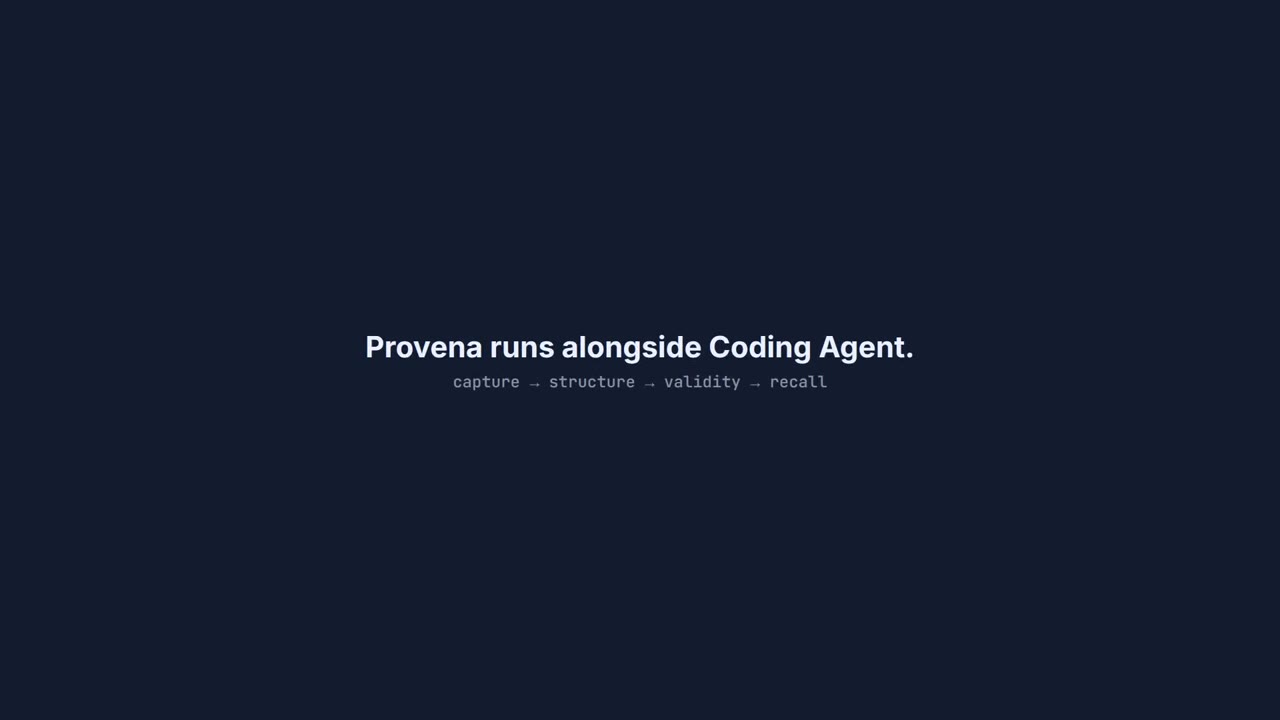
▶ Watch the 90-second product demo
Get started
You need Python 3.11 or newer, pipx, Docker Engine with Docker Compose, and at least one supported host: Codex, Claude Code, or Gemini CLI. pipx manages Provena in its own environment, so you do not create or activate one. Choose your host:
pipx install provena-agent-memory
provena quickstart codex
# Or: provena quickstart claude
# Or: provena quickstart gemini
The quickstart downloads the matching deployment files, preserves an existing local database, starts PostgreSQL and local Ollama models, creates separate agent and reviewer credentials, configures the selected host, enables automatic memory capture and retrieval, and starts the browser console. The first run can take several minutes while Ollama downloads the models.
Restart the selected host and review Provena under /hooks and /mcp. You can then use the agent normally: prompts and final responses are captured as immutable evidence, candidate facts are extracted, and relevant claims are added to later turns without requiring you to mention Provena. The command prints the exact console URL when setup completes.
Connect to an existing Provena service
Ask your operator for the API URL, agent API key, and project or branch scope ID. Then run:
export PROVENA_API_URL="https://memory.example.com"
export PROVENA_API_KEY="paste-agent-key"
export PROVENA_SCOPE_ID="paste-scope-id"
provena connect codex --install
# Or: provena connect claude --install
# Or: provena connect gemini --install
This validates the service, installs the MCP connection, and merges the automatic hooks into the selected host while preserving unrelated MCP servers, hooks, and settings. Restart the host and review the integration through /hooks and /mcp.
Package installation does not silently modify an agent host or begin recording conversations. Running quickstart or connect --install is the explicit opt-in; automatic memory becomes the default after that point.
Manual service setup
Use this section when you need to manage the service and credentials yourself.
Ask your Provena operator
Ask your Provena operator for these three values:
- the Provena API URL;
- an agent API key; and
- the project or branch scope ID the agent may access.
Then continue to Connect your agent below.
Or host the server and local Ollama yourself
You need Docker Engine with Docker Compose and curl. Download the current self-hosted release configuration:
mkdir provena-server
cd provena-server
curl -LO https://github.com/admiralpunk/Provena/releases/latest/download/compose.yaml
curl -LO https://github.com/admiralpunk/Provena/releases/latest/download/compose.ollama.yaml
if [ ! -f .env ]; then
  curl -Lo .env https://github.com/admiralpunk/Provena/releases/latest/download/default.env.example
fi
Replace the placeholder database and bootstrap secrets automatically:
python - <<'PY'
from pathlib import Path
import secrets

path = Path(".env")
text = path.read_text()
text = text.replace("replace-with-a-random-database-password", secrets.token_urlsafe(32))
text = text.replace("replace-with-a-long-random-bootstrap-token", secrets.token_urlsafe(32))
path.write_text(text)
PY
Keep this .env file when updating or redownloading the Compose files. PostgreSQL stores its initialized password in the persistent database volume; replacing .env with a newly generated password does not change the password inside an existing volume.
Start PostgreSQL, Provena, Ollama, and the local extraction and embedding models:
docker compose -f compose.yaml -f compose.ollama.yaml up -d
docker compose -f compose.yaml -f compose.ollama.yaml logs -f ollama-models api
The first start downloads the configured Ollama models. Press Ctrl+C after the model download finishes and the API reports that it is ready; the containers remain running.
Load the local bootstrap token, initialize a workspace, and select the issued agent credential:
set -a
. ./.env
set +a
export PROVENA_API_URL="http://127.0.0.1:8000"
eval "$(provena init --format shell)"
export PROVENA_API_KEY="$PROVENA_AGENT_KEY"
provena init also returns PROVENA_HUMAN_KEY. Keep that reviewer credential and BOOTSTRAP_TOKEN private. Do not place either one in an agent configuration.
Manual connector configuration
The self-hosted steps already set the required values in your shell. If an operator provided them instead, export them now:
export PROVENA_API_URL="https://memory.example.com"
export PROVENA_API_KEY="paste-agent-key"
export PROVENA_SCOPE_ID="paste-scope-id"
Verify the service, credential, and scope:
provena doctor
The generated client configuration points to the stable provena-mcp executable managed by pipx. If you used regular pip, keep that environment available to the agent client.
Connect Codex
To install MCP and automatic hooks in one step, run:
provena connect codex --install
To print the MCP configuration without changing Codex configuration, run:
provena connect codex
The command prints a complete Codex MCP section containing the absolute path to the connector and the three connection values:
[mcp_servers.provena]
command = "/absolute/path/to/python-environment/bin/provena-mcp"

[mcp_servers.provena.env]
PROVENA_API_URL = "https://memory.example.com"
PROVENA_API_KEY = "agent-api-key"
PROVENA_SCOPE_ID = "project-or-branch-scope-id"
Copy the printed section into ~/.codex/config.toml. If that file already contains [mcp_servers.provena], replace the existing Provena section instead of adding a duplicate. Protect the file because it contains the agent API key:
chmod 600 ~/.codex/config.toml
Restart Codex and verify the connection:
codex mcp list
Inside the Codex terminal UI, enter /mcp and confirm that provena is active. Codex documents both the shared ~/.codex/config.toml file and /mcp in its MCP setup guide.
With the automatic hooks installed, record a memory with an ordinary prompt:
I am allergic to cheese.
Then open a new Codex session and ask:
Suggest pizza ideas for me.
To inspect provenance, ask Codex to search Provena for the relevant memory and call memory_explain on the returned claim.
Connect Claude Code or Gemini CLI
The same one-step installer configures user-scoped MCP plus native lifecycle hooks:
provena connect claude --install
provena connect gemini --install
Run only the command for the host you use. Restart it, then review Provena under /hooks and /mcp. Claude Code stores hooks in ~/.claude/settings.json and its user MCP entry in ~/.claude.json. Gemini CLI stores both in ~/.gemini/settings.json. Each host receives a separate mode 0600 Provena connection file, so its API key is not duplicated in hook or MCP configuration.
Connect another MCP client
Generate the appropriate configuration and add the printed JSON to that client's MCP configuration:
provena connect claude
provena connect gemini
provena connect generic
After adding the configuration, restart the client. Provena exposes MCP tools for attributed retrieval, explicit memory capture, candidate claims, and memory_explain provenance traces.
Open the operator console
The pip package installs the CLI and MCP connector. The browser console runs with the Provena service.
If somebody else operates the service, ask them for the console URL, a human reviewer API key, and the scope ID. Use an agent key in Codex and a human key in the console; review actions require the human credential.
For the self-hosted setup above, provena init has already exported PROVENA_HUMAN_KEY and PROVENA_SCOPE_ID. Save them in the console settings in .env:
python - <<'PY'
from pathlib import Path
import os

path = Path(".env")
lines = []
for line in path.read_text().splitlines():
    if line.startswith("PROVENA_API_KEY="):
        line = f"PROVENA_API_KEY={os.environ['PROVENA_HUMAN_KEY']}"
    elif line.startswith("PROVENA_SCOPE_ID="):
        line = f"PROVENA_SCOPE_ID={os.environ['PROVENA_SCOPE_ID']}"
    lines.append(line)
path.write_text("\n".join(lines) + "\n")
PY
Start the console with the human credential:
PROVENA_API_KEY="$PROVENA_HUMAN_KEY" \
docker compose -f compose.yaml -f compose.ollama.yaml \
  --profile console up -d console
Open the console at:
http://127.0.0.1:3000/overview
The API documentation is available at http://127.0.0.1:8000/docs. Add ?scope=YOUR_SCOPE_ID to the console URL to select a scope explicitly.
Recover from a database password mismatch
If the API log reports password authentication failed for user "provena", preserve the database volume and synchronize its role password with the current .env value:
set -a
. ./.env
set +a

docker compose exec -e NEW_PASSWORD="$POSTGRES_PASSWORD" -T postgres \
  psql -v ON_ERROR_STOP=1 -U provena -d provena <<'SQL'
\getenv role_password NEW_PASSWORD
ALTER ROLE provena WITH PASSWORD :'role_password';
SQL

docker compose -f compose.yaml -f compose.ollama.yaml restart api
This changes only the PostgreSQL login credential. It preserves events, claims, evidence, audit records, and the database volume.
Command roles
| Command | Purpose |
|---|---|
provena quickstart codex |
Start a complete local stack and configure Codex. |
provena quickstart claude |
Start a complete local stack and configure Claude Code. |
provena quickstart gemini |
Start a complete local stack and configure Gemini CLI. |
provena doctor |
Verify API, database, credential, and scope access. |
provena connect HOST --install |
Install MCP plus automatic capture and retrieval for Codex, Claude Code, or Gemini CLI. |
provena connect CLIENT |
Print MCP configuration without changing the client. |
provena status |
Check service health without authenticating. |
provena init |
Bootstrap a running self-hosted service; requires BOOTSTRAP_TOKEN. |
The pip package is the agent connector. The self-hosted path runs PostgreSQL, Provena, and Ollama as separate containers. Operators can find security, backup, development, and architecture documentation in the GitHub repository.
Why provenance matters
Retrieved context can be relevant while still being stale, speculative, or malicious. Provena keeps relevance separate from source authority and from permission to act. Events and evidence remain append-only, candidate claims remain reviewable, and memory_explain traces a belief back to the information that produced it.
Provena is licensed under the MIT License.
1 maintainer

Release files for provena-agent-memory 0.1.11
For a detailed explanation of source distributions (sdists) and built distributions (wheels), please see the package formats documentation.
Source distribution (sdist)
| File | Size | Uploaded | |
|---|---|---|---|
| provena_agent_memory-0.1.11.tar.gz | 60.2 kB | Details |
Built distribution (wheel)
| File | Interpreter | ABI | Platform | Reset |
|---|---|---|---|---|
| provena_agent_memory-0.1.11-py3-none-any.whl | Python 3 | none | any | Details |
Total release size: 105.5 kB
Release files / provena_agent_memory-0.1.11.tar.gz
| Download URL | provena_agent_memory-0.1.11.tar.gz |
|---|---|
| Size | 60.2 kB |
| Tags | Source |
|
SHA-256 checksum How to use checksums |
bfcabe5ea5e45643db79e69ce3216c8dfefb73f6d09d6f8a250516f3f760b0df
|
|
BLAKE2b-256 checksum How to use checksums |
a41ee0f01be21a0dce57974ec6ee8073dceb8df04ce37b40dd2d330410701e22
|
| Upload date | |
|
Uploaded using Trusted Publishing? What is trusted publishing? |
Yes |
| Uploaded via |
twine/7.0.0 CPython/3.13.14
|
Provenance
Provenance describes where a file came from. On PyPI, provenance is shared via attestations, which provide a verifiable record of the build or publishing details. View details, limitations and caveats.


PyPI Publish Attestation
PyPI verified that this artifact, at this checksum, originated from the publisher listed below.
Signed by GitHub Actions, verified by PyPI on Sep 25, 2026.
Transparency logRelease files / provena_agent_memory-0.1.11-py3-none-any.whl
| Download URL | provena_agent_memory-0.1.11-py3-none-any.whl |
|---|---|
| Size | 45.3 kB |
| Tags | Python 3 |
|
SHA-256 checksum How to use checksums |
04a49d5b0f1ade35c9403b776668ec92ed11d7ce745d76c75fef9ac224f1af98
|
|
BLAKE2b-256 checksum How to use checksums |
613623cba6b4fb18ee6ea06d9b60a6ba9fd56ef68a13391ff5308d1bc207eeaa
|
| Upload date | |
|
Uploaded using Trusted Publishing? What is trusted publishing? |
Yes |
| Uploaded via |
twine/7.0.0 CPython/3.13.14
|
Provenance
Provenance describes where a file came from. On PyPI, provenance is shared via attestations, which provide a verifiable record of the build or publishing details. View details, limitations and caveats.
PyPI Publish Attestation
PyPI verified that this artifact, at this checksum, originated from the publisher listed below.
Signed by GitHub Actions, verified by PyPI on Sep 25, 2026.
Transparency log













