
Lightweight, Programmable, TLS interceptor Proxy for HTTP(S), HTTP2, WebSockets protocols in a single Python file.

Project description
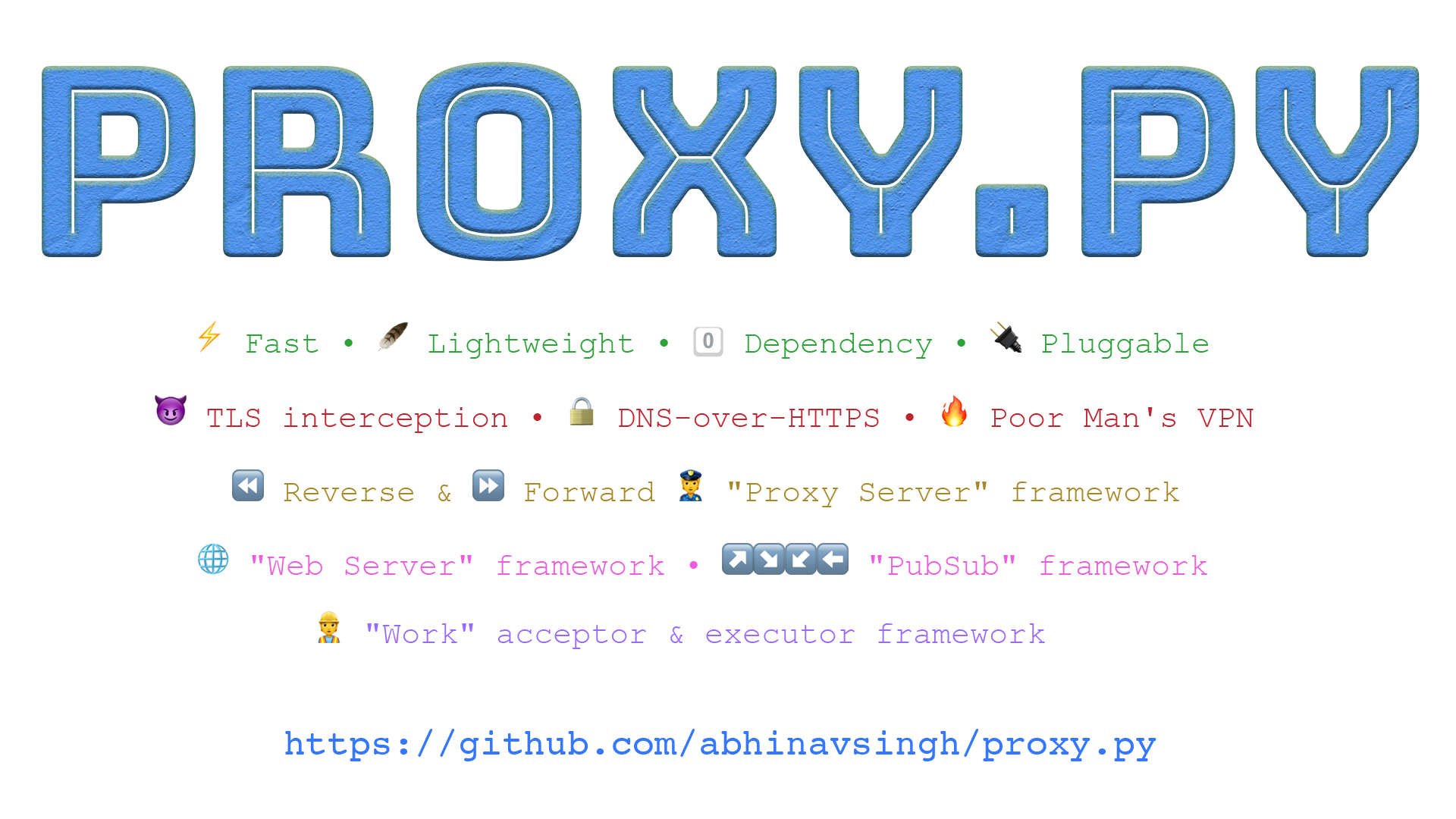


















Table of Contents
- Features
- Install
- Start proxy.py
- Plugin Examples
- End-to-End Encryption
- TLS Interception
- import proxy.py
- Plugin Developer and Contributor Guide
- Frequently Asked Questions
- Flags
Features
- Lightweight
- Distributed as a single file module
~50KB - Uses only
~5-20MBRAM - No external dependency other than standard Python library
- Distributed as a single file module
- Programmable
- Optionally enable builtin Web Server
- Customize proxy and http routing via plugins
- Enable plugin using command line option e.g.
--plugins plugin_examples.CacheResponsesPlugin - Plugin API is currently in development state, expect breaking changes.
- Secure
- Enable end-to-end encryption between clients and
proxy.pyusing TLS - See End-to-End Encryption
- Enable end-to-end encryption between clients and
- Man-In-The-Middle
- Can decrypt TLS traffic between clients and upstream servers
- See TLS Encryption
- Supported proxy protocols
httphttpshttp2websockets
- Optimized for large file uploads and downloads
- IPv4 and IPv6 support
- Basic authentication support
- Can serve a PAC (Proxy Auto-configuration) file
- See
--pac-fileand--pac-file-url-pathflags
- See
Install
Stable version
Install from PyPi
$ pip install --upgrade proxy.py
or from GitHub master branch
$ pip install git+https://github.com/abhinavsingh/proxy.py.git@master
or download from here proxy.py
or simply wget it:
$ wget -q https://raw.githubusercontent.com/abhinavsingh/proxy.py/master/proxy.py
Development version
$ pip install git+https://github.com/abhinavsingh/proxy.py.git@develop
For Docker usage see Docker Image.
Start proxy.py
Command line
Simply type proxy.py on command line to start it with default configuration.
$ proxy.py
...[redacted]... - Loaded plugin <class 'proxy.HttpProxyPlugin'>
...[redacted]... - Starting 8 workers
...[redacted]... - Started server on ::1:8899
Things to notice from above logs:
-
Loaded plugin-proxy.pywill loadHttpProxyPluginby default. It addshttp(s)proxy server capabilities toproxy.py -
Started N workers- Use--num-workersflag to customize number ofWorkerprocesses. By default,proxy.pywill start as many workers as there are CPU cores on the machine. -
Started server on ::1:8899- By default,proxy.pylistens on IPv6::1, which is equivalent of IPv4127.0.0.1. If you want to accessproxy.pyexternally, use--hostname ::or--hostname 0.0.0.0or bind to any other interface available on your machine. -
Port 8899- Use--portflag to customize default TCP port.
All the logs above are INFO level logs, default --log-level for proxy.py.
Lets start proxy.py with DEBUG level logging:
$ proxy.py --log-level d
...[redacted]... - Open file descriptor soft limit set to 1024
...[redacted]... - Loaded plugin <class 'proxy.HttpProxyPlugin'>
...[redacted]... - Started 8 workers
...[redacted]... - Started server on ::1:8899
As we can see, before starting up:
proxy.pyalso tried to set open file limitulimiton the system.- Default value for
--open-file-limitused is1024. --open-file-limitflag is a no-op onWindowsoperating systems.
See flags for full list of available configuration options.
Docker image
$ docker run -it -p 8899:8899 --rm abhinavsingh/proxy.py:latest
By default docker binary is started with IPv4 networking flags:
--hostname 0.0.0.0 --port 8899
To override input flags, start docker image as follows.
For example, to check proxy.py --version:
$ docker run -it \
    -p 8899:8899 \
    --rm abhinavsingh/proxy.py:latest \
    --version

docker image is currently broken on macOS due to incompatibility with vpnkit.
Plugin Examples
See plugin_examples.py for full code.
All the examples below also works with https traffic but require additional flags and certificate generation.
See TLS Interception.
ProposedRestApiPlugin
Mock responses for your server REST API. Use to test and develop client side applications without need of an actual upstream REST API server.
Start proxy.py as:
$ proxy.py \
    --plugins plugin_examples.ProposedRestApiPlugin
Verify mock API response using curl -x localhost:8899 http://api.example.com/v1/users/
{"count": 2, "next": null, "previous": null, "results": [{"email": "you@example.com", "groups": [], "url": "api.example.com/v1/users/1/", "username": "admin"}, {"email": "someone@example.com", "groups": [], "url": "api.example.com/v1/users/2/", "username": "admin"}]}
Verify the same by inspecting proxy.py logs:
2019-09-27 12:44:02,212 - INFO - pid:7077 - access_log:1210 - ::1:64792 - GET None:None/v1/users/ - None None - 0 byte
Access log shows None:None as server ip:port. None simply means that
the server connection was never made, since response was returned by our plugin.
Now modify ProposedRestApiPlugin to returns REST API mock
responses as expected by your clients.
RedirectToCustomServerPlugin
Redirects all incoming http requests to custom web server.
By default, it redirects client requests to inbuilt web server,
also running on 8899 port.
Start proxy.py and enable inbuilt web server:
$ proxy.py \
    --enable-web-server \
    --plugins plugin_examples.RedirectToCustomServerPlugin
Verify using curl -v -x localhost:8899 http://google.com
... [redacted] ...
< HTTP/1.1 404 NOT FOUND
< Server: proxy.py v1.0.0
< Connection: Close
<
* Closing connection 0
Above 404 response was returned from proxy.py web server.
Verify the same by inspecting the logs for proxy.py.
Along with the proxy request log, you must also see a http web server request log.
2019-09-24 19:09:33,602 - INFO - pid:49996 - access_log:1241 - ::1:49525 - GET /
2019-09-24 19:09:33,603 - INFO - pid:49995 - access_log:1157 - ::1:49524 - GET localhost:8899/ - 404 NOT FOUND - 70 bytes
FilterByUpstreamHostPlugin
Drops traffic by inspecting upstream host.
By default, plugin drops traffic for google.com and www.google.com.
Start proxy.py as:
$ proxy.py \
    --plugins plugin_examples.FilterByUpstreamHostPlugin
Verify using curl -v -x localhost:8899 http://google.com:
... [redacted] ...
< HTTP/1.1 418 I'm a tea pot
< Proxy-agent: proxy.py v1.0.0
* no chunk, no close, no size. Assume close to signal end
<
* Closing connection 0
Above 418 I'm a tea pot is sent by our plugin.
Verify the same by inspecting logs for proxy.py:
2019-09-24 19:21:37,893 - ERROR - pid:50074 - handle_readables:1347 - ProtocolException type raised
Traceback (most recent call last):
... [redacted] ...
2019-09-24 19:21:37,897 - INFO - pid:50074 - access_log:1157 - ::1:49911 - GET None:None/ - None None - 0 bytes
CacheResponsesPlugin
Caches Upstream Server Responses.
Start proxy.py as:
$ proxy.py \
    --plugins plugin_examples.CacheResponsesPlugin
Verify using curl -v -x localhost:8899 http://httpbin.org/get:
... [redacted] ...
< HTTP/1.1 200 OK
< Access-Control-Allow-Credentials: true
< Access-Control-Allow-Origin: *
< Content-Type: application/json
< Date: Wed, 25 Sep 2019 02:24:25 GMT
< Referrer-Policy: no-referrer-when-downgrade
< Server: nginx
< X-Content-Type-Options: nosniff
< X-Frame-Options: DENY
< X-XSS-Protection: 1; mode=block
< Content-Length: 202
< Connection: keep-alive
<
{
  "args": {},
  "headers": {
    "Accept": "*/*",
    "Host": "httpbin.org",
    "User-Agent": "curl/7.54.0"
  },
  "origin": "1.2.3.4, 5.6.7.8",
  "url": "https://httpbin.org/get"
}
* Connection #0 to host localhost left intact
Get path to the cache file from proxy.py logs:
... [redacted] ... - GET httpbin.org:80/get - 200 OK - 556 bytes
... [redacted] ... - Cached response at /var/folders/k9/x93q0_xn1ls9zy76m2mf2k_00000gn/T/httpbin.org-1569378301.407512.txt
Verify contents of the cache file cat /path/to/your/cache/httpbin.org.txt
HTTP/1.1 200 OK
Access-Control-Allow-Credentials: true
Access-Control-Allow-Origin: *
Content-Type: application/json
Date: Wed, 25 Sep 2019 02:24:25 GMT
Referrer-Policy: no-referrer-when-downgrade
Server: nginx
X-Content-Type-Options: nosniff
X-Frame-Options: DENY
X-XSS-Protection: 1; mode=block
Content-Length: 202
Connection: keep-alive

{
  "args": {},
  "headers": {
    "Accept": "*/*",
    "Host": "httpbin.org",
    "User-Agent": "curl/7.54.0"
  },
  "origin": "1.2.3.4, 5.6.7.8",
  "url": "https://httpbin.org/get"
}
ManInTheMiddlePlugin
Modifies upstream server responses.
Start proxy.py as:
$ proxy.py \
    --plugins plugin_examples.ManInTheMiddlePlugin
Verify using curl -v -x localhost:8899 http://google.com:
... [redacted] ...
< HTTP/1.1 200 OK
< Content-Length: 28
<
* Connection #0 to host localhost left intact
Hello from man in the middle
Response body Hello from man in the middle is sent by our plugin.
Plugin Ordering
When using multiple plugins, depending upon plugin functionality, it might be worth considering the order in which plugins are passed on the command line.
Plugins are called in the same order as they are passed. Example,
say we are using both FilterByUpstreamHostPlugin and
RedirectToCustomServerPlugin. Idea is to drop all incoming http
requests for google.com and www.google.com and redirect other
http requests to our inbuilt web server.
Hence, in this scenario it is important to use
FilterByUpstreamHostPlugin before RedirectToCustomServerPlugin.
If we enable RedirectToCustomServerPlugin before FilterByUpstreamHostPlugin,
google requests will also get redirected to inbuilt web server,
instead of being dropped.
End-to-End Encryption
By default, proxy.py uses http protocol for communication with clients e.g. curl, browser.
For enabling end-to-end encrypting using tls / https first generate certificates:
make https-certificates
Start proxy.py as:
$ proxy.py \
    --cert-file https-cert.pem \
    --key-file https-key.pem
Verify using curl -x https://localhost:8899 --proxy-cacert https-cert.pem https://httpbin.org/get:
{
  "args": {},
  "headers": {
    "Accept": "*/*",
    "Host": "httpbin.org",
    "User-Agent": "curl/7.54.0"
  },
  "origin": "1.2.3.4, 5.6.7.8",
  "url": "https://httpbin.org/get"
}
TLS Interception
By default, proxy.py doesn't decrypt https traffic between client and server.
To enable TLS interception first generate CA certificates:
make ca-certificates
Lets also enable CacheResponsePlugin so that we can verify decrypted
response from the server. Start proxy.py as:
$ proxy.py \
    --plugins plugin_examples.CacheResponsesPlugin \
    --ca-key-file ca-key.pem \
    --ca-cert-file ca-cert.pem \
    --ca-signing-key-file ca-signing-key.pem
Verify using curl -v -x localhost:8899 --cacert ca-cert.pem https://httpbin.org/get
*  issuer: C=US; ST=CA; L=SanFrancisco; O=proxy.py; OU=CA; CN=Proxy PY CA; emailAddress=proxyca@mailserver.com
*  SSL certificate verify ok.
> GET /get HTTP/1.1
... [redacted] ...
< Connection: keep-alive
<
{
  "args": {},
  "headers": {
    "Accept": "*/*",
    "Host": "httpbin.org",
    "User-Agent": "curl/7.54.0"
  },
  "origin": "1.2.3.4, 5.6.7.8",
  "url": "https://httpbin.org/get"
}
The issuer line confirms that response was intercepted.
Also verify the contents of cached response file. Get path to the cache
file from proxy.py logs.
$ cat /path/to/your/tmp/directory/httpbin.org-1569452863.924174.txt
HTTP/1.1 200 OK
Access-Control-Allow-Credentials: true
Access-Control-Allow-Origin: *
Content-Type: application/json
Date: Wed, 25 Sep 2019 23:07:05 GMT
Referrer-Policy: no-referrer-when-downgrade
Server: nginx
X-Content-Type-Options: nosniff
X-Frame-Options: DENY
X-XSS-Protection: 1; mode=block
Content-Length: 202
Connection: keep-alive

{
  "args": {},
  "headers": {
    "Accept": "*/*",
    "Host": "httpbin.org",
    "User-Agent": "curl/7.54.0"
  },
  "origin": "1.2.3.4, 5.6.7.8",
  "url": "https://httpbin.org/get"
}
Viola!!! If you remove CA flags, encrypted data will be found in the cached file instead of plain text.
Now use CA flags with other
plugin examples to see them work with https traffic.
import proxy.py
You can directly import proxy.py into your Python code. Example:
$ python
>>> import proxy
>>>
proxy.new_socket_connection
Attempts to create an IPv4 connection, then IPv6 and finally a dual stack connection to provided address.
>>> conn = proxy.new_socket_connection(('httpbin.org', 80))
>>> ...[ use connection ]...
>>> conn.close()
proxy.socket_connection
socket_connection is a convenient decorator + context manager
around new_socket_connection which ensures conn.close is implicit.
As a context manager:
>>> with proxy.new_socket_connection(('httpbin.org', 80)) as conn:
>>>   ... [ use connection ] ...
As a decorator:
>>> @proxy.new_socket_connection(('httpbin.org', 80))
>>> def my_api_call(conn, *args, **kwargs):
>>>   ... [ use connection ] ...
proxy.build_http_request
Generate HTTP GET request
>>> proxy.build_http_request(b'GET', b'/')
b'GET / HTTP/1.1\r\n\r\n'
>>>
Generate HTTP GET request with headers
>>> proxy.build_http_request(b'GET', b'/',
        headers={b'Connection': b'close'})
b'GET / HTTP/1.1\r\nConnection: close\r\n\r\n'
>>>
Generate HTTP POST request with headers and body
>>> import json
>>> proxy.build_http_request(b'POST', b'/form',
        headers={b'Content-type': b'application/json'},
        body=proxy.bytes_(json.dumps({'email': 'hello@world.com'})))
    b'POST /form HTTP/1.1\r\nContent-type: application/json\r\n\r\n{"email": "hello@world.com"}'
To start proxy.py server from imported proxy.py module, simply do:
import proxy

if __name__ == '__main__':
  proxy.main(['--hostname', '::1', '--port', 8899])
See Internal Documentation for all available classes and utility methods.
Plugin Developer and Contributor Guide
Everything is a plugin
As you might have guessed by now, in proxy.py everything is a plugin.
-
We enabled proxy server plugins using
--pluginsflag. All the plugin examples were implementingHttpProxyBasePlugin. See documentation of HttpProxyBasePlugin for available lifecycle hooks. UseHttpProxyBasePluginto modify behavior of http(s) proxy protocol between client and upstream server. Example, FilterByUpstreamHostPlugin. -
We also enabled inbuilt web server using
--enable-web-server. Inbuilt web server implementsProtocolHandlerPluginplugin. See documentation of ProtocolHandlerPlugin for available lifecycle hooks. UseProtocolHandlerPluginto add new features for http(s) clients. Example, HttpWebServerPlugin. -
There also is a
--disable-http-proxyflag. It disables inbuilt proxy server. Use this flag with--enable-web-serverflag to runproxy.pyas a programmable http(s) server. HttpProxyPlugin also implementsProtocolHandlerPlugin.
Internal Architecture
-
ProtocolHandler thread is started with the accepted TcpClientConnection.
ProtocolHandleris responsible for parsing incoming client request and invokingProtocolHandlerPluginlifecycle hooks. -
HttpProxyPluginwhich implementsProtocolHandlerPluginalso has its own plugin mechanism. Its responsibility is to establish connection between client and upstream TcpServerConnection and invokeHttpProxyBasePluginlifecycle hooks. -
ProtocolHandlerthreads are started by Worker processes. -
--num-workersWorkerprocesses are started by AcceptorPool on start-up. -
AcceptorPoollistens on server socket and pass the handler toWorkerprocesses. Workers are responsible for accepting new client connections and startingProtocolHandlerthread.
Sending a Pull Request
Install dependencies for local development testing:
$ pip install -r requirements-testing.txt
Every pull request goes through set of tests which must pass:
-
mypy: Runmake lintlocally for compliance check. Fix all warnings and errors before sending out a PR. -
coverage: Runmake coveragelocally for coverage report. Its ideal to add tests for any critical change. Depending upon the change, it's ok if test coverage falls by<0.5%. -
formatting: Runmake autopep8locally to format the code in-place.autopep8is run with--aggresiveflag. Sometimes it may result in weird formatting. But let's stick to one consistent formatting tool. I am open to flag changes forautopep8.
Internal Documentation
Browse through internal class hierarchy and documentation using pydoc3.
Example:
$ pydoc3 proxy
Help on module proxy:

NAME
    proxy

DESCRIPTION
    proxy.py
    ~~~~~~~~
    Lightweight, Programmable, TLS interceptor Proxy for HTTP(S), HTTP2, WebSockets protocols in a single Python file.

    :copyright: (c) 2013-present by Abhinav Singh and contributors.
    :license: BSD, see LICENSE for more details.

CLASSES
    abc.ABC(builtins.object)
        HttpProxyBasePlugin
        HttpWebServerBasePlugin
            DevtoolsFrontendPlugin
            HttpWebServerPacFilePlugin
        ProtocolHandlerPlugin
            DevtoolsEventGeneratorPlugin
            HttpProxyPlugin
            HttpWebServerPlugin
        TcpConnection
            TcpClientConnection
            TcpServerConnection
            WebsocketClient
    builtins.Exception(builtins.BaseException)
        ProtocolException
            HttpRequestRejected
            ProxyAuthenticationFailed
            ProxyConnectionFailed
        TcpConnectionUninitializedException
    builtins.object
        AcceptorPool
        ChunkParser
        HttpParser
        ProtocolConfig
        WebsocketFrame
    builtins.tuple(builtins.object)
        ChunkParserStates
        HttpParserStates
        HttpParserTypes
        HttpProtocolTypes
        TcpConnectionTypes
        WebsocketOpcodes
    contextlib.ContextDecorator(builtins.object)
        socket_connection
    multiprocessing.context.Process(multiprocessing.process.BaseProcess)
        Worker
    threading.Thread(builtins.object)
        ProtocolHandler
Frequently Asked Questions
Unable to connect with proxy.py from remote host
Make sure proxy.py is listening on correct network interface.
Try following flags:
- For IPv6
--hostname :: - For IPv4
--hostname 0.0.0.0
Basic auth not working with a browser
Most likely it's a browser integration issue with system keychain.
-
First verify that basic auth is working using
curlcurl -v -x username:password@localhost:8899 https://httpbin.org/get -
See this thread for further details.
Docker image not working on macOS
It's a compatibility issue with vpnkit.
See moby/vpnkit exhausts docker resources and Connection refused: The proxy could not connect for some background.
Unable to load custom plugins
Make sure your plugin modules are discoverable by adding them to PYTHONPATH. Example:
PYTHONPATH=/path/to/my/app proxy.py --plugins my_app.proxyPlugin
...[redacted]... - Loaded plugin proxy.HttpProxyPlugin
...[redacted]... - Loaded plugin my_app.proxyPlugin
GCE log viewer integration for proxy.py
A starter fluentd.conf template is available.
-
Copy this configuration file as
proxy.py.confunder/etc/google-fluentd/config.d/ -
Update
pathfield to log file path as used with--log-fileflag. By default/tmp/proxy.logpath is tailed. -
Reload
google-fluentd:sudo service google-fluentd restart
Now proxy.py logs can be browsed using
GCE log viewer.
ValueError: filedescriptor out of range in select
proxy.py is made to handle thousands of connections per second.
- Make use of
--open-file-limitflag to customizeulimit -n.- To set a value upper than the hard limit, run as root.
- Make sure to adjust
--backlogflag for higher concurrency.
If nothing helps, open an issue
with requests per second sent and output of following debug script:
# PID of proxy.py
PROXY_PY_PID=<... Put value here or use --pid-file option ...>;

# Prints number of open files by main process
lsof -p $PROXY_PY_PID | wc -l;

# Prints number of open files per worker process
pgrep -P $PROXY_PY_PID | while read pid; do lsof -p $pid | wc -l; done;
Flags
$ proxy.py -h
usage: proxy.py [-h] [--backlog BACKLOG] [--basic-auth BASIC_AUTH]
                [--ca-key-file CA_KEY_FILE] [--ca-cert-dir CA_CERT_DIR]
                [--ca-cert-file CA_CERT_FILE]
                [--ca-signing-key-file CA_SIGNING_KEY_FILE]
                [--cert-file CERT_FILE]
                [--client-recvbuf-size CLIENT_RECVBUF_SIZE]
                [--devtools-ws-path DEVTOOLS_WS_PATH]
                [--disable-headers DISABLE_HEADERS] [--disable-http-proxy]
                [--enable-devtools] [--enable-static-server]
                [--enable-web-server] [--hostname HOSTNAME]
                [--key-file KEY_FILE] [--log-level LOG_LEVEL]
                [--log-file LOG_FILE] [--log-format LOG_FORMAT]
                [--num-workers NUM_WORKERS]
                [--open-file-limit OPEN_FILE_LIMIT] [--pac-file PAC_FILE]
                [--pac-file-url-path PAC_FILE_URL_PATH] [--pid-file PID_FILE]
                [--plugins PLUGINS] [--port PORT]
                [--server-recvbuf-size SERVER_RECVBUF_SIZE]
                [--static-server-dir STATIC_SERVER_DIR] [--version]

proxy.py v1.1.0

optional arguments:
  -h, --help            show this help message and exit
  --backlog BACKLOG     Default: 100. Maximum number of pending connections to
                        proxy server
  --basic-auth BASIC_AUTH
                        Default: No authentication. Specify colon separated
                        user:password to enable basic authentication.
  --ca-key-file CA_KEY_FILE
                        Default: None. CA key to use for signing dynamically
                        generated HTTPS certificates. If used, must also pass
                        --ca-cert-file and --ca-signing-key-file
  --ca-cert-dir CA_CERT_DIR
                        Default: ~/.proxy.py. Directory to store dynamically
                        generated certificates. Also see --ca-key-file, --ca-
                        cert-file and --ca-signing-key-file
  --ca-cert-file CA_CERT_FILE
                        Default: None. Signing certificate to use for signing
                        dynamically generated HTTPS certificates. If used,
                        must also pass --ca-key-file and --ca-signing-key-file
  --ca-signing-key-file CA_SIGNING_KEY_FILE
                        Default: None. CA signing key to use for dynamic
                        generation of HTTPS certificates. If used, must also
                        pass --ca-key-file and --ca-cert-file
  --cert-file CERT_FILE
                        Default: None. Server certificate to enable end-to-end
                        TLS encryption with clients. If used, must also pass
                        --key-file.
  --client-recvbuf-size CLIENT_RECVBUF_SIZE
                        Default: 1 MB. Maximum amount of data received from
                        the client in a single recv() operation. Bump this
                        value for faster uploads at the expense of increased
                        RAM.
  --devtools-ws-path DEVTOOLS_WS_PATH
                        Default: /devtools. Only applicable if --enable-
                        devtools is used.
  --disable-headers DISABLE_HEADERS
                        Default: None. Comma separated list of headers to
                        remove before dispatching client request to upstream
                        server.
  --disable-http-proxy  Default: False. Whether to disable
                        proxy.HttpProxyPlugin.
  --enable-devtools     Default: False. Enables integration with Chrome
                        Devtool Frontend.
  --enable-static-server
                        Default: False. Enable inbuilt static file server.
                        Optionally, also use --static-server-dir to serve
                        static content from custom directory. By default,
                        static file server serves from public folder.
  --enable-web-server   Default: False. Whether to enable
                        proxy.HttpWebServerPlugin.
  --hostname HOSTNAME   Default: ::1. Server IP address.
  --key-file KEY_FILE   Default: None. Server key file to enable end-to-end
                        TLS encryption with clients. If used, must also pass
                        --cert-file.
  --log-level LOG_LEVEL
                        Valid options: DEBUG, INFO (default), WARNING, ERROR,
                        CRITICAL. Both upper and lowercase values are allowed.
                        You may also simply use the leading character e.g.
                        --log-level d
  --log-file LOG_FILE   Default: sys.stdout. Log file destination.
  --log-format LOG_FORMAT
                        Log format for Python logger.
  --num-workers NUM_WORKERS
                        Defaults to number of CPU cores.
  --open-file-limit OPEN_FILE_LIMIT
                        Default: 1024. Maximum number of files (TCP
                        connections) that proxy.py can open concurrently.
  --pac-file PAC_FILE   A file (Proxy Auto Configuration) or string to serve
                        when the server receives a direct file request. Using
                        this option enables proxy.HttpWebServerPlugin.
  --pac-file-url-path PAC_FILE_URL_PATH
                        Default: /. Web server path to serve the PAC file.
  --pid-file PID_FILE   Default: None. Save parent process ID to a file.
  --plugins PLUGINS     Comma separated plugins
  --port PORT           Default: 8899. Server port.
  --server-recvbuf-size SERVER_RECVBUF_SIZE
                        Default: 1 MB. Maximum amount of data received from
                        the server in a single recv() operation. Bump this
                        value for faster downloads at the expense of increased
                        RAM.
  --static-server-dir STATIC_SERVER_DIR
                        Default: /Users/abhinav/Dev/proxy.py/public. Static
                        server root directory. This option is only applicable
                        when static server is also enabled. See --enable-
                        static-server.
  --version, -v         Prints proxy.py version.

Proxy.py not working? Report at:
https://github.com/abhinavsingh/proxy.py/issues/new
Release history Release notifications | RSS feed


Download files
Download the file for your platform. If you're not sure which to choose, learn more about installing packages.
Source Distribution
Built Distribution
Filter files by name, interpreter, ABI, and platform.
If you're not sure about the file name format, learn more about wheel file names.
Copy a direct link to the current filters
File details
Details for the file proxy.py-1.1.1.tar.gz.
File metadata
- Download URL: proxy.py-1.1.1.tar.gz
- Upload date:
- Size: 54.6 kB
- Tags: Source
- Uploaded using Trusted Publishing? No
- Uploaded via: twine/2.0.0 pkginfo/1.5.0.1 requests/2.22.0 setuptools/41.4.0 requests-toolbelt/0.9.1 tqdm/4.32.2 CPython/3.7.4
File hashes
| Algorithm | Hash digest | |
|---|---|---|
| SHA256 |
e6cb0e62a422e3021497f495b447a3f48e7275e16a9ea54b98b3799b936d7eea
|
|
| MD5 |
2b47a7b46d54009b86d9d66967644448
|
|
| BLAKE2b-256 |
369bceb280ba9b3b9c22fe677b95321566d41a6e4ce1234b4811bebaa1385c51
|
File details
Details for the file proxy.py-1.1.1-py3-none-any.whl.
File metadata
- Download URL: proxy.py-1.1.1-py3-none-any.whl
- Upload date:
- Size: 58.1 kB
- Tags: Python 3
- Uploaded using Trusted Publishing? No
- Uploaded via: twine/2.0.0 pkginfo/1.5.0.1 requests/2.22.0 setuptools/41.4.0 requests-toolbelt/0.9.1 tqdm/4.32.2 CPython/3.7.4
File hashes
| Algorithm | Hash digest | |
|---|---|---|
| SHA256 |
7a98fbf6e508ce928a01e51a58530332bba210c1f6396130d63e275620fd49ab
|
|
| MD5 |
cfacf014251cfed33c1a803c4270ddd0
|
|
| BLAKE2b-256 |
7744f8af9432961324b372f741adabe736817534cb466fedc4c5223de78a4ed8
|






