
No project description provided

Project description
ProxyNT is a reverse proxy server that can expose a local server to the internet through NATs and firewalls

Features
- Open port mapping via browser anytime and anywhere
- Encrypted transmission between public network server and local network client via WebSocket
- Few dependencies, one-click installation via pip
- Stable, automatically reconnect, and already in production environment
- Support for rate limiting
Common Scenarios
- Hosting website server at home
- Managing IoT devices
Installation
pip install -U proxynt
Example: Accessing an Internal Network Machine via SSH
Suppose the public server's IP is 192.168.9.224.
1. Create config_s.json file on the public network machine
config_s.json content:
{
  "port": 18888,
  "password": "helloworld",
  "path": "/websocket_path",
  "admin": {
    "enable": true,
    "admin_password": "new_password"
  }
}
Then start:
nt_server -c config_s.json
Explanation:
port: Listening portpassword: Connection passwordpath: WebSocket pathadmin: Management page configuration (optional)admin.enable: Whether to enable management pageadmin.admin_password: Management password
2. Create config_c.json file on the local network computer that needs to be accessed
config_c.json content:
{
  "server": {
    "url": "ws://192.168.9.224:18888/websocket_path",
    "password": "helloworld"
  },
  "client_name": "home_pc"
}
Then start:
nt_client -c config_c.json
Explanation:
server: Configuration of the server to be connected, including port, IP address, whether to use HTTPS, password, and WebSocket path.client_name: Client name, needs to be unique.client: Empty array.
3. Open the server webpage http://192.168.9.224:18888/websocket_path/admin and add a port:

Explanation: The management page path is WebSocket path + /admin .
4. Configuration succeeded, use SSH to connect:
ssh -oPort=12222 test@192.168.9.224
Complete Configuration Instructions (please delete the comments when using)
- Client config_c.json
{
  "server": {  // Server configuration to connect to
    "port": 18888,  // Port
    "host": "192.168.9.224",  // IP address
    "https": false,  // Whether the server is using HTTPS
    "password": "helloworld",  // Password
    "path": "/websocket_path"  // WebSocket path
  },
  "client": [  // List of forwarding configurations
    {
      "name": "ssh",
      "remote_port": 1222,
      "local_port": 22,
      "local_ip": "127.0.0.1"
    },
    {
      "name": "mongo",
      "remote_port": 1223,
      "local_port": 27017,
      "local_ip": "127.0.0.1"
    }
  ],
  "client_name": "ubuntu1",  // Client name, must be unique
  "log_file": "/var/log/nt/nt.log"  // Path to log file
}
- Server config_c.json
{
    "port": 18888,  // Listening port
    "password": "helloworld",  // Password
    "path": "/websocket_path",  // WebSocket path
    "log_file": "/var/log/nt/nt.log",  // Path to log file
    "admin": {
        "enable": true,  // Whether to enable admin page
        "admin_password": "new_password"  // Password for admin page
    }
}
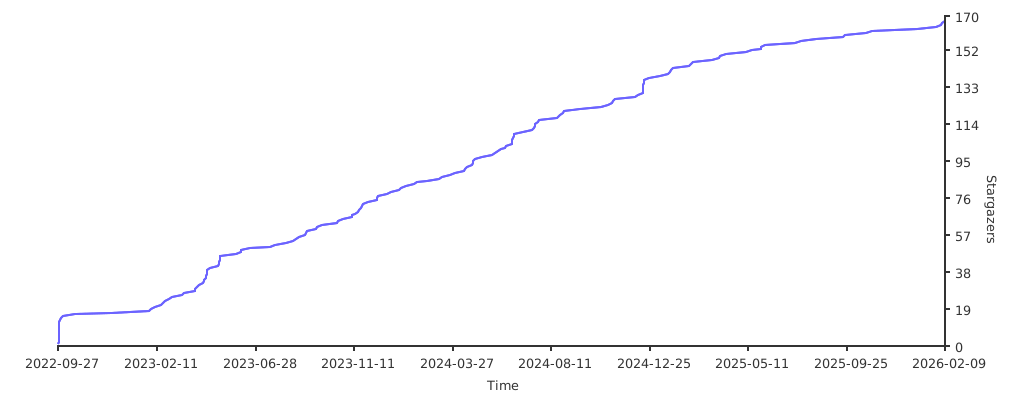
Stargazers over time
Update history
- 1.1.9: Bandwidth limitation
- 1.1.8: Display client version
- 1.1.7: Fixed duplicate client_name
- 1.1.6: Fixed client WebSocketException: socket is already opened.
Release history Release notifications | RSS feed


Download files
Download the file for your platform. If you're not sure which to choose, learn more about installing packages.
Source Distribution
Built Distribution
Filter files by name, interpreter, ABI, and platform.
If you're not sure about the file name format, learn more about wheel file names.
Copy a direct link to the current filters
File details
Details for the file proxynt-2.0.59.tar.gz.
File metadata
- Download URL: proxynt-2.0.59.tar.gz
- Upload date:
- Size: 500.7 kB
- Tags: Source
- Uploaded using Trusted Publishing? No
- Uploaded via: twine/3.8.0 pkginfo/1.10.0 readme-renderer/34.0 requests/2.27.1 requests-toolbelt/1.0.0 urllib3/1.26.20 tqdm/4.64.1 importlib-metadata/4.8.3 keyring/23.4.1 rfc3986/1.5.0 colorama/0.4.5 CPython/3.6.15
File hashes
| Algorithm | Hash digest | |
|---|---|---|
| SHA256 |
ff271704e075bb0d1ab050bc4cab8a565d724a6a45183439d49fbecaf97a0f97
|
|
| MD5 |
781a5f589167128aba4c03be45f343bd
|
|
| BLAKE2b-256 |
984451ff9e5db6804e34e65b8e82f061cf881adee7a7bc47b5f6a4de7b02f1e5
|
File details
Details for the file proxynt-2.0.59-py3-none-any.whl.
File metadata
- Download URL: proxynt-2.0.59-py3-none-any.whl
- Upload date:
- Size: 573.5 kB
- Tags: Python 3
- Uploaded using Trusted Publishing? No
- Uploaded via: twine/3.8.0 pkginfo/1.10.0 readme-renderer/34.0 requests/2.27.1 requests-toolbelt/1.0.0 urllib3/1.26.20 tqdm/4.64.1 importlib-metadata/4.8.3 keyring/23.4.1 rfc3986/1.5.0 colorama/0.4.5 CPython/3.6.15
File hashes
| Algorithm | Hash digest | |
|---|---|---|
| SHA256 |
258b8435b1d54c0bf42ca5a1fc8b01041858a61624e4ce5761011965e8bbae95
|
|
| MD5 |
9b893a5c28f1a175ee187a683fee9d82
|
|
| BLAKE2b-256 |
3795efb238c162d78b8855ce278860dd9947408702cdecaa1d8e2ccdcb149c63
|






