
Advanced Python proxy rotation library with auto-fetching, validation, and persistence

Project description







The Problem
- Your proxies are dead
- Your requests are blocked
- Your IP is burned
- You're drowning in 403s and 429s
The Solution

🚀 How It Works

Prerequisites
- Python: 3.9 or higher
- For browser rendering (
[js]extras):playwright install chromium # Downloads ~100MB
[!NOTE] Browser rendering features require Playwright browser binaries.
⚡ Quick Start
pip install proxywhirl
from proxywhirl import ProxyRotator

# Synchronous API
rotator = ProxyRotator(proxies=["http://p1:8080", "http://p2:8080"])
response = rotator.get("https://httpbin.org/ip")
print(response.json())  # {"origin": "185.x.x.47"}
That's it. Dead proxies get ejected. Slow ones deprioritized. Fast ones get more traffic.
[!IMPORTANT] Use responsibly. Respect
robots.txt, rate limits, and website Terms of Service.
[!TIP] Use
strategy="performance-based"to automatically route traffic to your fastest proxies.
📦 Installation
Using uv (Recommended)
# Install with uv
uv pip install proxywhirl

# With all extras
uv pip install "proxywhirl[all]"

# Or add to your project
uv add proxywhirl
uv add "proxywhirl[all]"
Using uvx (Run without installing)
# Run CLI directly without installation
uvx proxywhirl --help
uvx proxywhirl fetch --timeout 5
uvx proxywhirl export --stats-only

# With extras
uvx --from "proxywhirl[js]" proxywhirl fetch
Using pip
| Package | What You Get |
|---|---|
pip install proxywhirl |
Core rotation engine |
pip install "proxywhirl[storage,security]" |
+ SQLite persistence, Fernet encryption |
pip install "proxywhirl[js]" |
+ Playwright browser rendering |
pip install "proxywhirl[all]" |
Everything |
From GitHub (Latest Development)
# With uv
uv pip install "proxywhirl @ git+https://github.com/wyattowalsh/proxywhirl.git"

# With pip
pip install git+https://github.com/wyattowalsh/proxywhirl.git
✨ Features

🌐 Protocol Support

🎯 Nine Strategies

|
|
# Hot-swap strategies at runtime (< 100ms)
rotator = ProxyRotator(proxies=my_proxies, strategy="weighted")
rotator.set_strategy("geo-targeted")
💡 Custom Strategy Example
from proxywhirl.strategies import RotationStrategy, StrategyRegistry

class AlwaysFastest(RotationStrategy):
    """Always pick the proxy with lowest latency."""

    def select(self, pool, context=None):
        healthy = pool.get_healthy_proxies()
        return min(healthy, key=lambda p: p.avg_response_time)

StrategyRegistry.register("always-fastest", AlwaysFastest)
rotator = ProxyRotator(strategy="always-fastest")
Comparison
| Feature | ProxyWhirl | httpx | requests | scrapy |
|---|---|---|---|---|
| Proxy Rotation | 9 strategies | Manual | Manual | Basic |
| Auto-Fetch | 73 sources | No | No | No |
| Health Monitoring | Auto-eject | No | No | Middleware |
| Persistence | SQLite + encryption | No | No | Custom |
| Async Support | Native | Native | No | Twisted |
| Browser Rendering | Playwright | No | No | Splash |
💼 Use Cases

🎣 Auto-Fetch Proxies
73 sources · 100+/sec validation · Zero config
from proxywhirl import ProxyFetcher, RECOMMENDED_SOURCES

fetcher = ProxyFetcher(sources=RECOMMENDED_SOURCES)
proxies = await fetcher.fetch_all(validate=True)
# → 312 healthy proxies ready to use
[!NOTE] Validation runs in parallel with configurable concurrency. Set
max_concurrent=50for aggressive fetching.
📋 Available Source Groups
| Group | Description | Count |
|---|---|---|
RECOMMENDED_SOURCES |
Curated, reliable sources | 5 |
ALL_HTTP_SOURCES |
All HTTP/HTTPS proxy sources | 35 |
ALL_SOCKS4_SOURCES |
SOCKS4 proxy sources | 17 |
ALL_SOCKS5_SOURCES |
SOCKS5 proxy sources | 21 |
API_SOURCES |
API-based premium providers | 6 |
🏥 Self-Healing Pool
from proxywhirl.models import HealthMonitor

monitor = HealthMonitor(
    pool=rotator.pool,
    check_interval=60,    # Check every 60s
    failure_threshold=3   # 3 strikes → ejected
)
await monitor.start()
stateDiagram-v2
    [*] --> Healthy: Add Proxy
    Healthy --> Warning: 1-2 Failures
    Warning --> Healthy: Success
    Warning --> Ejected: 3rd Failure
    Ejected --> Recovering: Health Check Pass
    Recovering --> Healthy: Consistent Success
    Recovering --> Ejected: Failure
| Feature | Description |
|---|---|
| Auto-ejection | Dead proxies removed instantly |
| Health scoring | Latency + success rate tracking |
| Auto-recovery | Ejected proxies rejoin when healthy |
| Circuit breaker | Prevents cascade failures |
🏗️ Architecture

📊 Sequence Diagram
sequenceDiagram
    participant App as Your App
    participant PR as ProxyRotator
    participant Pool as Proxy Pool
    participant Strategy as Strategy
    participant Target as Target Server

    App->>PR: request(url)
    PR->>Pool: get_healthy_proxies()
    Pool-->>PR: [proxy1, proxy2, ...]
    PR->>Strategy: select(proxies)
    Strategy-->>PR: best_proxy
    PR->>Target: GET url via proxy
    Target-->>PR: 200 OK
    PR->>Pool: record_success(proxy)
    PR-->>App: Response
🖥️ Interfaces
REST APIdocker-compose up -d
curl -X POST localhost:8000/api/v1/request \
  -H "Content-Type: application/json" \
  -d '{"url": "https://httpbin.org/ip"}'
Endpoints:
|
CLI# Make requests
proxywhirl request https://httpbin.org/get
# Manage pool
proxywhirl pool list
proxywhirl pool add http://proxy:8080
proxywhirl pool remove http://proxy:8080
# Monitor health
proxywhirl health --continuous
# Fetch proxies
proxywhirl fetch --sources recommended
Commands:
|
🤖 MCP Server
ProxyWhirl provides an MCP (Model Context Protocol) server for AI assistants to manage proxies programmatically.
# Install with MCP support (Python 3.10+ required)
pip install "proxywhirl[mcp]"

# Run the MCP server
python -m proxywhirl.mcp.server
The unified proxywhirl tool supports these actions:
| Action | Description |
|---|---|
list |
List all proxies in pool |
rotate |
Get next proxy using rotation strategy |
status |
Get status of specific proxy |
recommend |
Get best proxy for criteria |
health |
Get pool health overview |
reset_cb |
Reset circuit breaker for proxy |
Claude Desktop Integration
Add to your Claude Desktop config:
{
  "mcpServers": {
    "proxywhirl": {
      "command": "python",
      "args": ["-m", "proxywhirl.mcp.server"]
    }
  }
}
See the MCP Server Guide for full documentation.
🔧 Advanced Features
💾 Persistent Storage
[!WARNING] Never commit encryption keys to git. Use environment variables or a secrets manager.
import os
from cryptography.fernet import Fernet
from proxywhirl import ProxyRotator
from proxywhirl.storage import SQLiteStorage

# Generate key once: key = Fernet.generate_key()
# Store in .env: PROXYWHIRL_ENCRYPTION_KEY=<key>

storage = SQLiteStorage(
    "proxies.db",
    encryption_key=os.getenv("PROXYWHIRL_ENCRYPTION_KEY")
)
rotator = ProxyRotator(storage=storage)

# Proxies persist across restarts
# Stats and health data preserved
# Credentials encrypted with Fernet (AES-128-CBC)
🌐 Browser Rendering
from proxywhirl.browser import BrowserRenderer

async with BrowserRenderer() as browser:
    # Render JavaScript-heavy pages
    html = await browser.render(
        "https://spa-website.com",
        proxy="http://proxy:8080",
        wait_for="networkidle",
        timeout=30000
    )

    # Take screenshots
    await browser.screenshot("https://example.com", path="screenshot.png")
[!IMPORTANT] Requires
pip install "proxywhirl[js]"for Playwright support.
⏱️ Rate Limiting
from proxywhirl.rate_limiting import RateLimiter

limiter = RateLimiter(
    requests_per_second=10,
    burst_size=20,
    per_proxy=True  # Limit per-proxy, not global
)
rotator = ProxyRotator(rate_limiter=limiter)
🔄 Retry Logic
from proxywhirl import ProxyRotator

rotator = ProxyRotator(
    max_retries=3,
    retry_on=[403, 429, 500, 502, 503],
    backoff_factor=0.5,  # Exponential backoff
    retry_on_timeout=True
)
flowchart LR
    A[Request] --> B{Success?}
    B -->|Yes| C[Return Response]
    B -->|No| D{Retries Left?}
    D -->|Yes| E[Switch Proxy]
    E --> F[Backoff Wait]
    F --> A
    D -->|No| G[Raise Error]
🔐 Authentication
from proxywhirl import ProxyRotator

# Basic auth
rotator = ProxyRotator(proxies=[
    "http://user:pass@proxy1:8080",
    "http://user:pass@proxy2:8080"
])

# Or with Proxy objects
from proxywhirl.models import Proxy

proxy = Proxy(
    host="proxy.example.com",
    port=8080,
    username="user",
    password="secret"
)
🌍 Geo-Targeting
from proxywhirl import ProxyRotator

rotator = ProxyRotator(
    strategy="geo-targeted",
    geo_preferences={
        "US": ["proxy-us-1", "proxy-us-2"],
        "EU": ["proxy-eu-1", "proxy-de-1"],
        "APAC": ["proxy-jp-1", "proxy-sg-1"]
    }
)

# Route by target domain
response = rotator.get(
    "https://amazon.de/product",
    geo_hint="EU"  # Uses EU proxies
)
📁 Project Structure
proxywhirl/
├── rotator.py         # Core rotation engine
├── strategies.py      # 9 rotation strategies
├── fetchers.py        # 73 proxy sources
├── storage.py         # SQLite + Fernet encryption
├── models.py          # Pydantic data models
├── cache/             # Multi-tier caching
├── rate_limiting/     # Rate limiter
├── api.py             # FastAPI REST API
└── cli.py             # Typer CLI

tests/
├── unit/              # Unit tests (1500+)
├── integration/       # Integration tests
├── property/          # Hypothesis property tests
└── benchmarks/        # Performance benchmarks
🧪 Development
# Clone and install
git clone https://github.com/wyattowalsh/proxywhirl.git
cd proxywhirl
uv sync

# Run tests
uv run pytest

# Type check
uv run ty check proxywhirl/

# Lint and format
uv run ruff check .
uv run ruff format .

# Full quality check
make quality-gates
[!CAUTION] Always run
make quality-gatesbefore submitting a PR. CI will reject commits that fail type checking or linting.
🗺️ Roadmap
- 9 rotation strategies
- 73 proxy sources
- SQLite persistence
- Fernet encryption
- Health monitoring
- REST API
- CLI interface
- Redis storage backend
- Prometheus metrics
- Kubernetes operator
- WebUI dashboard
Troubleshooting
All proxies failed validation
Free proxy lists have high failure rates. Use curated sources:
from proxywhirl.sources import RECOMMENDED_SOURCES
fetcher = ProxyFetcher(sources=RECOMMENDED_SOURCES)
Playwright browser not found
Install Playwright browsers:
playwright install chromium
Encryption key format error
Generate a valid Fernet key:
from cryptography.fernet import Fernet
print(Fernet.generate_key().decode())
🤝 Contributing
Contributions are welcome! Please read the contributing guidelines first.
# Fork, clone, and create a branch
git checkout -b feature/amazing-feature

# Make changes, test, and commit
uv run pytest
git commit -m "feat: add amazing feature"

# Push and open a PR
git push origin feature/amazing-feature
📚 Documentation
| Resource | Description |
|---|---|
| Getting Started | Quick start guide |
| Configuration | All config options |
| API Reference | Full API docs |
| Examples | Code examples |
| Notebooks | Interactive tutorials |
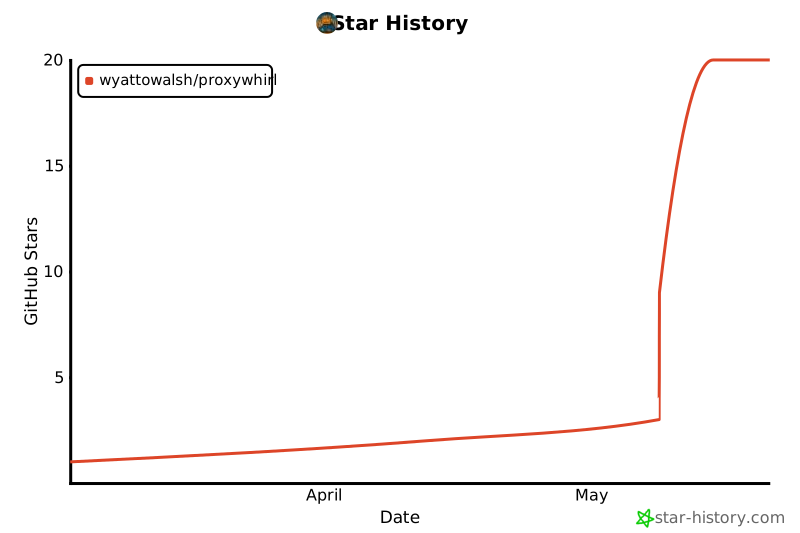
🌟 Star History
Issues · Discussions · MIT License
Built for web scraping, authorized testing, automation, and legitimate proxy rotation use cases


Download files
Download the file for your platform. If you're not sure which to choose, learn more about installing packages.
Source Distribution
Built Distribution
Filter files by name, interpreter, ABI, and platform.
If you're not sure about the file name format, learn more about wheel file names.
Copy a direct link to the current filters
File details
Details for the file proxywhirl-0.1.0.tar.gz.
File metadata
- Download URL: proxywhirl-0.1.0.tar.gz
- Upload date:
- Size: 169.3 kB
- Tags: Source
- Uploaded using Trusted Publishing? No
- Uploaded via: twine/6.2.0 CPython/3.11.14
File hashes
| Algorithm | Hash digest | |
|---|---|---|
| SHA256 |
14fef4abee21064c9291c0f586f145f30e96fa5c81be05a3b97d62878db9f11f
|
|
| MD5 |
bd681f1a74bf6d4fe3a75cf4e66a5e14
|
|
| BLAKE2b-256 |
a1b283b31edec6a132cdb67ae7e5dba85ee1b0091f591018b3662902ac47c9ea
|
File details
Details for the file proxywhirl-0.1.0-py3-none-any.whl.
File metadata
- Download URL: proxywhirl-0.1.0-py3-none-any.whl
- Upload date:
- Size: 176.2 kB
- Tags: Python 3
- Uploaded using Trusted Publishing? No
- Uploaded via: twine/6.2.0 CPython/3.11.14
File hashes
| Algorithm | Hash digest | |
|---|---|---|
| SHA256 |
c68d2007cc911938c1046eecd0572c033ffbdfa9174db87e0ca024e79d9aa302
|
|
| MD5 |
9dcfb2504fb2295a58d898851457c77f
|
|
| BLAKE2b-256 |
0efd88a908ebdeff4fecd160d8bfdf73c0f662ea836ab024dbcf6ff01f6b8861
|






