
Local-first command wrapper for AI coding agents with compressed terminal output and privacy-safe proof metrics.

Project description
SAGE - Stop AI Coding Agents From Burning Tokens


A local-first CLI wrapper for Claude Code, Codex, Cursor, and other AI coding agents.
SAGE routes terminal commands through sage run --, compresses noisy output before it enters the agent context, keeps raw logs on your machine, and proves token savings with privacy-safe metrics.
Live Proof
| Metric | Value |
|---|---|
| Commands processed | 10,574 |
| Tokens processed | 264.5M |
| Tokens saved | 256.1M |
| Compression rate | 96.8% |
| Estimated savings | $2,753.34 |
| Success rate | 94.6% |
Live dashboard: sage.api.marketingstudios.in
Proof at Full Context
SAGE is built for the moment when an AI agent is already near the edge of its context window. In a real Claude Desktop session, SAGE was still routing commands while the agent showed a full 200.0k / 200.0k (100%) context window.

Provider-confirmed A/B tests show why this matters:
| Proof run | Raw input | SAGE input | Tokens saved | Reduction |
|---|---|---|---|---|
| Claude provider A/B | 64,833 | 91 | 64,742 | 99.86% |
| Codex provider A/B | 65,204 | 14,850 | 50,354 | 77.23% |
Even when context is already maxed out, SAGE keeps raw logs local and sends the agent a smaller, useful version instead of flooding the conversation with full terminal noise.
Install
pip install psycgod-sage
sage --version
Package name: psycgod-sage | CLI command: sage
pip install psycgod-sage installs the SAGE Python package and the sage command. On first sage use, SAGE automatically installs mandatory local AI-agent instructions, MCP registration, and Claude Code hook settings for supported agents. No second install command is required.
Run sage init inside a project to add project-local AGENTS.md, CLAUDE.md, SAGE.md, and Claude hook files.
sage init
First Run
On first use, SAGE walks you through setup:
1. Install ML V2 dependencies? [y/N]     - neural predictions (optional, ~2 GB)
2. Local AI-agent enforcement            - automatic on first `sage` use / `sage init`
- Type
yfor ML V2: torch + sentence-transformers + faiss (76% prediction accuracy) - Type
nto skip: ML V1 (scikit-learn) is already included and learns from your usage over time - You can install ML V2 later with
pip install psycgod-sage[ml]orsage ml setup
Quick Start
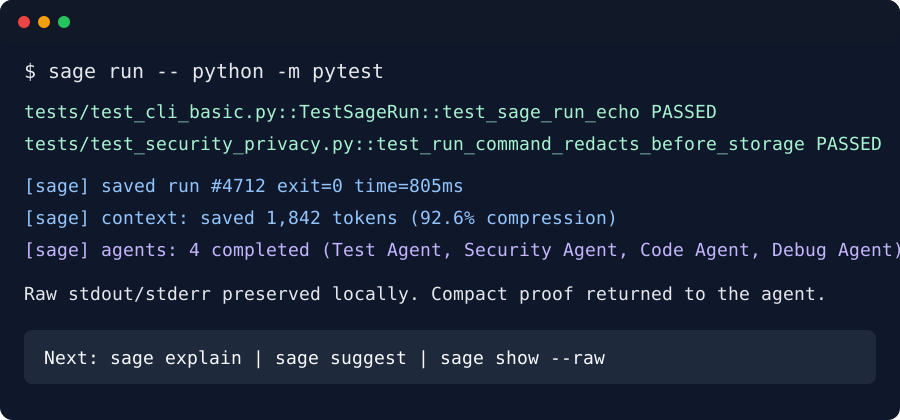
sage run -- python -m pytest
sage run -- npm test
sage run -- git status
sage init
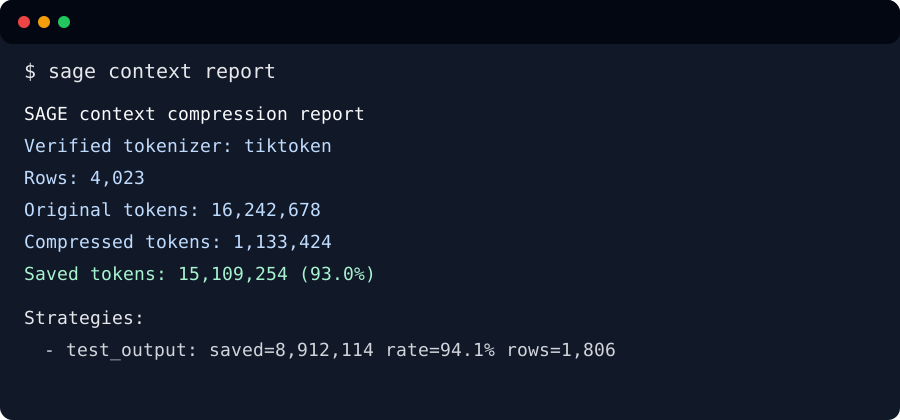
sage context report
15-Second Demo
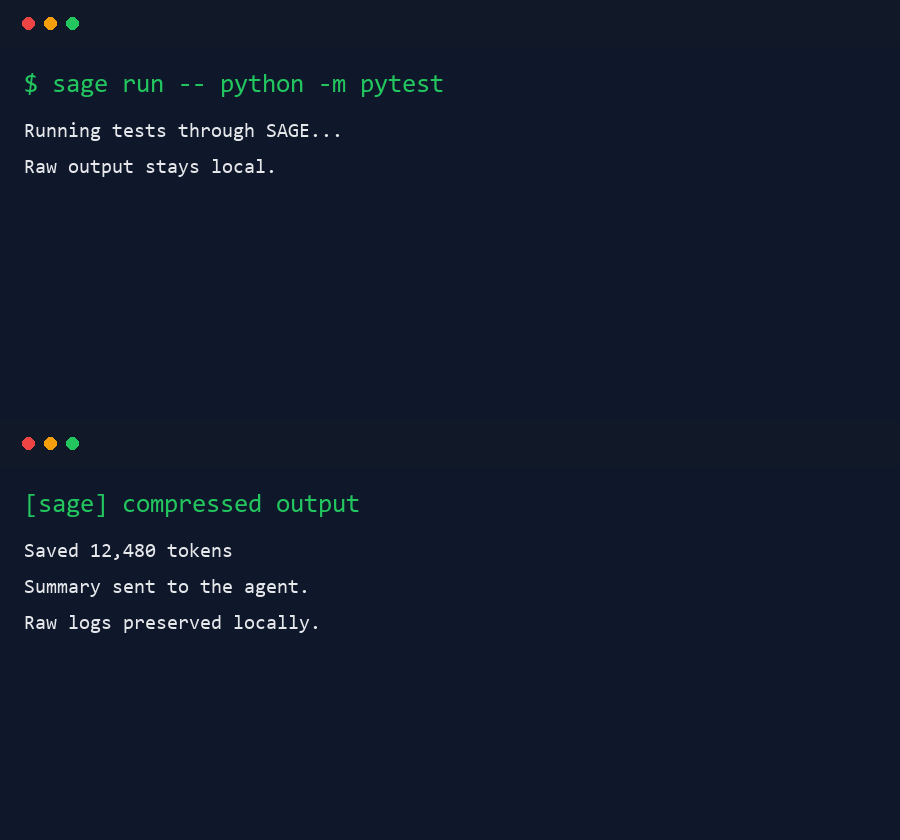
$ sage run -- python -m pytest
[sage] saved run #42 exit=0 time=1180ms
[sage] context: saved 8,214 tokens (91.2% compression)
[sage] summary:
144 passed

$ sage context report
SAGE context compression report
Original tokens: 120,450
Compressed tokens: 12,831
Saved tokens: 107,619 (89.3%)
Why SAGE Exists
AI coding agents waste context and money by reading huge terminal logs, repeated failures, stack traces, test noise, build noise, and dependency output.
SAGE sits between your terminal and your AI coding workflow. It keeps full raw logs locally but sends only compressed, useful output to the agent context.
| Without SAGE | With SAGE |
|---|---|
| Agent sees full noisy terminal logs | Agent sees compressed useful output |
| Context gets wasted fast | Context lasts longer |
| Repeated failures burn tokens | Failures are summarized clearly |
| Hard to prove AI-agent savings | Dashboard shows proof metrics |
| Raw logs may be copied into prompts | Raw logs stay local |
Local-Only Mode
Local-only mode does not require GitHub OAuth and does not send data.
| Mode | Requires OAuth? | Sends data? | What leaves the machine? |
|---|---|---|---|
| Local-only | No | No | Nothing |
| Connected proof | Yes | Yes | Aggregate counters only |
| Debug telemetry | Optional | Opt-in only | Redacted diagnostic summaries only |
Use connected mode for optional public proof/dashboard sync:
sage connect
CLI Commands
sage run -- <command>              # Wrap any command
sage context stats                # Token savings summary
sage context report               # Full compression report
sage history --limit 10           # Recent command history
sage explain                      # Explain last error
sage suggest                      # Get fix suggestions
sage fix --apply                  # Auto-fix errors
sage savings --agent claude-sonnet # Savings by provider
sage firewall status              # Safety policy status
sage firewall rules list          # View blocked patterns
sage ml setup                     # Install ML V2 (optional)
sage ml train                     # Retrain on your history
sage install                      # Repair/re-apply system-wide AI agent enforcement
sage init                         # Per-project AGENTS.md/CLAUDE.md/hooks
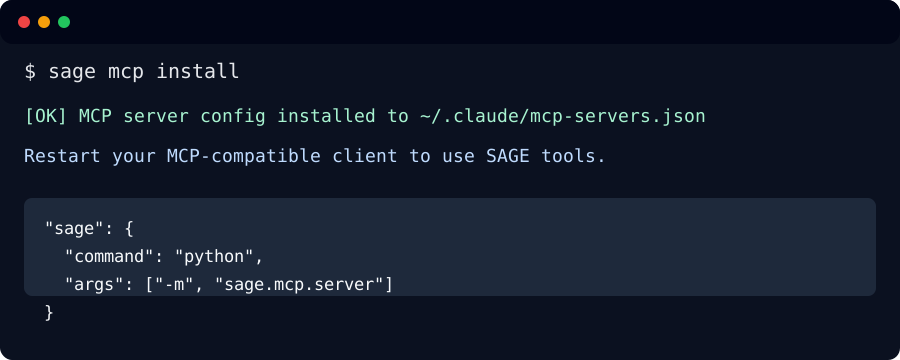
sage mcp install                  # MCP server for AI agents
sage dashboard start              # Local proof dashboard
Screenshots
| Command | Preview |
|---|---|
sage run -- |
 |
sage context report |
 |
sage mcp install |
 |
| Dashboard | 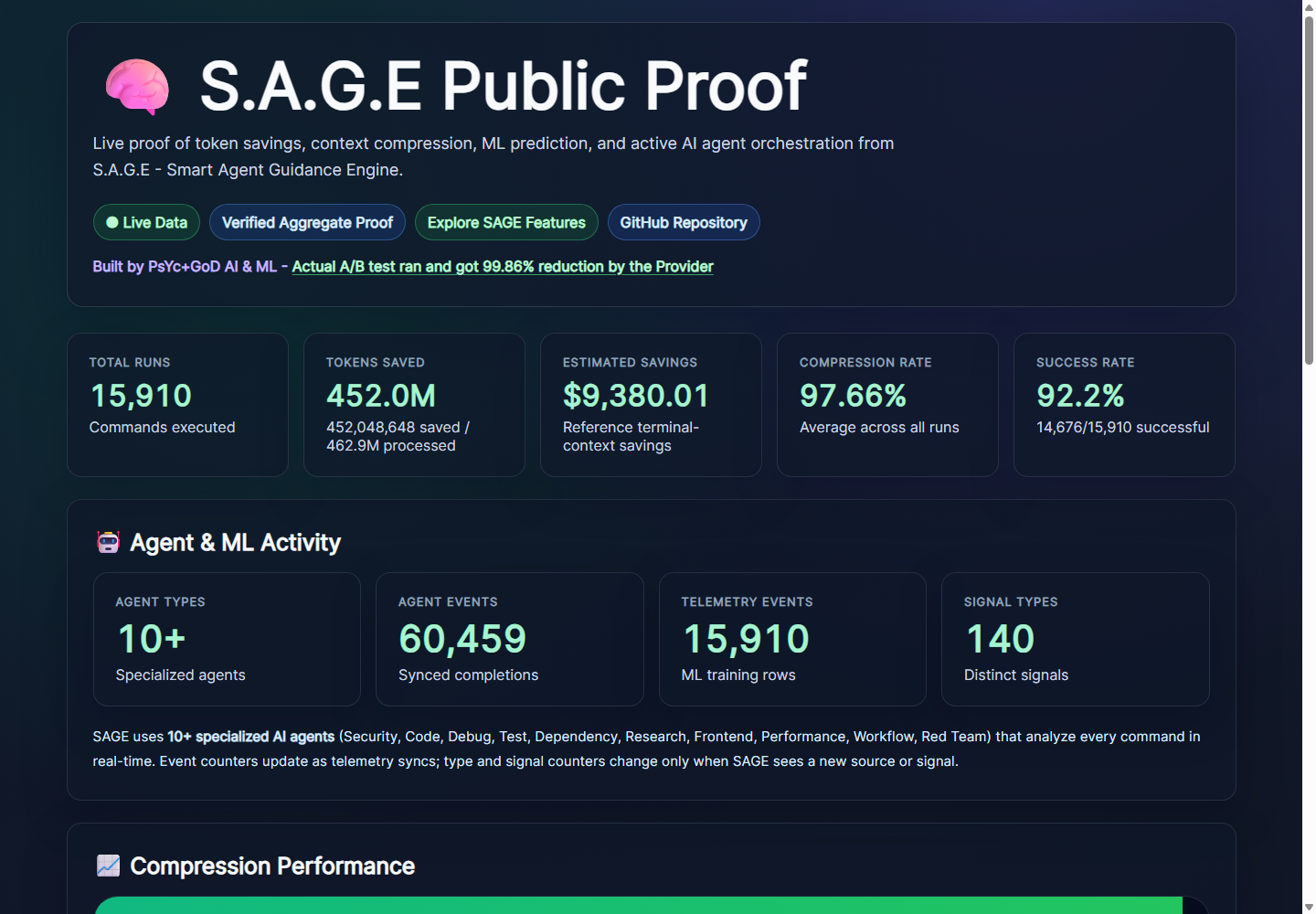 |
Team View Preview - Enterprise Only
Team View is an Enterprise-only SAGE workspace dashboard for organizations that need shared proof, safety monitoring, and team-level AI savings visibility.

Planned Enterprise Team View features:
- Workspace-level tokens saved, compression rate, and estimated AI savings
- Team command success rate and failure trends
- Agent and ML activity across connected machines
- Safety events, blocked risky commands, and protected secret signals
- Per-machine and per-user aggregate usage without exposing raw command text
- Privacy-safe proof only: no source code,
.envvalues, raw logs, private paths, or model output
Team View is not part of the free public CLI package. It is reserved for Enterprise access.
ML - Learns From Your Usage
SAGE ML trains on your local command history. More commands = better predictions.
ML V1 (included)
Scikit-learn based failure prediction. Trains with sage ml train. Improves as your command history grows. Lightweight, no GPU needed.
ML V2 - Neural Command Center (optional)
Install:
pip install psycgod-sage[ml]orsage ml setup
Adds semantic embedding-based prediction using all-MiniLM-L6-v2 (384-dim vectors, 90 MB model, Apache 2.0). Specialized predictors for syntax, dependency, auth, timeout, permission, context, compression, and agent-ranking.
| Metric | V1 (sklearn) | V2 (embeddings) |
|---|---|---|
| Accuracy | 58% | 76% |
| Precision | n/a | 87% |
| Recall | n/a | 85% |
| F1 Score | n/a | 86% |
ML signals are experimental guidance, not guarantees. See docs/ML_V2.md for architecture.
Agent Firewall
SAGE blocks destructive commands, detects secret exposure, and prevents infinite retry loops.
sage firewall status
sage firewall enable
sage firewall rules list
sage firewall allow "npm install"
sage firewall block "rm -rf"
sage firewall audit
LSP Server + Agentic Loop
sage lsp                    # Start LSP server (stdio for editors)
sage lsp --tcp --port 19473 # Start LSP server (TCP for AI agents)
When a command fails, SAGE automatically analyzes the error, suggests or applies a fix, and verifies by re-running. Circuit breaker stops infinite loops.
Configure in sage.toml:
[agentic]
autonomy = "suggest"  # suggest | ask | auto
max_retries = 3

[lsp]
transport = "stdio"
tcp_port = 19473
Privacy and Security
- Raw commands and full outputs stay local by default.
- Public dashboard data is aggregate proof only.
- No source code,
.env, secrets, or raw logs are uploaded. - API keys are stored in the OS keyring when available.
- Higher telemetry is opt-in and policy-constrained.
See PRIVACY.md | SECURITY.md | CONTRIBUTING.md | CODE_OF_CONDUCT.md
Known Limitations
- The desktop GUI is not public yet.
- GitHub OAuth is only required for connected proof/dashboard sync.
- ML V2 requires
pip install psycgod-sage[ml](~2 GB for torch). - ML accuracy improves with usage; fresh installs have minimal training data.
- The public dashboard is aggregate-only.
Development
git clone https://github.com/PsYcGoD/sage.git
cd sage
pip install -e .[all]
python -m compileall -q src/sage
python -m pytest -q
The public package is CLI-first. GUI source is not shipped in this repo.
Release history Release notifications | RSS feed


Download files
Download the file for your platform. If you're not sure which to choose, learn more about installing packages.
Source Distribution
Built Distribution
Filter files by name, interpreter, ABI, and platform.
If you're not sure about the file name format, learn more about wheel file names.
Copy a direct link to the current filters
File details
Details for the file psycgod_sage-2.4.10.tar.gz.
File metadata
- Download URL: psycgod_sage-2.4.10.tar.gz
- Upload date:
- Size: 376.7 kB
- Tags: Source
- Uploaded using Trusted Publishing? No
- Uploaded via: twine/6.2.0 CPython/3.13.6
File hashes
| Algorithm | Hash digest | |
|---|---|---|
| SHA256 |
5cf3c18b4d85f5b622e5c98270e03ab93e996b321efe3b7cca715470593f6fbb
|
|
| MD5 |
a1f94d2aaaa2ba72b25f652e7ea55e36
|
|
| BLAKE2b-256 |
ac04d2d331950eb721a31c4fb47f4a01518ba3a4d0b59f703bdc35f1f68cbc15
|
File details
Details for the file psycgod_sage-2.4.10-py3-none-any.whl.
File metadata
- Download URL: psycgod_sage-2.4.10-py3-none-any.whl
- Upload date:
- Size: 406.5 kB
- Tags: Python 3
- Uploaded using Trusted Publishing? No
- Uploaded via: twine/6.2.0 CPython/3.13.6
File hashes
| Algorithm | Hash digest | |
|---|---|---|
| SHA256 |
5442ca76fcdde01bff38ee3e97a1343c775069ae600b06eb6065efa5ee4a4d7f
|
|
| MD5 |
84b8701f21beb25eca39adc7d1371e92
|
|
| BLAKE2b-256 |
951afba8cfaaeb90e70bd6248d3e70c99e9f0af6a8bb4630bece2694d48c6309
|






