
Autonomous AI pentesting with 150+ tools, exploit chaining, and PoC validation

Project description

pentest-ai
Autonomous pentests from one command. Real tools. Real PoCs. Real reports.





Point it at a target. It runs recon, logs into the app, chains vulnerabilities into attack paths, proves every finding with a working PoC, and hands back a report your blue team can act on.
No cloud. No telemetry. Your laptop, your keys, your data.
See it run
$ ptai start https://staging.acme.com --auth-flow form_post \
    --auth-url /login --auth-username admin --auth-password-env APP_PASS

[+] engagement eng-e512f47b  target=staging.acme.com  scope=web

[auth]      ✓ Logged in as admin. Session captured, refresh in 14:32.
[recon]     ✓ 3 open ports, 7 subdomains, Apache/PHP fingerprint.
[web]       ✓ 21 findings behind auth. 3 SQLi, 4 XSS, missing CSP, CSRF gap.
[chain]     ✓ Attack path found in 2 hops:
              reflected XSS + cookie without Secure flag → admin session hijack
[validate]  ✓ 3 findings proven with non-destructive PoCs.
[detect]    ✓ Generated Sigma, SPL, KQL rules for the blue team.
[report]    ✓ reports/eng-e512f47b.html  ·  12 pages  ·  client-ready

Total: 4m 18s. Cost: $0.73 in Claude tokens.
That was one command. You were pouring coffee.
Install
pip install ptai
Use it with your Claude Code account (recommended)
Already pay for Claude Pro or Max? Skip the API key. Wire ptai into Claude Code as an MCP server and your subscription runs the engagement.
Option A — one-line CLI (Claude Code users):
claude mcp add pentest-ai -- ptai mcp
Done. Restart Claude Code and the tools show up.
Option B — interactive wizard (Claude Desktop, Cursor, VS Code Copilot):
ptai setup --mcp
Auto-detects the clients you have installed, writes their config files, and tells you to restart them.
Then, in any of those clients:
Run an authenticated pentest against staging.acme.com. Login is at /login with username admin and password in $APP_PASS. Summarize the high-severity findings when done.
Claude Code (or Cursor, or Copilot) picks up the tools, runs the engagement through your subscription, and streams results back into your conversation. Zero API spend.
Or use an API key
For CI pipelines, scheduled runs, or standalone use without an MCP client:
export ANTHROPIC_API_KEY=sk-ant-...   # Claude (best results)
# or
export OPENAI_API_KEY=sk-...          # OpenAI
# or, fully local, no cloud
export OLLAMA_HOST=localhost:11434    # Ollama
ptai start https://your-target.com
First run installs the tool deps it needs (nmap, nuclei, ffuf, sqlmap, gobuster, and more). No setup afterwards.
What makes it different
| 🤖 Autonomous | Ten agents cover recon, web, AD, cloud, chaining, PoC, detection, and report. They coordinate on their own. |
| 🔐 It logs in | Most scanners die at the login page. This one holds a session, rotates creds, and every downstream tool inherits the cookie. |
| 🧪 Every finding is proven | A working proof of concept runs against the target. No more triaging 40 maybes from a noisy scanner. |
| 📋 Your methodology, in YAML | Encode your pentest checklist as a playbook. Share it. Fork someone else's. Like Nuclei templates, for methodology. |
| 🔄 Diff mode | ptai retest <id> shows what's new, fixed, or still broken. The fix → retest → confirm loop becomes one command. |
| ⚡ CI-native | A GitHub Action, GitLab template, severity gates, SARIF output, and PR comments. Works the day you drop it in. |
| 🧠 LLM red team | Probe your AI features for prompt injection, jailbreaks, and OWASP LLM Top 10. Eighty probes built in. |
| 🔌 Works with Claude, Cursor, Copilot | An MCP server with 35+ tools. Talk to your assistant: "diff last week's engagement against today's." |
| 💾 Runs on your laptop | MIT licensed. No cloud calls. Works offline with Ollama. Your findings stay on your disk. |
How it works
┌─────────────────────────────────────────────────────────────┐
│                    ptai start <target>                      │
└─────────────────────────────────────────────────────────────┘
                             │
          ┌──────────────────┼──────────────────┐
          ▼                  ▼                  ▼
      ┌────────┐        ┌────────┐        ┌─────────┐
      │ recon  │   →    │  auth  │   →    │   web   │
      └────────┘        └────────┘        └─────────┘
                                               │
          ┌────────────────────────────────────┤
          ▼                                    ▼
      ┌────────┐                          ┌─────────┐
      │   ad   │   ┌──────────────────┐   │ cloud   │
      └────────┘   │  Findings DB     │   └─────────┘
          │        │  (sqlite + evidence)│       │
          └───────▶│  scope-guarded     │◀──────┘
                   │  deduplicated      │
                   └──────────────────┘
                             │
                ┌────────────┼────────────┐
                ▼            ▼            ▼
           ┌──────┐    ┌─────────┐  ┌──────────┐
           │chain │    │validate │  │ detect   │
           └──────┘    └─────────┘  └──────────┘
                             │
                             ▼
                       ┌──────────┐
                       │  report  │   md · html · pdf · SARIF · JUnit
                       └──────────┘
Each agent runs with an LLM when you've set a key, or as a deterministic tool loop when you haven't. Either way the phase order is the same.
Who uses it for what
AppSec teams. Wire ptai into your CI. Every PR against staging gets an authenticated scan. The build fails on high-severity findings. The fix → retest → confirm loop runs on its own.
Consultants. Scope a week-long engagement, point ptai at the estate, and spend your time on the creative work instead of glueing scanners together and writing the report. The report is already written.
Bug bounty hunters. Run it over breakfast. Come back to a list of validated findings with PoCs ready to paste into HackerOne.
Red teamers. Drop your internal AD methodology into a YAML playbook. Run it against every new engagement. Share it with your team.
Developers shipping AI features. Enable --enable-llm-redteam against your chatbot. Get an OWASP LLM Top 10 report in minutes.
Playbooks
Your methodology as a file. Checked into git. Shared with your team.
name: internal-ad-pentest
inputs:
  domain: { required: true, prompt: "AD domain" }
  dc_ip:  { required: true, prompt: "DC IP" }

phases:
  - id: recon
    tools: [nmap, masscan]

  - id: ad-enum
    depends_on: [recon]
    condition: "any_finding(type='open_port', port=445)"
    tools: [enum4linux, ldapsearch, bloodhound-python]

  - id: kerberoast
    requires_finding: { type: ad_user_enumerated }
    tools: [impacket-getuserspns]
    llm_decide: true         # let the LLM skip if context says useless
ptai playbook list                  # show installed playbooks
ptai playbook show web-app-quick    # preview before running
ptai playbook run ./my-ad.yaml      # execute
Five playbooks ship built-in. A community catalog is coming.
Drop it into your CI
# .github/workflows/security.yml
name: Security scan
on: [pull_request]

jobs:
  ptai:
    runs-on: ubuntu-latest
    steps:
      - uses: actions/checkout@v4
      - run: pip install ptai
      - run: |
          ptai start ${{ vars.STAGING_URL }} \
            --ci \
            --fail-on high \
            --sarif pentest.sarif
        env:
          ANTHROPIC_API_KEY: ${{ secrets.ANTHROPIC_API_KEY }}
      - uses: github/codeql-action/upload-sarif@v3
        if: always()
        with:
          sarif_file: pentest.sarif
Findings post as a PR comment, SARIF uploads to GitHub Code Scanning, and the build fails on gated severity. GitLab and Jenkins templates in docs/ci-cd.md.
vs the field
ptai |
Sn1per | Nuclei | Burp Pro | PentestGPT | |
|---|---|---|---|---|---|
| Autonomous phase loop | ✓ | ✓ | ✓ | ||
| Authenticated scanning | ✓ | partial | raw HTTP | ✓ | |
| Exploit chaining | ✓ | partial | |||
| PoC validation | ✓ | partial | |||
| Diff and retest | ✓ | ||||
| CI-native (SARIF + gates) | ✓ | partial | partial | ||
| LLM red team | ✓ | ||||
| YAML playbooks | ✓ | templates | |||
| MCP server | ✓ | ||||
| License | MIT | GPL | MIT | commercial | MIT |
What's inside
- 10 agents across recon, web, AD, cloud, exploit chaining, PoC validation, detection, reporting, LLM red team, and social engineering
- 200+ tool wrappers with auto-install: nmap, masscan, nuclei, ffuf, sqlmap, gobuster, wapiti, nikto, dalfox, xsstrike, enum4linux, bloodhound-python, impacket's full suite, trufflehog, gitleaks, kube-hunter, trivy, and more
- 35+ MCP tools for LLM-driven engagements
- 3 LLM providers: Anthropic Claude, OpenAI, Ollama
- 6 output formats: Markdown, HTML, PDF, SARIF 2.1.0, JUnit XML, compliance mappings (OWASP, CWE, CVE, CVSS v3.1)
- 500 tests at 81% coverage
- MIT licensed, 100% yours
All ten agents (click to expand)
| Agent | Phase | Does |
|---|---|---|
recon |
1 | Port scan, DNS and subdomain enum, service fingerprinting |
web |
2 | Authenticated OWASP Testing Guide v4 pass |
ad |
3 | AD enum, Kerberoasting, BloodHound pathfinding, delegation abuse |
cloud |
4 | AWS, Azure, GCP IAM, misconfig, K8s RBAC, serverless |
exploit_chain |
5 | Correlates findings into multi-step attack paths |
poc_validator |
6 | Non-destructive proof of concept per finding |
detection |
7 | Sigma, SPL, KQL rules for the blue team |
report |
8 | Markdown, HTML, PDF, SARIF, JUnit, compliance maps |
llm_redteam |
opt | OWASP LLM Top 10 probes |
social_engineer |
opt | Phishing corpus and pretext generation |
Plus mobile and wireless agents for out-of-band engagements.
Responsible use
ptai is for authorized testing. On startup it loads a scope file. Out-of-scope hosts are refused at tool-invocation time. PoCs are non-destructive by default. Rate limits kick in automatically in stealth mode.
You are responsible for having written authorization before pointing this at anything you don't own. Don't be that person.
The ecosystem
| Repo | What |
|---|---|
| pentest-ai | The CLI and MCP server (you are here) |
| pentest-ai-agents | Claude Code subagent definitions for the same methodology |
Beyond the OSS
Running this on a team and need more? The website has the team dashboard and managed-assessment options.
The OSS tool stays OSS. Free forever.
Contributing
PRs welcome. Before you submit:
ruff check . && mypy . && pytest -q
See CONTRIBUTING.md for the full flow.
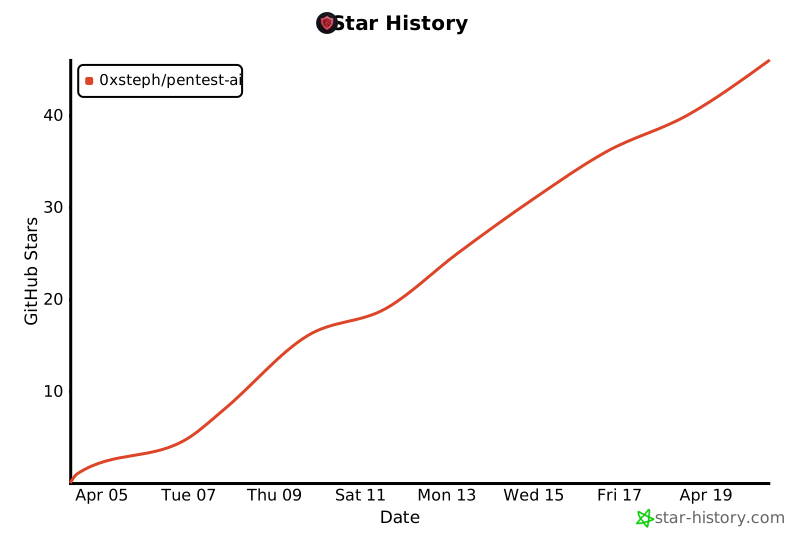
Star history
License
MIT. Do whatever you want with it.
If ptai saved you a Sunday, star the repo. It's the only payment I ask for.


Download files
Download the file for your platform. If you're not sure which to choose, learn more about installing packages.
Source Distribution
Built Distribution
Filter files by name, interpreter, ABI, and platform.
If you're not sure about the file name format, learn more about wheel file names.
Copy a direct link to the current filters
File details
Details for the file ptai-0.9.1.tar.gz.
File metadata
- Download URL: ptai-0.9.1.tar.gz
- Upload date:
- Size: 145.2 kB
- Tags: Source
- Uploaded using Trusted Publishing? No
- Uploaded via: twine/6.2.0 CPython/3.12.3
File hashes
| Algorithm | Hash digest | |
|---|---|---|
| SHA256 |
984142c0b708b9389524dafdd8a766ca9151ac31d49e37bbdc1329bce8e4d4c5
|
|
| MD5 |
d6c1abab63a01acd3627bc634104c178
|
|
| BLAKE2b-256 |
d55c4efd9a1a7d5144bb9b5371bbe15d7946ce1b1aeeee8bb86fb350af561795
|
File details
Details for the file ptai-0.9.1-py3-none-any.whl.
File metadata
- Download URL: ptai-0.9.1-py3-none-any.whl
- Upload date:
- Size: 126.7 kB
- Tags: Python 3
- Uploaded using Trusted Publishing? No
- Uploaded via: twine/6.2.0 CPython/3.12.3
File hashes
| Algorithm | Hash digest | |
|---|---|---|
| SHA256 |
18d266e77f4f62547884aa781f23dc30f1f9c040803d27fa57fac32ab95fc991
|
|
| MD5 |
ccd86a1c8f3940c38f9beda0d5162f80
|
|
| BLAKE2b-256 |
0612d97694ec84dc3be4c6076f8211026c9303af931e732cae5147577fb19fcf
|






