
High precision calibration tool for Pt100/Pt25 sensors (ITS-90 & CVD)

Project description
ptcal - Precision Pt100/Pt25 Calibration Library



ptcal is a professional Python library for calibrating Platinum Resistance Thermometers (PRT). It supports both ITS-90 and CVD (Callendar-Van-Dusen) standards, providing high-precision fitting, residual analysis, visualization, and Excel reporting.
Ideal for metrology labs, industrial calibration, and precision measurement applications.
Features
- Standard Support:
- ITS-90: Full implementation of deviation functions (ranges 8-11 and sub-ranges).
- IEC 60751 (CVD): Fitting of R0, A, B, (and C) coefficients.
- Visual Analysis:
- Comparison plots (Deviations vs. DIN/IEC classes).
- Residual scatter plots to verify fit quality.
- "All-in-One" overview for multiple sensors.
- Reporting:
- Automated Excel export with scientific formatting.
- Generates coefficients ready for measurement devices.
- Modular Design:
- Use
PtSensorto easily calculate Temperature from Resistance (and vice versa) in your own scripts.
- Use
Installation
Install directly from PyPI:
pip install ptcal
Or install the latest development version from GitHub:
git clone https://github.com/Zeit-Geist/ptcal.git
cd ptcal
pip install -e .
Note: Requires Python 3.9+
Usage
1. Calibrating Sensors (From Excel Data)
Use the PtCalibrator class to process measurement data from an Excel file.
Input Format: An Excel file with columns: [SerialNumber, Temperature, Uncertainty, Resistance].
from ptcal import PtCalibrator
import pandas as pd

# 1. Load Data
df = pd.read_excel("measurements.xlsx")

# 2. Initialize & Calibrate
cal = PtCalibrator(df, sensor_type="Pt100")
cal.calculate_cvd()
cal.calculate_its90()

# 3. Export Results
cal.export_excel("results.xlsx")

# 4. Create Plots (Comparison, Residuals, etc.)
cal.plot(
    output_dir="plots",
    din_class="A",
    mode="BOTH",
    graphs=['SINGLE', 'RESIDUALS', 'ALL']
)
Example Output
Here are plots generated automatically by ptcal using the included demo script.
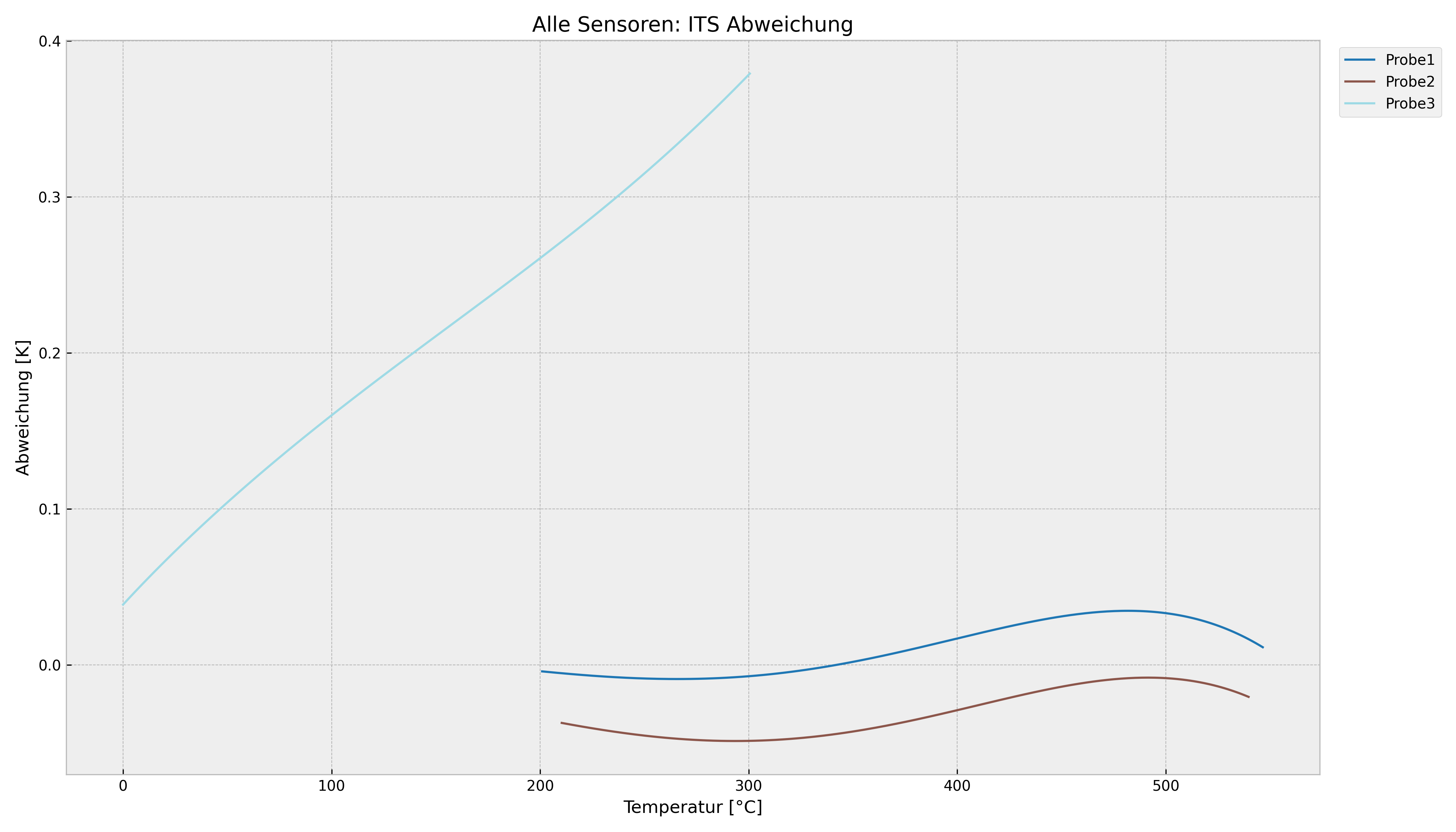
1. Overview: All Sensors (ITS-90)
This plot compares multiple sensors against the standard DIN curve.
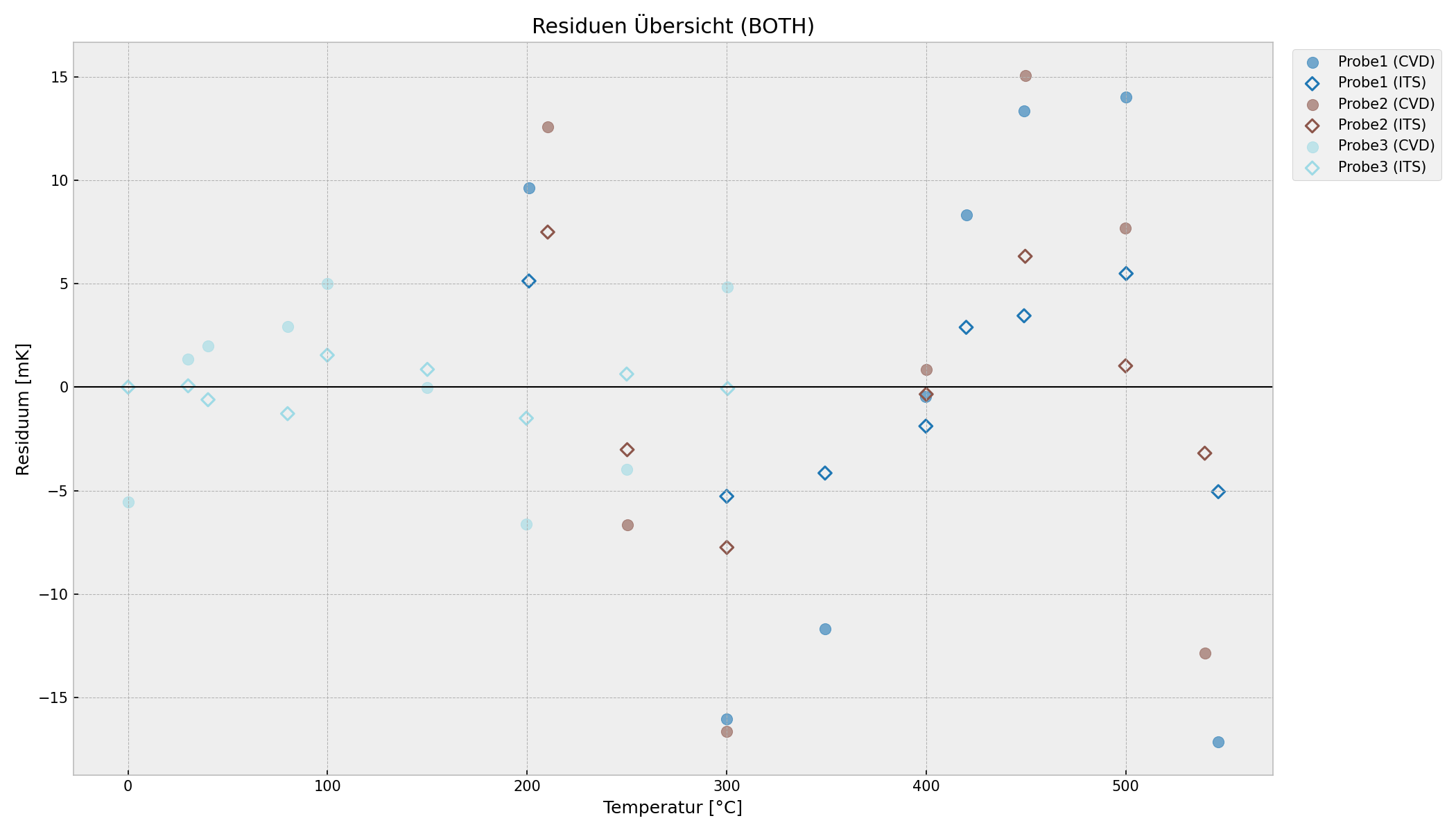
2. Residual Analysis (Quality Check)
Shows the fit residuals. Circles = CVD fit, Diamonds = ITS-90 fit. Ideally, these should be randomly scattered around zero.
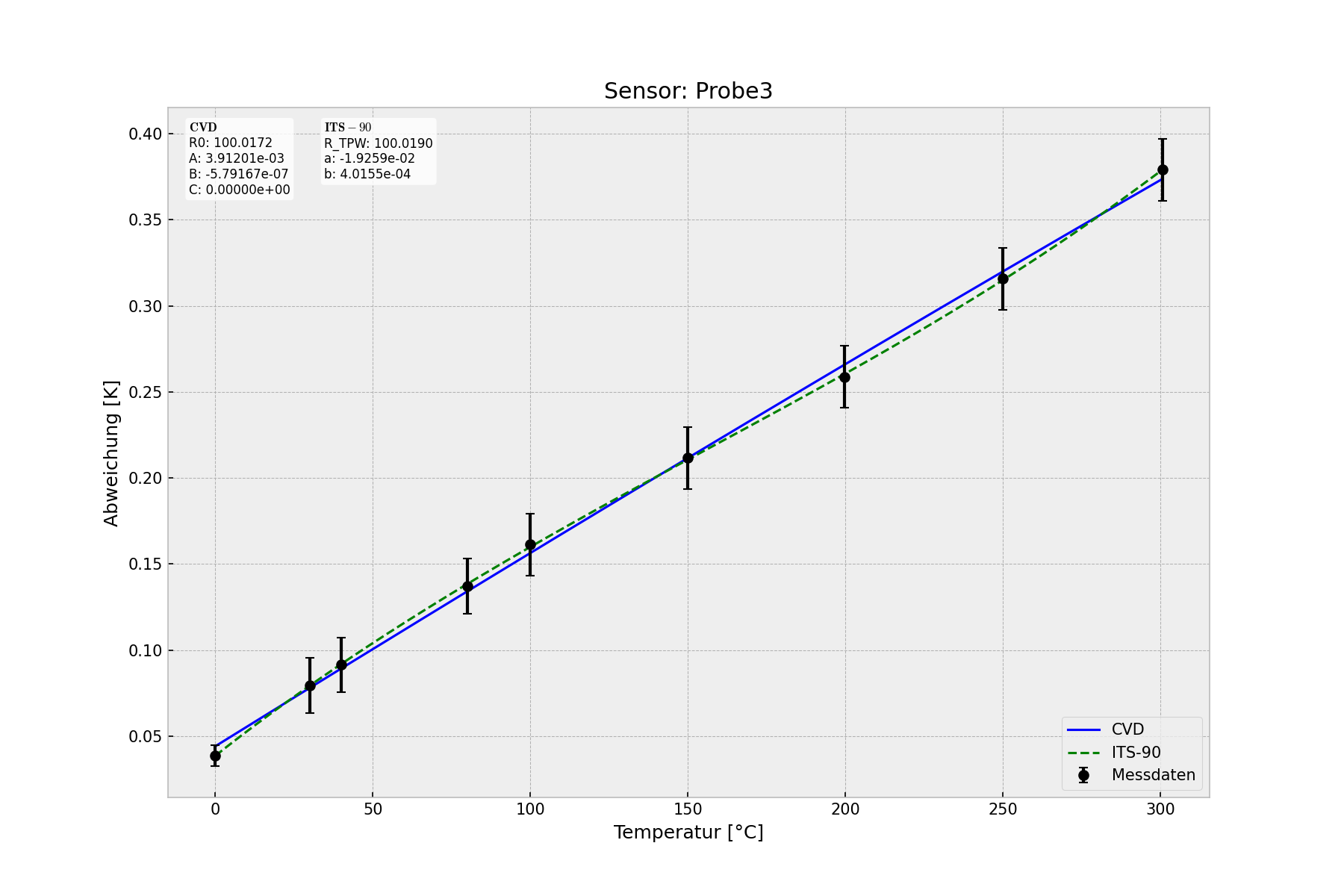
3. Single Sensor Detail (Probe 3)
Comparison between ITS-90 (green) and CVD (blue) fit for a specific sensor. The gray area represents the DIN Class A tolerance band.
2. Using Coefficients (Application)
Use the PtSensor class to apply the calculated coefficients in your application.
Option A: Load from Result-Excel
from ptcal import PtSensor

# Load specific sensor from the calibration result file
sensor = PtSensor.from_excel("results.xlsx", serial_number="SN12345", standard="ITS90")

temp = sensor.get_temperature(108.45)
print(f"Temperature: {temp:.4f} °C")
Option B: Manual Parameters
# Manually define a CVD sensor
sensor = PtSensor("MySensor", standard="CVD", R0=100.01, A=3.9083e-3, B=-5.775e-7)

res = sensor.get_resistance(100.0)
print(f"Resistance at 100°C: {res:.4f} Ohm")
Project Structure
src/ptcal/core.py: Mathematical formulas (ITS-90 / CVD).src/ptcal/calibrator.py: Fitting algorithms and data handling.src/ptcal/sensor.py: Application logic (T <-> R conversion).src/ptcal/plotting.py: Visualization using Matplotlib.
License & Disclaimer
This project is licensed under the MIT License - see the LICENSE file for details.
Disclaimer / Haftungsausschluss This software is provided "as is", without warranty of any kind. The authors are not liable for any damages or measurement errors resulting from the use of this software. Please verify the results for your specific use case, especially in safety-critical applications. / Diese Software wird "wie besehen" bereitgestellt. Die Autoren haften nicht für Schäden oder Messfehler, die aus der Nutzung resultieren. Bitte prüfen Sie die Ergebnisse auf Plausibilität.
Feedback Suggestions, bug reports, and pull requests are welcome! Please open an issue on GitHub.
Release history Release notifications | RSS feed


Download files
Download the file for your platform. If you're not sure which to choose, learn more about installing packages.
Source Distribution
Built Distribution
Filter files by name, interpreter, ABI, and platform.
If you're not sure about the file name format, learn more about wheel file names.
Copy a direct link to the current filters
File details
Details for the file ptcal-0.1.4.tar.gz.
File metadata
- Download URL: ptcal-0.1.4.tar.gz
- Upload date:
- Size: 17.8 kB
- Tags: Source
- Uploaded using Trusted Publishing? No
- Uploaded via: twine/6.1.0 CPython/3.13.7
File hashes
| Algorithm | Hash digest | |
|---|---|---|
| SHA256 |
2342ec2af259919ffa85dddc04131bc134a44ec9d57bedce4124b676f30adf11
|
|
| MD5 |
3fc2e34e863e13410d733b566f42c8ca
|
|
| BLAKE2b-256 |
ac8dadbe159875ea25dcfbed4698ae8c1e847f6bfbca69521de28eabd3d0e56c
|
File details
Details for the file ptcal-0.1.4-py3-none-any.whl.
File metadata
- Download URL: ptcal-0.1.4-py3-none-any.whl
- Upload date:
- Size: 16.8 kB
- Tags: Python 3
- Uploaded using Trusted Publishing? No
- Uploaded via: twine/6.1.0 CPython/3.13.7
File hashes
| Algorithm | Hash digest | |
|---|---|---|
| SHA256 |
92462d0c513223871e51ad8293d9a6fc8668d43b24eca5a67db733faa07a3eec
|
|
| MD5 |
fc238734edd93beaf81a9e5646274aed
|
|
| BLAKE2b-256 |
41a7f65f3d303050bf8b3c5ae2a016fdead04e9e30e893bd9c00dd0e4266f869
|






