
TUI process monitor that groups processes by application

Project description
ptop3




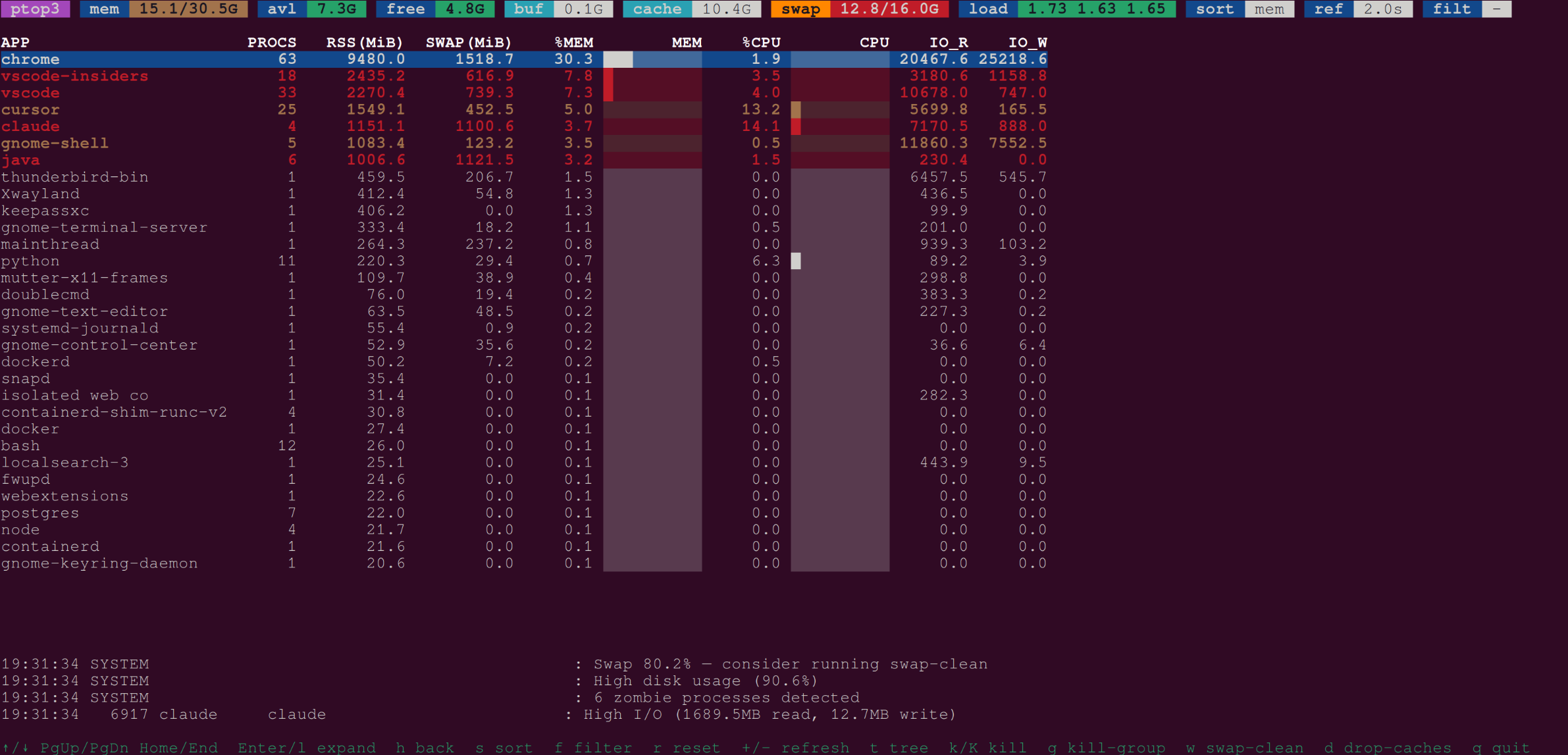
An htop-like TUI process monitor that groups processes by application.
Screenshots
Features
- Groups processes by application name with smart alias resolution
- Colored header with memory, swap, load-average badges
- Sort by memory, CPU, RSS, swap, I/O, network, or count
- Regex filter across app name, process name, and cmdline
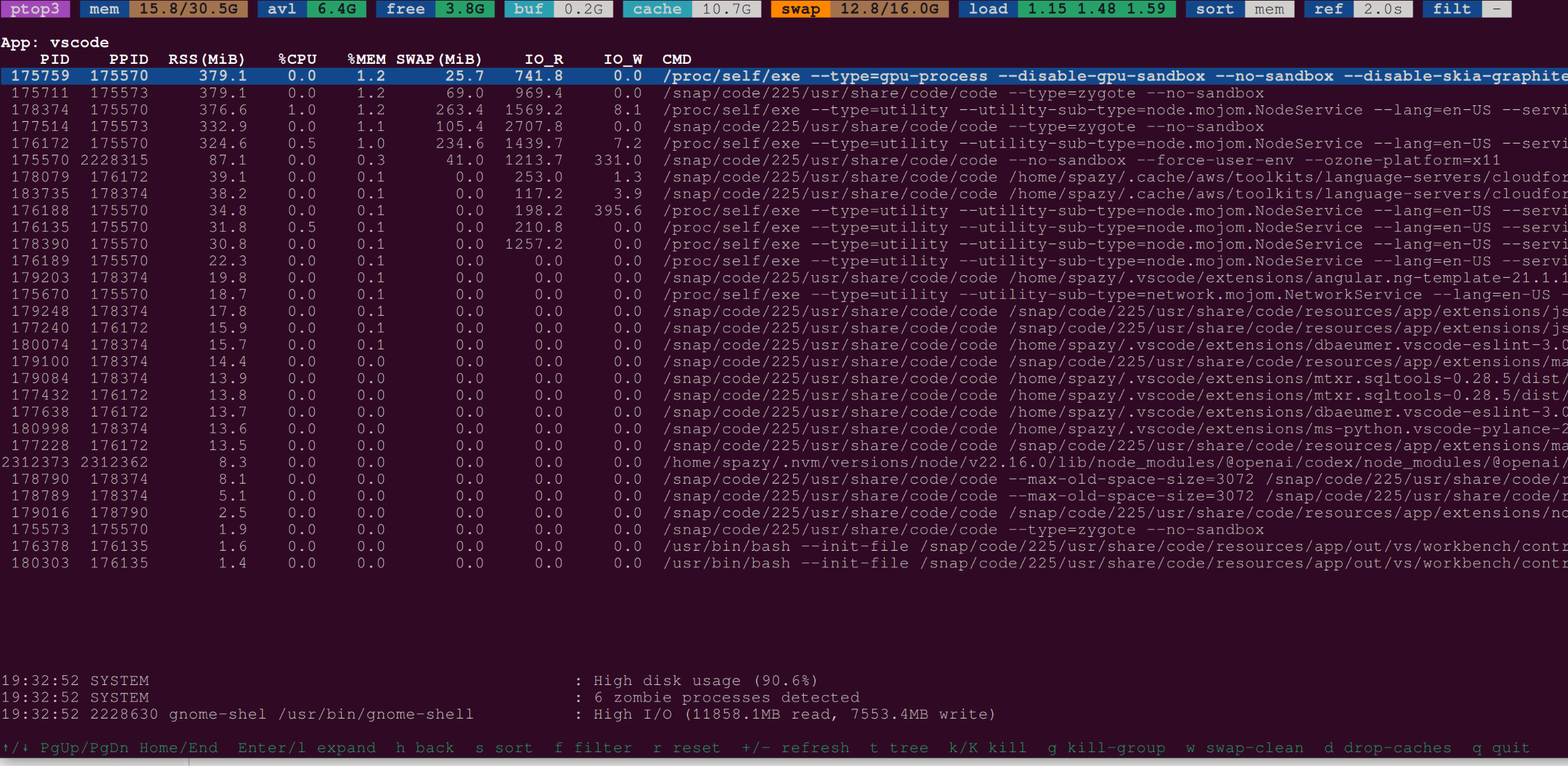
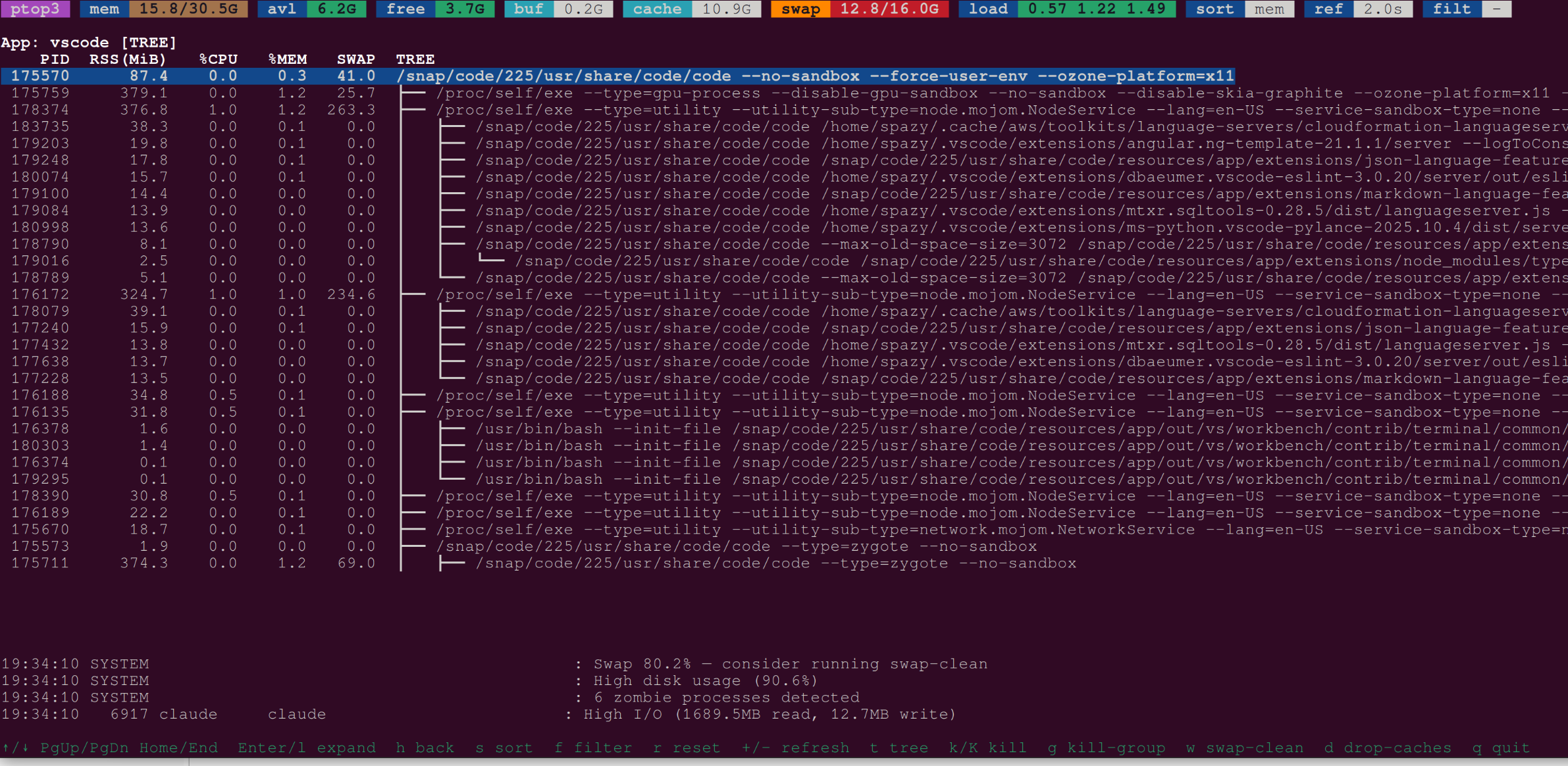
- Process tree view within a selected application group
- Kill signals (SIGTERM / SIGKILL) for individual processes or entire groups
wkey: clean swap by cycling swapoff/swapon (passwordless sudo)dkey: drop kernel caches (passwordless sudo)- Alerts for high CPU, memory, swap, disk usage, and zombie processes
- Lite mode (
--lite) for lower overhead on busy systems
Installation
pip install ptop3
Quick Start
ptop3                 # interactive TUI
python -m ptop3       # same via module
ptop3 --once          # print one-shot table and exit
ptop3 --filter python # filter to python processes
Sudo Setup
The w (swap-clean) and d (drop-caches) keys require root. Configure passwordless sudo once:
sudo ptop3 --init-subscripts
Or manually:
sudo visudo -f /etc/sudoers.d/ptop3
# Add:
# YOUR_USER ALL=(root) NOPASSWD: /path/to/ptop3-drop-caches
# YOUR_USER ALL=(root) NOPASSWD: /path/to/ptop3-swap-clean
Check sudo status:
ptop3 --check-sudo
CLI Reference
| Flag | Default | Description |
|---|---|---|
--once |
off | Print one-shot table and exit |
-f/--filter REGEX |
— | Filter by app/name/cmdline |
-s/--sort KEY |
mem |
Sort key: mem, cpu, rss, swap, io, net, count |
-n/--top N |
15 | Rows to show in --once mode |
--refresh SECS |
2.0 | Refresh interval |
--lite |
off | Lite mode: skip cmdline/IO for tiny procs |
--check-sudo |
— | Check sudo config for subscripts |
--init-subscripts |
— | Write /etc/sudoers.d/ptop3 |
Key Bindings
| Key | Action |
|---|---|
↑/↓ or j/k |
Move selection |
PgUp/PgDn |
Page up/down |
Home/End |
Jump to first/last |
Enter or l |
Expand group to detail view |
h |
Back to group view |
t |
Toggle process tree (detail view) |
s |
Cycle sort key |
f |
Enter filter regex |
r |
Reset filter |
+/- |
Increase/decrease refresh interval |
k/K |
Send SIGTERM/SIGKILL to selected |
g |
Kill whole group (SIGTERM) |
w |
Run swap-clean |
d |
Drop caches |
q or Ctrl-C |
Quit |
Subscripts
The privileged subscripts can also be run directly:
ptop3-drop-caches --help
ptop3-drop-caches --level 1 --dry-run

ptop3-swap-clean --help
ptop3-swap-clean --safety-mb 256 --dry-run
Development
git clone https://github.com/yourusername/ptop3
cd ptop3
pip install -e ".[dev]"
pytest
ruff check ptop3/


Download files
Download the file for your platform. If you're not sure which to choose, learn more about installing packages.
Source Distribution
Built Distribution
Filter files by name, interpreter, ABI, and platform.
If you're not sure about the file name format, learn more about wheel file names.
Copy a direct link to the current filters
File details
Details for the file ptop3-0.1.3.tar.gz.
File metadata
- Download URL: ptop3-0.1.3.tar.gz
- Upload date:
- Size: 24.2 kB
- Tags: Source
- Uploaded using Trusted Publishing? No
- Uploaded via: twine/6.1.0 CPython/3.13.7
File hashes
| Algorithm | Hash digest | |
|---|---|---|
| SHA256 |
ac8a55f5f536da251a424a01fe2df3c7ae9c46e512e99be39087994ad1f3e8ac
|
|
| MD5 |
a48ae668b7ed6a6f981630104feb2adc
|
|
| BLAKE2b-256 |
965e20a5bef7e06958cd2107632e5e133b375fdd7c8ee3100a076030615c6172
|
File details
Details for the file ptop3-0.1.3-py3-none-any.whl.
File metadata
- Download URL: ptop3-0.1.3-py3-none-any.whl
- Upload date:
- Size: 20.2 kB
- Tags: Python 3
- Uploaded using Trusted Publishing? No
- Uploaded via: twine/6.1.0 CPython/3.13.7
File hashes
| Algorithm | Hash digest | |
|---|---|---|
| SHA256 |
b8f8698b3479ffaa4dda44b3dcc1b04663bc1265b50fc9c5597a8266dc0ee29a
|
|
| MD5 |
7cdd93e0a4ce2ddc78ae1c01aeb32087
|
|
| BLAKE2b-256 |
c4a17ae2f8d6e012e402a41cc3ff7589c84d2e7e5c65b6e0b0175d242cbae6b3
|






