
High-performance radio astronomy single pulse search tools

Project description





One stop realtime GPU-accelerated single-pulse/FRB search pipeline
- ⚡ GPU-Accelerated Processing - CUDA dedispersion with advanced optimizations (FMA, shared memory, loop unrolling)
- 🤖 AI-Powered Detection - YOLOv11n trained on 100k+ sim FRBs dataset with high accuracy
- 🧹 Complete RFI Mitigation - RFI removal with PSRFITS & FILTERBANK support
- ⚙️ User-Friendly Pipeline - Simple YAML configuration; easy deployment; Docker deployment
Feedback: use Issues or Discussions.
Preview

Methods
pip install
-
Python 3.10–3.12 recommended.
-
Install:
pip install pulseflow
-
Quick start: see quick start
source code
1. cudatoolkit>=12.0 glibc>=2.27 gcc/gxx>=11.0 ubutnu18.04+.- git clone
git clone https://github.com/lintian233/astroflow
cd astroflow
- build from soure
source configure.sh
- pip install
pip install -e .
Citation
If you use AstroFlow in your research, please cite:
[!NOTE] ASTROFLOW: A Real-Time End-to-End Pipeline for Radio Single-Pulse Searches
https://arxiv.org/abs/2511.02328
Updates
- Sep 10, 2025 - feat: GPU-accelerated IQRM algorithm implementation based on Bhardwaj et al. (2022) with enhanced RFI configuration
- Aug 22, 2025 - feat: Add GPU-accelerated RFI marking and decouple CPU/GPU implementations
- Aug 21, 2025 — Public preview of
astroflowCLI ; CUDA dedispersion and YOLO-based detector integrated. - Aug 20, 2025 — Docker image (CUDA 12.x, PyTorch) and end-to-end benchmark scripts.
TODO
- Add psrdada format ingestion plus zero-copy memory mapping for high-throughput streaming.
- Reuse dedispersed data products across multi-parameter searches to reduce repeated computation.
- Polish and release the general injection-pulse plus model fine-tuning module (pending).
- Refactor documentation and publish it on Read the Docs.
YAML Configuration
Below are the commonly used YAML configuration options:
Basic Configuration
| Option | Description | Example | Required |
|---|---|---|---|
input |
Input file path or directory | B0534+2200.fil/fits |
✓ |
output |
Output directory path | B0534+2200_results |
✓ |
mode |
Processing mode | single/multi/monitor/dataset |
✓ |
candpath |
Candidate file path (for dataset mode) | candidates.csv |
Only for dataset mode |
GPU and Processing
| Option | Description | Example | Default |
|---|---|---|---|
dedgpu |
GPU ID for dedispersion | 0 |
0 |
detgpu |
GPU ID for detection | 1 |
0 |
cputhread |
Number of CPU threads | 64 |
8 |
plotworker |
Number of plot workers | 16 |
4 |
Detection Parameters
| Option | Description | Example | Default |
|---|---|---|---|
confidence |
Detection confidence threshold | 0.4 |
0.372 |
snrhold |
SNR threshold | 5 |
5 |
modelname |
Detector model type | current only yolov11n |
|
modelpath |
Path to customodel weights | model.pt |
- |
timedownfactor |
Time downsampling factor | 8 |
1 |
Time and DM Configuration
| Option | Description | Example |
|---|---|---|
tsample |
Time sampling configurations | See below |
dm_limt |
DM limit ranges | See below |
dmrange |
DM search ranges | See below |
tsample:
  - name: t0
    t: 0.5  # seconds (for single pulse)
dm_limt:
  - name: limt1
    dm_low: 50
    dm_high: 60
  - name: limt4
    dm_low: 100
    dm_high: 700
dmrange:
  - name: dm1
    dm_low: 50
    dm_high: 60
    dm_step: 0.018
  - name: dm3
    dm_low: 80
    dm_high: 700
    dm_step: 1
Frequency Configuration
| Option | Description | Example |
|---|---|---|
freqrange |
Frequency ranges for processing | See below |
freqrange:
  - name: freq1
    freq_start: 1030  # MHz
    freq_end: 1445    # MHz (full band)
  - name: freq2
    freq_start: 1030
    freq_end: 1250    # MHz (sub-band 1)
  - name: freq3
    freq_start: 1250
    freq_end: 1445    # MHz (sub-band 2)
    # For FAST data
  - name: freq3
    freq_start: 1000
    freq_end: 1499.5  # MHz
RFI Mitigation
| Option | Description | Example | Default |
|---|---|---|---|
rfi |
RFI configuration | See below | - |
maskfile |
Single RFI mask file | /path/to/file |
- |
maskdir |
Directory containing RFI masks | /path/to/RFI_MASK/ |
- |
RFI Configuration:
rfi:
  use_mask: 0      # Use external mask files (0/1)
  use_iqrm: 1      # Use IQRM algorithm for RFI detection (0/1)
  use_zero_dm: 1   # Use zero-DM for RFI detection (0/1)

iqrm:
  mode: 1            # Statistical mode: 0=mean, 1=std
  radius_frac: 0.10  # Radius fraction for lag selection
  nsigma: 3.0        # Sigma threshold for outlier detection
  geofactor: 1.5     # Geometric factor for lag progression
  win_sec: 0         # Window size in seconds (0 for full data)
  hop_sec: 1.0       # Hop size in seconds for sliding windows
  include_tail: true # Include remaining data at the end

# Traditional mask-based RFI mitigation
maskfile: /path/to/maskdfile.bad_chans
# OR use directory for multiple files
maskdir: /path/to/maskdir
RFI IQRM Algorithm: AstroFlow implements the IQRM (Iterative Quartile Range Mitigation) algorithm described in Bhardwaj et al. (2022) with full GPU acceleration.
Plotting Configuration
| Option | Description | Example |
|---|---|---|
dmtconfig |
DMT Plot Config | See below |
dmtconfig:
  minpercentile: 0           # Minimum percentile for scaling
  maxpercentile: 100         # Maximum percentile (99.9 for FAST data)
  meadianbulr: 1 3          # Median blur for DMT plot
  guassion: 1 5             # Gaussian filter for DMT plot
| Option | Description | Example |
|---|---|---|
specconfig |
Spectrum Plot Config | See below |
specconfig:
  minpercentile: 0          # Minimum percentile for scaling
  maxpercentile: 100        # Maximum percentile for scaling
  tband: 20                 # Time band in ms (120 for FAST data)
  mode: subband             # Plot mode: subband(std)/standard/detrend
  dtrend: false             # Optional: enable per-channel trend removal (mode=subband) (default false)
  norm: true                # Optional: min-max normalize each subband (default true) (mode=subband)
  subfreq: 256              # Optional: subbands when mode=subband (default 128)
  subtsamp: 2               # Optional: time binning factor when mode=subband (default 4)
  savetype: png             # Optional: export format png/jpg (default png)
Optional spectrum controls
dtrend(bool, defaultfalse): apply linear detrending per subband to suppress bandpass structure.norm(bool, defaulttrue): normalize each subband to [0, 1] to enhance weak pulses.subfreq(int, default128): number of frequency subbands insubbandmode.subtsamp(int, default4): time downsampling factor used to form subband time bins.savetype("png" | "jpg", defaultpng): choose the image format for saved candidate plots.
Real Examples
FAST_PREX Dataset Processing:
For a detailed guide on processing this dataset, see the FAST PREX Dataset Tutorial.
Single Pulsar Observation (Crab):
input: B0534+2200_20250413_194909_ant01p0.fil
output: B0534+2200_20250413_194909
mode: single

timedownfactor: 1
confidence: 0.4
dedgpu: 0
detgpu: 1
cputhread: 32

snrhold: 5
modelname: yolov11n
# use default
# modelpath: yolo11n_0816_v1.pt

rfi:
  use_mask: 0
  use_iqrm: 1
  use_zero_dm: 1

iqrm:
  mode: 1
  radius_frac: 0.10
  nsigma: 3.0
  geofactor: 1.5
  win_sec: 0
  hop_sec: 1.0
  include_tail: true

# Optional: external mask file
# maskfile: file.bad_chans

tsample:
  - name: t0
    t: 0.05

dm_limt:
  - name: limt1
    dm_low: 50
    dm_high: 60

dmrange:
  - name: dm1
    dm_low: 50
    dm_high: 60
    dm_step: 0.018

dmtconfig:
  minpercentile: 0
  maxpercentile: 99.9
  meadianbulr: 1 3
  guassion: 1 5

specconfig:
  minpercentile: 0
  maxpercentile: 100
  tband: 10 #ms
  mode: subband # subband/standard/detrend
  subfreq: 256 # optional (default 128)
  subtsamp: 2  # optional (default 4)
  norm: true   # optional per-subband normalization
  savetype: png # optional png/jpg export
Contributors

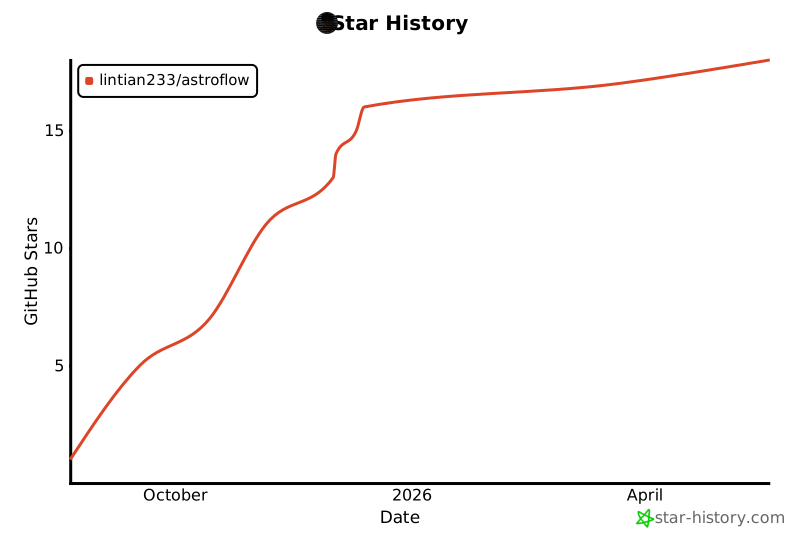
Star History
Release history Release notifications | RSS feed


Download files
Download the file for your platform. If you're not sure which to choose, learn more about installing packages.
Source Distributions
Built Distributions
Filter files by name, interpreter, ABI, and platform.
If you're not sure about the file name format, learn more about wheel file names.
Copy a direct link to the current filters
File details
Details for the file pulseflow-0.1.10-cp312-cp312-manylinux_2_27_x86_64.manylinux_2_28_x86_64.whl.
File metadata
- Download URL: pulseflow-0.1.10-cp312-cp312-manylinux_2_27_x86_64.manylinux_2_28_x86_64.whl
- Upload date:
- Size: 4.1 MB
- Tags: CPython 3.12, manylinux: glibc 2.27+ x86-64, manylinux: glibc 2.28+ x86-64
- Uploaded using Trusted Publishing? Yes
- Uploaded via: twine/6.1.0 CPython/3.13.7
File hashes
| Algorithm | Hash digest | |
|---|---|---|
| SHA256 |
63f7b0a729001eafc4b57f918dbc1377c3545a69f3845eae90d13f65a440342e
|
|
| MD5 |
2fa08b19f52f0f2fc65484d051aebcb1
|
|
| BLAKE2b-256 |
484e91fce7c72b13077450af3da4a18a5ad40b708af0306d7a63d7acaa8376f5
|
Provenance
The following attestation bundles were made for pulseflow-0.1.10-cp312-cp312-manylinux_2_27_x86_64.manylinux_2_28_x86_64.whl:
Publisher:
release.yml on lintian233/astroflow
-
Statement:
-
Statement type:
https://in-toto.io/Statement/v1 -
Predicate type:
https://docs.pypi.org/attestations/publish/v1 -
Subject name:
pulseflow-0.1.10-cp312-cp312-manylinux_2_27_x86_64.manylinux_2_28_x86_64.whl -
Subject digest:
63f7b0a729001eafc4b57f918dbc1377c3545a69f3845eae90d13f65a440342e - Sigstore transparency entry: 715035939
- Sigstore integration time:
-
Permalink:
lintian233/astroflow@ee1fa287d1fa2e02f4459bf1e154d9a74cb0bea0 -
Branch / Tag:
refs/tags/v0.1.10 - Owner: https://github.com/lintian233
-
Access:
public
-
Token Issuer:
https://token.actions.githubusercontent.com -
Runner Environment:
github-hosted -
Publication workflow:
release.yml@ee1fa287d1fa2e02f4459bf1e154d9a74cb0bea0 -
Trigger Event:
push
-
Statement type:
File details
Details for the file pulseflow-0.1.10-cp311-cp311-manylinux_2_27_x86_64.manylinux_2_28_x86_64.whl.
File metadata
- Download URL: pulseflow-0.1.10-cp311-cp311-manylinux_2_27_x86_64.manylinux_2_28_x86_64.whl
- Upload date:
- Size: 4.1 MB
- Tags: CPython 3.11, manylinux: glibc 2.27+ x86-64, manylinux: glibc 2.28+ x86-64
- Uploaded using Trusted Publishing? Yes
- Uploaded via: twine/6.1.0 CPython/3.13.7
File hashes
| Algorithm | Hash digest | |
|---|---|---|
| SHA256 |
9c6dbbdf06452fe518adb1767e0e8ca150b6e47912b7aa3ab86bae6655b35ba0
|
|
| MD5 |
310cbe4a42a695302bd9a797187add84
|
|
| BLAKE2b-256 |
05bf94f21a22953848ff4a489797c9bee1c0adbbbfe1c4b0534f7883c9425ca7
|
Provenance
The following attestation bundles were made for pulseflow-0.1.10-cp311-cp311-manylinux_2_27_x86_64.manylinux_2_28_x86_64.whl:
Publisher:
release.yml on lintian233/astroflow
-
Statement:
-
Statement type:
https://in-toto.io/Statement/v1 -
Predicate type:
https://docs.pypi.org/attestations/publish/v1 -
Subject name:
pulseflow-0.1.10-cp311-cp311-manylinux_2_27_x86_64.manylinux_2_28_x86_64.whl -
Subject digest:
9c6dbbdf06452fe518adb1767e0e8ca150b6e47912b7aa3ab86bae6655b35ba0 - Sigstore transparency entry: 715035933
- Sigstore integration time:
-
Permalink:
lintian233/astroflow@ee1fa287d1fa2e02f4459bf1e154d9a74cb0bea0 -
Branch / Tag:
refs/tags/v0.1.10 - Owner: https://github.com/lintian233
-
Access:
public
-
Token Issuer:
https://token.actions.githubusercontent.com -
Runner Environment:
github-hosted -
Publication workflow:
release.yml@ee1fa287d1fa2e02f4459bf1e154d9a74cb0bea0 -
Trigger Event:
push
-
Statement type:
File details
Details for the file pulseflow-0.1.10-cp310-cp310-manylinux_2_27_x86_64.manylinux_2_28_x86_64.whl.
File metadata
- Download URL: pulseflow-0.1.10-cp310-cp310-manylinux_2_27_x86_64.manylinux_2_28_x86_64.whl
- Upload date:
- Size: 4.1 MB
- Tags: CPython 3.10, manylinux: glibc 2.27+ x86-64, manylinux: glibc 2.28+ x86-64
- Uploaded using Trusted Publishing? Yes
- Uploaded via: twine/6.1.0 CPython/3.13.7
File hashes
| Algorithm | Hash digest | |
|---|---|---|
| SHA256 |
8f2074d0806a247a788846ecb5d4066066c688fd3313563b70c0f133c0032b92
|
|
| MD5 |
765ca7b2b9610cffbaac53cf0cc84929
|
|
| BLAKE2b-256 |
62cc965e6584c048d3bb026afd8c3e7a90f7fda12857cd8a3e5921e3aef3f7c8
|
Provenance
The following attestation bundles were made for pulseflow-0.1.10-cp310-cp310-manylinux_2_27_x86_64.manylinux_2_28_x86_64.whl:
Publisher:
release.yml on lintian233/astroflow
-
Statement:
-
Statement type:
https://in-toto.io/Statement/v1 -
Predicate type:
https://docs.pypi.org/attestations/publish/v1 -
Subject name:
pulseflow-0.1.10-cp310-cp310-manylinux_2_27_x86_64.manylinux_2_28_x86_64.whl -
Subject digest:
8f2074d0806a247a788846ecb5d4066066c688fd3313563b70c0f133c0032b92 - Sigstore transparency entry: 715035945
- Sigstore integration time:
-
Permalink:
lintian233/astroflow@ee1fa287d1fa2e02f4459bf1e154d9a74cb0bea0 -
Branch / Tag:
refs/tags/v0.1.10 - Owner: https://github.com/lintian233
-
Access:
public
-
Token Issuer:
https://token.actions.githubusercontent.com -
Runner Environment:
github-hosted -
Publication workflow:
release.yml@ee1fa287d1fa2e02f4459bf1e154d9a74cb0bea0 -
Trigger Event:
push
-
Statement type:






