
puma - Plotting UMami Api


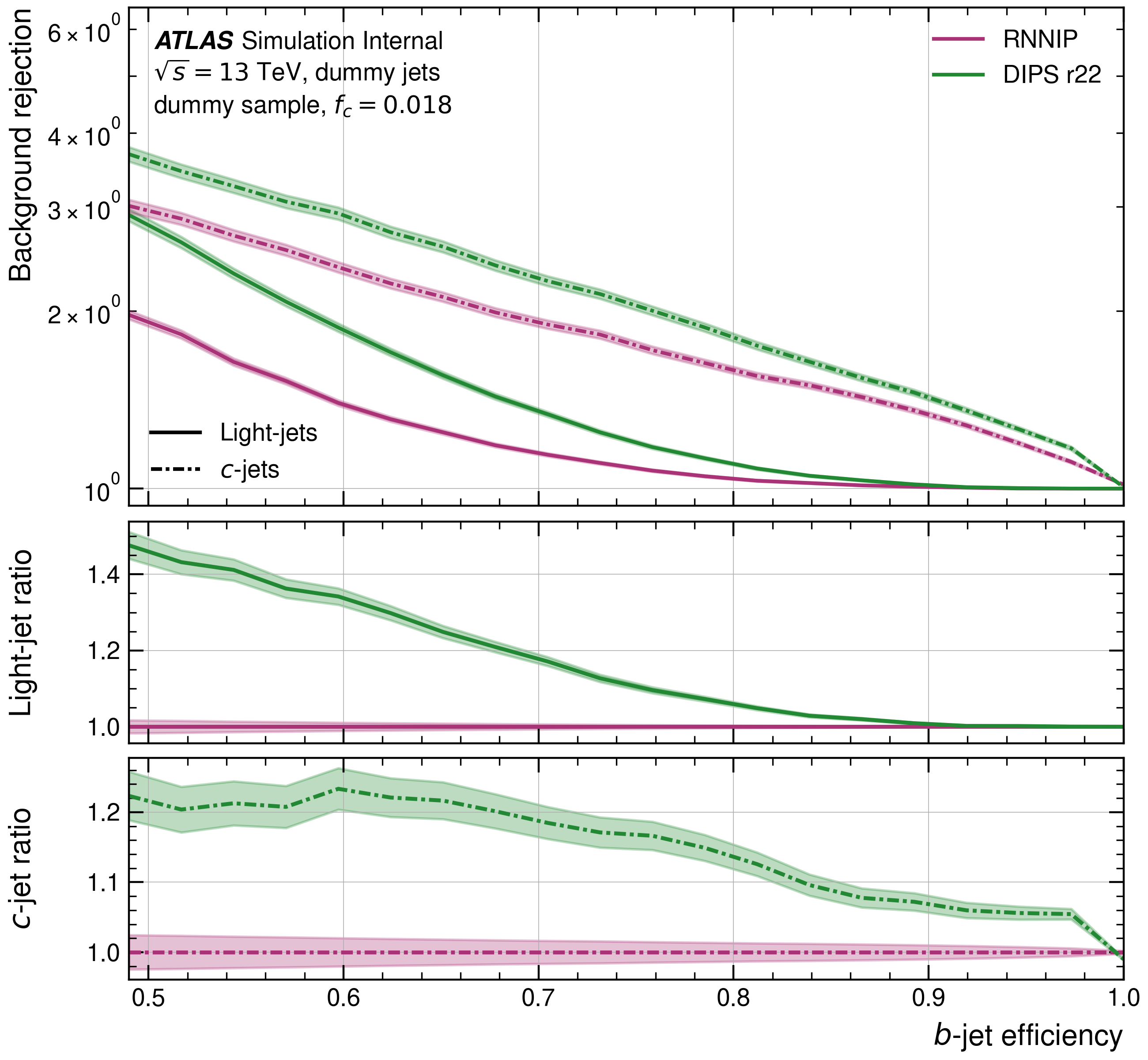
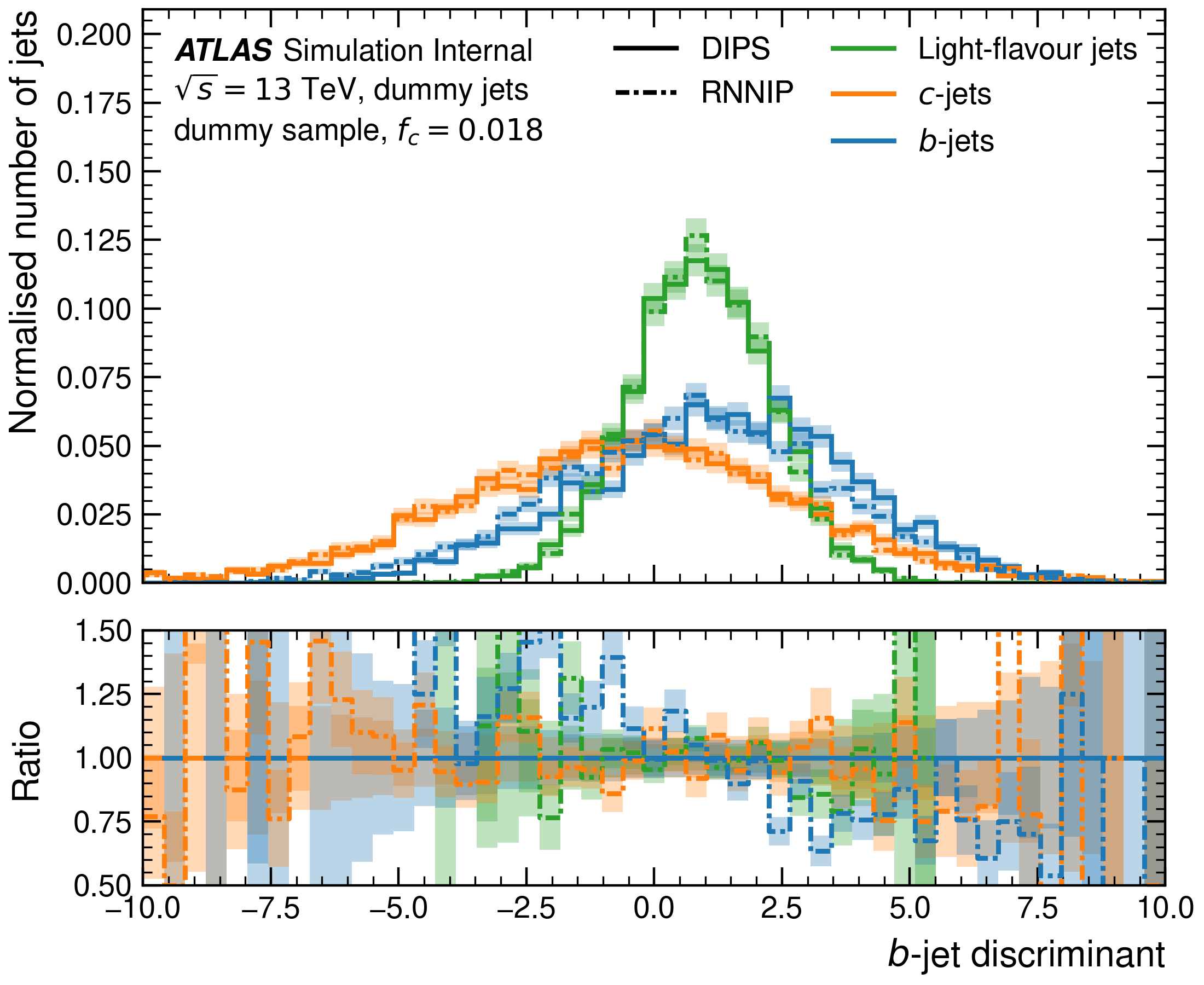
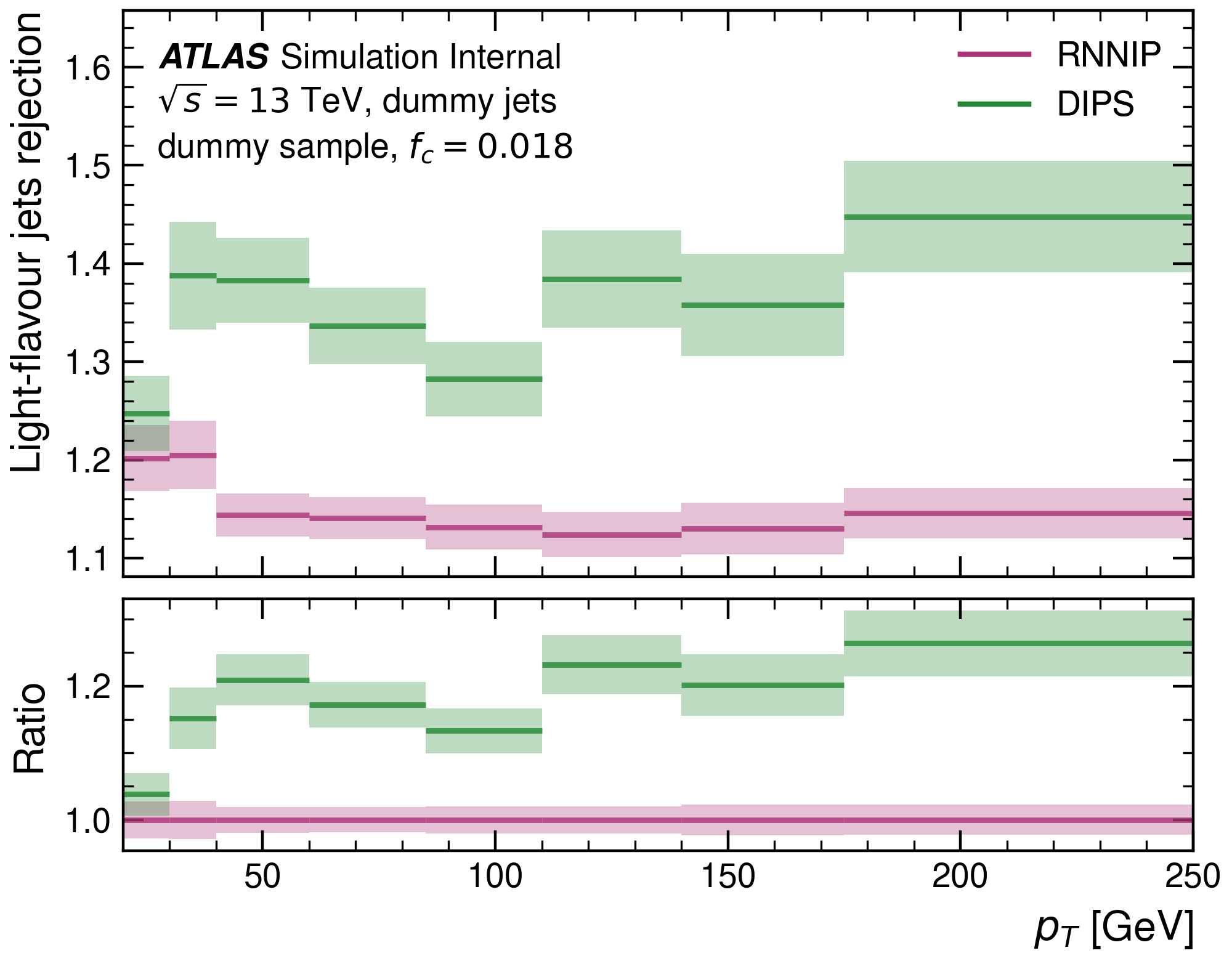
The Python package puma provides a plotting API for commonly used plots in flavour tagging.
| ROC curves | Histogram plots | Variable vs efficiency |
|---|---|---|
 |
 |
 |
Installation
puma can be installed from PyPI or using the latest code from this repository.
Install latest release from PyPI
pip install puma-hep
The installation from PyPI only allows to install tagged releases, meaning you can not
install the latest code from this repo using the above command.
If you just want to use a stable release of puma, this is the way to go.
Install latest version from GitHub
pip install https://github.com/umami-hep/puma/archive/main.tar.gz
This will install the latest version of puma, i.e. the current version
from the main branch (no matter if it is a release/tagged commit).
If you plan on contributing to puma and/or want the latest version possible, this
is what you want.
Install for development with uv (recommended)
For development, we recommend using uv, a fast Python package installer and resolver. First, install uv:
# On macOS and Linux
curl -LsSf https://astral.sh/uv/install.sh | sh

# On Windows
powershell -c "irm https://astral.sh/uv/install.ps1 | iex"

# Or with pip (If installing from PyPI, we recommend installing uv into an isolated environment)
pip install uv
Then clone the repository and install puma with development dependencies:
git clone https://github.com/umami-hep/puma.git
cd puma
uv sync --extra dev
This will install puma in editable mode along with all development tools (testing, linting, etc.).
Docker images
The Docker images are built on GitHub and contain the latest version from the main branch.
The container registry with all available tags can be found here.
The puma:latest image is based on python:3.11.10-bullseye and is meant for users who want to use the latest version of puma. For each release, there is a corresponding tagged image.
You can start an interactive shell in a container with your current working directory
mounted into the container by using one of the commands provided below.
On a machine with Docker installed:
docker run -it --rm -v $PWD:/puma_container -w /puma_container gitlab-registry.cern.ch/aft/training-images/puma-images/puma:latest bash
On a machine/cluster with singularity installed:
singularity shell -B $PWD docker://gitlab-registry.cern.ch/aft/training-images/puma-images/puma:latest
The images are automatically updated via GitHub and pushed to this repository registry.
2 maintainers


Metadata
2 maintainers
Release files for puma-hep 0.5.7
For a detailed explanation of source distributions (sdists) and built distributions (wheels), please see the package formats documentation.
Source distribution (sdist)
| File | Size | Uploaded | Provenance | Actions |
|---|---|---|---|---|
| puma_hep-0.5.7.tar.gz | 95.1 kB | Without provenance | Details for puma_hep-0.5.7.tar.gz |
Built distribution (wheel)
| File | Interpreter | ABI | Platform | Actions Reset |
|---|---|---|---|---|
| puma_hep-0.5.7-py3-none-any.whl | Python 3 | none | any | Details for puma_hep-0.5.7-py3-none-any.whl |
Total release size: 202.1 kB
Release files / puma_hep-0.5.7.tar.gz
| Download URL | puma_hep-0.5.7.tar.gz |
|---|---|
| Size | 95.1 kB |
| Tags | Source |
|
SHA-256 checksum How to use checksums |
3afe385232579a182b8b38f79dd2fd1d2d749975f1d02139b9c60127ca4ebe87
|
|
BLAKE2b-256 checksum How to use checksums |
bbf9311e2f27bd9fb5001587f5ff45b87da60acbec730cde529143b23eb4308e
|
| Upload date | |
|
Uploaded using Trusted Publishing? What is trusted publishing? |
No |
| Uploaded via |
twine/7.0.0 CPython/3.13.16
|
Release files / puma_hep-0.5.7-py3-none-any.whl
| Download URL | puma_hep-0.5.7-py3-none-any.whl |
|---|---|
| Size | 107.0 kB |
| Tags | Python 3 |
|
SHA-256 checksum How to use checksums |
a8b0aac2343b0ae2057cf043b7a329ee24d6d58e38c6a204edeb89406c5d45f9
|
|
BLAKE2b-256 checksum How to use checksums |
76ccec2e6239df22a8347e1fe60020d89537a5d50e18e571d37900acb2e33dce
|
| Upload date | |
|
Uploaded using Trusted Publishing? What is trusted publishing? |
No |
| Uploaded via |
twine/7.0.0 CPython/3.13.16
|
Security for puma-hep 0.5.7
Provenance
Provenance describes where a file came from. On PyPI, provenance is shared via attestations, which provide a verifiable record of the build or publishing details. View details, limitations and caveats.
No provenance found
None of the files in this release were uploaded with provenance metadata.
A note on package security
PyPI is a repository for distributing packages, not a service for auditing them. While third-party security researchers and our staff do their best to detect and remove malicious packages, PyPI cannot guarantee the quality, security or suitability of any given package.
To learn more about protecting yourself from malicious actors, visit our package security documentation.














