
Command Line Interface to Password Pusher.

Project description
pwpush








Command Line Interface to Password Pusher.
This utility is currently in pre-beta form. Most core functionality exists and works but needs a bit of polishing.
Overview
This command line utility exists to interface with pwpush.com or any privately hosted instance of Password Pusher.
It uses the JSON API of Password Pusher to create, view, retrieve and manage pushes. It can do this anonymously or via the authenticated API.
Installation
pip install pwpush
- Required Python version >3.8
Quickstart
pwpush.com
# Push a password to pwpush.com
> pwpush push mypassword
https://pwpush.com/en/p/uzij1ybk6rol

# Get JSON output instead
> pwpush --json=true push mypassword
{'url': 'https://pwpush.com/en/p/uzij1ybk6rol'}
Private Self Hosted Instance
# Point this tool to your privately hosted instance
> pwpush config set --key url --value https://pwpush.mydomain.secure
# ...and push away...
> pwpush push mypassword
https://pwpush.mydomain.secure/en/p/uzij1ybk6rol
Authentication with API Token
Get the API token associated with your account and add it to the CLI configuration.
# Get your API token at [/en/users/token](https://pwpush.com/en/users/token)

# Configure the CLI with your email and API token
> pwpush config set --key email --value <pwpush login email>
> pwpush config set --key token --value <api token from /en/users/token>

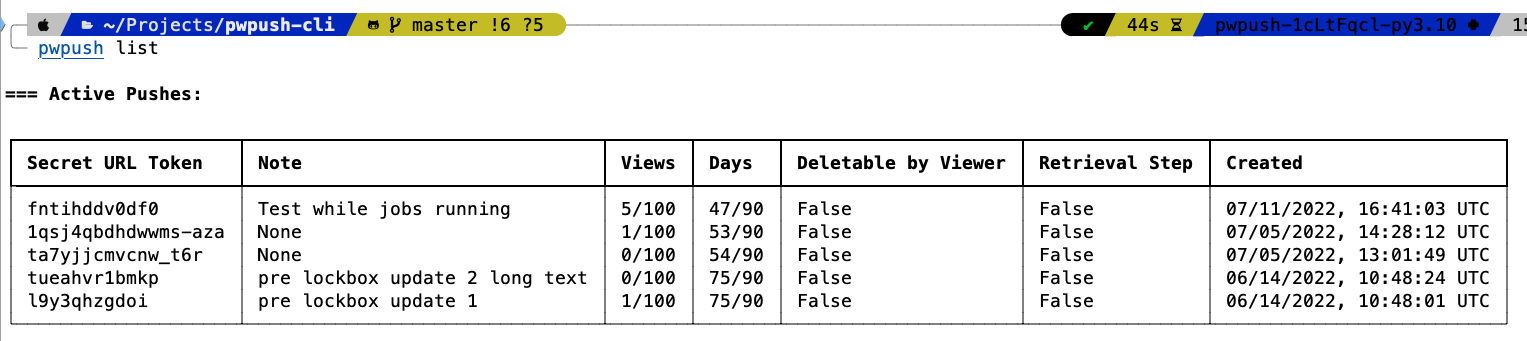
# List active pushes in your dashboard
> pwpush list

=== Active Pushes:
┏━━━━━━━━━━━━━━━━━━━━┳━━━━━━━━━━━━━━━━━━━━━━━━┳━━━━━━━┳━━━━━━━┳━━━━━━━━━━━━━━━━━━━━━┳━━━━━━━━━━━━━━━━┳━━━━━━━━━━━━━━━━━━━━━━━━┓
┃ Secret URL Token   ┃ Note                   ┃ Views ┃ Days  ┃ Deletable by Viewer ┃ Retrieval Step ┃ Created                ┃
┡━━━━━━━━━━━━━━━━━━━━╇━━━━━━━━━━━━━━━━━━━━━━━━╇━━━━━━━╇━━━━━━━╇━━━━━━━━━━━━━━━━━━━━━╇━━━━━━━━━━━━━━━━╇━━━━━━━━━━━━━━━━━━━━━━━━┩
│ uzij1ybk6rol       │ Push prior to Digital  │ 6/100 │ 28/87 │ True                │ False          │ 10/08/2022, 11:55:49   │
│                    │ Ocean migration 3      │       │       │                     │                │ UTC                    │
│ sfoej1fwlfljwlf    │ Push prior to Digital  │ 0/100 │ 28/90 │ True                │ True           │ 10/08/2022, 11:55:19   │
│                    │ Ocean migration 2      │       │       │                     │                │ UTC                    │
└────────────────────┴────────────────────────┴───────┴───────┴─────────────────────┴────────────────┴────────────────────────┘

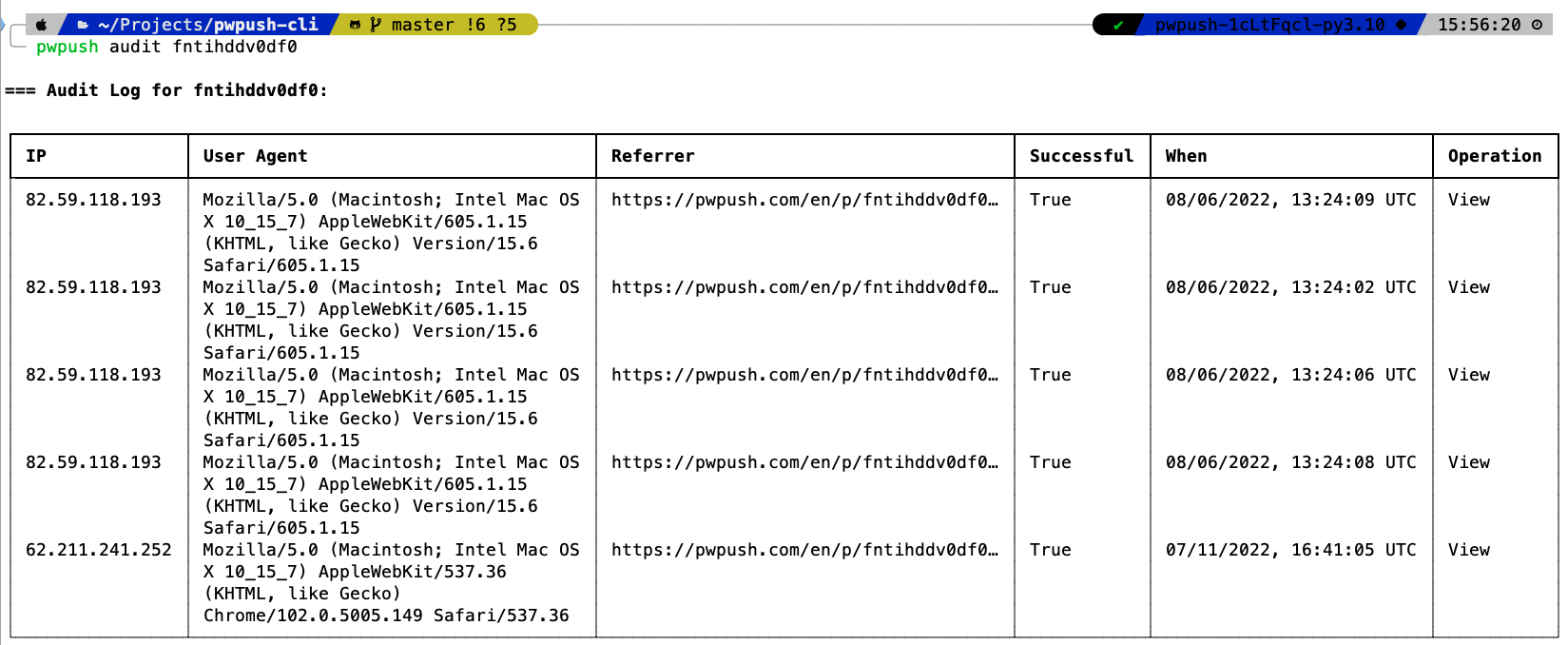
# Get the audit log for a push
> pwpush audit <secret url token>
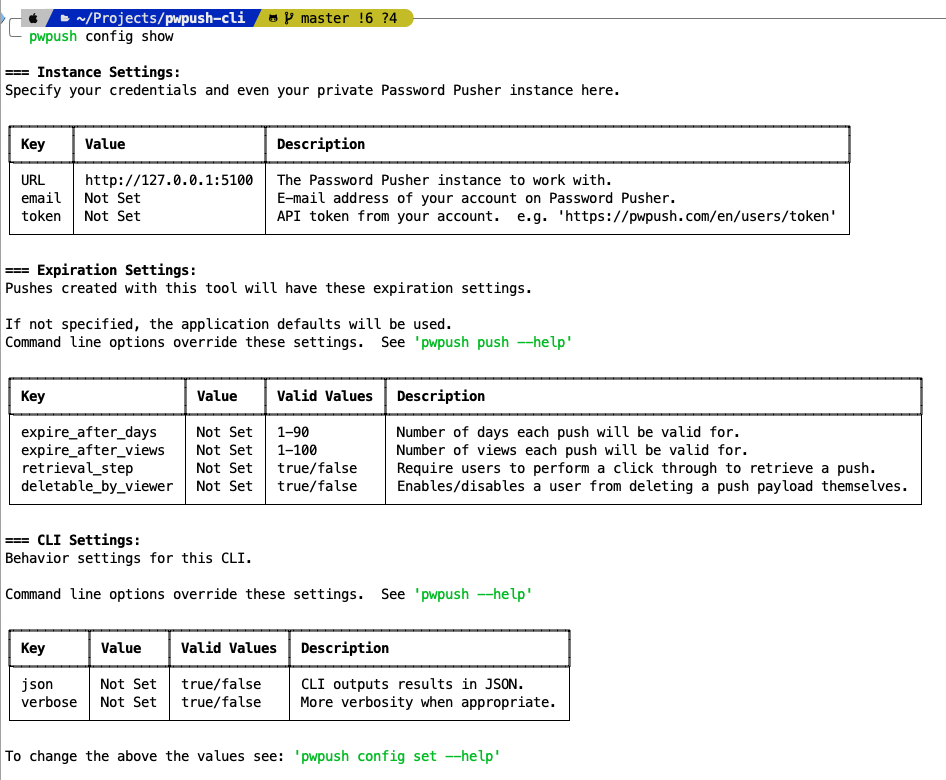
Show Configuration
> pwpush config show

=== Instance Settings:
Specify your credentials and even your private Password Pusher instance here.

┏━━━━━━━┳━━━━━━━━━━━━━━━━━━━━┳━━━━━━━━━━━━━━━━━━━━━━━━━━━━━━━━━━━━━━━━━━━━━━━━━━━━━━━━━━━━━━━━━━━━━━━━┓
┃ Key   ┃ Value              ┃ Description                                                            ┃
┡━━━━━━━╇━━━━━━━━━━━━━━━━━━━━╇━━━━━━━━━━━━━━━━━━━━━━━━━━━━━━━━━━━━━━━━━━━━━━━━━━━━━━━━━━━━━━━━━━━━━━━━┩
│ URL   │ https://pwpush.com │ The Password Pusher instance to work with.                             │
│ email │ Not Set            │ E-mail address of your account on Password Pusher.                     │
│ token │ Not Set            │ API token from your account.  e.g. 'https://pwpush.com/en/users/token' │
└───────┴────────────────────┴────────────────────────────────────────────────────────────────────────┘

=== Expiration Settings:
Pushes created with this tool will have these expiration settings.

If not specified, the application defaults will be used.
Command line options override these settings.  See 'pwpush push --help'

┏━━━━━━━━━━━━━━━━━━━━━┳━━━━━━━━━┳━━━━━━━━━━━━━━┳━━━━━━━━━━━━━━━━━━━━━━━━━━━━━━━━━━━━━━━━━━━━━━━━━━━━━━━━━━━━━━━━━━┓
┃ Key                 ┃ Value   ┃ Valid Values ┃ Description                                                      ┃
┡━━━━━━━━━━━━━━━━━━━━━╇━━━━━━━━━╇━━━━━━━━━━━━━━╇━━━━━━━━━━━━━━━━━━━━━━━━━━━━━━━━━━━━━━━━━━━━━━━━━━━━━━━━━━━━━━━━━━┩
│ expire_after_days   │ Not Set │ 1-90         │ Number of days each push will be valid for.                      │
│ expire_after_views  │ Not Set │ 1-100        │ Number of views each push will be valid for.                     │
│ retrieval_step      │ Not Set │ true/false   │ Require users to perform a click through to retrieve a push.     │
│ deletable_by_viewer │ Not Set │ true/false   │ Enables/disables a user from deleting a push payload themselves. │
└─────────────────────┴─────────┴──────────────┴──────────────────────────────────────────────────────────────────┘

=== CLI Settings:
Behavior settings for this CLI.

Command line options override these settings.  See 'pwpush --help'

┏━━━━━━━━━┳━━━━━━━┳━━━━━━━━━━━━━━┳━━━━━━━━━━━━━━━━━━━━━━━━━━━━━━━━━━┓
┃ Key     ┃ Value ┃ Valid Values ┃ Description                      ┃
┡━━━━━━━━━╇━━━━━━━╇━━━━━━━━━━━━━━╇━━━━━━━━━━━━━━━━━━━━━━━━━━━━━━━━━━┩
│ json    │ False │ true/false   │ CLI outputs results in JSON.     │
│ verbose │ False │ true/false   │ More verbosity when appropriate. │
└─────────┴───────┴──────────────┴──────────────────────────────────┘

To change the above the values see: 'pwpush config set --help'

User config is saved in '/Users/pglombardo/Library/Application Support/pwpush/config.ini'
Screenshots
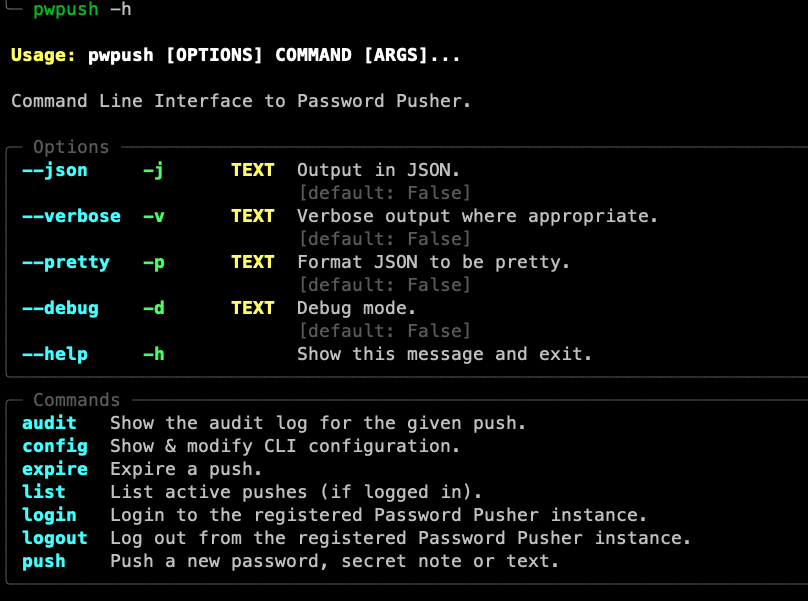
Help
List
Audit
Config
Release history Release notifications | RSS feed


Download files
Download the file for your platform. If you're not sure which to choose, learn more about installing packages.
Source Distribution
Built Distribution
Filter files by name, interpreter, ABI, and platform.
If you're not sure about the file name format, learn more about wheel file names.
Copy a direct link to the current filters
File details
Details for the file pwpush-0.10.0.tar.gz.
File metadata
- Download URL: pwpush-0.10.0.tar.gz
- Upload date:
- Size: 11.5 kB
- Tags: Source
- Uploaded using Trusted Publishing? No
- Uploaded via: poetry/1.6.1 CPython/3.10.12 Darwin/23.1.0
File hashes
| Algorithm | Hash digest | |
|---|---|---|
| SHA256 |
01d94d442d44b61a103861fb28d3a2e55efd91b90d5cf025a9ca57bb3baae961
|
|
| MD5 |
71e0748f493a87d3306197421d969a8e
|
|
| BLAKE2b-256 |
3d641b292e5a5e9402bbfc7ebc7e40b06492c38b7f010e29d73684193a812082
|
File details
Details for the file pwpush-0.10.0-py3-none-any.whl.
File metadata
- Download URL: pwpush-0.10.0-py3-none-any.whl
- Upload date:
- Size: 11.0 kB
- Tags: Python 3
- Uploaded using Trusted Publishing? No
- Uploaded via: poetry/1.6.1 CPython/3.10.12 Darwin/23.1.0
File hashes
| Algorithm | Hash digest | |
|---|---|---|
| SHA256 |
19937d52af380c76978f1759f33d90555e1cc201ac6b7f8dcd2162b9b788e0d6
|
|
| MD5 |
053ab21531351ccd39c34cdba0e82038
|
|
| BLAKE2b-256 |
6030b890d46fd233aafdf80ba22bf71ed8c74c30cc0921cfc53d8d450b8f80ec
|






