
Py-Discord-HTML-Transcripts
Requirements
discord.py v2.4.0 or later
Installation
To install the library to your virtual environment, for bot usage, run the command:
pip install py-discord-html-transcripts
Usage
There are currently 3 methods (functions) to chat-exporter which you can use to export your chat.
Expand the blocks below to learn the functions, arguments and usages.
Basic Usage
.quick_export() is the simplest way of using chat-exporter.
Using the quick_export function will gather the history of the channel you give, build the transcript then post the file and embed directly to the channel - returning a message object gathered from the message it posted.
This is mostly seen as a demo function, as opposed to a command you should actually use.
Required Argument(s):
channel: discord.TextChannel object, whether ctx.channel or any channel you gather.
Optional Argument(s):
bot: commands.Bot object to gather members who are no longer in your guild.
Return Argument:
discord.Message: The message quick_export will send, containing the embed and exported chat file.
Example:
import discord
import chat_exporter
from discord.ext import commands

intents = discord.Intents.default()
intents.members = True
intents.message_content = True

bot = commands.Bot(command_prefix="!", intents=intents)

...

@bot.command()
async def save(ctx: commands.Context):
    await chat_exporter.quick_export(ctx.channel)

...
Customisable Usage
.export() is the most efficient and flexible method to export a chat using chat-exporter.
Using the export function will generate a transcript using the channel you pass in, along with using any of the custom kwargs passed in to set limits, timezone, 24h formats and more (listed below).
This would be the main function to use within chat-exporter.
Required Argument(s):
channel: discord.TextChannel object, whether ctx.channel or any channel you gather.
Optional Argument(s):
limit: Integer value to set the limit (amount of messages) the chat exporter gathers when grabbing the history (default=unlimited).
tz_info: String value of a TZ Database name to set a custom timezone for the exported messages (default=UTC)
guild: discord.Guild object which can be passed in to solve bugs for certain forks
military_time: Boolean value to set a 24h format for times within your exported chat (default=False | 12h format)
fancy_times: Boolean value which toggles the 'fancy times' (Today|Yesterday|Day)
before: datetime.datetime object which allows to gather messages from before a certain date
after: datetime.datetime object which allows to gather messages from after a certain date
bot: commands.Bot object to gather members who are no longer in your guild.
Return Argument:
transcript: The HTML build-up for you to construct the HTML File with Discord.
Example:
import io

...

@bot.command()
async def save(ctx: commands.Context, limit: int = 100, tz_info: str = "UTC", military_time: bool = True):
    transcript = await chat_exporter.export(
        ctx.channel,
        limit=limit,
        tz_info=tz_info,
        military_time=military_time,
        bot=bot,
    )

    if transcript is None:
        return

    transcript_file = discord.File(
        io.BytesIO(transcript.encode()),
        filename=f"transcript-{ctx.channel.name}.html",
    )

    await ctx.send(file=transcript_file)
Raw Usage
.raw_export() is for the crazy people who like to do their own thing when using chat-exporter.
Using the raw_export function will generate a transcript using the list of messages you pass in, along with using any of the custom kwargs passed in to set limits, timezone, 24h formats and more (listed below).
This would be for people who want to filter what content to export.
Required Argument(s):
channel: discord.TextChannel object, whether ctx.channel or any channel you gather (this is just for padding the header).
messages: A list of Message objects which you wish to export to an HTML file.
Optional Argument(s):
tz_info: String value of a TZ Database name to set a custom timezone for the exported messages (default=UTC)
military_time: Boolean value to set a 24h format for times within your exported chat (default=False | 12h format)
fancy_times: Boolean value which toggles the 'fancy times' (Today|Yesterday|Day)
bot: commands.Bot object to gather members who are no longer in your guild.
Return Argument:
transcript: The HTML build-up for you to construct the HTML File with Discord.
Example:
import io

...

@bot.command()
async def purge(ctx: commands.Context, tz_info: str, military_time: bool):
    deleted_messages = await ctx.channel.purge()

    transcript = await chat_exporter.raw_export(
        ctx.channel,
        messages=deleted_messages,
        tz_info=tz_info,
        military_time=military_time,
        bot=bot,
    )

    if transcript is None:
        return

    transcript_file = discord.File(
        io.BytesIO(transcript.encode()),
        filename=f"transcript-{ctx.channel.name}.html",
    )

    await ctx.send(file=transcript_file)
Screenshots
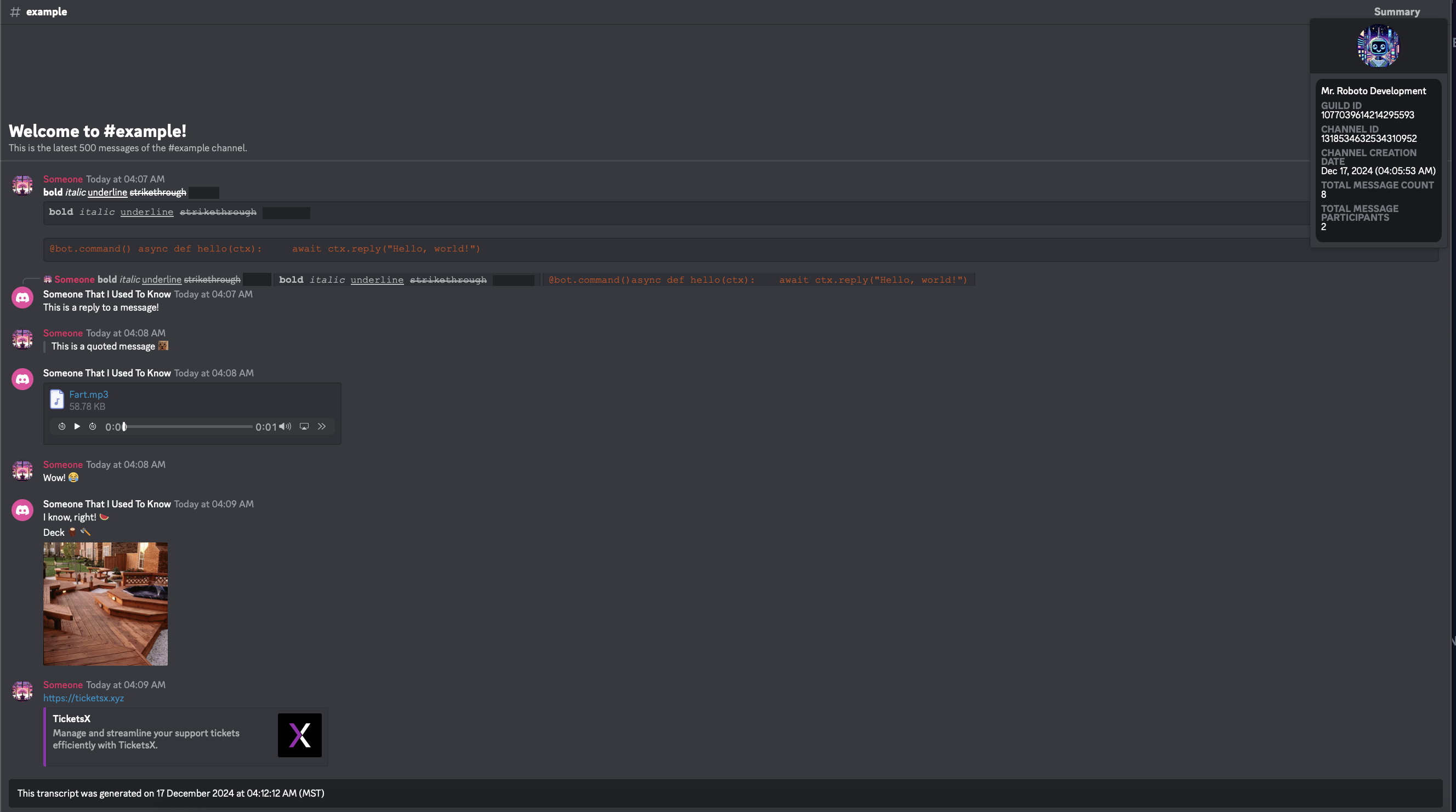
General
Discord
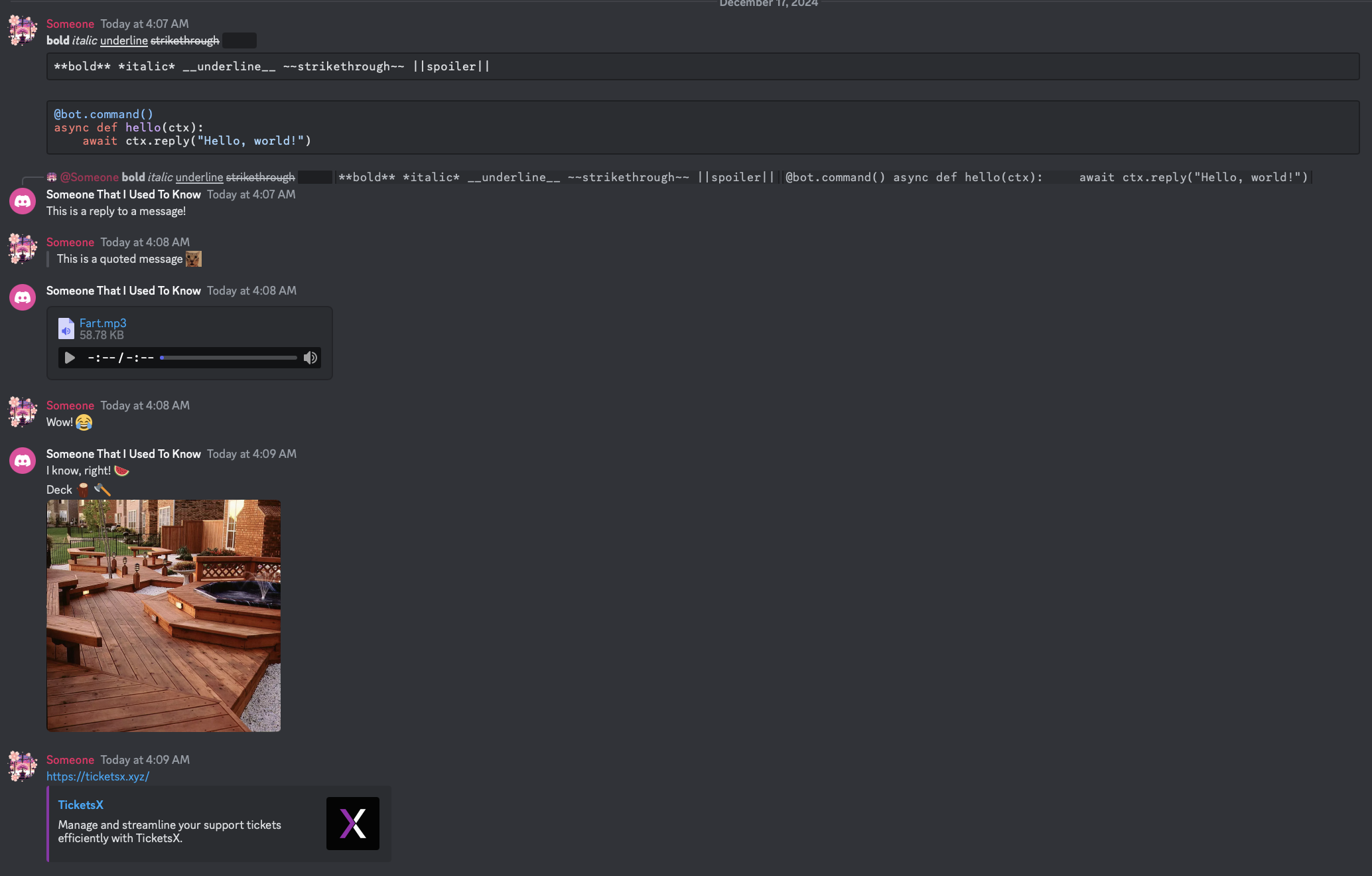
Chat-Exporter
1 maintainer

Metadata
1 maintainer
Release files for py-discord-html-transcripts 2.3.1
For a detailed explanation of source distributions (sdists) and built distributions (wheels), please see the package formats documentation.
Source distribution (sdist)
| File | Size | Uploaded | |
|---|---|---|---|
| py_discord_html_transcripts-2.3.1.tar.gz | 36.5 kB | Details |
Built distribution (wheel)
| File | Interpreter | ABI | Platform | Reset |
|---|---|---|---|---|
| py_discord_html_transcripts-2.3.1-py3-none-any.whl | Python 3 | none | any | Details |
Total release size: 85.6 kB
Release files / py_discord_html_transcripts-2.3.1.tar.gz
| Download URL | py_discord_html_transcripts-2.3.1.tar.gz |
|---|---|
| Size | 36.5 kB |
| Tags | Source |
|
SHA-256 checksum How to use checksums |
9c336e6c2305b4760a016cb0b425692e9fd4014b50f5e68ae7358aef5468d0fb
|
|
BLAKE2b-256 checksum How to use checksums |
eb758817a572efe3d1ce6697443b23220b3a049fa8f45c75066a3752668689cf
|
| Upload date | |
|
Uploaded using Trusted Publishing? What is trusted publishing? |
No |
| Uploaded via |
twine/6.0.1 CPython/3.12.8
|
Release files / py_discord_html_transcripts-2.3.1-py3-none-any.whl
| Download URL | py_discord_html_transcripts-2.3.1-py3-none-any.whl |
|---|---|
| Size | 49.1 kB |
| Tags | Python 3 |
|
SHA-256 checksum How to use checksums |
887a1f33deb7c3debf847f80e6890dc77ef54d63f4ef880d304cdbc404aea367
|
|
BLAKE2b-256 checksum How to use checksums |
e280139972054a0d42b1ae9ce603deba13a485f419b3ae55d19db324b7a844a1
|
| Upload date | |
|
Uploaded using Trusted Publishing? What is trusted publishing? |
No |
| Uploaded via |
twine/6.0.1 CPython/3.12.8
|














